Some useful HTML tags:
A Thread🧵👇
A Thread🧵👇
1- Figure: The <figure> tag specifies self-contained content, like illustrations, diagrams, photos, etc.
- The <figcaption> element is used to add a caption for the <figure> element.
- The <figcaption> element is used to add a caption for the <figure> element.

2- Details: The <details> tag is often used to create an interactive widget that the user can open and close. By default, the widget is closed. When open, it expands and displays the content within.
- The <summary> tag defines a visible heading for the <details> element.
- The <summary> tag defines a visible heading for the <details> element.

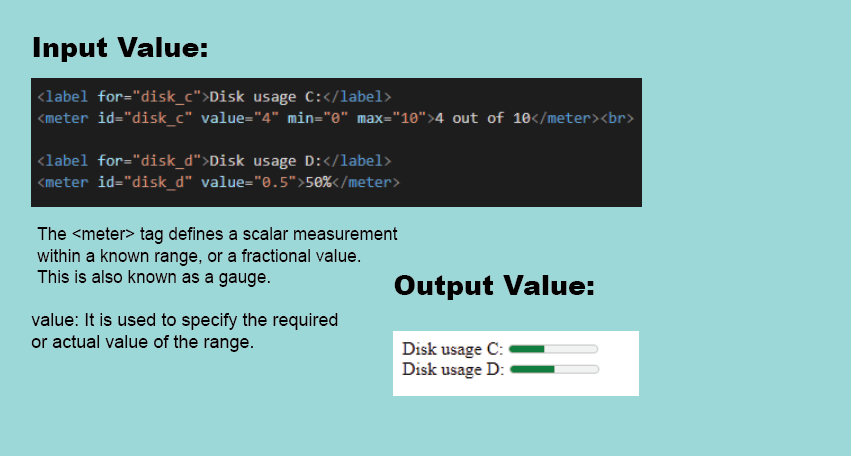
3- Meter: The <meter> tag is used to measure data within a given range. It defines a scalar measurement with range.
4- Datalist: The <datalist> tag is used to provide an "autocomplete" feature for <input> elements. Users will see a drop-down list of pre-defined options as they input data.

5- Audio: The <audio> tag is used to embed sound content in a document, such as music or other audio streams.

6- Video: The <video> tag is used to embed video content in a document, such as a movie clip or other video streams.

That's all for the thread.
If you find it useful retweet the first one.
Happy Learning.💙
If you find it useful retweet the first one.
Happy Learning.💙
• • •
Missing some Tweet in this thread? You can try to
force a refresh