A thread about the future of color in CSS.
Why P3 colors will be the “new retina” that we will all have to support.
How we will write colors in CSS in 2022-2023.
Why P3 colors will be the “new retina” that we will all have to support.
How we will write colors in CSS in 2022-2023.

TL;DR:
1. New monitors support P3 colors. We will use these colors in CSS to make websites more vivid.
2. We will write colors in CSS like `lch(36% 81 200 / 50%)` without commas, alpha after slash, with lch() function in LAB color space.
1. New monitors support P3 colors. We will use these colors in CSS to make websites more vivid.
2. We will write colors in CSS like `lch(36% 81 200 / 50%)` without commas, alpha after slash, with lch() function in LAB color space.
Let's start with P3 colors.
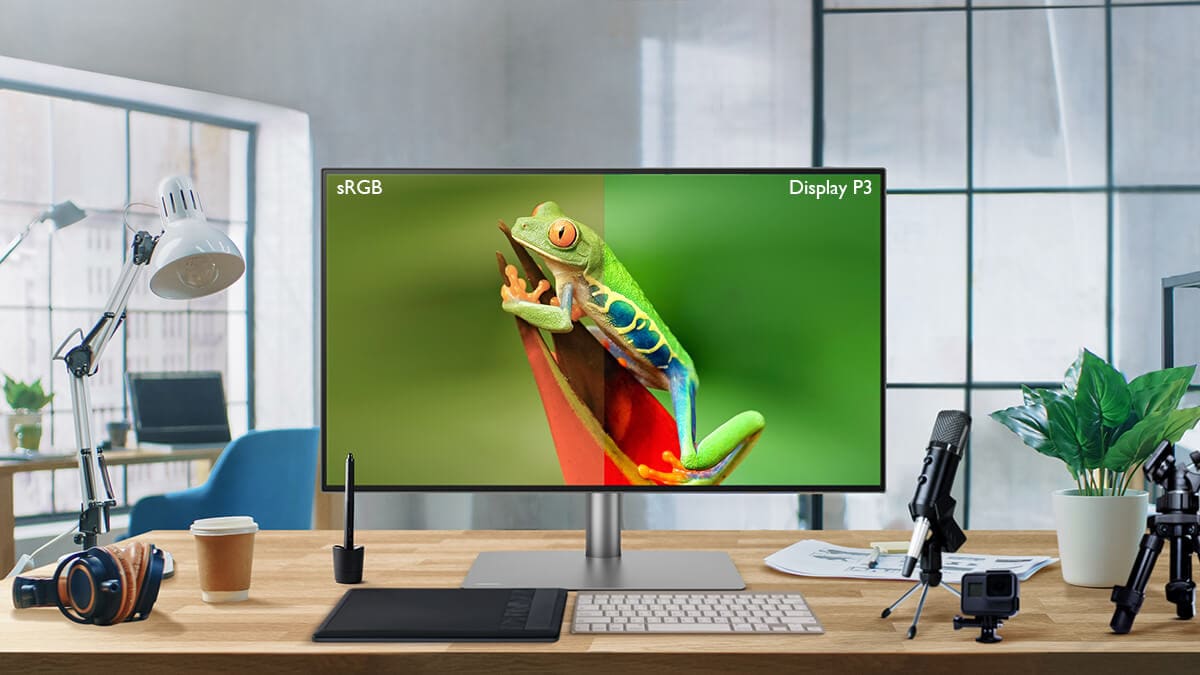
Modern screens have recently been able to show a lot more colors. And there are a lot of these screens already: most Apple devices, Android phones with OLED screens.
But what to do with new colors?
Modern screens have recently been able to show a lot more colors. And there are a lot of these screens already: most Apple devices, Android phones with OLED screens.
But what to do with new colors?
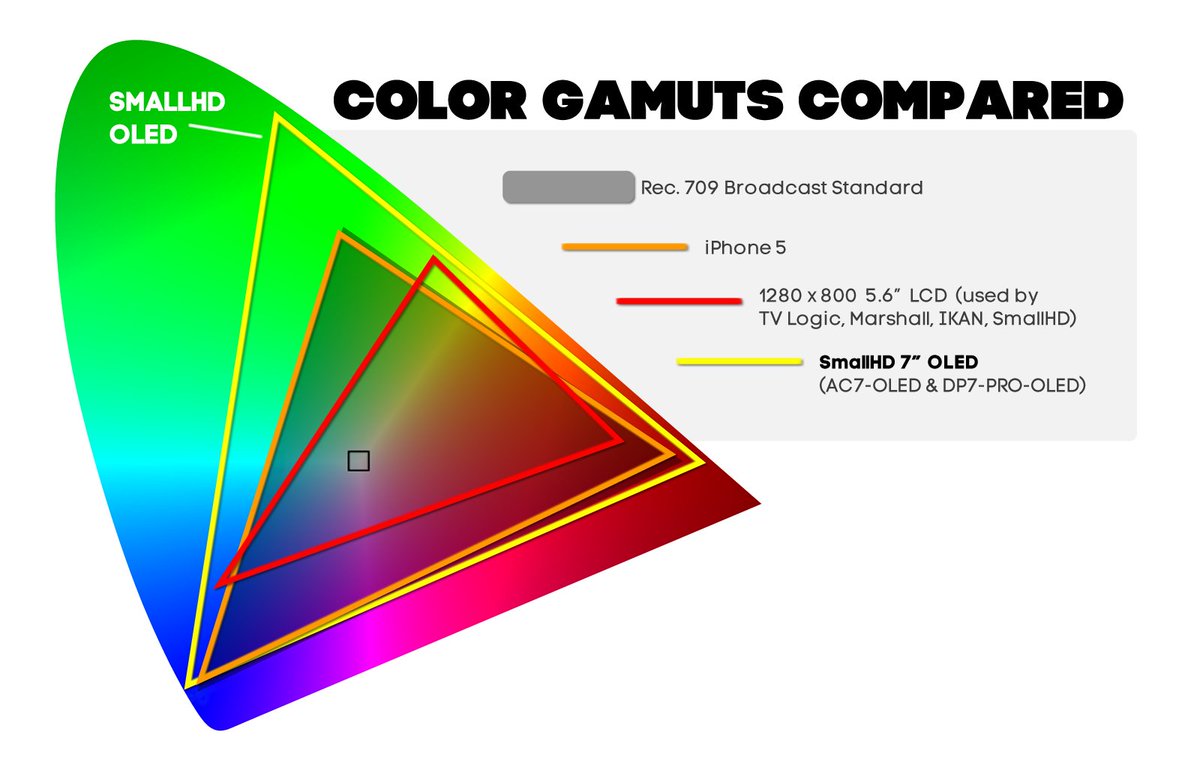
Some Android phones just stretched the old sRGB colors into a new larger space.
Everything has become more vibrant. You don't need to change app’s code.
The big downside is that the colors have changed and don't look like the designer planned.
Everything has become more vibrant. You don't need to change app’s code.
The big downside is that the colors have changed and don't look like the designer planned.
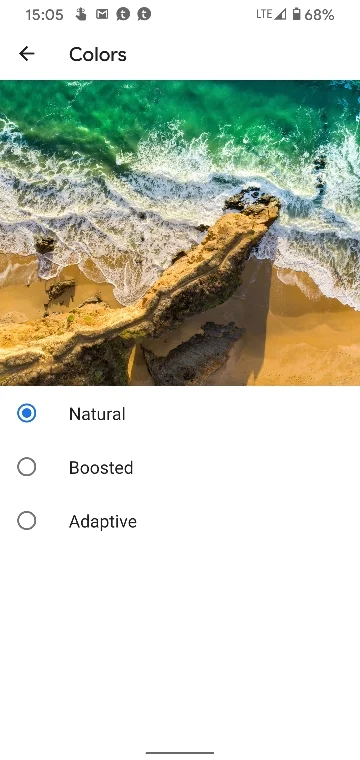
This is why serious companies don't want to stretch old colors into new colors. They want a more intentional approach with new colors: developers explicitly use new colors in the app.
Here the main driver of change is Apple.
But there are two problems to be solved:
Here the main driver of change is Apple.
But there are two problems to be solved:
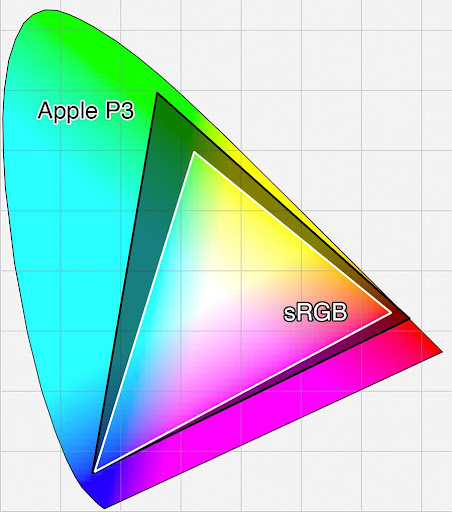
1. We need to agree on a minimum set of new colors.
It seems that for the next few years, this set will be P3.
The current (old) set is called sRGB.
But note that the eye sees more colors, so P3 is not the final solution. We will have better screens beyond P3.
It seems that for the next few years, this set will be P3.
The current (old) set is called sRGB.
But note that the eye sees more colors, so P3 is not the final solution. We will have better screens beyond P3.
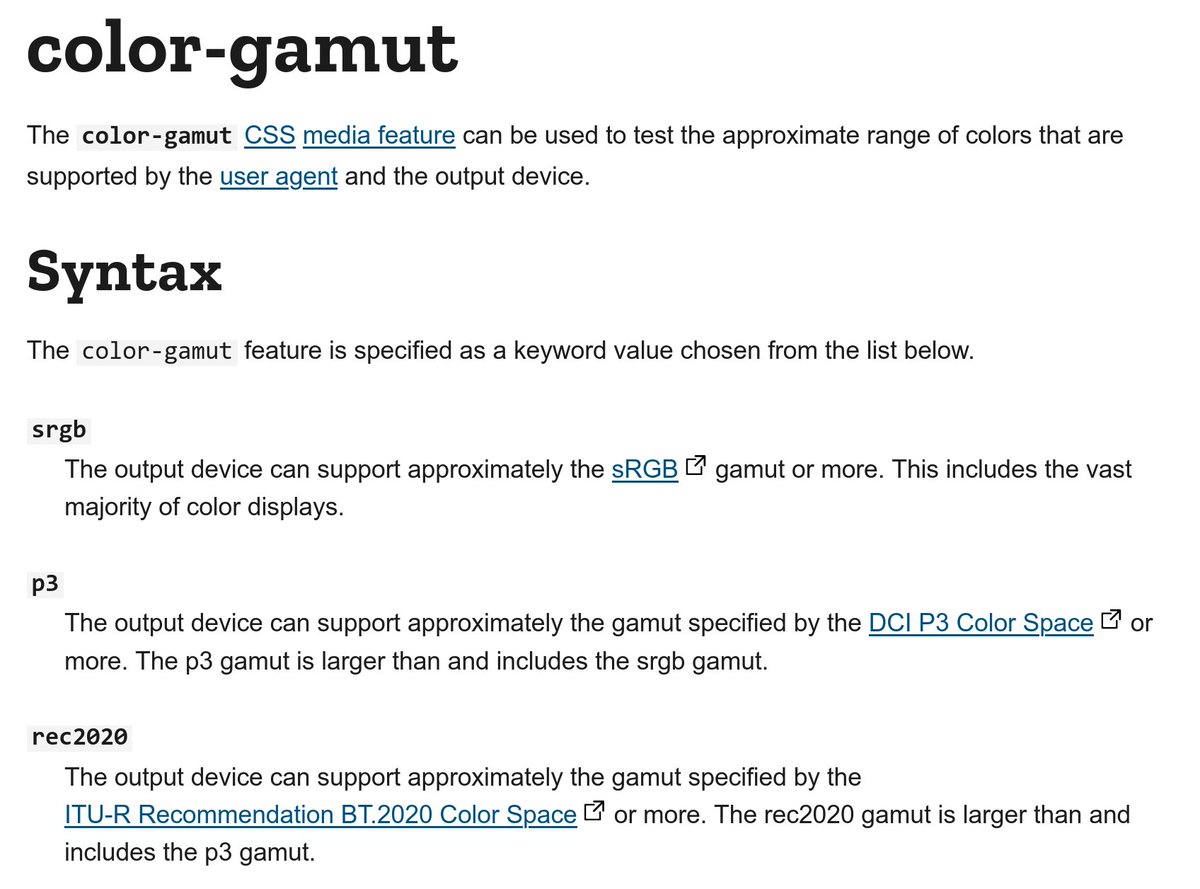
2. We need to make an API to check the set of colors in the screen and a way to specify advanced colors (rgb() and hex-colors can only encode old sRGB colors).
In CSS, there is color-gamut media query. There are many ways to specify P3 colors, but I think lch() is the best.
In CSS, there is color-gamut media query. There are many ways to specify P3 colors, but I think lch() is the best.
I think that P3 colors adoption will be like the Retina adoption.
It will go fast because it is important for business: your site will look more vivid than the competitors on devices of the richest clients.
It will go fast because it is important for business: your site will look more vivid than the competitors on devices of the richest clients.
Many Apple devices and Android/laptops with OLED screens already support P3 colors.
Device list:
en.wikipedia.org/wiki/DCI-P3#Hi…
But OS/browser support is more complicated.
Device list:
en.wikipedia.org/wiki/DCI-P3#Hi…
But OS/browser support is more complicated.
CSS has color-gamut media query with srgb, p3, and rec2020 (wider than P3) to check the screen type.
developer.mozilla.org/en-US/docs/Web…
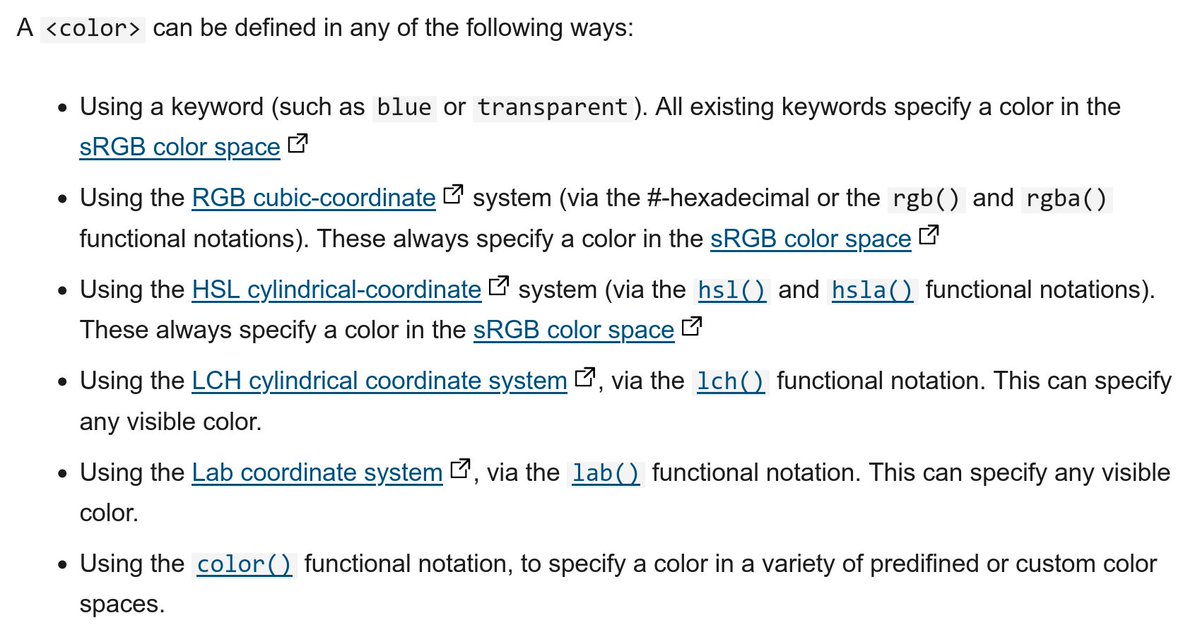
There are many ways to specify colors.
I think lch() is the best one, even if you don’t need P3 colors yet.
developer.mozilla.org/en-US/docs/Web…
There are many ways to specify colors.
I think lch() is the best one, even if you don’t need P3 colors yet.
hex and rgb()/rgba() is bad. Besides the fact that they don’t support P3 colors, they are also not very useful.
By reading values, you can’t see that the two colors have the same hue with different brightness.
By reading values, you can’t see that the two colors have the same hue with different brightness.
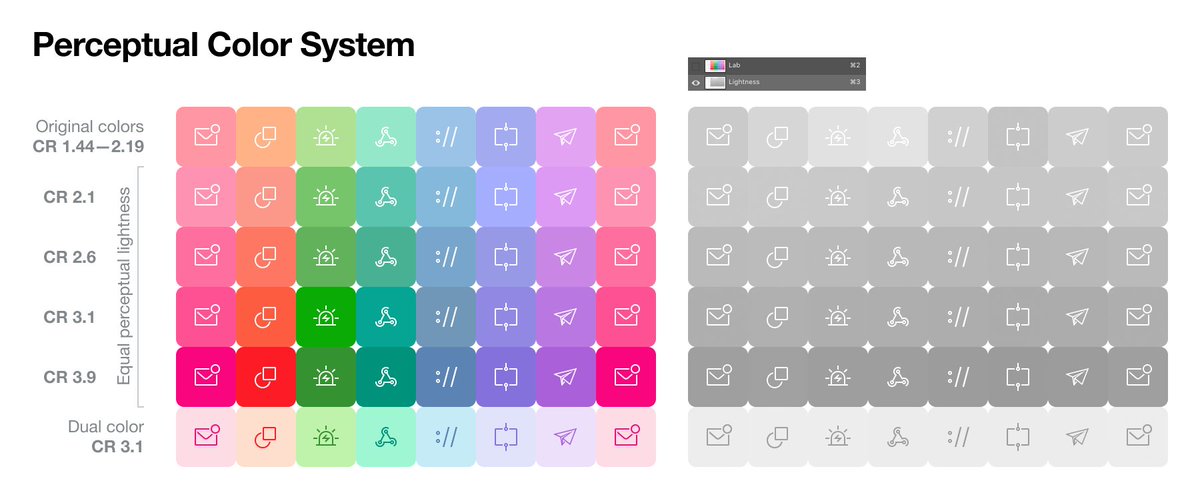
hsl() solves the usability problem, but, besides lack of P3 support, has a fundamental problem: the l-component does not render brightness as the eye sees it.
Colors in different hues but with the same lightness value will have different brightness for the human eye.
Colors in different hues but with the same lightness value will have different brightness for the human eye.
Why is lightness in HSL not correct? The eye sees a different number of colors of a different hue. You can’t make a simple cube of possible colors.
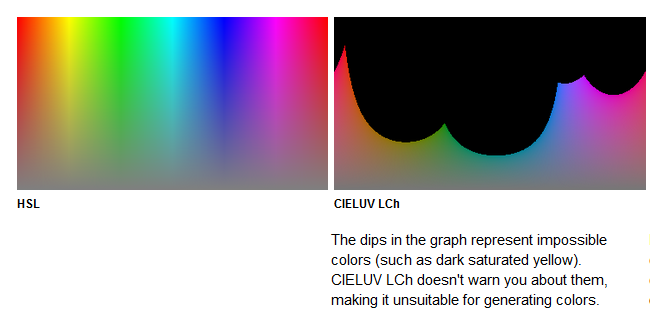
HSL stretches the complex shape of visible colors into a cube. The result is an irregular space.
HSL stretches the complex shape of visible colors into a cube. The result is an irregular space.
LAB-colors via lch() and lab() seem to me to be the best solution for future CSS:
— Unlike HSL, lightness is correct.
— Can encode not only P3 colors but all visible colors. So in the future of beyond P3 screens, we will still be able to work with LAB.
— Unlike HSL, lightness is correct.
— Can encode not only P3 colors but all visible colors. So in the future of beyond P3 screens, we will still be able to work with LAB.
But with LAB you can make “impossible” colors by playing with the individual parameters. It could be beyond the capabilities of the screen or eye.
LAB, unlike HSL, does not stretch the visible colors to the cube eye. Slider moving can take you beyond the limits of the eye.
LAB, unlike HSL, does not stretch the visible colors to the cube eye. Slider moving can take you beyond the limits of the eye.
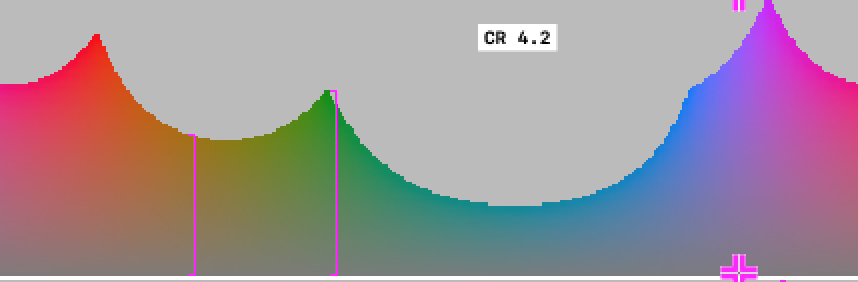
CSS functions lab() and lch() encode color in the same space. lab() is cartesian (x, y) and lch() is polar (distance from center and angle).
I think lch() is more convenient since the angle is close to the concept of saturation, and the length is the hue.
I think lch() is more convenient since the angle is close to the concept of saturation, and the length is the hue.
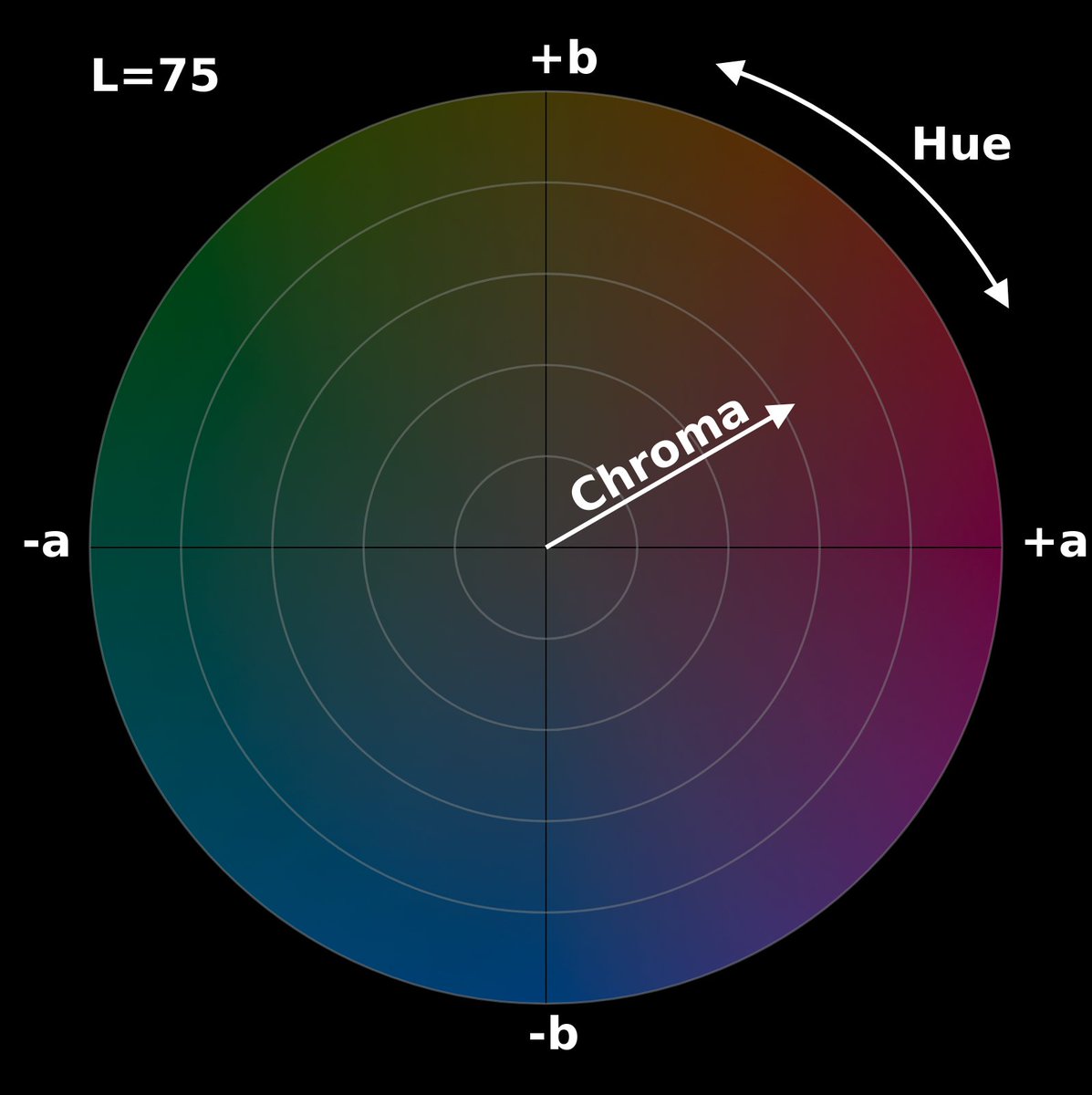
CSS now have new format for color functions arguments: lch(36% 81 200 / 50%). No commas, alpha after /, and no separate lcha() function like rgba().
You can use this format in rgb(), and hsl(), but lch() supports only the new format.
You can use this format in rgb(), and hsl(), but lch() supports only the new format.
In the new argument format the alpha can be specified as a percentage instead of a number from 0 to 1. Percentages were added for the opacity property, too.
I think this format makes more sense because, in graphical tools, the opacity of a layer is also given as a percentage.
I think this format makes more sense because, in graphical tools, the opacity of a layer is also given as a percentage.
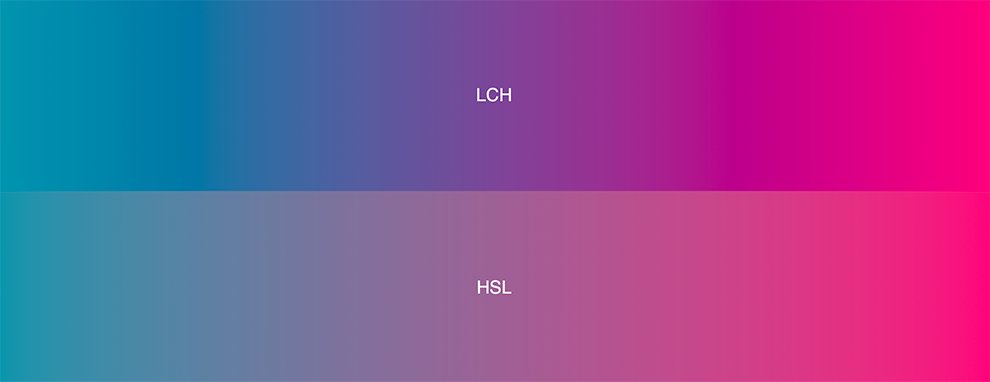
Besides just specifying the color, the color space affects gradient rendering.
CSSWG is planning adding color space option to the gradient syntax.
LAB generates more beautiful gradients without graying out in the middle.
CSSWG is planning adding color space option to the gradient syntax.
LAB generates more beautiful gradients without graying out in the middle.
Color space in image files is also important for development.
Modern image formats support P3 and other color spaces.
Modern image formats support P3 and other color spaces.
The CSS color transformation functions are left out of the thread. But they are very important when using dynamic colors through CSS Custom Properties.
There’s no final syntax there yet.
There’s no final syntax there yet.
What about support for new displays in the OS and lch() in browsers?
That’s not good so far. The new colors only work in Safari.
The cool thing is that DevTools will show a border for safe sRGB colors.
That’s not good so far. The new colors only work in Safari.
The cool thing is that DevTools will show a border for safe sRGB colors.
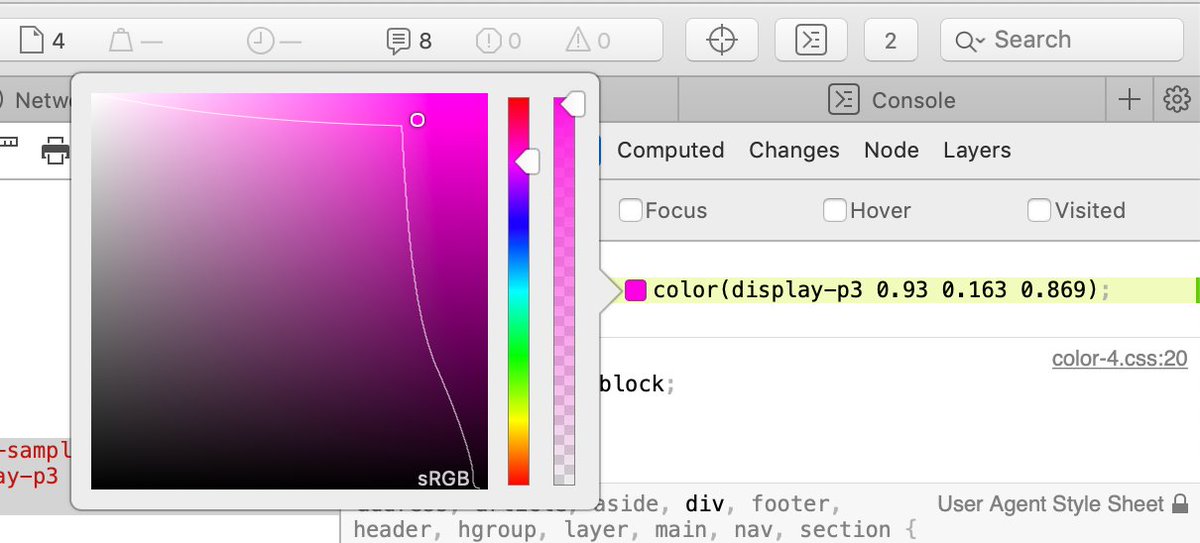
Other browsers and OS are in the process of adding new colors.
You can already use lch() with PostCSS plugin by @jon_neal and @ant_laguna (part of postcss-preset-env).
github.com/csstools/postc…
You can already use lch() with PostCSS plugin by @jon_neal and @ant_laguna (part of postcss-preset-env).
github.com/csstools/postc…
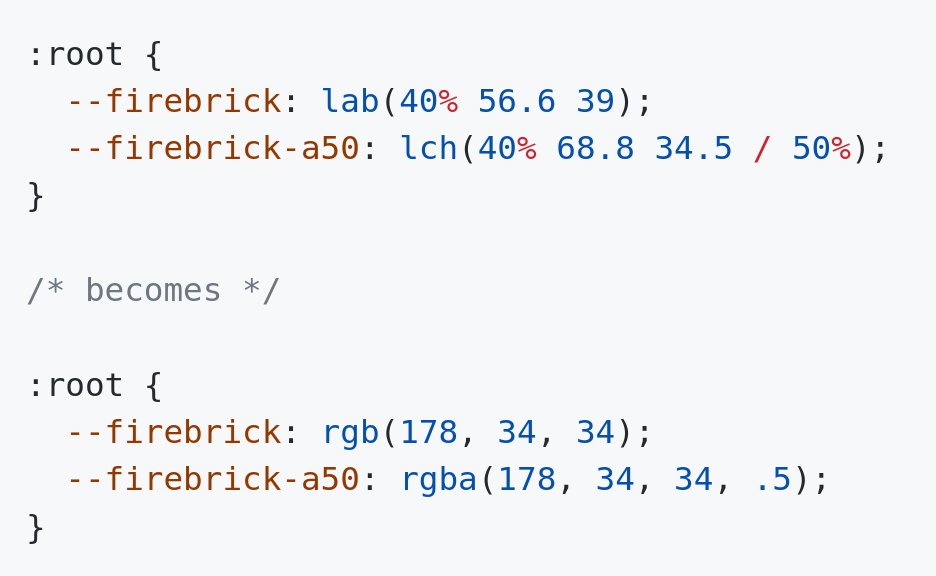
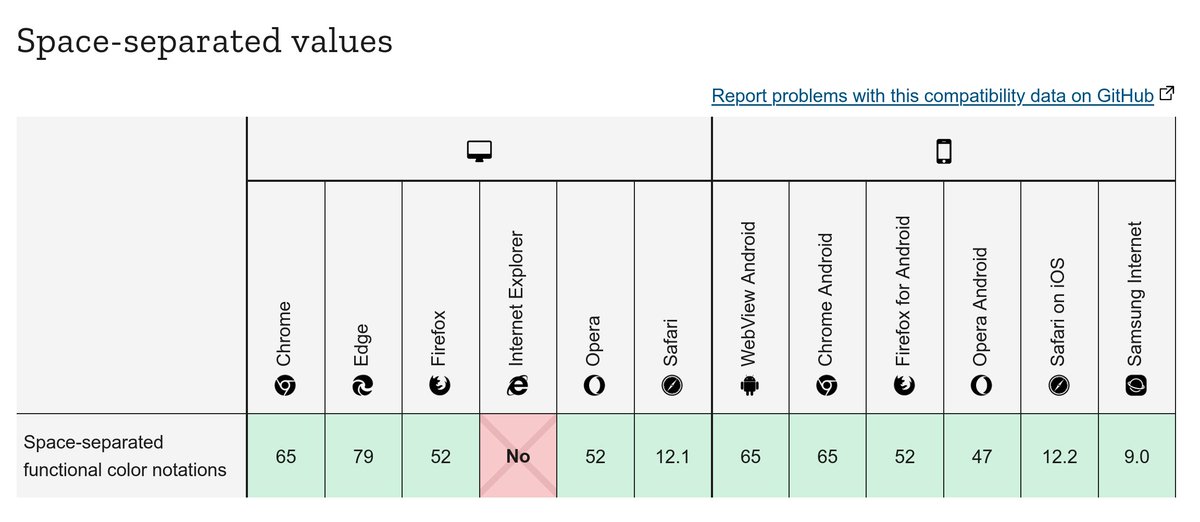
@jon_neal @ant_laguna By the way, It is safe to rgb() and hsl() without commas right now.
caniuse.com/mdn-css_types_…
Opacity in percentages support is a bit worse, but the postcss-opacity-percentage plugin by @dreamseer can help here
caniuse.com/mdn-css_proper…
caniuse.com/mdn-css_types_…
Opacity in percentages support is a bit worse, but the postcss-opacity-percentage plugin by @dreamseer can help here
caniuse.com/mdn-css_proper…
@jon_neal @ant_laguna @dreamseer Many designer tools do not support LAB and LCH yet.
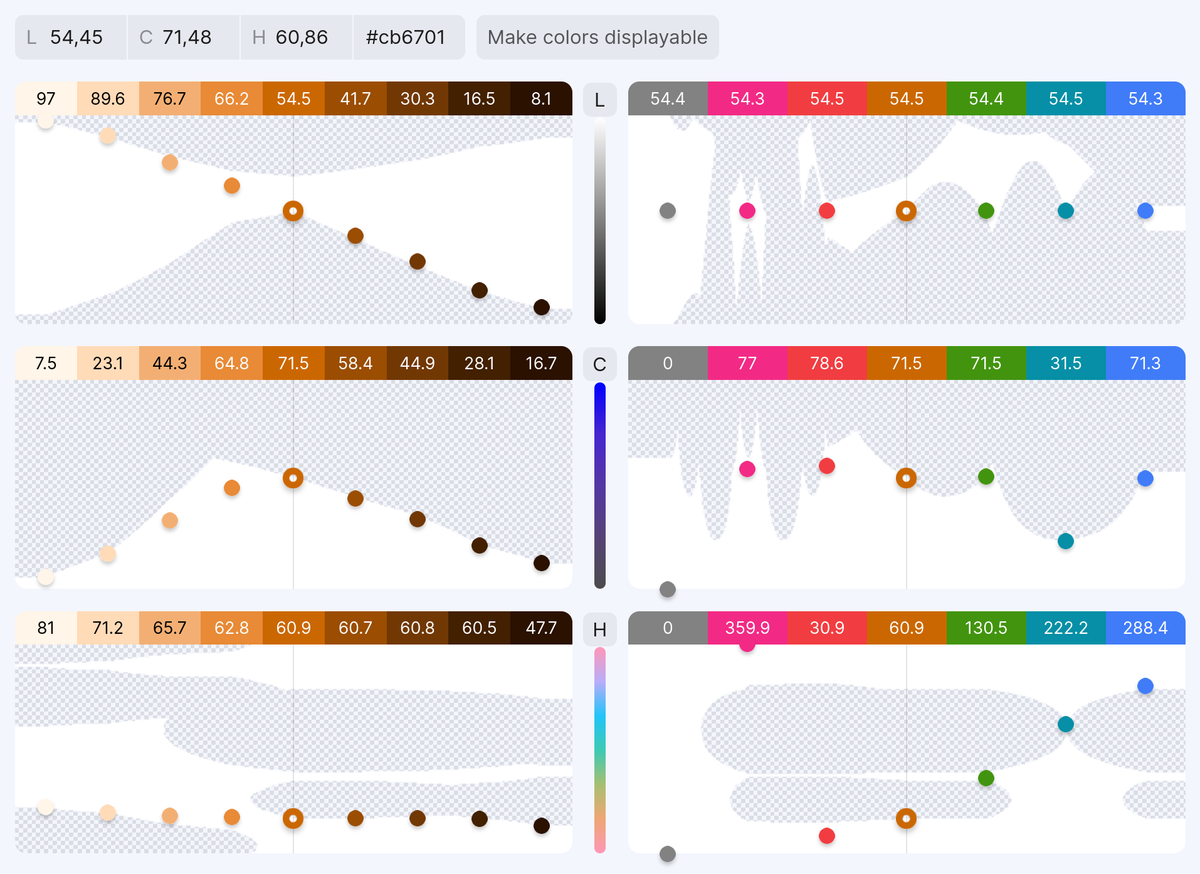
I recommend these tools for converting and working with LCH colors:
huetone.ardov.me
accessiblepalette.com
css.land/lch/
I recommend these tools for converting and working with LCH colors:
huetone.ardov.me
accessiblepalette.com
css.land/lch/
@jon_neal @ant_laguna @dreamseer @LeaVerou made a full guide about LCH in CSS (I used it a lot to prepare this thread)
lea.verou.me/2020/04/lch-co…
@MicheBarks wrote a great guide about new color spaces in CSS:
smashingmagazine.com/2021/11/guide-…
P3 guide in Safari blog by @_n12v
webkit.org/blog/10042/wid…
lea.verou.me/2020/04/lch-co…
@MicheBarks wrote a great guide about new color spaces in CSS:
smashingmagazine.com/2021/11/guide-…
P3 guide in Safari blog by @_n12v
webkit.org/blog/10042/wid…
@jon_neal @ant_laguna @dreamseer @LeaVerou @MicheBarks @_n12v I have already started using lch() colors via postcss-lab-function.
With color-no-hex and function-disallowed-list rules from Stylelint, you can disallow using the old functions.
github.com/hplush/slowrea…
With color-no-hex and function-disallowed-list rules from Stylelint, you can disallow using the old functions.
github.com/hplush/slowrea…
@jon_neal @ant_laguna @dreamseer @LeaVerou @MicheBarks @_n12v Tell your designers about P3 colors (you can send them this thread).
You will need their help to start P3 adoption in your company.
You will need their help to start P3 adoption in your company.
• • •
Missing some Tweet in this thread? You can try to
force a refresh