

🚨🐳UNUSUAL WHALES THREAD🐳🚨
In honor of officially being an @unusual_whales partner, here's a little thread on how I use UW with respect to my trading!
In honor of officially being an @unusual_whales partner, here's a little thread on how I use UW with respect to my trading!
(1/13) First things first:
1. Head over to unusualwhales.com
2. Make an account
3. Use code "KaneCap" for 10% off.
1. Head over to unusualwhales.com
2. Make an account
3. Use code "KaneCap" for 10% off.
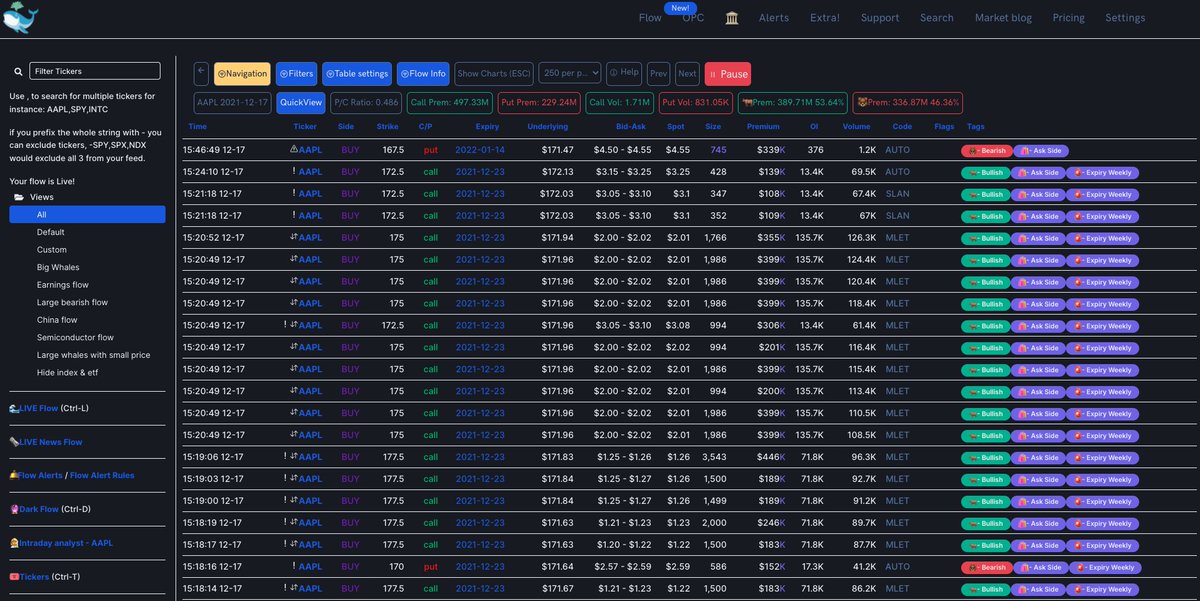
(2/13) I like to start off by clicking the flow tab at the top of the screen where you'll all sorts of recent options data such as tickers, strike prices, bid-ask spread, expiration dates, premiums, OI, volume, etc. 
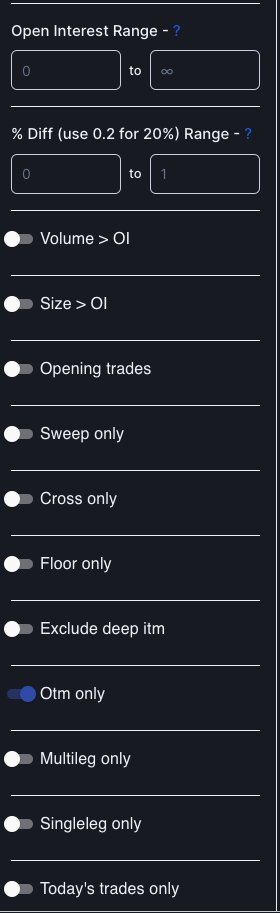
(3/13) Filtering: UW allows you to filter your searches on the options flow tab. I like to filter mine as such:
Premium Range: 100,000 - With larger-cap stocks such as $AAPL I am interested in large orders
Ask only
DTE Range: 0 - 30
OTM only - For directional purposes
Premium Range: 100,000 - With larger-cap stocks such as $AAPL I am interested in large orders
Ask only
DTE Range: 0 - 30
OTM only - For directional purposes


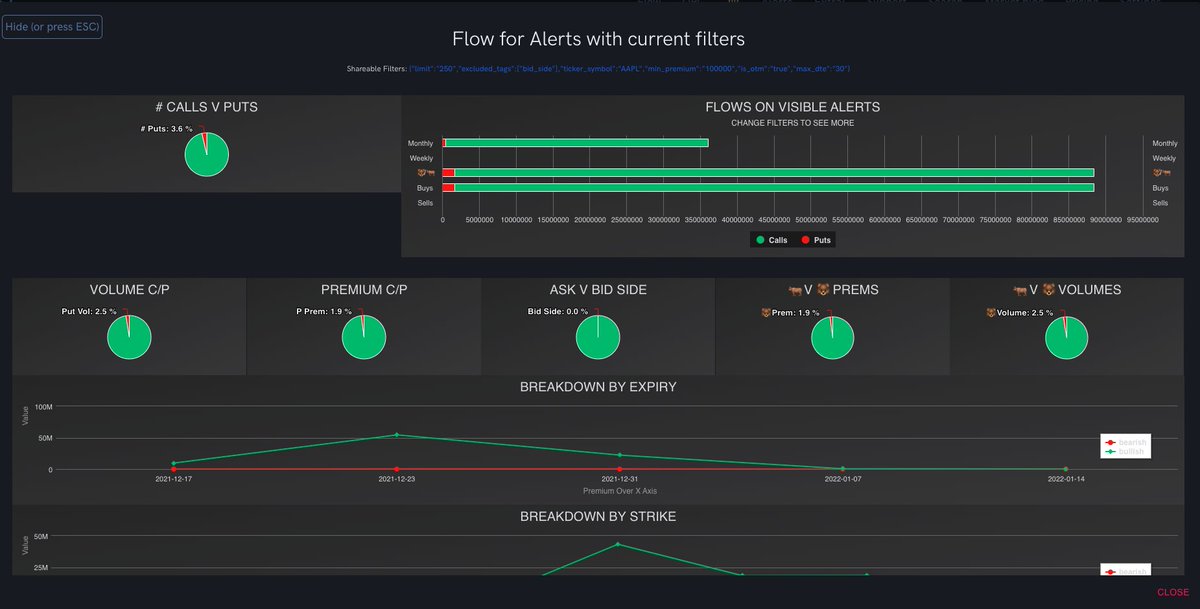
(4/13) Once all of the filters are tabulated that allows me to understand which strikes are being targeted, whether the overall flow is bullish/bearish, what the bid/ask spread range is, etc. This sum of information assists in my conviction with regard to strikes and flow.
(5/13) After plugging in your filters, click the escape button to see flow levels adjusted to your filters. As you can see in this chart, lots of bullish sentiment from the calculated filters.
(6/13) The next thing I like to do is use UW for intraday analysis.
Hence the name, this tab gives me an overview of the intraday options activity.
My main takeaway from this page is the most active chains, largest trades, and most specifically OI/Volume changes.
Hence the name, this tab gives me an overview of the intraday options activity.
My main takeaway from this page is the most active chains, largest trades, and most specifically OI/Volume changes.

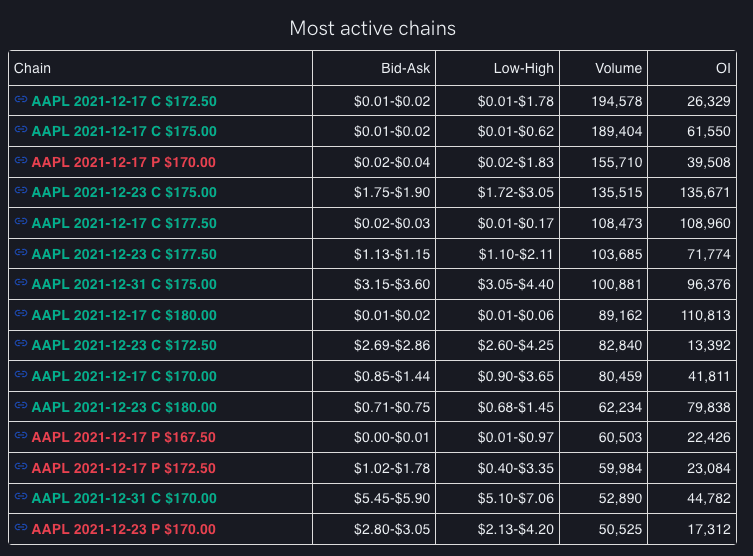


(7/13) As many of you know from seeing my alerts in the discord and different trading strategies, I focus primarily on volume and price action. That is why I really like the intraday analysis filtered to 20 strike prices.
(8/13) All traders differ in the fact that some analyses won't be as useful as others, but that is what works for me. Keep in mind that what works for me might not work as well for you. Always be open to new strategies and ways of deciphering information. Moving on...
(9/13) Another useful tool that I use is the search tab which will pull up information such as TA, financials, and Insider Trades.


(10/13) I like to click the ticker flow button, in this case, "AAPL Flow", which will pull up historical flow... You also have the option to see today's breakdown and levels with regard to the chosen ticker.
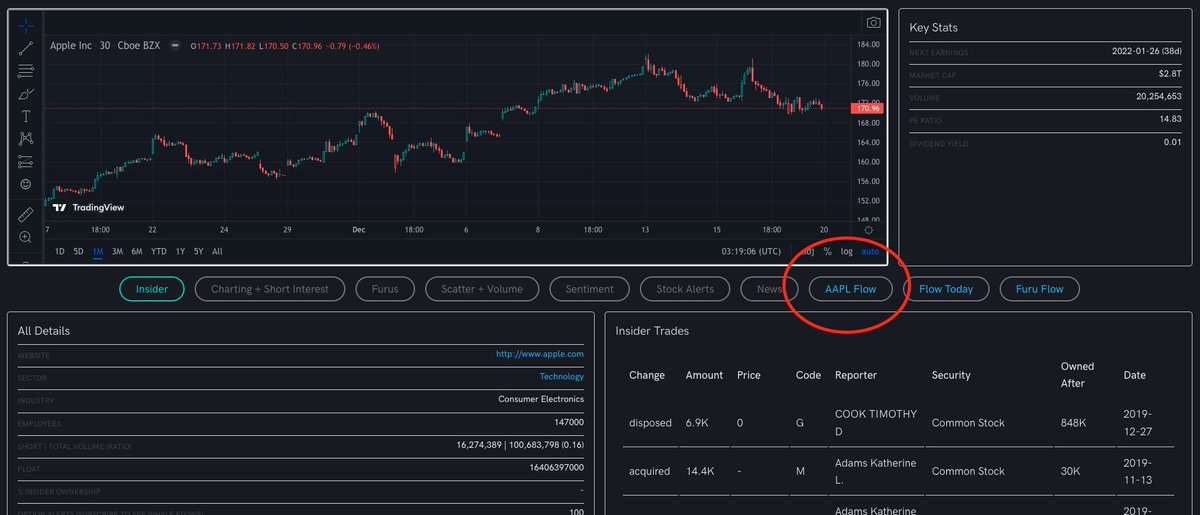

(11/13) By then selecting "Today's Levels" UW will show you the different levels by minimum premium. By seeing the bearish/bullish flow on the volume, premium, calls, and puts, etc. while taking into account different premium sizes, I am able to once again enhance my knowledge
(12/13) and conviction when deciding which strikes, exp, and option type I will be selecting.

(13/13) This is a basic thread on my overview process with Unusual Whales. Now that we have the basics down, I will dive deeper into specifics for future threads. I hope you enjoyed and took some value from this.
• • •
Missing some Tweet in this thread? You can try to
force a refresh



