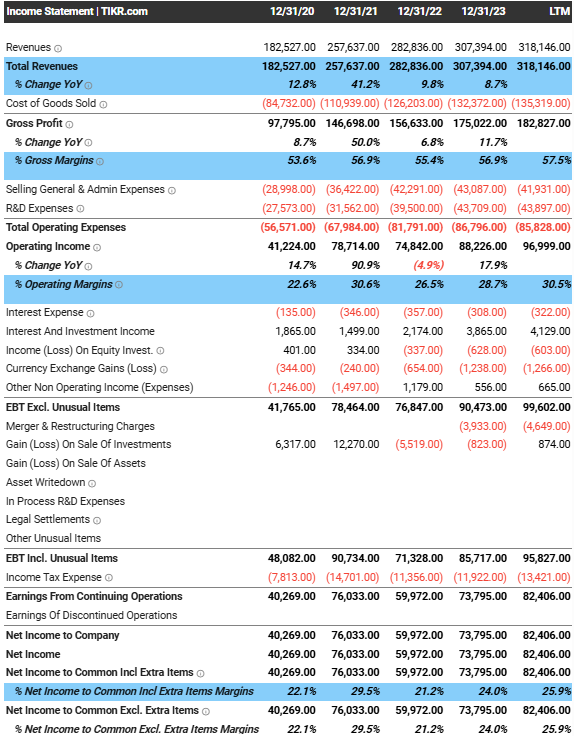
How to set up watchlists for your stocks on TIKR.
One of the best features on TIKR is our watchlist feed, which shows upcoming events, news, transcripts & filings for the specific stocks on your watchlist.
In this thread, we'll explain how to best use our watchlist feature:
One of the best features on TIKR is our watchlist feed, which shows upcoming events, news, transcripts & filings for the specific stocks on your watchlist.
In this thread, we'll explain how to best use our watchlist feature:
1/ You can access our watchlists feature from the left navigation bar.
The first time you try to create a watchlist, this is the page that you will see. Simply click on "Add Watchlist" to get started.
The first time you try to create a watchlist, this is the page that you will see. Simply click on "Add Watchlist" to get started.
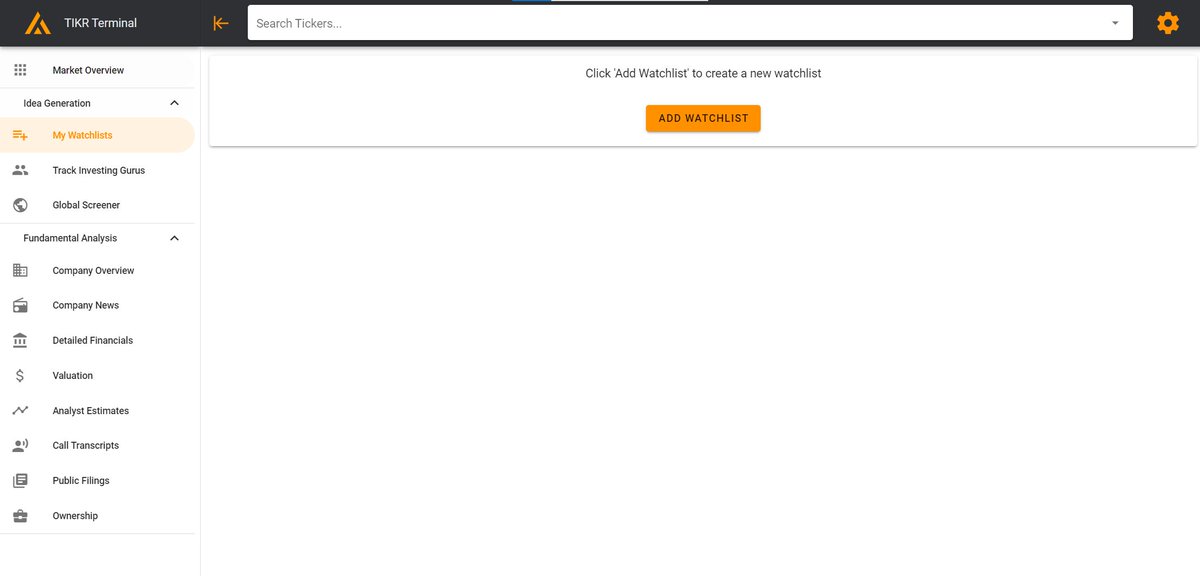
2/ Enter in a "Watchlist Title" to name your watchlist.
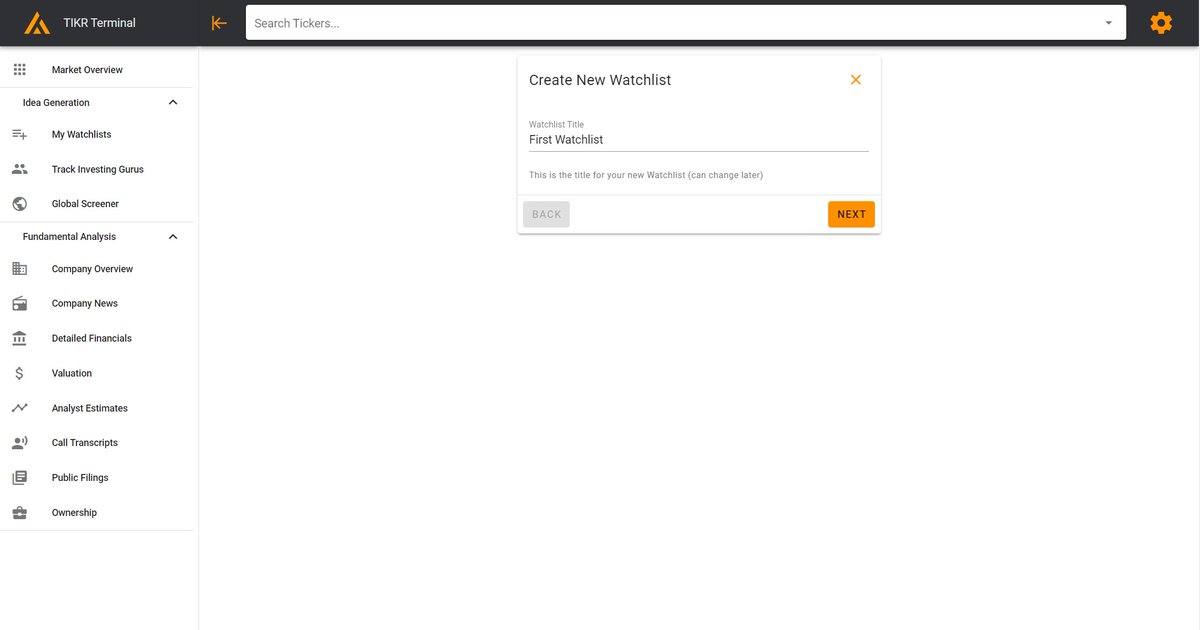
3/ Add an optional "Watchlist Description" to explain what this watchlist contains (e.g. software stocks).
And then hit "Create Watchlist"
And then hit "Create Watchlist"
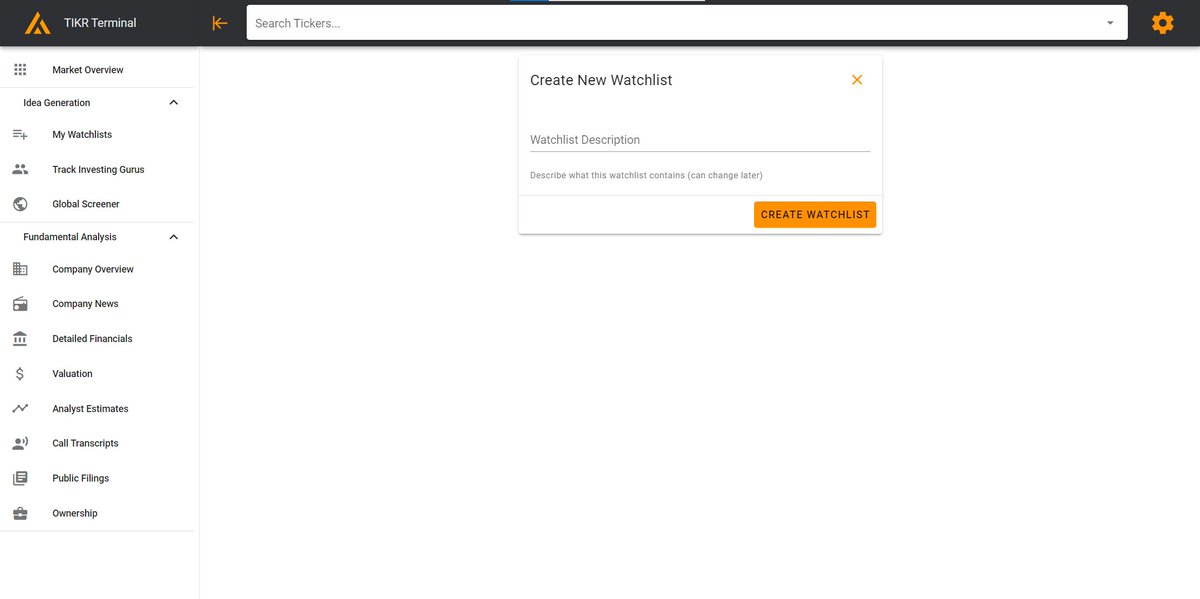
4/ This is the page that you will see after you create your watchlist.
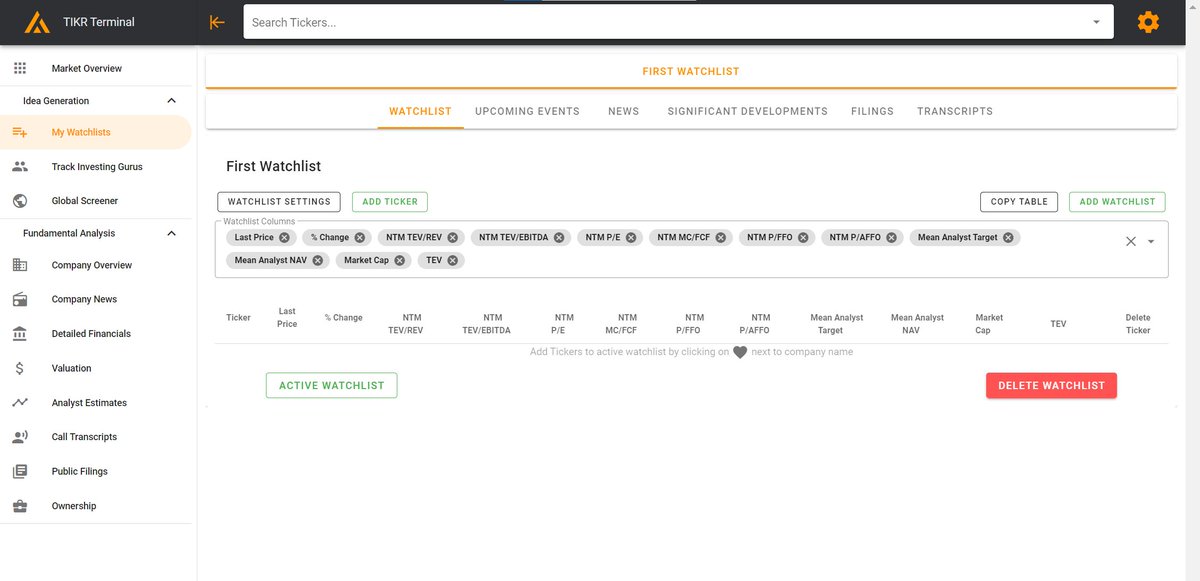
5a/ There are two main ways to add stocks to your watchlist:
1. Click on the green box "Add Ticker" which will pull up the box below. Simply search for tickers and then press Enter.
1. Click on the green box "Add Ticker" which will pull up the box below. Simply search for tickers and then press Enter.
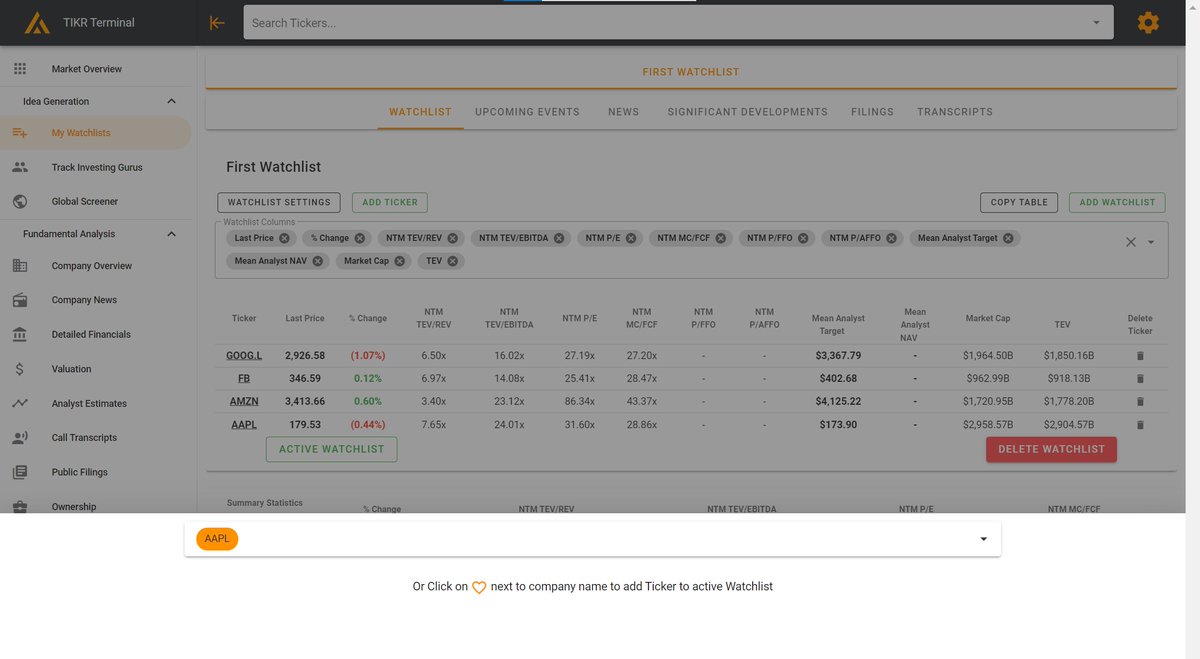
5b/
2. Use the search bar at the top of the website and then click on the Heart to the right of the company's name in the Overview page.
2. Use the search bar at the top of the website and then click on the Heart to the right of the company's name in the Overview page.
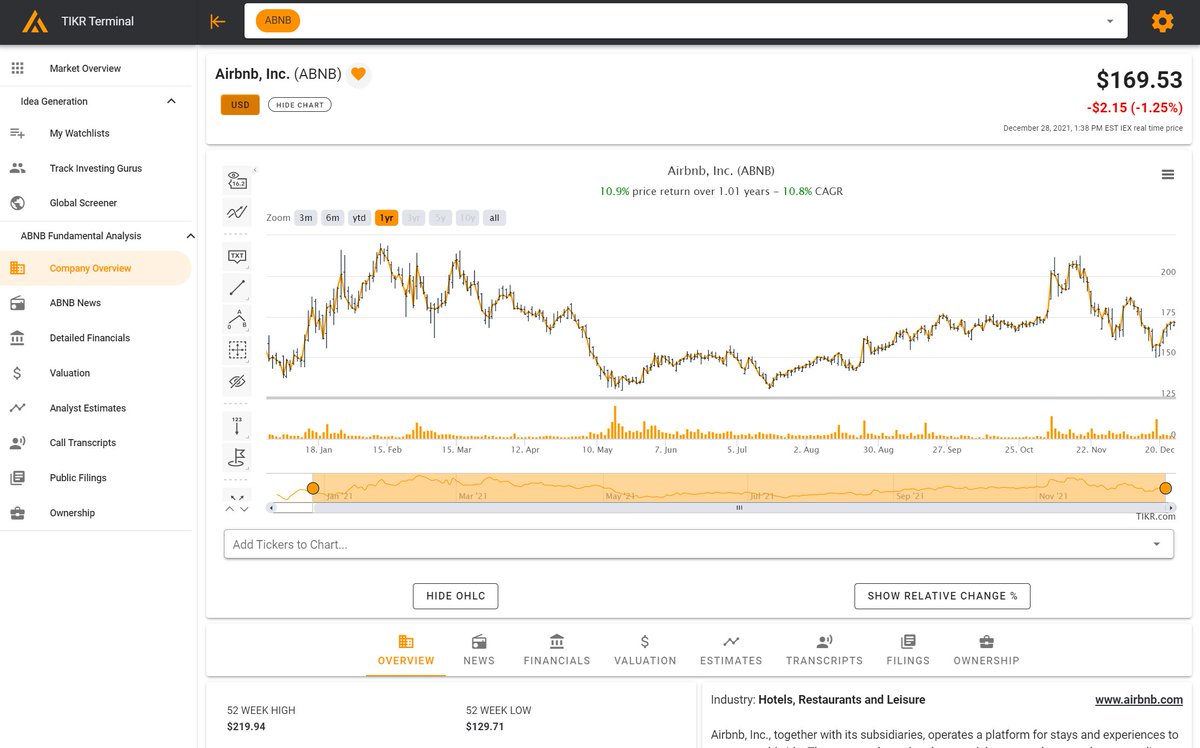
6/ Coming back to our watchlist.
You can easily delete the stocks by clicking on the trash can icon in the last column.
You can easily delete the stocks by clicking on the trash can icon in the last column.
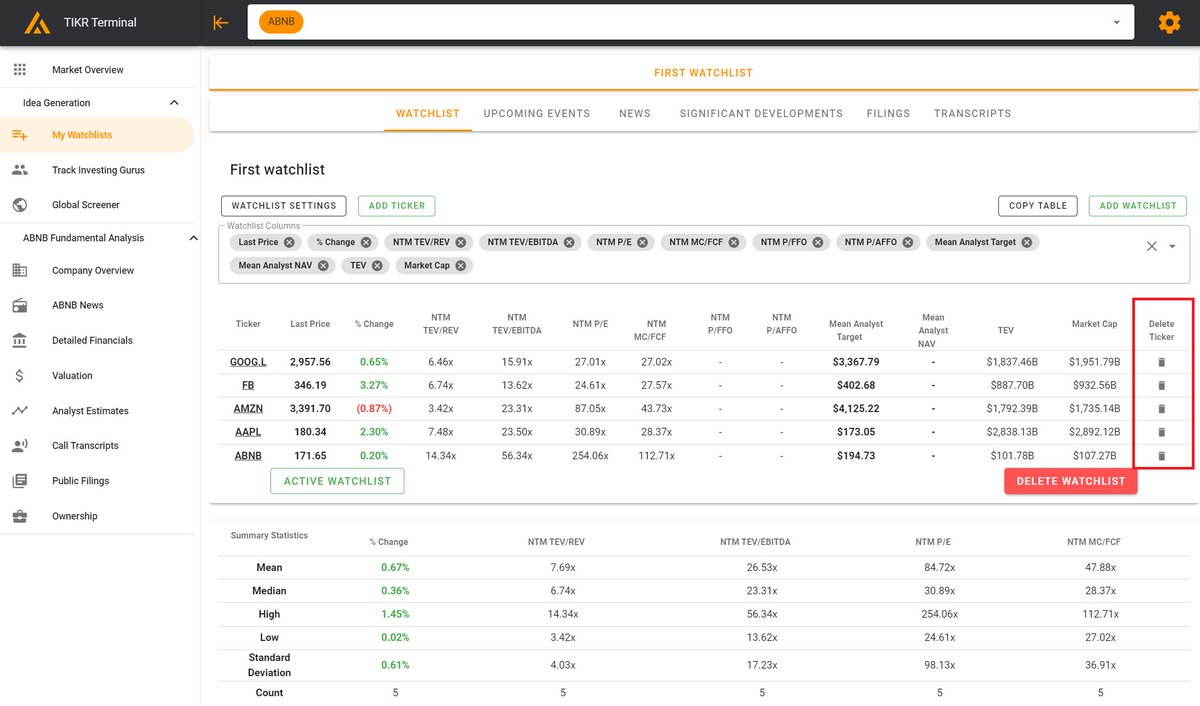
7/ You can also customize the columns by clicking on the "Watchlist Columns" box which will show a dropdown menu.
We will be adding many more metrics to TIKR Pro in the future to give users the ability to greatly customize their watchlist.
We will be adding many more metrics to TIKR Pro in the future to give users the ability to greatly customize their watchlist.
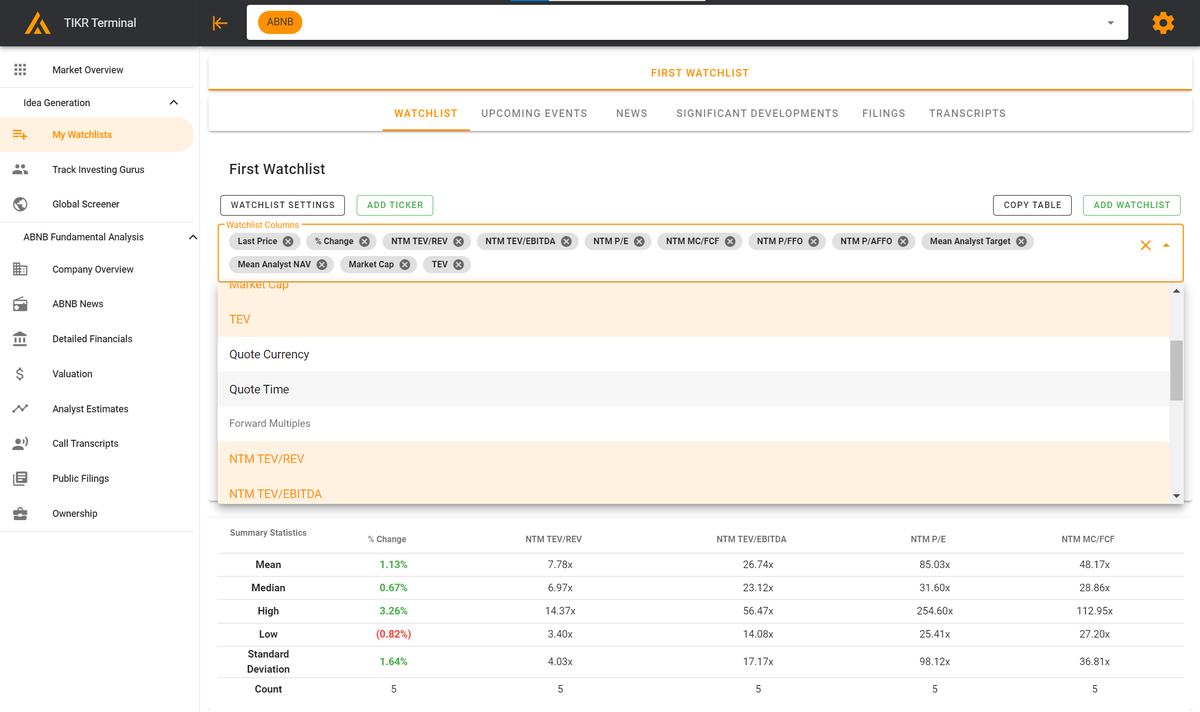
8/ At the bottom, you will see summary statistics that show the mean, median, high, low, standard deviation, and count for the stocks on your watchlist.
This can be a great way to create custom comps tables and benchmark metrics across different companies.
This can be a great way to create custom comps tables and benchmark metrics across different companies.
9/ You can also change the watchlist title / description by clicking on "Watchlist Settings"
You can copy data to your clipboard by clicking on "Copy Table"
And you can create a new watchlist by clicking "Add Watchlist"
You can copy data to your clipboard by clicking on "Copy Table"
And you can create a new watchlist by clicking "Add Watchlist"
10/ This brings us to the automatically generated watchlist feed! This is created for your Active Watchlist.
Simply click on "Set as Active Watchlist" to choose the watchlist that you want the feed generated for.
Simply click on "Set as Active Watchlist" to choose the watchlist that you want the feed generated for.
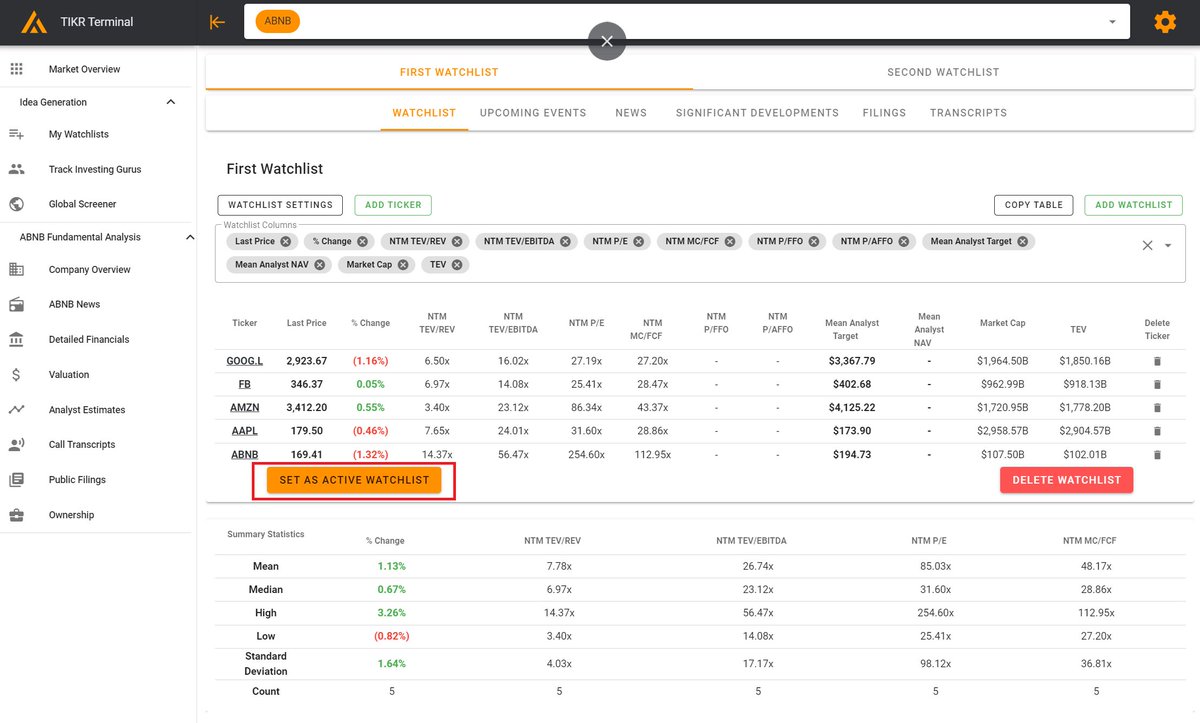
11/ Now you can browse through Upcoming Events, News, Significant Developments, Filings & Transcripts to find relevant info for the specific stocks in your Active Watchlist.
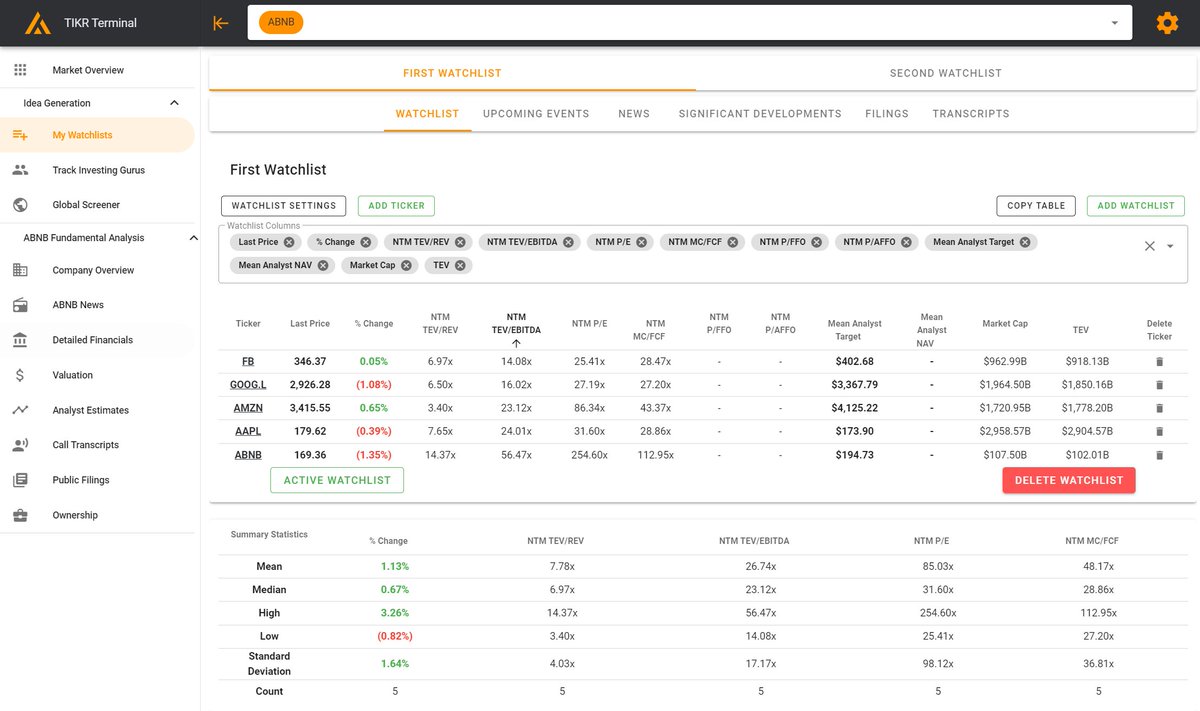
12/ Here are Upcoming & Previous Events for the stocks in our watchlist.

13/ Watchlist company news in real-time.

14/ Significant Development news - posted less frequently but higher signal-to-noise ratio.
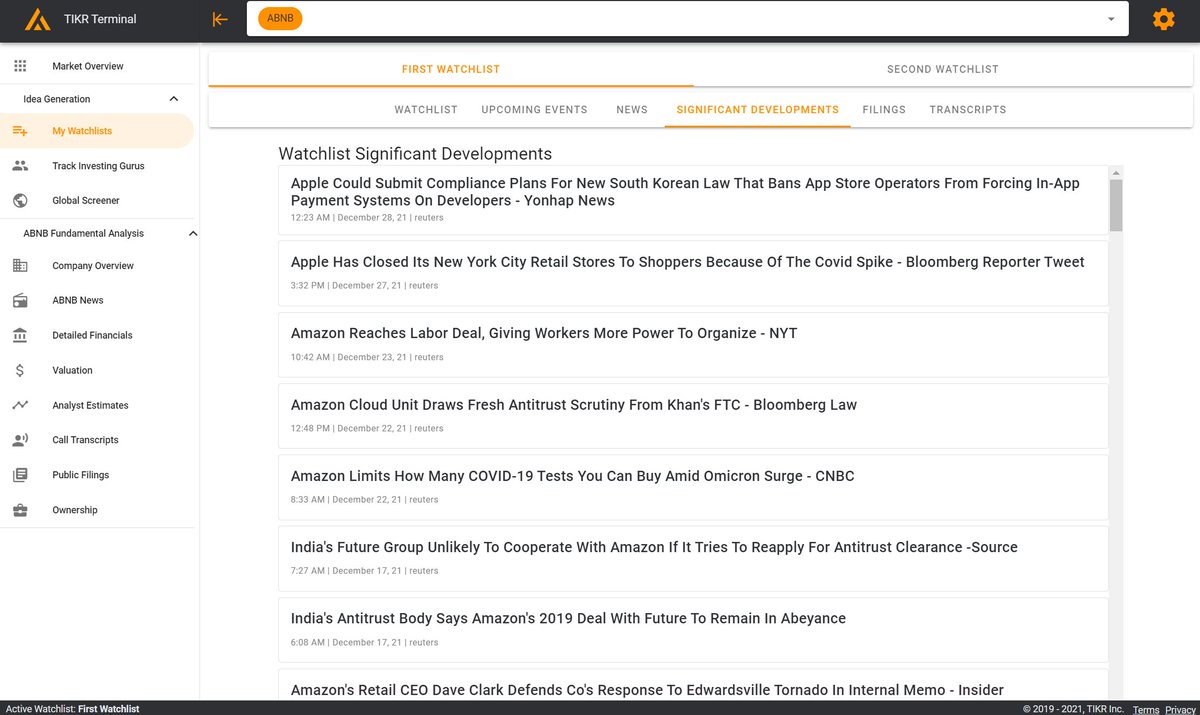
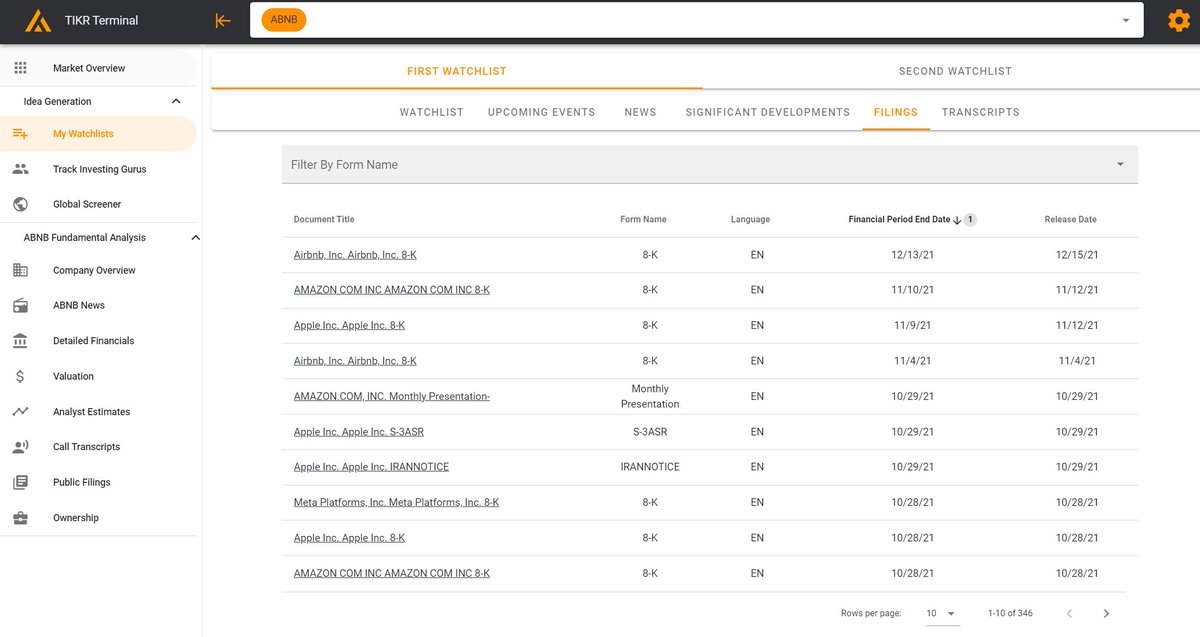
15/ Filings for the specific companies on your watchlist. You can also filter the filings by form name (e.g. 10-K).
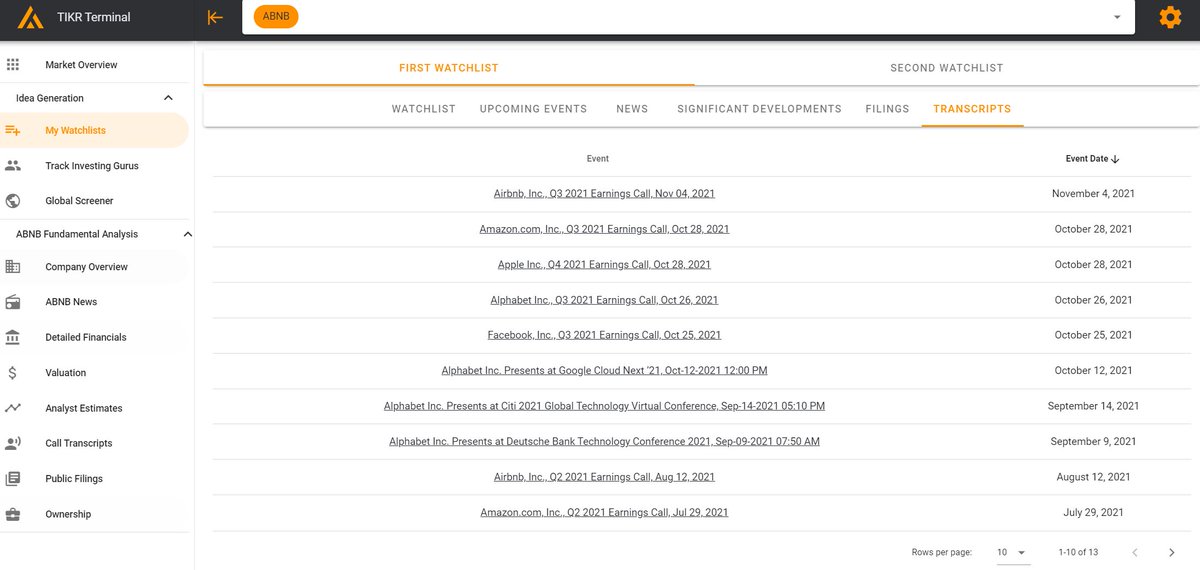
16/ Transcripts for the companies on your watchlist. Simply click on the link to be taken to the relevant transcript.
17/ We also put together this video to explain how to best use our watchlists feature! Subscribe to our YouTube channel for more content on how to best use TIKR.
End/ We are constantly improving TIKR & our watchlists will get even better in the months to come.
Please send all feedback to support@tikr.com as that's the best place for us to keep track of it!
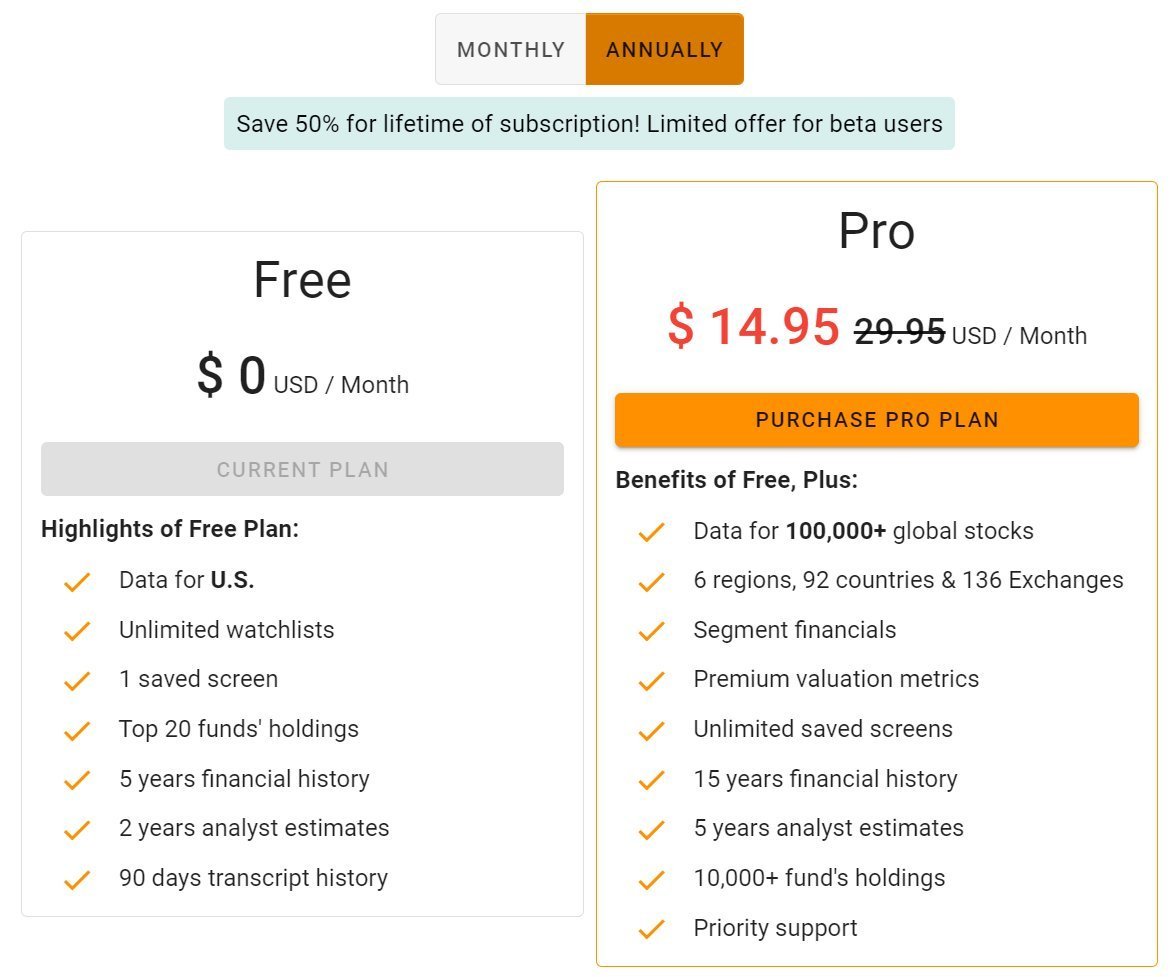
Subscribe before Jan 2nd to lock in your 50% lifetime discount to TIKR Pro.
Please send all feedback to support@tikr.com as that's the best place for us to keep track of it!
Subscribe before Jan 2nd to lock in your 50% lifetime discount to TIKR Pro.
• • •
Missing some Tweet in this thread? You can try to
force a refresh