

Today, I'm spending the day learning in public about socket programming (in Python 🐍).
My starting point is this:
“I think sockets are like tunnels/roads that allow different programs to talk to each other directly.”
This 🧵 will evolve as I learn and experiment 👇
My starting point is this:
“I think sockets are like tunnels/roads that allow different programs to talk to each other directly.”
This 🧵 will evolve as I learn and experiment 👇
My idea is to experiment a bit with sockets in the REPL, then probably build a toy program that uses sockets to send random information through sockets.
I'm starting off with the “Socket Programming HOWTO” in the Python docs (docs.python.org/3/howto/socket…).
Let's go 🚀
I'm starting off with the “Socket Programming HOWTO” in the Python docs (docs.python.org/3/howto/socket…).
Let's go 🚀
Alright, so, I'm not completely wrong in my intuitive understanding of sockets.
The HOWTO says
“Of the various forms of IPC, sockets are by far the most popular.”
IPC – Inter-Process Communication.
Turns out sockets are a good cross-platform IPC mechanism.
The HOWTO says
“Of the various forms of IPC, sockets are by far the most popular.”
IPC – Inter-Process Communication.
Turns out sockets are a good cross-platform IPC mechanism.
So, it seems there are two types of sockets:
👉 server sockets
👉 client sockets
Server sockets sit there, listening, waiting for “clients” to connect, and then handle those connections by doing something useful.
Client sockets want to connect to the servers to talk to them.
👉 server sockets
👉 client sockets
Server sockets sit there, listening, waiting for “clients” to connect, and then handle those connections by doing something useful.
Client sockets want to connect to the servers to talk to them.
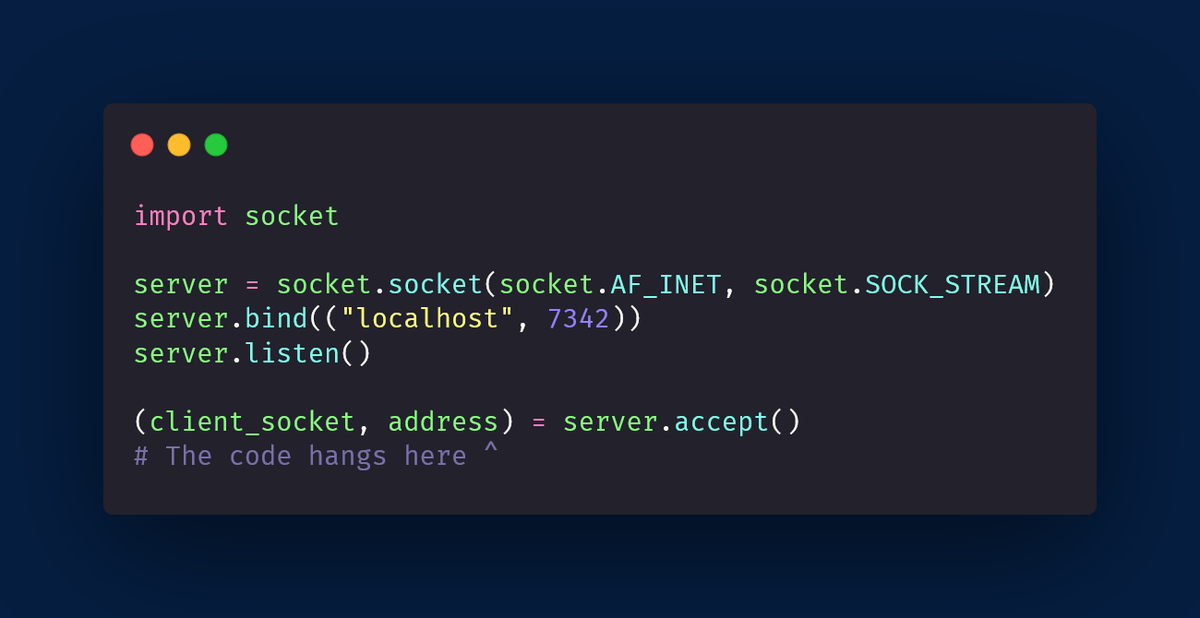
You don't need a lot of code to create a socket server in Python 🐍
Here is a snippet that creates a socket server that is only visible to your own computer.
If you run this, the code hangs: the `.accept` call is waiting for a client to connect to the server!
Here is a snippet that creates a socket server that is only visible to your own computer.
If you run this, the code hangs: the `.accept` call is waiting for a client to connect to the server!
I had this crazy idea:
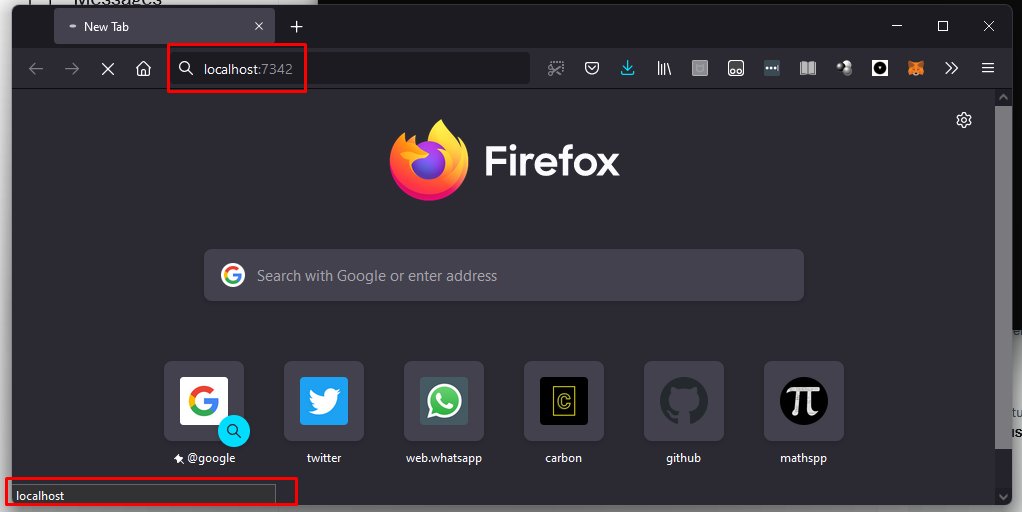
Can I connect my browser to this address, and connect to the server..?
Turns out I can!
I just go to the address bar and type localhost:7342 and the code is no longer hanging after the `.accept`.
The browser is stuck on the “loading page” screen:
Can I connect my browser to this address, and connect to the server..?
Turns out I can!
I just go to the address bar and type localhost:7342 and the code is no longer hanging after the `.accept`.
The browser is stuck on the “loading page” screen:
On the other hand, I can play with the socket in my REPL:
>>> client_socket
<socket.socket fd=608, family=AddressFamily.AF_INET, type=SocketKind.SOCK_STREAM, proto=0, laddr=('127.0.0.1', 7342), raddr=('127.0.0.1', 60148)>
Whatever that means 😁
>>> client_socket
<socket.socket fd=608, family=AddressFamily.AF_INET, type=SocketKind.SOCK_STREAM, proto=0, laddr=('127.0.0.1', 7342), raddr=('127.0.0.1', 60148)>
Whatever that means 😁
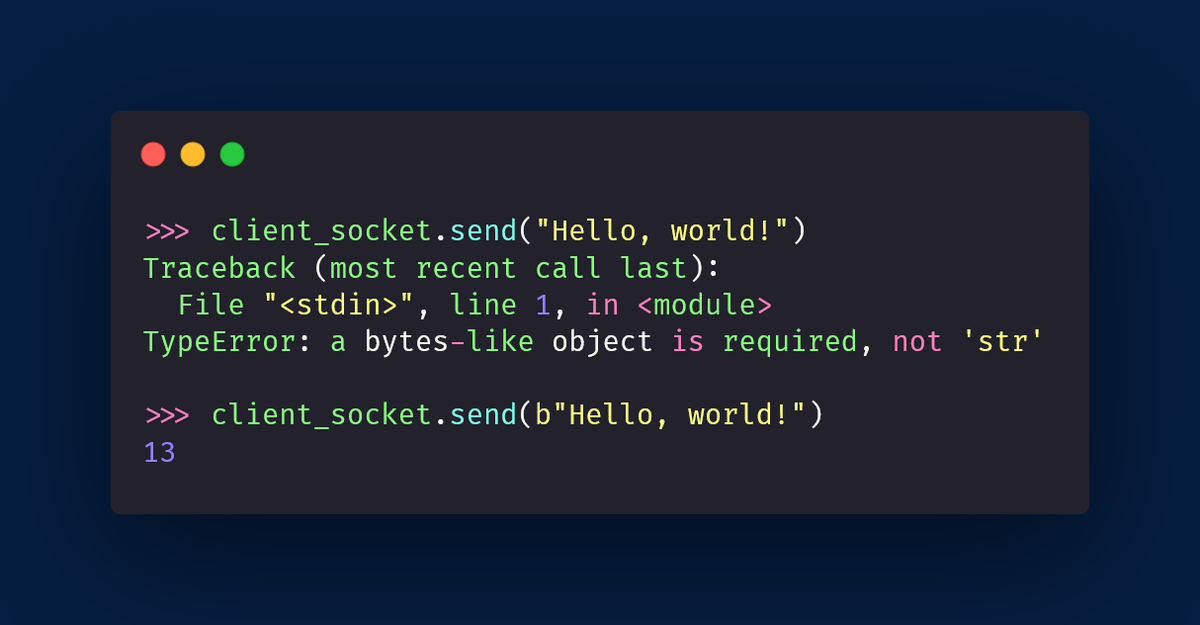
Then I thought “can I send stuff back to the browser?”...
So I tried doing the obvious thing: calling a “send” method on the socket.
I just got it wrong the first time: we need to send bytes.
Makes sense: sockets are low-level.
The result (13) is the length of what's sent.
So I tried doing the obvious thing: calling a “send” method on the socket.
I just got it wrong the first time: we need to send bytes.
Makes sense: sockets are low-level.
The result (13) is the length of what's sent.
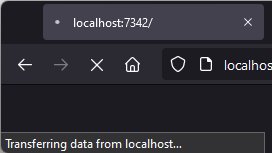
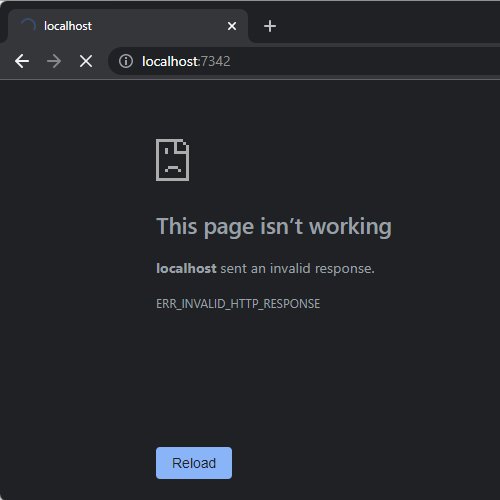
When I did that, Firefox changed its look, and the message on the bottom-left now says the browser is transferring data.
I'm using Firefox, though.
Other browsers react differently.
Chrome just screams at me, saying the response was invalid.
We're onto something! I think...
I'm using Firefox, though.
Other browsers react differently.
Chrome just screams at me, saying the response was invalid.
We're onto something! I think...
So, I went to take a shower (I had only played with Firefox up until that time) and it hit me:
Maybe I need to read the browser request first!
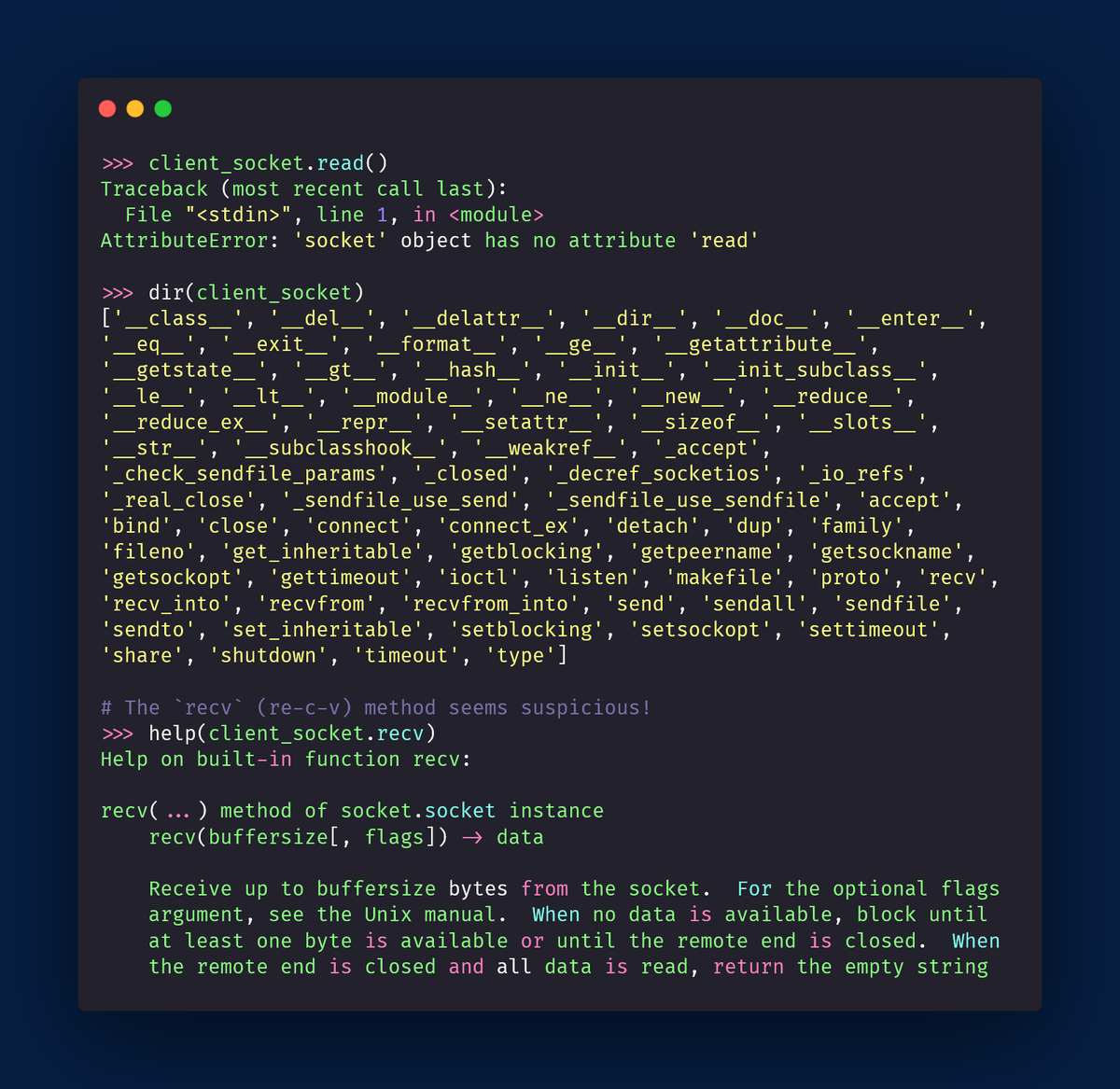
I tried calling the method `.read` on the socket, but turns out that doesn't exist.
Then, I just used the built-ins `dir` and `help`:
Maybe I need to read the browser request first!
I tried calling the method `.read` on the socket, but turns out that doesn't exist.
Then, I just used the built-ins `dir` and `help`:
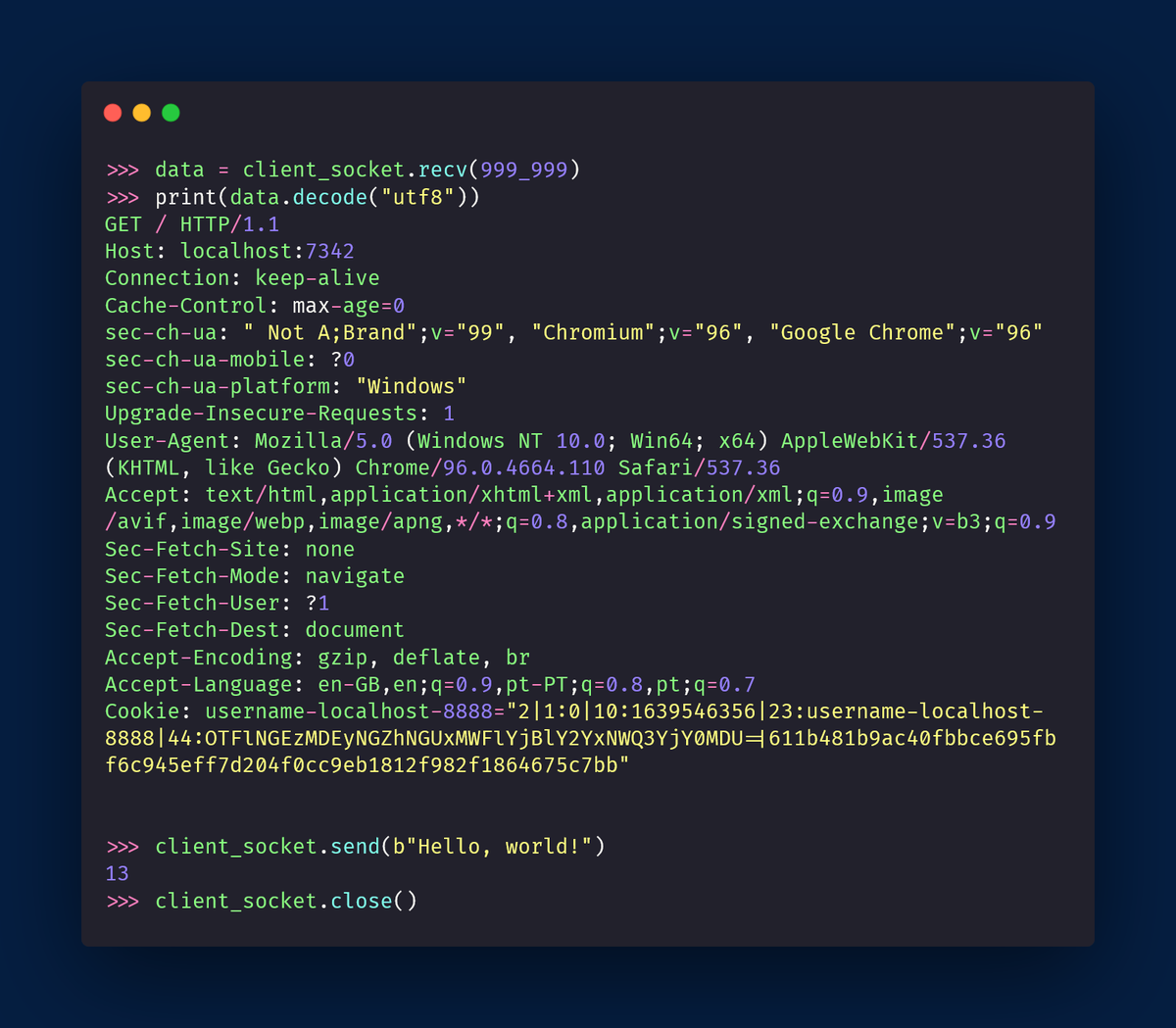
So, I reset everything, and I tried using `recv` before sending anything back.
That did it!
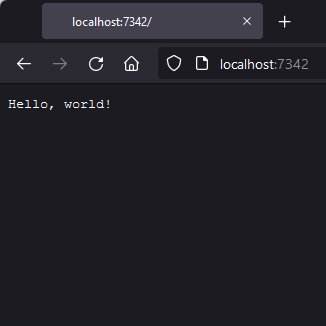
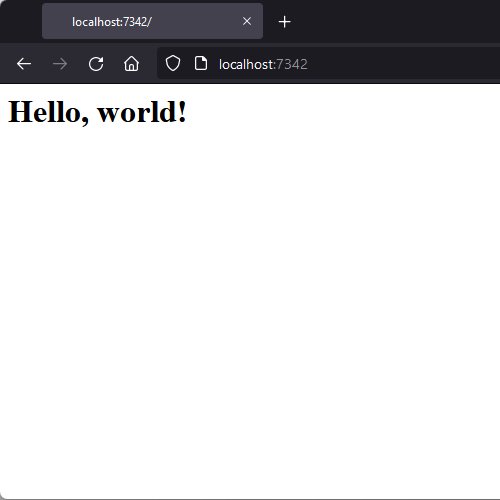
By reading the data in, first, and sending after, I got Firefox to display my “Hello, world!” message!
That did it!
By reading the data in, first, and sending after, I got Firefox to display my “Hello, world!” message!
Chrome doesn't do the same thing, it still complains about my invalid response...
What this probably means is that the browser expects a message in a given format, and I'm not respecting that format...
We'll try to circle back to this, but now, I should keep reading the HOWTO!
What this probably means is that the browser expects a message in a given format, and I'm not respecting that format...
We'll try to circle back to this, but now, I should keep reading the HOWTO!
Alright, just 1 more test.
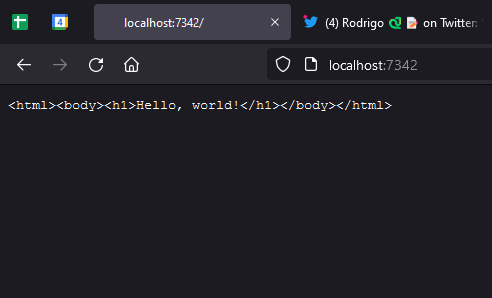
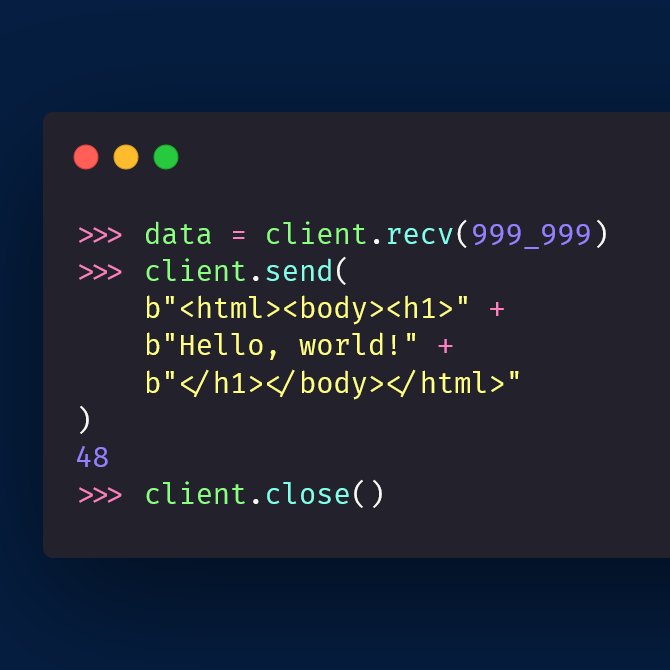
To see if I was disrespecting the message format(s), I tried sending a proper snippet of HTML to Firefox.
Firefox doesn't render the HTML, it just shows it, which means I _will_ have to find out the proper format to talk to the browser.
To see if I was disrespecting the message format(s), I tried sending a proper snippet of HTML to Firefox.
Firefox doesn't render the HTML, it just shows it, which means I _will_ have to find out the proper format to talk to the browser.
So, I created a server socket and connected to it (without doing anything useful)...
Can I create a client socket from the REPL and use it to talk to the server?
Probably I can!
Let's keep going 🚀
Can I create a client socket from the REPL and use it to talk to the server?
Probably I can!
Let's keep going 🚀
I know I said I was going to try and create a client socket, but someone lent me a helping hand 👇
As per this tweet, I need to include that meta information in the beginning of the message I send to the browser, so let's do just that...
As per this tweet, I need to include that meta information in the beginning of the message I send to the browser, so let's do just that...
https://twitter.com/questionlp/status/1478381741685579780
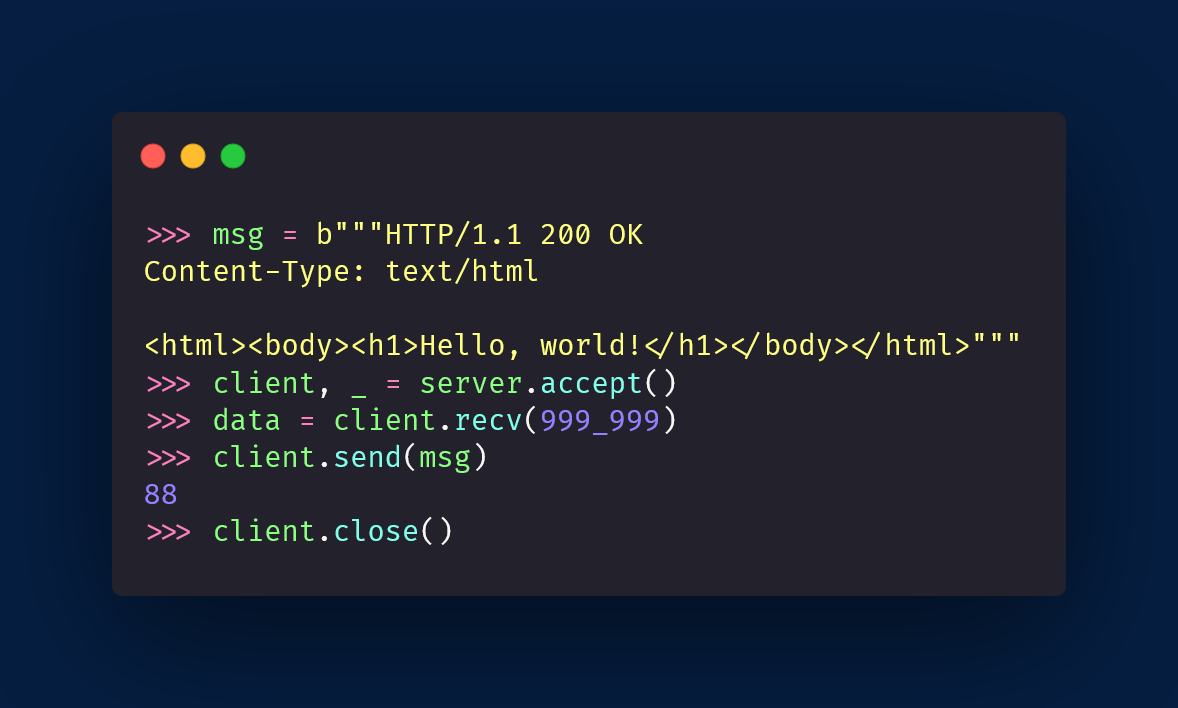
I created a variable `msg` with the text I wanted to send, and I tried sending it.
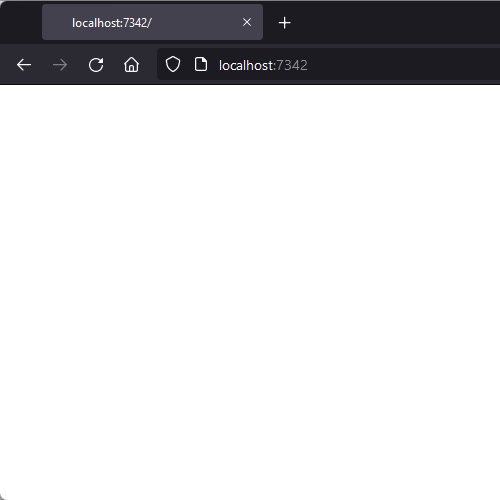
The Firefox tab turned white, this time, but it didn't display my “Hello, world!” message...
The Firefox tab turned white, this time, but it didn't display my “Hello, world!” message...
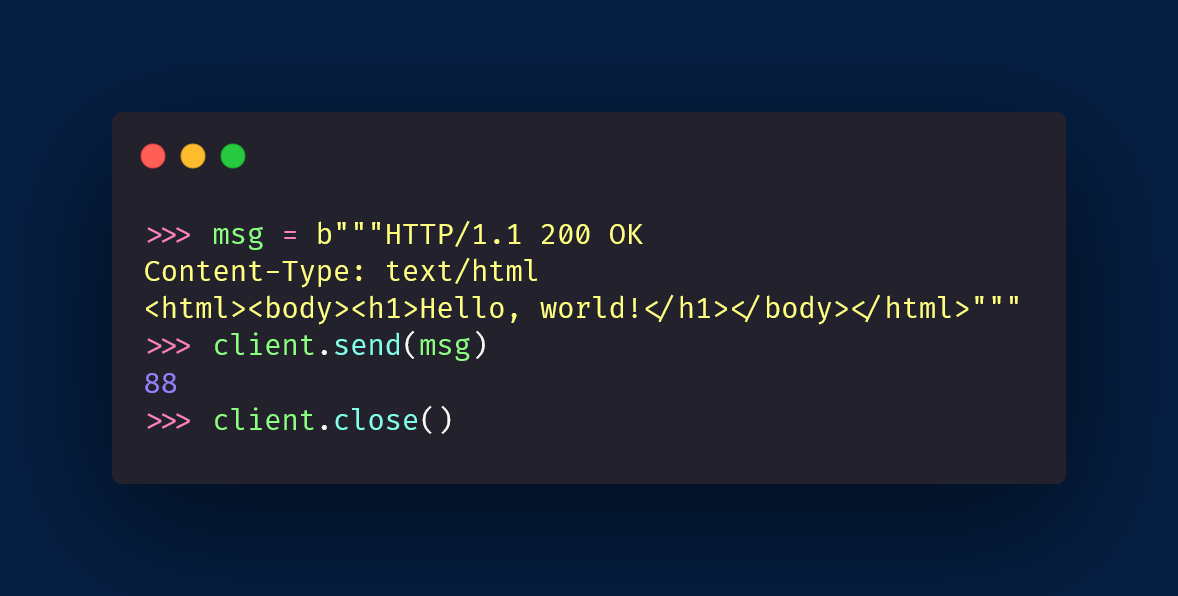
Turns out I needed an empty line between the header info and the data itself!
Restarting everything, and inserting that new line in the message to send, it worked 🥳🎉🥳
Ok, NOW I'll read about the client sockets 😜
Restarting everything, and inserting that new line in the message to send, it worked 🥳🎉🥳
Ok, NOW I'll read about the client sockets 😜
The HOWTO gives me code to create a client socket, and it's just two lines of code.
Because I'm trying to connect to a website, I'll try using the socket to request the home page of that website.
I googled what headers I must have on my request, but the response gives a 301...
Because I'm trying to connect to a website, I'll try using the socket to request the home page of that website.
I googled what headers I must have on my request, but the response gives a 301...
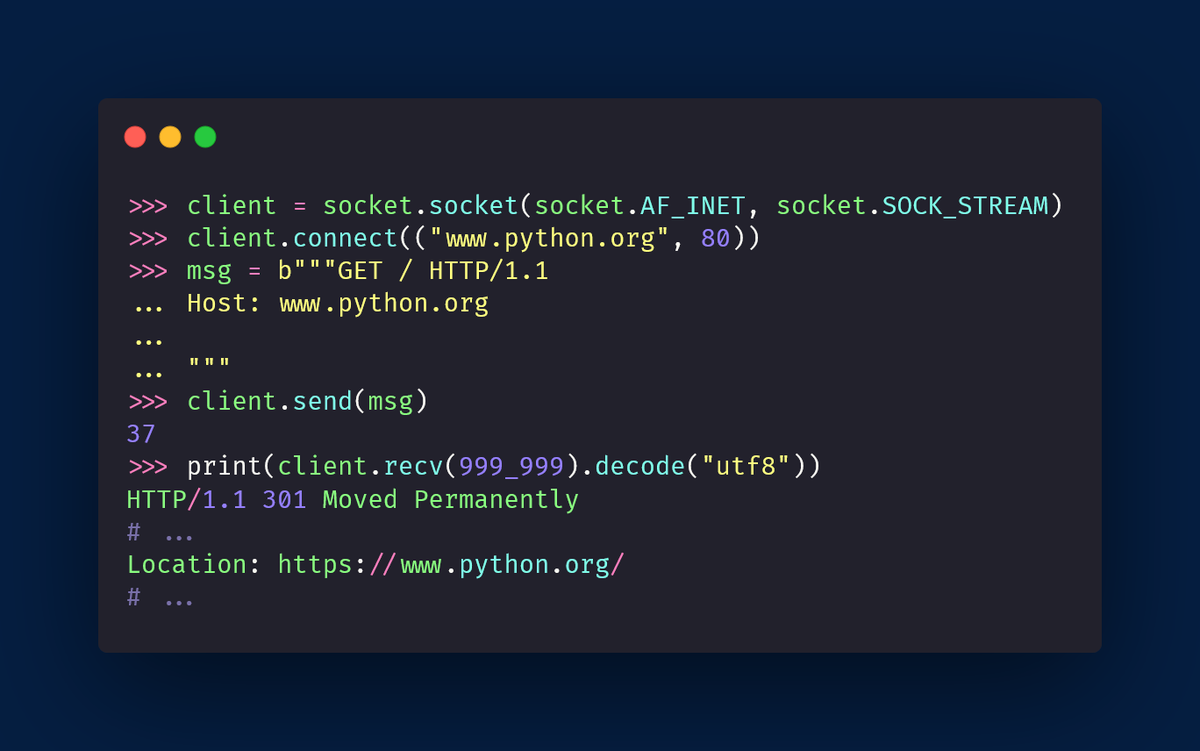
The issue?
python.org uses HTTPS, and I'm trying to use HTTP.
Looking for a website that uses HTTP, I found ptsv2.com.
Replacing the host when connecting the socket and in the Host header means I get to request the page successfully!
Hooray 🎉🥳
python.org uses HTTPS, and I'm trying to use HTTP.
Looking for a website that uses HTTP, I found ptsv2.com.
Replacing the host when connecting the socket and in the Host header means I get to request the page successfully!
Hooray 🎉🥳
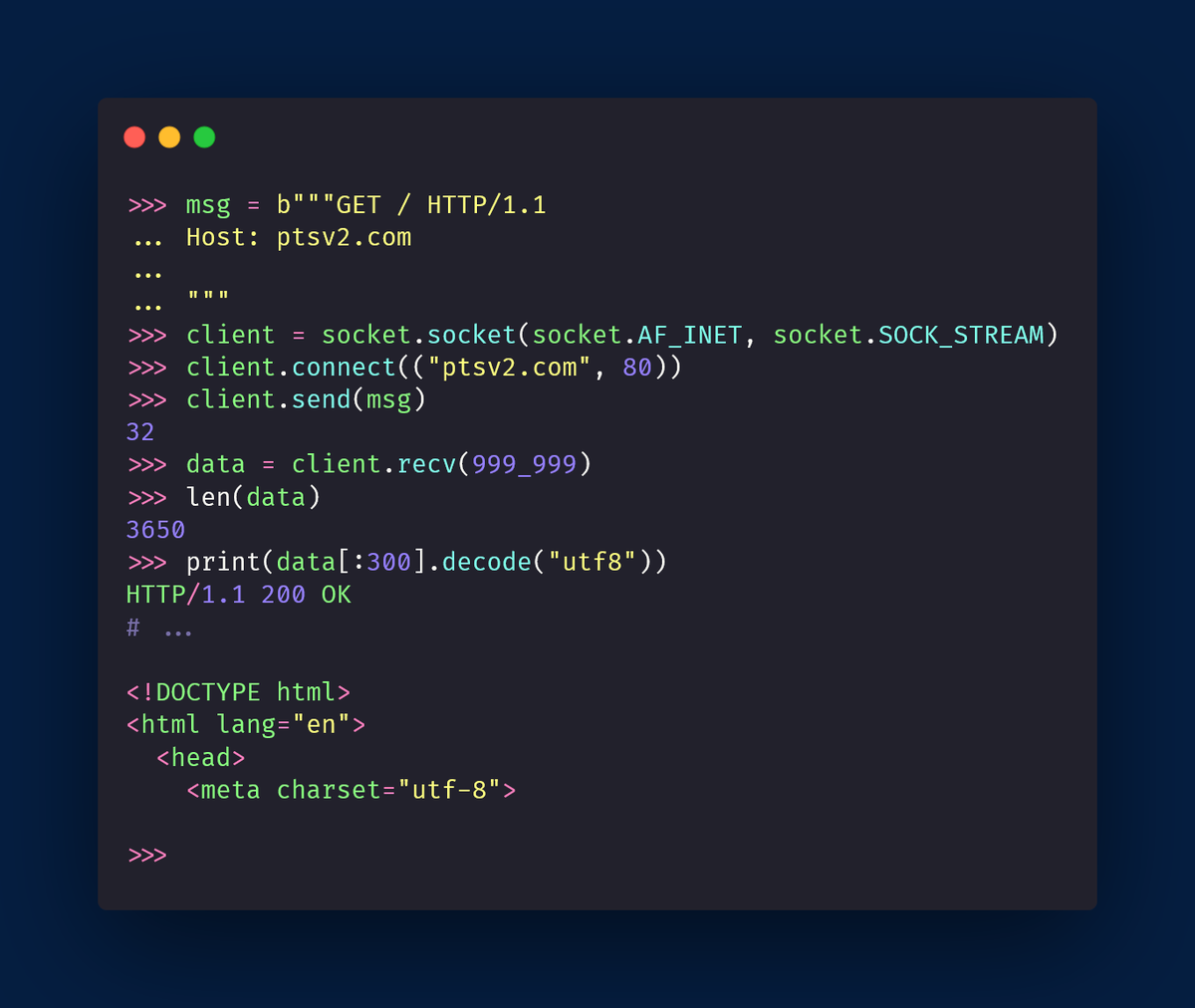
Really cool, right?
Next up, I want to connect my own server socket to my own client socket, and have them communicate.
For that, I'll have two REPLs open, side by side, and I'll be calling the `.send` and `.recv` methods on both sides, to see the data flow 😁
Let's gooo 🚀
Next up, I want to connect my own server socket to my own client socket, and have them communicate.
For that, I'll have two REPLs open, side by side, and I'll be calling the `.send` and `.recv` methods on both sides, to see the data flow 😁
Let's gooo 🚀
Ok, after all the gymnastics I had to do with the previous experiments, this turned out to be easier than I expected.
In fact, it's just me putting together the two halves of the puzzle, which means I'm in control of everything!
Here is how to do it 👇
In fact, it's just me putting together the two halves of the puzzle, which means I'm in control of everything!
Here is how to do it 👇
https://twitter.com/mathsppblog/status/1478500254664335363
Today I learned so much about sockets, I thought it wouldn't make sense to _not_ write a short TIL blog article about sockets.
Here it is 👇
mathspp.com/blog/til/019
I will stop for now, and I'll come back to sockets tomorrow!
Now, I gotta rest 💤
See you tomorrow 👋
Here it is 👇
mathspp.com/blog/til/019
I will stop for now, and I'll come back to sockets tomorrow!
Now, I gotta rest 💤
See you tomorrow 👋
Alright, it's time to keep experimenting!
I skimmed through a couple of other articles (I'll get back to that) but I also did an experiment that I think is SO cool...
I connected my phone and my laptop to one another, and had them communicate, with sockets!
I skimmed through a couple of other articles (I'll get back to that) but I also did an experiment that I think is SO cool...
I connected my phone and my laptop to one another, and had them communicate, with sockets!
This is much easier to do than what it sounds!
In fact, it's pretty similar to using sockets to get two instances of Python communicating (seen below 👇)
The only difference is that we need to open the server to the “outside world”.
In fact, it's pretty similar to using sockets to get two instances of Python communicating (seen below 👇)
The only difference is that we need to open the server to the “outside world”.
https://twitter.com/mathsppblog/status/1478500254664335363
So, the first thing we do, is open the server in the computer.
We ask the computer for the host name, so that we can connect from our phone.
Also, very important, your computer “must be discoverable in the network”, which probably means changing a wifi setting (temporarily)
We ask the computer for the host name, so that we can connect from our phone.
Also, very important, your computer “must be discoverable in the network”, which probably means changing a wifi setting (temporarily)
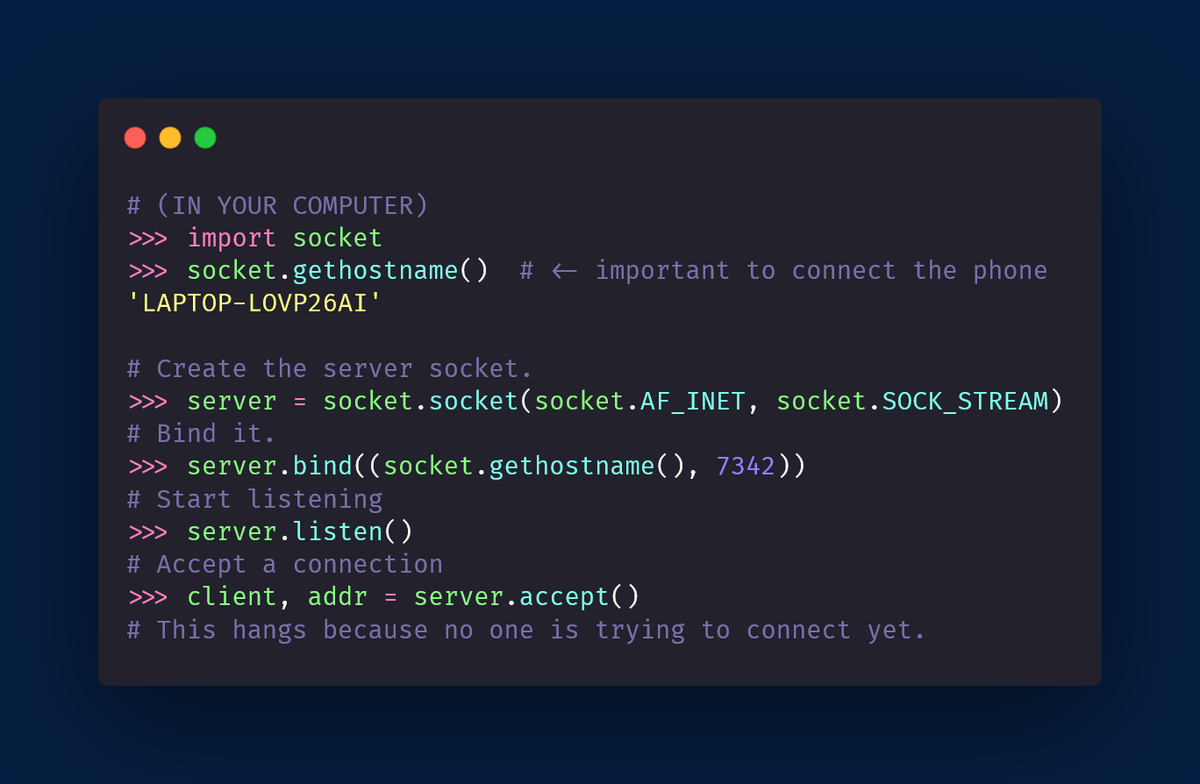
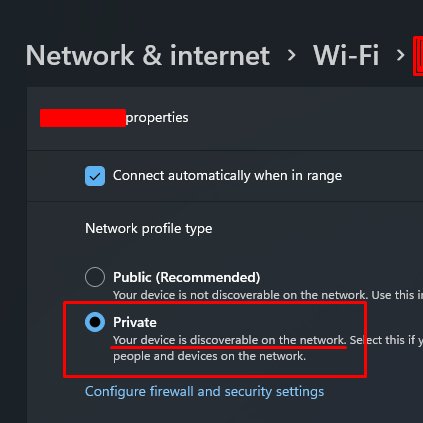
Now, we want to create the socket client on our phone.
You need Python on your phone for this, I use QPython (play.google.com/store/apps/det…)
We create the socket as usual, but then connect to the host name the computer printed, instead of "localhost".
And then, send something!
You need Python on your phone for this, I use QPython (play.google.com/store/apps/det…)
We create the socket as usual, but then connect to the host name the computer printed, instead of "localhost".
And then, send something!
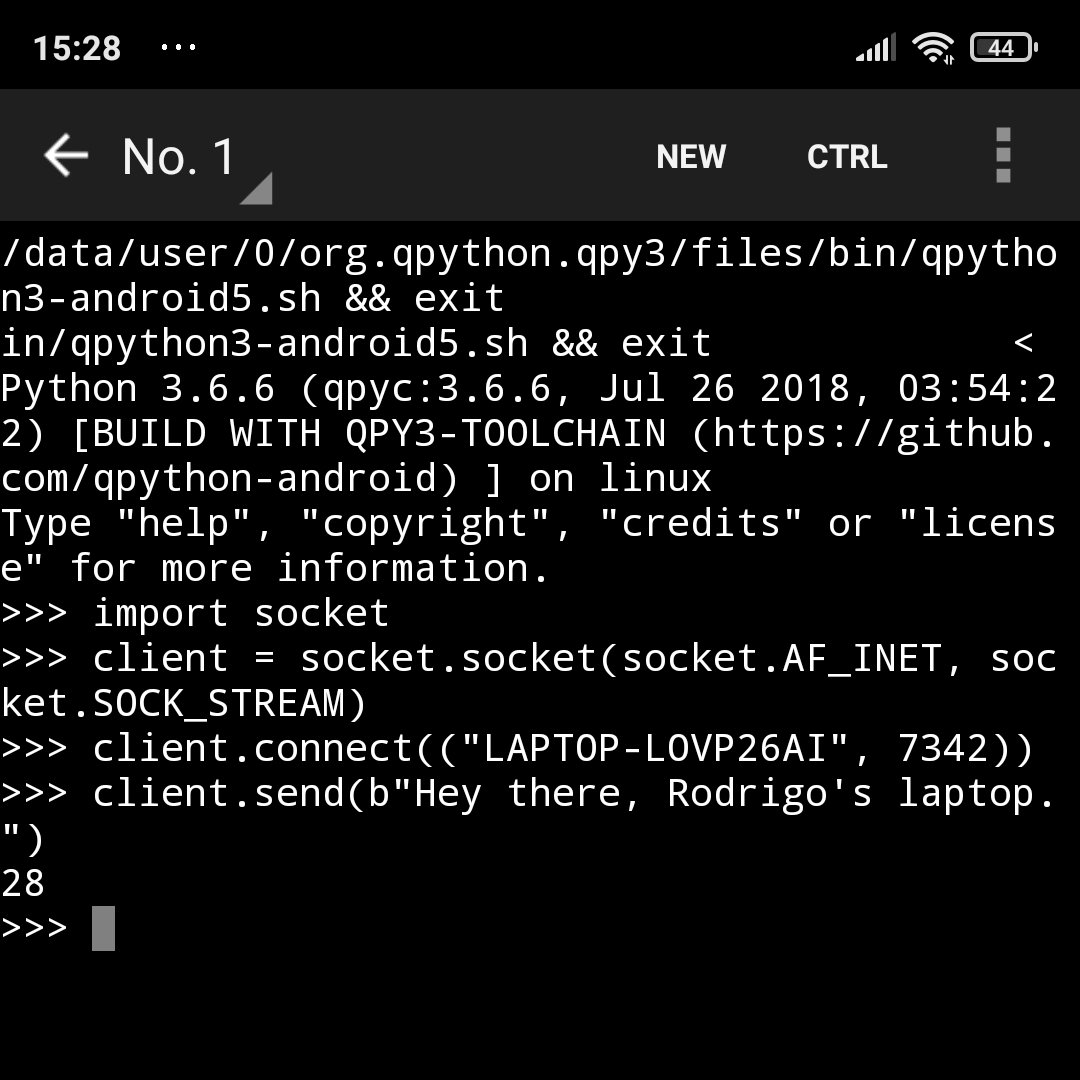
That's it!
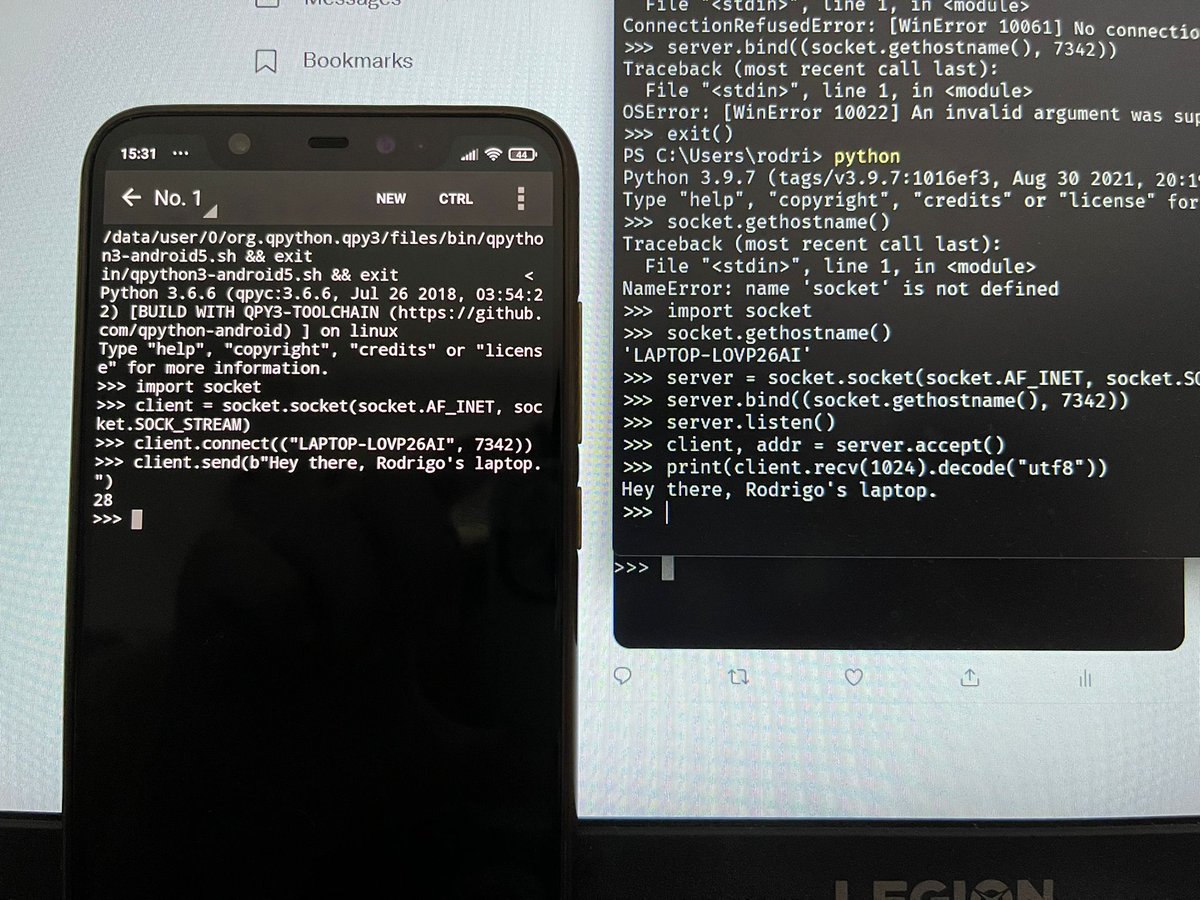
Now, I just have to receive the message on the computer!
Here's a picture proving it happened 😁
Take a look at the bottom of the two interpreters!
One sent the msg, the other received it 😁
I feel like a child 😅😂
Now, I just have to receive the message on the computer!
Here's a picture proving it happened 😁
Take a look at the bottom of the two interpreters!
One sent the msg, the other received it 😁
I feel like a child 😅😂
At this point, I've seen enough to start understanding what server sockets really do.
(I think)
The client socket seems to be responsible for sending and receiving data, while the server socket seems to be responsible for accepting connections
_and_ creating _client_ sockets.
(I think)
The client socket seems to be responsible for sending and receiving data, while the server socket seems to be responsible for accepting connections
_and_ creating _client_ sockets.
There's an interesting nuance to sockets...
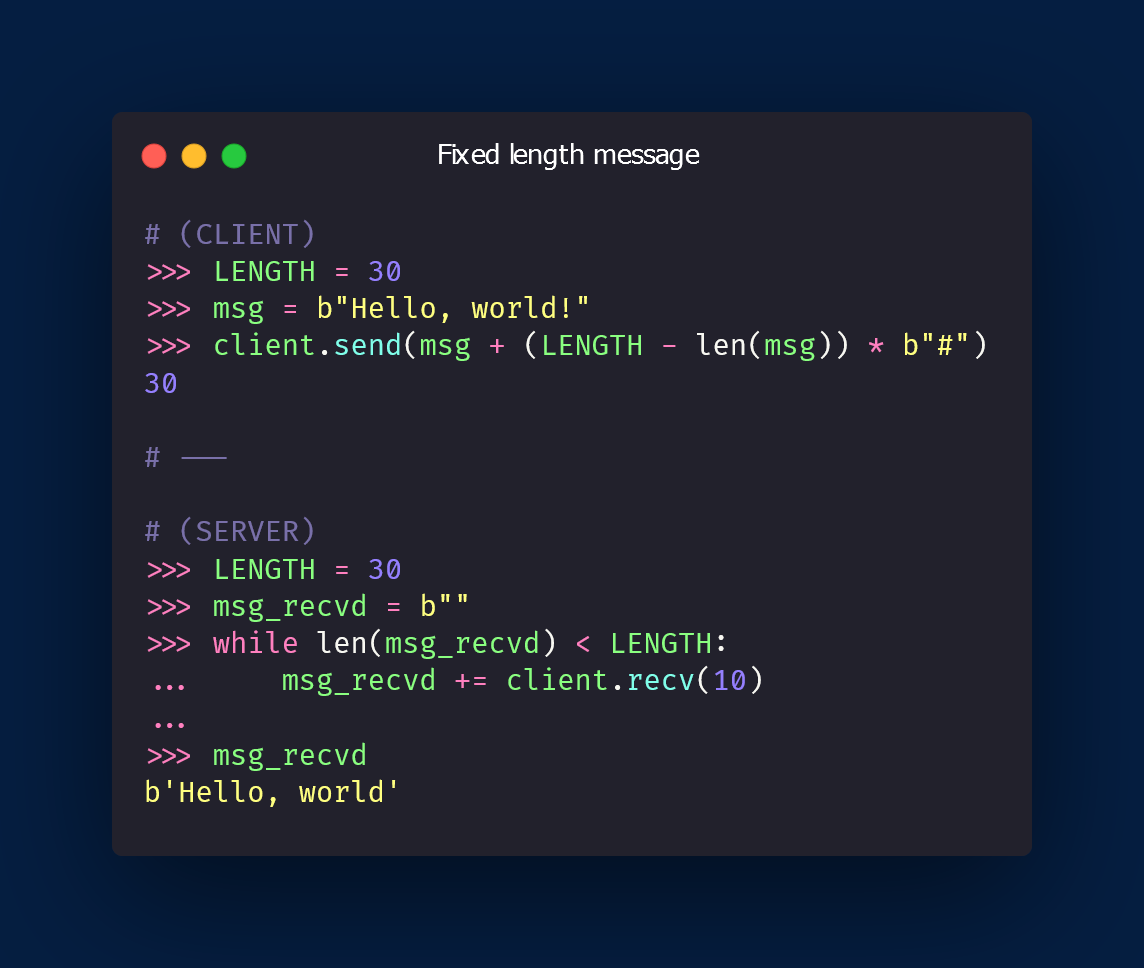
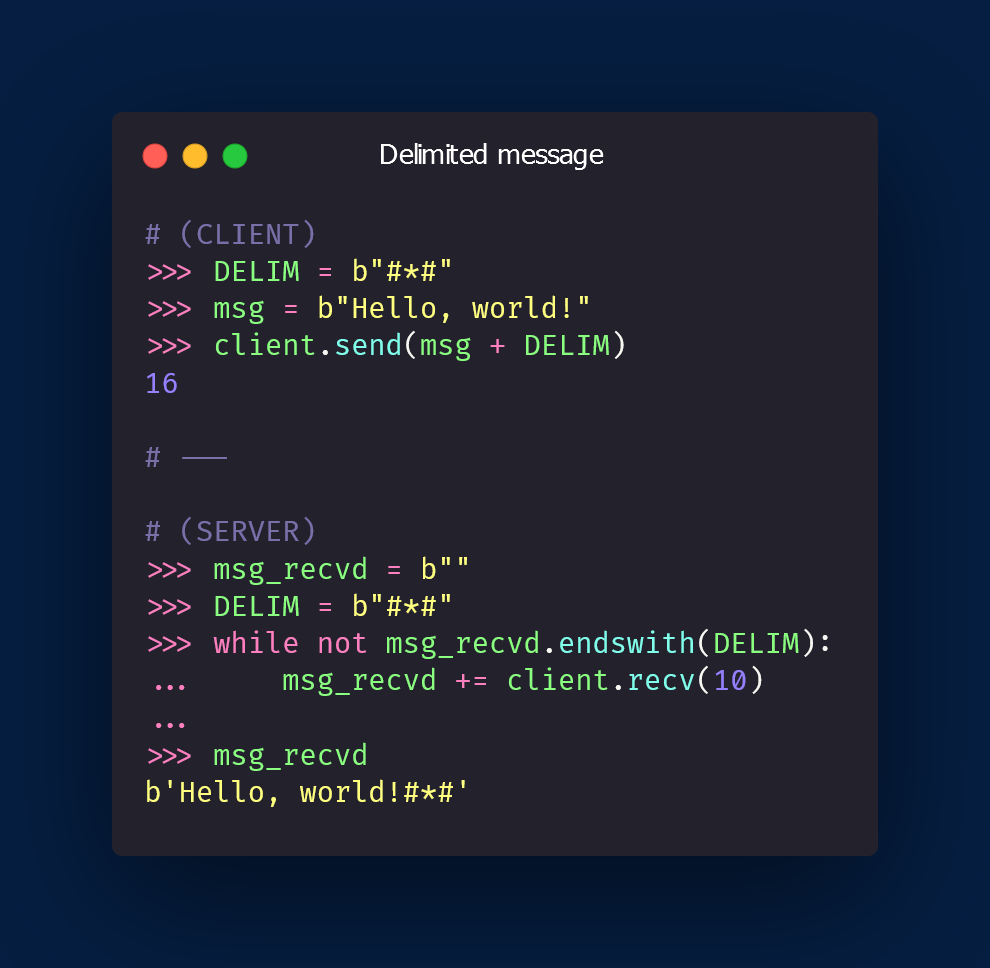
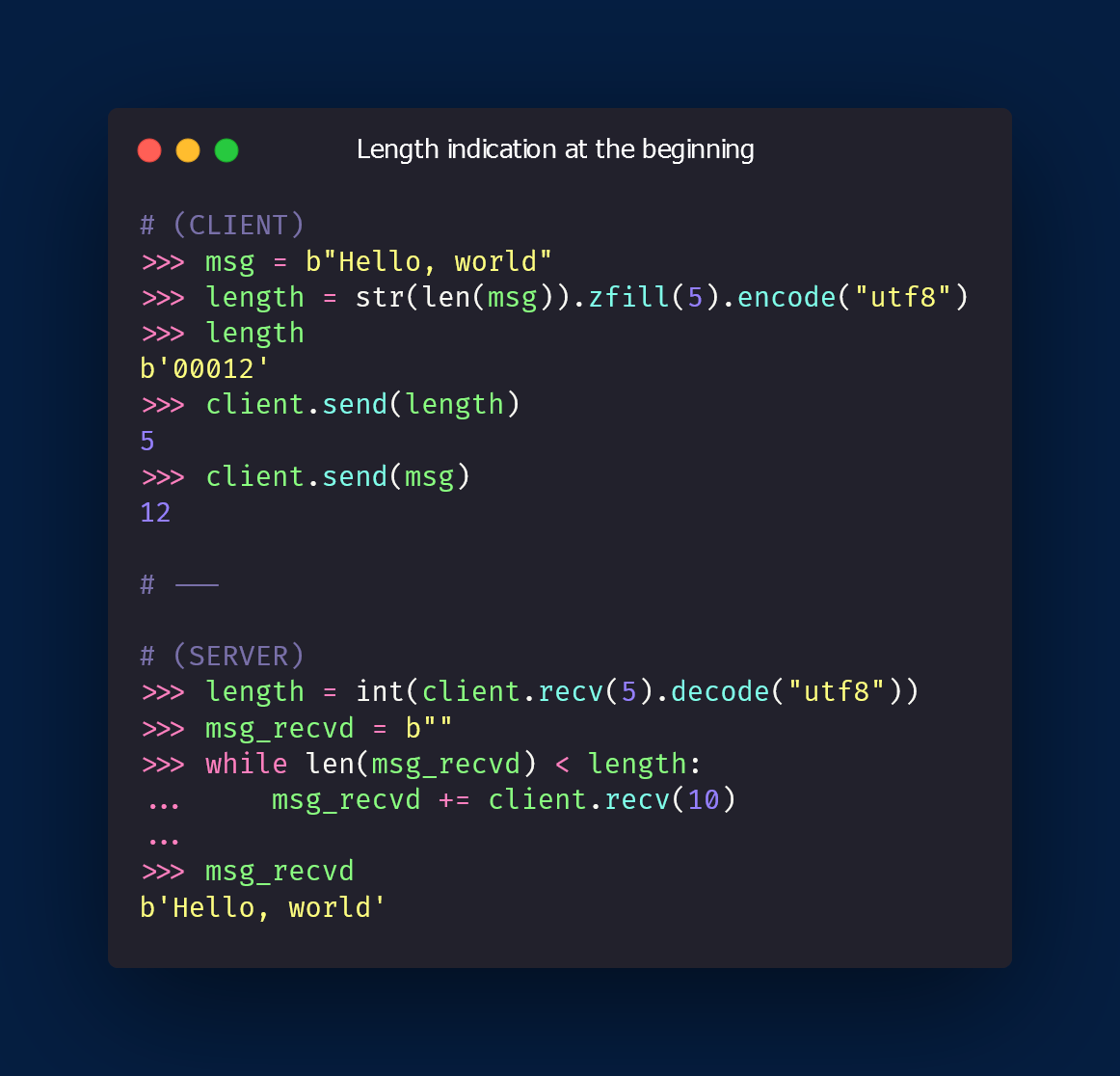
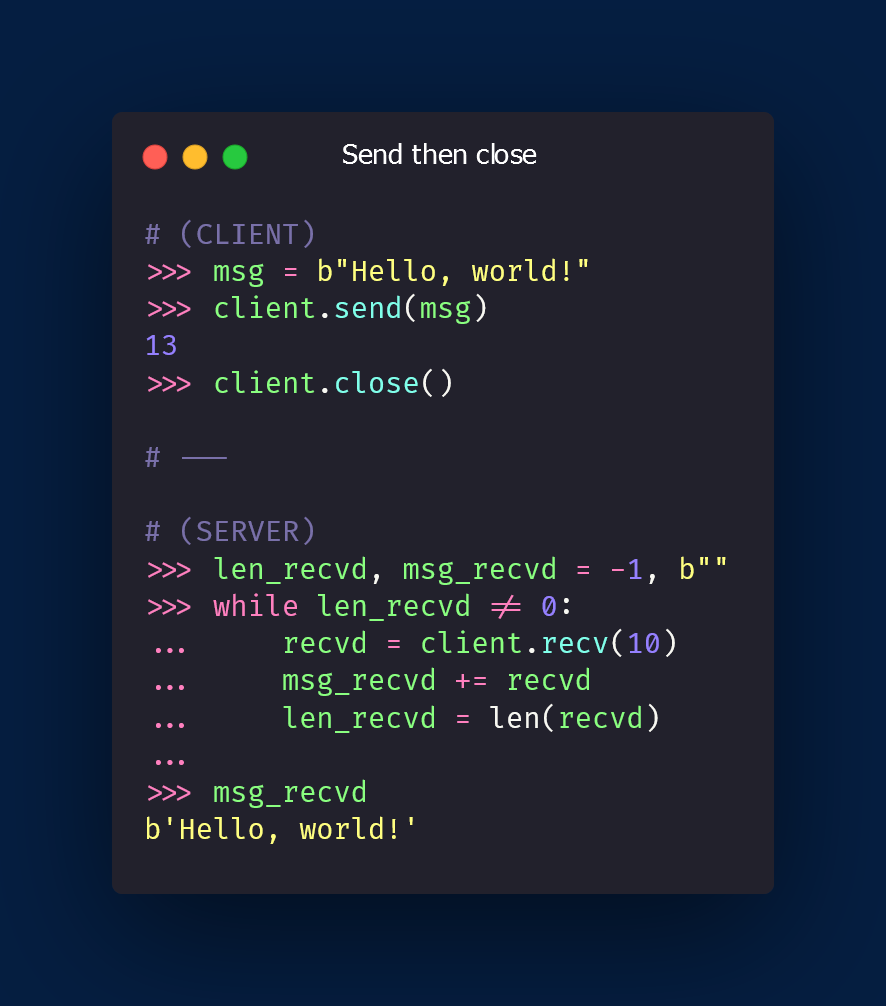
How can I know that I received the whole message?
The HOWTO I'm reading gives 4 options:
👉 fixed length msgs
👉 delimited msgs
👉 msgs indicate their length in the beginning
👉 sockets are single-use only
Here's a basic overview 👇
How can I know that I received the whole message?
The HOWTO I'm reading gives 4 options:
👉 fixed length msgs
👉 delimited msgs
👉 msgs indicate their length in the beginning
👉 sockets are single-use only
Here's a basic overview 👇
Of course, all these methods have some gotchas and the dummy code I shared above isn't as robust as it should be!
It's just a basic rendition of each method.
(For the snippets above, the set up of the client and server sides was this 👇)
It's just a basic rendition of each method.
(For the snippets above, the set up of the client and server sides was this 👇)
https://twitter.com/mathsppblog/status/1478500254664335363
• • •
Missing some Tweet in this thread? You can try to
force a refresh





