Master CSS Pseudo-elements🎯
A Thread 🧵👇
A Thread 🧵👇

❓What exactly is a pseudo-element?
📌 A CSS pseudo-element is used to style specified parts of an element.
For example, it can be used to:
🔳 Style the first letter, or line, of an element.
🔳 Insert content before, or after, the content of an element.
📌 A CSS pseudo-element is used to style specified parts of an element.
For example, it can be used to:
🔳 Style the first letter, or line, of an element.
🔳 Insert content before, or after, the content of an element.
📌 Presently, There are some pseudo-elements that are commonly used , and some experimental ones.
Below I have given a detailed explanation👇
Below I have given a detailed explanation👇
✨ Common Pseudo-Elements
➡️ ::before
➡️ ::after
➡️ ::first-letter
➡️ ::first-line
➡️ ::selection
✨ Experimental Pseudo-Elements
➡️ ::placeholder
➡️ ::backdrop
➡️ ::marker
➡️ ::before
➡️ ::after
➡️ ::first-letter
➡️ ::first-line
➡️ ::selection
✨ Experimental Pseudo-Elements
➡️ ::placeholder
➡️ ::backdrop
➡️ ::marker
📌 You can use any of these pseudo-elements by simply adding them at the end of your CSS selector.
Like so.👇
Like so.👇
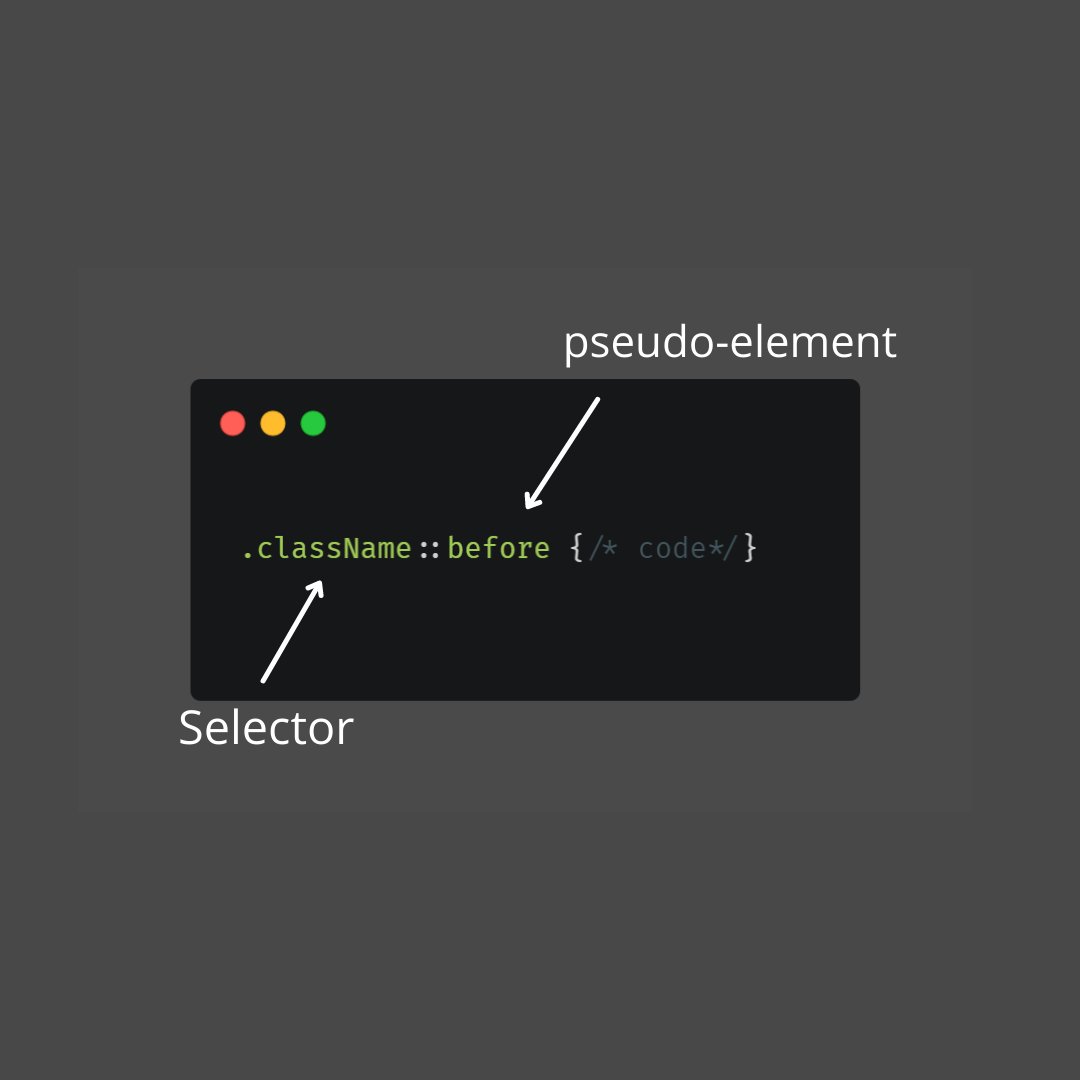
🎯 ::before and ::after Pseudo-Elements
🔳::before ➖ used to insert some content before the content of an element.
🔳::after ➖ used to insert some content before the content of an element.
Here is a simple example👇
🔳::before ➖ used to insert some content before the content of an element.
🔳::after ➖ used to insert some content before the content of an element.
Here is a simple example👇
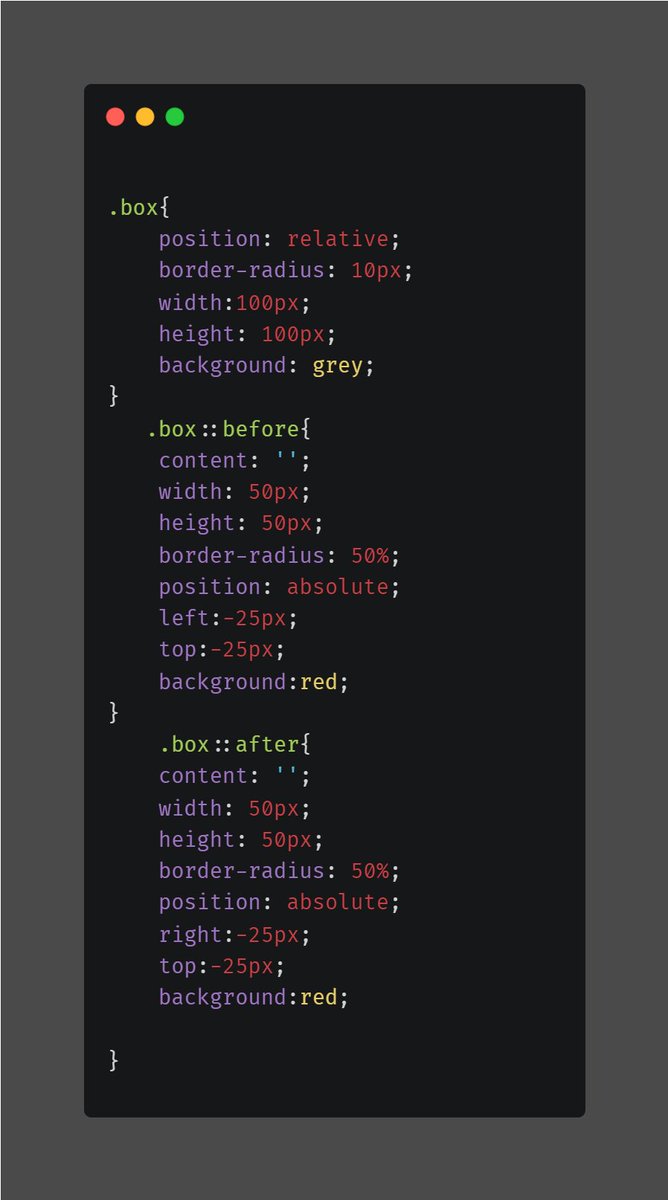
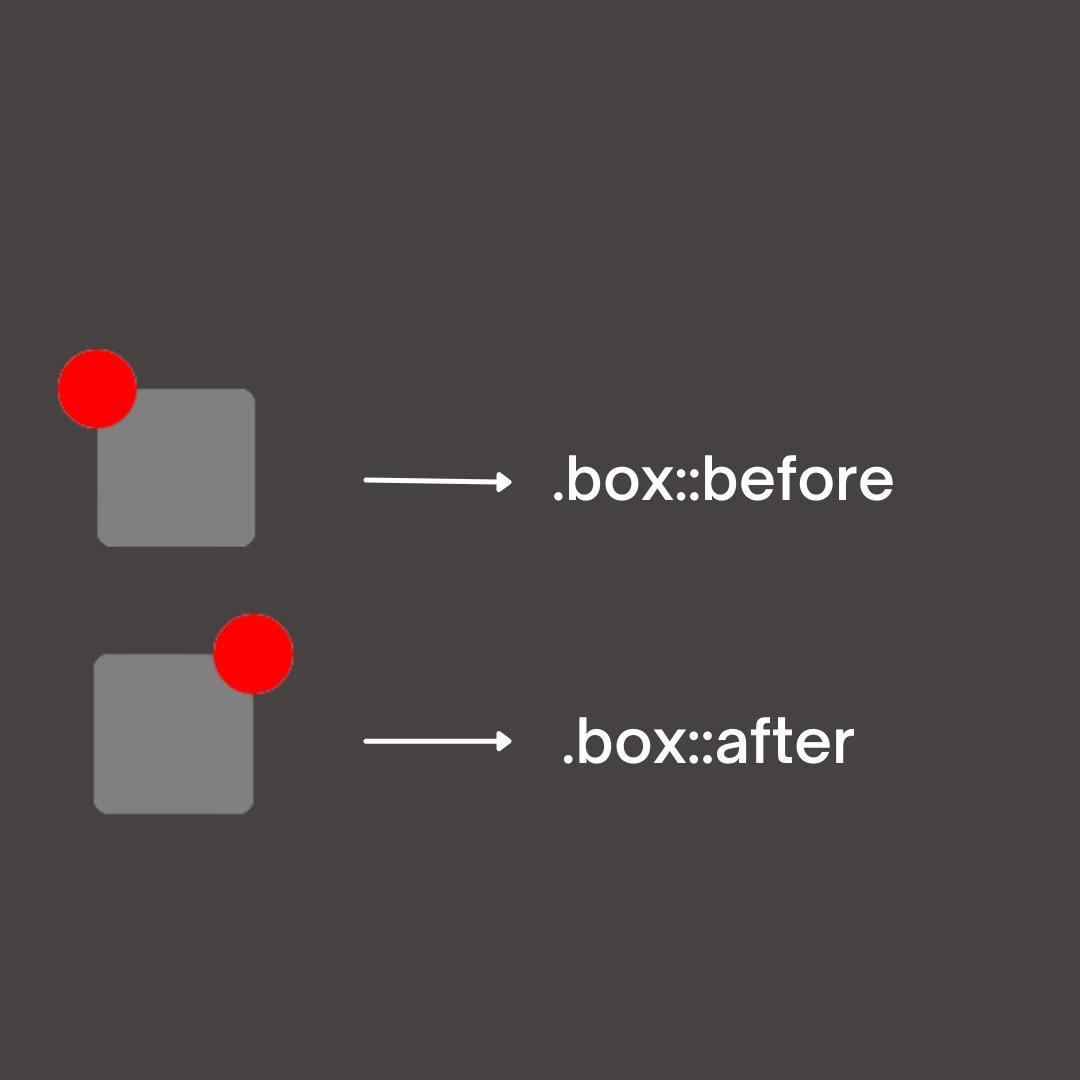
☝️ In the above example the ::before element get placed so it will be moved left and top-25 and appear on the box.
🔳 Same is the case with the ::after element, it gets moved right and top -25. You can see the above example.
🔳 Same is the case with the ::after element, it gets moved right and top -25. You can see the above example.
🤔 Now, you must be wondering why the content was left blank.?
🔳 Ans. - The content property is mandatory in order to render the ::before and ::after elements.
It can hold an empty value, a text, or an image by giving it an URL("image.png").
🔳 Ans. - The content property is mandatory in order to render the ::before and ::after elements.
It can hold an empty value, a text, or an image by giving it an URL("image.png").
🎯::first-letter and ::first-line
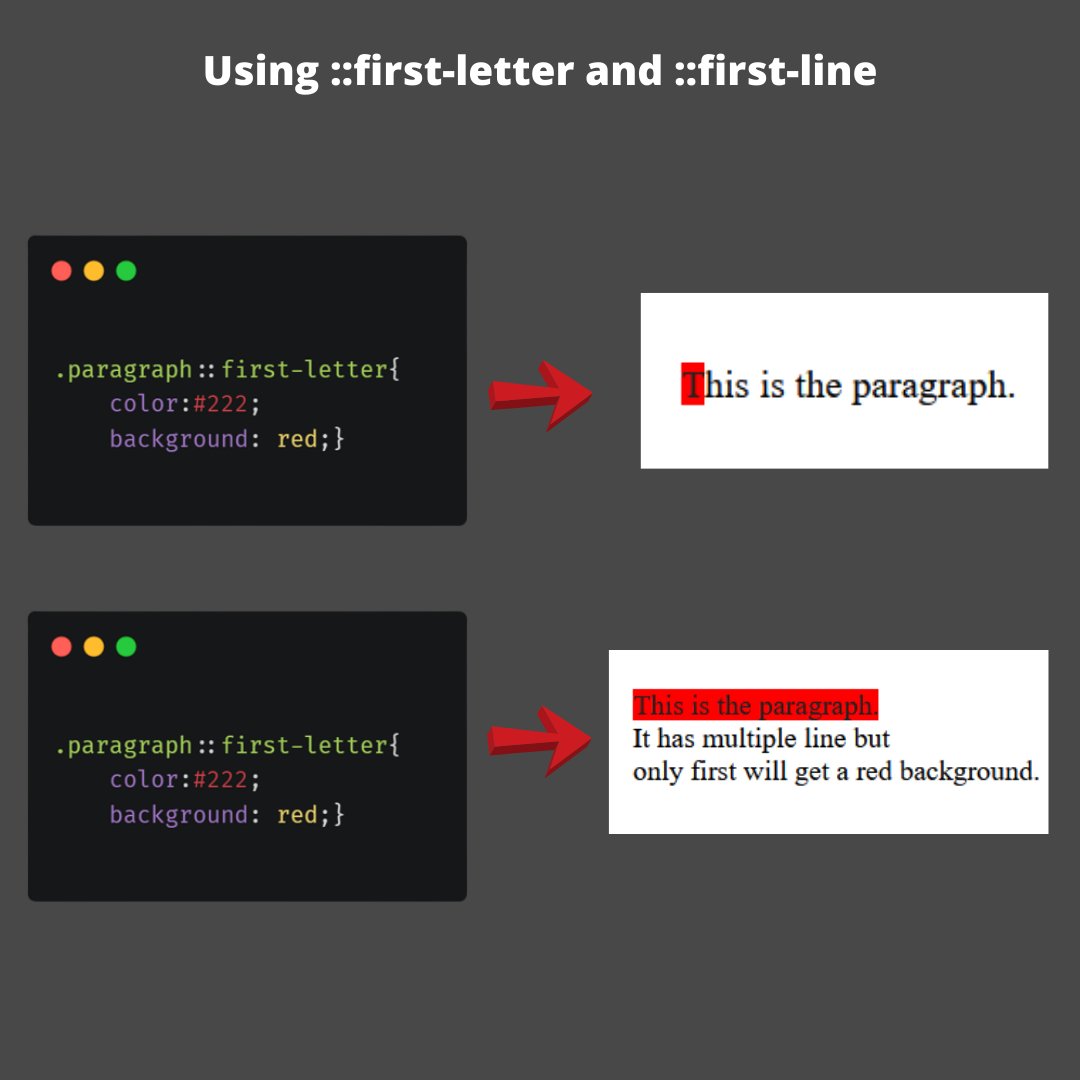
📌 These pseudo-elements are a great way to manipulate text content.
They do exactly what their name says, which is to allow you to select the first letter or first line of some text.
Here is an example
📌 These pseudo-elements are a great way to manipulate text content.
They do exactly what their name says, which is to allow you to select the first letter or first line of some text.
Here is an example
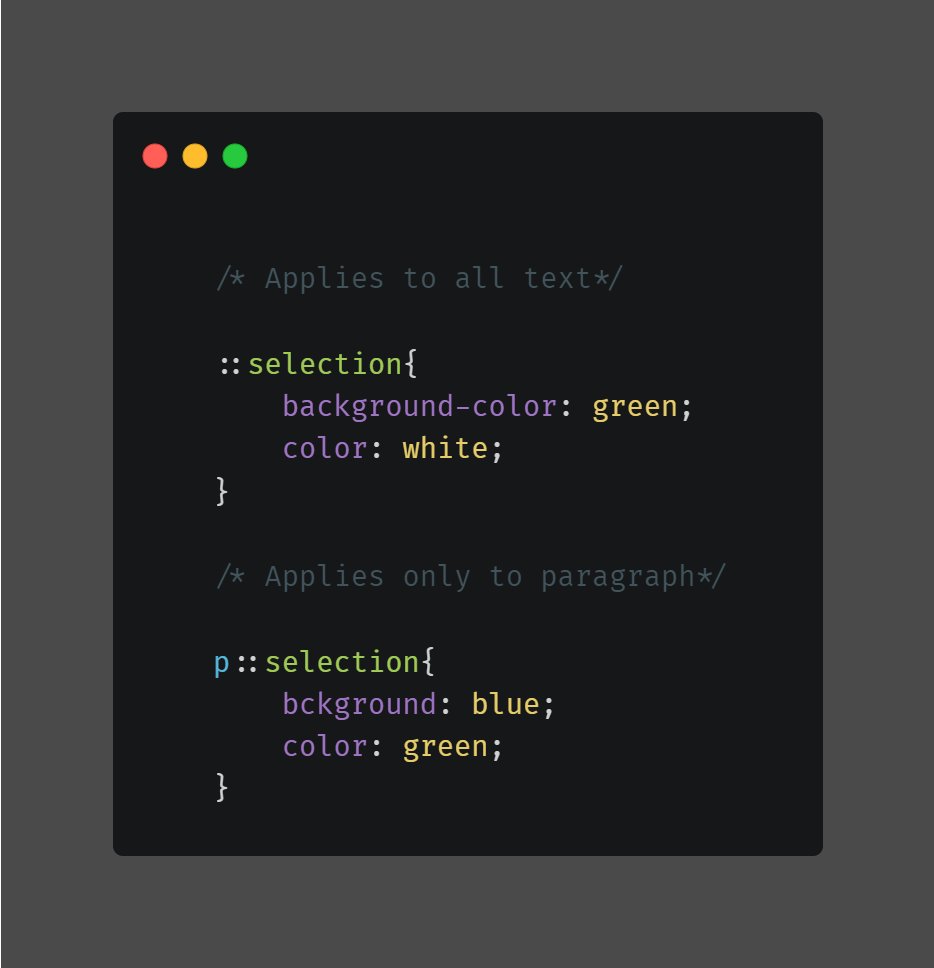
🎯:: Selection
📌 Selection pseudo-element allows us to customize properties of the user's text selection either for our entire website, or for certain parts of it. Only certain properties can be applied.
here’s how it works:
📌 Selection pseudo-element allows us to customize properties of the user's text selection either for our entire website, or for certain parts of it. Only certain properties can be applied.
here’s how it works:
🎯 Experimental pseudo-elements
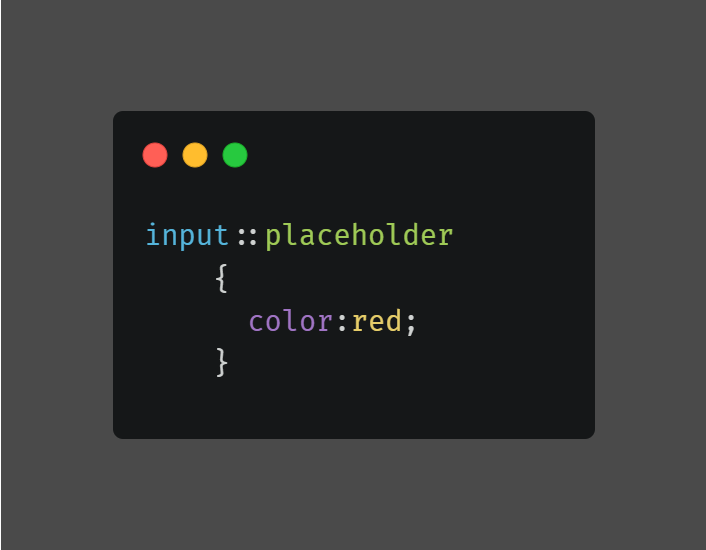
➡️ Placeholder (::placeholder)
🔳 this pseduo Element is used in order to change the css properties of your input's placeholder text inserted through the placeholder attribute.
➡️ Placeholder (::placeholder)
🔳 this pseduo Element is used in order to change the css properties of your input's placeholder text inserted through the placeholder attribute.
➡️ Marker (::marker)
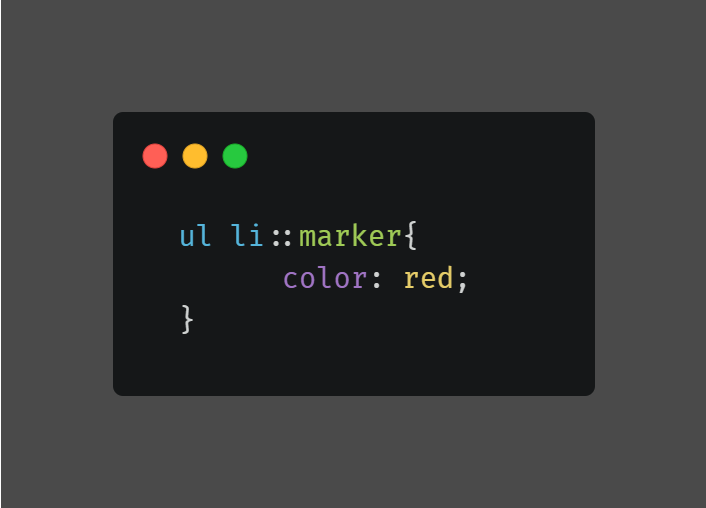
📌 You can use it to change the properties of a marker element.
For example, select your list's bullet points and change their color:
📌 You can use it to change the properties of a marker element.
For example, select your list's bullet points and change their color:
➡️ Backdrop (::backdrop)
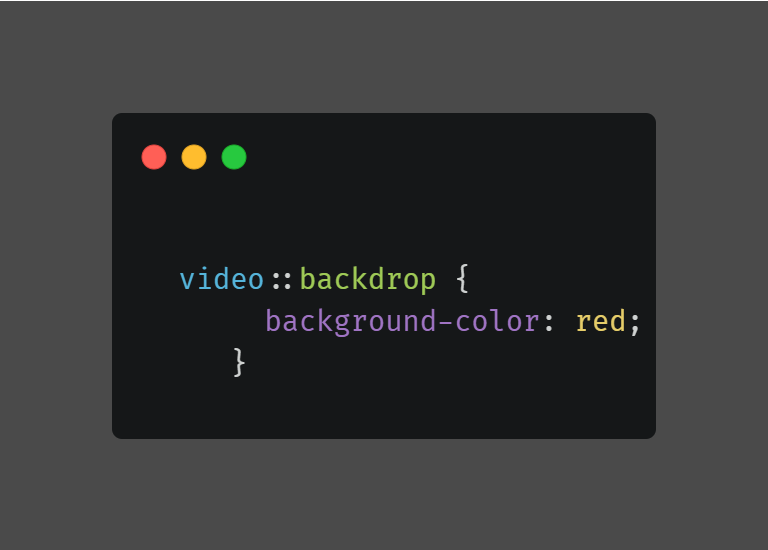
🔳 Styles the background of a full-screen element, such as a video.
Here is an example.
🔳 Styles the background of a full-screen element, such as a video.
Here is an example.
End of the thread. 🧵
If you found this thread useful, please consider:
💛 Liking these tweets
🔁 Retweet the first tweet so others can see it.
👤 Following me ( @itsmeprdp )for more content.
Thanks for reading.
If you found this thread useful, please consider:
💛 Liking these tweets
🔁 Retweet the first tweet so others can see it.
👤 Following me ( @itsmeprdp )for more content.
Thanks for reading.
• • •
Missing some Tweet in this thread? You can try to
force a refresh