
About 2 years ago, I downloaded @obsdmd to see what the hype was about and give it a spin.
Today, I have over 33,000 plain text notes in the app and it is the center of my creative tech universe.
A short thread on my use cases for this incredible app.
🧵👇🏼
Today, I have over 33,000 plain text notes in the app and it is the center of my creative tech universe.
A short thread on my use cases for this incredible app.
🧵👇🏼
#1: A Cross-Reference Library for my Sermon Notes
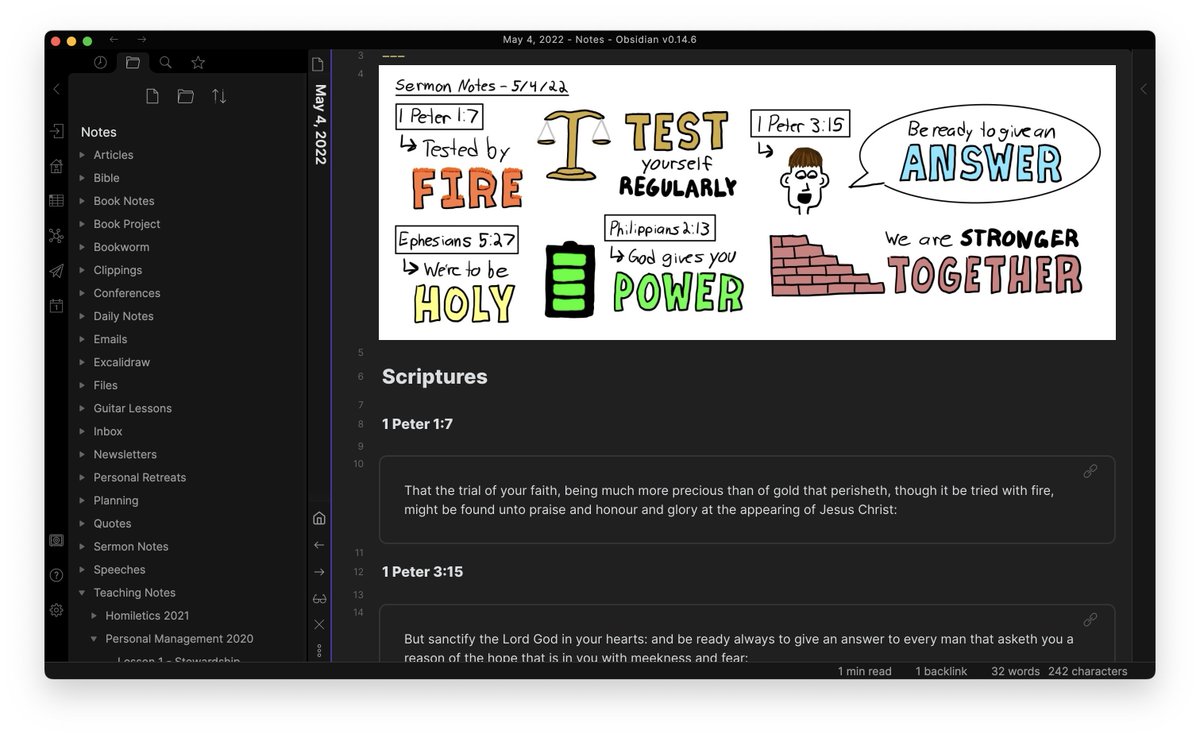
This is what got me into Obsidian. I create a new note for each sermon, embed my sketchnote, and link to every verse mentioned. Then I can use the local graph to navigate from note -> verse -> note in my personal study.
🧵/2
This is what got me into Obsidian. I create a new note for each sermon, embed my sketchnote, and link to every verse mentioned. Then I can use the local graph to navigate from note -> verse -> note in my personal study.
🧵/2
#2: A Repository of My Book Notes
Each book has its own mind map and outline, then I break apart key ideas into their own "atomic notes" so I can link them to other books that mention those same ideas.
🧵/3
Each book has its own mind map and outline, then I break apart key ideas into their own "atomic notes" so I can link them to other books that mention those same ideas.
🧵/3

#3: My Writing Tool
I do all of my writing in Obsidian, whether it's for a blog post, newsletter, video script, or article. I use kanban boards to track progress for writing projects, and Hazel keeps my folders clean by archiving them automatically based on metadata.
🧵/4
I do all of my writing in Obsidian, whether it's for a blog post, newsletter, video script, or article. I use kanban boards to track progress for writing projects, and Hazel keeps my folders clean by archiving them automatically based on metadata.
🧵/4

#4: My Personal Journal
I use the Tracker +Daily Notes plugins to practice the Daily Questions format from Marshall Goldsmith. I also use QuickAdd to add text entries for significant events, gratitude, and any learnings I want to capture.
🧵/5
I use the Tracker +Daily Notes plugins to practice the Daily Questions format from Marshall Goldsmith. I also use QuickAdd to add text entries for significant events, gratitude, and any learnings I want to capture.
🧵/5

#5: A Podcast Index
I create a note for each podcast I have a hand in creating, and embed the links/notes as well the audio file for each episode. I also include metadata where appropriate (i.e. book ratings for @bookwormfm).
🧵/6
I create a note for each podcast I have a hand in creating, and embed the links/notes as well the audio file for each episode. I also include metadata where appropriate (i.e. book ratings for @bookwormfm).
🧵/6

#6: A Collection of Course Notes
I've recently gone through a couple of courses, and I've kept a single note for each course that I keep adding to. Each session gets its own section, and I use callouts to highlight important information.
🧵/7
I've recently gone through a couple of courses, and I've kept a single note for each course that I keep adding to. Each session gets its own section, and I use callouts to highlight important information.
🧵/7

#7: Archive of My Personal Retreats
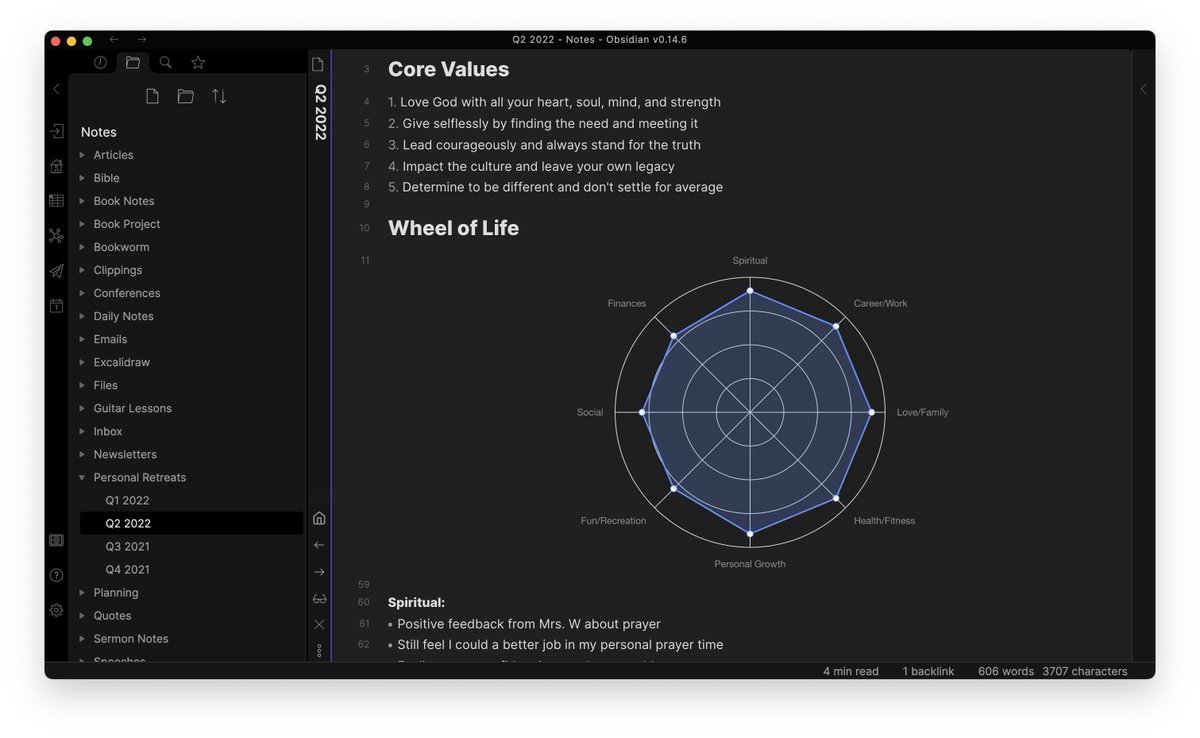
My quarterly personal retreats always bring a ton of clarity. I have a text-based template set up in Obsidian that facilitates my thinking time questions and the Charts View plugin lets me recreate my wheel of life.
🧵/8
My quarterly personal retreats always bring a ton of clarity. I have a text-based template set up in Obsidian that facilitates my thinking time questions and the Charts View plugin lets me recreate my wheel of life.
🧵/8
#8: My Task Manager
A few months ago I started keeping all my tasks in Obsidian. Using the Obsidian Tasks plugin, I'm able to add things like start/due dates to tasks and use queries to pull in tasks from anywhere in my vault.
🧵/9
A few months ago I started keeping all my tasks in Obsidian. Using the Obsidian Tasks plugin, I'm able to add things like start/due dates to tasks and use queries to pull in tasks from anywhere in my vault.
🧵/9

TL;DR - I use Obsidian for:
• Cross-referencing sermon sketchnotes
• Connecting book notes & mind maps
• All of my writing
• My digital journal
• A podcast archive
• Course notes
• Personal retreats
• Task management
And tying it all together is the Graph.
🧵/10
• Cross-referencing sermon sketchnotes
• Connecting book notes & mind maps
• All of my writing
• My digital journal
• A podcast archive
• Course notes
• Personal retreats
• Task management
And tying it all together is the Graph.
🧵/10
I've never been a fan of everything apps, but Osbdiain is different:
• It's plain text, so it's future-proof
• It uses standard Markdown, so my files will work in any other editor
• The plugin architecture lets you make it whatever you want
• The community is amazing
🧵/11
• It's plain text, so it's future-proof
• It uses standard Markdown, so my files will work in any other editor
• The plugin architecture lets you make it whatever you want
• The community is amazing
🧵/11
If you're looking to make the most of @obsdmd, I helped build this comprehensive course for @thesweetsetup (course page says 40 videos, it's actually more like 60 now): thesweetsetup.com/obsidian/?ref=…
🧵/END
🧵/END
• • •
Missing some Tweet in this thread? You can try to
force a refresh






