
This is the part of my dissertation I've been working on for the last couple of months! It's a tool to help split PDF-bound documents (so far, mostly scans of printed books) into "units of interest." I want to share bc I'm pretty dang proud of it 🥰 

Ok, so pretend you have a library catalog with entries (this is literally just one of my case studies, but hey). You scan a whole printed catalog of books, and you want to study that as a corpus, but first you have to chop it up. You need each book's info as its own "document"
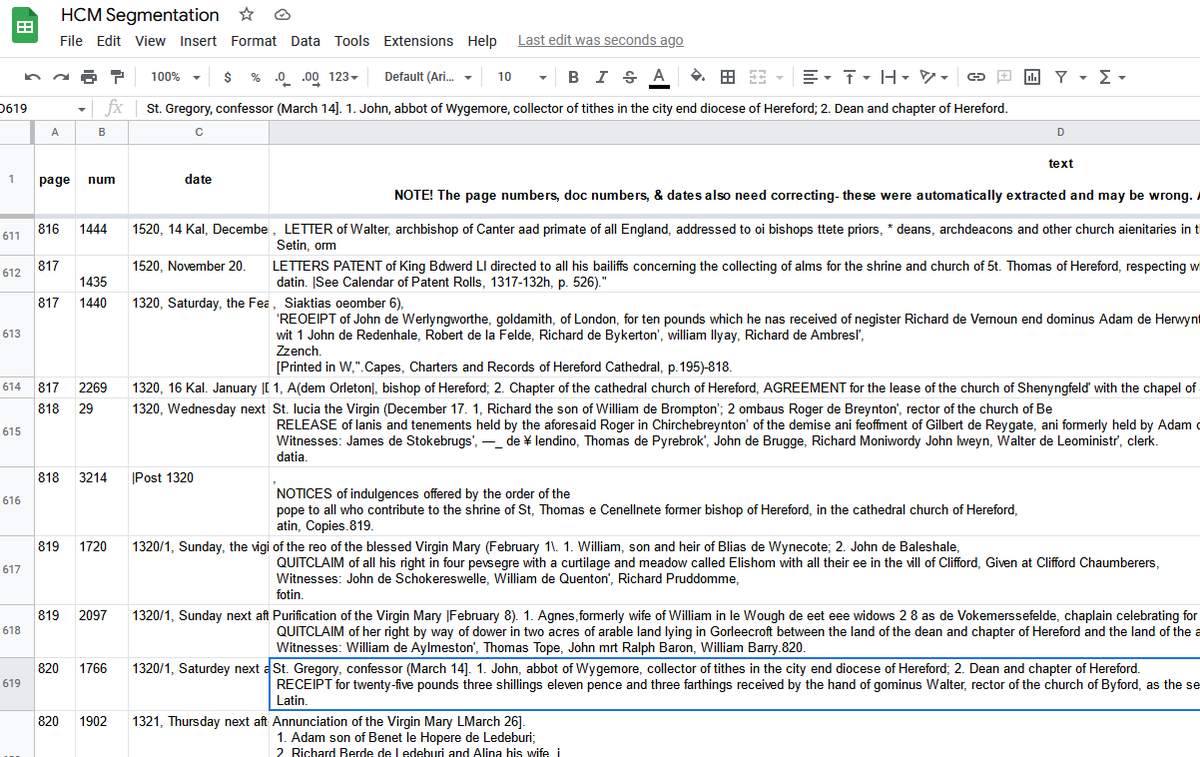
Your OCR engine is... meh, or your scans are not ideal for it, and using regular expressions to split the text up leads to a *lot* of time spent correct. How do I know? I experienced it last year with students on Atlas of a Medieval Life. The spreadsheet was a nightmare.
Turns out, though, that most printed books use *whitespace* of different sizes, or things intruding into whitespace, to communicate structure to our little people brains! *I* don't look at this page and know its structure by the words, I know from the gaps.
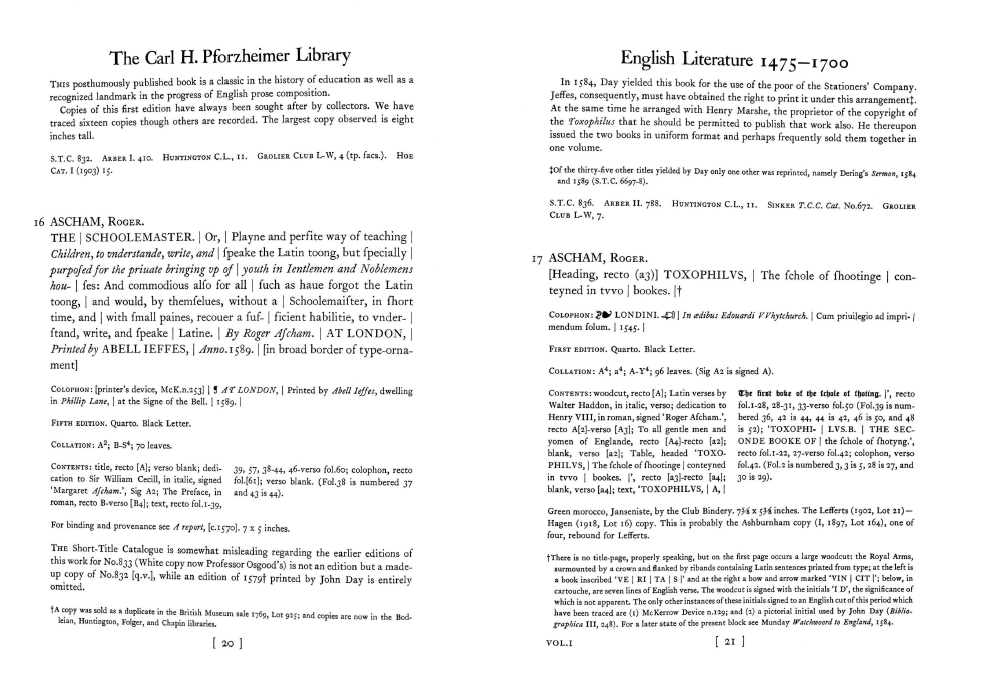
Wouldn't it be great, I thought, if I could ask my computer to think in the same way about the page. If *I* segment these entries using page layout, so should it. But turns out that's not a thing there are lots of tools for! So....
I talked about this on here a bit before & some folks immediately turned their minds to machine learning. And while this would be cool as an ML problem, I'm on one hell of a clock with this dissertation. If we waited to do the ML solution for everything, we'd get nowhere!
My little system is dumb, but it's a good listener. It lets you make rules about whitespace-- how wide a gap, how much "stuff" in a line for it to count as truly "blank"-- and use that to separate entries instead/in addition to regex on the OCR'd text.
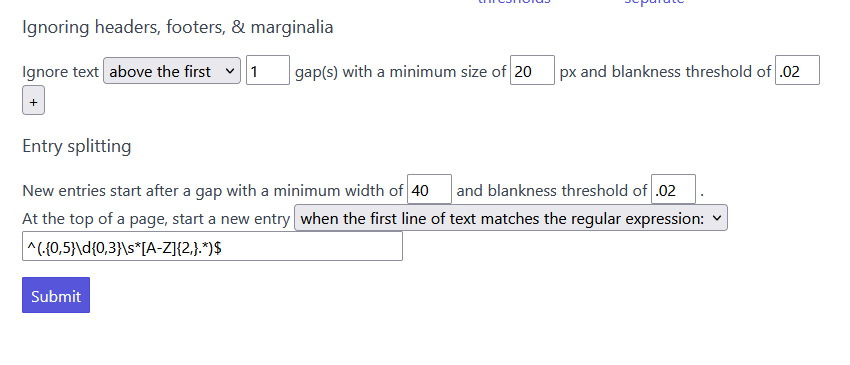
You can play around with the settings to see what gives you the breaks you want, and what will specify the stuff you want to ignore. The settings on the left give the break between entries I want, while the settings on the right can help me ignore the header and page number.
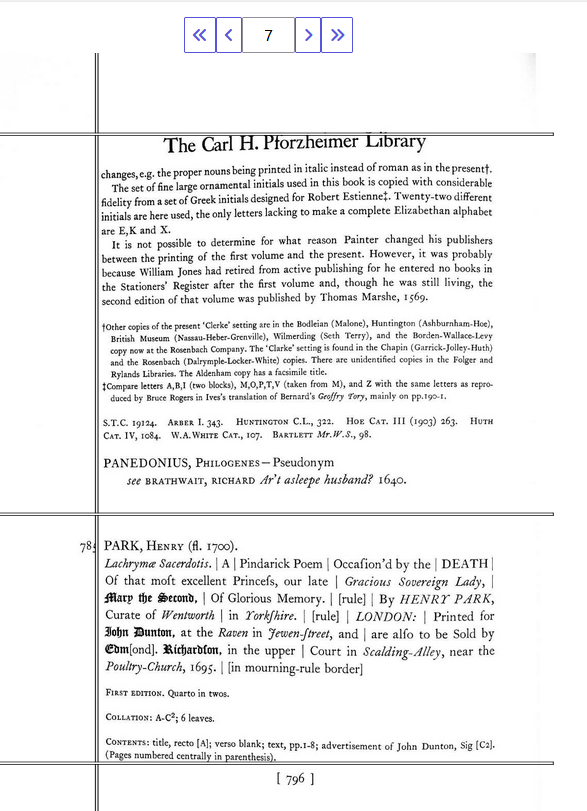
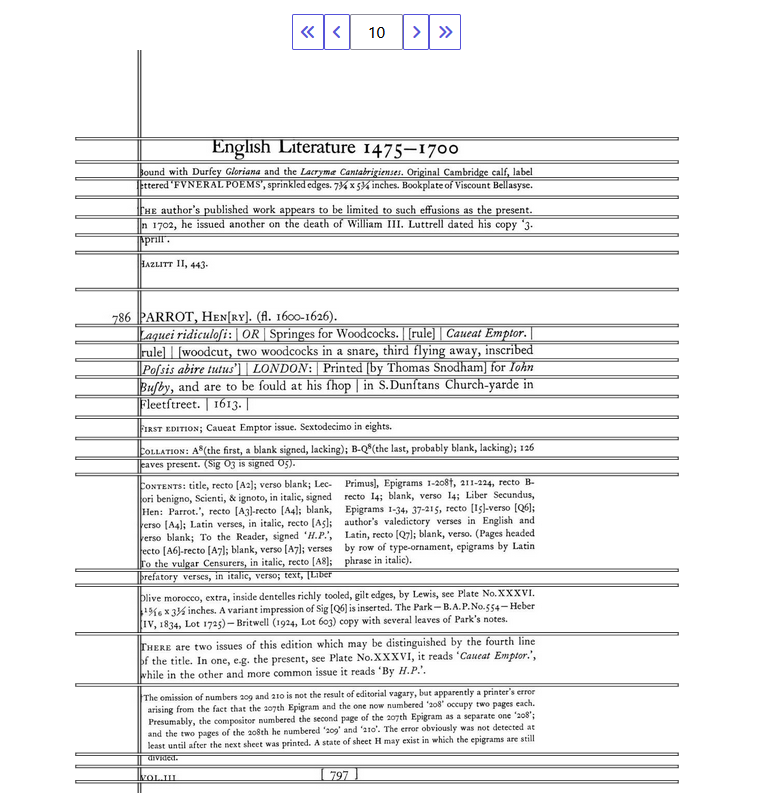
At the end, I can edit the entry breaks (split/join/delete), correct OCR if needed or desired (including find/replace), and indicate a name/id for each entry (with a keyboard shortcut to copy the ID from highlighted portion of the body text & remove extra spaces)
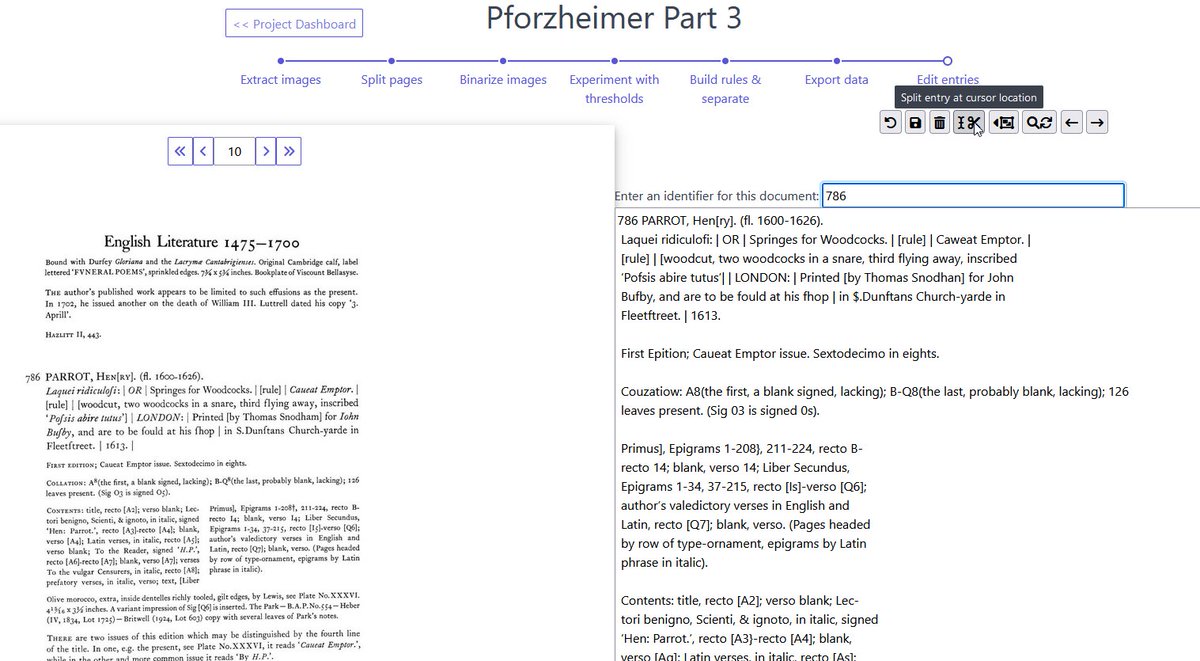
It's not totally done & bug tested, and it certainly isn't well documented yet. But it will eventually be available as a Docker image you can grab & run on your own computer! In the meantime, if you know of other tools, or people doing similar work, I'd love to know!
@threadreaderapp unroll
• • •
Missing some Tweet in this thread? You can try to
force a refresh




