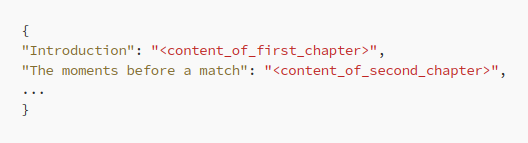
ChatGPT's style of writing is not suitable for all types of audience and situations.
I know how to change it!
Find out how to rediscover the power of @OpenAI 's #ChatGPT with these 11 prompts (feel free to steal):
I know how to change it!
Find out how to rediscover the power of @OpenAI 's #ChatGPT with these 11 prompts (feel free to steal):
1. Executive-level summary
Problem: Sometimes, we have to write something very short but informative. The default style of ChatGPT might not meet those expectations.
Solution: Ask ChatGPT to imagine writing to CEO and making the information as concrete as possible.
Problem: Sometimes, we have to write something very short but informative. The default style of ChatGPT might not meet those expectations.
Solution: Ask ChatGPT to imagine writing to CEO and making the information as concrete as possible.

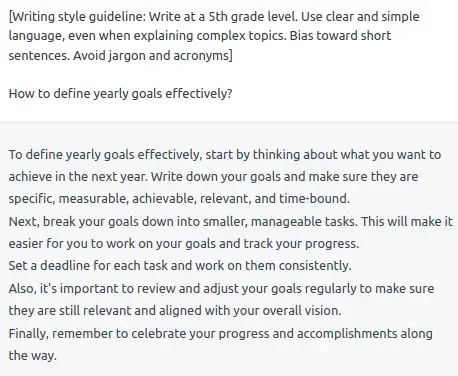
2. Talk to me as I were 5th grader
Problem: The outputs of ChatGPT can consist of long sentences and jargon, especially when we ask it to talk about complex ideas. Sometimes this is unnecessary.
Solution: We can bias ChatGPT to output shorter sentences and simple outputs.
Problem: The outputs of ChatGPT can consist of long sentences and jargon, especially when we ask it to talk about complex ideas. Sometimes this is unnecessary.
Solution: We can bias ChatGPT to output shorter sentences and simple outputs.
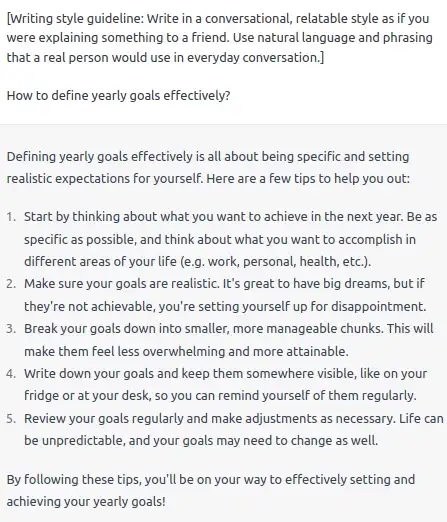
3. Writing to a friend
Problem: If we would like to use ChatGPT to answer an e-mail to a colleague or respond to a message in a friendly manner, we wouldn’t like to use the wordy default style.
Solution: Let’s ask ChatGPT to use more relatable and conversational style!
Problem: If we would like to use ChatGPT to answer an e-mail to a colleague or respond to a message in a friendly manner, we wouldn’t like to use the wordy default style.
Solution: Let’s ask ChatGPT to use more relatable and conversational style!
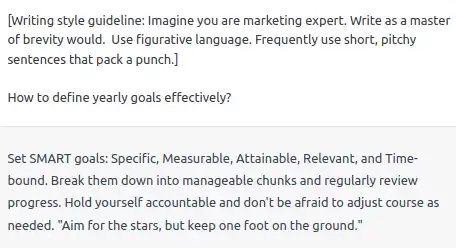
4. Marketing speech
Problem: You may want to use ChatGPT to help you advertise something. If so, we definitely need to make the writing style more pitchy!
Solution: Let’s make ChatGPT imagine it is an expert in marketing!
Problem: You may want to use ChatGPT to help you advertise something. If so, we definitely need to make the writing style more pitchy!
Solution: Let’s make ChatGPT imagine it is an expert in marketing!
5. Becoming a storyteller
Problem: If you want to tell a story, then a default style of ChatGPT is not for you.
Solution: Let’s tell ChatGPT to use language constructs typical for a copywriter (like analogies and metaphors) and make it a bit more entertaining.
Problem: If you want to tell a story, then a default style of ChatGPT is not for you.
Solution: Let’s tell ChatGPT to use language constructs typical for a copywriter (like analogies and metaphors) and make it a bit more entertaining.
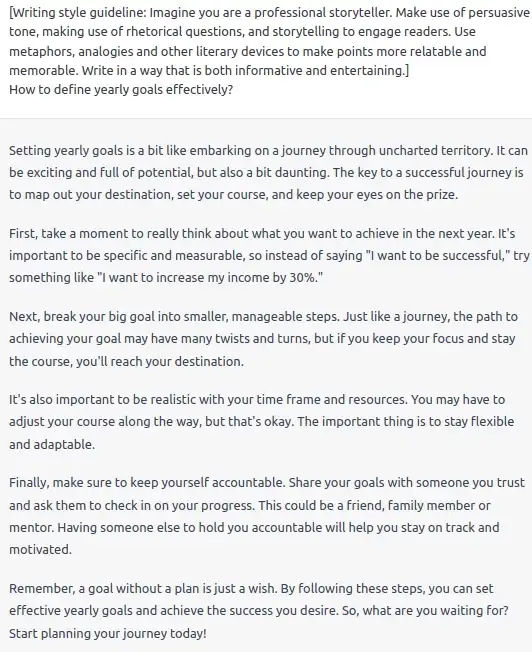
6. Imagine being a writer X
Problem: We may want to use the style of a specific writer without defining it explicitly.
Solution: Tell ChatGPT to imagine being that writer!
Problem: We may want to use the style of a specific writer without defining it explicitly.
Solution: Tell ChatGPT to imagine being that writer!
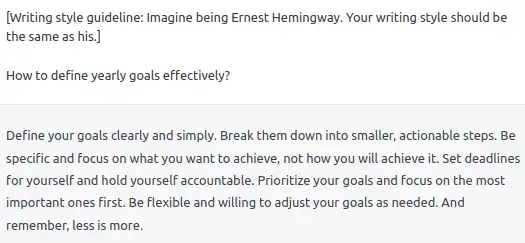
7. Academic style
Problem: We may want to make the output even more sophisticated than in the default style.
Solution: Asking ChatGPT to use academic tone but stay clear.
Problem: We may want to make the output even more sophisticated than in the default style.
Solution: Asking ChatGPT to use academic tone but stay clear.
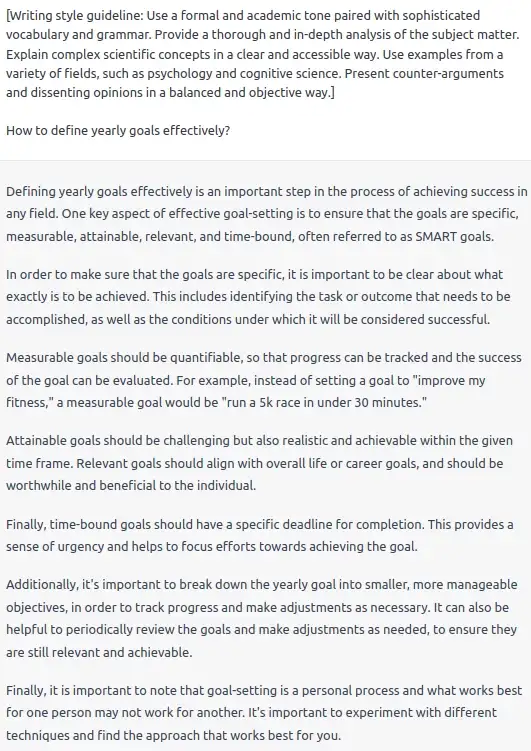
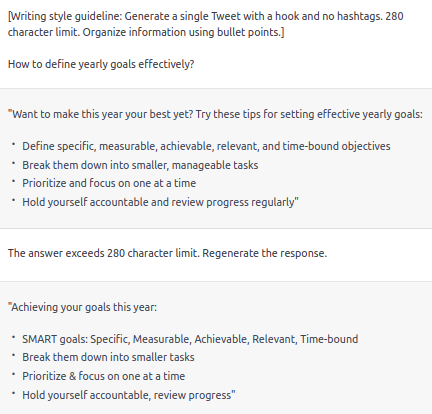
8. Output formatting - Tweet
Problem: ChatGPT may produce responses that lack proper formatting and exceed the character limit. This makes it: a) painful to read and understand, b) not suitable for Twitter.
Solution: Define the output format in your styling guide.
Problem: ChatGPT may produce responses that lack proper formatting and exceed the character limit. This makes it: a) painful to read and understand, b) not suitable for Twitter.
Solution: Define the output format in your styling guide.
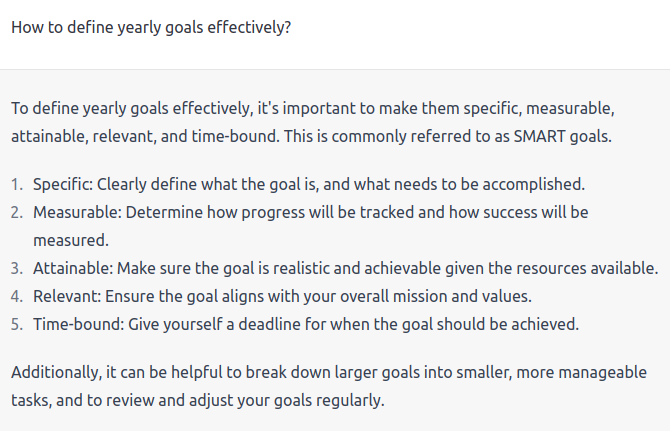
2. Output formatting - Twitter thread
We can make ChatGPT output Twitter threads similarly.
Let's look at the same prompt changed into Twitter thread
We can make ChatGPT output Twitter threads similarly.
Let's look at the same prompt changed into Twitter thread
1. Output formatting - long form content
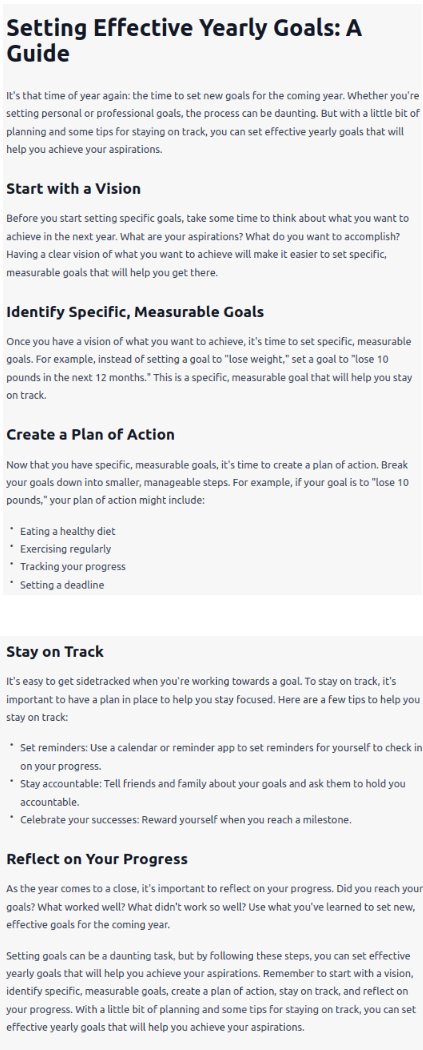
We can also format the answer into a long format content. Here, I asked to write a @Medium article.
We can also format the answer into a long format content. Here, I asked to write a @Medium article.
11. Removing the Pre-Text and Post-Text
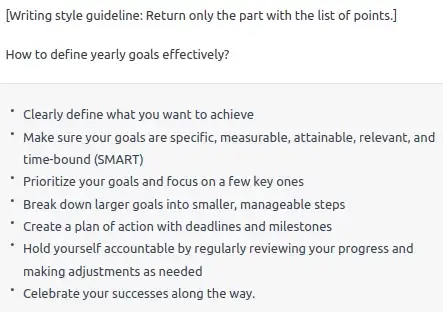
Problem: ChatGPT often generates unnecessary introduction and conclusion before the main part of the response.
Solution: With this style guide, you can explicitly tell ChatGPT to dump these parts.
Problem: ChatGPT often generates unnecessary introduction and conclusion before the main part of the response.
Solution: With this style guide, you can explicitly tell ChatGPT to dump these parts.
The inspiration for this post came from @thatroblennon 's thread on ChatGPT's writing style, so make sure to check it out:
https://twitter.com/1524901467689078789/status/1613969923285344256
@thatroblennon That's a wrap!
If you enjoyed this thread:
1. Follow me @Olearningcurve for more of these
2. For a more detailed overview of the prompts, check out my Medium post! You can find there prompts that you can copy
3. If you found out any prompts that are working better, let me know!
If you enjoyed this thread:
1. Follow me @Olearningcurve for more of these
2. For a more detailed overview of the prompts, check out my Medium post! You can find there prompts that you can copy
3. If you found out any prompts that are working better, let me know!
https://twitter.com/1591495655884820480/status/1614794908916645888
• • •
Missing some Tweet in this thread? You can try to
force a refresh