

A quick glance at "CSS Flexbox Model (Flex Container)"
Open this MEGA-Thread🧵 to learn more about "CSS Flexbox"👇🏻
Open this MEGA-Thread🧵 to learn more about "CSS Flexbox"👇🏻

🔶 CSS Flexbox Model (Flex Container)
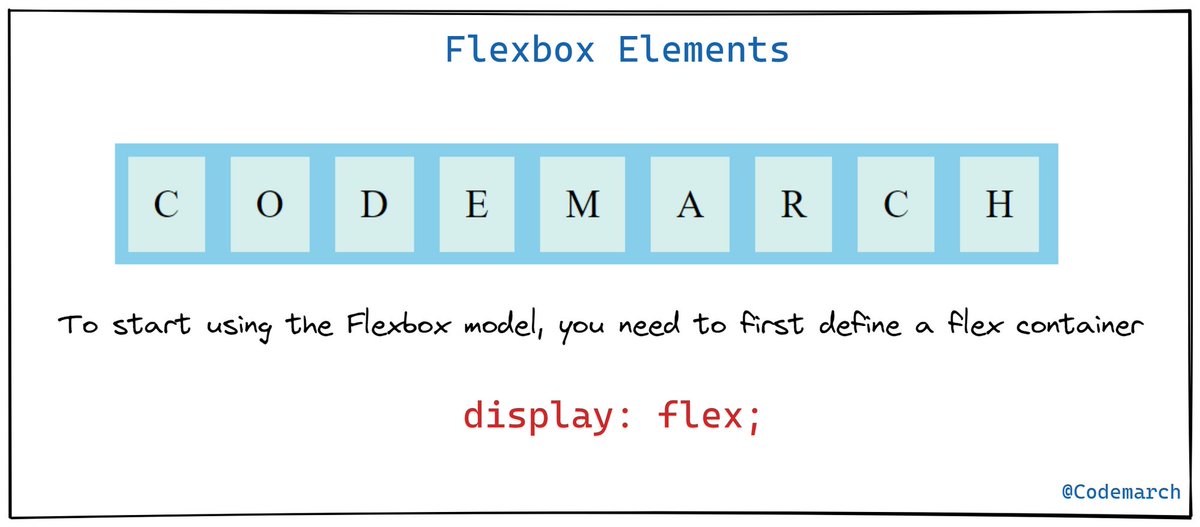
To start using the Flexbox model, you need to first define a flex container.
To start using the Flexbox model, you need to first define a flex container.
Example👇

🔶Parent Element (Container)
As we specified in the above example this is a flex **container** (the blue area) with nine flex "items":
The flex container becomes flexible by setting the `display` property to `flex` :
👉🏻 .flex-container {
display: flex;
}
As we specified in the above example this is a flex **container** (the blue area) with nine flex "items":
The flex container becomes flexible by setting the `display` property to `flex` :
👉🏻 .flex-container {
display: flex;
}
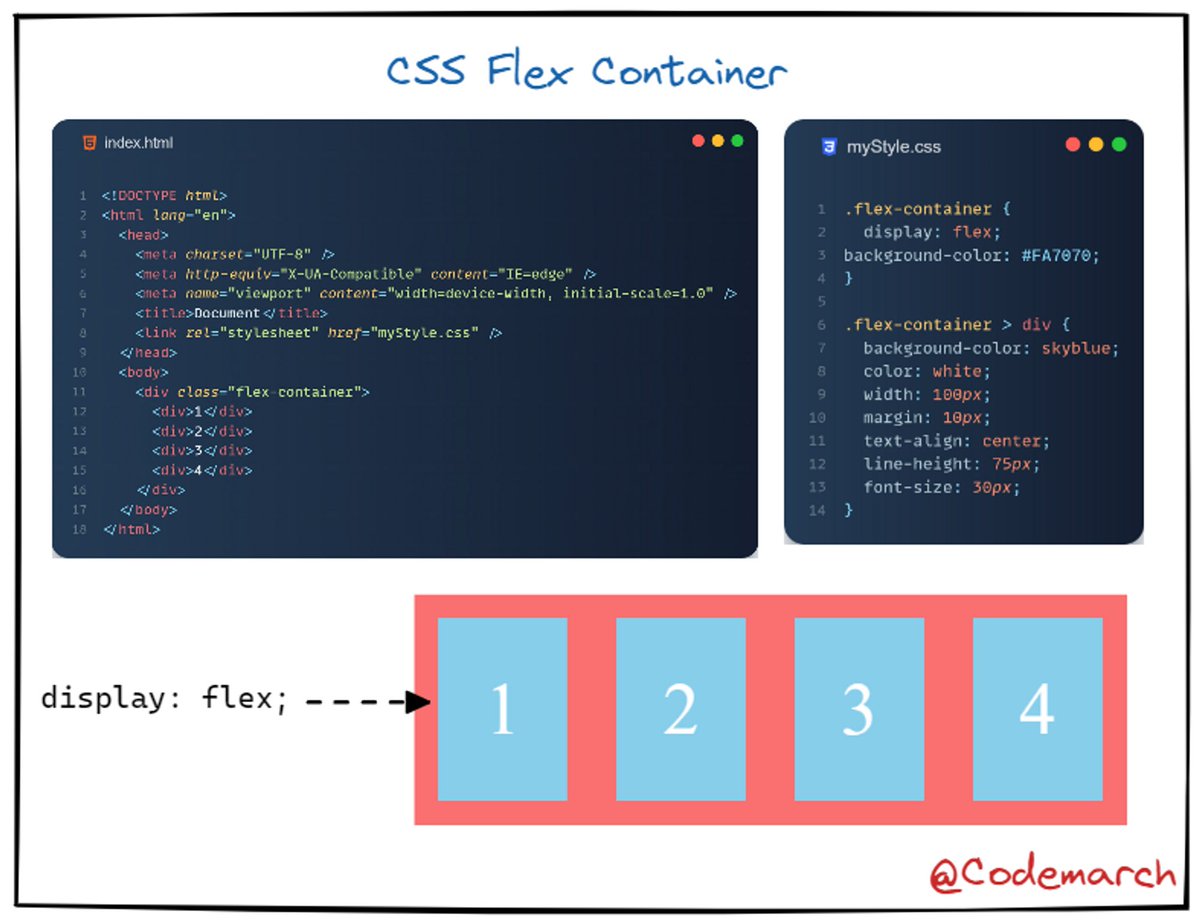
The flex container properties are:
- `[flex-direction]
- `[flex-wrap]
- `[flex-flow]
- `[justify-content]
- `[align-items]
- `[align-content]
- `[flex-direction]
- `[flex-wrap]
- `[flex-flow]
- `[justify-content]
- `[align-items]
- `[align-content]
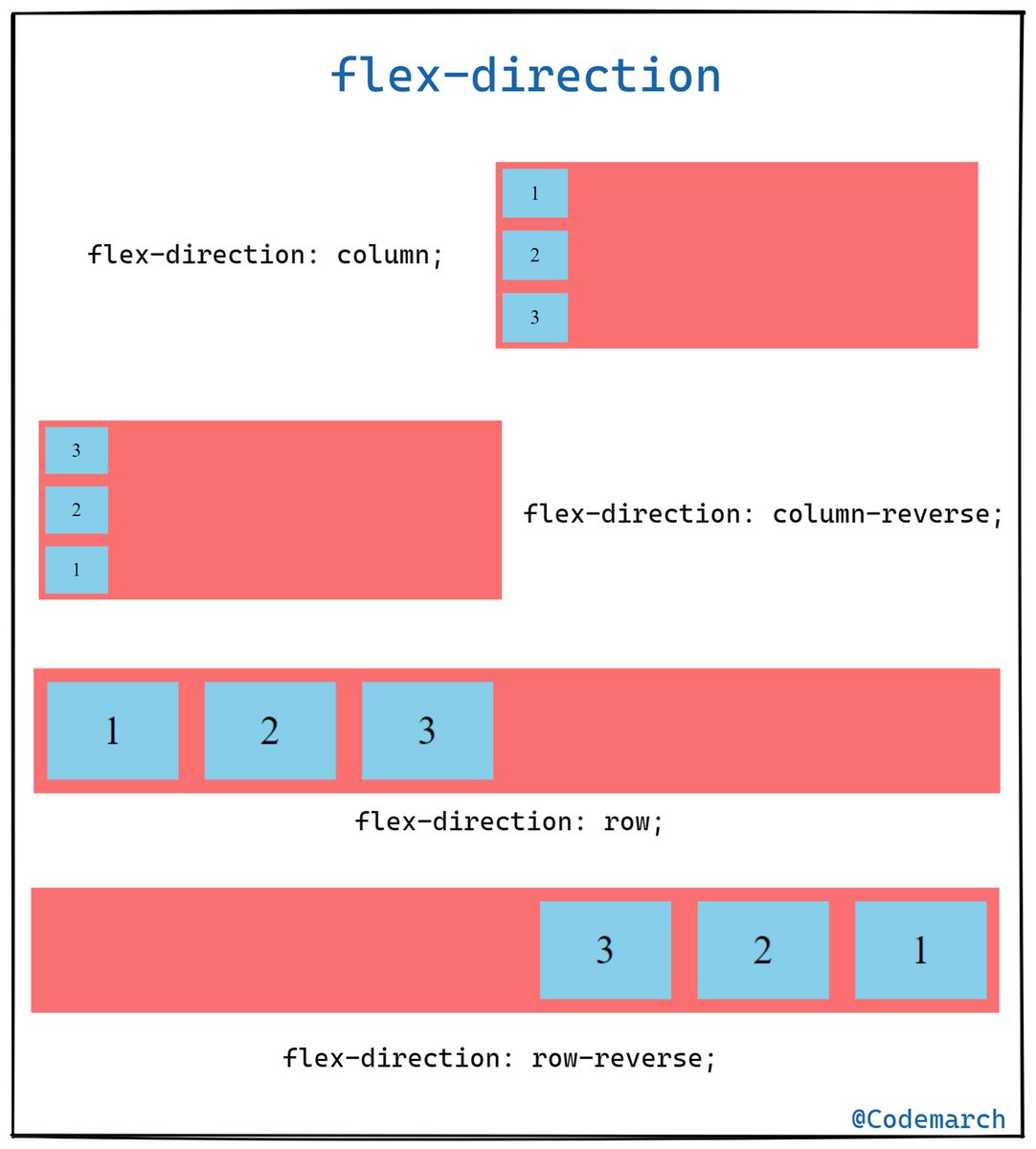
🔶 The flex-direction Property
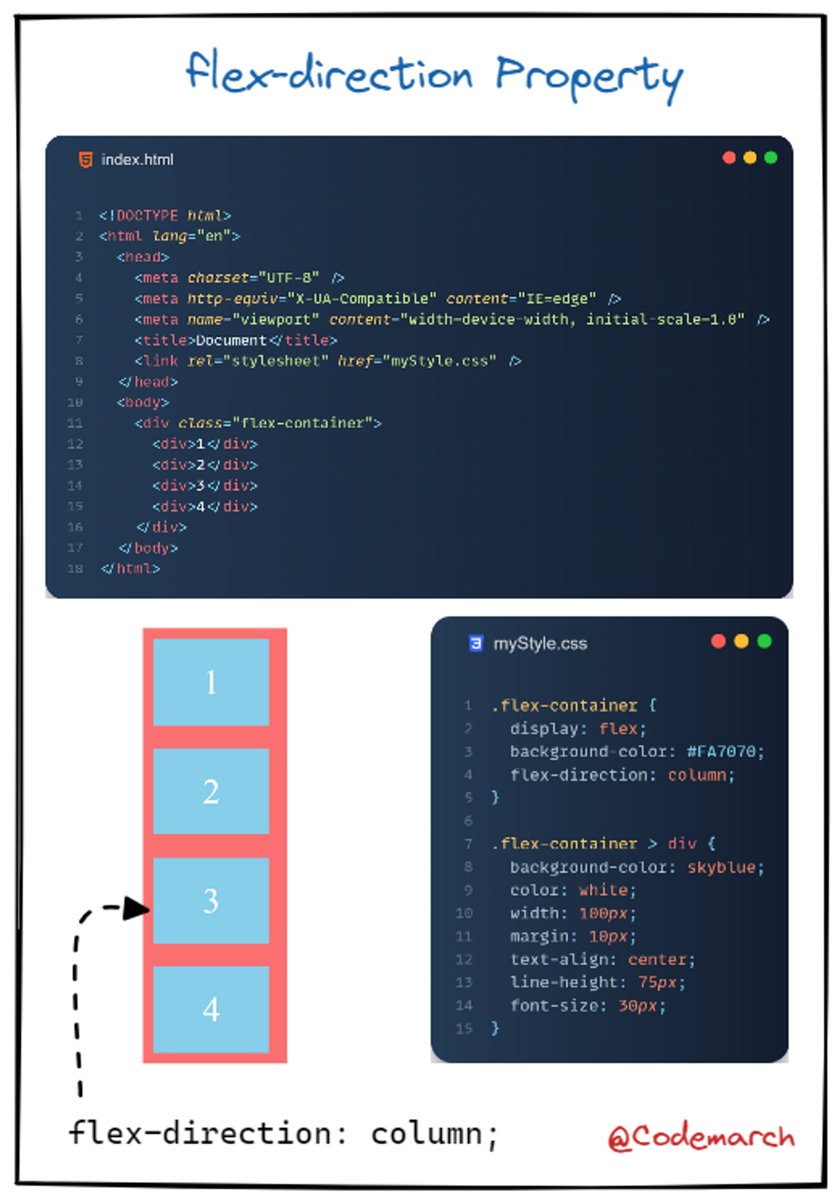
The `flex-direction` property defines in which direction the container wants to stack the flex items
The `flex-direction` property defines in which direction the container wants to stack the flex items
Example👇
🔶 The flex-wrap Property
The `flex-wrap` property specifies whether the flex items should wrap or not.
The `flex-wrap` property specifies whether the flex items should wrap or not.
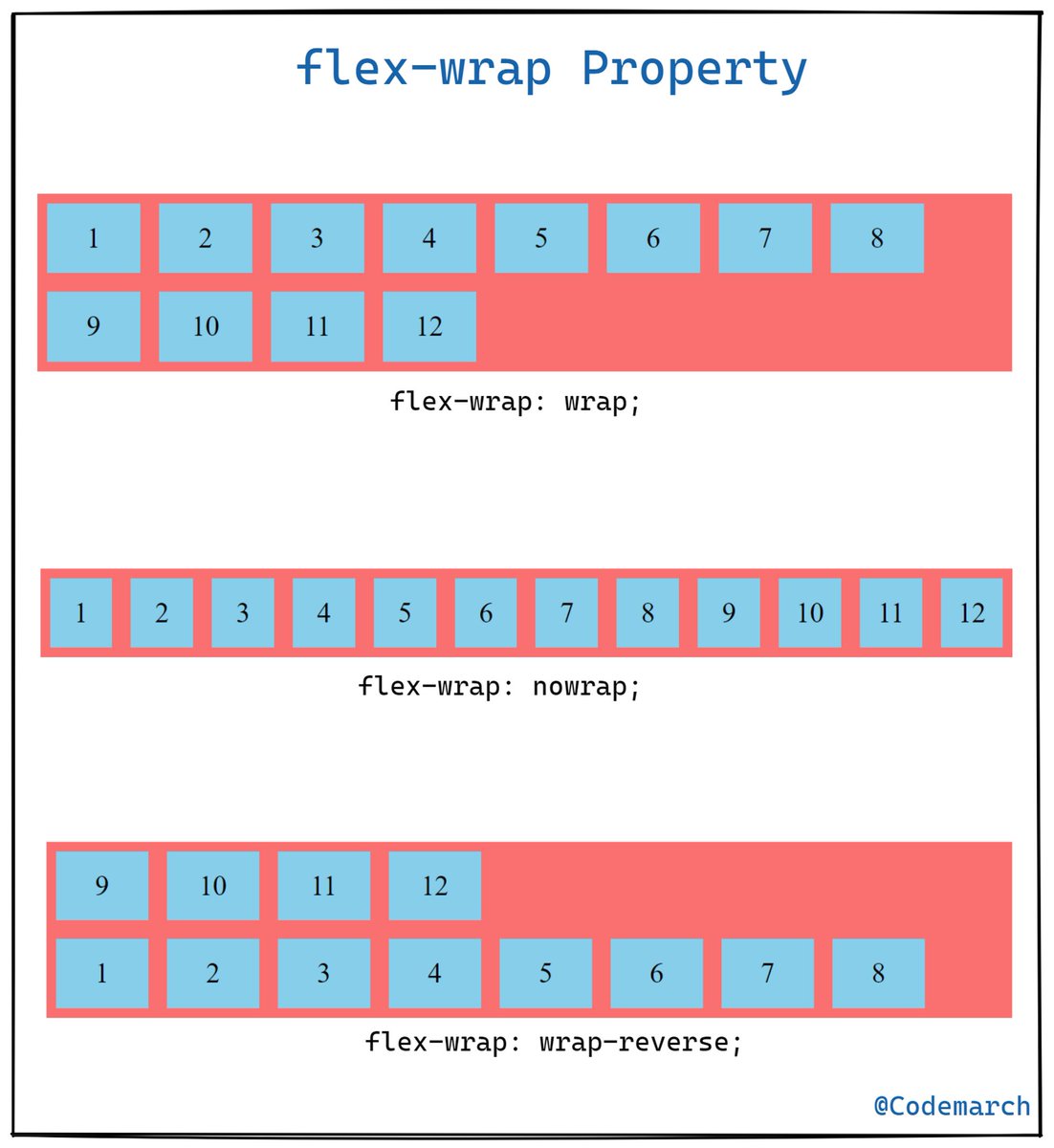
Example👇

🔶 The flex-flow Property
The `flex-flow` property is a shorthand property for setting both the `flex-direction` and `flex-wrap` properties.
The `flex-flow` property is a shorthand property for setting both the `flex-direction` and `flex-wrap` properties.
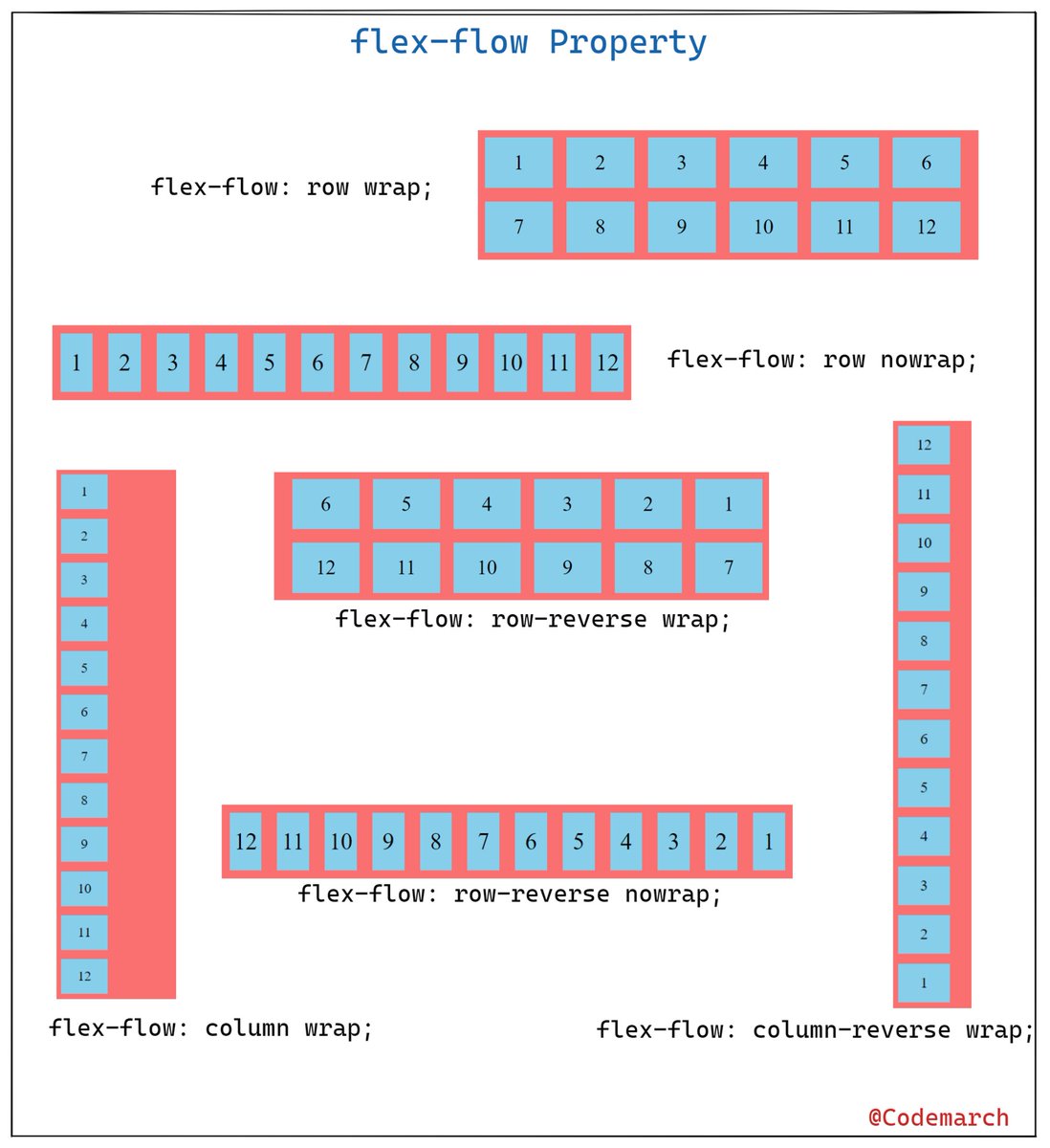
Example -
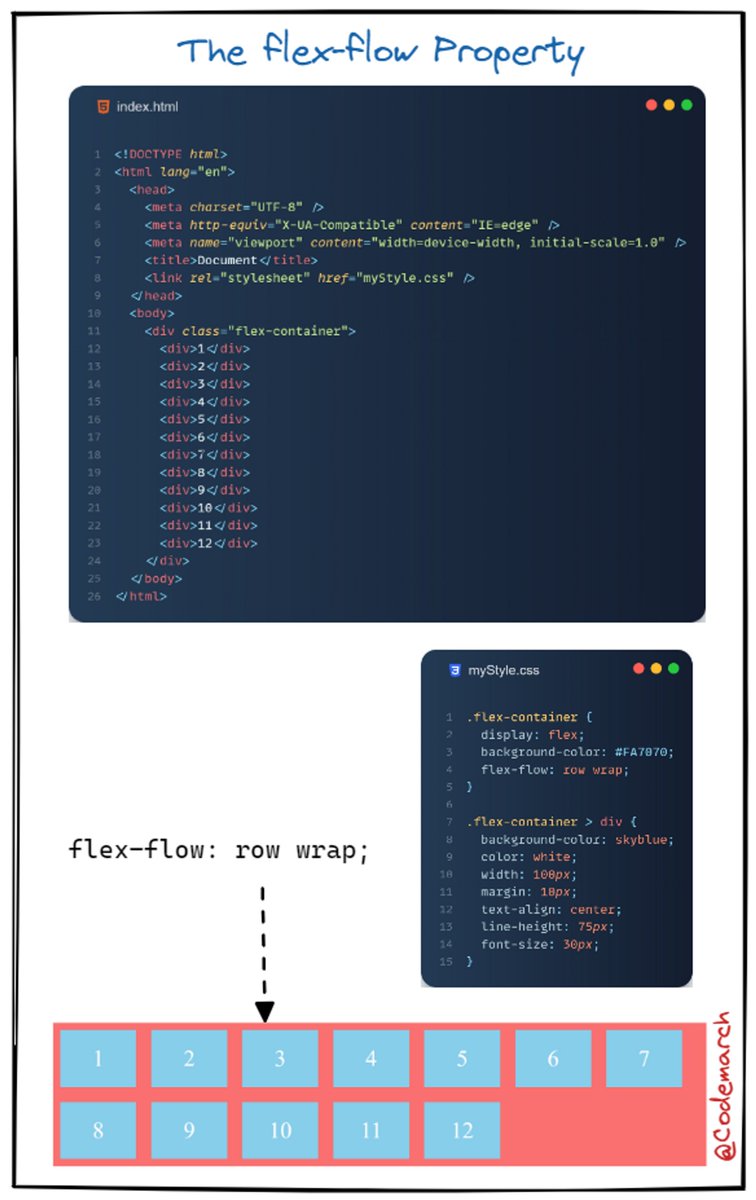
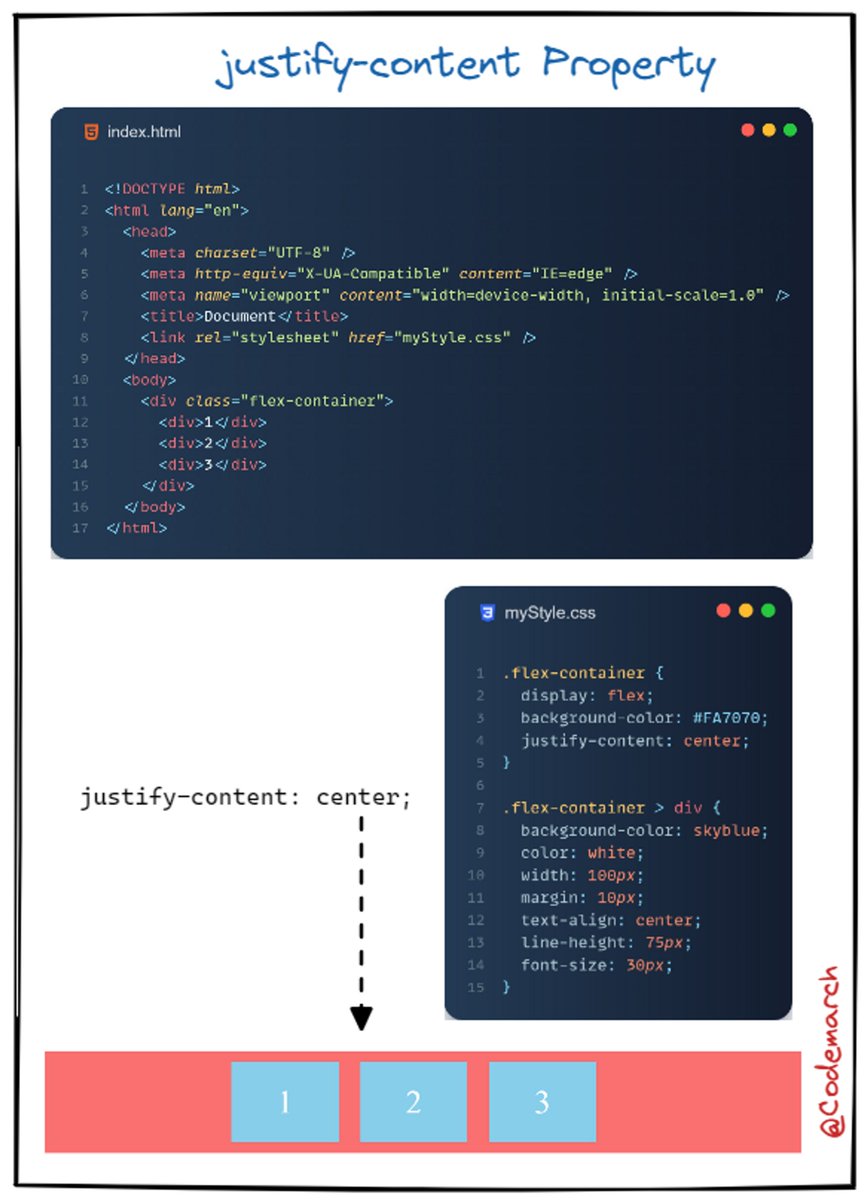
🔶 The justify-content Property
The `justify-content` property is used to align the flex items
The `justify-content` property is used to align the flex items
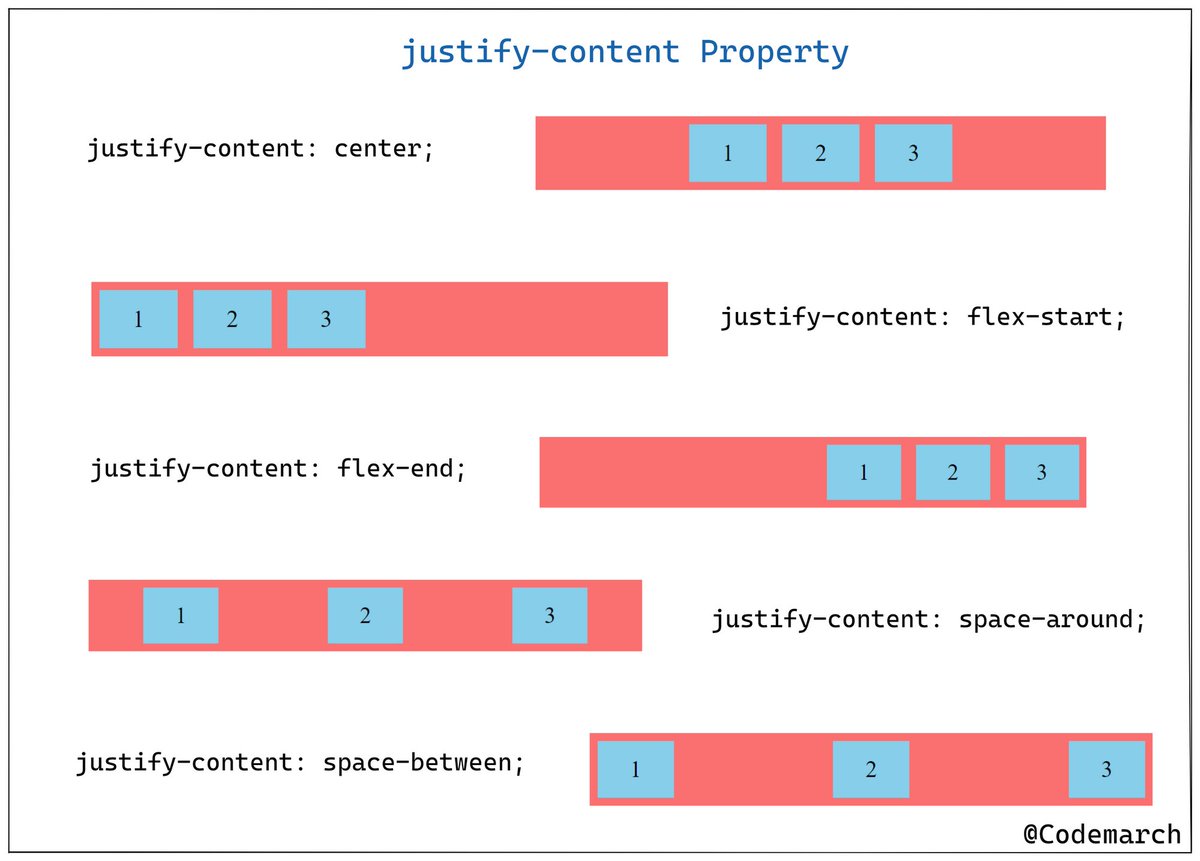
Example👇
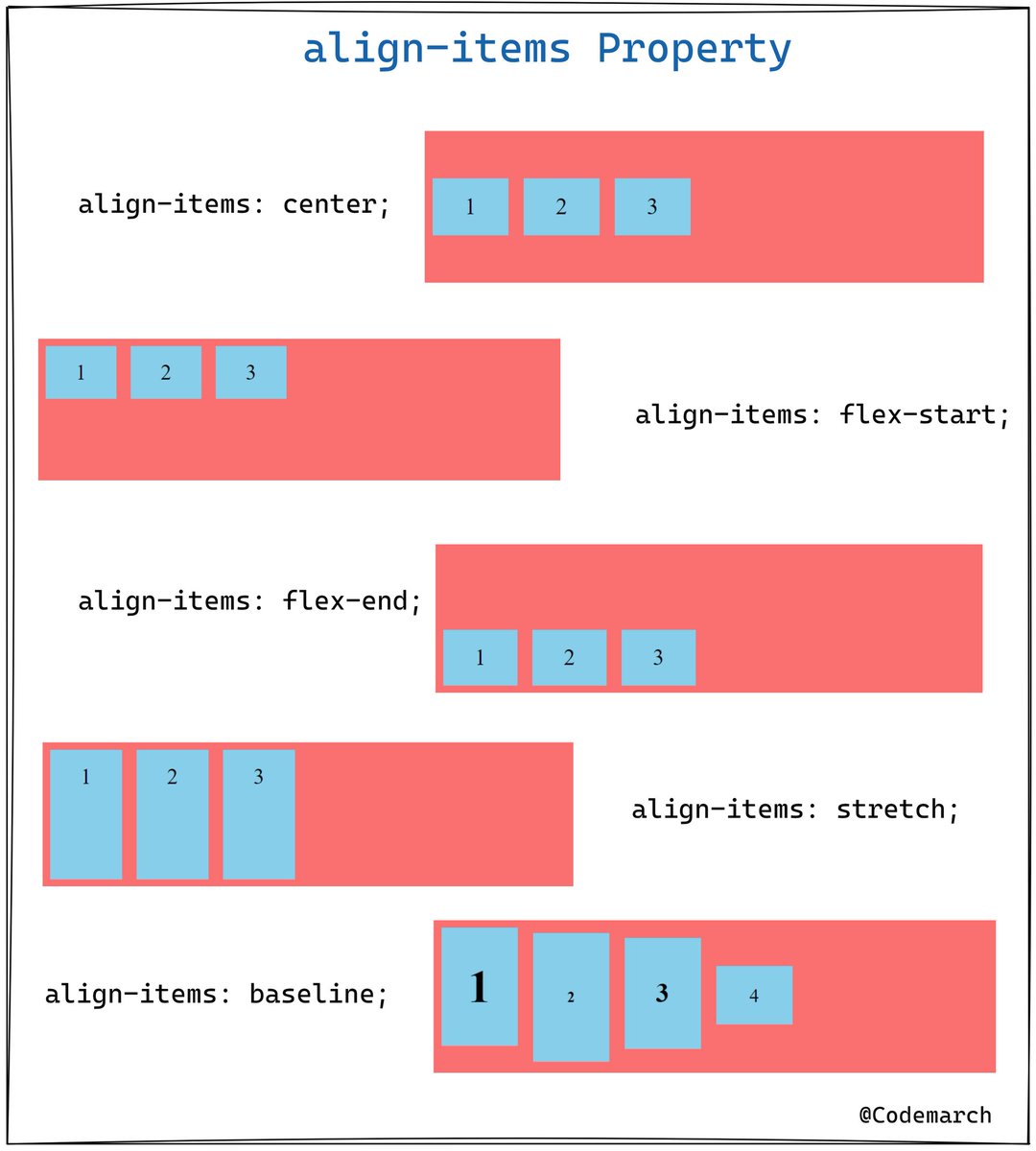
🔶The align-items Property
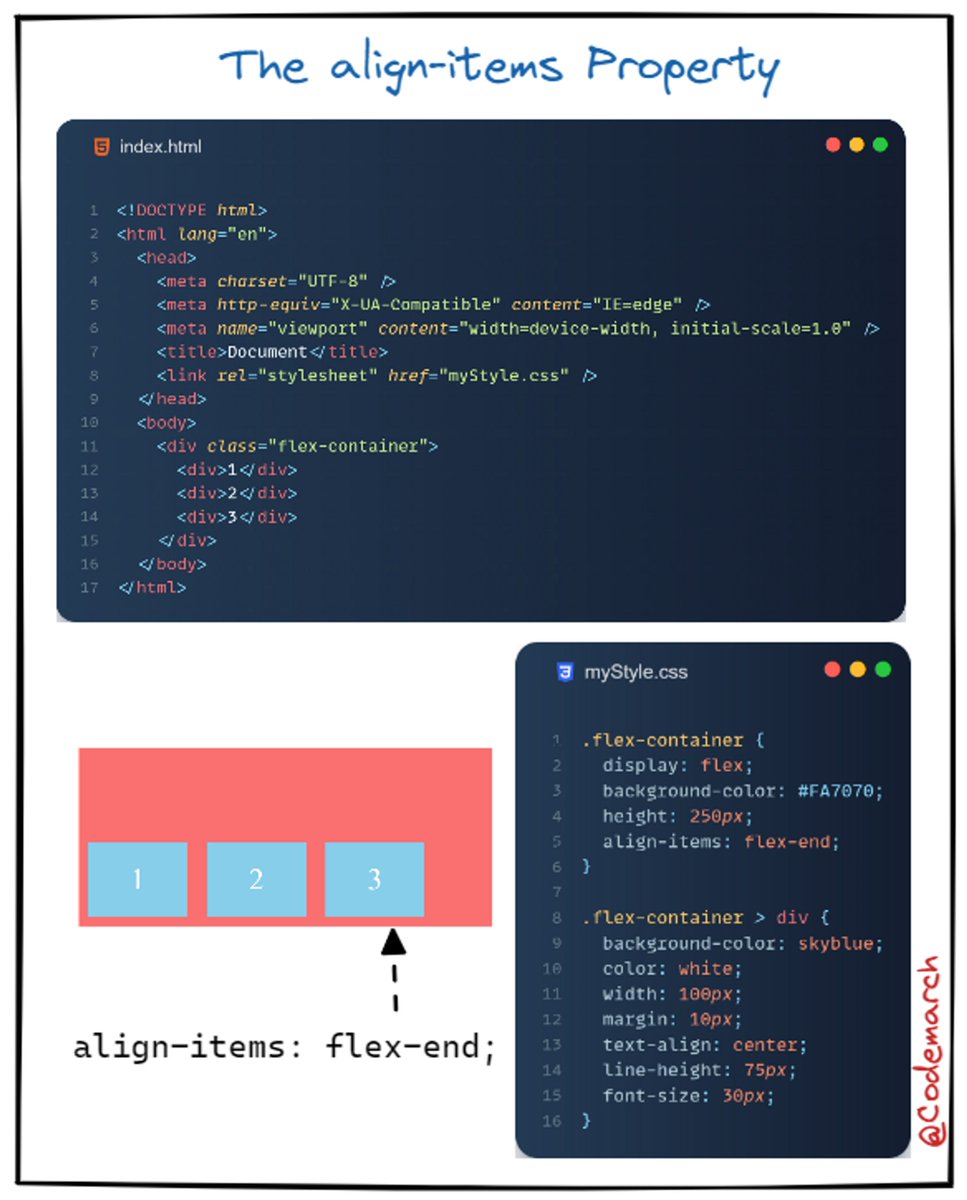
The `align-items` property is used to align the flex items.
The `align-items` property is used to align the flex items.
Example of flex-end👇
🔶 The align-content Property
The `align-content` property is used to align the flex lines.
The `align-content` property is used to align the flex lines.
Example👇
Perfect Centering
if you enjoyed this thread, please like, comment, and retweet the opening tweet.
🔹Follow @codemarch
🔹You can also check our HTML & CSS Visual Treat!😍for more!!!
codemarch.gumroad.com/l/hxazr
🔹Follow @codemarch
🔹You can also check our HTML & CSS Visual Treat!😍for more!!!
codemarch.gumroad.com/l/hxazr
• • •
Missing some Tweet in this thread? You can try to
force a refresh






