How to animate Midjourney AI graphics with Rive! 🤯
Awesome tutorial by @designcoursecom. @midjourney_ai @rive_app
Awesome tutorial by @designcoursecom. @midjourney_ai @rive_app
https://twitter.com/designcoursecom/status/1620426042300338179
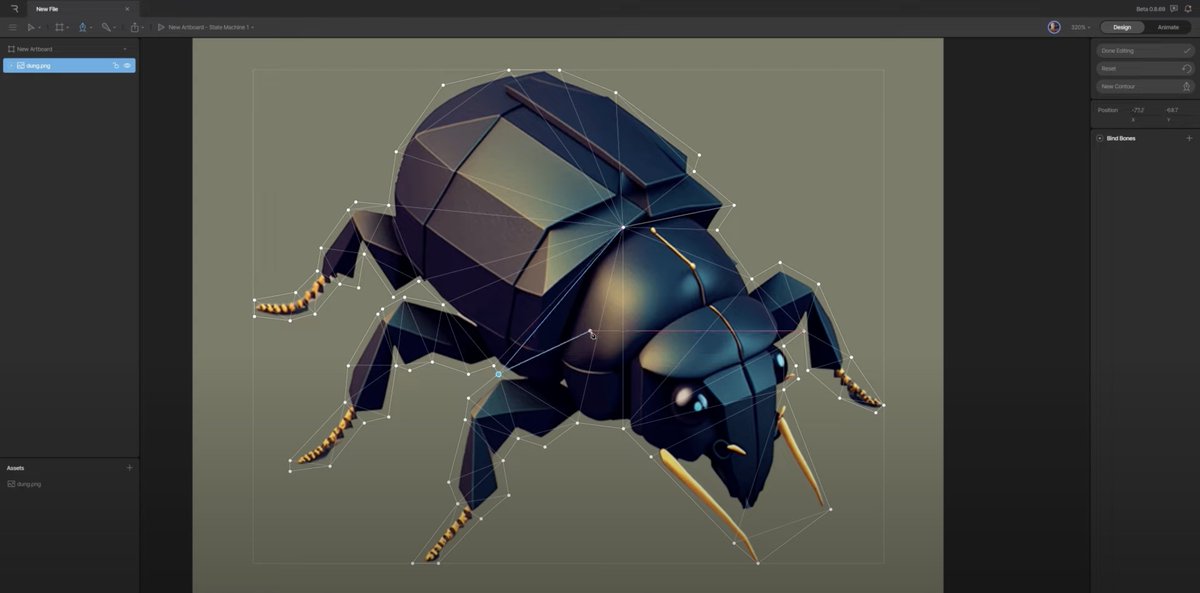
@designcoursecom @midjourney_ai @rive_app Gary shows you how to generate the image with @midjourney_ai and add a mesh in Rive. It looks complex but it's easy! If you've used a pen tool before then you'll feel right at home. 
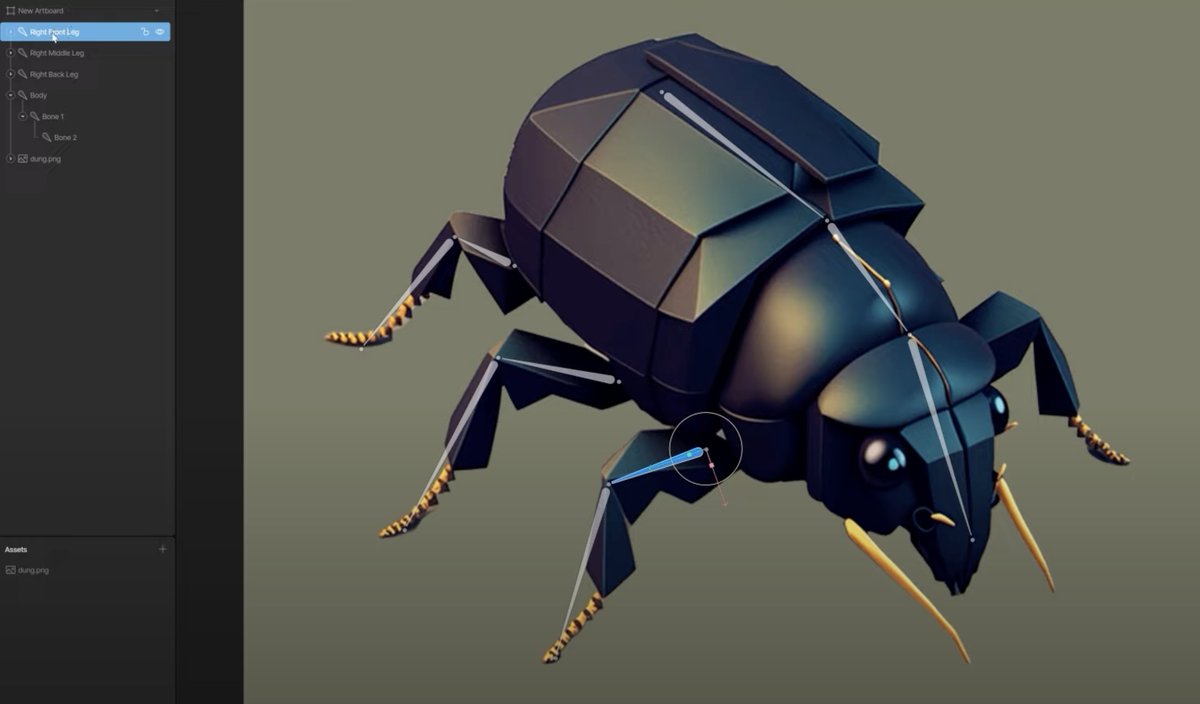
@designcoursecom @midjourney_ai @rive_app Then he shows you how to add bones… these are the parts you'll want to animate. They act as simple control points to help you create natural-looking motion.
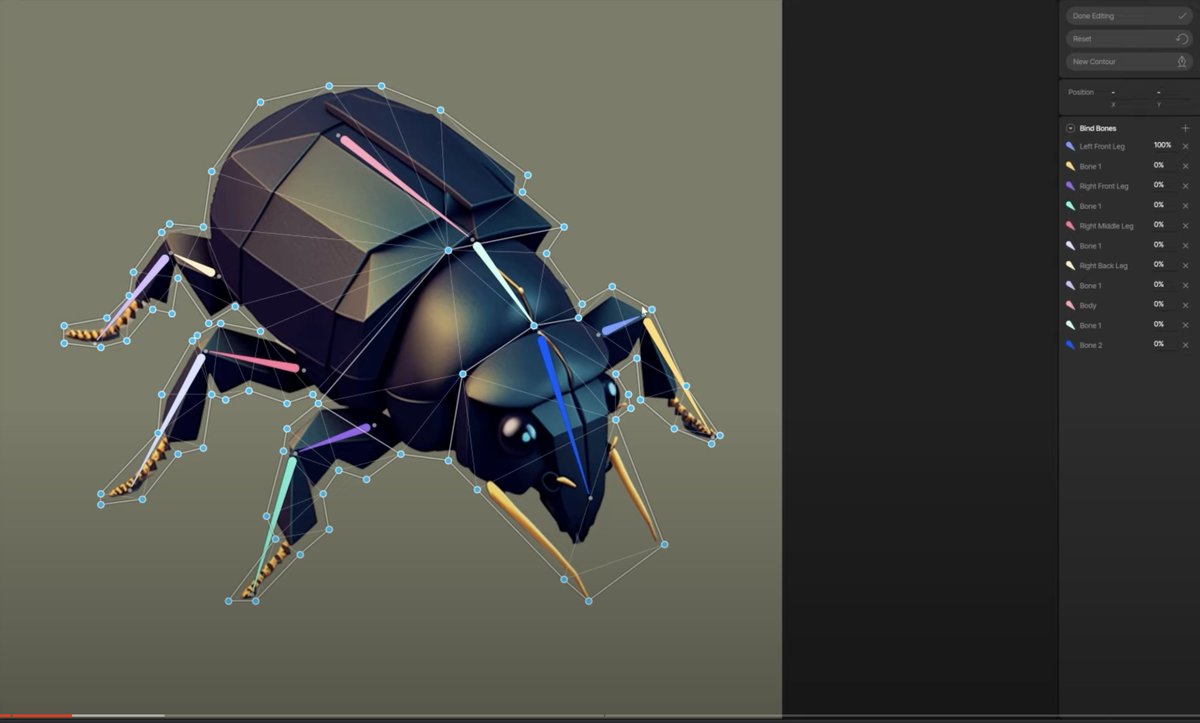
@designcoursecom @midjourney_ai @rive_app Next he shows you how to weight the vertices of your mesh to the bones.
@designcoursecom @midjourney_ai @rive_app Then he switches to Animate Mode and keys the bones to create the animation…
@designcoursecom @midjourney_ai @rive_app And finally he shows you how to generate the embed code in Rive to add it to your website. 🙌
Great tutorial!
Great tutorial!

@designcoursecom @midjourney_ai @rive_app @designcoursecom a few suggestions:
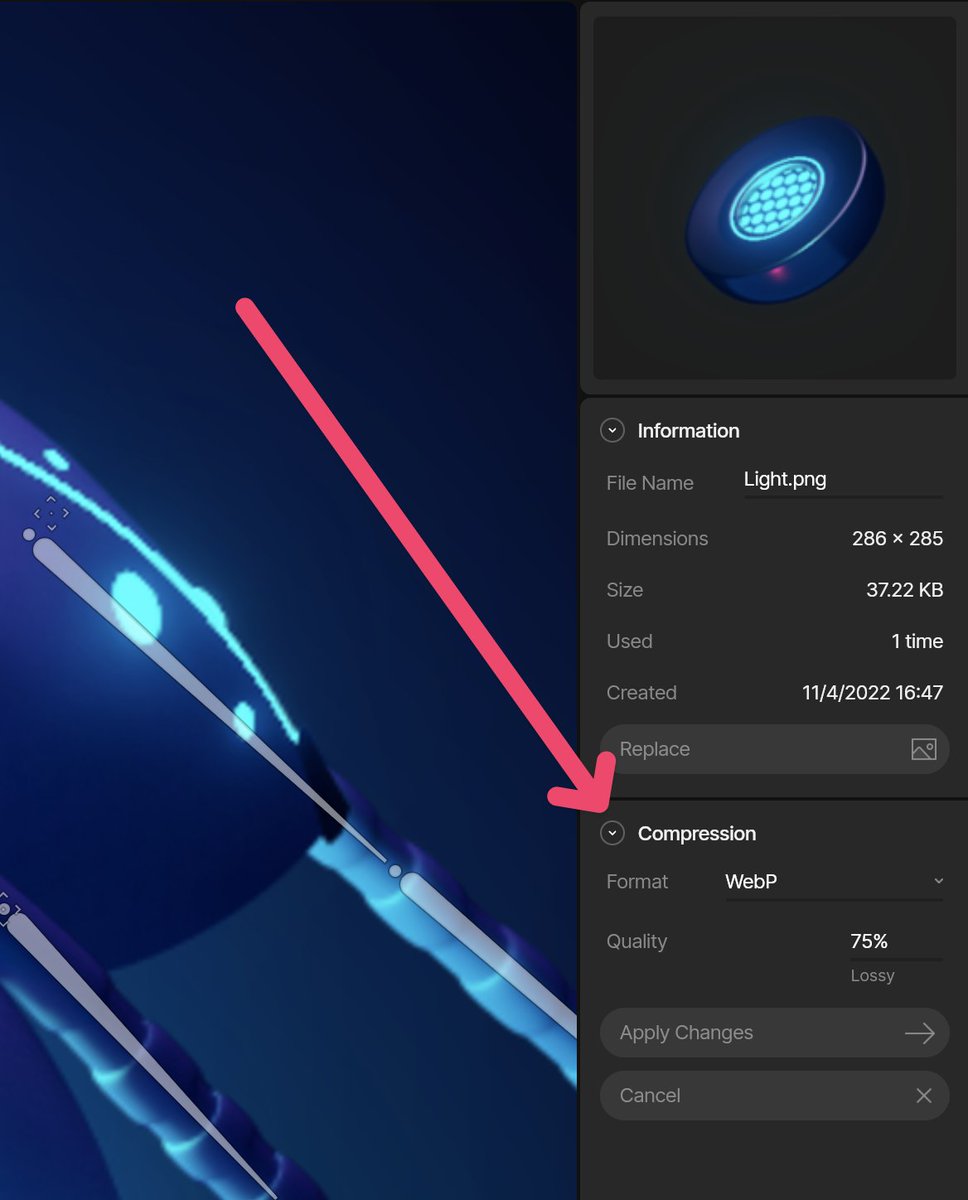
- If you select the asset in the Assets panel, you can set its compression to WebP. That'll make it really small while still keeping the PNG transparency.
- You can turn on the Weight tool when connecting your vertices to bones.
- If you select the asset in the Assets panel, you can set its compression to WebP. That'll make it really small while still keeping the PNG transparency.
- You can turn on the Weight tool when connecting your vertices to bones.
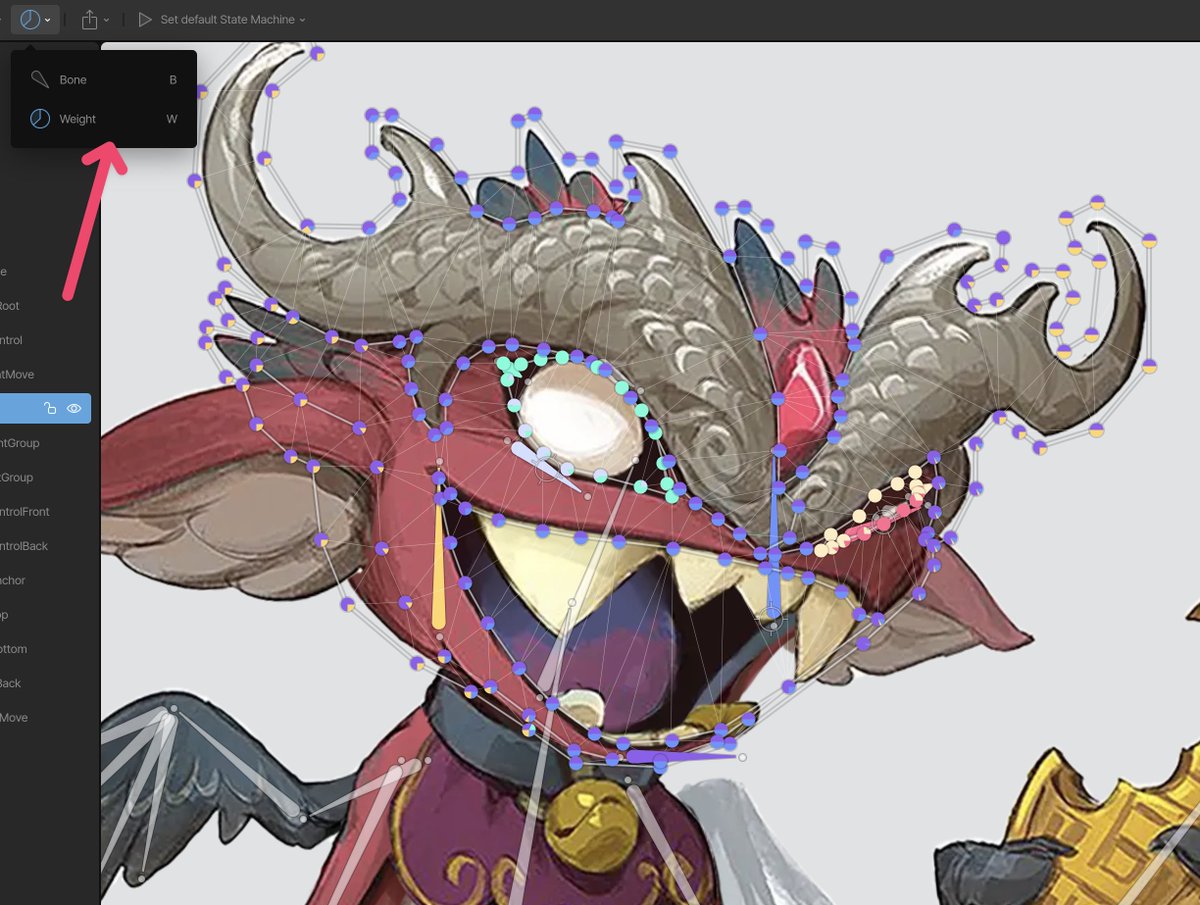
@designcoursecom @midjourney_ai @rive_app The weight tool replaces your vertices with pie graphs showing how much each vertex is connected to a bone (matching colors).
You can then click and drag to change the influence of a bone (select vertex on the stage and bone to influence in the Inspector on the right).
You can then click and drag to change the influence of a bone (select vertex on the stage and bone to influence in the Inspector on the right).
• • •
Missing some Tweet in this thread? You can try to
force a refresh