Aadit Sheth Profile picture
Mar 10 9 tweets 3 min read
The most useful ChatGPT prompts (in order):
1. Learn things hyper-speed

Prompt: Explain to me like I'm 11 years old.

🔗 Link: neatprompts.com/p/supercharge-…
2. Ditch writer's block

Prompt: goal: write a blog post about utilising credit card points to get more first class tickets.
desired output from you: provide an outline for this blogpost with a sentence expanding on that point.

🔗 Link:
neatprompts.com/p/ditch-writer…
3. Make ChatGPT write like you

Prompt: Analyze the writing style and write about building a business as the above author would write.

🔗 Link:
neatprompts.com/p/make-chatgpt…
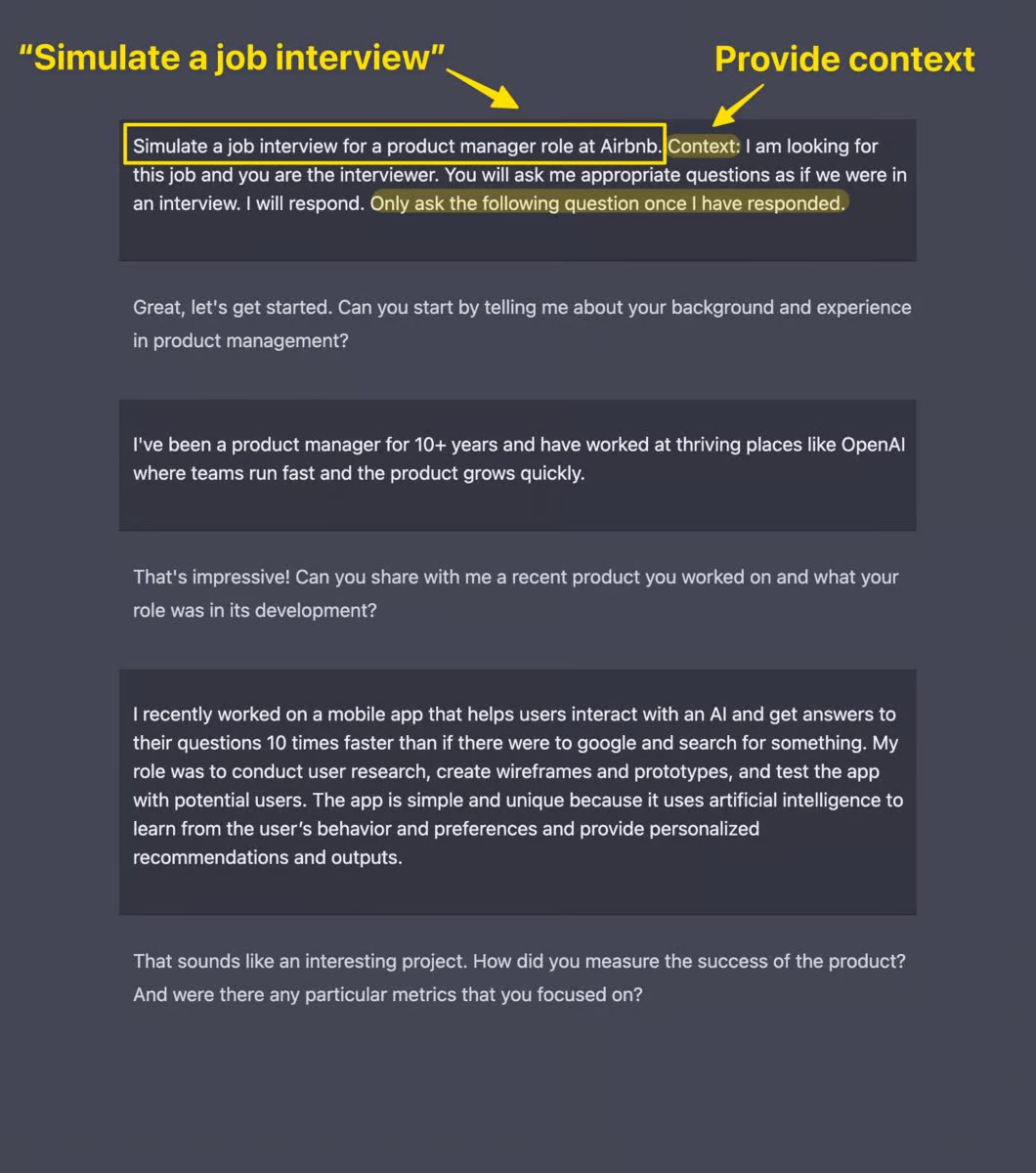
4. Simulate a job interview

Prompt: Simulate a job interview for [role]. Context: I am looking for this job and you are the interviewer. You will ask me appropriate questions. Only ask the following question once I have responded.

🔗 Link:

neatprompts.com/p/prepare-for-…
5. Customer research

Prompt: Topic: [insert]

Provide a succinct list of the desires that customers looking to achieve the above topic will have.

🔗 Link:
neatprompts.com/p/using-ai-for…
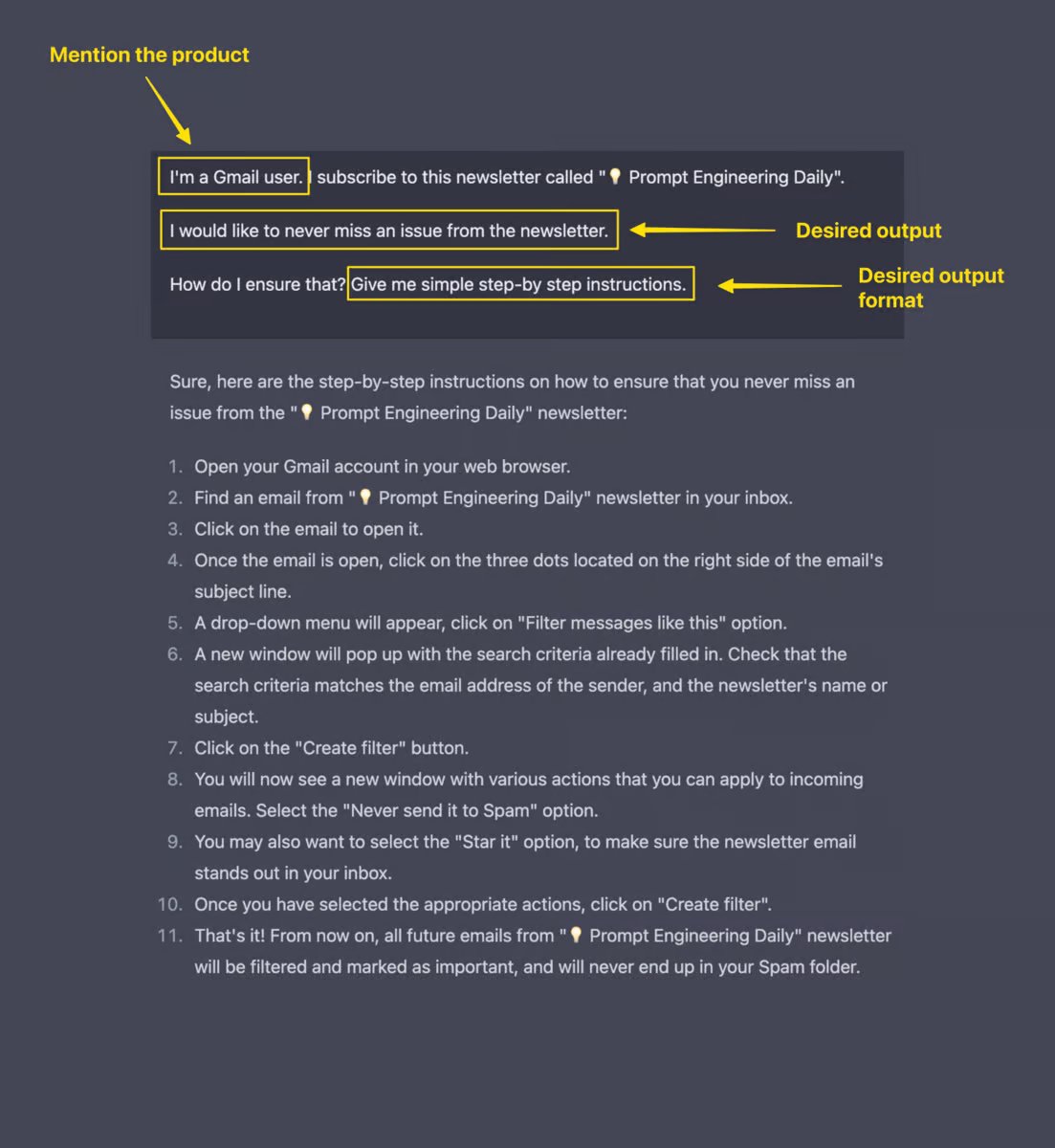
6. Generate email subject lines

Prompt: What are some effective email subject lines for the following scenario: [insert]

🔗 Link:
neatprompts.com/p/generate-ema…
If you found this a little useful, you'll *love* the daily newsletter.

The concept is simple:

I spend hours a week learning and teaching "prompts".

You get everything delivered in a simple, 2-minute email.

If that sounds good, subscribe here:
neatprompts.com/subscribe
A new one today...

How to leverage tables in ChatGPT:
neatprompts.com/p/how-to-form-…

• • •

Missing some Tweet in this thread? You can try to force a refresh

 

Keep Current with Aadit Sheth

Aadit Sheth Profile picture

Stay in touch and get notified when new unrolls are available from this author!

Read all threads

This Thread may be Removed Anytime!

PDF

Twitter may remove this content at anytime! Save it as PDF for later use!

Try unrolling a thread yourself!

how to unroll video
  1. Follow @ThreadReaderApp to mention us!

  2. From a Twitter thread mention us with a keyword "unroll"
@threadreaderapp unroll

Practice here first or read more on our help page!

More from @aaditsh

Mar 5
Here are 9 ways to use ChatGPT to save hours on your next product:
1. Customer Research

Find out what your customers really want.

The best way to do this is to talk to your (potential) customers.

Figure out the desires and pain points so that you can provide your course as a solution.
In addition to talking to your customers...

You can use ChatGPT to simulate that customer profile and ask questions that you may have.

Have a look below...
Read 20 tweets
Mar 1
How to use ChatGPT to ace your next interview... 🧵
What's the best way to prepare for an interview?

• Make a list of potential questions that could be asked.

And then try to answer them.

Well... you can do all this using ChatGPT.

It took me a while to get this prompt right...
Prompt to use:

"Simulate a job interview for a [] role at []. Context: I am looking for this job and you are the interviewer. You will ask me appropriate questions as if we were in an interview. I will respond. Only ask the following question once I have responded."
Read 9 tweets
Feb 28
ChatGPT is the future.

But if you use it for the wrong things (like Maths), you won't maximize its potential.

Here are 7 things you can use ChatGPT for (with examples you can copy-paste):
1. Plan Your Content Calendar

When publishing content, consistency is important.

You can ask ChatGPT to give you a calendar plan along with some content ideas.

Let me show you how...
Sample prompt:

"Generate a creative social media content calendar for the next month for our [company or product] on [topic of choice]"
Read 18 tweets
Feb 27
💡 Prompt Engineering Daily (newsletter) update:

First issue sent!

It's on:

"How to use AI as your customer service agent"

Here's the prompt shared:
If you want to learn prompt engineering by just reading a 2-minute daily email, subscribe here:
promptengineering.beehiiv.com
If you're interested in checking out more prompts to increase productivity while writing content and doing daily tasks,

Check out this thread:
Read 4 tweets
Feb 25
ChatGPT is one of the most mind-bending technologies we've come across.

But it's only powerful if you use it for the right things.

Here are 10 use cases that you might not have tried:
In this thread, you'll learn:

• How to write effective prompts
• Also known as "prompt engineering"

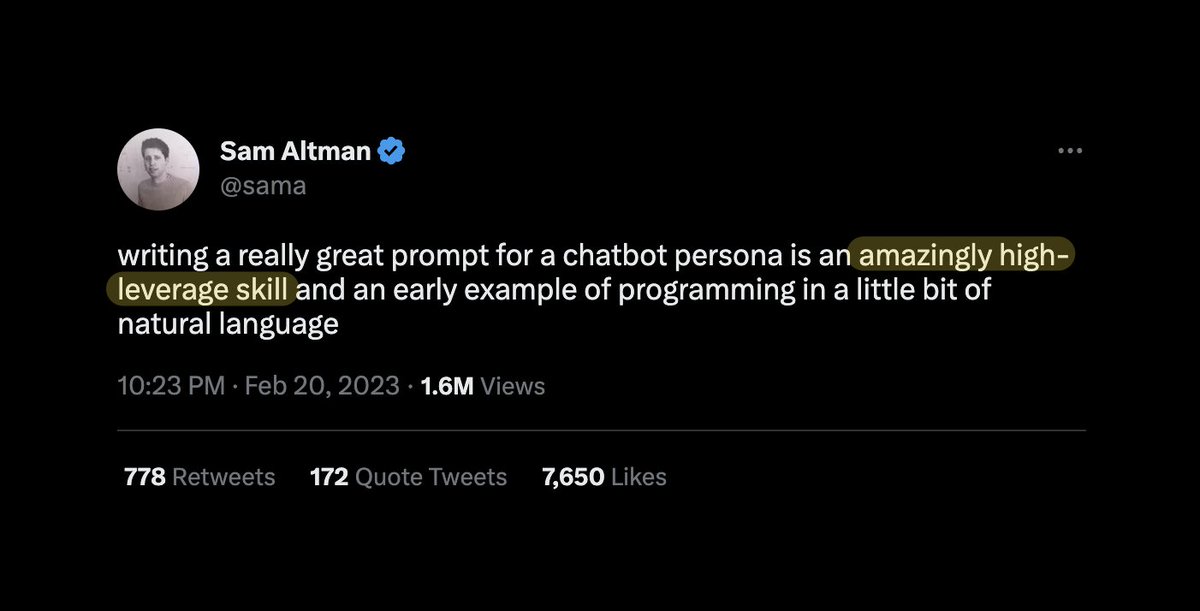
@sama calls it "an amazingly high-leverage skill".

Let's get into the first use case...
1. Get both sides of the argument

When forming an opinion, we usually just consider our side of the story.

ChatGPT can give you different perspectives to get new insights that you may not have considered.

I love how novel these ideas are...
Read 22 tweets
Feb 21
David Guetta recently recreated Eminem's voice.

"I went to another AI website that can recreate the voice... and the people went nuts."

Here's how AI is changing the music industry forever 👇
Quick background:

Recently, he did something different.

He used AI to create a new song with Eminem’s voice.

The process was simple...
David used two AI websites to generate lyrics and vocals in the style of Eminem.

He then mixed them with his own beats and played them at a live show.

The result was a catchy rap song that sounded like Eminem himself. Pretty cool huh?
Read 8 tweets

Did Thread Reader help you today?

Support us! We are indie developers!


This site is made by just two indie developers on a laptop doing marketing, support and development! Read more about the story.

Become a Premium Member ($3/month or $30/year) and get exclusive features!

Become Premium

Don't want to be a Premium member but still want to support us?

Make a small donation by buying us coffee ($5) or help with server cost ($10)

Donate via Paypal

Or Donate anonymously using crypto!

Ethereum

0xfe58350B80634f60Fa6Dc149a72b4DFbc17D341E copy

Bitcoin

3ATGMxNzCUFzxpMCHL5sWSt4DVtS8UqXpi copy

Thank you for your support!

Follow Us on Twitter!

:(