Notion has over 40M users worldwide.
But most people still think it's a note-taking app.
Here are 10 Notion hacks so valuable they'll make you go: "Wait, you can do that?!"
But most people still think it's a note-taking app.
Here are 10 Notion hacks so valuable they'll make you go: "Wait, you can do that?!"
1. Build flowcharts
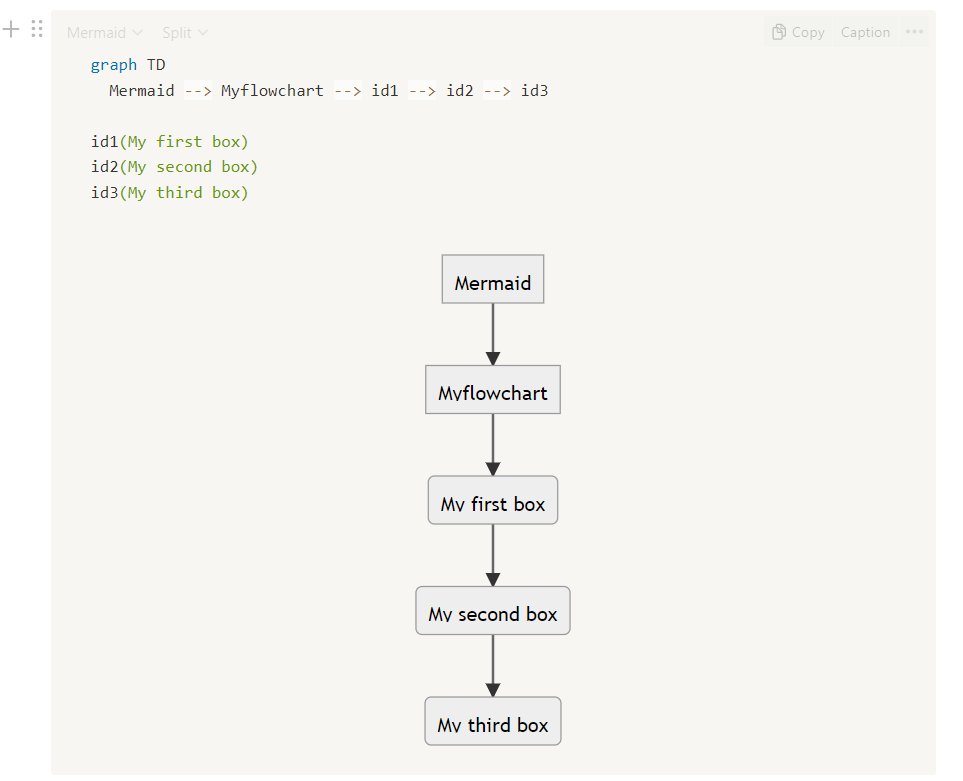
You can build flowcharts directly in Notion without any integrations or widgets.
1. Type /code and pick Code - Mermaid
2. Type in the code below (id1(Name of block), id2(...)"
3. Connect your blocks by writing --> between as shown.
You can build flowcharts directly in Notion without any integrations or widgets.
1. Type /code and pick Code - Mermaid
2. Type in the code below (id1(Name of block), id2(...)"
3. Connect your blocks by writing --> between as shown.
2. Anchor links
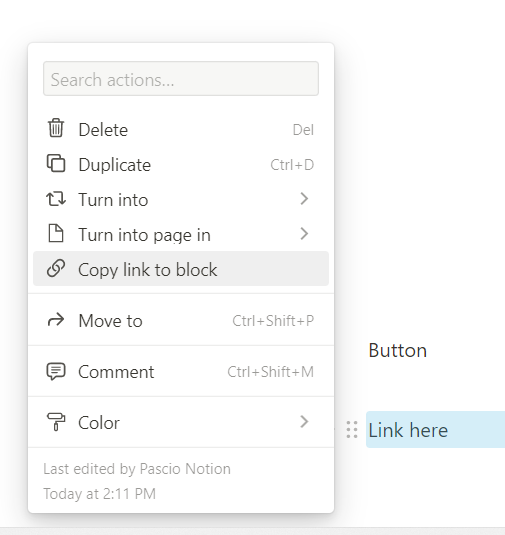
You can link directly to somewhere on your current Notion page.
1. Find the block located at the place you want to link to
2. Right click on the block and click "Copy link to block"
3. CTRL + V on text that you want to be the link.
You can link directly to somewhere on your current Notion page.
1. Find the block located at the place you want to link to
2. Right click on the block and click "Copy link to block"
3. CTRL + V on text that you want to be the link.
3. Custom font + color
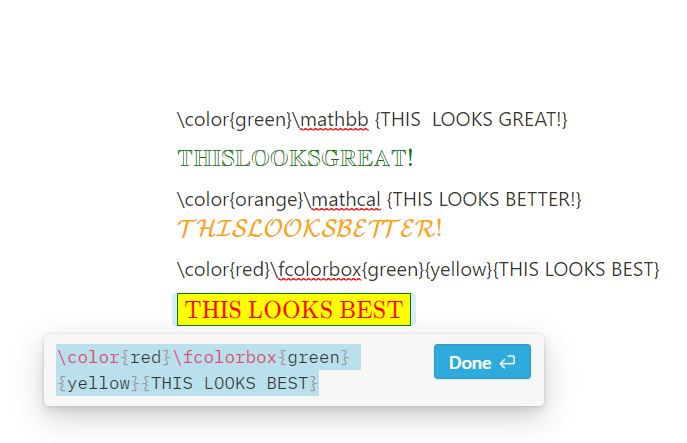
You can create custom fonts and colorways, even borders, without any widgets.
1. Type /inlineequation
2. Pick one of the 3 options shown below
3. Insert, customize colors to your liking, click Done.
You can create custom fonts and colorways, even borders, without any widgets.
1. Type /inlineequation
2. Pick one of the 3 options shown below
3. Insert, customize colors to your liking, click Done.
4. Breadcrumbs
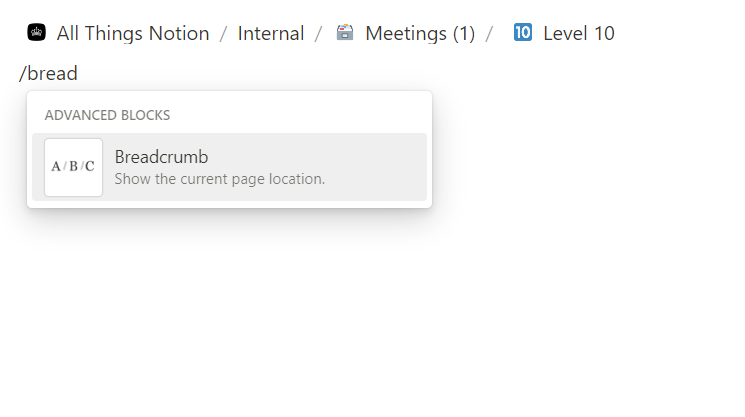
Notion can be endless and you can lost. With breadcrumbs you can place a link showing how far you've gone, anywhere.
1. Type /breadcrumbs
2. Insert link at needed location
3. Enjoy stress-free Notion.
Notion can be endless and you can lost. With breadcrumbs you can place a link showing how far you've gone, anywhere.
1. Type /breadcrumbs
2. Insert link at needed location
3. Enjoy stress-free Notion.
5. Borders & Transparent Boxes
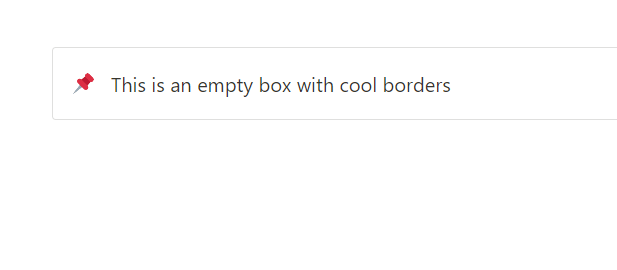
A great way to pimp up your Notion workspace like shown below, is by using callouts.
1. Type /callout
2. Click on the block
3. Choose "Color"
4. Choose "Default background"
A great way to pimp up your Notion workspace like shown below, is by using callouts.
1. Type /callout
2. Click on the block
3. Choose "Color"
4. Choose "Default background"
6. Add widgets
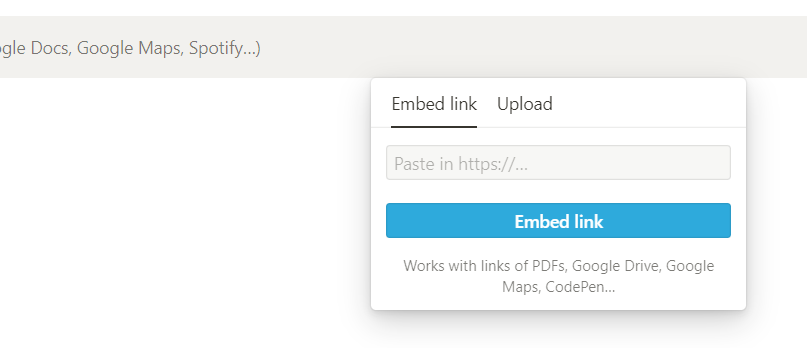
Timers, weather and countdowns, are a great way to take your workspace to the next level.
1. Go to indify.co and sign up with a free account
2. Pick the widget you wish and click "Copy link"
3. Go to Notion and type /embed. Paste the link.
Timers, weather and countdowns, are a great way to take your workspace to the next level.
1. Go to indify.co and sign up with a free account
2. Pick the widget you wish and click "Copy link"
3. Go to Notion and type /embed. Paste the link.
7. Nested To Do List
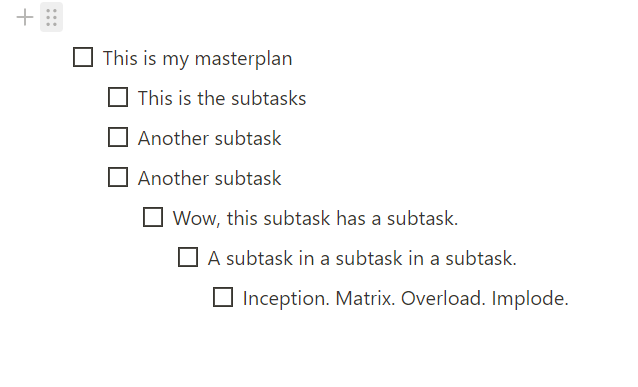
You can nest your to-do list to create a simple milestone/subtask system like shown below.
1. Type /todo
2. Write your first todo
3. Repeat below but hit Tab before typing.
4. This inlines your todo and nests it underneath the first one
You can nest your to-do list to create a simple milestone/subtask system like shown below.
1. Type /todo
2. Write your first todo
3. Repeat below but hit Tab before typing.
4. This inlines your todo and nests it underneath the first one
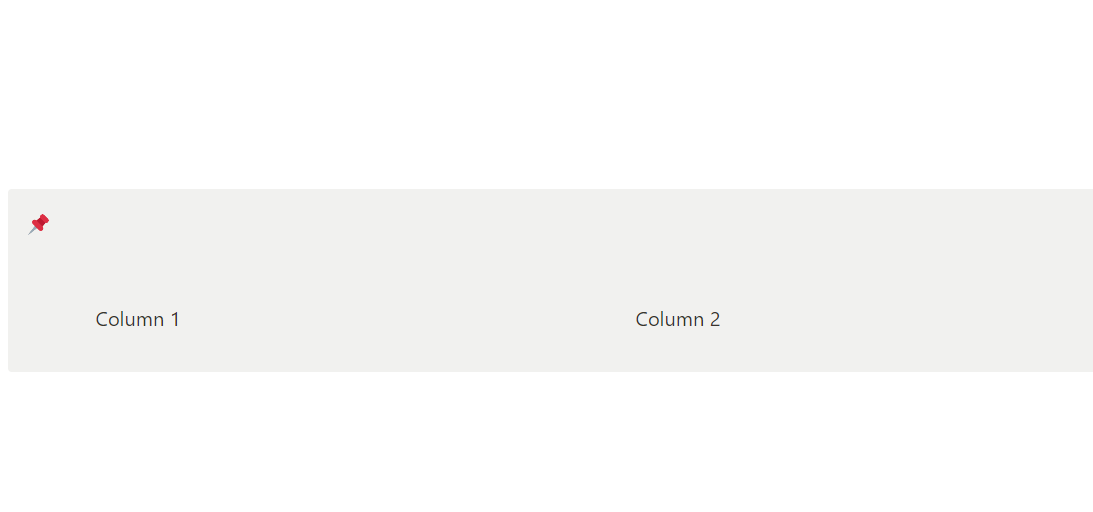
8. Create columns in callouts/toggles
Notion doesn't allow you to, unless you use this workaroud:
1. Type /page and create blank page.
2. Create the column setup you want inside this page
3. Put the page inside the toggle/callout
4. Turn the page into text by right clicking.
Notion doesn't allow you to, unless you use this workaroud:
1. Type /page and create blank page.
2. Create the column setup you want inside this page
3. Put the page inside the toggle/callout
4. Turn the page into text by right clicking.
9. GIF Covers + Icons
Did you know you can upload animated icons/covers?
1. Where you normally upload your icon/cover, simply upload the .gif version.
Did you know you can upload animated icons/covers?
1. Where you normally upload your icon/cover, simply upload the .gif version.
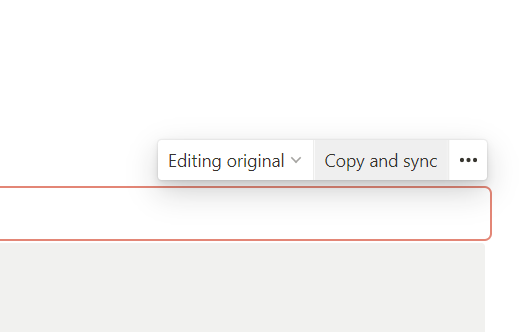
10. Synced blocks
Ever need to edit some content across 100's of pages? Use a synced block.
1. Type /synced
2. Drop your blocks into the synced block.
3. Right click, copy link to block.
4. Input where ever you want.
Ever need to edit some content across 100's of pages? Use a synced block.
1. Type /synced
2. Drop your blocks into the synced block.
3. Right click, copy link to block.
4. Input where ever you want.
Which one of these Notion features is your favorite?
Drop a comment below!
1. Follow me @IAmPascio for weekly threads like this
2. Share these Notion tricks with your fam by retweeting the first tweet (below).
Drop a comment below!
1. Follow me @IAmPascio for weekly threads like this
2. Share these Notion tricks with your fam by retweeting the first tweet (below).
https://twitter.com/1426972475766751235/status/1638088115163111425
• • •
Missing some Tweet in this thread? You can try to
force a refresh