ChatGPT is just the tip of the iceberg.
Every day new AI-powered tools are launched.
Here are 12 mind-blowing AI tools better than ChatGPT:
Every day new AI-powered tools are launched.
Here are 12 mind-blowing AI tools better than ChatGPT:

1. Tars Prime AI
Are you looking to build a ChatGPT like chatbot experience for your business?
Introducing Tars, new Cutting-Edge Chatbot powered by ChatGPT.
Tars helps you get a ChatGPT Powered Chatbot in under 30 seconds.
admin.hellotars.com/ai
Are you looking to build a ChatGPT like chatbot experience for your business?
Introducing Tars, new Cutting-Edge Chatbot powered by ChatGPT.
Tars helps you get a ChatGPT Powered Chatbot in under 30 seconds.
admin.hellotars.com/ai
2. ChatABC
@chatabc_ai is better ChatGPT with features like team collaboration, prompt library, never-down service and so much more.
Features OF ChatABC:
- Model (GPT-4 Supported)
- Upload Document
- Use native voice to speak
- 150+ builtin prompts
chatabc.ai
@chatabc_ai is better ChatGPT with features like team collaboration, prompt library, never-down service and so much more.
Features OF ChatABC:
- Model (GPT-4 Supported)
- Upload Document
- Use native voice to speak
- 150+ builtin prompts
chatabc.ai
3. Durable AI
Build a website in 30 seconds with AI.
The AI website builder that generates an entire website with images and copy in seconds.
durable.co/ai-website-bui…
Build a website in 30 seconds with AI.
The AI website builder that generates an entire website with images and copy in seconds.
durable.co/ai-website-bui…
4. TweetMonk
TweetMonk is like one man army tool to grow your Twitter.
You can use this AI tool to write Hooks, threads and schedule tweets as well.
Try this Today:
TweetMonk.com
TweetMonk is like one man army tool to grow your Twitter.
You can use this AI tool to write Hooks, threads and schedule tweets as well.
Try this Today:
TweetMonk.com
5. 10web
ChatGPT can do anything except website building.
The real king of AI website building is @10Web_io
Now you can build a website with 10web in just 5 minutes.
10web.io
ChatGPT can do anything except website building.
The real king of AI website building is @10Web_io
Now you can build a website with 10web in just 5 minutes.
10web.io
6. Alicent AI
Unlock a Supercharged ChatGPT Experience with this Chrome extension.
Best extension for busy marketers and creators to 10x your production.
Have features like:
• Instant Access to ChatGPT
• Use Page as Context
• Powerful AI Assistant
alicent.ai
Unlock a Supercharged ChatGPT Experience with this Chrome extension.
Best extension for busy marketers and creators to 10x your production.
Have features like:
• Instant Access to ChatGPT
• Use Page as Context
• Powerful AI Assistant
alicent.ai
7. Kickresume
Kickresume AI Resume Writer is the best AI Resume Writer.
Automate your CV creation with this AI Resume Writer.
- 35+ ATS-Ready Templates
- 1,500+ Resume Examples
Try it for free.
kickresume.com/en/ai-resume-w…
Kickresume AI Resume Writer is the best AI Resume Writer.
Automate your CV creation with this AI Resume Writer.
- 35+ ATS-Ready Templates
- 1,500+ Resume Examples
Try it for free.
kickresume.com/en/ai-resume-w…
8. FinalScout @finalscout_com
Turn Linkedin into your email lists by this ChatGPT-Powered Email Finding Extension.
Extract valid email addresses from LinkedIn with ChatGPT, guaranteeing up to 98% email deliverability.
finalscout.com
Turn Linkedin into your email lists by this ChatGPT-Powered Email Finding Extension.
Extract valid email addresses from LinkedIn with ChatGPT, guaranteeing up to 98% email deliverability.
finalscout.com
9. Consensus:
@ConsensusNLP is a GPT-4 powered feature that summarizes answers from scientific research.
How to search?
Consensus uses AI to find answers in research papers.
The best way to search is to ask a question.
consensus.app/search/
@ConsensusNLP is a GPT-4 powered feature that summarizes answers from scientific research.
How to search?
Consensus uses AI to find answers in research papers.
The best way to search is to ask a question.
consensus.app/search/
10. Paperpal
Don't waste your time on ChatGPT for academic writing.
Introducing Paperpal – The perfect AI writing tool for academics
To start using, go to paperpal.com and sign up
Don't waste your time on ChatGPT for academic writing.
Introducing Paperpal – The perfect AI writing tool for academics
To start using, go to paperpal.com and sign up
11. Tome
Tome helps you to create powerful stories in seconds.
Type anything in a prompt and it will automatically generate amazing storytelling for you within seconds.
beta.tome.app
Tome helps you to create powerful stories in seconds.
Type anything in a prompt and it will automatically generate amazing storytelling for you within seconds.
beta.tome.app

12. InteraxAI
The best no-code AI platform that offers monetizable and embeddable AI widgets.
Seamlessly integrate AI into your website, blog, or platform without writing a single line of code with our white label platform.
interaxai.com
The best no-code AI platform that offers monetizable and embeddable AI widgets.
Seamlessly integrate AI into your website, blog, or platform without writing a single line of code with our white label platform.
interaxai.com

Special Bonus:
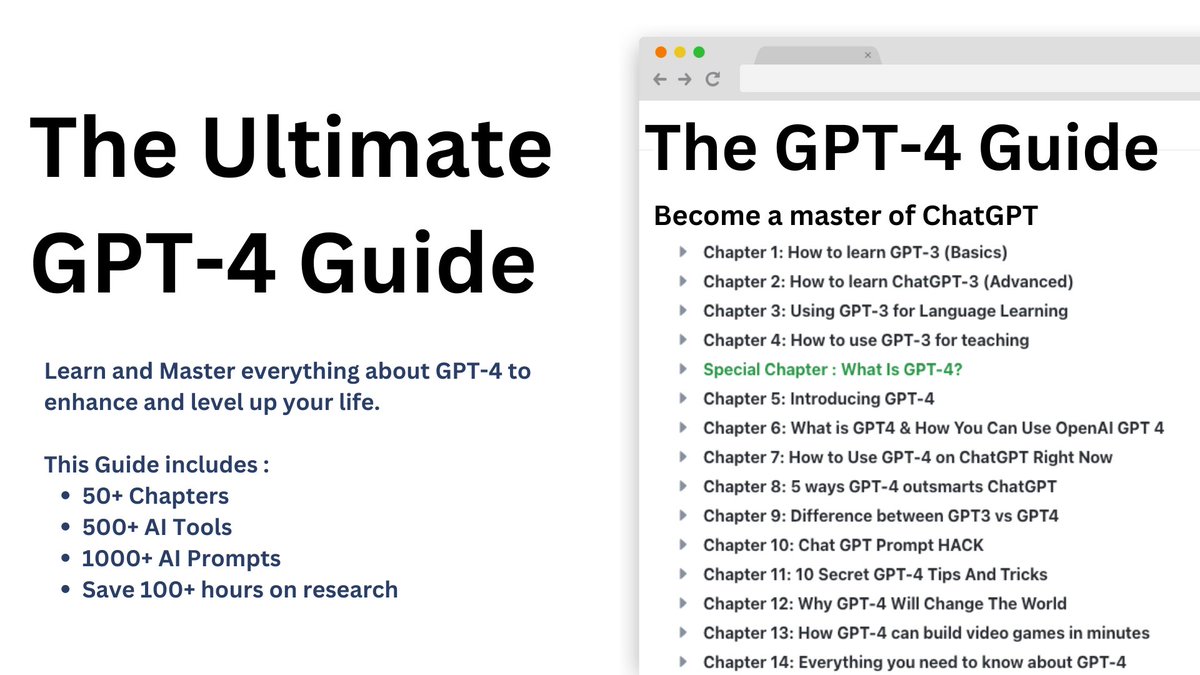
Are you looking to learn in detail about GPT-4?:
Get my guide and level up your life today with GPT-4.
Here:
hasantoxr.gumroad.com/l/gpt4
Are you looking to learn in detail about GPT-4?:
Get my guide and level up your life today with GPT-4.
Here:
hasantoxr.gumroad.com/l/gpt4
That's a wrap!
If you enjoyed this thread:
1. Follow me @hasantoxr for more of these
2. If you enjoyed this thread, don't forget to like, comment, and retweet the first tweet.
If you enjoyed this thread:
1. Follow me @hasantoxr for more of these
2. If you enjoyed this thread, don't forget to like, comment, and retweet the first tweet.
https://twitter.com/1506055005992026115/status/1649054866709553152
• • •
Missing some Tweet in this thread? You can try to
force a refresh