The Rundown AI Profile picture
Apr 22 8 tweets 3 min read Twitter logo Read on Twitter
Proper ChatGPT prompting can save you hours of work.

🧵 Here are the top 5 most useful everyday prompts:
1. Summarize

Prompt: "Summarize this article into a bulleted list of the most important information [paste article]"

Use case: Get the most useful information from long articles to save time.
2. Brainstorm

Prompt: "Brainstorm 20 trending ideas for a Twitter thread on recent breaking AI news"

Use case: When you're out of ideas, get ChatGPT to think for you.

*Must have browsing access for this to work*
3. Rewrite for a beginner

Prompt: "Rewrite the response as if I was a beginner"

Use case: When a response is too technical or just hard to read, get ChatGPT to dumb it down to understand it easier.
4. Change style

Prompt: "Change the writing style of the text below to [tone] [paste text]"

Use case: Easily make an informative paragraph humorous and easier to read.
5. Edit my work

Prompt: "Edit the following text. It's for my [newsletter/paragraph/essay]. [paste text]"

Use case: Always get ChatGPT's opinion on your work first before sending it to an editor.
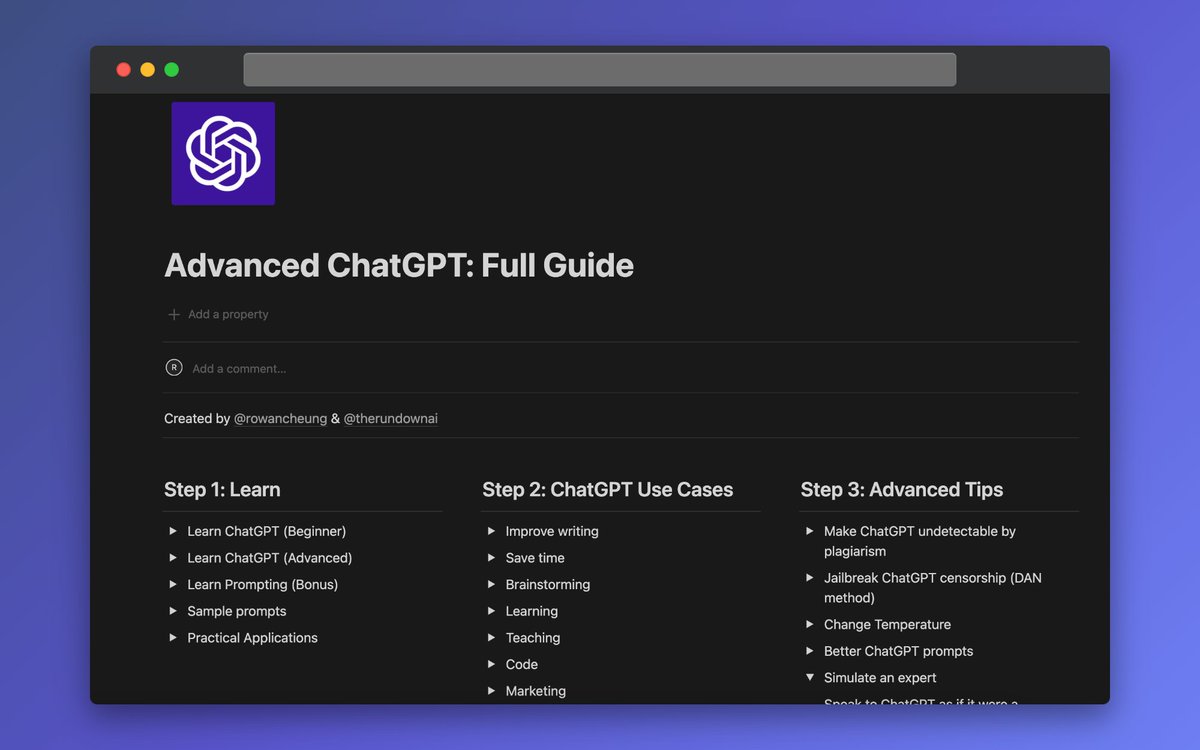
P.S. We created a document on the most advanced ChatGPT techniques that goes even more in-depth than this thread.

(Plus, you can copy and paste everything)

You get it instantly when you sign up for our free AI newsletter: therundown.ai/subscribe Image
That's a wrap!

If you found this helpful:

1. Follow us @TheRundownAI for more
2. Like + Retweet the tweet below to share with your friends ❤️

• • •

Missing some Tweet in this thread? You can try to force a refresh

 

Keep Current with The Rundown AI

The Rundown AI Profile picture

Stay in touch and get notified when new unrolls are available from this author!

Read all threads

This Thread may be Removed Anytime!

PDF

Twitter may remove this content at anytime! Save it as PDF for later use!

Try unrolling a thread yourself!

how to unroll video
  1. Follow @ThreadReaderApp to mention us!

  2. From a Twitter thread mention us with a keyword "unroll"
@threadreaderapp unroll

Practice here first or read more on our help page!

More from @TheRundownAI

Apr 21
5 resources that will turn you into a prompt engineering expert:

🧵 (all free)
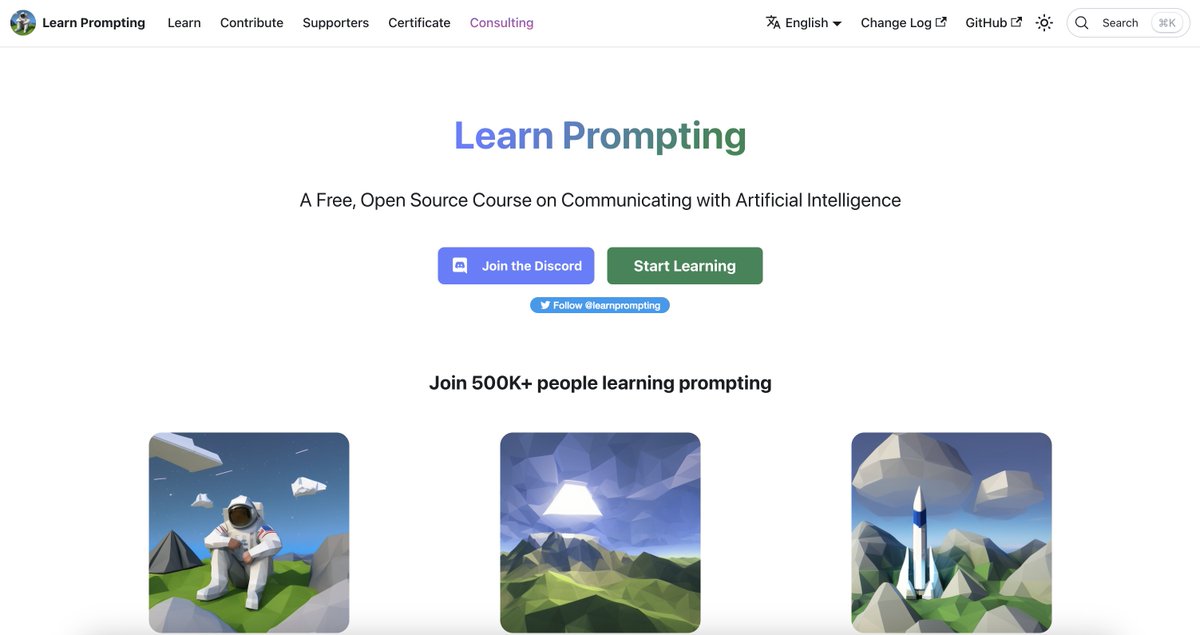
1. Learn Prompting

A Free, Open Source Course on Communicating with AI.

They also have a massive Discord community of others learning how to prompt.

learnprompting.org Image
2. Snackprompt

Basically Reddit + Product Hunt for the best prompts.

Best prompts are chosen based on user votes- the easiest way to find new prompt gems.

snackprompt.com
Read 7 tweets
Apr 21
Today's rundown on the latest developments in AI:
Snapchat just made its chatbot feature, powered by ChatGPT, available to everyone.

My AI provides recommendations, answers questions, and assists users in making plans. 

Users can personalize the chatbot by naming it and customizing a 'Bitmoji' avatar.
This move brings AI technology to an additional 363 million people.

The era of AI integration in social media is just getting started.
Read 10 tweets
Apr 20
We asked GPT-4 for a list of the craziest, yet widely unknown facts.

A lot of these were pretty shocking:
1. Over 200 corpses on Mount Everest serve as climber landmarks.

2. Cows have best friends and feel stress when separated.

3. Humans and giraffes both have seven neck vertebrae.
4. The Great Wall of China isn't visible from space unaided.

5. A "jiffy" is 33.3564 picoseconds.

6. The Eiffel Tower grows 6 inches taller in summer.
Read 10 tweets
Apr 19
ChatGPT is insanely powerful.

But only if you write proper prompts.

Here are the most useful ChatGPT prompt techniques (all new):

A thread 🧵
1. Generate responses table format.

Super easy to do- yet we still get a ton of questions on how to do it.

Prompt: “Create a table for top AI tools. Include the following columns: Name, Category, and Oneliner. Here are the Tools that I want to summarize: [tools]” Image
2. Simulate an expert.

You can get ChatGPT to become an expert in a given subject.

Then, you can engage in conversation or request it to produce content from the perspective of that specific character.
Read 11 tweets
Apr 18
Here are 5 ways to use ChatGPT on your phone:

(life hack)
1. Replace Siri with ChatGPT with @mckaywrigley's "Hey GPT"

It completely destroys Siri in every way.

Install the extension, enter your OpenAI API key, add it to home, and tell it what you want.

icloud.com/shortcuts/0cc3…
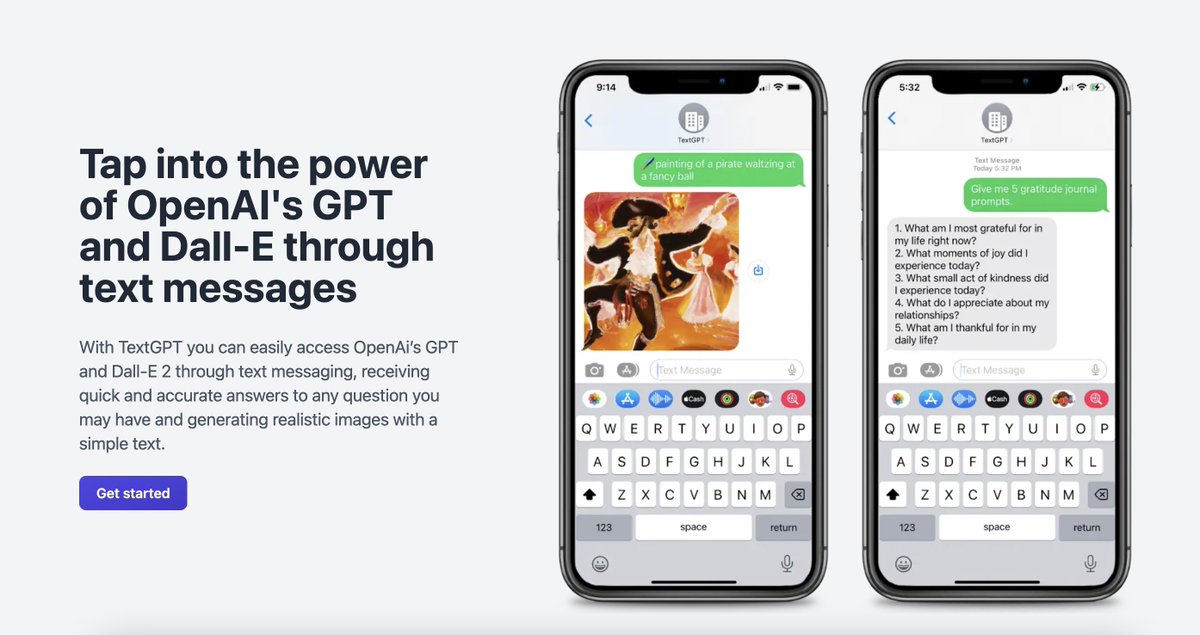
@mckaywrigley 2. Use ChatGPT and DALL-E 2 through text messaging with TextGPT.

Get answers to questions, and generate images from text.

textgpt.net Image
Read 7 tweets
Apr 17
Here are 10 insanely useful ChatGPT prompts to finish hours of work in seconds:

(all new)
1. Explain like I'm a beginner

Prompt: "Explain [topic] in simple terms. Explain to me as if I'm a beginner." Image
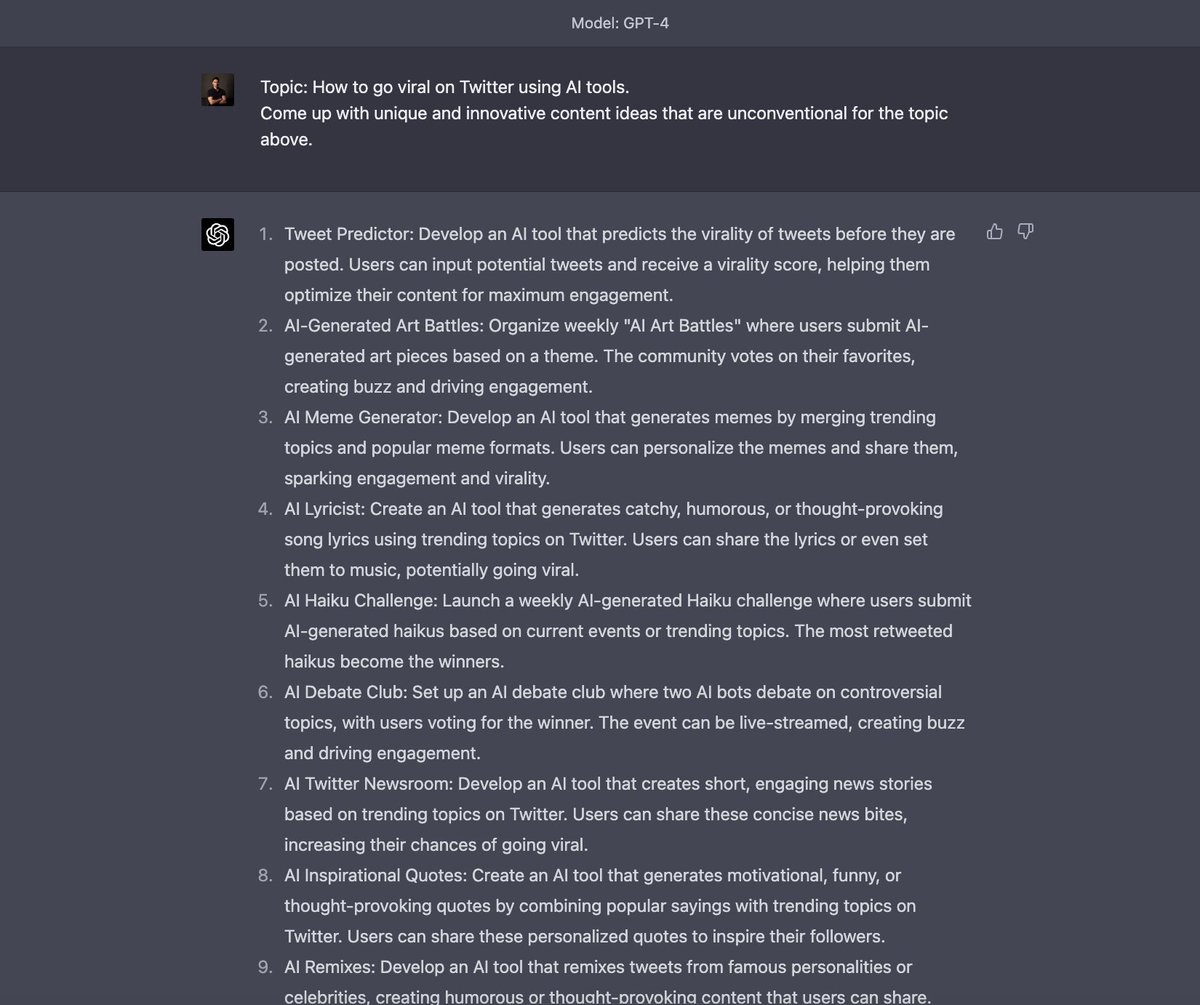
2. Brainstorm unique content ideas

Prompt: "Topic: How to go viral on Twitter using AI tools.
Come up with unique and innovative content ideas that are unconventional for the topic above." Image
Read 13 tweets

Did Thread Reader help you today?

Support us! We are indie developers!


This site is made by just two indie developers on a laptop doing marketing, support and development! Read more about the story.

Become a Premium Member ($3/month or $30/year) and get exclusive features!

Become Premium

Don't want to be a Premium member but still want to support us?

Make a small donation by buying us coffee ($5) or help with server cost ($10)

Donate via Paypal

Or Donate anonymously using crypto!

Ethereum

0xfe58350B80634f60Fa6Dc149a72b4DFbc17D341E copy

Bitcoin

3ATGMxNzCUFzxpMCHL5sWSt4DVtS8UqXpi copy

Thank you for your support!

Follow Us on Twitter!

:(