ChatGPT app now supports iOS shortcuts!!
shortcuts 101 tutorial time!
No coding experience needed
How to build an
Automatic Ai TODO list bot
To overcome task start inertia & preprocess your thoughts
shortcuts 101 tutorial time!
No coding experience needed
How to build an
Automatic Ai TODO list bot
To overcome task start inertia & preprocess your thoughts
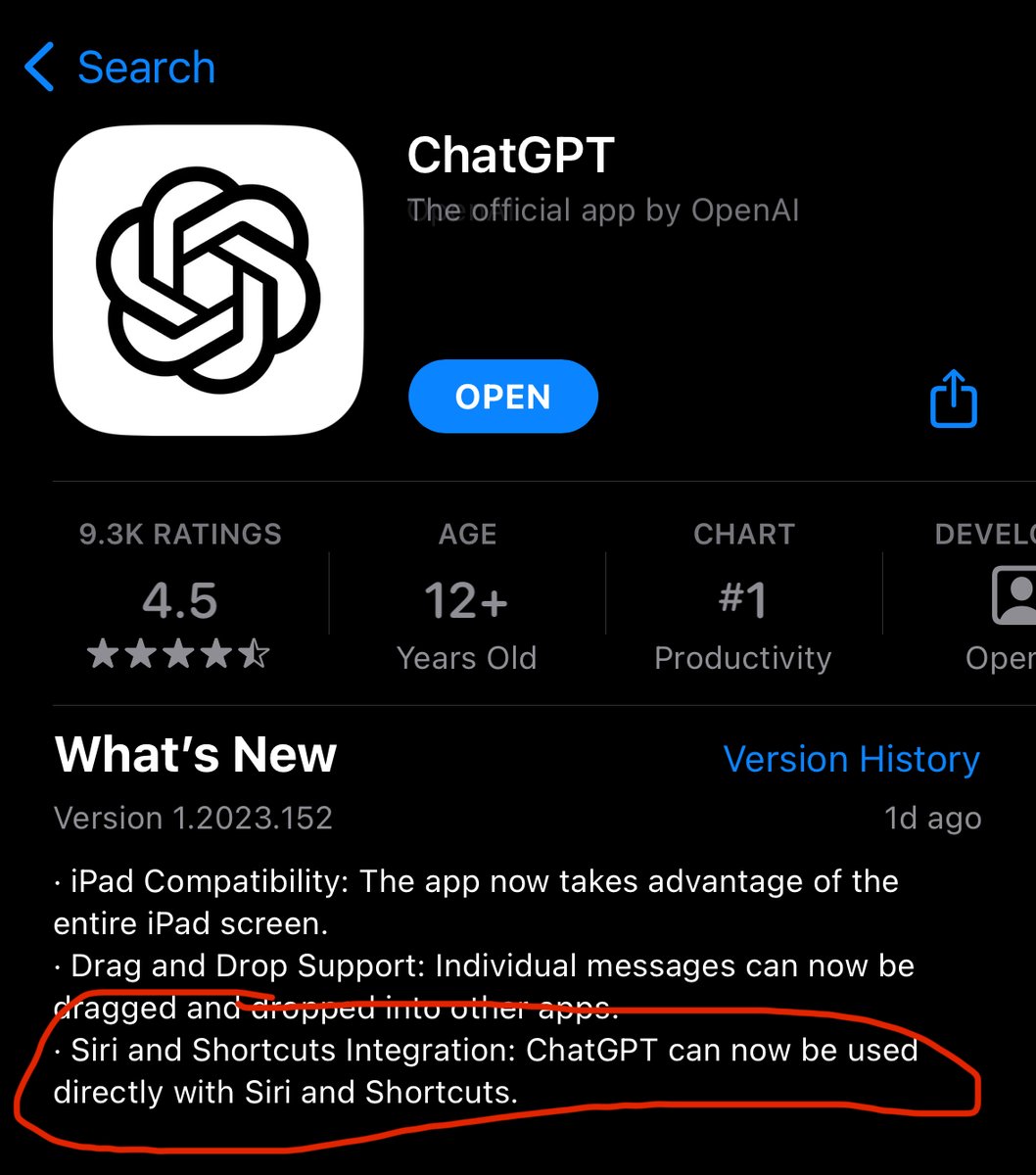
First things first, download the chatGPT app’s latest update
Make sure you also download the free Apple shortcuts app, you might have uninstalled it :)
Make sure you also download the free Apple shortcuts app, you might have uninstalled it :)
I’m going to be connecting it to the things3 app, since that’s my fav todo app
But this will work with any app that’s compatibe with iOS shortcuts, including Apple notes, reminders, calendar and many others. I’ll show a few examples as we go
But this will work with any app that’s compatibe with iOS shortcuts, including Apple notes, reminders, calendar and many others. I’ll show a few examples as we go
Start by making a new shortcut
Open shortcuts app
tap the top right + button
(screenshot 1)
Tap add action
Search chatGPT and pick ask chatGPT. (There’s a few options but they are all the same, with different toggles)
Open shortcuts app
tap the top right + button
(screenshot 1)
Tap add action
Search chatGPT and pick ask chatGPT. (There’s a few options but they are all the same, with different toggles)

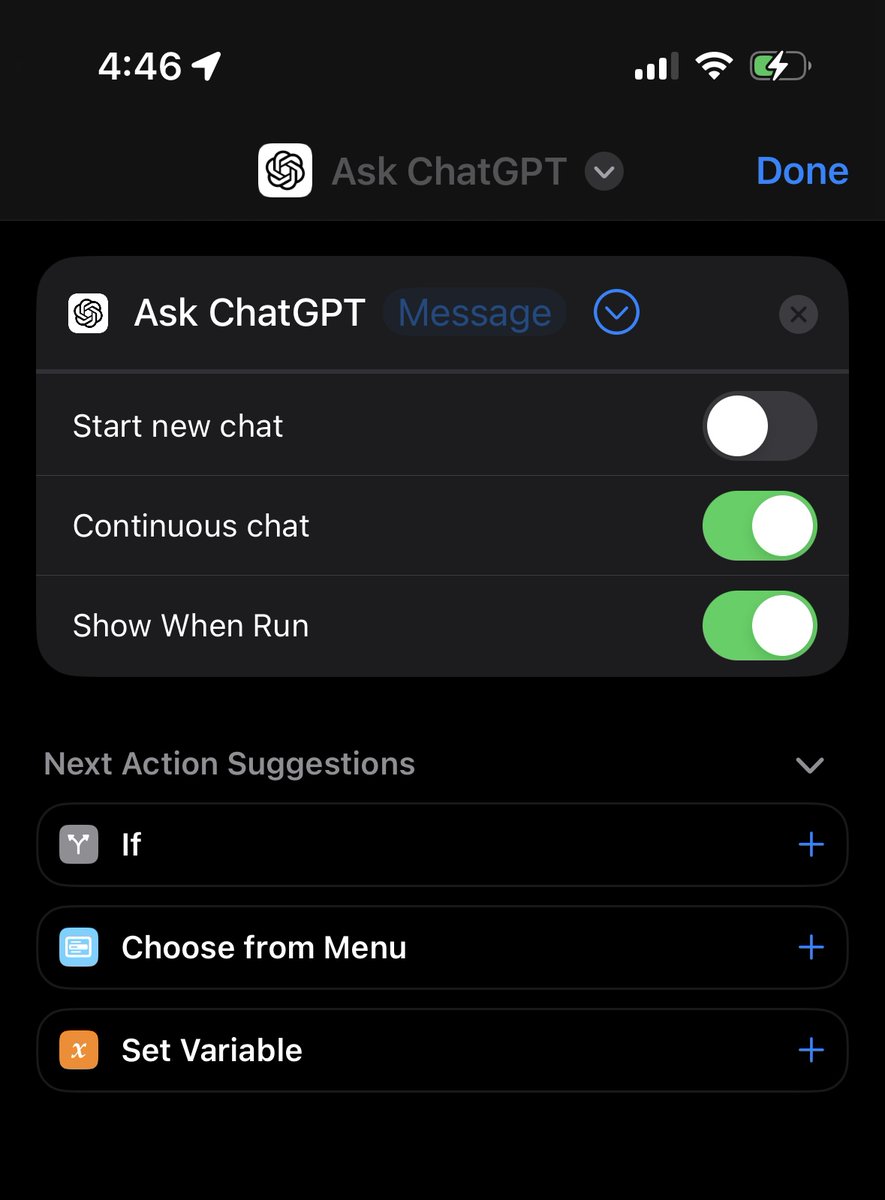
At this point, you can write and save a prompt, just like you were in the normal app
Press the play button in the bottom right to see it in action
Press the play button in the bottom right to see it in action
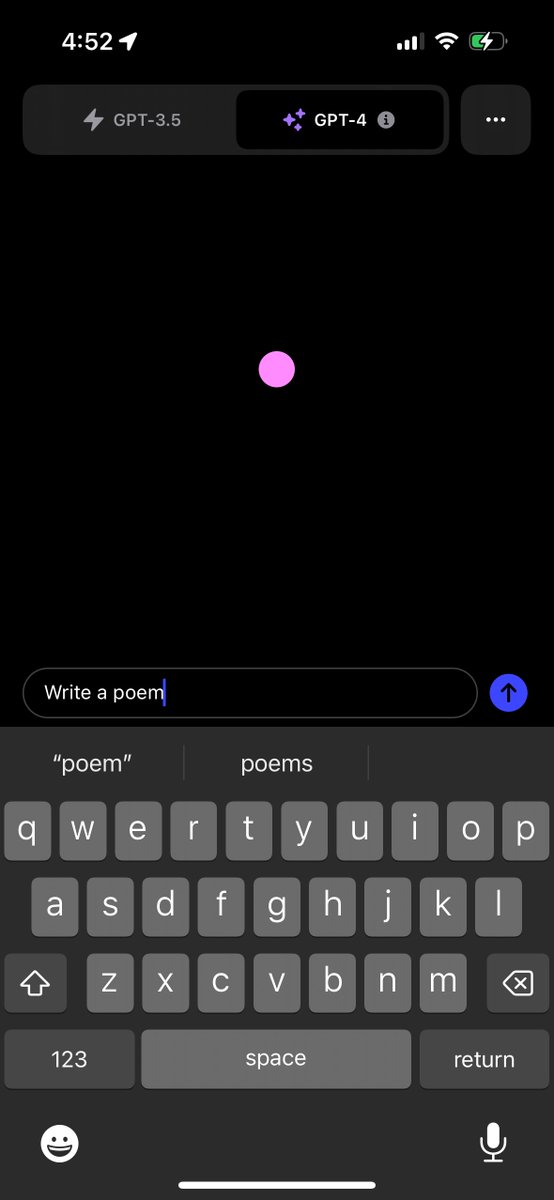

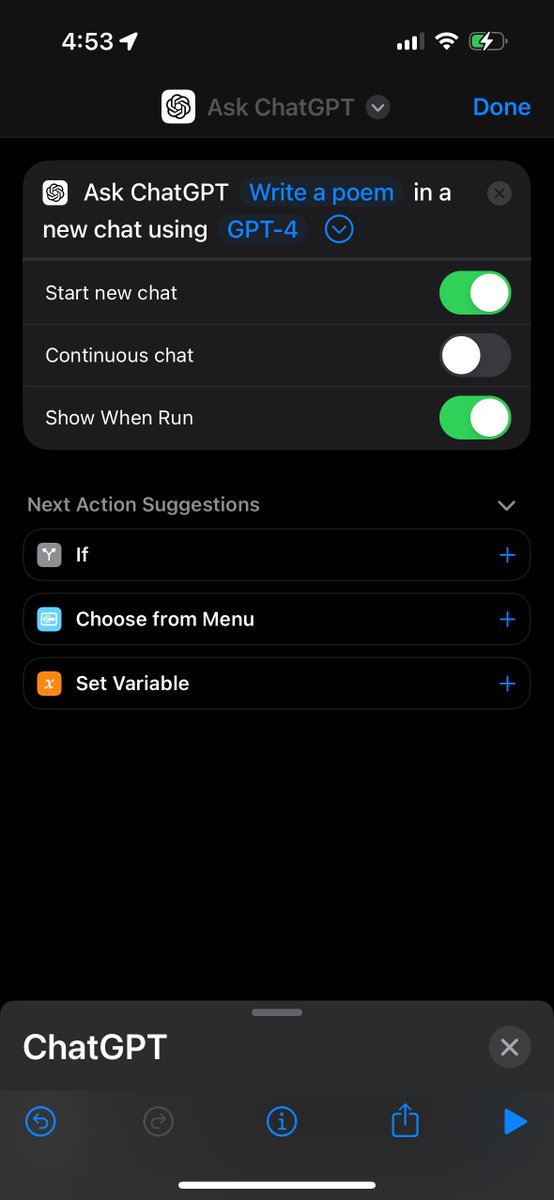

Protip: search for and make a text block variable if you want to hold and work with a bigger prompt
(Be sure to get the variable connection right, sometimes shortcuts can be finicky when you type it manually )
(Be sure to get the variable connection right, sometimes shortcuts can be finicky when you type it manually )


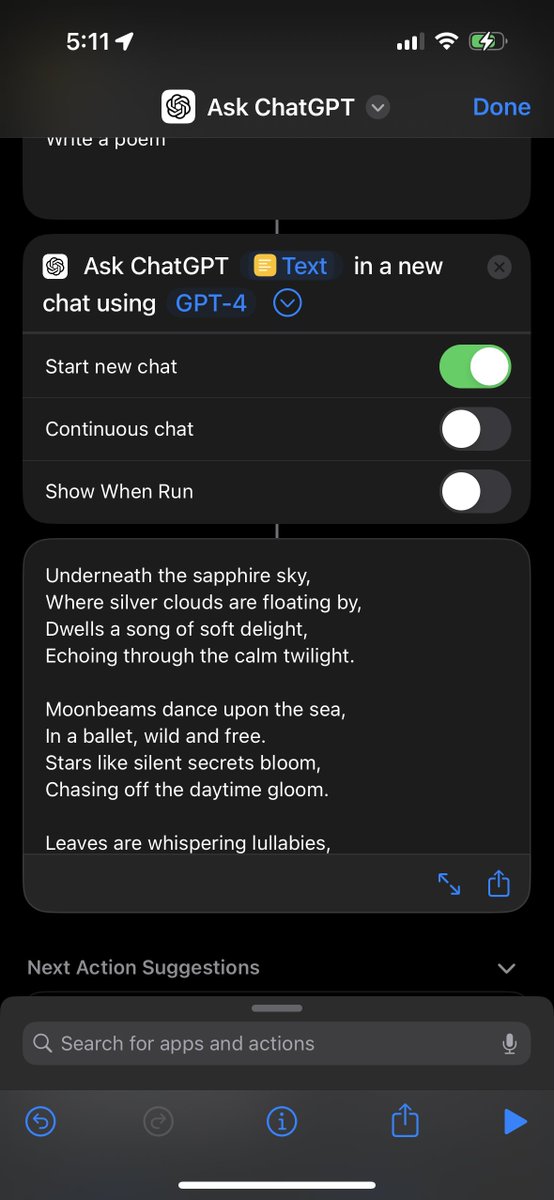
For the options,
you want a new conversation turned on
in most cases
Adding to an existing convo is a more advanced option for building fancy multi-step shortcuts, I don’t recommend it to start
you want a new conversation turned on
in most cases
Adding to an existing convo is a more advanced option for building fancy multi-step shortcuts, I don’t recommend it to start
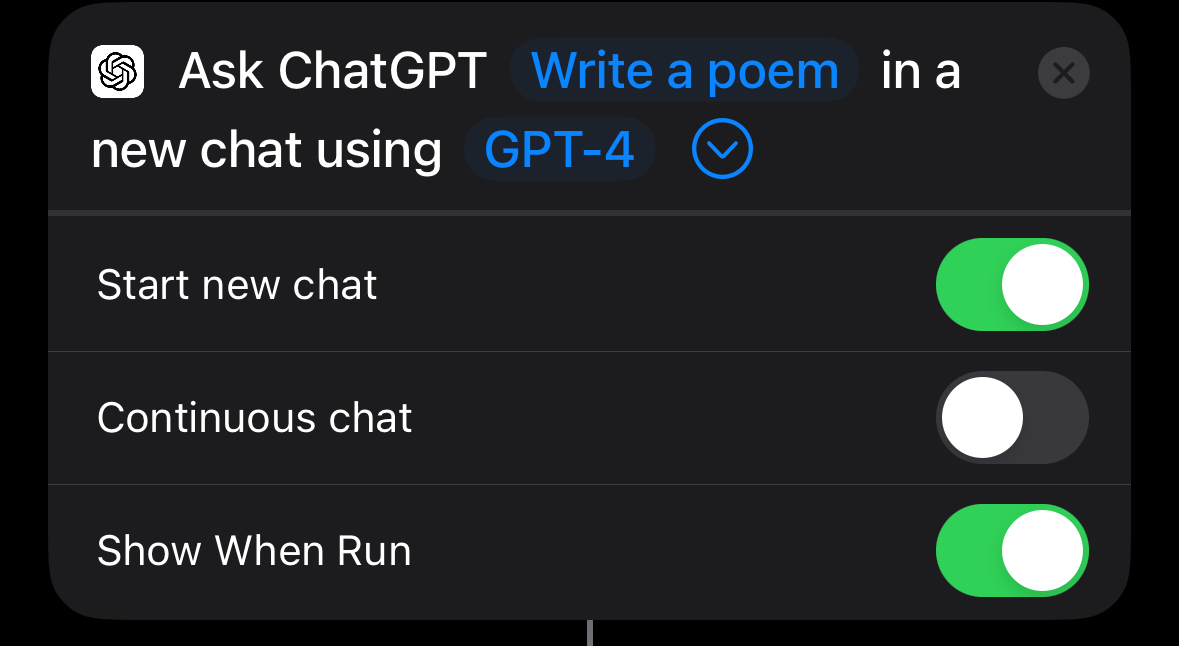
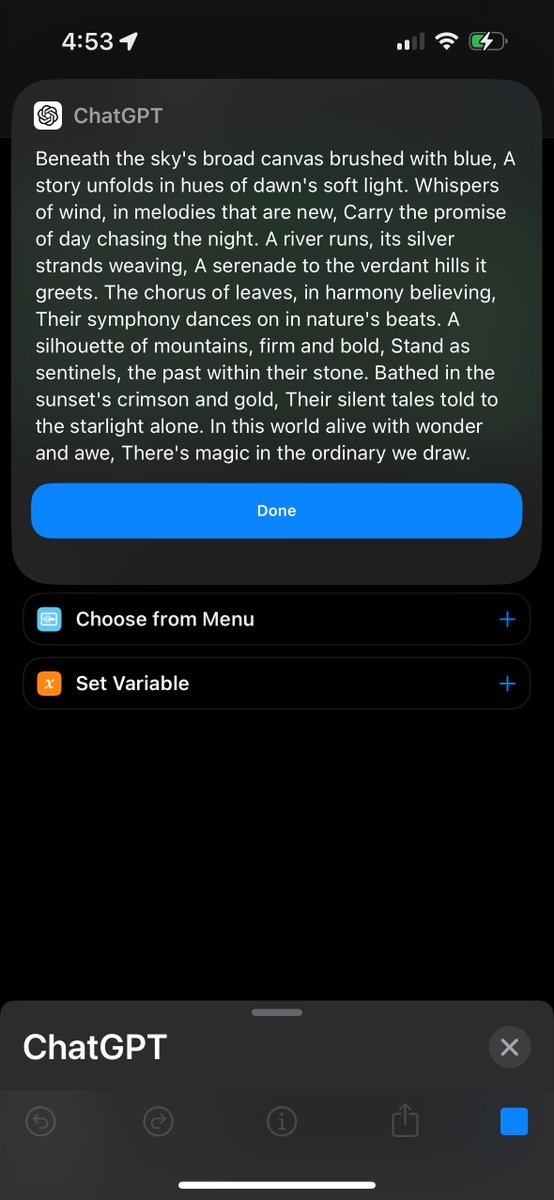
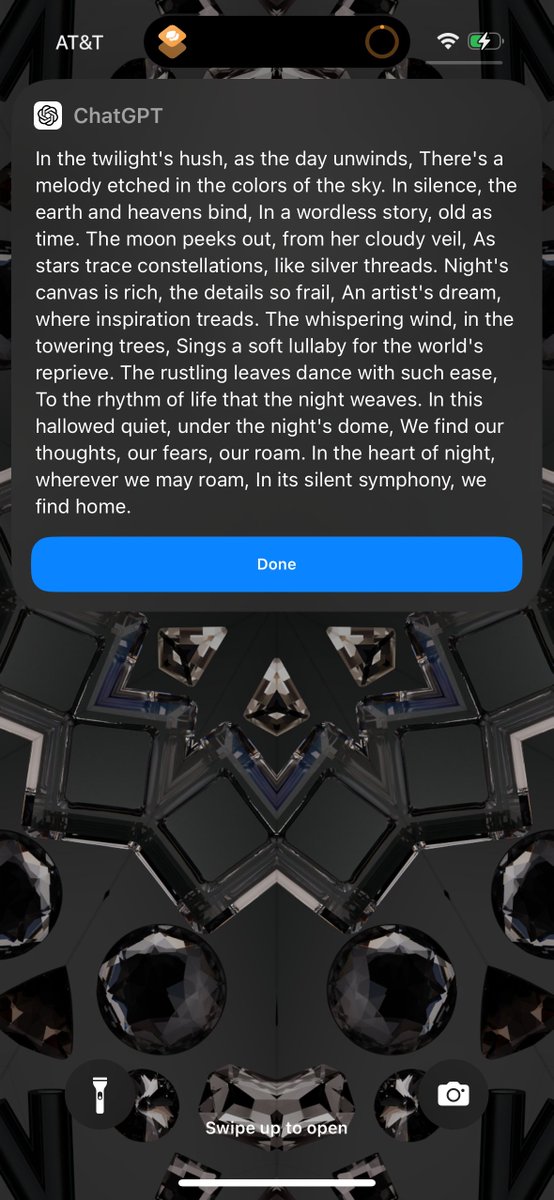
Show when run is an option to show a special iOS shortcut style of notification on top of the OS
With it turned off, the response will only be used inside the shortcut
you probably want this toggle on, unless you are getting fancy & piping responses into other shortcut stuff
With it turned off, the response will only be used inside the shortcut
you probably want this toggle on, unless you are getting fancy & piping responses into other shortcut stuff
Continuous mode is self
Expanatory.
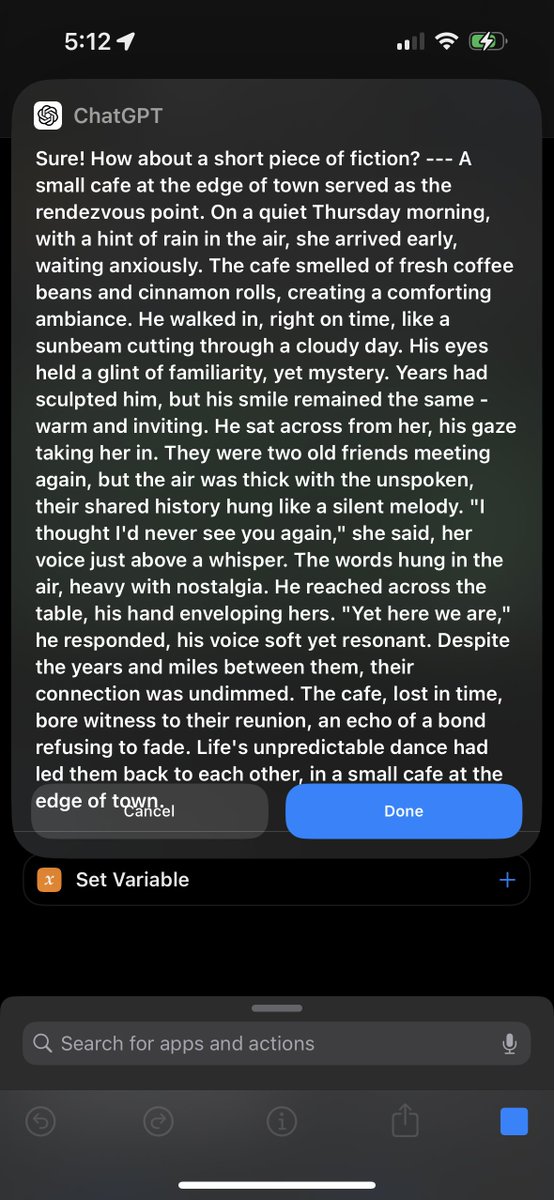
But a little weird. It seems to always re-use whatever was in the initial block
Unfortunately variables don’t play well with continuous mode :(
And sometimes there’s length and formatting issues
Expanatory.
But a little weird. It seems to always re-use whatever was in the initial block
Unfortunately variables don’t play well with continuous mode :(
And sometimes there’s length and formatting issues



Once we pick our options, it’s time to connect the todo list! (Or any other app you think would be fun, search your list!)
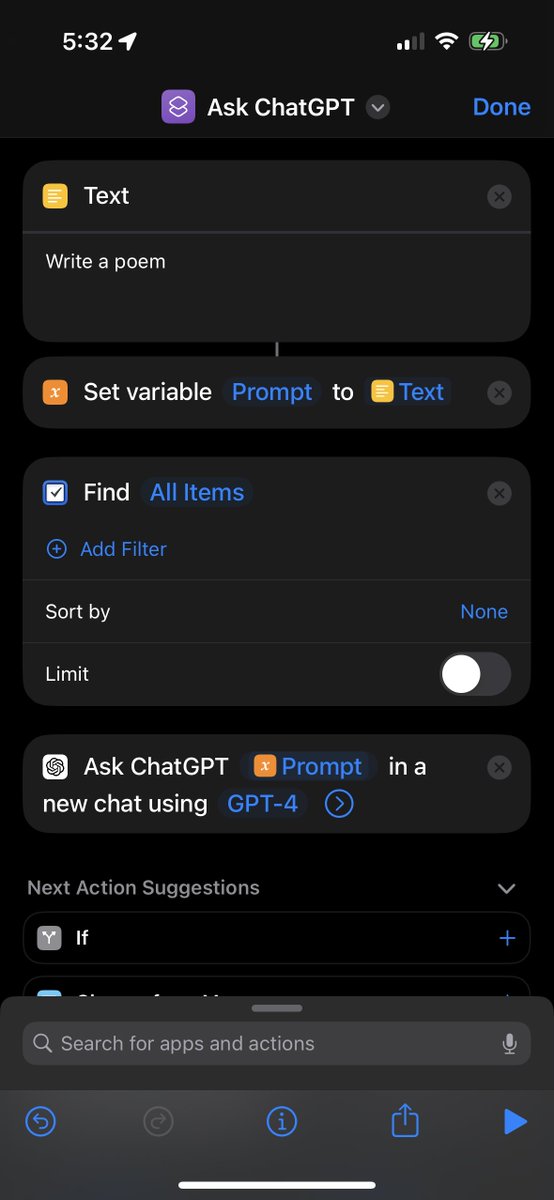
First step make the prompt a variable, so we can add more stuff to it.
Be sure your names all match up.
Here I set the text block to the prompt variable
First step make the prompt a variable, so we can add more stuff to it.
Be sure your names all match up.
Here I set the text block to the prompt variable

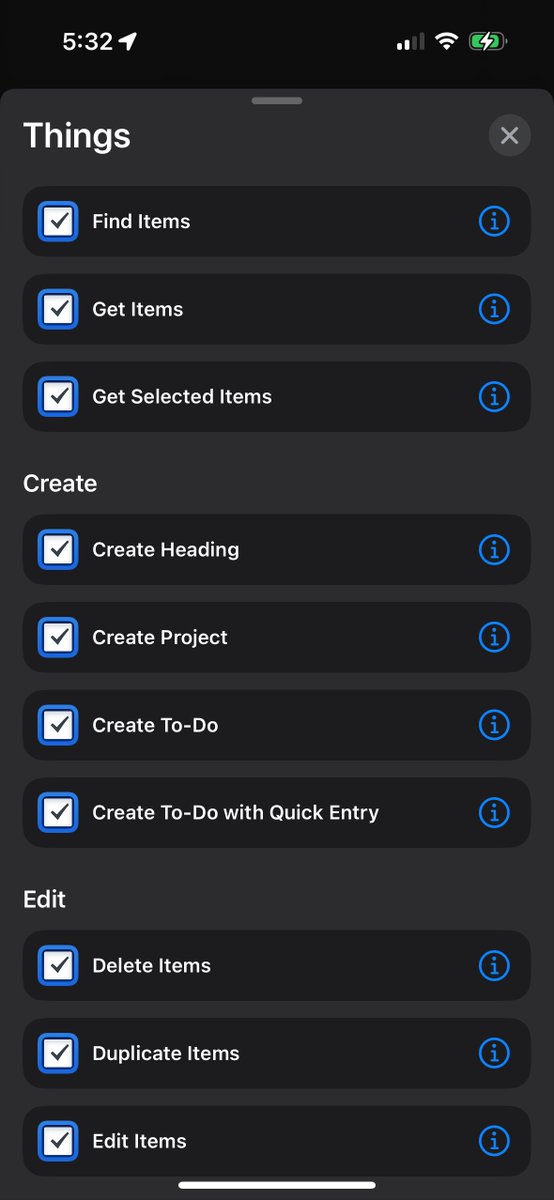
Next pick the app action you want to add
I’m using things3 find items
Set it up with the options you want or use another app
then use add to variable block, to append the items to the end of our prompt
I’m using things3 find items
Set it up with the options you want or use another app
then use add to variable block, to append the items to the end of our prompt
Here’s a few other examples
How to connect chatGPT to
Apple notes
Apple reminders
For the devs:
JIRA, query any set of issues
Working Copy, git history
How to connect chatGPT to
Apple notes
Apple reminders
For the devs:
JIRA, query any set of issues
Working Copy, git history

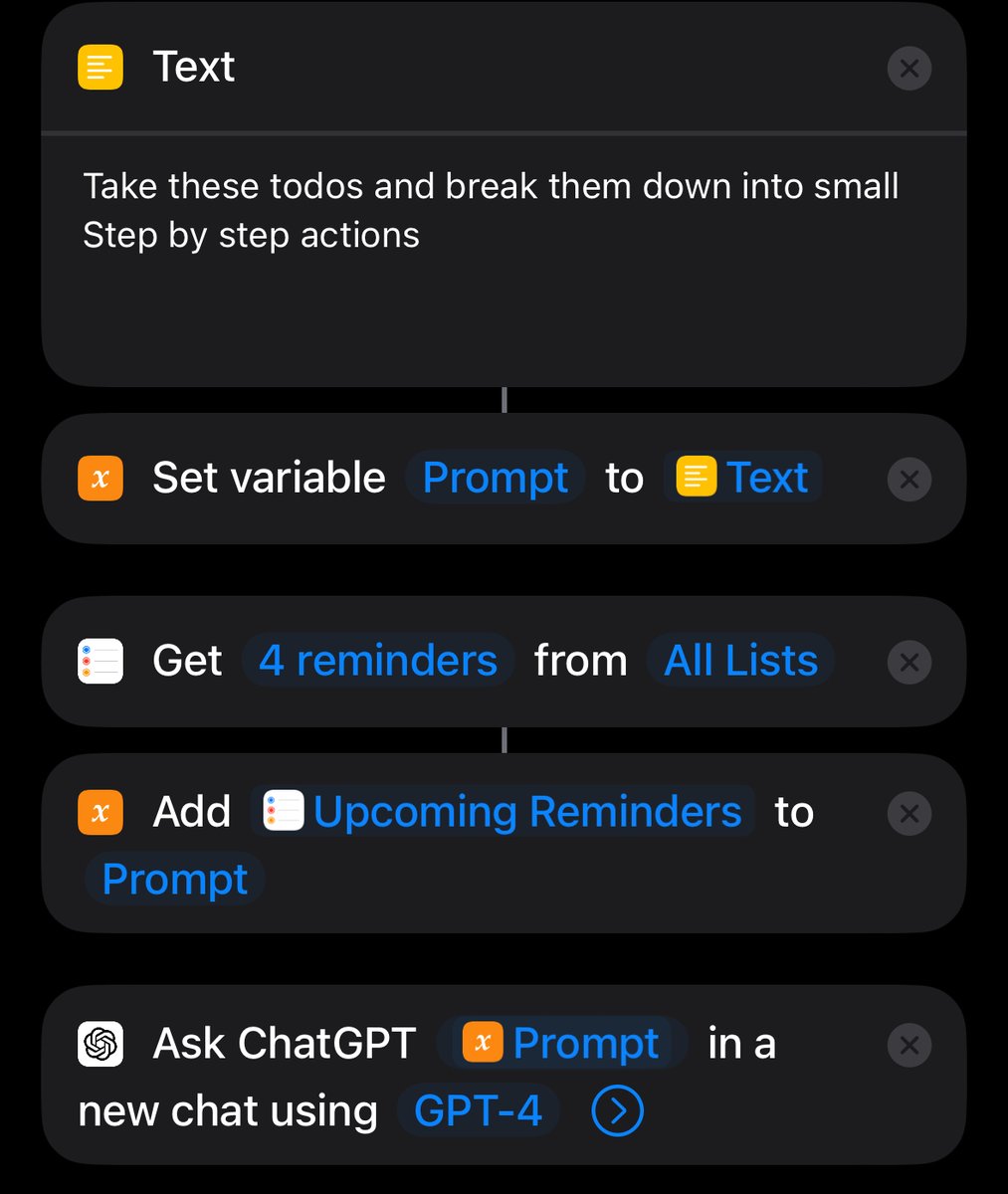
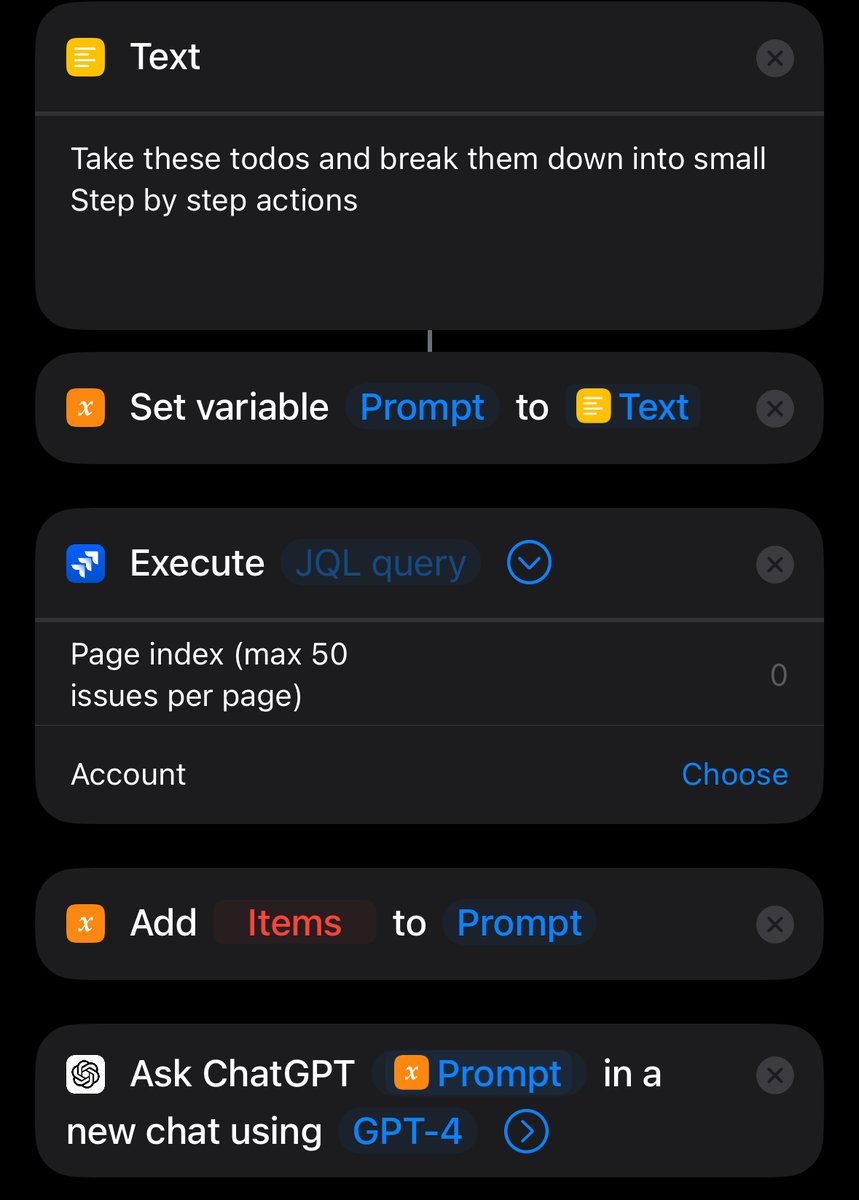
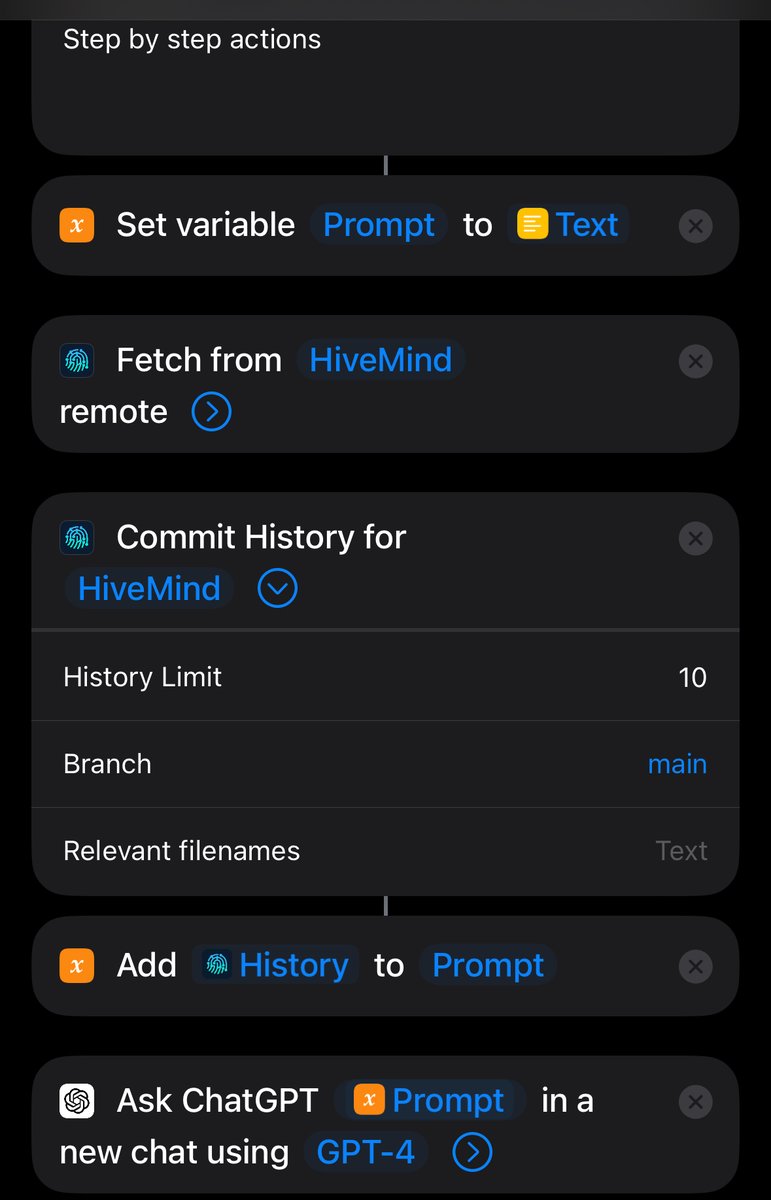
Now that we have our data connected, we now need to update our prompt!
Let’s start with a basic one
Let’s start with a basic one
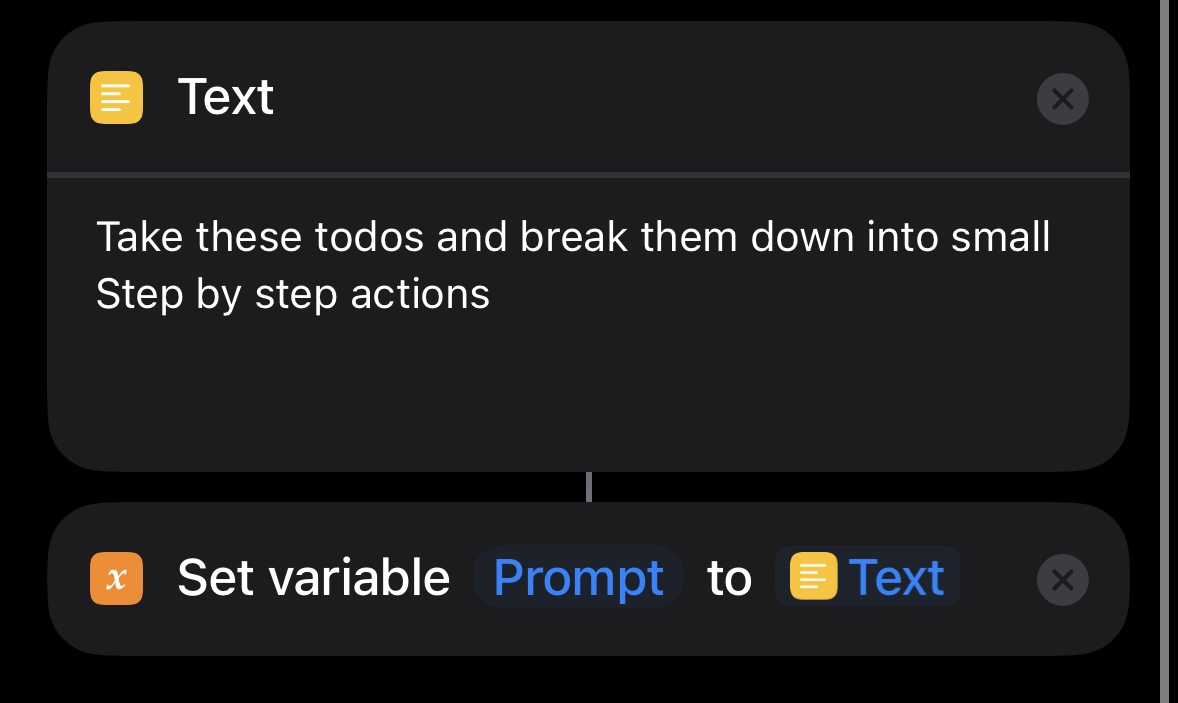
If you run into any issues with this, I recommend debugging by using
Show result on your prompt/output
Or if getting fancy,
using the amazing logger app
apps.apple.com/us/app/logger-…
Show result on your prompt/output
Or if getting fancy,
using the amazing logger app
apps.apple.com/us/app/logger-…
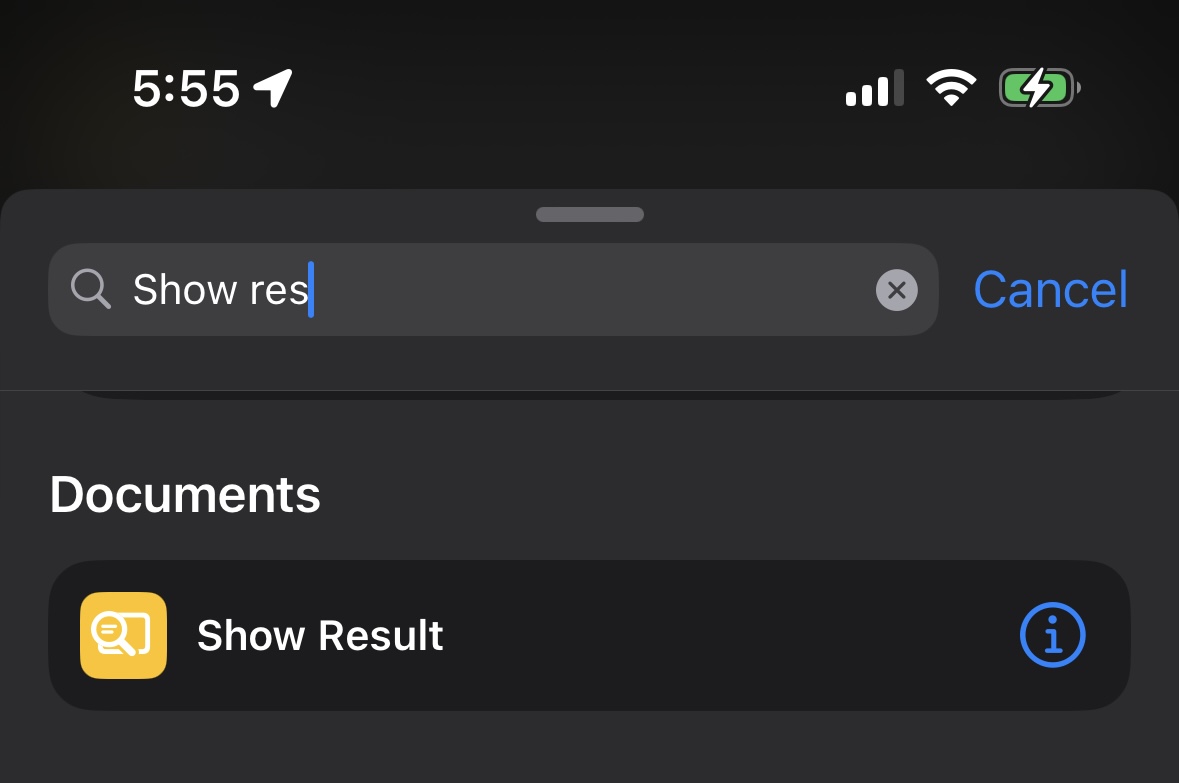
Here’s an example as I was setting up my demo tag filter
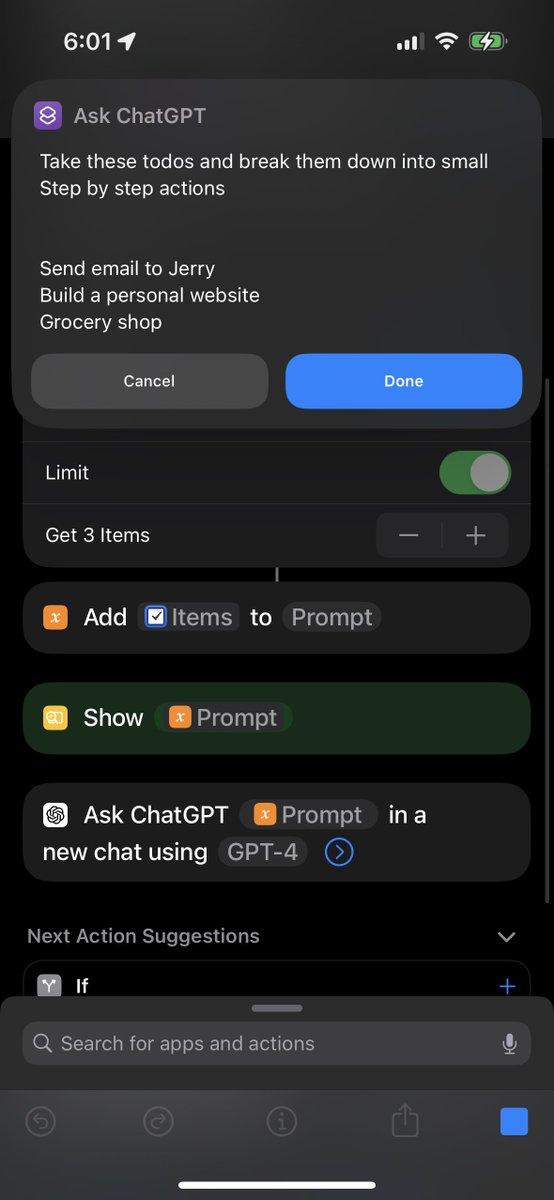

Then we are done with the first part!
We have it working shortcuts!
Hit play to see it work!
It will also save in the app’s history if you need to go back to it
We have it working shortcuts!
Hit play to see it work!
It will also save in the app’s history if you need to go back to it
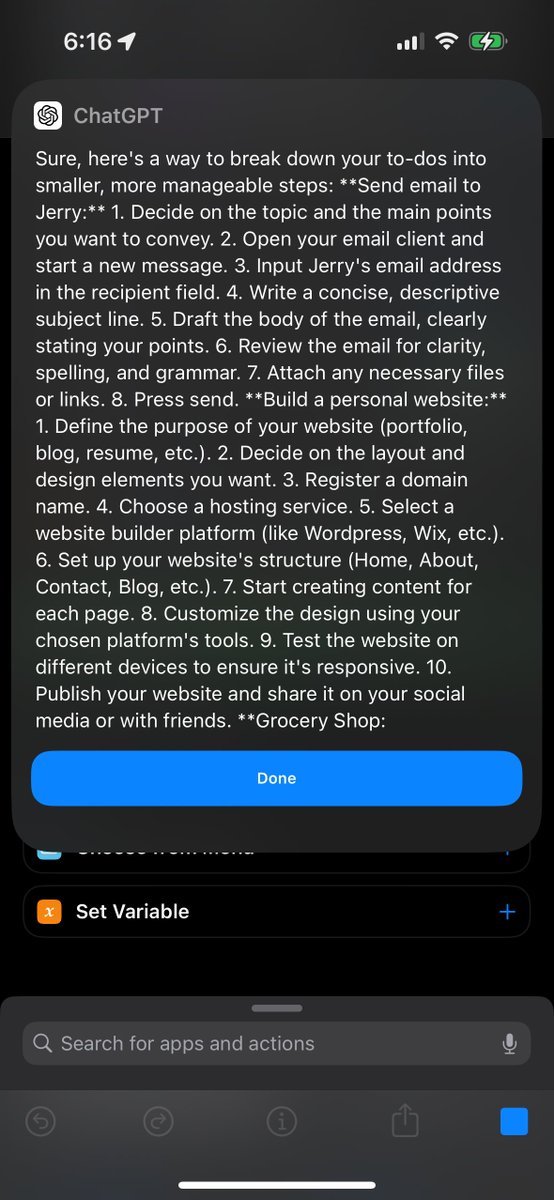
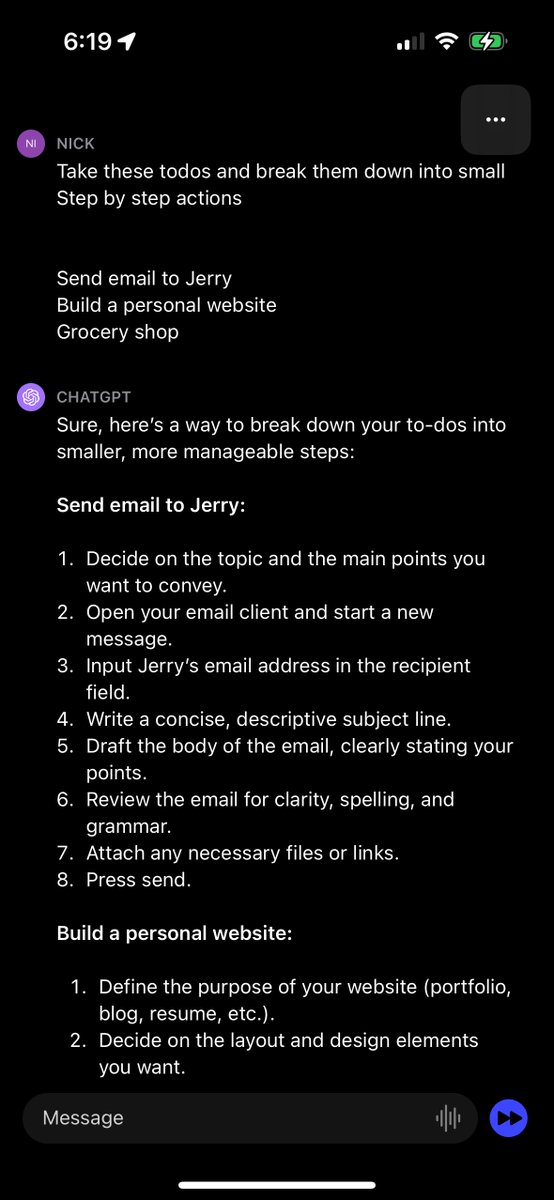
Now’s the cool part, we can turn that preset prompt and todo list reader
into an app!
Press a button and my todo list is planned out for me!
into an app!
Press a button and my todo list is planned out for me!


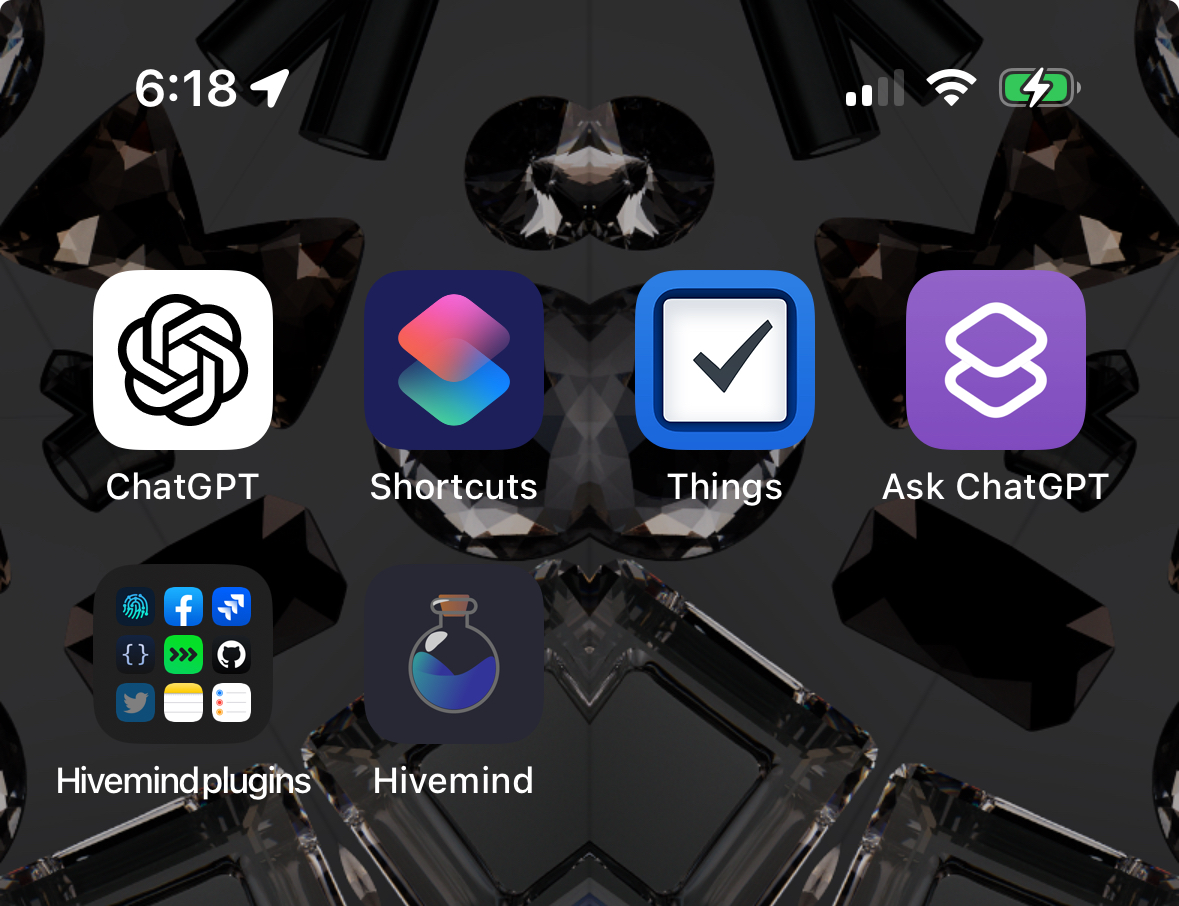
Or setup shortcut widgets on the Home Screen
Hold app to get into jiggle mode
Press top left +
Search Shortcuts
Pairs well with smart stacks and invisible widgets
Hold app to get into jiggle mode
Press top left +
Search Shortcuts
Pairs well with smart stacks and invisible widgets
Or add prefilled prompt to the Lock Screen alongside the chatGPT app widget
😵💫😵💫
😵💫😵💫

OK FINALLY THE COOLEST PART
Auto prompts!!
Fire the prompt at a set time or trigger
Go back into the shortcuts app and open the automation page
Tap + in the top right and pick a trigger
I’m using time of day
Then add an action to run your shortcut
Auto prompts!!
Fire the prompt at a set time or trigger
Go back into the shortcuts app and open the automation page
Tap + in the top right and pick a trigger
I’m using time of day
Then add an action to run your shortcut


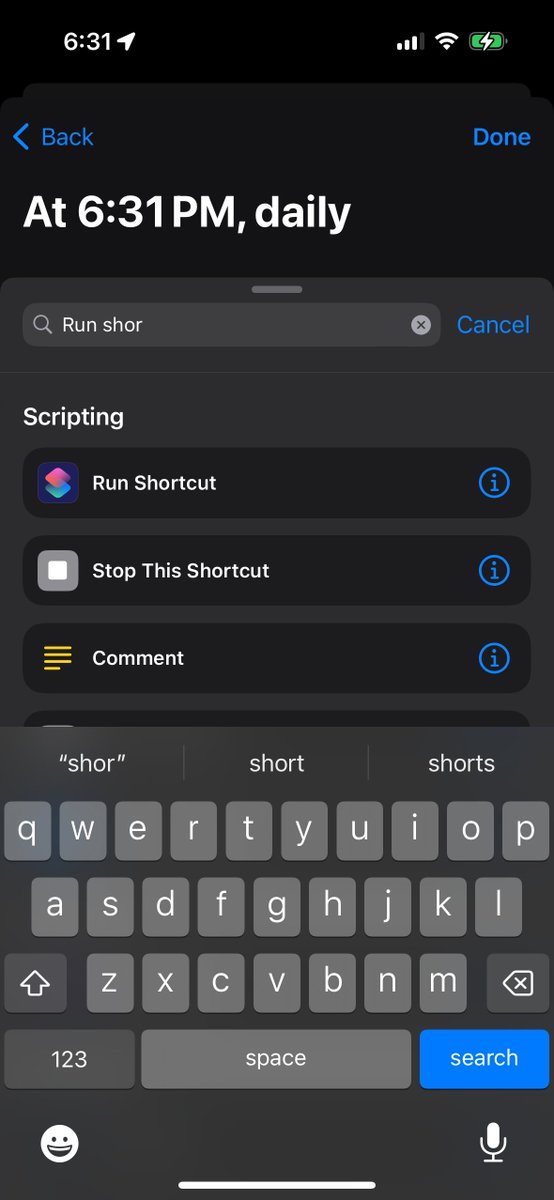
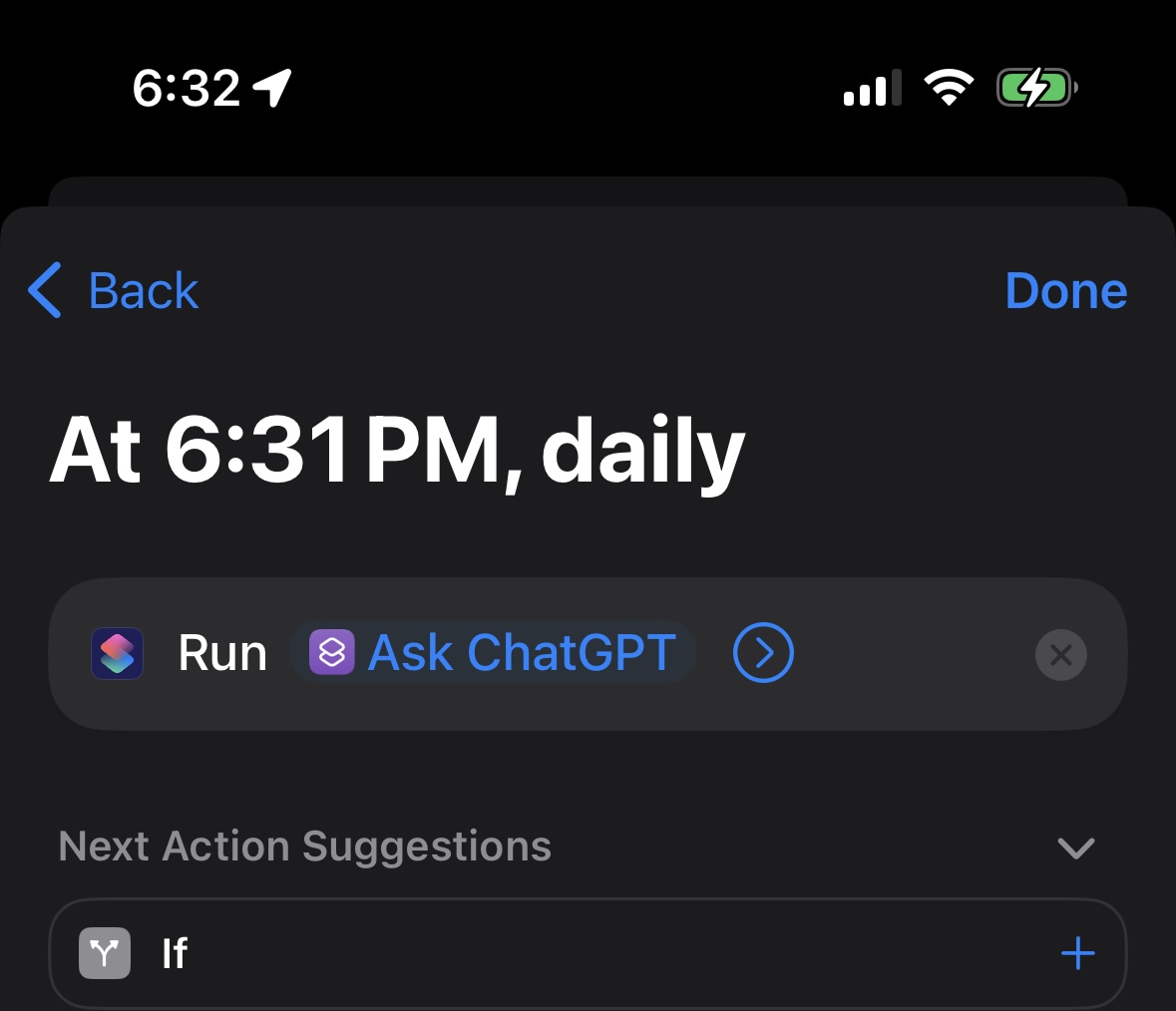
There you go!
Automatic todo list bot that sends you notifications with your Toto list
You don’t even have to think
The ai pre-processes the intentions you created in your todo list, into a concrete starter plan
Automatic todo list bot that sends you notifications with your Toto list
You don’t even have to think
The ai pre-processes the intentions you created in your todo list, into a concrete starter plan
There’s just one small preview of what you can do
The only question left, what will you build?
The only question left, what will you build?
Bonus round, extra trick
Use shortcut input to add dynamic data, for example when sharing and copying any text
Use shortcut input to add dynamic data, for example when sharing and copying any text
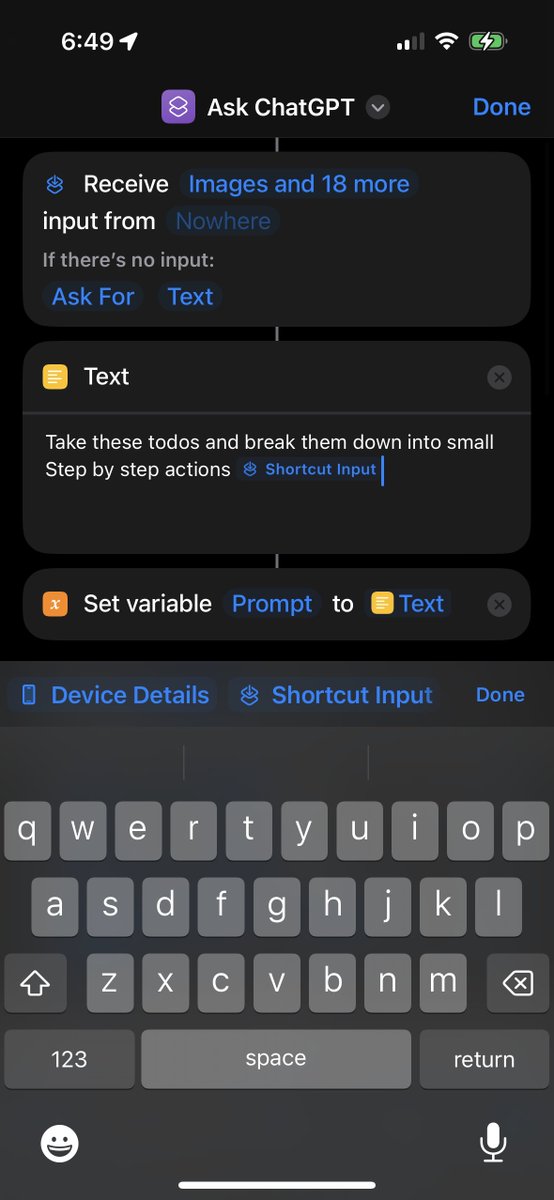
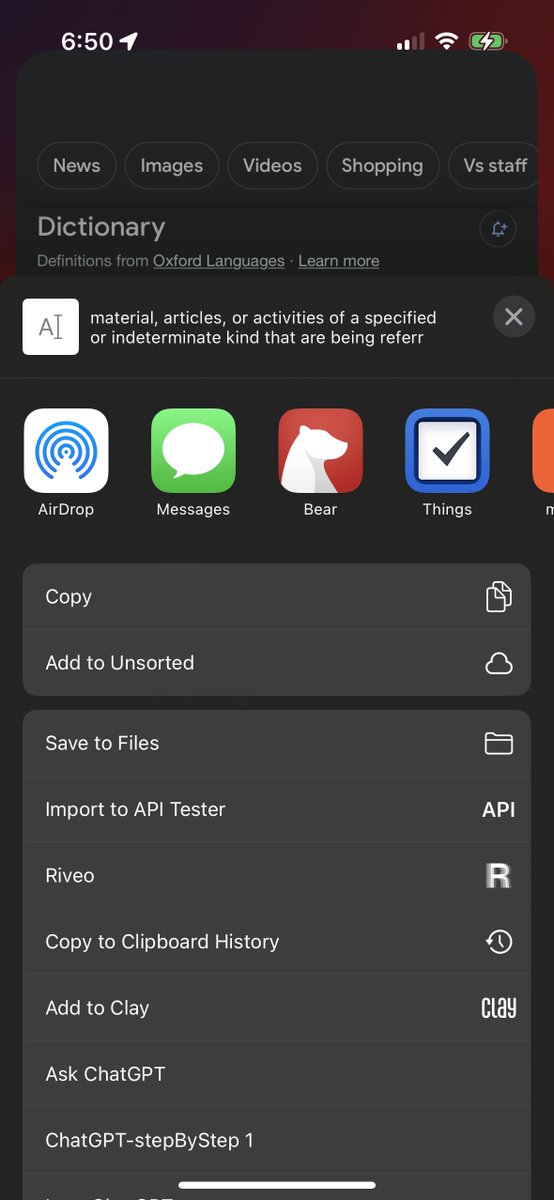
Using shortcut input is great for setting up prefilled prompts like “summarize this” or anything you do often
Since it works when selecting text in any app
Here’s a fancier shortcut using that idea
its runs inside the share button of every single app
Since it works when selecting text in any app
Here’s a fancier shortcut using that idea
its runs inside the share button of every single app
https://twitter.com/NickADobos/status/1650114385728393216
Here's another zany example of what you can do
Convert a live video into a step by step plan
Default Apple Camera App
OCR button
chatGPT shortcut
Convert a live video into a step by step plan
Default Apple Camera App
OCR button
chatGPT shortcut
https://twitter.com/NickADobos/status/1650114306770632707
Another useful trick is to copy the result to your clipboard for easy pasting
Or using this brightness trick to send notifications instead of the weird shortcut system overlay thing if the phone is locked
Or using this brightness trick to send notifications instead of the weird shortcut system overlay thing if the phone is locked

Ps. If you like Ai shortcuts, check out my new app Hivemind!
Very similar to chatGPT app shortcut integration, with one big bonus:
You can convert shortcuts into full plugins
Trigger iOS shortcuts using GPT4,
the same way you use any chatGPT plugin
mindgoblinstudios.com
Very similar to chatGPT app shortcut integration, with one big bonus:
You can convert shortcuts into full plugins
Trigger iOS shortcuts using GPT4,
the same way you use any chatGPT plugin
mindgoblinstudios.com
• • •
Missing some Tweet in this thread? You can try to
force a refresh