Sick of doing the same boring tasks again & again?
Summon godly autonomous AI Agents in mins for FREE.
I will show you how in 4 simple steps 🧵
[Instant Bookmark]
Summon godly autonomous AI Agents in mins for FREE.
I will show you how in 4 simple steps 🧵
[Instant Bookmark]

Step 1: SuperCoder
This tool will make English as your new programming language.
Develop:
• Chrome dino game
• Pomodoro timer
• Personal finance health checker
• Anything else to save you time & money
in mins by writing simple prompts.
🔗: https://t.co/ZLo9VdLURksuperagi.com/supercoder/
This tool will make English as your new programming language.
Develop:
• Chrome dino game
• Pomodoro timer
• Personal finance health checker
• Anything else to save you time & money
in mins by writing simple prompts.
🔗: https://t.co/ZLo9VdLURksuperagi.com/supercoder/
Before we begin, bookmark for future ref.
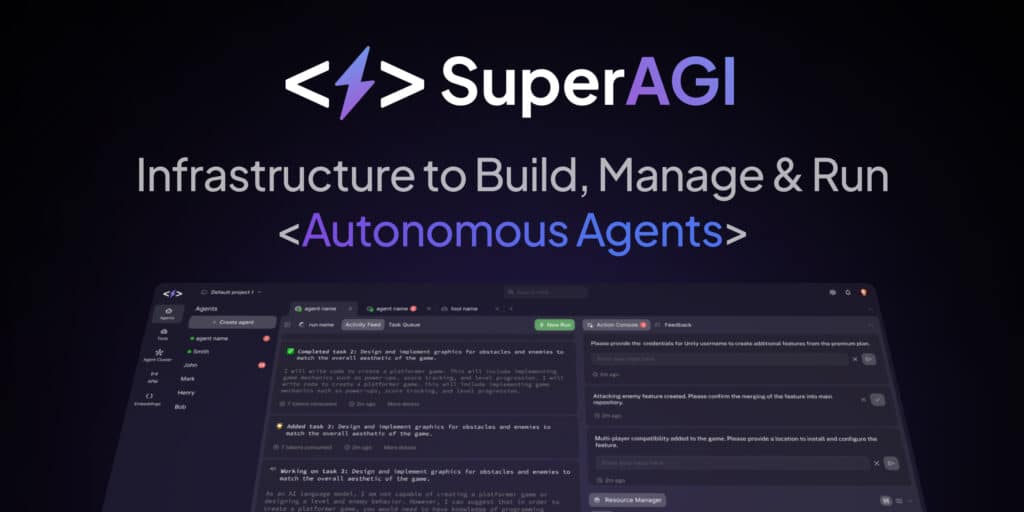
Now, let me introduce you to @_superAGI.
A Dev-friendly open-source framework to:
• Build
• Run
• Manage
AI Autonomous Agents locally on your laptop.
SuperAGI is *hands down* AutoGPT on Steroids. 🔥
🔗: superagi.com
Now, let me introduce you to @_superAGI.
A Dev-friendly open-source framework to:
• Build
• Run
• Manage
AI Autonomous Agents locally on your laptop.
SuperAGI is *hands down* AutoGPT on Steroids. 🔥
🔗: superagi.com
Step 2: Install GUI
• Install SuperAGI's GUI. Watch step by step tutorial video below.
• Available for Windows/MacOS/Linux.
• No coders can do it as well, although Dev XP is a plus.
Github Repo: https://t.co/vJeaIUzLu6github.com/TransformerOpt…
• Install SuperAGI's GUI. Watch step by step tutorial video below.
• Available for Windows/MacOS/Linux.
• No coders can do it as well, although Dev XP is a plus.
Github Repo: https://t.co/vJeaIUzLu6github.com/TransformerOpt…
Step 3: Deploy Autonomous AI Agents
• Open GUI & deploy your first agent by defining a name, description, & goal. Watch the tutorial video below.
• The GUI provides access to various tools & capabilities that the agent may need to complete its tasks.
• Open GUI & deploy your first agent by defining a name, description, & goal. Watch the tutorial video below.
• The GUI provides access to various tools & capabilities that the agent may need to complete its tasks.
Step 4: Try SuperAGI on GitHub Codespaces
GitHub Codespaces is an online environment to run the application directly from Github.
It would be perfect for folks who don't want to install SuperAGI GUI on their local machine.
GitHub Codespaces is an online environment to run the application directly from Github.
It would be perfect for folks who don't want to install SuperAGI GUI on their local machine.
Here's one of many cool use cases of Super AGI:
• In this example, The agent is shown successfully conducting the research and sending the results to team members via email.
• The email includes a link to the team's website.
• In this example, The agent is shown successfully conducting the research and sending the results to team members via email.
• The email includes a link to the team's website.
You can connect the following apps:
• Jira
• Slack
• GitHub
• Image generation (DALL-E and Stable Diffusion)
• Coding tools
• Email
Can perform functions like:
• Google search
• Reading & writing
• Web-scraping
• Data Analysis etc.
The possibilities are endless!
• Jira
• Slack
• GitHub
• Image generation (DALL-E and Stable Diffusion)
• Coding tools
Can perform functions like:
• Google search
• Reading & writing
• Web-scraping
• Data Analysis etc.
The possibilities are endless!
Some more cool facts about SuperAGI Agents:
• Agents typically learns & improves their performance over time with feedback loops.
• You can connect more datasets to improve the perfomance even more. It's like training a baby to face real world challenge like a pro.
• Agents typically learns & improves their performance over time with feedback loops.
• You can connect more datasets to improve the perfomance even more. It's like training a baby to face real world challenge like a pro.
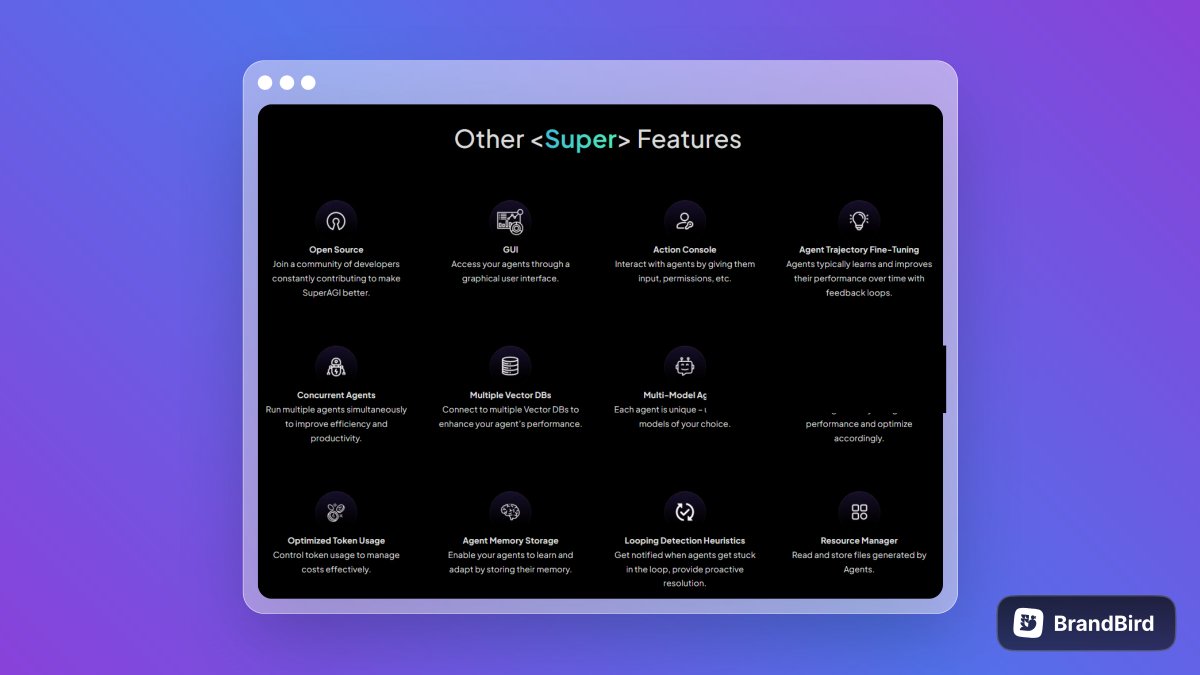
• You can also run multiple agents at once improving the efficiency of your work.
• Each agent is unique – use different models of your choice.
• SuperAGI also provides insights into your agent’s performance so that you can optimize accordingly.
• Each agent is unique – use different models of your choice.
• SuperAGI also provides insights into your agent’s performance so that you can optimize accordingly.
Recap:
1. SuperAGI Intro
2. GUI Installation
3. Deploy Your First Agent
4. SuperAGI On Github Cospaces
5. Cool Use Case
6. Integrations & Functions
7. More Features
It's a wrap. 🔥
1. SuperAGI Intro
2. GUI Installation
3. Deploy Your First Agent
4. SuperAGI On Github Cospaces
5. Cool Use Case
6. Integrations & Functions
7. More Features
It's a wrap. 🔥
If you liked the thread, you will like me too.
Follow me to make me happy → @CopySutra
RT/Like the first tweet & share the knowledge with others.
Follow me to make me happy → @CopySutra
RT/Like the first tweet & share the knowledge with others.
https://twitter.com/CopySutra/status/1673700248055840770
• • •
Missing some Tweet in this thread? You can try to
force a refresh