How to publish children’s coloring books using AI
I’ll show you how to:
- Generate topic ideas
- Make coloring book images
- Create the cover & title
- Publish, sell & market your book
Steps below ↓
I’ll show you how to:
- Generate topic ideas
- Make coloring book images
- Create the cover & title
- Publish, sell & market your book
Steps below ↓
Step #1 Choose your topic
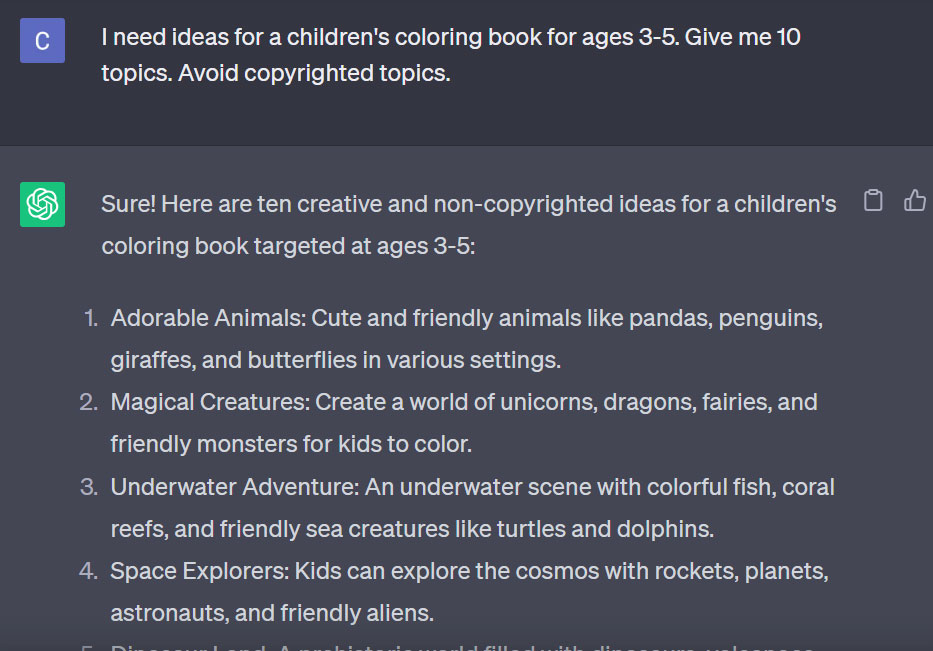
Consider popular topics such as cute animals, vehicles, and fairies.
Avoid copyrighted characters like those from Disney.
You can use ChatGPT for ideas.
For example:
Consider popular topics such as cute animals, vehicles, and fairies.
Avoid copyrighted characters like those from Disney.
You can use ChatGPT for ideas.
For example:
Step #2 Prompt images for your book
Got your topic?
Now, it's time to create the images with Midjourney AI.
If you don’t have access to Midjourney, you can use Leonardo AI for free.
I have tried it, and it is quite good.
Got your topic?
Now, it's time to create the images with Midjourney AI.
If you don’t have access to Midjourney, you can use Leonardo AI for free.
I have tried it, and it is quite good.
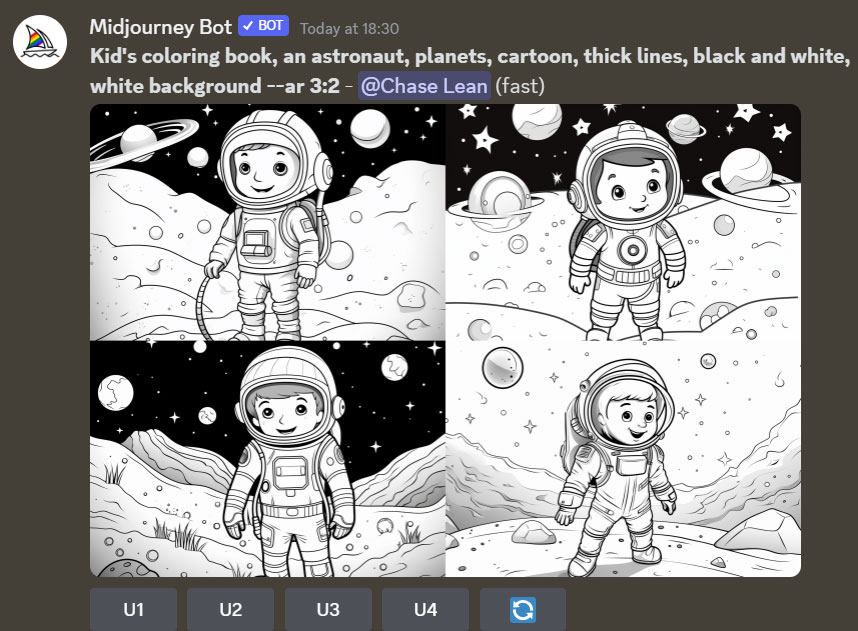
Here's a good prompt you can use to generate the images:
Kid's coloring book, [OBJECT], cartoon, thick lines, black and white, white background.
Replace OBJECT with anything you like.
For example, I used "astronaut, planets" to make the following images:
Kid's coloring book, [OBJECT], cartoon, thick lines, black and white, white background.
Replace OBJECT with anything you like.
For example, I used "astronaut, planets" to make the following images:
You can tweak the prompt to make the drawing simpler for young children.
Add "--style raw" to the prompt (only for Midjourney).
Kid's coloring book, [an astronaut, planets], cartoon, thick lines, black and white, white background --style raw
Add "--style raw" to the prompt (only for Midjourney).
Kid's coloring book, [an astronaut, planets], cartoon, thick lines, black and white, white background --style raw
![Kid's coloring book, [an astronaut, planets], cartoon, thick lines, black and white, white background --style raw](https://pbs.twimg.com/media/F2mvuOWboAAcjBH.jpg)
To create more complex images suitable for older children:
Add "--stylize 250" to the prompt.
Kid's coloring book, [an astronaut, planets], cartoon, thick lines, black and white, white background --stylize 250
Add "--stylize 250" to the prompt.
Kid's coloring book, [an astronaut, planets], cartoon, thick lines, black and white, white background --stylize 250
![Kid's coloring book, [an astronaut, planets], cartoon, thick lines, black and white, white background --stylize 250](https://pbs.twimg.com/media/F2mvxI-bcAAlTPb.jpg)
Step #3 Create a book title
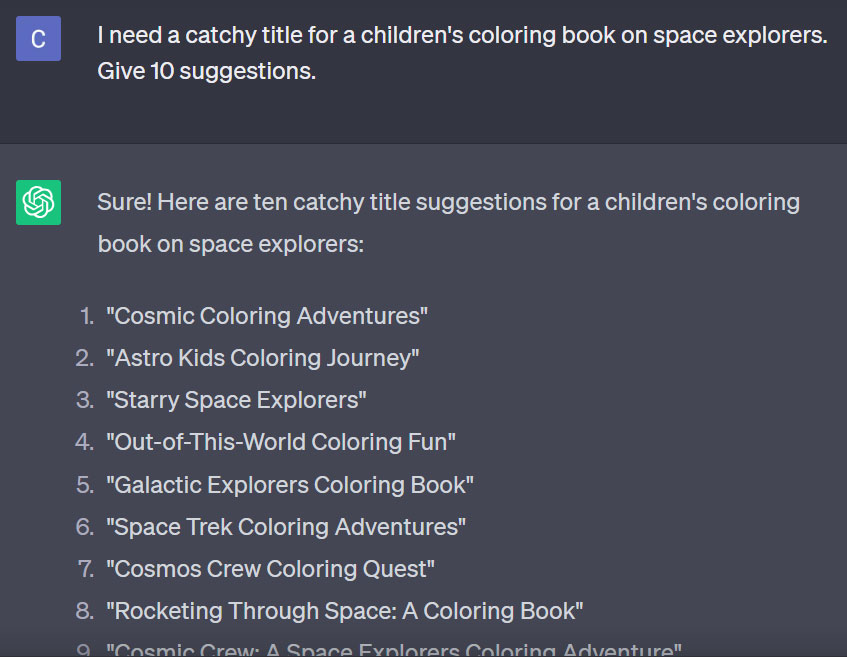
A catchy title is crucial.
Once you've finished creating your content, use ChatGPT to generate a good title for your book.
Here’s an example:
A catchy title is crucial.
Once you've finished creating your content, use ChatGPT to generate a good title for your book.
Here’s an example:
Step #4 Create a book description
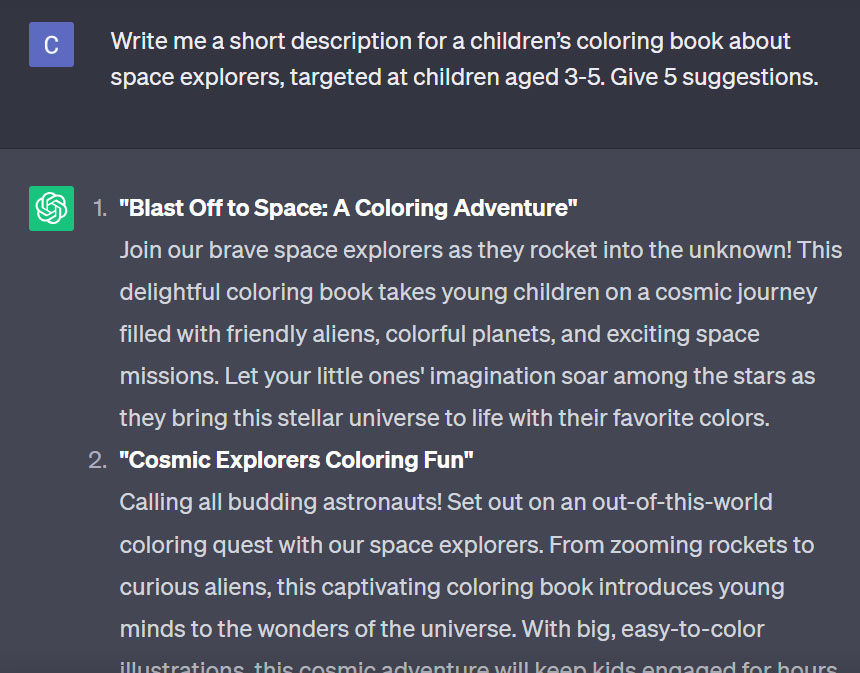
A compelling book description is needed for the back cover of your book.
Once you've decided on the title, ask GPT to craft a suitable description.
For instance:
A compelling book description is needed for the back cover of your book.
Once you've decided on the title, ask GPT to craft a suitable description.
For instance:
Step #5 Design your book cover
With title and book description done, time to design the book cover.
This is also easy to do with Midjourney.
Here are 2 prompts you can use.
The prompts are in the ALT of the images below.
Left: For younger children
Right: For older children
With title and book description done, time to design the book cover.
This is also easy to do with Midjourney.
Here are 2 prompts you can use.
The prompts are in the ALT of the images below.
Left: For younger children
Right: For older children
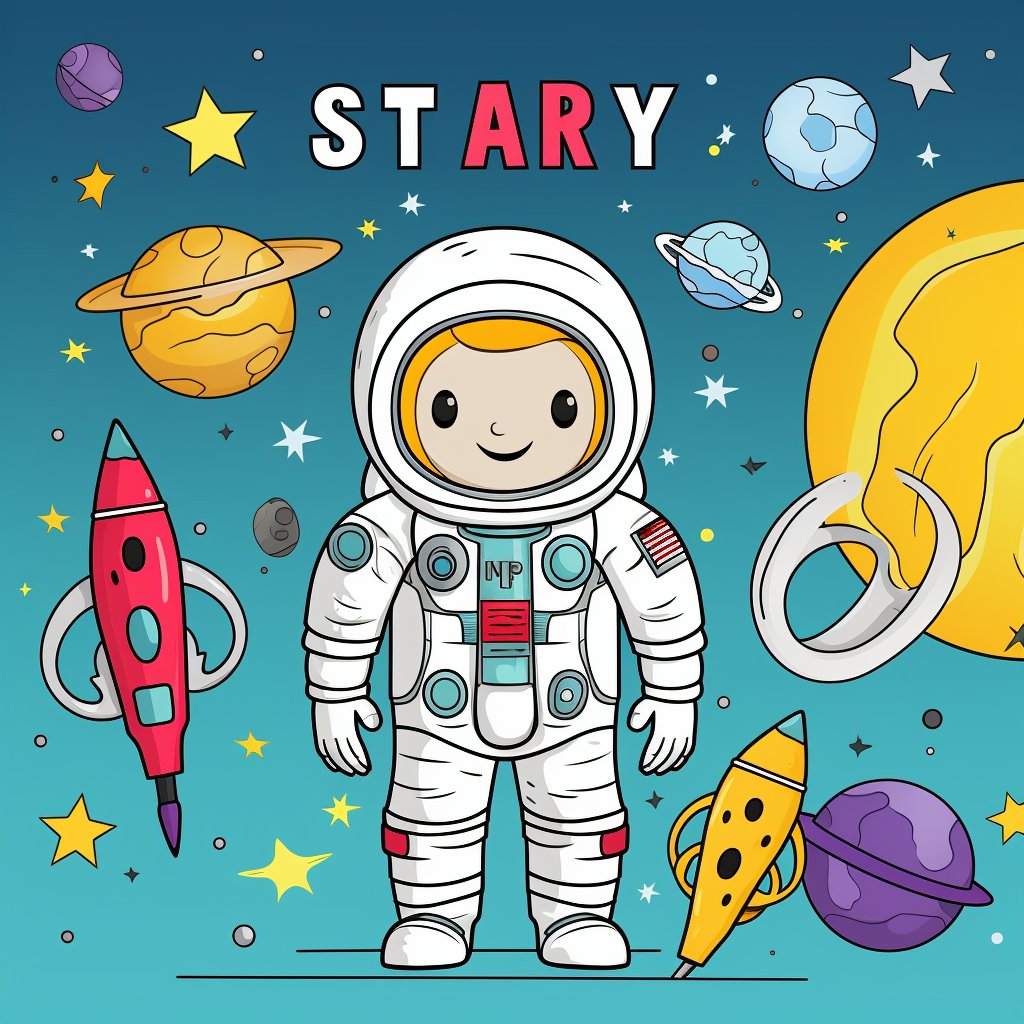

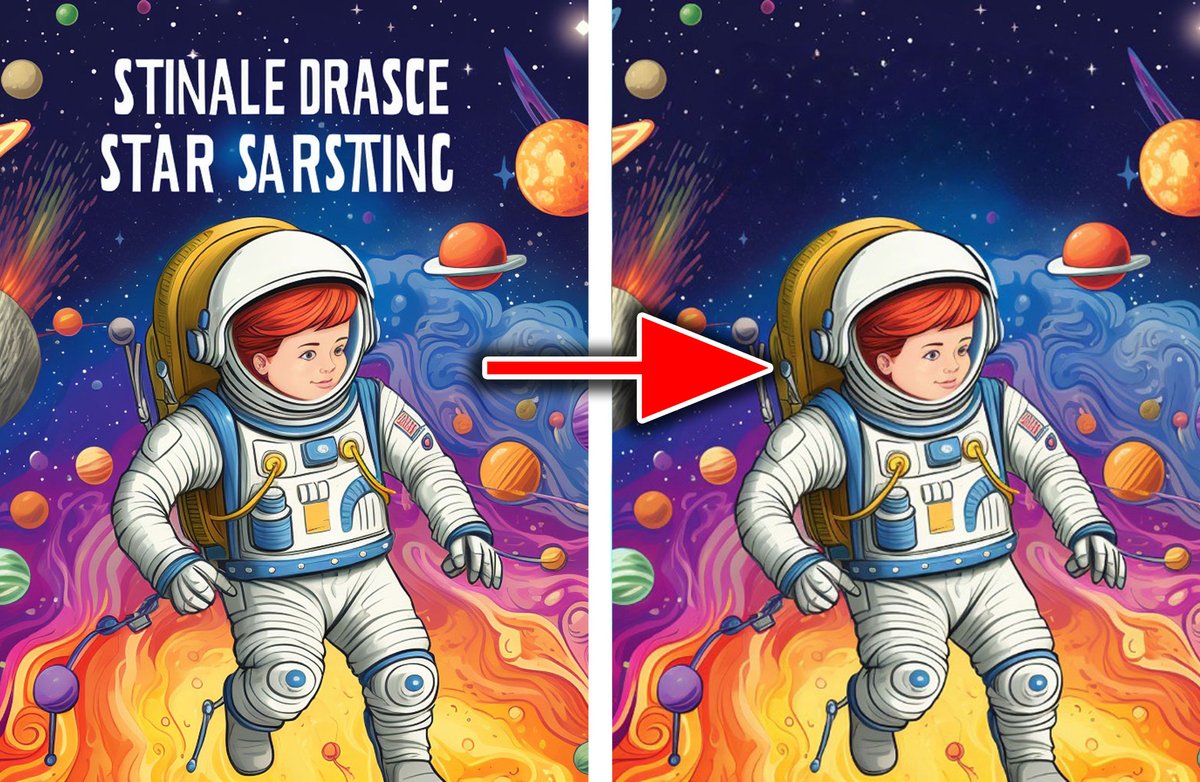
Midjourney will sometimes generate weird text.
Don't worry. Just go to clipdrop. co/cleanup to remove it for free.
You can then add your own title in the empty space.
Don't worry. Just go to clipdrop. co/cleanup to remove it for free.
You can then add your own title in the empty space.
Step #6 Upload everything to Amazon KDP
Use Amazon Kindle Direct Publishing (KDP) to sell your book.
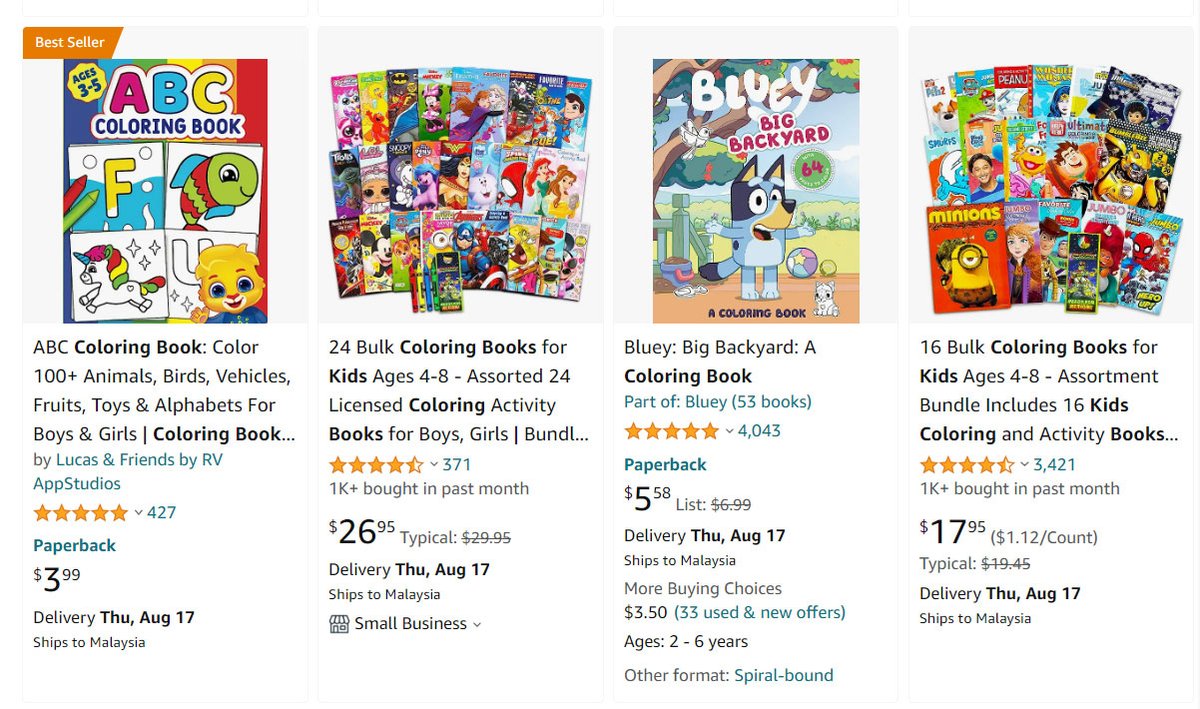
Printed children's books sell particularly well on KDP.
Amazon has the advantage of having the largest reach amongst publishers.
Use Amazon Kindle Direct Publishing (KDP) to sell your book.
Printed children's books sell particularly well on KDP.
Amazon has the advantage of having the largest reach amongst publishers.
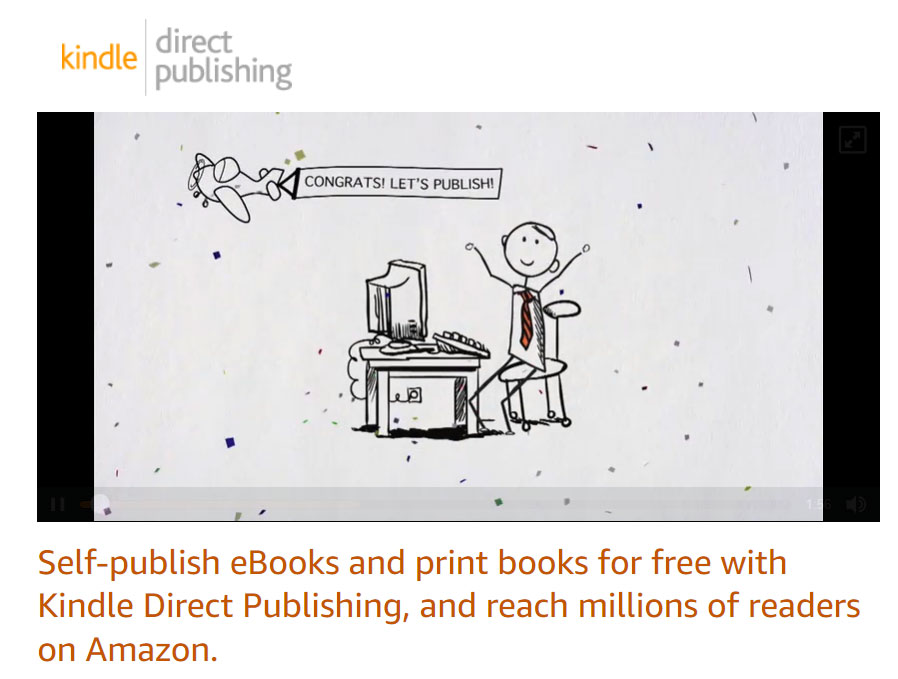
Format your book images with Word, save as a PDF, and upload it to KDP.
KDP also offers a free cover creator where you can upload your book cover and description.
You can then type text on the cover image.
For more details, visit the Cover Creator of the Amazon KDP website.
KDP also offers a free cover creator where you can upload your book cover and description.
You can then type text on the cover image.
For more details, visit the Cover Creator of the Amazon KDP website.
Step #7 Pricing
Pricing depends on the book’s length.
Most coloring books average 60 pages.
The more pages, the higher the cost – so less people can afford it.
I recommend keeping your book within 40-60 images to make it more affordable.
Pricing depends on the book’s length.
Most coloring books average 60 pages.
The more pages, the higher the cost – so less people can afford it.
I recommend keeping your book within 40-60 images to make it more affordable.
Step #8 Marketing
Run Amazon ads.
This is the most effective marketing activity for a new book.
You can choose how much to bid per click and set your own budget.
Run Amazon ads.
This is the most effective marketing activity for a new book.
You can choose how much to bid per click and set your own budget.
Amazon allows you to run ads on their platform for as little as $1 a day for as long as your budget allows.
The ads are cost-per-click, meaning you only pay when customers click on your ad.
For details, visit the marketing section of the Amazon KDP website.
The ads are cost-per-click, meaning you only pay when customers click on your ad.
For details, visit the marketing section of the Amazon KDP website.
That's all for now.
Want to see more practical AI guides?
1. Follow me at @chaseleantj for more high quality AI content.
2. Like and retweet the first post below to share it with others.
Want to see more practical AI guides?
1. Follow me at @chaseleantj for more high quality AI content.
2. Like and retweet the first post below to share it with others.
https://twitter.com/chaseleantj/status/1687075384284860416
• • •
Missing some Tweet in this thread? You can try to
force a refresh