Read on Twitter
Objects in JavaScript 🚀
A Thread ↓
A Thread ↓

Objects are collections of `key: value` pairs. These `key: value` pairs are also called properties.
JavaScript objects enable you to store, manipulate, and send data across a network.
In objects, you can store in-depth, composite/complex data.
JavaScript objects enable you to store, manipulate, and send data across a network.
In objects, you can store in-depth, composite/complex data.
⚡ Create objects
In JavaScript, creating an object is quite easy. To create an object, all you need is a set of curly braces `{ }` and within that, you have to write `key: value` pairs separated with a comma `,`.
Here's an example to understand it better:
In JavaScript, creating an object is quite easy. To create an object, all you need is a set of curly braces `{ }` and within that, you have to write `key: value` pairs separated with a comma `,`.
Here's an example to understand it better:

If you need to access any of the object's properties. The value of a property can be accessed by using its `key`. There are two methods to access the object's properties:
🔸 The dot notation
This is the most commonly used method.
Example:
console.log(blogPost.title); // Output: Objects in JavaScript
This is the most commonly used method.
Example:
console.log(blogPost.title); // Output: Objects in JavaScript
🔸 The bracket notation
You can use bracket notation to replace the dot(`.`) with square brackets `[ ]` and then convert the `key` name to a `string`.
Example:
console.log(blogPost["title"]); // Output: Objects in JavaScript
You can use bracket notation to replace the dot(`.`) with square brackets `[ ]` and then convert the `key` name to a `string`.
Example:
console.log(blogPost["title"]); // Output: Objects in JavaScript
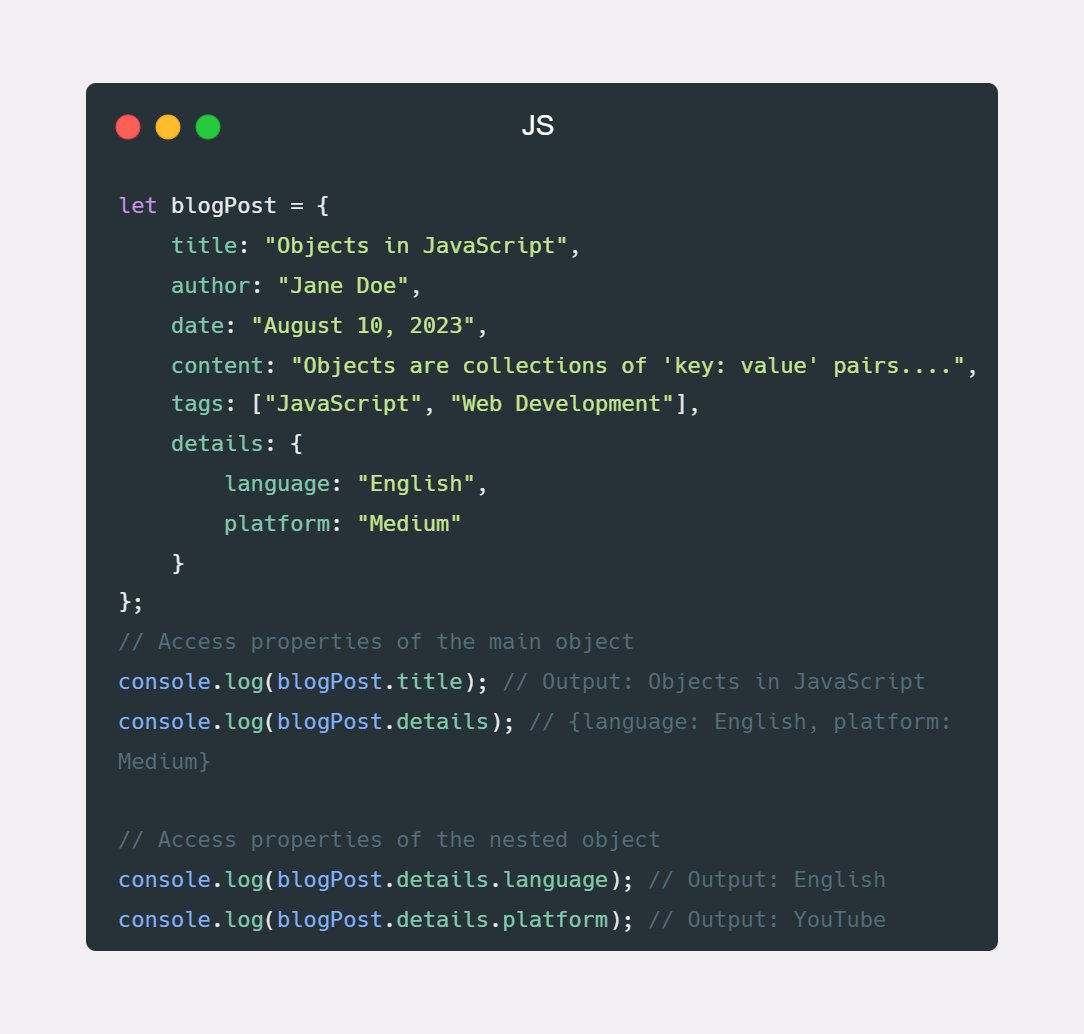
⚡ Nested objects
The object within an object is called a nested object.
Here's an example:
The object within an object is called a nested object.
Here's an example:
⚡ Objects methods
In JavaScript, creating functions within objects is referred to as methods.
Example:
In JavaScript, creating functions within objects is referred to as methods.
Example:
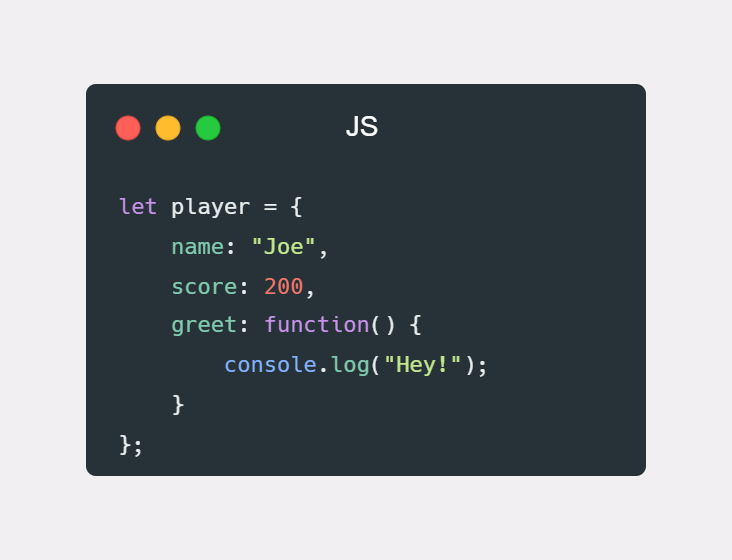
Here's how you can invoke this function:
player.greet();
player.greet();
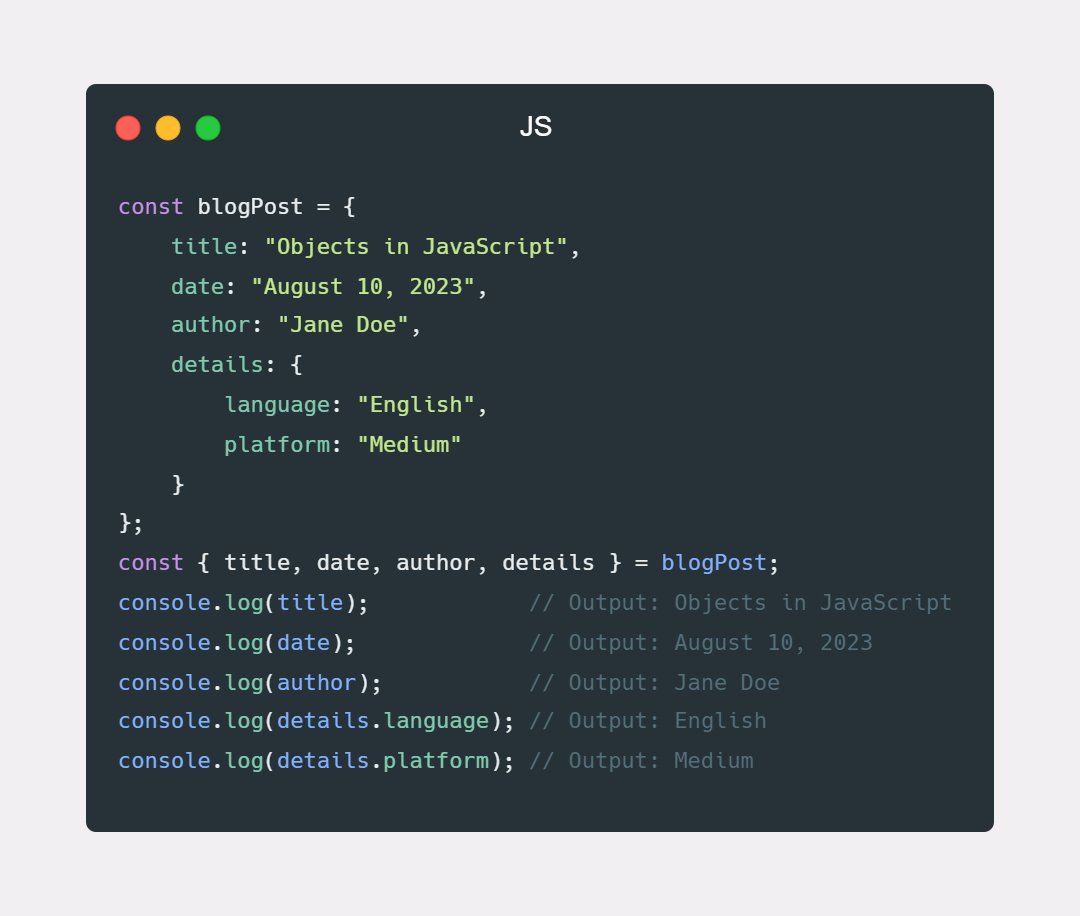
⚡ Object destructuring(ES6)
JavaScript has a nice feature called object destructuring that lets you extract properties from objects and bind them to variables. It is capable of extracting many properties in one statement, accessing properties from nested objects, and ...
JavaScript has a nice feature called object destructuring that lets you extract properties from objects and bind them to variables. It is capable of extracting many properties in one statement, accessing properties from nested objects, and ...
settinga default value in the absence of a property.
Syntax:
const { property } = object;
Example:
Syntax:
const { property } = object;
Example:
Check out this repository dedicated to frontend development, where I share informative content, tutorials, and practical code examples related to best practices in frontend development.
Check it out here: github.com/ishratUmar18/u…
Check it out here: github.com/ishratUmar18/u…
That's pretty much it for today. I really hope you find this thread helpful. Thank you for reading!
If you found it helpful, like and retweet the first tweet and follow me
@ishrratumar for more content.
If you found it helpful, like and retweet the first tweet and follow me
@ishrratumar for more content.
• • •
Missing some Tweet in this thread? You can try to
force a refresh