Read on Twitter
Road to SOC Analyst - How the Windows Event Log System works:
Now that you have your local SIEM solution (Wazuh or ELK Stack) for our HomeLab
🧵
Why did we do that?
🧵
Why did we do that?
https://twitter.com/maikroservice/status/1590847453104078848
Because you wanted to progress in your career by focussing on two things:
1. Setup Logging and Monitoring in a small and clearly defined environment
1. Setup Logging and Monitoring in a small and clearly defined environment
2. Understand the different components & technologies involved:
docker
docker compose
elastic search
logstash
kibana
winlogbeat/logbeat
virtualbox/vmware
WOW!
docker
docker compose
elastic search
logstash
kibana
winlogbeat/logbeat
virtualbox/vmware
WOW!
That is a lot of technologies that you touched recently.
Do you feel comfortable using them now?
a strong... MAYBE
Do you feel comfortable using them now?
a strong... MAYBE
How do you get better at using them?
Use them.
as often as possible - ideally, every day (with breaks, e.g. Weekend)
Use them.
as often as possible - ideally, every day (with breaks, e.g. Weekend)
NICE - Today, we will look into Windows Event Logs - an exciting and scary topic.
But fear not!
We will do it together and AS USUAL - step by step!
But fear not!
We will do it together and AS USUAL - step by step!
Good - now in case of Windows 🪟 - the Logs consist of Windows Events, sometimes also called Event Logs.
You can also see those with the Windows Event Viewer.
You can also see those with the Windows Event Viewer.
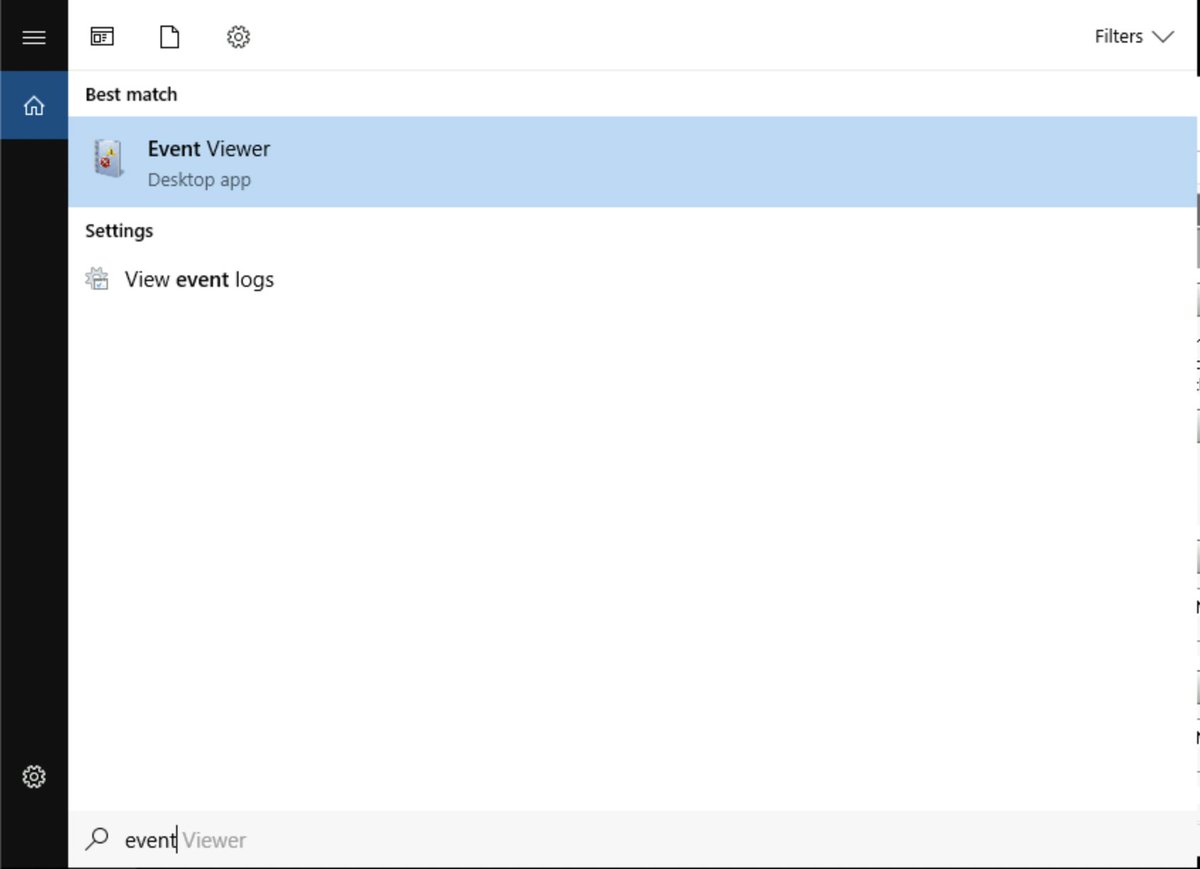
The Windows Events have IDs - they are numerical & between 1 and 5 digits
Security relevant are mostly: 4608 - 6424
Interesting... can I find what they mean somewhere?
Security relevant are mostly: 4608 - 6424
Interesting... can I find what they mean somewhere?
Glad you asked - two options:
or
microsoft.com/en-us/download…
ultimatewindowssecurity.com/securitylog/en…
or
microsoft.com/en-us/download…
ultimatewindowssecurity.com/securitylog/en…
Windows Logs in the Event Viewer are separated into 5 categories:
🎁 Application
🦺 Security
🛫 Setup
🧑🏭 System
⏩ Forwarded Events
🎁 Application
🦺 Security
🛫 Setup
🧑🏭 System
⏩ Forwarded Events
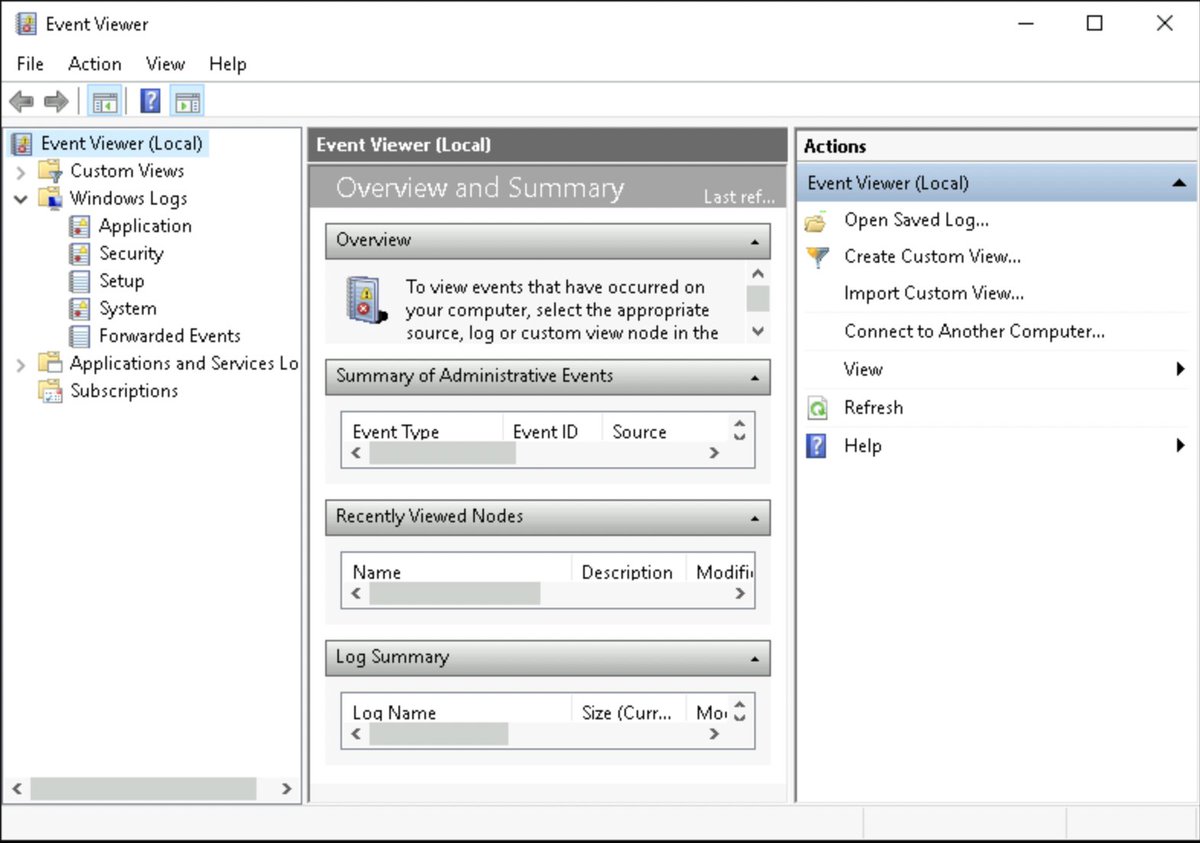
Lets go through them 1 by 1
Application Logs 🎁
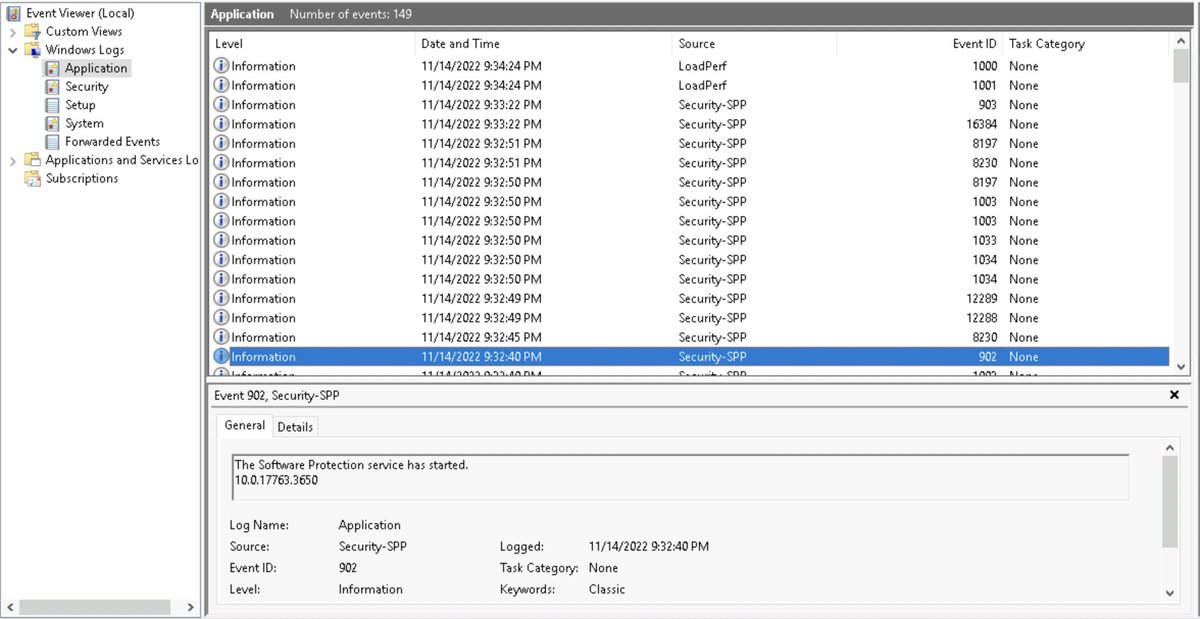
These consist of Interactions with Applications e.g. the Windows Software Protection Service (C:\Windows\system32\sppsvc.exe)
As the name suggests, this one protects software - e.g. checks if your Windows was activated ;)
Application Logs 🎁
These consist of Interactions with Applications e.g. the Windows Software Protection Service (C:\Windows\system32\sppsvc.exe)
As the name suggests, this one protects software - e.g. checks if your Windows was activated ;)
Skimming through the Application Logs - we can for example see Events with an ID of 902 - Software Protection Service started
followed by #1003 - The Software Protection service has completed licensing status check
& finally #930 - Software Protection Service has stopped
followed by #1003 - The Software Protection service has completed licensing status check
& finally #930 - Software Protection Service has stopped
NEXT -
Security Events 🦺
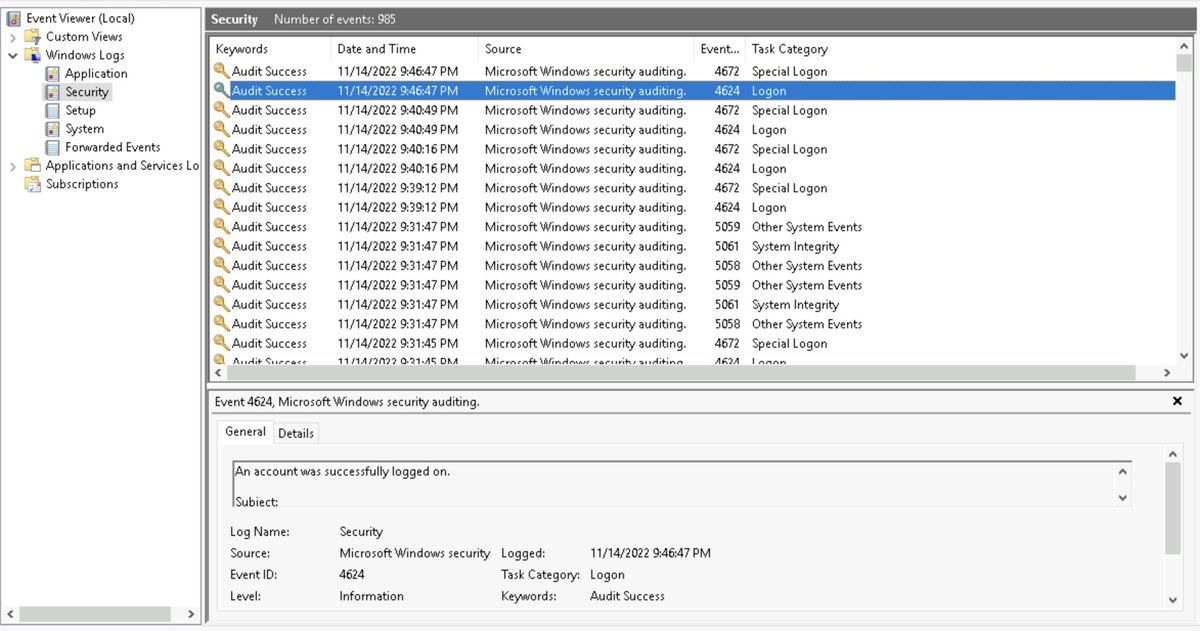
These Logs can be used to track successful / failed logon attempts (4624 / 4625)
New User creations (4720)
Attempts to change/reset User Passwords (4723 / 4724)
and more - These are your Bread🍞 & Butter🧈 for hunting & finding malicious actions.
Security Events 🦺
These Logs can be used to track successful / failed logon attempts (4624 / 4625)
New User creations (4720)
Attempts to change/reset User Passwords (4723 / 4724)
and more - These are your Bread🍞 & Butter🧈 for hunting & finding malicious actions.
Do the following to see how they work:
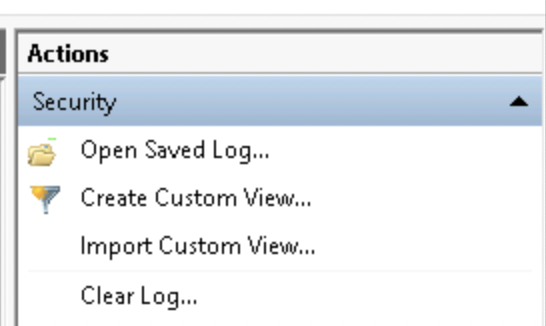
1. Clear the Logs - On the right side click "Clear Log..."
1.1 notice how this will generate a 1102 Event (Logs Cleared)
1. Clear the Logs - On the right side click "Clear Log..."
1.1 notice how this will generate a 1102 Event (Logs Cleared)
2. perform "malicious" powershell / cmd line actions
2.1 e.g. you can add a new user and make this user part of the local admin group
net user <username> <password> /add
net localgroup administrators <username> /add
2.1 e.g. you can add a new user and make this user part of the local admin group
net user <username> <password> /add
net localgroup administrators <username> /add
2.2 or add a new AD service account
SPN = Service Principal Name - it is set when accounts are Service Accounts
setspn -s http/elevateme <hostname>
SPN = Service Principal Name - it is set when accounts are Service Accounts
setspn -s http/elevateme <hostname>

Which Event IDs do you find now?
Pause and check the Security Event Logs - we need 3 Event IDs
reply with the correct Event IDs, you might win something if you have the correct answer 🎁🎁🎁
Pause and check the Security Event Logs - we need 3 Event IDs
reply with the correct Event IDs, you might win something if you have the correct answer 🎁🎁🎁
🛫 Setup EventsT
he Setup Event Log has Windows Setup events in it,
e.g. when you install the Active Directory Services via Server Manager
or when you add a new Forest
or when you promote a Server to Domain Controller
These information are gathered in the Setup Event Logs
he Setup Event Log has Windows Setup events in it,
e.g. when you install the Active Directory Services via Server Manager
or when you add a new Forest
or when you promote a Server to Domain Controller
These information are gathered in the Setup Event Logs
🧑🏭 System Logs
Your System Logs contain Actions around
⏲️Network Time Server Sync (NTP)
💾Storage
🧑💼Windows Management Instrumentation Service (WMI)
and more.
Two Event IDs are interesting for us:
Service Started (7036) & Service Stopped (7040)
Why?
Your System Logs contain Actions around
⏲️Network Time Server Sync (NTP)
💾Storage
🧑💼Windows Management Instrumentation Service (WMI)
and more.
Two Event IDs are interesting for us:
Service Started (7036) & Service Stopped (7040)
Why?
Attackers might enable uncommon services for persistence (Service-based persistence)
or
restart services after they manipulated/created a local dll - (dll Hijacking)
Watch out for those if you assume you have been breached.
or
restart services after they manipulated/created a local dll - (dll Hijacking)
Watch out for those if you assume you have been breached.
Last but not least
⏩ Forwarded Events
These are typically empty, if you have no idea what they can be used for
Something that might come in handy:
Use a single machine to collect and forward logs from all machines on the network to the logger
Why would you want this?
⏩ Forwarded Events
These are typically empty, if you have no idea what they can be used for
Something that might come in handy:
Use a single machine to collect and forward logs from all machines on the network to the logger
Why would you want this?
Imagine you have lots of computers and want to keep track of the events on a single machine, similar to our SIEM.
How do you do that?
You use Forwarded Events -
You have Source Machines (the Senders)and Collectors (Receiver)They interact via Subscriptions.
How do you do that?
You use Forwarded Events -
You have Source Machines (the Senders)and Collectors (Receiver)They interact via Subscriptions.
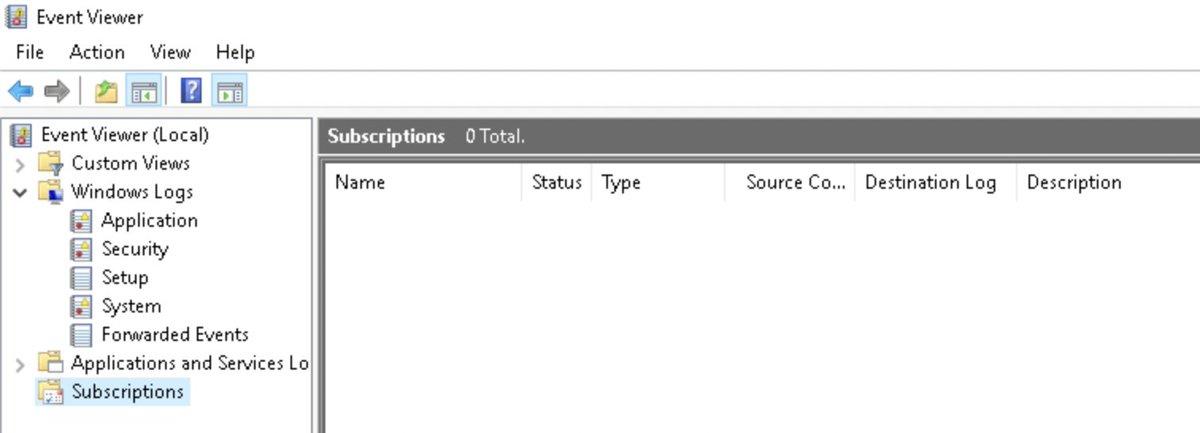
A Subscription is a Receiver asking to be notified for updates on the Sender Machine Event Logs
This has to be setup for all machines that you want to receive Logs from!
The easiest way is via winrm
run:
winrm quickconfig
from an admin shell on all the machines involved
This has to be setup for all machines that you want to receive Logs from!
The easiest way is via winrm
run:
winrm quickconfig
from an admin shell on all the machines involved
It is followed by
wecutil qc
on the Collector and the last step is to setup the Subscriptions
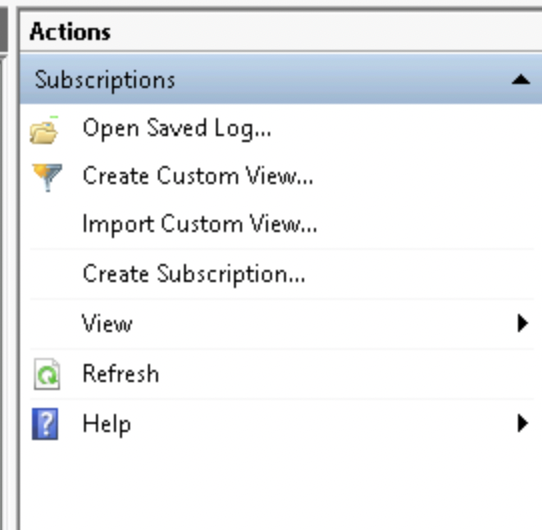
click on "Create Subscription" on the right in the Actions menu
wecutil qc
on the Collector and the last step is to setup the Subscriptions
click on "Create Subscription" on the right in the Actions menu
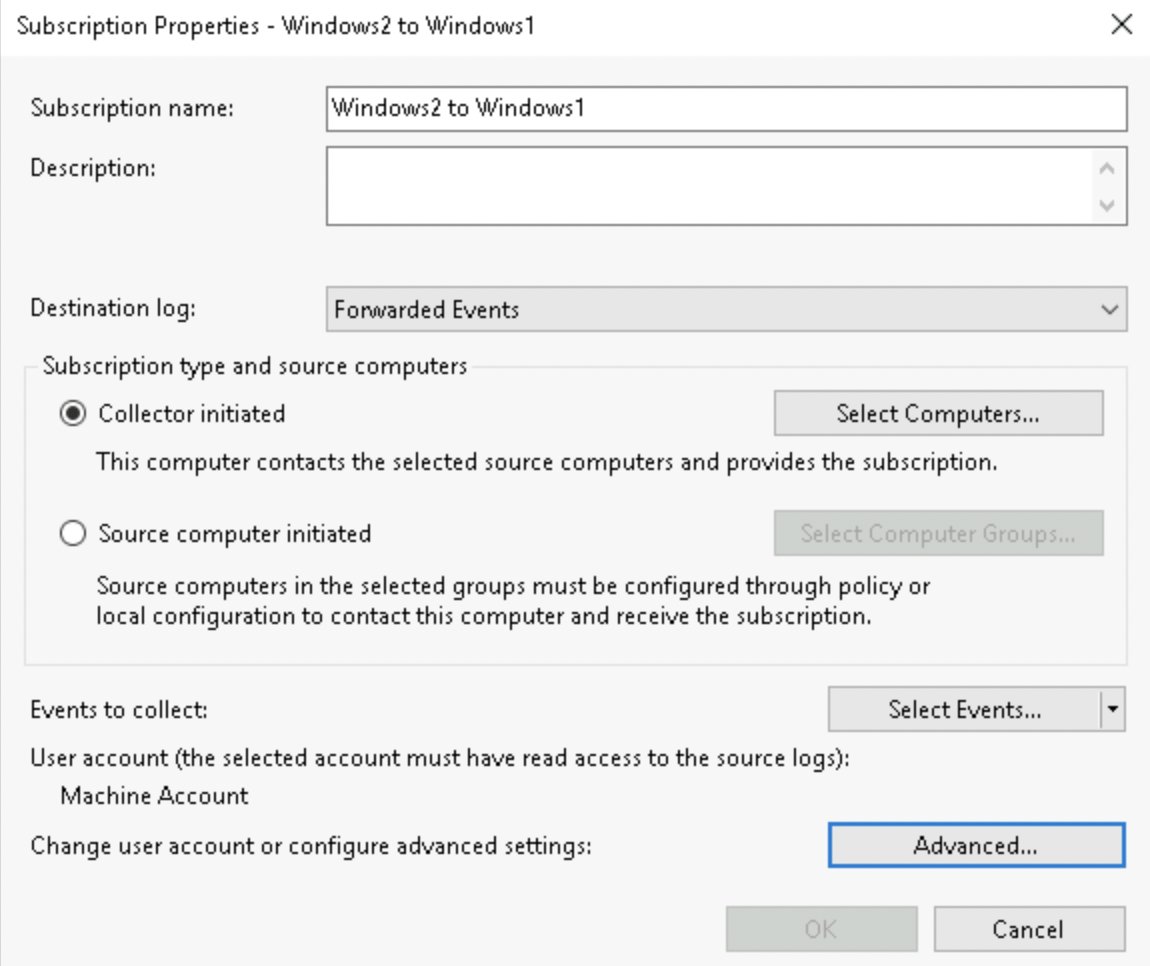
Give your Subscription a descriptive name and select
"destination log: forwarded events"
Collector initiated and click on "Select Computers"
"destination log: forwarded events"
Collector initiated and click on "Select Computers"
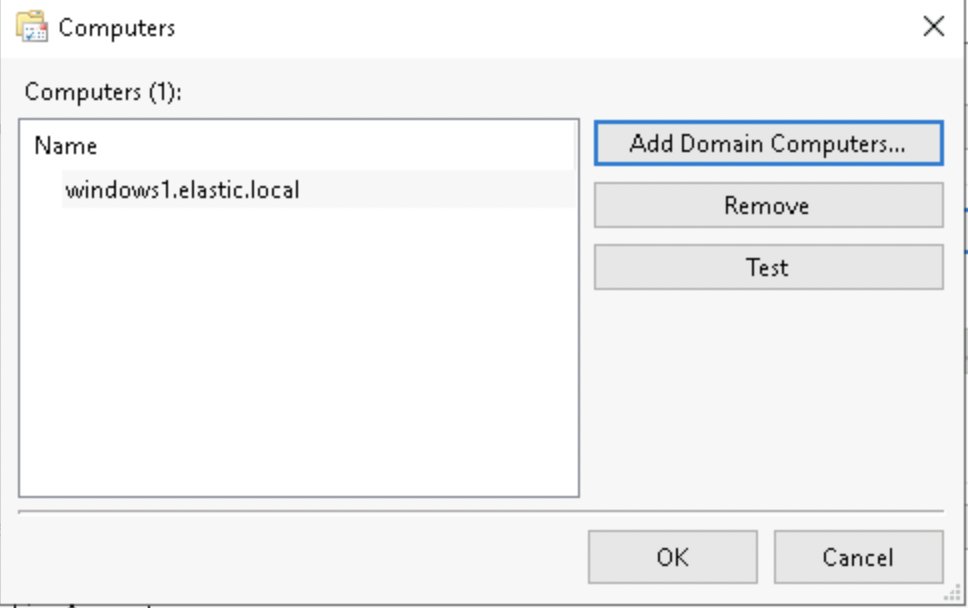
You will see this screen but without the computers in it - click "Add Domain Computers..."
and in the next popup type your hostname (Sender!) in the bottom field
and once the Computer appears click on "OK"
and in the next popup type your hostname (Sender!) in the bottom field
and once the Computer appears click on "OK"
Now the only thing left to do is click on "Select Events"
At the top select Critical, Error & Information
Logs you want Windows logs and Application, Security, Setup + System
Thats it. Your Events should flow in any second now.
WELL DONE!
At the top select Critical, Error & Information
Logs you want Windows logs and Application, Security, Setup + System
Thats it. Your Events should flow in any second now.
WELL DONE!

I hope you learned something today.
If you liked the thread feel free to:
follow me @maikroservice for more content like this 💙👋💜
If you liked the thread feel free to:
follow me @maikroservice for more content like this 💙👋💜
@threadreaderapp unroll
• • •
Missing some Tweet in this thread? You can try to
force a refresh