
Canva just dropped their all in one Magic Studio, the BIGGEST AI upgrade ever
Professional designers are facing an extinction-level event...
12 of the wildest things it can do:🧵
Professional designers are facing an extinction-level event...
12 of the wildest things it can do:🧵
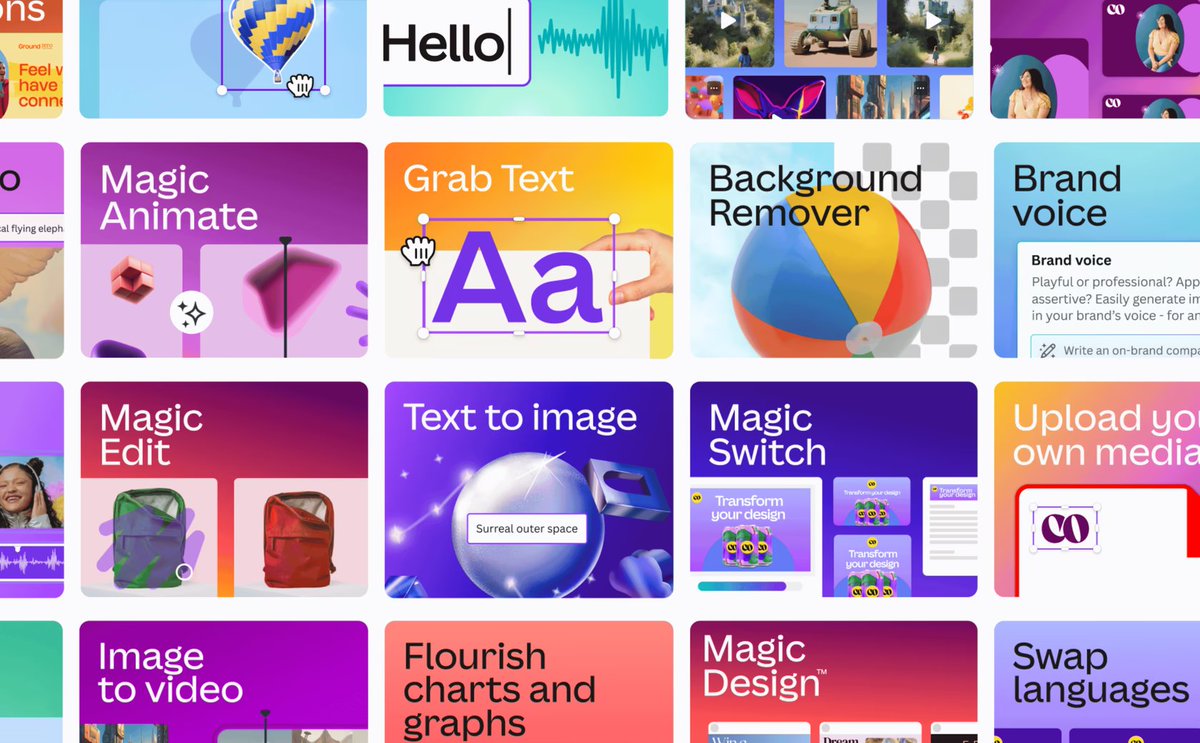
1. Magic Design
Got a brilliant idea?
→ Start with a prompt or upload your media
→ And In seconds, it creates beautiful, custom designs, just for you!
→ Personalize them or apply your company's Brand Kit – you're all set
Got a brilliant idea?
→ Start with a prompt or upload your media
→ And In seconds, it creates beautiful, custom designs, just for you!
→ Personalize them or apply your company's Brand Kit – you're all set
2. Magic Design For Video
→ Simply upload your images and videos
→ Describe what kind of video you want made
→ Watch as it creates your video, selects music recommendations
→ It uses Beat Sync to time your content perfectly to your choice of song
→ Simply upload your images and videos
→ Describe what kind of video you want made
→ Watch as it creates your video, selects music recommendations
→ It uses Beat Sync to time your content perfectly to your choice of song
3. Magic Design For Presentations
→ Just type your idea in a few words
→ And it will generate a complete presentation outline, slides & content
→ Get a custom and professional presentation, all aligned with your company's branding
→ Just type your idea in a few words
→ And it will generate a complete presentation outline, slides & content
→ Get a custom and professional presentation, all aligned with your company's branding
4. Magic Switch
→ A World's first tool transforms everything in your design
→ Transform your decks to different kinds of docs, instantly reformat any design for multiple platforms, or auto-translate them
→ Swap formats, languages & dimensions in a snap
→ A World's first tool transforms everything in your design
→ Transform your decks to different kinds of docs, instantly reformat any design for multiple platforms, or auto-translate them
→ Swap formats, languages & dimensions in a snap
5. Magic Grab
→ Magic Grab helps you redesign images, just like a Canva template
→ Use Magic Grab to select and separate the subject of your photo so that you can edit, reposition, or resize it
→ Magic Grab helps you redesign images, just like a Canva template
→ Use Magic Grab to select and separate the subject of your photo so that you can edit, reposition, or resize it
6. Magic Expand
→ Extend an image in any direction for the perfect shot
→ Fix awkward framing, expand zoomed-in images or turn vertical shots horizontal in seconds
→ Recover whatever's just outside the frame, like more of the landscape & get the perfect shot for your design
→ Extend an image in any direction for the perfect shot
→ Fix awkward framing, expand zoomed-in images or turn vertical shots horizontal in seconds
→ Recover whatever's just outside the frame, like more of the landscape & get the perfect shot for your design
7. Magic Morph
→Transform any text or shape with a simple written prompt
→ Magic Morph applies effects to text and shapes to quickly create patterns and textures
→Transform any text or shape with a simple written prompt
→ Magic Morph applies effects to text and shapes to quickly create patterns and textures
8. Magic Edit
→ With Magic Edit, you can now add to, replace, or edit your image with a short written prompt
→ You can even edit your whole image, like swapping day for night
→ With Magic Edit, you can now add to, replace, or edit your image with a short written prompt
→ You can even edit your whole image, like swapping day for night
9. Magic Media
→ Generate short videos from a simple text prompt or from an existing image in Canva, powered by Runway
→ Simply write a prompt and watch it become a professional photo, 3D image, artwork, or short video
→ Generate short videos from a simple text prompt or from an existing image in Canva, powered by Runway
→ Simply write a prompt and watch it become a professional photo, 3D image, artwork, or short video
10. Magic Animate
→ Bring your designs to life with animations and transitions in one click
→ Automatically apply the perfect animations and transitions to your entire design
→ Bring your designs to life with animations and transitions in one click
→ Automatically apply the perfect animations and transitions to your entire design
11. Magic Write
→ Go from a prompt to a first draft or on-brand copy in no time
→ It helps you quickly reword sentences or paragraphs and summarise or expand your text
→ Use the built-in brand voice feature to check your writing against your brand's distinct tone
→ Go from a prompt to a first draft or on-brand copy in no time
→ It helps you quickly reword sentences or paragraphs and summarise or expand your text
→ Use the built-in brand voice feature to check your writing against your brand's distinct tone
12. AI Apps Integration
→ Find and use your favourites, including those by Google and OpenAI
→ Elevate your designs with high-quality music, unique illustrations, talking avatars & much more from the likes of
Murf AI
Soundraw
Heygen
D-ID
Mojo AI
& a range of other apps
→ Find and use your favourites, including those by Google and OpenAI
→ Elevate your designs with high-quality music, unique illustrations, talking avatars & much more from the likes of
Murf AI
Soundraw
Heygen
D-ID
Mojo AI
& a range of other apps
And that's a wrap!
Found the thread valuable?
→ Repost and Like to share with others
→ Drop me @EyeingAI a follow for reading interesting AI content everyday
x.com/EyeingAI/statu…
Found the thread valuable?
→ Repost and Like to share with others
→ Drop me @EyeingAI a follow for reading interesting AI content everyday
x.com/EyeingAI/statu…
• • •
Missing some Tweet in this thread? You can try to
force a refresh






