Read on Twitter
Microsoft Launches Copilot
If you don't use it, you're falling behind
Here are its key features:
If you don't use it, you're falling behind
Here are its key features:
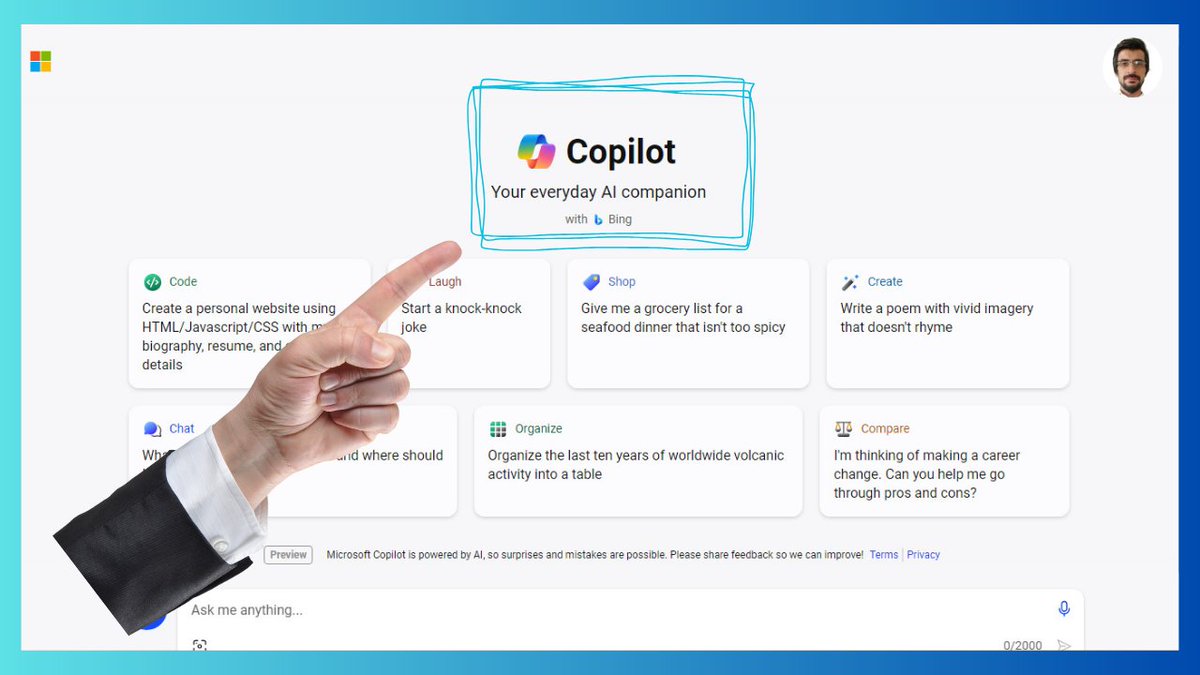
1. Bing Chat is now known as Copilot.
• You can use it on Edge, Chrome, Safari, Soon be on phones.
• You can talk to it to make AI-generated art.
• It can write computer code.
• It can write poems
Access here: copilot.microsoft.com
• You can use it on Edge, Chrome, Safari, Soon be on phones.
• You can talk to it to make AI-generated art.
• It can write computer code.
• It can write poems
Access here: copilot.microsoft.com
2. Copilot Studio
• Create your own AI helpers that work with Microsoft 365.
• Teach these AI helpers using your information and files.
• Set up these AI helpers on different websites and systems.
• You can do this without needing to know how to program.
• Create your own AI helpers that work with Microsoft 365.
• Teach these AI helpers using your information and files.
• Set up these AI helpers on different websites and systems.
• You can do this without needing to know how to program.
3. Excel
• Use the right formulas and calculations on data.
• Make pictures like charts or graphs to show what the data looks like.
• Explain the main points and discoveries from looking at the data.
• Imagine different situations and outcomes using "what-if" thinking.
• Use the right formulas and calculations on data.
• Make pictures like charts or graphs to show what the data looks like.
• Explain the main points and discoveries from looking at the data.
• Imagine different situations and outcomes using "what-if" thinking.
4. Word
• Create Word documents from simple prompts
• Summarize long Word documents and pull out key information
• Rewrite sections of text or entire documents to be more concise or match a certain tone
• Summarize, edits and changes made to a document
• Create Word documents from simple prompts
• Summarize long Word documents and pull out key information
• Rewrite sections of text or entire documents to be more concise or match a certain tone
• Summarize, edits and changes made to a document
5. PowerPoint
• Convert Word docs into PowerPoint presentations
• Create new slides in an existing presentation based on prompts
• Use natural language to refine slide text, formatting, animations, and layout
• Summarize lengthy presentations into key slides
• Convert Word docs into PowerPoint presentations
• Create new slides in an existing presentation based on prompts
• Use natural language to refine slide text, formatting, animations, and layout
• Summarize lengthy presentations into key slides
6. Outlook
• Summarize unread emails and email threads
• Adjust the tone and length of email responses through simple prompts
• Schedule follow-ups, and create agendas based on previous email convos
• Recommends attendees, agendas, and documents when prepping meetings
• Summarize unread emails and email threads
• Adjust the tone and length of email responses through simple prompts
• Schedule follow-ups, and create agendas based on previous email convos
• Recommends attendees, agendas, and documents when prepping meetings
7. Teams
• Gives live recaps and insights during meetings when prompted
• Takes notes during meetings, capturing key points and action items
• Generates chats and adjusts tone through prompts
• Creates agendas and suggests discussion points based on previous convos
• Gives live recaps and insights during meetings when prompted
• Takes notes during meetings, capturing key points and action items
• Generates chats and adjusts tone through prompts
• Creates agendas and suggests discussion points based on previous convos
Useful thread?
Follow @iamfakhrealam
Repost the first tweet
Follow @iamfakhrealam
Repost the first tweet
https://x.com/iamfakhrealam/status/1725496536124244244?s=20
• • •
Missing some Tweet in this thread? You can try to
force a refresh