Rowan Cheung Profile picture
Jan 5 8 tweets 3 min read Read on X
The app store of AI is coming.

OpenAI just announced the GPT Store is coming next week, and it's a massive opportunity for early adopters.

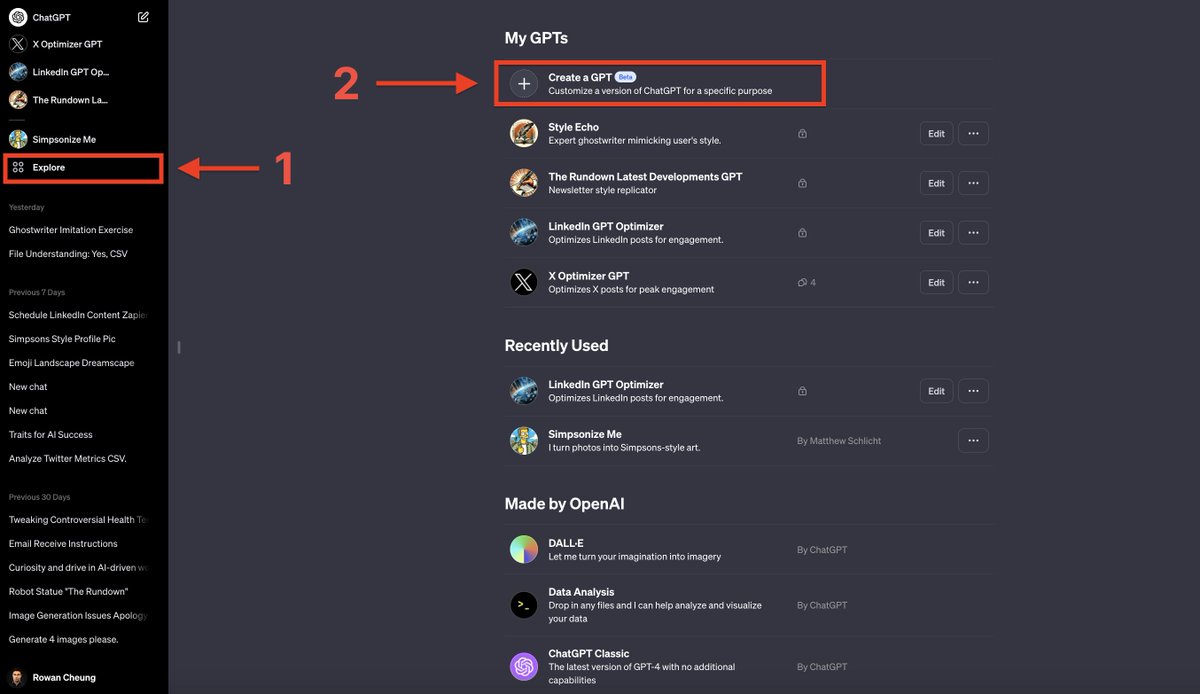
Here's a simple 4-step tutorial on how to make a GPT now to profit from this next wave: Image
Step 1: GPT Builder

Firstly, you can only access GPT Builder if you have ChatGPT Plus.

If you have it, start by clicking the Explore tab, then "Create a GPT".

From here, we will begin creating our GPT. Image
Step 2: Chat to build

Before adding custom instructions in the "Configure" tab, simply talk with ChatGPT conversationally to describe what you’d like to build.

This will get us a good draft of our GPT.

Watch the demo video below of my chat creating "X Optimizer GPT":
Step 3: Configure GPT

Now that the basic drafts are done click configure and optimize the GPT.

In my example, I changed the name and profile photo and uploaded a file to add "Knowledge" to my GPT.

I uploaded my X data since I'm creating a GPT that optimizes my X posts.
Step 4: Start using your new GPT

Chat with your GPT and you can see how well it follows instructions.

I created a GPT that takes in X drafts and optimizes it for engagement based on my previous posts/data.

The post below was 100% written by my GPT:
The GPT Store is coming next week, which means you need to get started ASAP.

Here's some context for motivation:

Shopify Apps: 33,000, $561M revenue
App Store: 1.8M, $910B revenue
ChatGPT Store: 0, $??? revenue
Lastly, for some inspiration and ideas on what GPT to build, check out my GPT database.

It has every GPT you need to know about, including categorization by niche and ranking: supertools.therundown.ai/gpts
I hope this guide was helpful.

Follow me @rowancheung for more AI tutorials and future insights on the GPT Store.

If you want to support my content, feel free to like/retweet/comment to share with friends 👇 

• • •

Missing some Tweet in this thread? You can try to force a refresh

 

Keep Current with Rowan Cheung

Rowan Cheung Profile picture

Stay in touch and get notified when new unrolls are available from this author!

Read all threads

This Thread may be Removed Anytime!

PDF

Twitter may remove this content at anytime! Save it as PDF for later use!

Try unrolling a thread yourself!

how to unroll video
  1. Follow @ThreadReaderApp to mention us!

  2. From a Twitter thread mention us with a keyword "unroll"
@threadreaderapp unroll

Practice here first or read more on our help page!

More from @rowancheung

Jan 7
The GPT Store will be a new way to make money AND build distribution.

It's coming this week, and early adopters will have a significant advantage.

Based on my GPT directory data, here are the top GPTs that will rank high in the Store (for inspiration):
Before we start, here's the link to my GPT directory.

My team and I looked through 1000's of GPTs and had to filter out the 95% of junk to find the gems.

Search, find, filter, and submit all the best custom GPTs directly, all in one spot.

Link: supertools.therundown.ai
1. Consensus

An AI Research Assistant built by @ConsensusNLP.

Search 200M academic papers from Consensus, get science-based answers, and draft content with accurate citations.

Link: supertools.therundown.ai/content/resear…
Read 14 tweets
Jan 5
🚨 Huge AI product leaks today from Google AND Apple.

Plus, other major developments in AI from OpenAI, Perplexity, DeepMind, UCLA, Snap, and 10 new AI tools.

Here's EVERYTHING you need to know:
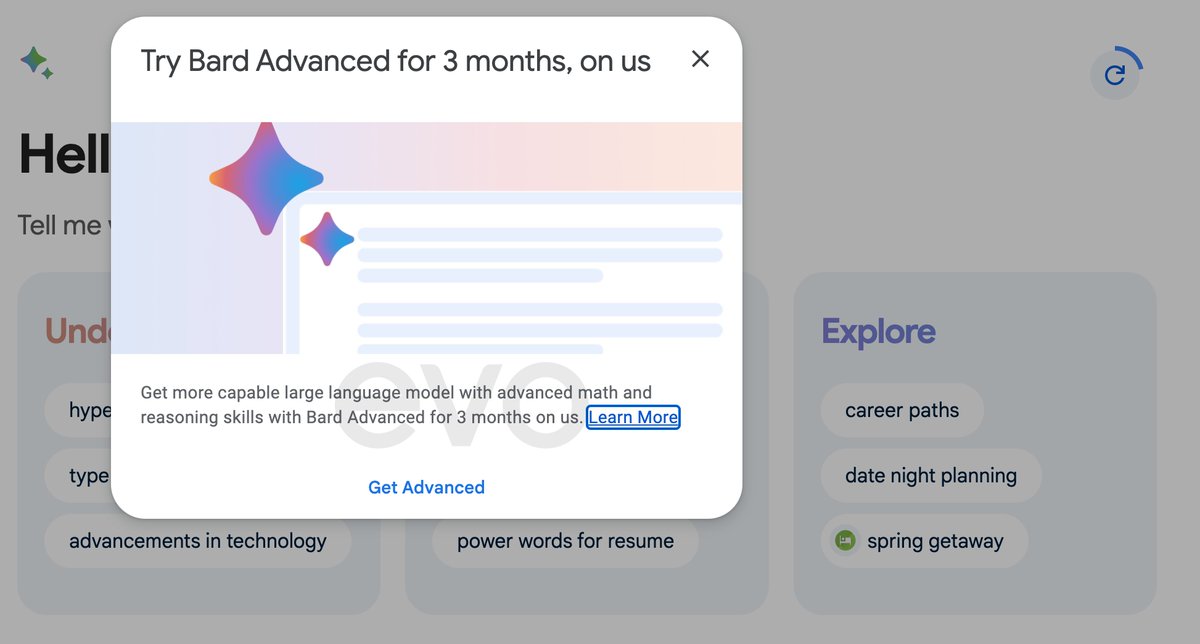
Newly discovered code and screenshots leaked by @evowizz reveal Google is creating a paid tier "Bard Advanced" option powered by the upcoming Gemini Ultra.

Ultra will need to live up to some major hype to entice users to switch from other paid options. Image
@evowizz Additional Google Bard leaks:

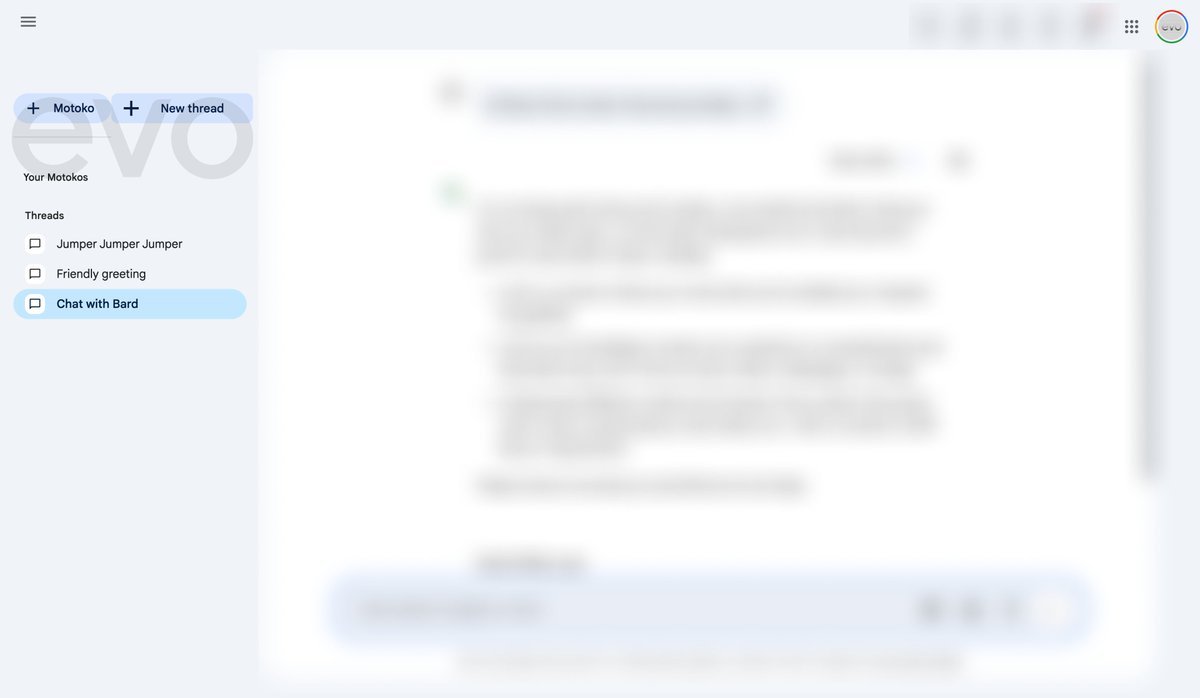
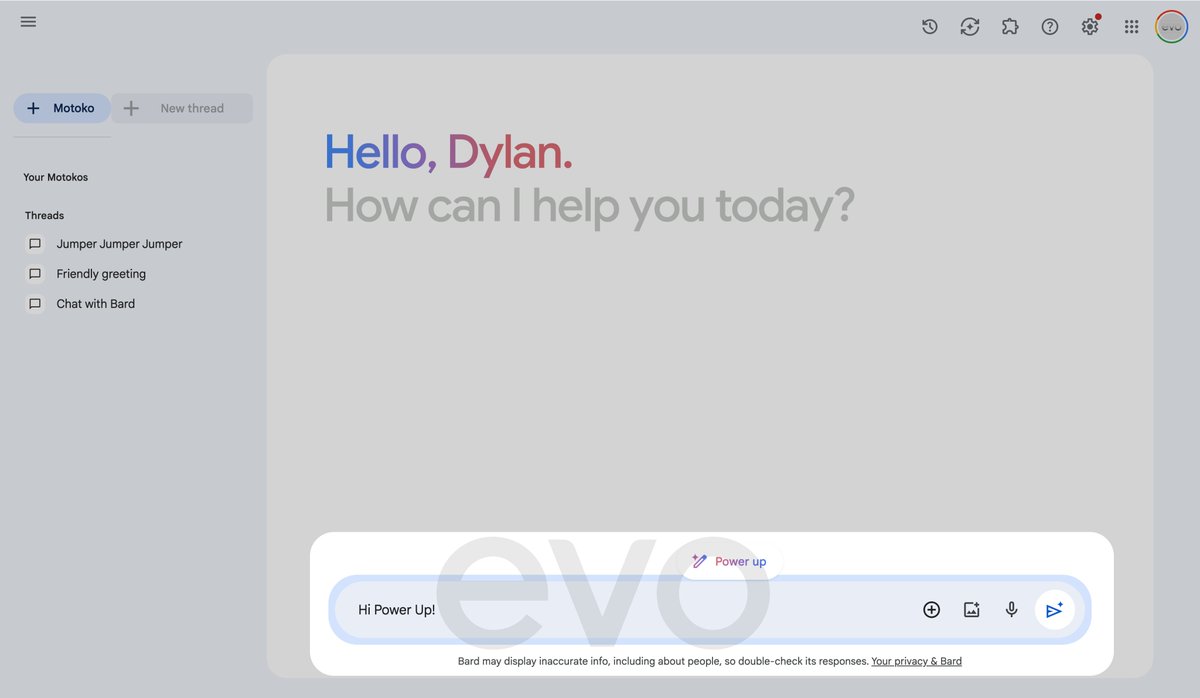
-‘Motoko’, which will reportedly allow users to create custom bots (similar to GPT Store).
-"Power-ups", "Gallery", "Tasks", "Sharing", and more.

Going in-depth on all the leaks in my newsletter tomorrow morning: therundown.ai/subscribe

Image
Image
Read 10 tweets
Jan 4
A new paper just came out outlining the best ways to maximize ChatGPT prompts.

Using these principles, you can improve LLM responses by up to 50% — now backed by research.

Here are the top 10 ways to get better responses from ChatGPT (with examples):
1. To clarify or get a deeper understanding of a topic, or any piece of information, use the following prompts:

-Explain [insert specific topic] in simple terms.
-Explain to me like I’m 11 years old.
-Explain to me as if I’m a beginner in [field].
2. To write any text, such as an essay or paragraph, to replicate a provided sample, use this prompt:

"Please use the same language based on the provided paragraph[/title/text /essay/answer]."
Read 16 tweets
Jan 4
Google DeepMind just released a robotic system capable of cooking, cleaning, and more.

Plus, huge developments in AI from Samsung, Jensen Huang, Midjourney, JPMorgan DocLLM, and 7 new AI tools.

Here's EVERYTHING you need to know:
Google DeepMind student researchers just introduced Mobile Aloha.

The low-cost open-source robotic system is capable of completing complex tasks like cooking, cleaning, and more.

Is this the future of the kitchen?
Samsung announced its Galaxy launch event, while praising "Galaxy AI" — signaling major AI features coming.

If its mobile AI capabilities live up to the hype, will Apple users be motivated to switch if iPhones don’t see significant AI upgrades soon?
Read 9 tweets
Jan 3
🚨 AI can now translate thoughts to text from brainwaves.

Plus, huge developments in AI from Microsoft Copilot, Samsung Galaxy, Flowpilot, Midjourney, South Korea, Tracking AI, a new AI study revealing gender bias in LLMs, and 8 new AI tools.

Here's everything you need to know:
Researchers just developed DeWave- an AI system that can turn silent thoughts into text by decoding brain signals.

The system achieved over 40% accuracy in translating verbs directly from neural signals, without the need for invasive implants.
Microsoft recently introduced new Android, iOS, and iPadOS apps for Copilot, allowing users to access the powerful (and free) AI tool on the go.

GPT-4, DALL-E 3, Voice Chat, and Vision are all available for free now without the need for a ChatGPT+ plan.
Read 11 tweets
Dec 28, 2023
Microsoft quietly built the best alternative to ChatGPT, and it's completely free.

It has all the premium ChatGPT features, including GPT-4, DALL-E 3, Code Interpreter, Multimodality, and SO much more.

Here’s the deep dive of everything you need to know:
If you don't know what tool I'm referring to, it's Microsoft Copilot.

Microsoft rebranded its Bing chatbot as Copilot and made significant upgrades over the holidays.

Outside of being able to use GPT-4 Turbo and DALL-E 3 for free, it beats ChatGPT in many ways, explained below.
New Multi-Modal with Search Grounding.

Microsoft is combining GPT-4 Vision, Bing image search and web data to deliver a better understanding of queries.

Check out the insane demo below.

Search Grounding was not only able to identify the image, but also the EXACT shuttle.
Read 10 tweets

Did Thread Reader help you today?

Support us! We are indie developers!


This site is made by just two indie developers on a laptop doing marketing, support and development! Read more about the story.

Become a Premium Member ($3/month or $30/year) and get exclusive features!

Become Premium

Don't want to be a Premium member but still want to support us?

Make a small donation by buying us coffee ($5) or help with server cost ($10)

Donate via Paypal

Or Donate anonymously using crypto!

Ethereum

0xfe58350B80634f60Fa6Dc149a72b4DFbc17D341E copy

Bitcoin

3ATGMxNzCUFzxpMCHL5sWSt4DVtS8UqXpi copy

Thank you for your support!

Follow Us!

:(