7 AI Websites to Save Your Time. 
1/ Notta AI - The TOP 1 AI Notetaker
AI powered notetaker that instantly converts lectures, meetings, podcasts, and other audio/video to text in 100+ languages.
Simple. Fast. Accurate.
🔗 notta.ai/en
AI powered notetaker that instantly converts lectures, meetings, podcasts, and other audio/video to text in 100+ languages.
Simple. Fast. Accurate.
🔗 notta.ai/en
2/ AI Secret - The #1 AI Newsletter
The BEST & TOP 1 AI Newsletter on Earth, with 620K+ daily readers. Learn to leverage AI to boost your productivity and accelerate your career. 🔥
Join for free:
🔗 aisecret.us/subscribe
The BEST & TOP 1 AI Newsletter on Earth, with 620K+ daily readers. Learn to leverage AI to boost your productivity and accelerate your career. 🔥
Join for free:
🔗 aisecret.us/subscribe

3/ Flot AI - ChatGPT for Everywhere, for Everything
No.1 Desktop AI: Pop up AI anywhere you type or highlight the text.
Integrate ChatGPT-4 into your daily workflow. Write, Improve, Paraphrase, Summarize, Explain, Translate, Memorize.
🔗 flot.ai
No.1 Desktop AI: Pop up AI anywhere you type or highlight the text.
Integrate ChatGPT-4 into your daily workflow. Write, Improve, Paraphrase, Summarize, Explain, Translate, Memorize.
🔗 flot.ai
4/ GPTs2D - Create your own visual GPTs
• GPTs2D provides a more visual & interactive GPT experience
• More dynamic and interactive experience compared to linear chats
• Users can multiple conversation paths or follow-ups simultaneously
🔗 GPTs2D.com
• GPTs2D provides a more visual & interactive GPT experience
• More dynamic and interactive experience compared to linear chats
• Users can multiple conversation paths or follow-ups simultaneously
🔗 GPTs2D.com
5/ HIX AI - The Ultimate AI Writing Toolkit
Use 120+ AI writing tools, including rewrite, summarize, grammar check, Chat with PDF, plagiarism check, and more in over 50+ languages.
🔗 HIX.AI
Use 120+ AI writing tools, including rewrite, summarize, grammar check, Chat with PDF, plagiarism check, and more in over 50+ languages.
🔗 HIX.AI
6/ MyMap AI - The #1 AI Mindmap website
MyMap helps convert your notes into structured essays.
Reduce your writing stress and focus on refining your ideas!
🔗 Mymap.ai
MyMap helps convert your notes into structured essays.
Reduce your writing stress and focus on refining your ideas!
🔗 Mymap.ai
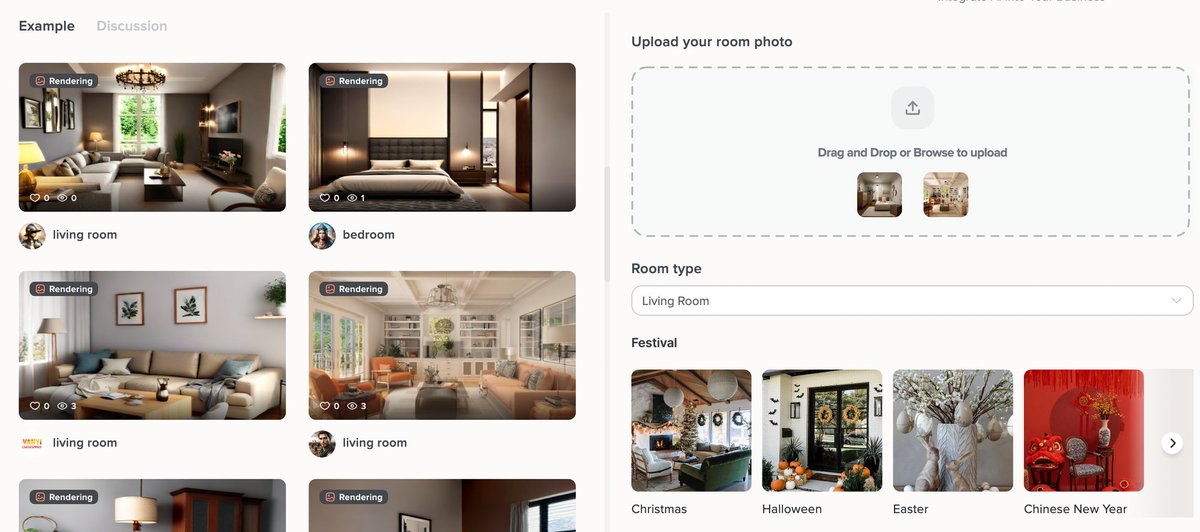
7/ Collov AI - Instant AI Home Design:
End-to-end AI toolkits for effortless, real-time home design.
With 70+ style rendering previews, say goodbye to guesswork and waiting. Instant, stylish, and perfect.
The future of AI home design.
🔗 flot.ai/collov
End-to-end AI toolkits for effortless, real-time home design.
With 70+ style rendering previews, say goodbye to guesswork and waiting. Instant, stylish, and perfect.
The future of AI home design.
🔗 flot.ai/collov
That's a wrap!
If you enjoyed this thread:
1. Follow me @Rixhabh__ for more of these
2. RT the FIRST tweet to share this thread with your audience.
If you enjoyed this thread:
1. Follow me @Rixhabh__ for more of these
2. RT the FIRST tweet to share this thread with your audience.
• • •
Missing some Tweet in this thread? You can try to
force a refresh