Kanika Profile picture
Feb 15, 2024 17 tweets 5 min read Read on X
I just created this AI Influencer in under 2 minutes.
Here is exactly how I did in just 2 Steps: Image

Step 1 -

→ Go to

→ Sign in or Login using Google Rendernet.ai
Step 2 -

→ Once Logged in, You will be redirected to the HomePage.

→ On the HomePage itself, you will see multiple options to create images.

→ Select "AI Influencer"

→ Type Your Prompt
How to create consistent Images?

→ Click on the Image you want to get started with and enable the function of Face Lock

→ The face will be now locked for future images and different postures.

→ If you want to Lock the Posture, Enable 'Control Net'
Prompt - Young woman, blue Long hair, smiling Side Face Cut, spanish, wearing gym clothes, tshirt, leggings}, fully covered, hyperrealism, 8K UHD, realistic skin texture, flawed skin, shot with Canon EOS 5D Mark IV, highly detailed,sitting in the cafe Image

Create multiple images with the consistent Face

Image
Image
→ Enabling "Control Net"

→ Control will lock the posture.

→ Here you can try different faces with same posture.
Here is the Generated Output and Comparison:

Image
Image
Other Features :

Settings:
You can select from

→ Batch Size - Number of images generated (Range 1-8)

→ AI Guidance - Prompt’s impact on the image (Range 0-16)

→ Steps - Number of steps taken by the sampler (Range 10-40)

→ Aspect Ratio - 1:1, 2:3 and 3:2
I ran a bunch of different experiments, keeping in mind to create an AI Health and Fitness Influencer and here are my results:

Have used "Face Lock" Here

Image
Image
Image
Experiment 2 - Image
Here is the list of 10 Highest Paying Niches on Instagram:
1. Luxury

High-end fashion, travel destinations, yachts, supercars, private jets, and lavish experiences

2. Fashion

Apparel, accessories, beauty, and trends.
3. Travel

Inspiring destinations, both popular and off-the-beaten-path locations, accommodations, food, and adventures.

4. Beauty

Makeup tutorials, skincare routines, product reviews, and trending looks
5. Business and Entrepreneurship

Leadership, productivity, marketing strategies, financial advice.

6. Fitness and Wellness

Inspiring workouts, exercise routines, nutrition guidance, and mental health.
7. Food

Mouth-watering recipes, dining experiences, trendy eateries, and food photography.

8. Technology

Reviews on the latest gadgets, software, apps, and technology trends.
9. Personal Finance

Budgeting, saving, investing, debt management, and building wealth.

10. Pets

Adorable animal content, training tips, animal-care advice, and celebrating the human-animal bond.
Enjoyed this content?

Follow @KanikaBK and join my newsletter 'Passive Income Habit' for insightful tips & strategies on making EXTRA MONEY.
passiveincomehabit.beehiiv.com/subscribe

• • •

Missing some Tweet in this thread? You can try to force a refresh

 

Keep Current with Kanika

Kanika Profile picture

Stay in touch and get notified when new unrolls are available from this author!

Read all threads

This Thread may be Removed Anytime!

PDF

Twitter may remove this content at anytime! Save it as PDF for later use!

Try unrolling a thread yourself!

how to unroll video
  1. Follow @ThreadReaderApp to mention us!

  2. From a Twitter thread mention us with a keyword "unroll"
@threadreaderapp unroll

Practice here first or read more on our help page!

More from @KanikaBK

May 25
Google's NotebookLM has a hidden study method that almost nobody is talking about yet.

I tested it for 30 days straight on everything from dense research papers to full course materials.

My learning retention went from 40% to 85%.

Here is exactly how it works: 🧵👇 Image
Step 1: Essential Setup

↳ Go to and click Create New

↳ Install YouTube to NotebookLM extension - adds a direct import button to every YouTube video

↳ Install NotebookLM Web Importer - sends any article or research paper to your notebook with one click

Both extensions are free on Chrome Web Store.notebooklm.google.com
Step 2: Configure AI for Deep Learning

Inside your notebook:

↳ Click Configure Notebook [Customize or Notebook Settings]
↳ Set Response Style to Learning Guide
↳ Set Length to Longer
↳ Click Save

This makes the AI explain things like a tutor instead of just summarizing.
Read 7 tweets
May 21
Hong Kong University just released a FREE AI TOOL that turns a one-line idea into a full short film. No editing required. 100% OPEN SOURCE.

It's called ViMax

You type a prompt. Or paste a novel. It does the rest.
Director. Screenwriter. Producer. Video generator. One system. One input.
found this on Github
github.com/HKUDS/ViMax
It has four modes:
→ Idea2Video: just type a concept
→ Script2Video: paste a screenplay scene
→ Novel2Video: feed it a full chapter or book
→ AutoCameo: upload your photo and insert yourself as a character in any story
Read 6 tweets
May 12
GMAIL AI FEATURES ARE INSANELY USEFUL.

SAVES 30 HOURS/WEEK = 1,560 HOURS/YEAR = $31,200 AT $20/HOUR.

Most people know maybe 1% of what it can actually do.

Here are the 6 mind blowing AI features that improved my productivity by 10X.

(🔖Bookmark for later) Image
1. Help me write

↳ Open Gmail.
↳ Hit Compose.
↳ Click the star with a pencil icon.
↳ Type what you want the email to be about. One sentence. Gmail writes the entire thing.

You can make it more formal, shorter, or more detailed with one click. No prompting skills needed.
2. Smart Compose

↳ Smart Compose suggests words and phrases as you type. Hit Tab to accept. Keep writing.

↳ It learns your style over time. Available in English, Spanish, French, and Italian.
Read 9 tweets
May 8
MOST PEOPLE DON'T KNOW THIS.

Claude works inside Excel, Word, and PowerPoint.

And once you see what it can do, you will never go back to doing these things manually.

I made you the full cheatsheet. Here is everything👇

🔖Bookmark before it's buried. Image
Claude in Excel:

Upload your spreadsheet or describe what you need. Claude analyzes it, builds the formulas, creates charts, and explains what the numbers actually mean.

What it does:
↳ Interprets data and finds meaningful insights you would have missed
↳ Builds advanced formulas and nested calculations instantly
↳ Cleans and reorganizes messy datasets automatically
↳ Detects trends, anomalies, and key patterns
↳ Automates analysis with step by step guidance

Real use cases: Sales trend analysis, budget forecasting, performance dashboards, what-if scenario modeling.

Starter prompt to try right now: "Analyze this dataset and identify the top 5 drivers of revenue growth."
Claude in Word:

Paste your document or describe what you are writing. Claude rewrites, restructures, and refines it to match your exact tone and audience.

What it does:
↳ Writes, edits, and rewrites to match your voice
↳ Improves clarity, flow, and overall structure
↳ Condenses or expands content without losing meaning
↳ Creates summaries, key takeaways, and outlines
↳ Maintains consistency across long documents

Real use cases: Business reports, proposals, email drafting, policy documents, academic writing.

Starter prompt to try right now: "Summarize this report in 5 key points and rewrite it for a more executive-friendly tone."
Read 6 tweets
Apr 27
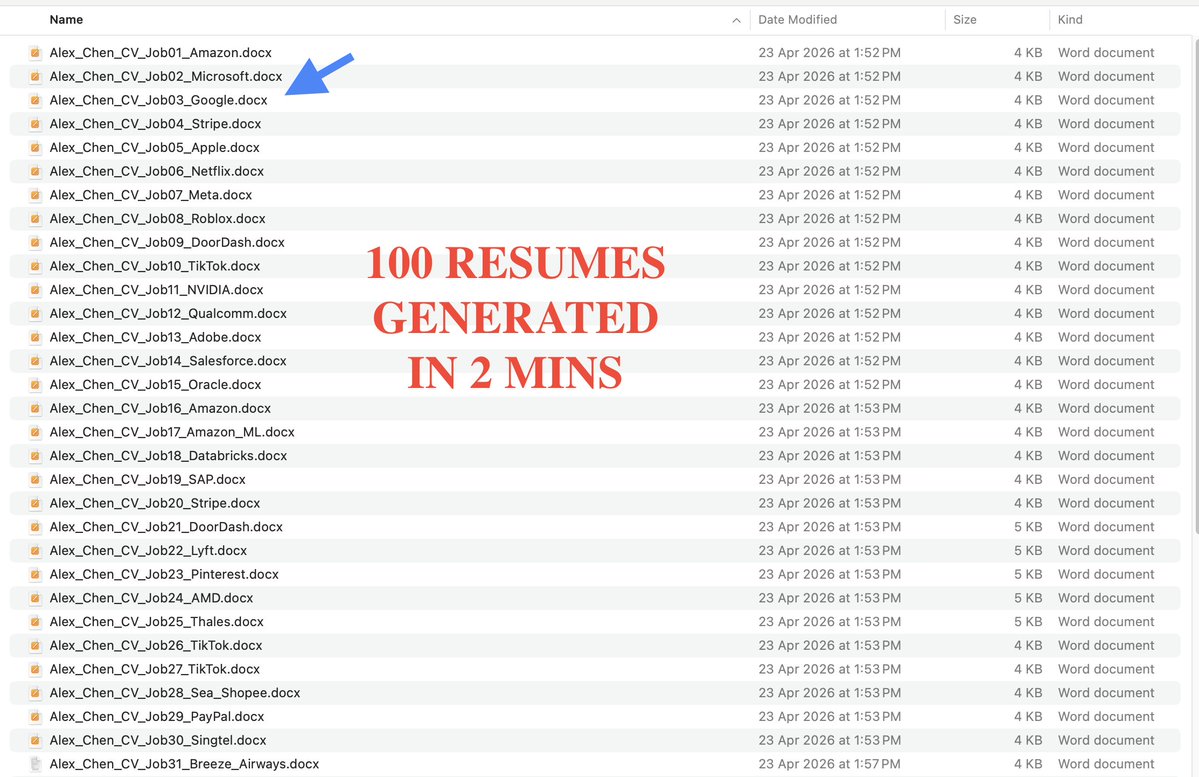
97% OF CVs GET REJECTED IN 6 SECONDS BY SOFTWARE EVERYDAY.

Why? Your CV doesn't match the job's keywords

KIMI: 100 job descriptions→ 100 ATS optimized CVs IN 2 MINS
$0 vs $10K

Here's EXACTLY HOW to use Kimi Agent Swarm step by step & save $10K IF YOU'RE LOOKING FOR A JOB👇 Image
Step 1: Go to

You don't need to set anything up.
No configuration. No coding. No API keys.

Just open it and you're ready to run your first swarm. kimi.com/agent-swarm
Step 2: Write one clear prompt with a real output in mind.

The more specific you are, the better it performs.

Bad: "help me with my CV"
Good: "here are 50 job descriptions - create a keyword-matched CV for each one tailored to the exact role and industry"

My personal advice: Think in deliverables, not questions.
Read 6 tweets
Apr 23
THE DAY YOU DIE, your family could not access a single thing.

Every password, Bank details, wallet, memory will locked forever. PERMANENTLY.

HERE IS HOW TO FIX THIS IN 9 MINUTES.

This day could be tomorrow, so don't wait. ACT.👇
Step 1: Apple Legacy Contact (5 minutes)

Most people have no idea this exists.
↳ Go to Settings
↳ Tap your name
↳ Sign-In and Security
↳ Legacy Contact
↳ Add someone you trust

Apple gives them a special key. They show that key plus a death certificate and they get full access.

5 minutes. Most people will never do it.
Step 2: Google Inactive Account Manager (5 minutes)

Go to
↳ Choose how long Google waits before treating your account as inactive (3, 6, 12, or 18 months)
↳ Add up to 10 trusted contacts
↳ Assign who gets what, Gmail, Drive, Photos

Done. Your Google life is no longer a dead end.myaccount.google.com/inactive
Read 10 tweets

Did Thread Reader help you today?

Support us! We are indie developers!


This site is made by just two indie developers on a laptop doing marketing, support and development! Read more about the story.

Become a Premium Member ($3/month or $30/year) and get exclusive features!

Become Premium

Don't want to be a Premium member but still want to support us?

Make a small donation by buying us coffee ($5) or help with server cost ($10)

Donate via Paypal

Or Donate anonymously using crypto!

Ethereum

0xfe58350B80634f60Fa6Dc149a72b4DFbc17D341E copy

Bitcoin

3ATGMxNzCUFzxpMCHL5sWSt4DVtS8UqXpi copy

Thank you for your support!

Follow Us!

:(