Jaynit Makwana Profile picture
Mar 29, 2024 8 tweets 3 min read Read on X
Canva + ChatGPT = Money Printing Machine.

You can easily make $10K/Month with this method.

Here's how: Image
This is one of the easiest online businesses you can start.

You just need:

→ Wifi
→ Laptop
→ Canva
→ ChatGPT

, and you can make money by creating and selling digital products online.

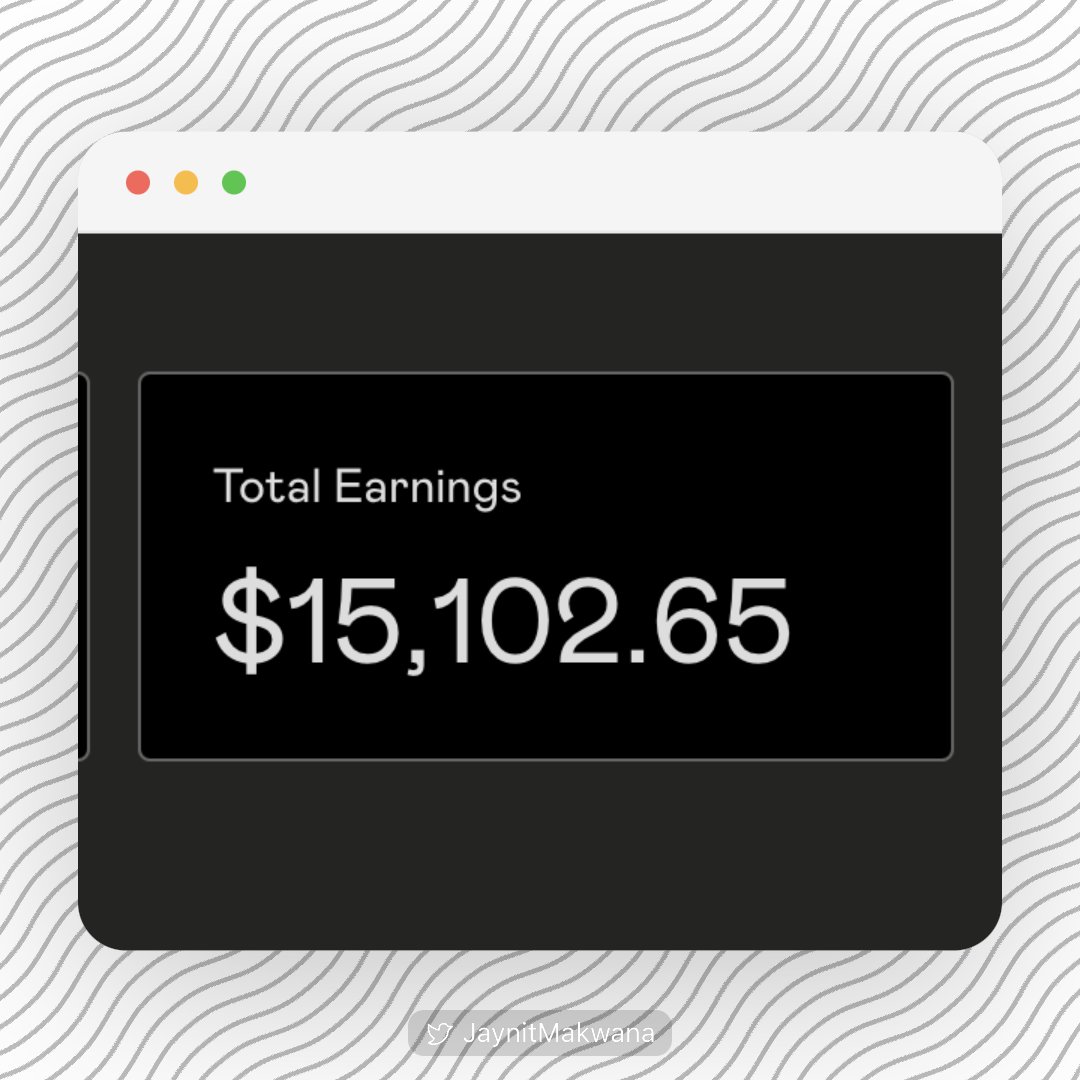
Gumroad Dashboard: Image
Step 1: Decide what to SELL:

You can sell digital products like:

→ eBooks
→ Workbooks
→ Printable Planners
→ Graphic Templates
→ Social Media Calendar

The easiest one?

I would recommend starting with an eBook. Image
Step 2: Write your eBook

With ChatGPT, the better your prompts are, the better your eBook will be.

Prompt for Book Outline:

You’re a best-selling Author on Amazon’s [Insert Category] page, I need you to write a complete outline for your new book on [Insert Topic].
Step 3: Design your eBook

Once you are done with the outline and content of the book, the next step is to make your eBook look professional with an appealing design and cover.

Canva is the easiest tool for designing eBook covers.
Step 4: Decide where to SELL it:

While there are numerous platforms out there to sell digital products,

I would highly recommend using Gumroad.

Gumroad is the easiest to get started with & it's probably the best tool out there to host & sell your digital products.
How to make $10K/Month with this method?

Let's say you create an eBook that is making $1K/Month.

Then,

1 eBook = $1K/Month
10 eBooks = $10K/Month

Pro Tip: You can simultaneously upload your ebooks to Amazon KDP to double profits.

Now, create eBooks and start making money!!
That's a wrap!

If you enjoyed this thread:

1. Follow me @JaynitMakwana for more of these

2. RT the tweet below to share this thread with your audience

• • •

Missing some Tweet in this thread? You can try to force a refresh

 

Keep Current with Jaynit Makwana

Jaynit Makwana Profile picture

Stay in touch and get notified when new unrolls are available from this author!

Read all threads

This Thread may be Removed Anytime!

PDF

Twitter may remove this content at anytime! Save it as PDF for later use!

Try unrolling a thread yourself!

how to unroll video
  1. Follow @ThreadReaderApp to mention us!

  2. From a Twitter thread mention us with a keyword "unroll"
@threadreaderapp unroll

Practice here first or read more on our help page!

More from @JaynitMakwana

Dec 3
🚨no joke…this AI replaced both my designer and coder.

Replit’s Design Mode creates your UI, styles it, and lets you edit it live on command.

Then converts it into a working app with backend + hosting.

Here’s how I built a full landing page in 2 minutes:
Meet Design Mode on @Replit, powered by Google Gemini 3.

It turns your ideas into responsive, production-ready designs using plain English.

Perfect for founders, product teams, and creators who want to move fast.

Try it here → replit.com/refer/jaynit2

Prompt:

“Design a modern landing page for a task management app with a hero section, feature grid, and pricing plans.”
Replit’s Design Mode takes your prompt and:

→ Creates a complete layout with sections, colors, and typography
→ Generates HTML, CSS, and JS automatically
→ Lets you tweak visuals live with the Visual Editor
→ Can convert the design into a full app later (backend, database, auth, hosting)

All in one seamless flow, no setup, no code.
Read 6 tweets
Nov 9
BREAKING: AI just killed PowerPoint.

Forget wasting time on designing each slide.

I found an AI tool that converts Docs to Presentations in seconds: Image
Meet Plus AI (@plusdocs)

Plus AI is transforming documents into captivating presentations.

It seamlessly integrates with Google Slides and PowerPoint, it's your shortcut to pro-level slides.

🔗

Here's how Plus AI is changing the game: plusai.com
@plusdocs 1. AI-Crafted Visual Brilliance

With Plus AI, you can generate top-tier presentations with hundreds of pro designs.

Perfect for impressing at work or acing school projects.
Read 10 tweets
Oct 29
This voice AI just made 10,000+ call center jobs obsolete.

Sonic 3 handles customer support in 42 languages, responds in <190ms, and costs 95% less than human agents.

Fortune 500s like ServiceNow already replaced teams.

Demo + Free guide to build your own voice agent:👇
@cartesia_ai’s Sonic-3 helps companies like ServiceNow & Klarna handle millions of calls — with zero humans on the line.

🔗 Explore it: cartesia.ai/sonic
When AI starts laughing:

This is the first model that can laugh, breathe, and pause naturally.

🎧 Example:

“I can’t believe it actually worked! [laughter] After all that waiting, it finally happened, this is unreal!”

That’s real laughter generated by a tag, not a sample.

You can even control how long it pauses with and its tone using .
Read 9 tweets
Oct 26
BREAKING: AI just killed PowerPoint.

Forget wasting time on designing each slide.

Here are 5 AI tools to create stunning presentations in seconds: Image
1. Plus AI

Plus AI is revolutionizing presentations with an easy-to-use interface that delivers high-quality slides.

It integrates natively with PowerPoint and Google Slides, promising seamless functionality and compatibility.

🔗 plusai.com/ai-powerpoint-…
Bonus:

Subscribe to our newsletter:

...and receive a FREE "Ultimate ChatGPT Handbook" with 1800+ Prompts.

Get the best updates on AI, Tech, Productized Biz, and No-Code Tools.waketheai.com/subscribe
Read 9 tweets
Oct 22
🚨BREAKING: AI just killed PowerPoint.

Forget wasting time on designing each slide.

I found an AI tool that converts your Ideas to Presentations in seconds: Image
@AiPPT_COM is like having a copywriter, designer, and researcher working together inside your browser.

Upload Notion pages, Google Docs, or PDFs, and get clean, professional slides in seconds.

Use code Jaynit10 for 10% off → aippt.com
From idea to deck in one prompt:

Type something like: “Describe how AI startups have rapidly grown in 2025.”

AiPPT breaks it down into sections, writes clear headlines, bullet points, and auto-selects layouts that fit the content flow.

No manual design work, just focus on your message.
Read 8 tweets
Oct 11
🚨RIP Excel.

AI just killed it.

You don’t need formulas, filters, or pivot tables anymore.

AI analyzes data instantly and beats McKinsey 90% of the time.

Drop your data → get instant insights, charts, and reports.

Here’s how to automate everything in seconds: Image
Shortcut AI (@tryshortcutai) is your AI spreadsheet agent.

Just type what you want, and it builds Excel models, dashboards, and logic using real formulas.

No VBA. No templates. Just smart spreadsheets, built in seconds.

🔗 tryshortcut.ai
@tryshortcutai Private equity workflow, instant customer insights

Shortcut handles deep customer spend analysis like it’s nothing.

It organizes messy data, analyzes customer concentration,

...and prepares insights a PE manager would expect, with clean formatting and clear risks flagged.
Read 11 tweets

Did Thread Reader help you today?

Support us! We are indie developers!


This site is made by just two indie developers on a laptop doing marketing, support and development! Read more about the story.

Become a Premium Member ($3/month or $30/year) and get exclusive features!

Become Premium

Don't want to be a Premium member but still want to support us?

Make a small donation by buying us coffee ($5) or help with server cost ($10)

Donate via Paypal

Or Donate anonymously using crypto!

Ethereum

0xfe58350B80634f60Fa6Dc149a72b4DFbc17D341E copy

Bitcoin

3ATGMxNzCUFzxpMCHL5sWSt4DVtS8UqXpi copy

Thank you for your support!

Follow Us!

:(