LEGB rule in Python, clearly explained:
Every Python developer must know the LEGB rule!
It's crucial for avoiding major bugs!
And today, I will provide a clear explanation of the same!
Let's go! 🚀
It's crucial for avoiding major bugs!
And today, I will provide a clear explanation of the same!
Let's go! 🚀
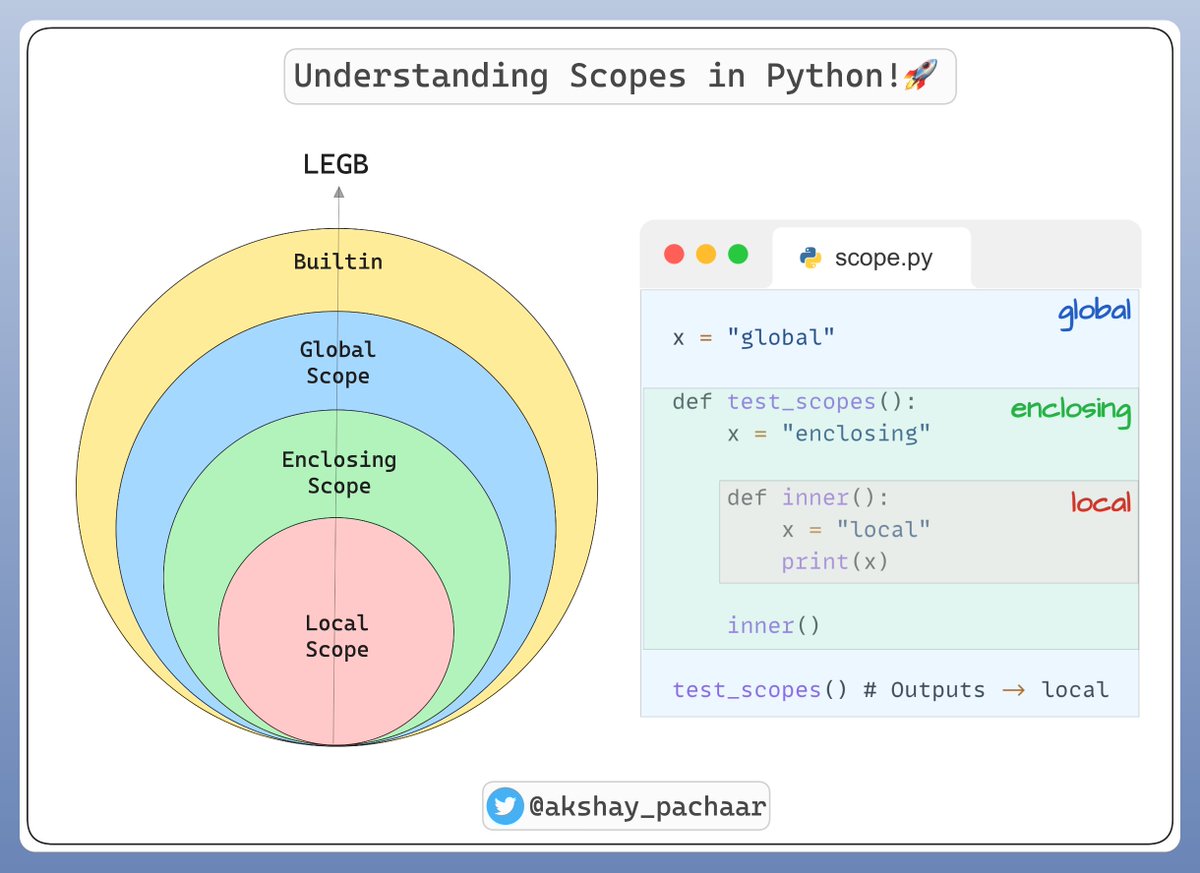
Let's start by understanding meaning of scope❗️
The scope of a variable defines the area of a program from where you can access it.
The name will only be visible to and accessible by the code in its scope.
Here's an illustration of the same...👇
The scope of a variable defines the area of a program from where you can access it.
The name will only be visible to and accessible by the code in its scope.
Here's an illustration of the same...👇
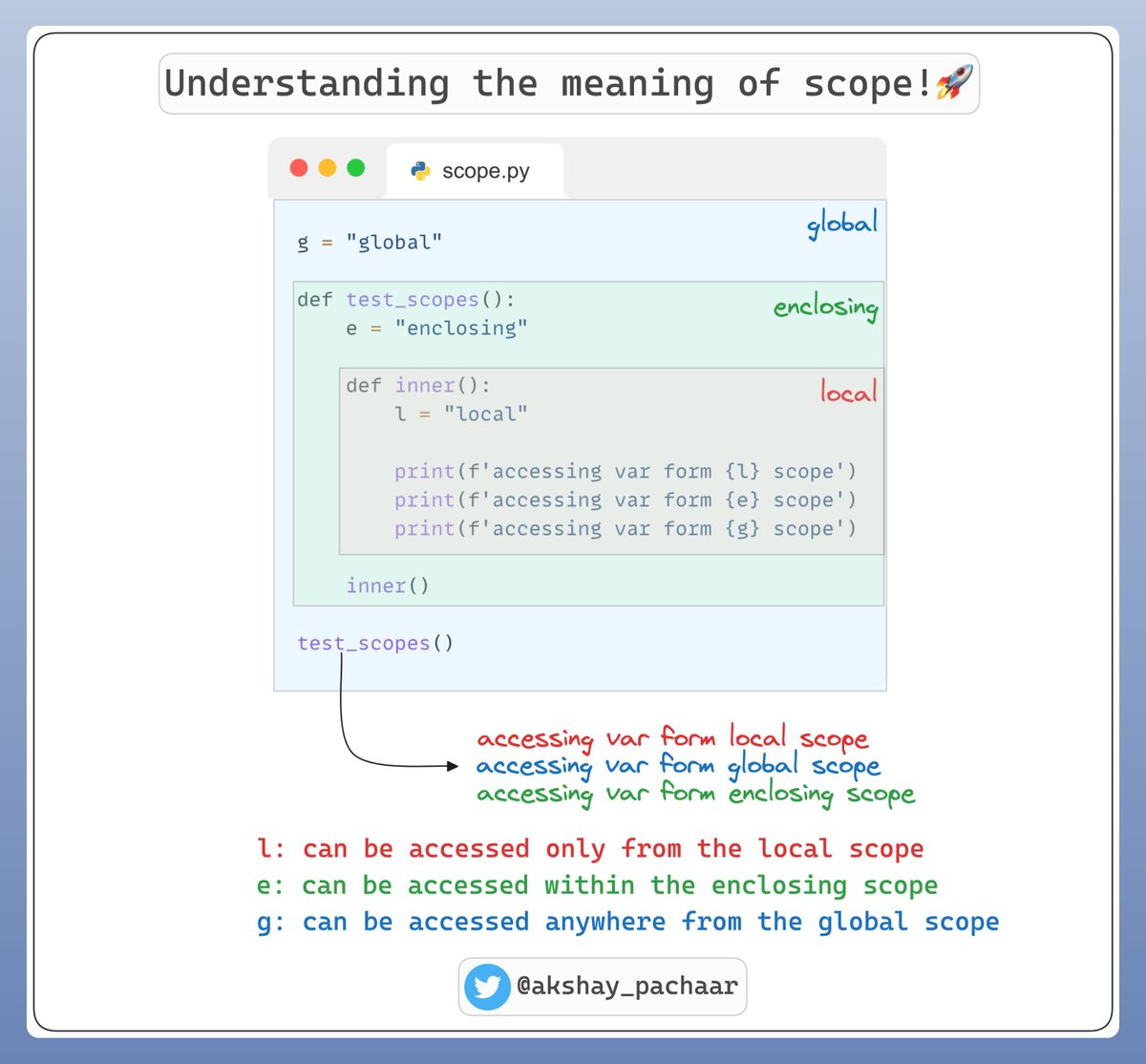
1️⃣ Local Scope:
Local scope refers to variables defined within a function.
These variables are only accessible within the function where they are defined.
They are created at the function's call and destroyed when the function ends.
Example...👇
Local scope refers to variables defined within a function.
These variables are only accessible within the function where they are defined.
They are created at the function's call and destroyed when the function ends.
Example...👇

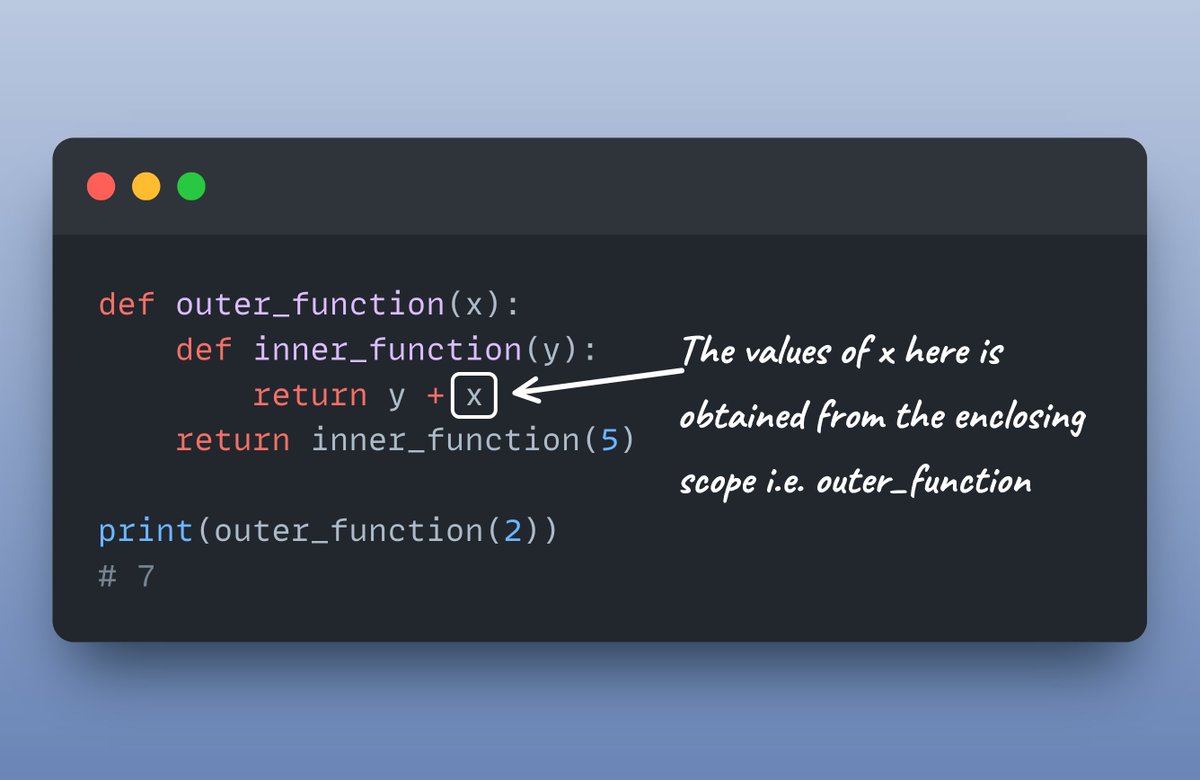
2️⃣ Enclosing Scope:
Enclosing scope is relevant in the context of nested functions.
If a variable isn't in the local scope but is defined in an outer function, it's in the enclosing scope.
It is accessible from the inner function but not from the global scope!
Example...👇
Enclosing scope is relevant in the context of nested functions.
If a variable isn't in the local scope but is defined in an outer function, it's in the enclosing scope.
It is accessible from the inner function but not from the global scope!
Example...👇
3️⃣ Global scope
Global scope encompasses variables defined at the top level of a script or a module.
Global variables are accessible from anywhere within the module or script, including inside any functions.
Created when the script starts and last until it ends.
Example...👇
Global scope encompasses variables defined at the top level of a script or a module.
Global variables are accessible from anywhere within the module or script, including inside any functions.
Created when the script starts and last until it ends.
Example...👇

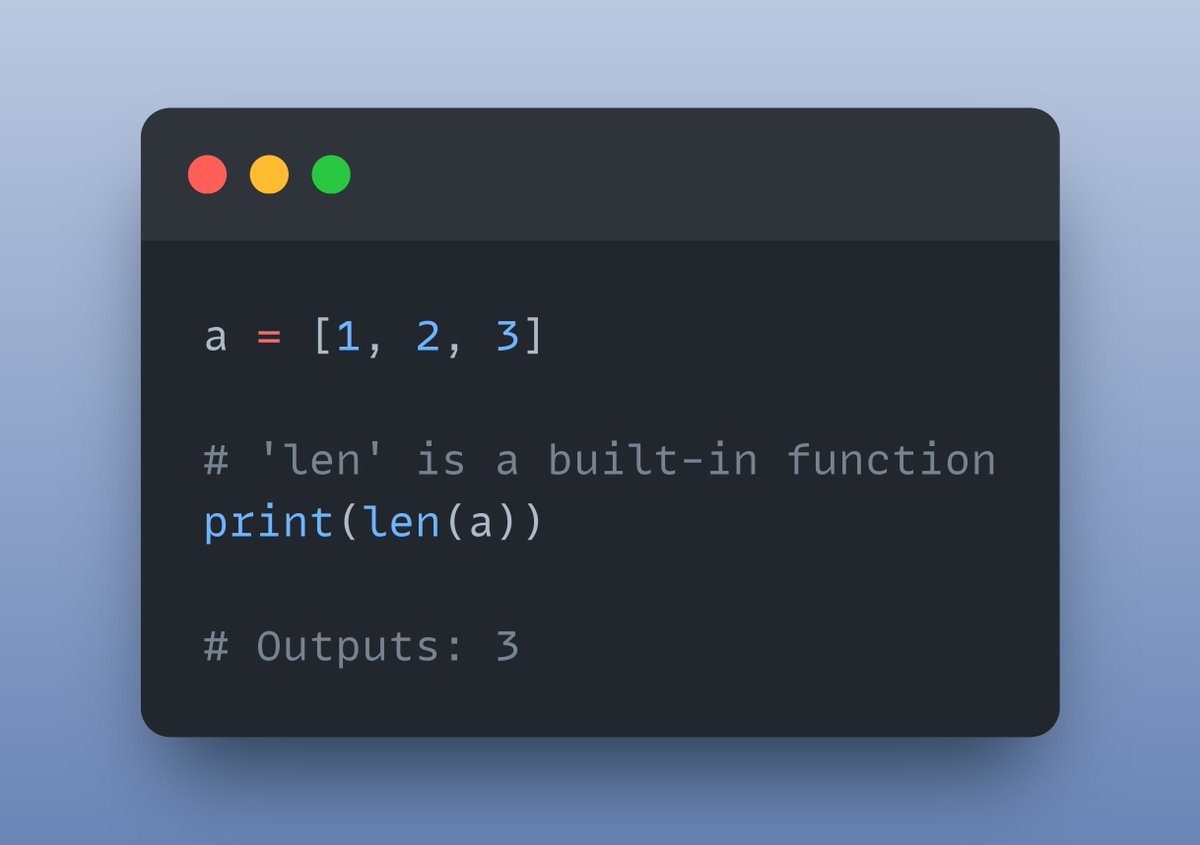
4️⃣ Built-in scope
Built-in scope includes names that are pre-defined in the Python language.
This scope contains functions like `print()`, ` len()`, and types like `int`, `float`, which are always available without the need for any imports.
Example ...👇
Built-in scope includes names that are pre-defined in the Python language.
This scope contains functions like `print()`, ` len()`, and types like `int`, `float`, which are always available without the need for any imports.
Example ...👇
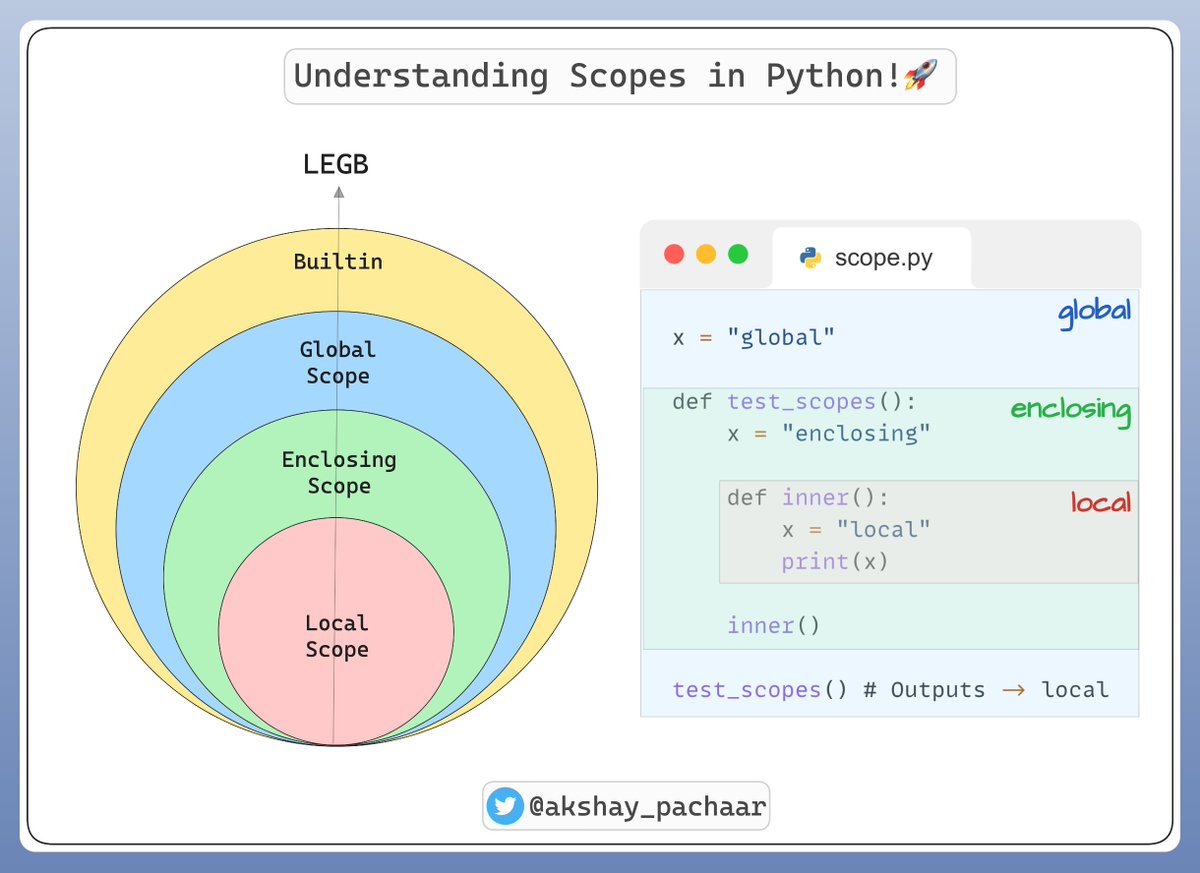
What if scopes collide❓
When scopes collide in Python, the LEGB rule plays a crucial role in determining how variables are resolved.
Python always looks for a variable in the order:
Local ➝ Enclosing ➝ Global ➝ Builtin
Here's a good example:
When scopes collide in Python, the LEGB rule plays a crucial role in determining how variables are resolved.
Python always looks for a variable in the order:
Local ➝ Enclosing ➝ Global ➝ Builtin
Here's a good example:
That's a wrap!
If you interested in:
- Python 🐍
- ML/MLOps 🛠
- CV/NLP 🗣
- LLMs 🧠
- AI Engineering ⚙️
Find me → @akshay_pachaar ✔️
Everyday, I share tutorials on above topics!
Cheers!
If you interested in:
- Python 🐍
- ML/MLOps 🛠
- CV/NLP 🗣
- LLMs 🧠
- AI Engineering ⚙️
Find me → @akshay_pachaar ✔️
Everyday, I share tutorials on above topics!
Cheers!
• • •
Missing some Tweet in this thread? You can try to
force a refresh