Bolt .new Prompting Handbook:
🧵
🧵

1. Use "Enhance prompt" button
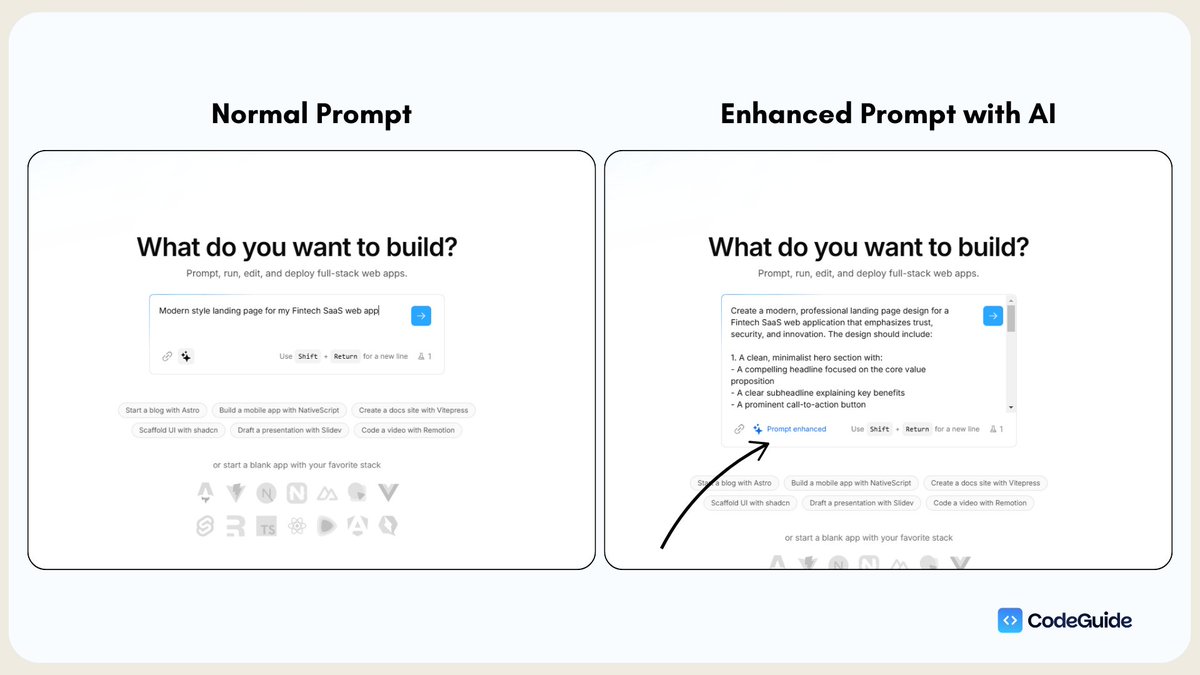
Your prompt quality makes a huge difference in AI output.
Provide as much details as you can in the input field, then click on "enhance prompt" button.
A detailed and will structured prompt can help you save tokens and time with less errors.
Your prompt quality makes a huge difference in AI output.
Provide as much details as you can in the input field, then click on "enhance prompt" button.
A detailed and will structured prompt can help you save tokens and time with less errors.
2. Use this structure for starting a NEW project:
“I need a [type] application with:
Tech Stack:
- Frontend: Nextjs 14 with TypeScript using App router
- Styling: Tailwind CSS
- Auth: Supabase
- Database: Supabase
Core Features:
- User authentication
- [Main feature]
1.
2.
3.
4.
- [Secondary features]
Start with the main page containing: [Detailed page requirements]”
“I need a [type] application with:
Tech Stack:
- Frontend: Nextjs 14 with TypeScript using App router
- Styling: Tailwind CSS
- Auth: Supabase
- Database: Supabase
Core Features:
- User authentication
- [Main feature]
1.
2.
3.
4.
- [Secondary features]
Start with the main page containing: [Detailed page requirements]”
3. Turn ON diffs
Whenever you ask bolt to make a specific change on any file. Bolt used to rewrite the code for entire file.
This burns alot of tokens.
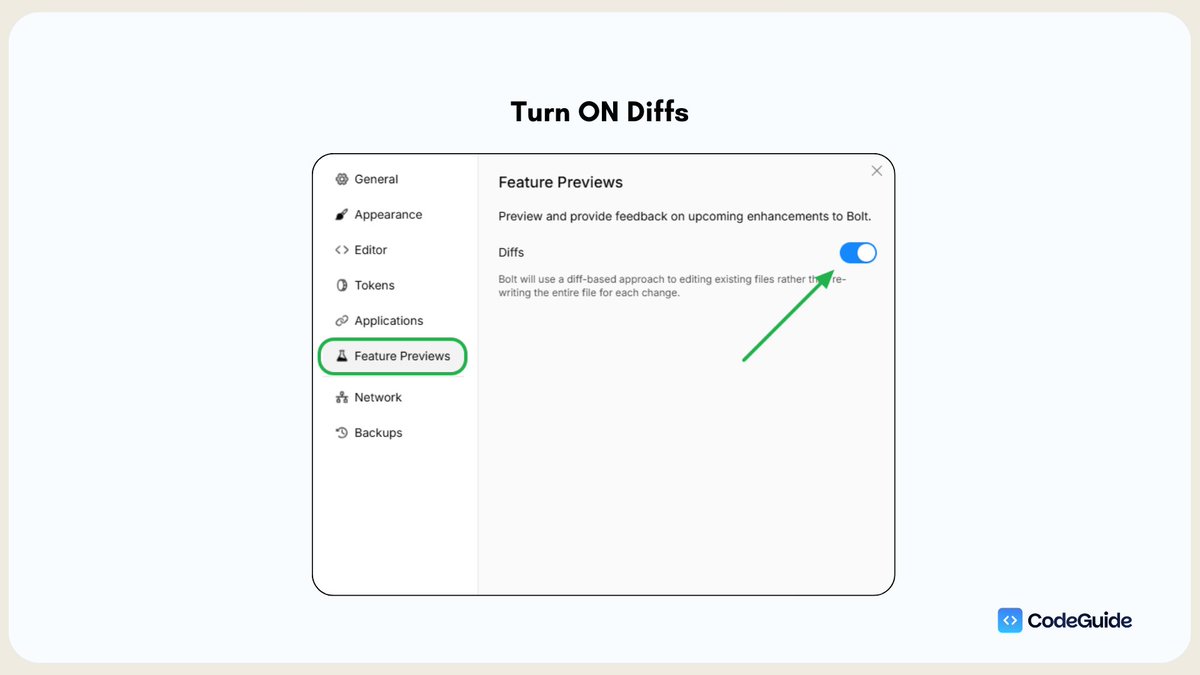
To solve this issue: Go to Settings → Preview features → Turn ON the toggle button for Diffs
After this bolt will make changes to only few lines of code.
Results: Fast Loading & Less Token Burn
Whenever you ask bolt to make a specific change on any file. Bolt used to rewrite the code for entire file.
This burns alot of tokens.
To solve this issue: Go to Settings → Preview features → Turn ON the toggle button for Diffs
After this bolt will make changes to only few lines of code.
Results: Fast Loading & Less Token Burn
4. Use "Lock File" and "Target File" Feature
If you want to make changes to only one file than use "Target file" feature by right clicking on the directory.
You can also "lock" files that are done and you don't want bolt to make any unwanted changes.
This will help you minimize token burn and AI hallucinations.
If you want to make changes to only one file than use "Target file" feature by right clicking on the directory.
You can also "lock" files that are done and you don't want bolt to make any unwanted changes.
This will help you minimize token burn and AI hallucinations.
5. Build a Context Boundary
Provide detailed context about your project: What it is all about? User flow? Tech stack? Scope of work? etc
I call it the "Context Boundary."
Buildin a strong boundary around AI so it works for you and just follow the plan.
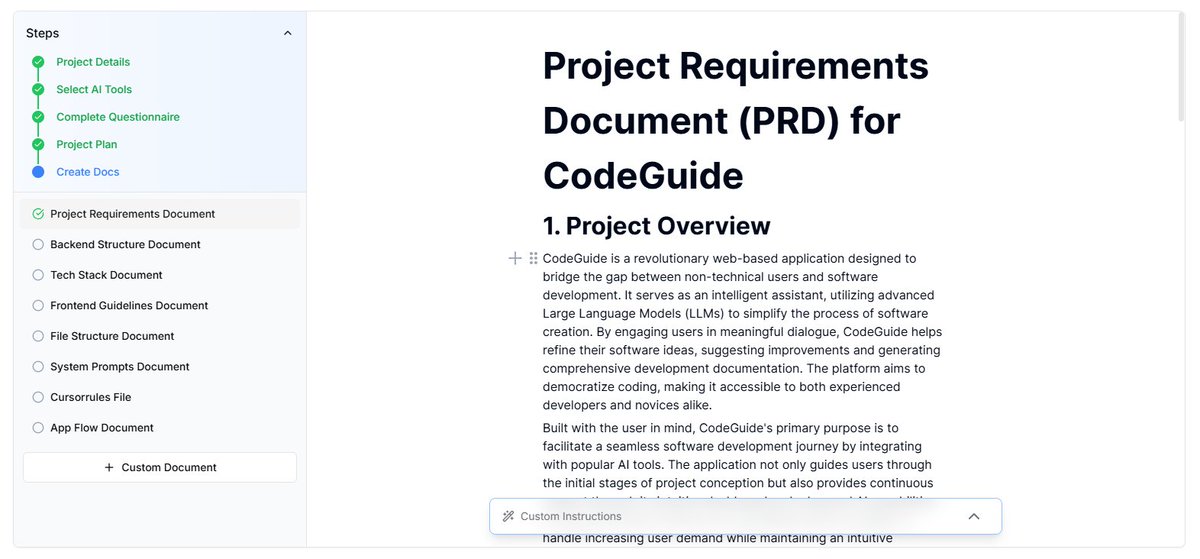
For this you need to attach your projects docs, like:
- Project Requirements Doc (PRD)
- App Flow Doc
- Frontend Guidelines
- Backend Structure
After you start the project with initial prompt. attach PRD in .md format and ask:
"before you code anything, go through the PRD and tell mw what do you understand about my project?"
Provide detailed context about your project: What it is all about? User flow? Tech stack? Scope of work? etc
I call it the "Context Boundary."
Buildin a strong boundary around AI so it works for you and just follow the plan.
For this you need to attach your projects docs, like:
- Project Requirements Doc (PRD)
- App Flow Doc
- Frontend Guidelines
- Backend Structure
After you start the project with initial prompt. attach PRD in .md format and ask:
"before you code anything, go through the PRD and tell mw what do you understand about my project?"
6. Attach Docs to File Directory
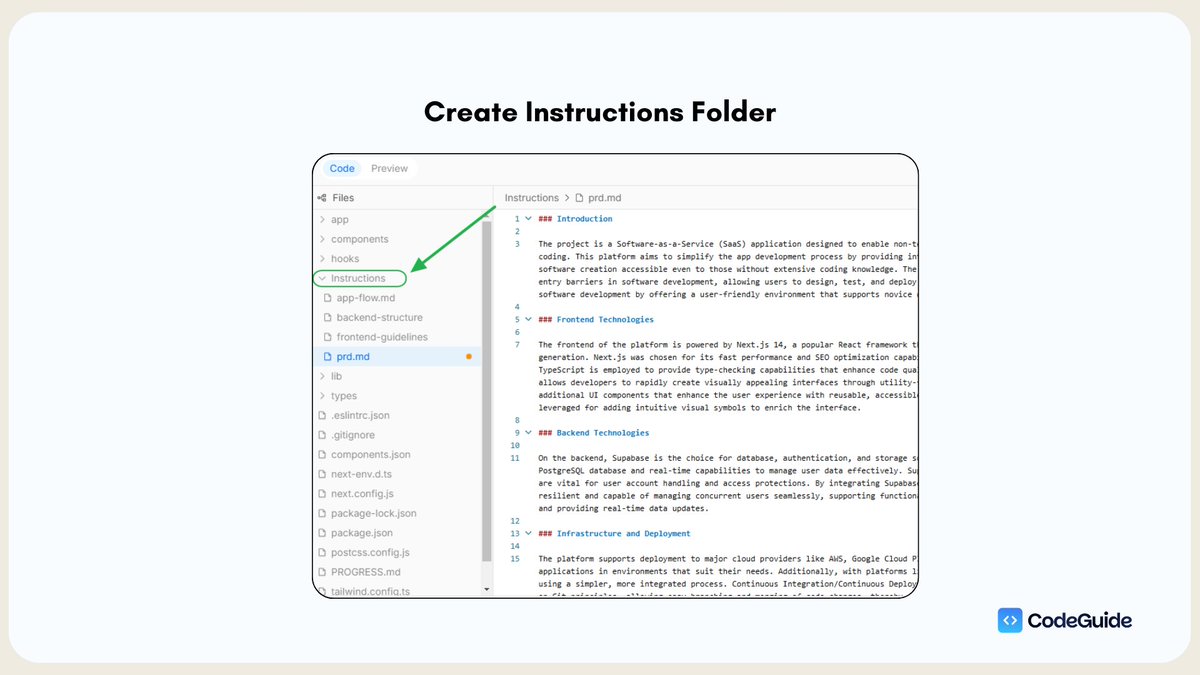
You can also create an"Instructions" folder and create docs files in .md format under that folder.
Then paste the content in each file and save.
Then right click on Instructions folder and hit "Target all."
Then ask bolt, what do you understand about my project.
And when working on specific requests, you can tag files by using "copy path" of that file and pasting in input fileld.
Then ask: "Refer to (eg: file path) doc first and then help me build x,yx,z"
You can also create an"Instructions" folder and create docs files in .md format under that folder.
Then paste the content in each file and save.
Then right click on Instructions folder and hit "Target all."
Then ask bolt, what do you understand about my project.
And when working on specific requests, you can tag files by using "copy path" of that file and pasting in input fileld.
Then ask: "Refer to (eg: file path) doc first and then help me build x,yx,z"
7. Write Detailed Instructions
While building you need to instruct bolt with detailed requests.
Instead of "move the button to right" say "in top header move the sign up button to left side of the page"
Use can use "enhance prompt" button throughout the building process.
The better the instructions, the less the errors.
While building you need to instruct bolt with detailed requests.
Instead of "move the button to right" say "in top header move the sign up button to left side of the page"
Use can use "enhance prompt" button throughout the building process.
The better the instructions, the less the errors.
8. Build Step-by-Step.
Don't tell bolt to do 5 tasks at same time. This will force AI to mess up things.
Here's how I do it:
→ Start with Frontent design, page by page, section by section.
→ Then attach backend using Supabase as bolt has supabase integration built in.
→ and then I refine the UI/UX if needed.
This step by step flow help AI to focus on 1 task at a time.
Don't tell bolt to do 5 tasks at same time. This will force AI to mess up things.
Here's how I do it:
→ Start with Frontent design, page by page, section by section.
→ Then attach backend using Supabase as bolt has supabase integration built in.
→ and then I refine the UI/UX if needed.
This step by step flow help AI to focus on 1 task at a time.
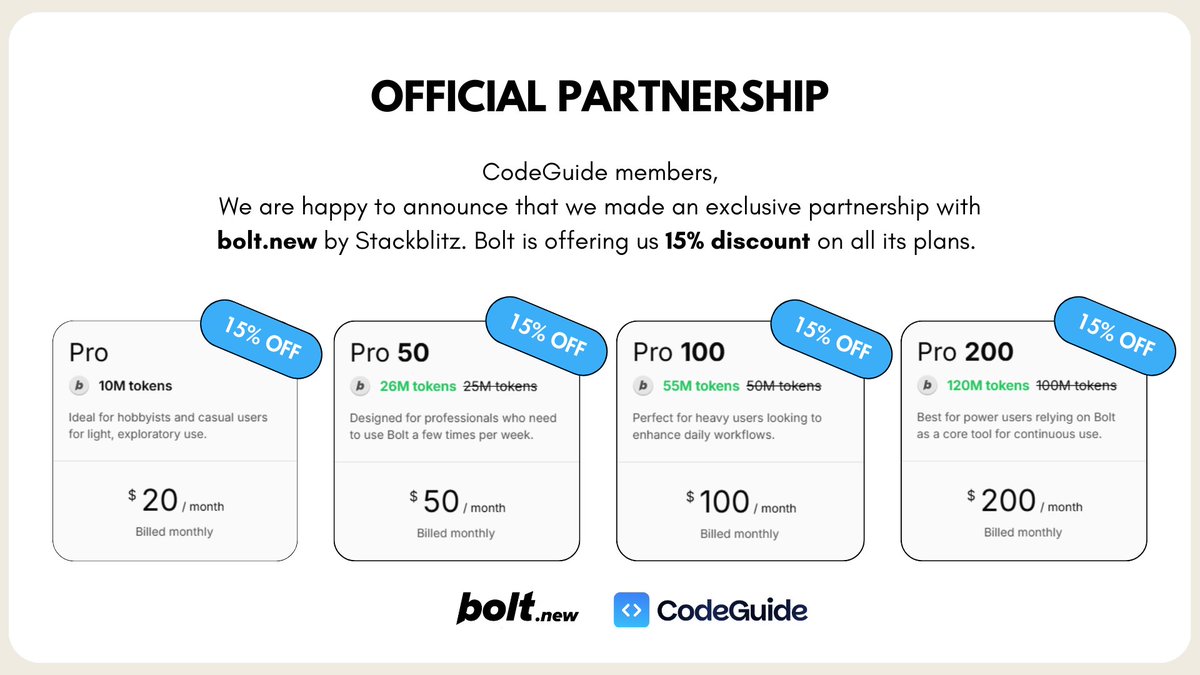
9. Enjoy 15% OFF on all Bolt plans.
I am happy to announce that we made an exclusive partnership with bolt @stackblitz to offer @CodeGuidedev community a 15% Discount on all of its plans. 🎉
If you haven't joined CodeGuide yet. I am offering 30% discount on Yearly membership for next 36 hours.
More deals and perks are coming for you.
I am happy to announce that we made an exclusive partnership with bolt @stackblitz to offer @CodeGuidedev community a 15% Discount on all of its plans. 🎉
If you haven't joined CodeGuide yet. I am offering 30% discount on Yearly membership for next 36 hours.
More deals and perks are coming for you.
CodeGuide is becoming the Home of AI coders.
Dump your project idea and CodeGuide will help you write your Project Development Documentation for AI models.
Join us here: codeguide.dev
+ CodeGuide 1.2 is coming. ✨
→ CodeGuide in-house community (No Discord)
→ Video tutorials from Jan 2nd
→ Exclusive reports on "What to build."
→ Prompt templates, Boilerplates, Design templates.
and few surprise features.
Hang tight. We are just 8 days old startup. 🙌
Dump your project idea and CodeGuide will help you write your Project Development Documentation for AI models.
Join us here: codeguide.dev
+ CodeGuide 1.2 is coming. ✨
→ CodeGuide in-house community (No Discord)
→ Video tutorials from Jan 2nd
→ Exclusive reports on "What to build."
→ Prompt templates, Boilerplates, Design templates.
and few surprise features.
Hang tight. We are just 8 days old startup. 🙌
• • •
Missing some Tweet in this thread? You can try to
force a refresh