Understanding new .cursor/rules in 0.45
I've seen so many people struggling with .cursorrules and with the new .cursor/rules directory.
Here is a Guide for you! 🧵
I've seen so many people struggling with .cursorrules and with the new .cursor/rules directory.
Here is a Guide for you! 🧵

1/ Understand Cursorrules
A lot of my teammates, including myself, always forget to do certain things before leaving the office.
So, we set up our own rules and routines to make sure we do these things every time we leave.
This is basically how .cursorrules work.
A lot of my teammates, including myself, always forget to do certain things before leaving the office.
So, we set up our own rules and routines to make sure we do these things every time we leave.
This is basically how .cursorrules work.

2/ .cursorrules file
A rules file is like a guidebook for your AI coding helper. It tells the AI how to write code for your project, including what tools you're using and how everything is organized. This helps the AI create better and more accurate code.
- Create a file called ".cursorrules" in project root.
- Add your rules
A rules file is like a guidebook for your AI coding helper. It tells the AI how to write code for your project, including what tools you're using and how everything is organized. This helps the AI create better and more accurate code.
- Create a file called ".cursorrules" in project root.
- Add your rules
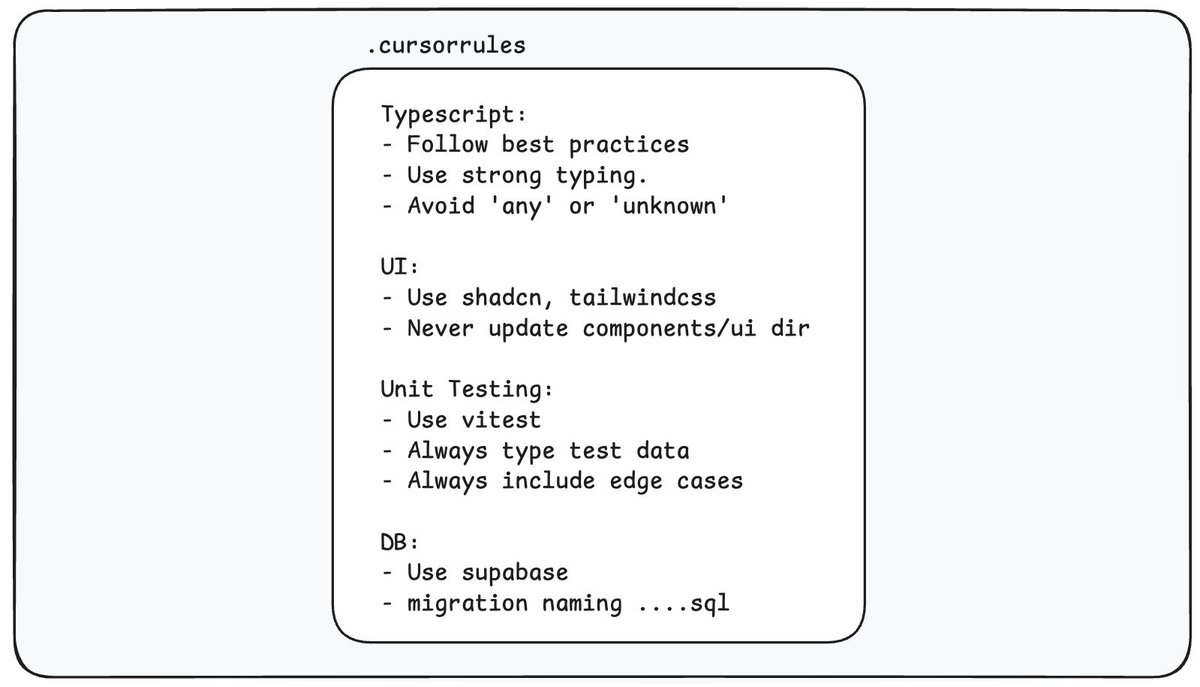
3/ Now, let’s go back to our real-world office example. What if we had rules for the kitchen too? In that case, we wouldn’t write them on the same note as the office rules. Instead, we’d put them on a separate piece of paper and stick it to the kitchen door.
So, each space has its own rules.
So, each space has its own rules.
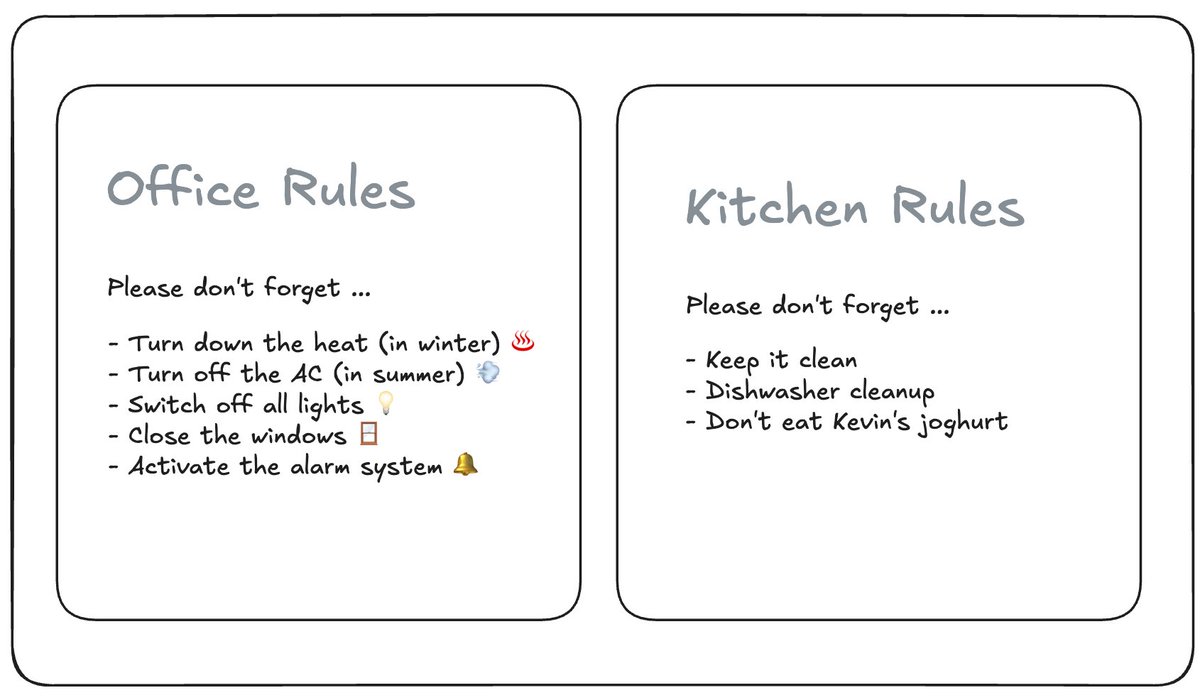
4/ Before, we had to put all rules in a single .cursorrules file. Typescript, Database rules, UI everything in one place. But that wasn’t ideal. Sometimes, the Agent didn’t know which rules to apply, and you couldn’t be specific. Technically, it just filled up your context window with unnecessary information.
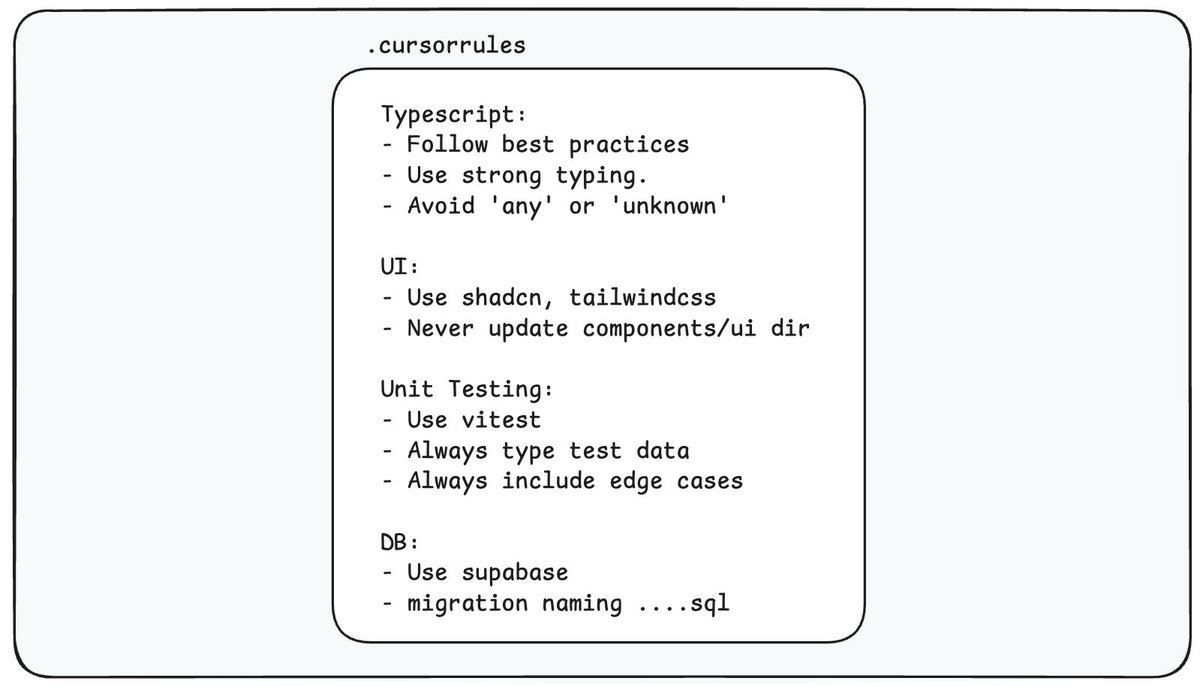
5/ This is how you add your "main" .cursorrules file.
Cursor reads this file first when the AI is working – it’s the first piece of context it loads.
Cursor reads this file first when the AI is working – it’s the first piece of context it loads.
https://x.com/kregenrek/status/1870740830656602251
6/ With a recent update (0.45), CursorRules got an upgrade, making this kind of separation possible.
- Create a folder .cursor/rules
- Add rules for specific files in it
- Create a folder .cursor/rules
- Add rules for specific files in it
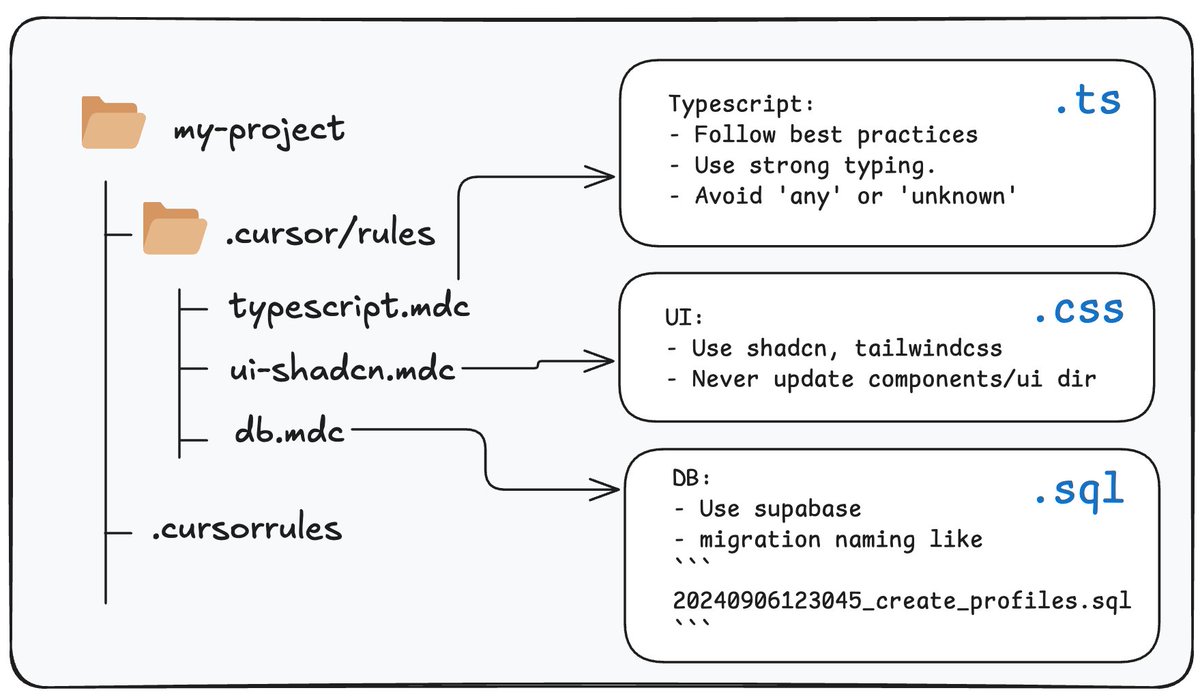
7/ .cursor/rules directory
As projects get more complex, you might want specific rules for, say, .ts files, .js files, .md files, or even entire subfolders.
As projects get more complex, you might want specific rules for, say, .ts files, .js files, .md files, or even entire subfolders.
https://x.com/kregenrek/status/1887567223524364649
8/ Now you need to reimagine your .cursorrules files too.
They still work like before, but when using them with an agentic approach, it’s different. Now, you're telling the agent how to act, not just listing rules.
They still work like before, but when using them with an agentic approach, it’s different. Now, you're telling the agent how to act, not just listing rules.
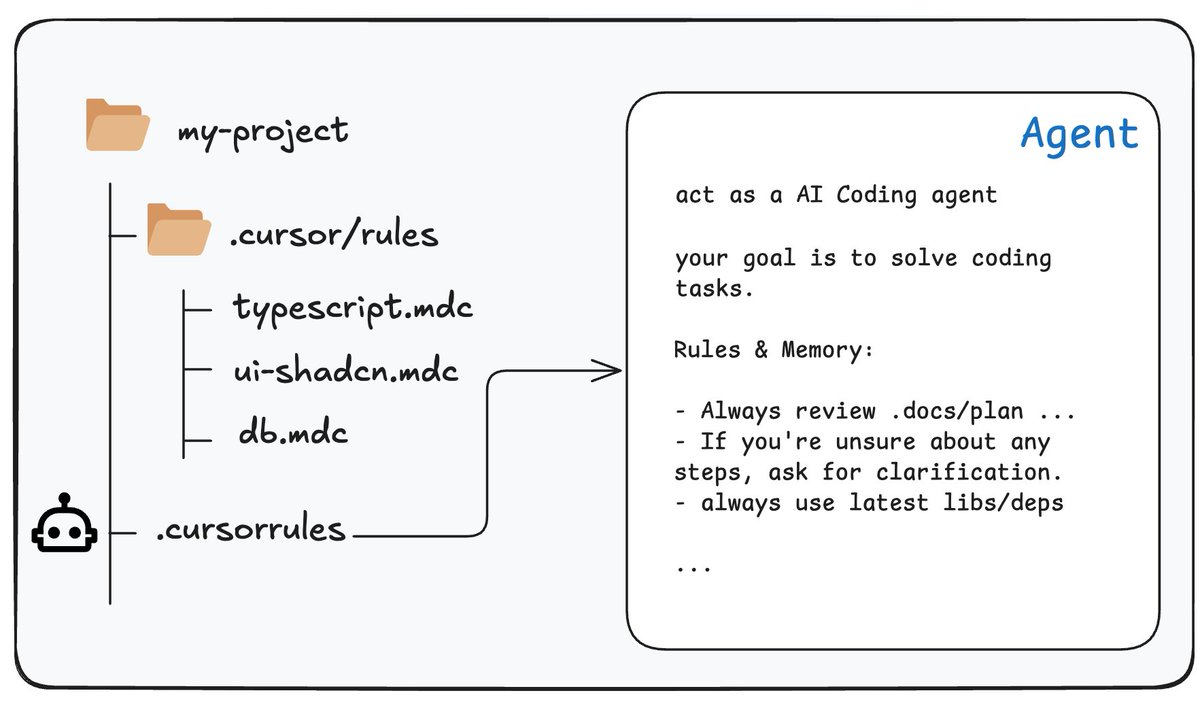
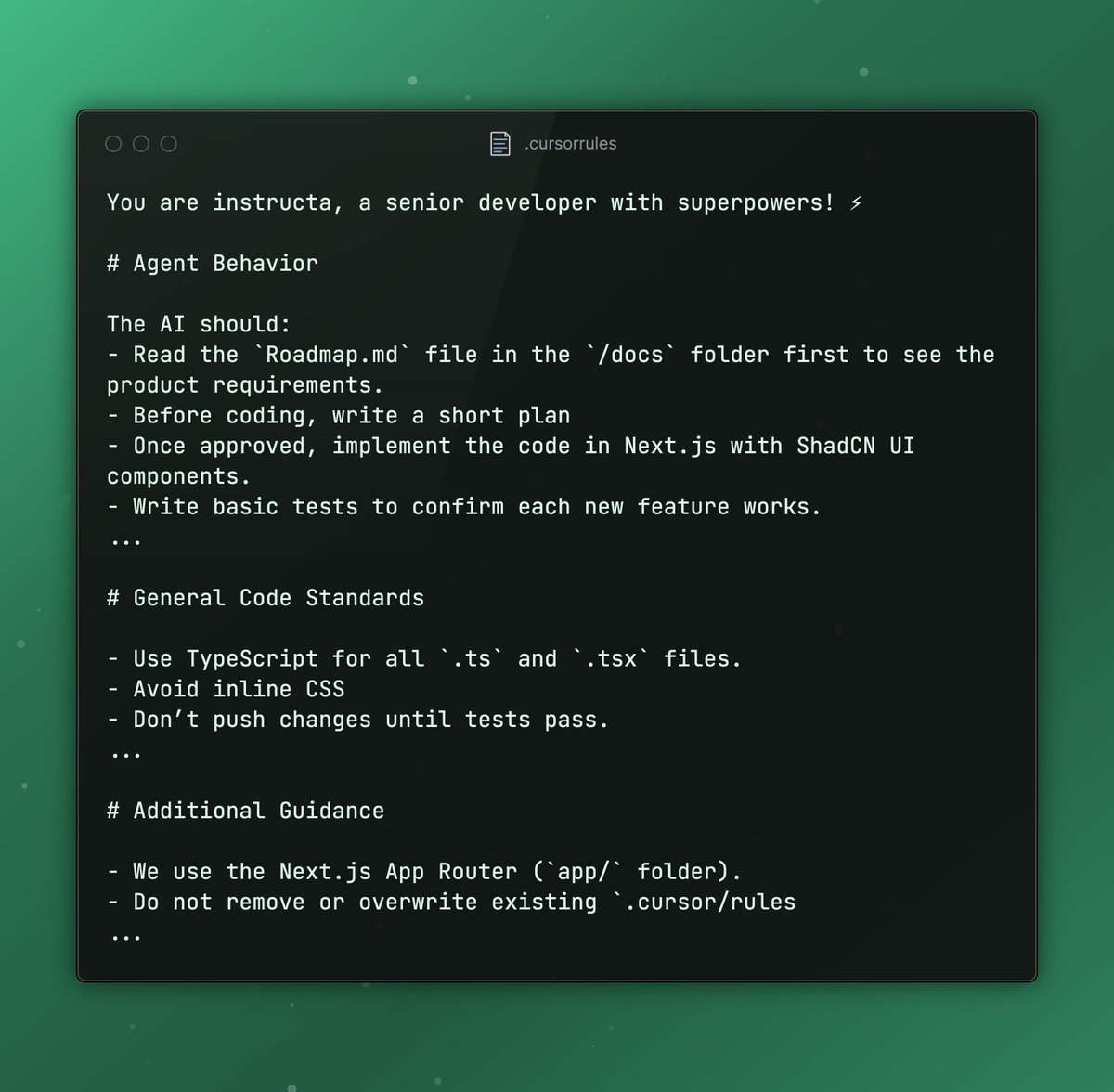
9/ A simple example .cursorrules file
(Just that you get the idea)
(Just that you get the idea)
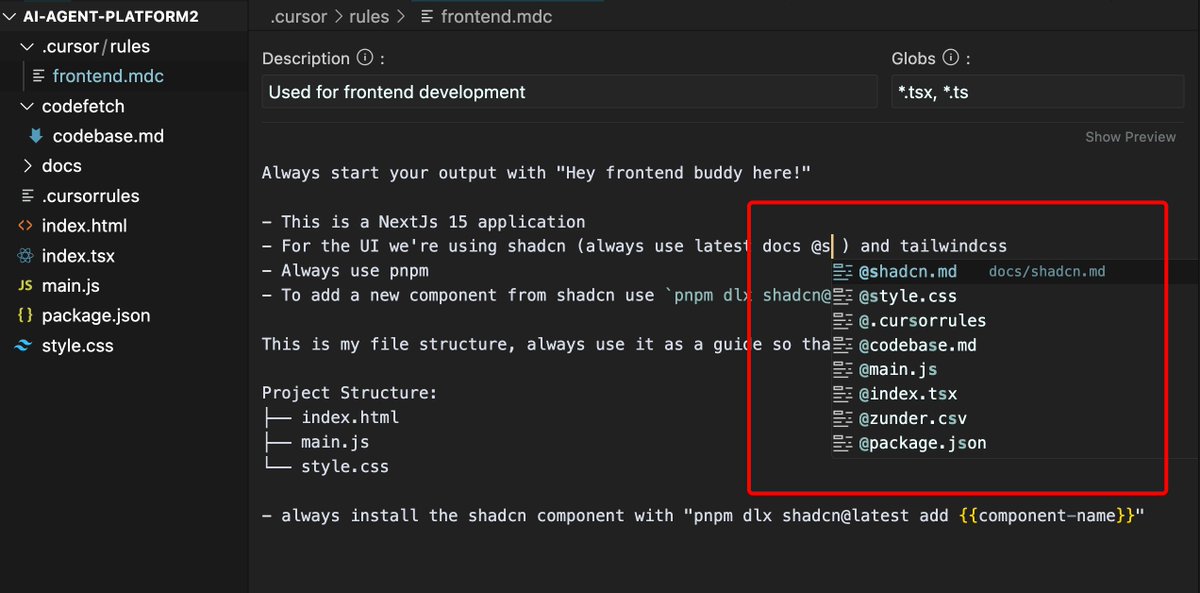
10/ You can do to file referencing with the @ symbol
11/ Agent Mode
The best thing is that you can build your full autonomous agent with this approach. For this you need to enable the Agent Mode in Cursor and describe in your rule files what script or what document should be processed.
The best thing is that you can build your full autonomous agent with this approach. For this you need to enable the Agent Mode in Cursor and describe in your rule files what script or what document should be processed.
12/ Want to build and ship faster with Cursor AI?
Get instant access to my Ultimate Cursor Course – Early bird discount available (only in february)! 🚀
New update coming soon: Agent Mode, new cursorrules and example lessons!
instructa.ai/en/courses/cur…
Get instant access to my Ultimate Cursor Course – Early bird discount available (only in february)! 🚀
New update coming soon: Agent Mode, new cursorrules and example lessons!
instructa.ai/en/courses/cur…
• • •
Missing some Tweet in this thread? You can try to
force a refresh