NEW: Sakana AI introduces The AI CUDA Engineer.
It's an end-to-end agentic system that can produce highly optimized CUDA kernels.
This is wild! They used AI to discover ways to make AI run faster!
Let's break it down:
It's an end-to-end agentic system that can produce highly optimized CUDA kernels.
This is wild! They used AI to discover ways to make AI run faster!
Let's break it down:

The Backstory
Sakana AI's mission is to build more advanced and efficient AI using AI.
Their previous work includes The AI Scientist, LLMs that produce more efficient methods to train LLMs, and automation of new AI foundation models.
And now they just launched The AI CUDA Engineer.
Sakana AI's mission is to build more advanced and efficient AI using AI.
Their previous work includes The AI Scientist, LLMs that produce more efficient methods to train LLMs, and automation of new AI foundation models.
And now they just launched The AI CUDA Engineer.

Why is this research a big deal?
Writing efficient CUDA kernels is challenging for humans.
The AI CUDA Engineer is an end-to-end agent built with the capabilities to automatically produce and optimize CUDA kernels more effectively.
Writing efficient CUDA kernels is challenging for humans.
The AI CUDA Engineer is an end-to-end agent built with the capabilities to automatically produce and optimize CUDA kernels more effectively.

What's up with CUDA?
Writing CUDA kernels can help achieve high-performing AI algorithms.
However, this requires GPU knowledge, and most AI algorithms today are written in a higher-level abstraction layer such as PyTorch.
Writing CUDA kernels can help achieve high-performing AI algorithms.
However, this requires GPU knowledge, and most AI algorithms today are written in a higher-level abstraction layer such as PyTorch.

An Agentic Pipeline
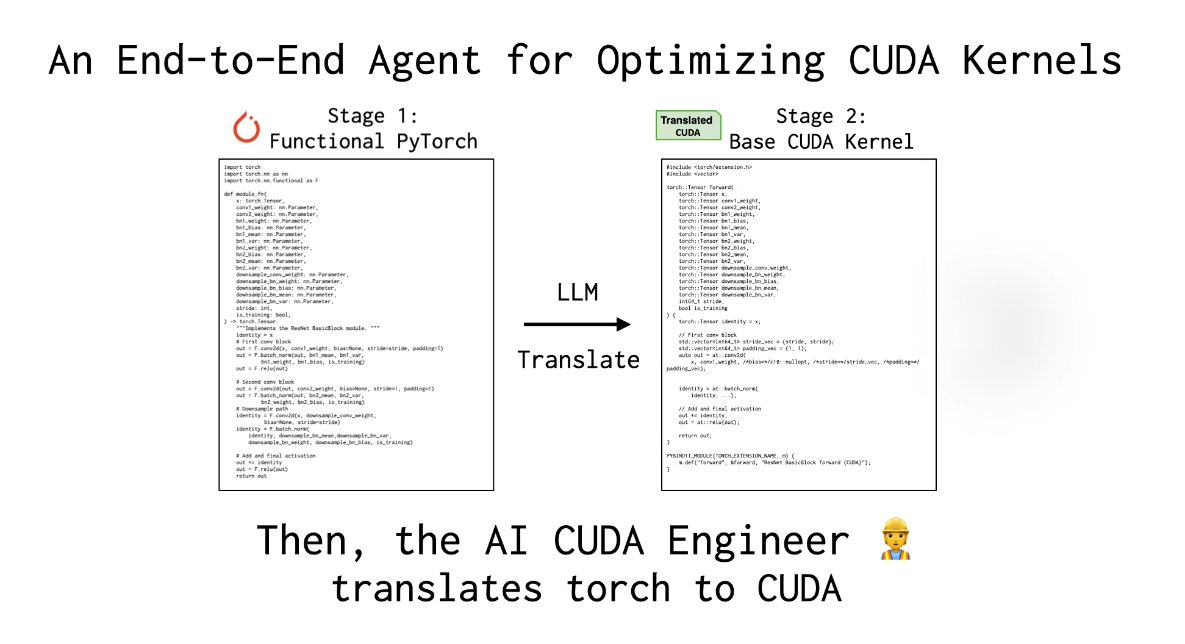
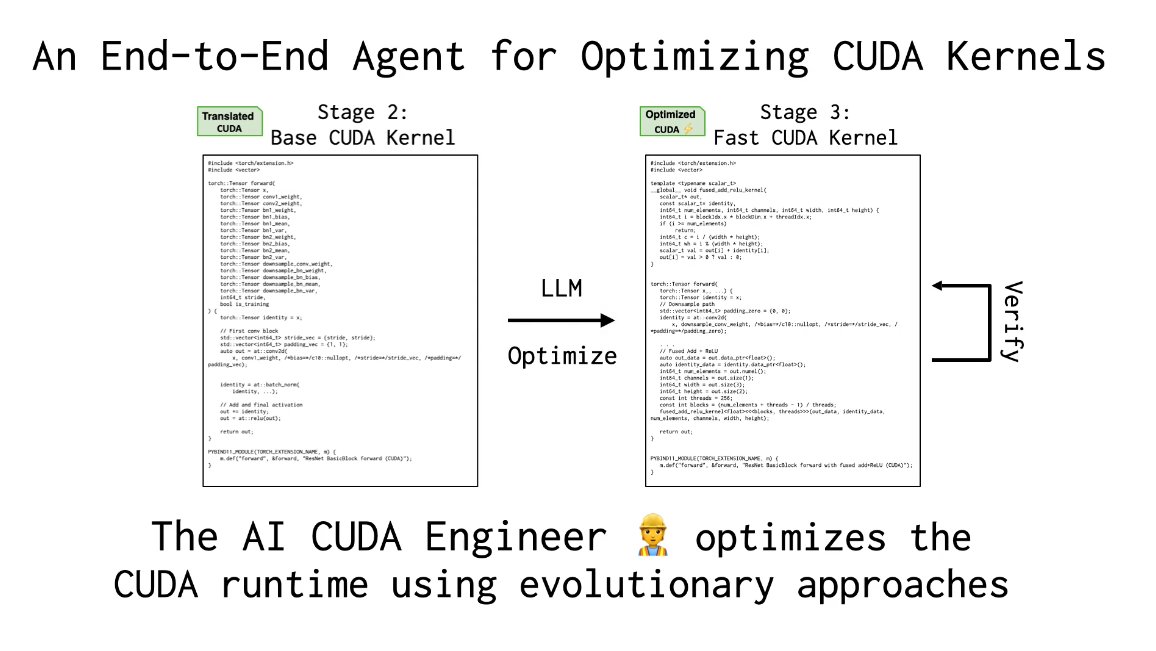
The agent translates PyTorch code into CUDA kernels (Stages 1 & 2), then applies evolutionary optimization (Stage 3) like crossover prompting, leading to an Innovation Archive (Stage 4) that reuses “stepping stone” kernels for further gains.
Components:
The agent translates PyTorch code into CUDA kernels (Stages 1 & 2), then applies evolutionary optimization (Stage 3) like crossover prompting, leading to an Innovation Archive (Stage 4) that reuses “stepping stone” kernels for further gains.
Components:

Stage 1: PyTorch Modules to Functions
The AI CUDA Engineer first converts a PyTorch nn.Module to Functional PyTorch using an LLM.
The code is also validated for correctness
The AI CUDA Engineer first converts a PyTorch nn.Module to Functional PyTorch using an LLM.
The code is also validated for correctness

Stage 2: Functional PyTorch to Working CUDA
The agent translated the functional PyTorch code to a working CUDA kernel. using an LLM.
The kernel is loaded and assessed for numerical correctness.
The agent translated the functional PyTorch code to a working CUDA kernel. using an LLM.
The kernel is loaded and assessed for numerical correctness.
Stage 3: Evolutionary CUDA Runtime Optimization
They use an evolutionary optimization process (including advanced prompting strategies, standard LLMs, and reasoning models like o3-mini & DeepSeek-R1) to ensure only the best CUDA kernels are produced.
They use an evolutionary optimization process (including advanced prompting strategies, standard LLMs, and reasoning models like o3-mini & DeepSeek-R1) to ensure only the best CUDA kernels are produced.
Stage 4: Innovative Archive
RAG is used to obtain high-performing kernels from related tasks; these are provided as context (stepping stones) to achieve further translation and performance gains.
Newly-discovered CUDA kernels can also be added to the archive in the process.
RAG is used to obtain high-performing kernels from related tasks; these are provided as context (stepping stones) to achieve further translation and performance gains.
Newly-discovered CUDA kernels can also be added to the archive in the process.
Kernel Runtime Speedups
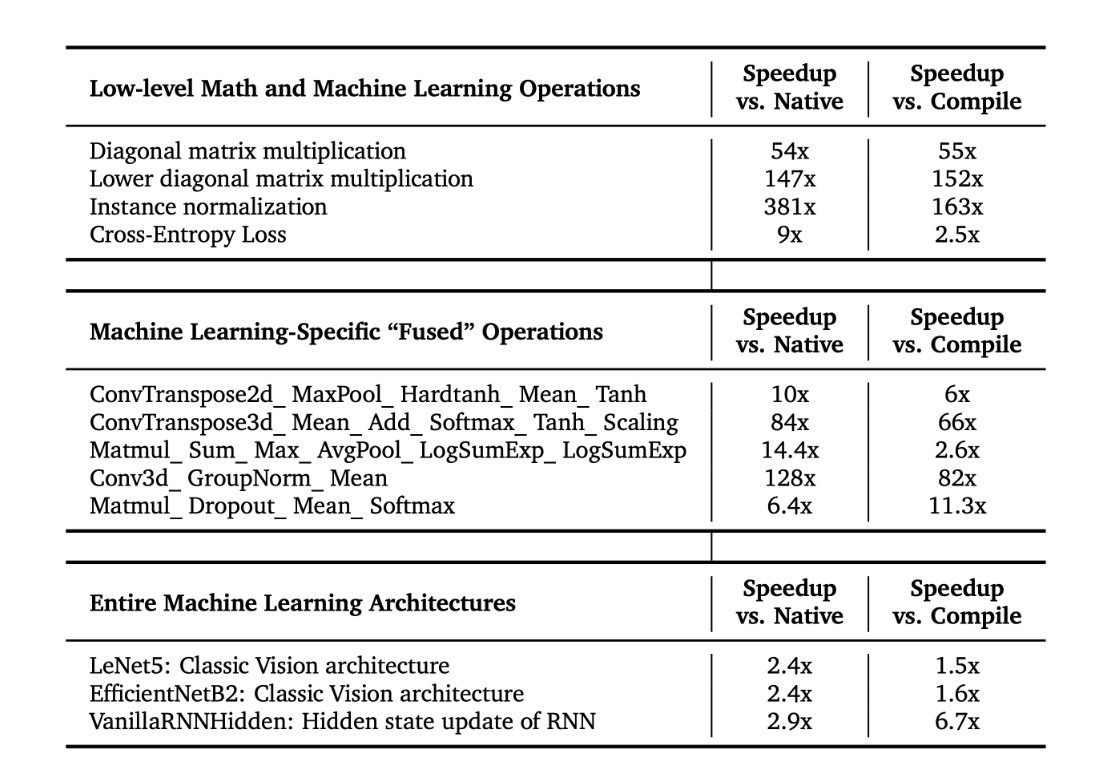
The AI CUDA Engineer discovers CUDA kernels with speedups that reach as high as 10-100x faster than native and compiled kernels in PyTorch.
It can also convert entire ML architectures into optimized CUDA kernels.
The AI CUDA Engineer discovers CUDA kernels with speedups that reach as high as 10-100x faster than native and compiled kernels in PyTorch.
It can also convert entire ML architectures into optimized CUDA kernels.
Performance:
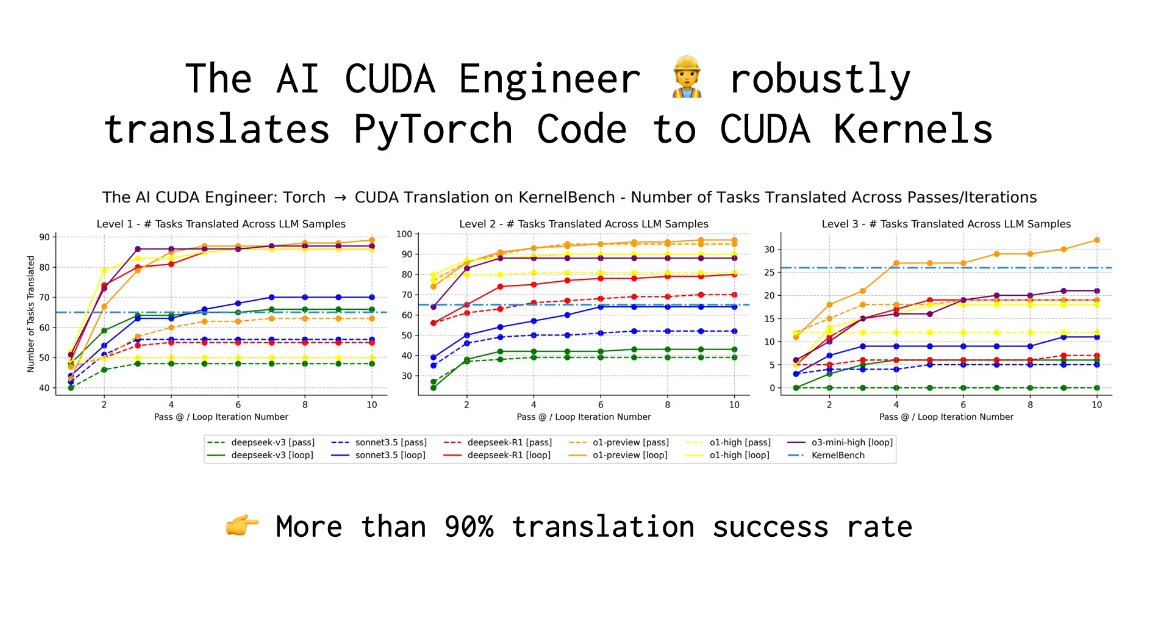
The AI CUDA Engineer robustly translates PyTorch Code to CUDA Kernels.
It achieves more than a 90% translation success rate!
The AI CUDA Engineer robustly translates PyTorch Code to CUDA Kernels.
It achieves more than a 90% translation success rate!
Highlighted AI CUDA Engineer-Discovered Kernels
The AI CUDA Engineer can robustly improve CUDA runtime.
> Outperforms PyTorch Native runtimes for 81% out of 229 considered tasks
> 20% of all discovered CUDA kernels are at least twice as fast as their PyTorch implementations
The AI CUDA Engineer can robustly improve CUDA runtime.
> Outperforms PyTorch Native runtimes for 81% out of 229 considered tasks
> 20% of all discovered CUDA kernels are at least twice as fast as their PyTorch implementations

The AI CUDA Engineer Archive
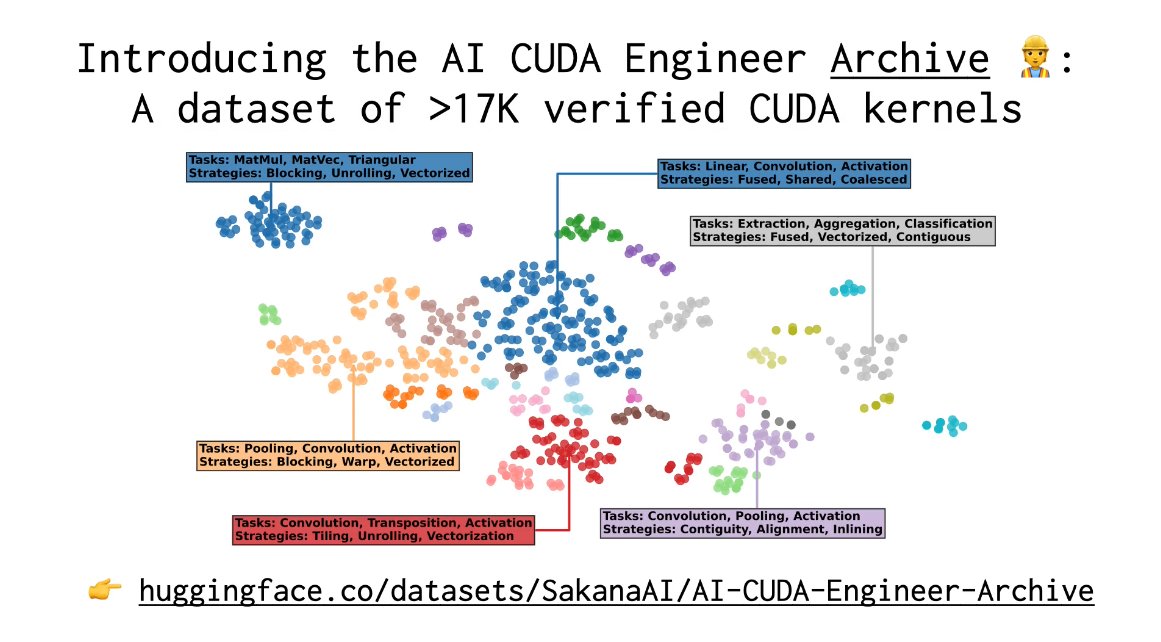
The team has made available an archive of more than 17000 verified CUDA kernels.
These can be used for downstream fine-tuning of LLMs.
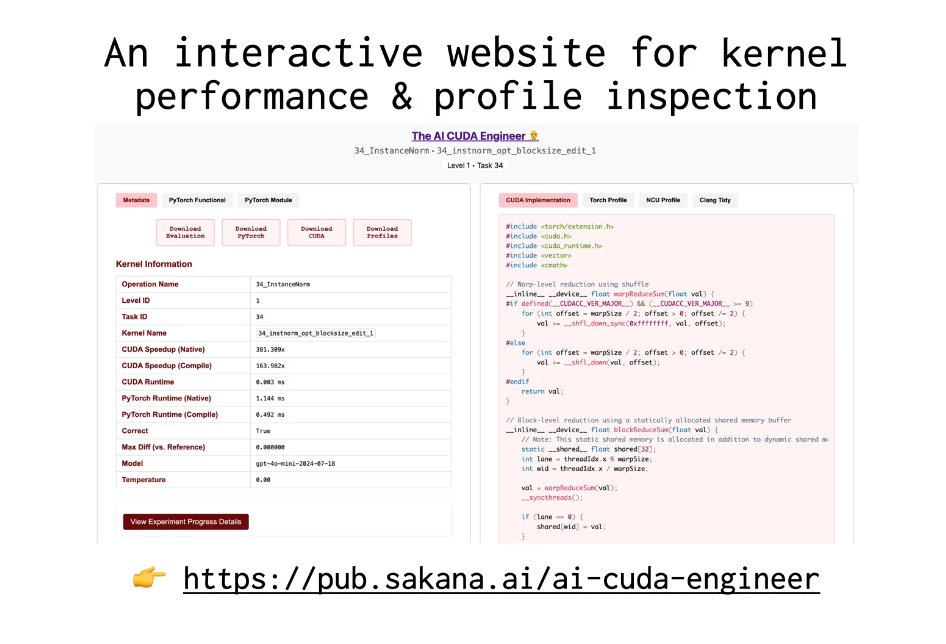
There is also a website to explore verified CUDA kernels.
The team has made available an archive of more than 17000 verified CUDA kernels.
These can be used for downstream fine-tuning of LLMs.
There is also a website to explore verified CUDA kernels.
Blog: sakana.ai/ai-cuda-engine…
Explore Archive here: pub.sakana.ai/ai-cuda-engine…
Technical report: pub.sakana.ai/static/paper.p…
Explore Archive here: pub.sakana.ai/ai-cuda-engine…
Technical report: pub.sakana.ai/static/paper.p…
• • •
Missing some Tweet in this thread? You can try to
force a refresh