The AI Colony Profile picture
Mar 4, 2025 10 tweets 3 min read Read on X
🚨 BREAKING: Google Maps just announced a MASSIVE upgrade.

Now, you can use AI inside Maps.

Here are 6 mind-blowing features that will surprise you: Image
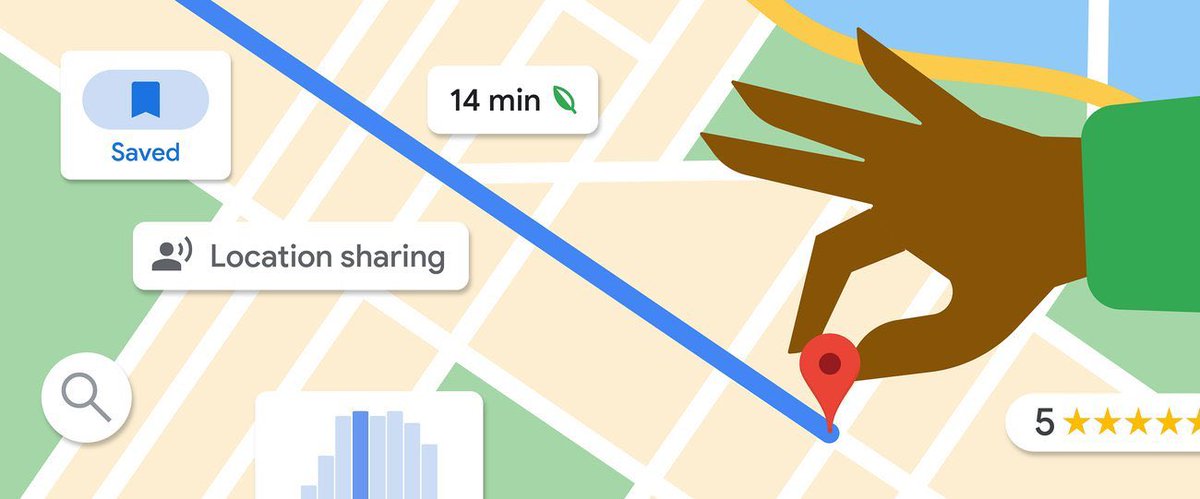
1. Live View

Tap the camera icon for Live View searching.

Discover nearby ATMs, restaurants, parks, and transit stations.

Check out their hours and ratings at a glance.

Everything is in one place.
2. New Immersive View in 3D:

Use 3D models built from street-level imagery to explore any location.

Benefit from realistic live traffic and weather information for smoother navigation through congestion and inclement weather.
3. Lens in Maps

Lens in Maps utilizes AI and augmented reality to provide instant insights into your surroundings.
Join "Everything Tech and AI"" Community of over 11000 readers for FREE:: 👇

tinyurl.com/ryskjrda
4. Conversational search in Google Maps:

With new AI-powered insights, users can access detailed information to discover new locations.
5. New Aerial View API:

Add a captivating 3D birds-eye view to your apps and websites.

Google's AI extracts objects from street and aerial views, enhancing the overall user experience.
6. Introducing Google's newly revealed 'Project Greenlight'

Leveraging AI and Google Maps data, they predict traffic flow and suggest ways to optimize traffic lights.

Stay up-to-date with the latest insights on AI, you'll love our newsletter.

Join "Everything Tech and AI"" Community of over 11000 readers for FREE:: 👇

theaicolony.beehiiv.com
We hope this thread provided valuable information!

Follow and turn on notification for @TheAIcolony for more valuable contents like this.

Thank you for reading, and please engage with the first post by bookmarking, liking, commenting, and reposting.

• • •

Missing some Tweet in this thread? You can try to force a refresh

 

Keep Current with The AI Colony

The AI Colony Profile picture

Stay in touch and get notified when new unrolls are available from this author!

Read all threads

This Thread may be Removed Anytime!

PDF

Twitter may remove this content at anytime! Save it as PDF for later use!

Try unrolling a thread yourself!

how to unroll video
  1. Follow @ThreadReaderApp to mention us!

  2. From a Twitter thread mention us with a keyword "unroll"
@threadreaderapp unroll

Practice here first or read more on our help page!

More from @TheAIColony

Jan 6
🚨Breaking: ChatGPT can now create presentations.

No more wasting hundreds of hours creating PowerPoint presentations.

Here’s how to do it in a few minutes:
Step 1: Go to ChatGPT:

Use Prompt:

"Give me a VBA code that creates an 8-slide PowerPoint presentation on [Topic] You can run this code in the Visual Basic for Applications (VBA) editor in PowerPoint. " chatgpt.com
Step 2: Add Code in PowerPoint

- Open PowerPoint, go to 'Options'
- Choose 'Customize Ribbon' and check 'Developer'
- Click 'Developer' > 'Visual Basic'
- Insert 'Userform'
- Click 'Modules', paste code, and play
- Design your template
Read 6 tweets
Jan 5
NO GOOGLE FLIGHTS IN 2026.
NO SKYSCANNER IN 2026.
NO KAYAK IN 2026.

CHATGPT FOUND MY FLIGHT IN 10 MINUTES AND SAVED ME $750.

COPY THESE 7 PROMPTS BEFORE YOU BOOK ANY TRIP:
1. Cheapest Route Finder

“Find the cheapest way to fly from [departure city] to [destination]. Include nearby airports, layovers, and unconventional routes.”
2. Date Flex Optimizer

“I want to travel from [city] to [city] around [date range]. Show me the cheapest dates to fly and explain why those days are cheaper.”
Read 9 tweets
Nov 30, 2025
STOP TELLING CHATGPT TO "WRITE AN E-MAIL FOR ME".

Bad prompt = Bad result.

Use these prompts instead and see the magic:
1. The Professional Email Writer

“Act as a senior communication specialist. Rewrite this email to sound professional, clear, concise, and polite while keeping my original intent. Improve tone, structure, grammar, and flow. My email: [paste email].”
2. The Perfect Cold Email

“Write a persuasive, short, high-impact cold email for this purpose: [insert purpose]. Include a strong hook, value proposition, credibility, and a simple CTA. Make it sound human, confident, and non-salesy.”
Read 9 tweets
Nov 28, 2025
STOP TELLING CHATGPT TO "CREATE A PRESENTATION FOR ME".

Bad prompt = Bad result.

Use these prompts instead and see the magic:

[Save this thread]
1. The Complete Presentation Builder

“Create a complete, slide-by-slide presentation on the topic: [insert topic]. Include title slides, key points, examples, data, metaphors, visuals suggestions, and a closing call-to-action. Structure it with storytelling flow.”
2. The Deep Research Presentation

“Create a full presentation on [insert topic] using deep research. Include real statistics, case studies, expert quotes, practical insights, and examples. Make each slide educational, engaging, and backed by credible sources.”
Read 9 tweets
Nov 3, 2025
MIT University released free online courses.

No textbooks or fees required.

Here are 10 AI courses you don't want to miss in 2026 Image
1. Introduction to Computer Science and Programming Using Python.

Topics:
• A Notion of computation
• Python programming language
• Some simple algorithms
• Testing & debugging
• Informal introduction to algorithmic complexity
• Data Structures

👉🏿 edx.org/course/introdu…
2. Machine Learning with Python

Topics:

- ML problem principles
- Implement & analyze models
- Choosing suitable models for different apps
- ML project implementation: Training, validation, tuning, and feature engineering

👉🏿 edx.org/course/machine…
Read 12 tweets
Aug 19, 2025
This might be the most underrated AI skill of 2025:

JSON prompting.

It turns your LLMs like ChatGPT, Gemini, and Claude into consistent, structured agents no hallucinations, no mess.

Here’s how it works (with copy-paste templates):
first…what is json prompt writing?

it's just putting your prompt inside a structured format.
like this:

{
"task": "summarize this article",
"audience": "college students",
"length": "100 words",
"tone": "curious"
}

not english.
not vibes.
just instructions, like a form
why does it work so well?

llms don’t "understand" language the way we do.
they follow patterns and structure.
and json is ultra-structured.
it leaves no ambiguity.

they don’t have to guess what you mean.
you’re telling them exactly what you want.
Read 25 tweets

Did Thread Reader help you today?

Support us! We are indie developers!


This site is made by just two indie developers on a laptop doing marketing, support and development! Read more about the story.

Become a Premium Member ($3/month or $30/year) and get exclusive features!

Become Premium

Don't want to be a Premium member but still want to support us?

Make a small donation by buying us coffee ($5) or help with server cost ($10)

Donate via Paypal

Or Donate anonymously using crypto!

Ethereum

0xfe58350B80634f60Fa6Dc149a72b4DFbc17D341E copy

Bitcoin

3ATGMxNzCUFzxpMCHL5sWSt4DVtS8UqXpi copy

Thank you for your support!

Follow Us!

:(