If you’re building or investing in AI and don’t understand agents… you’re flying blind.
Here’s your shortcut: 10 core concepts every founder should know:
Here’s your shortcut: 10 core concepts every founder should know:
1/ Agentic AI
This is AI that doesn’t just answer questions it gets shit done.
Basically, It can plan, make decisions, and act without you babysitting it.
Think of the difference between asking a human for advice…
And having someone who actually takes the action for you.
This is AI that doesn’t just answer questions it gets shit done.
Basically, It can plan, make decisions, and act without you babysitting it.
Think of the difference between asking a human for advice…
And having someone who actually takes the action for you.

2/ Agent
The basic unit of Agentic AI.
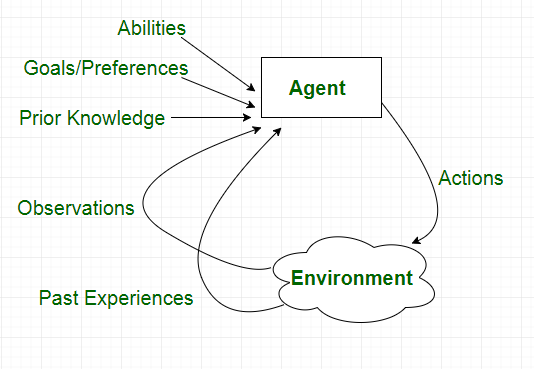
An agent is a piece of software that can see what’s going on, think about it, and do something to reach a goal.
Example: an ecommerce agent notices a product is almost sold out, checks sales data, and automatically places a reorder.
The basic unit of Agentic AI.
An agent is a piece of software that can see what’s going on, think about it, and do something to reach a goal.
Example: an ecommerce agent notices a product is almost sold out, checks sales data, and automatically places a reorder.
3/ Perception
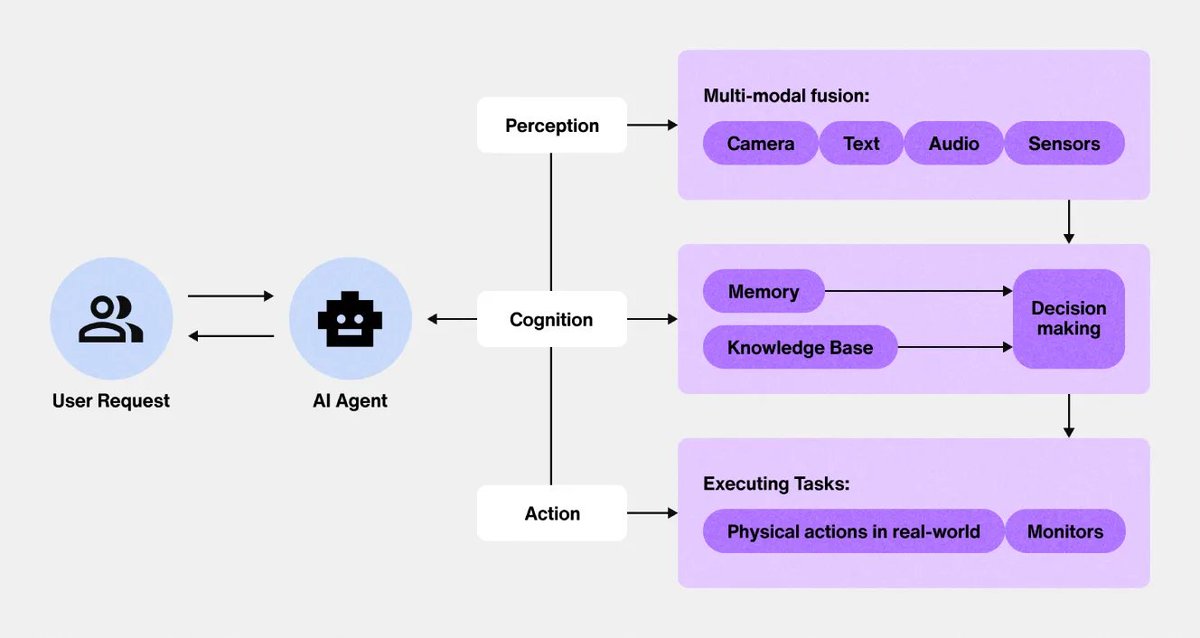
How an agent “sees” the world.
It might read text, scan a video feed, listen to audio, or process data in a spreadsheet.
The more senses it has, the better it can understand its environment.
Without perception, the agent is basically guessing.
How an agent “sees” the world.
It might read text, scan a video feed, listen to audio, or process data in a spreadsheet.
The more senses it has, the better it can understand its environment.
Without perception, the agent is basically guessing.
4/ Reasoning
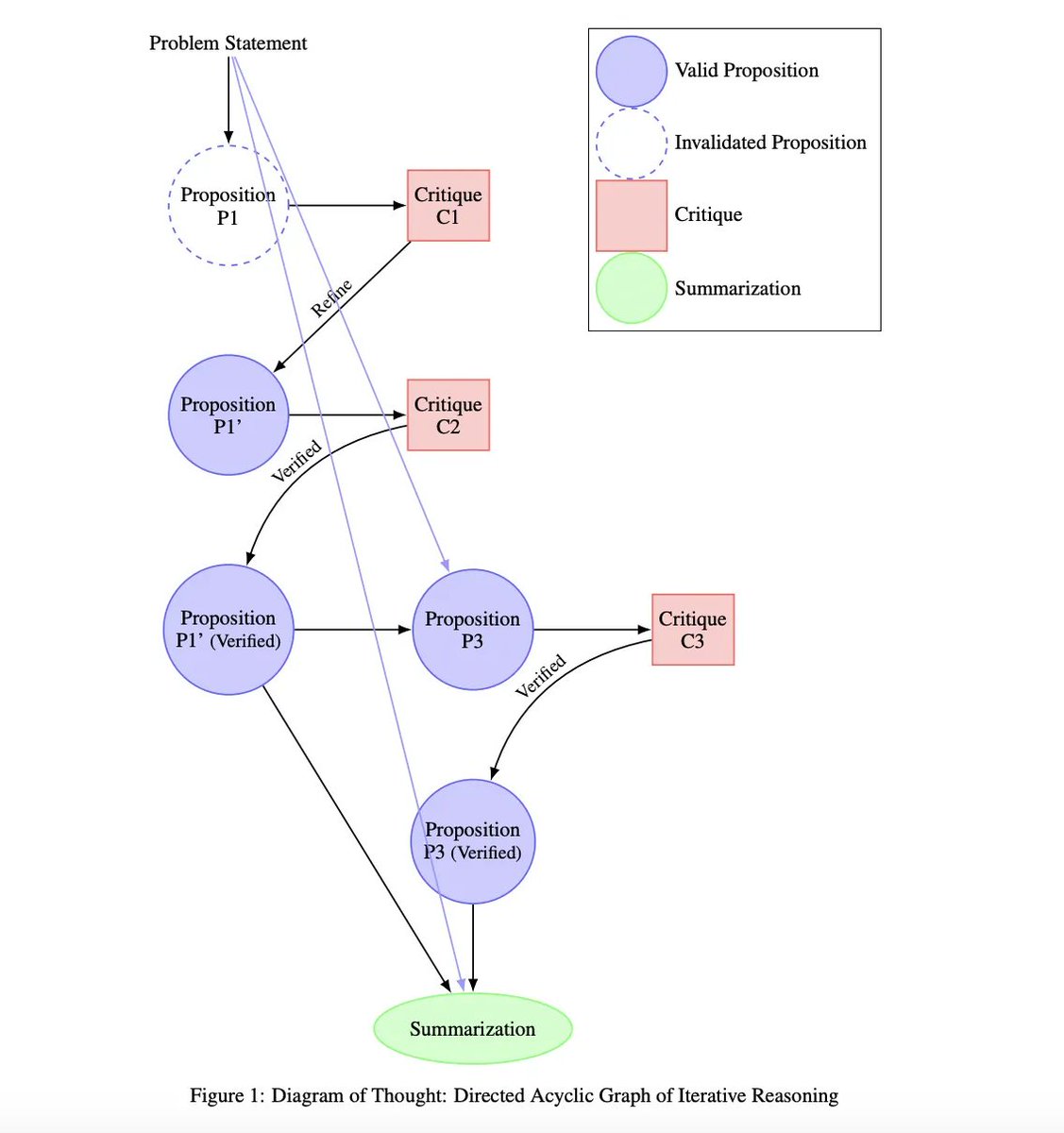
This is the thinking step.
once it knows what’s happening, the agent figures out the best move.
Example: traffic is blocked → check historical traffic data → cross-reference with live feeds → decide on the fastest alternate route.
Reasoning turns raw input into smart action.
This is the thinking step.
once it knows what’s happening, the agent figures out the best move.
Example: traffic is blocked → check historical traffic data → cross-reference with live feeds → decide on the fastest alternate route.
Reasoning turns raw input into smart action.
5/ Action
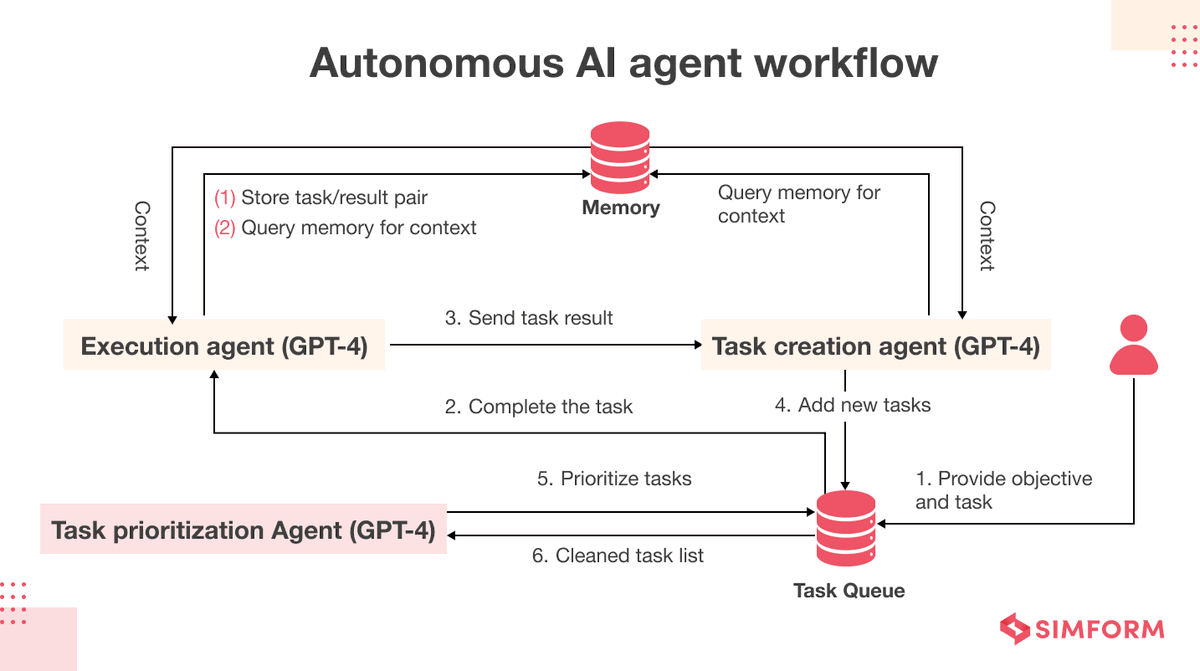
The moment the agent actually does something.
it might update a database, trigger a process, send a message, or even control a physical device.
reasoning is theory.
action is impact.
The moment the agent actually does something.
it might update a database, trigger a process, send a message, or even control a physical device.
reasoning is theory.
action is impact.
6/ Tool use
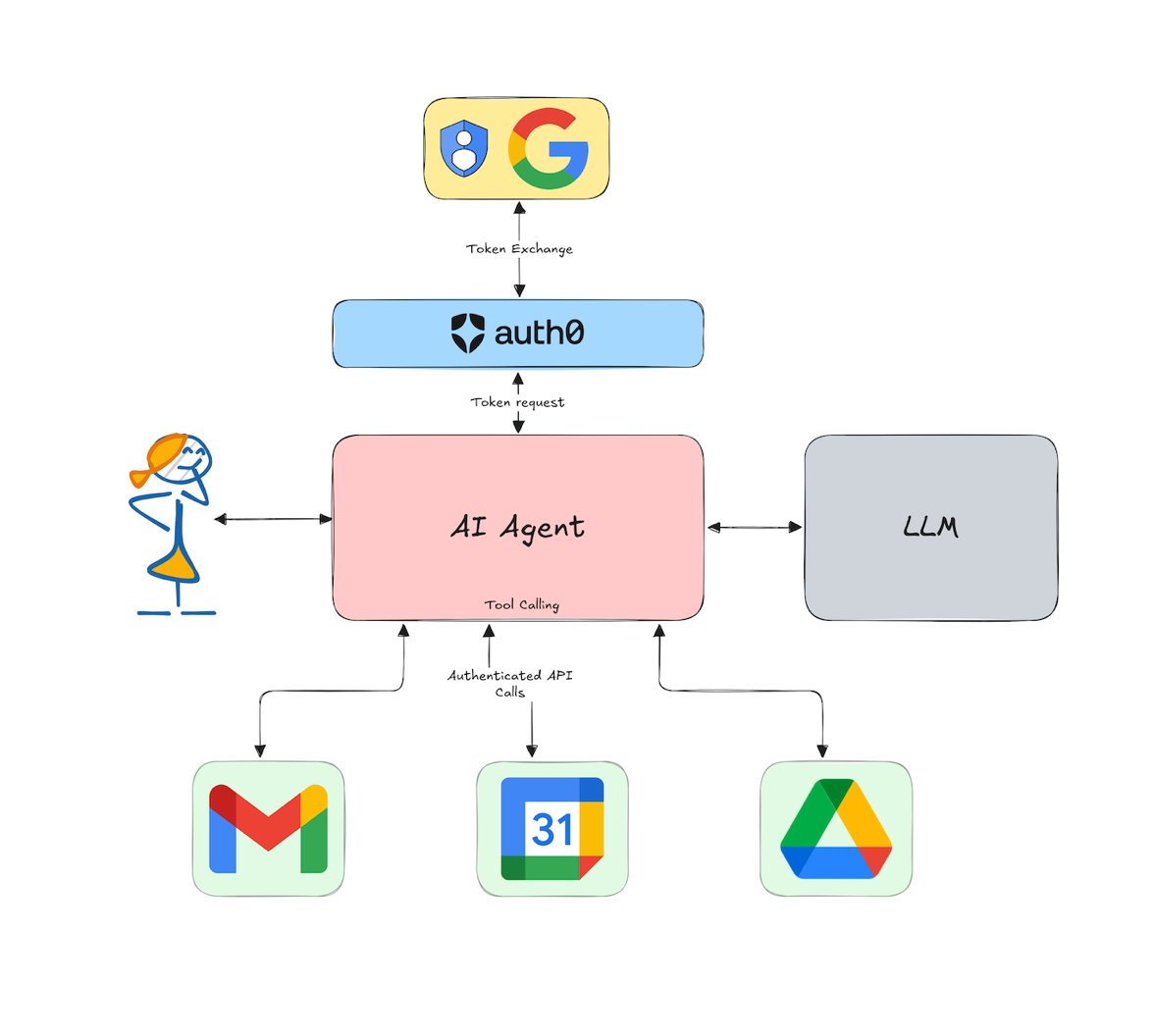
Agents don’t just use built-in features they can call apis, run code, search the web, or access databases.
This lets them solve problems far outside their “native” abilities.
it’s like giving your assistant a whole toolbox instead of just a notepad.
Agents don’t just use built-in features they can call apis, run code, search the web, or access databases.
This lets them solve problems far outside their “native” abilities.
it’s like giving your assistant a whole toolbox instead of just a notepad.
7/ Context engineering
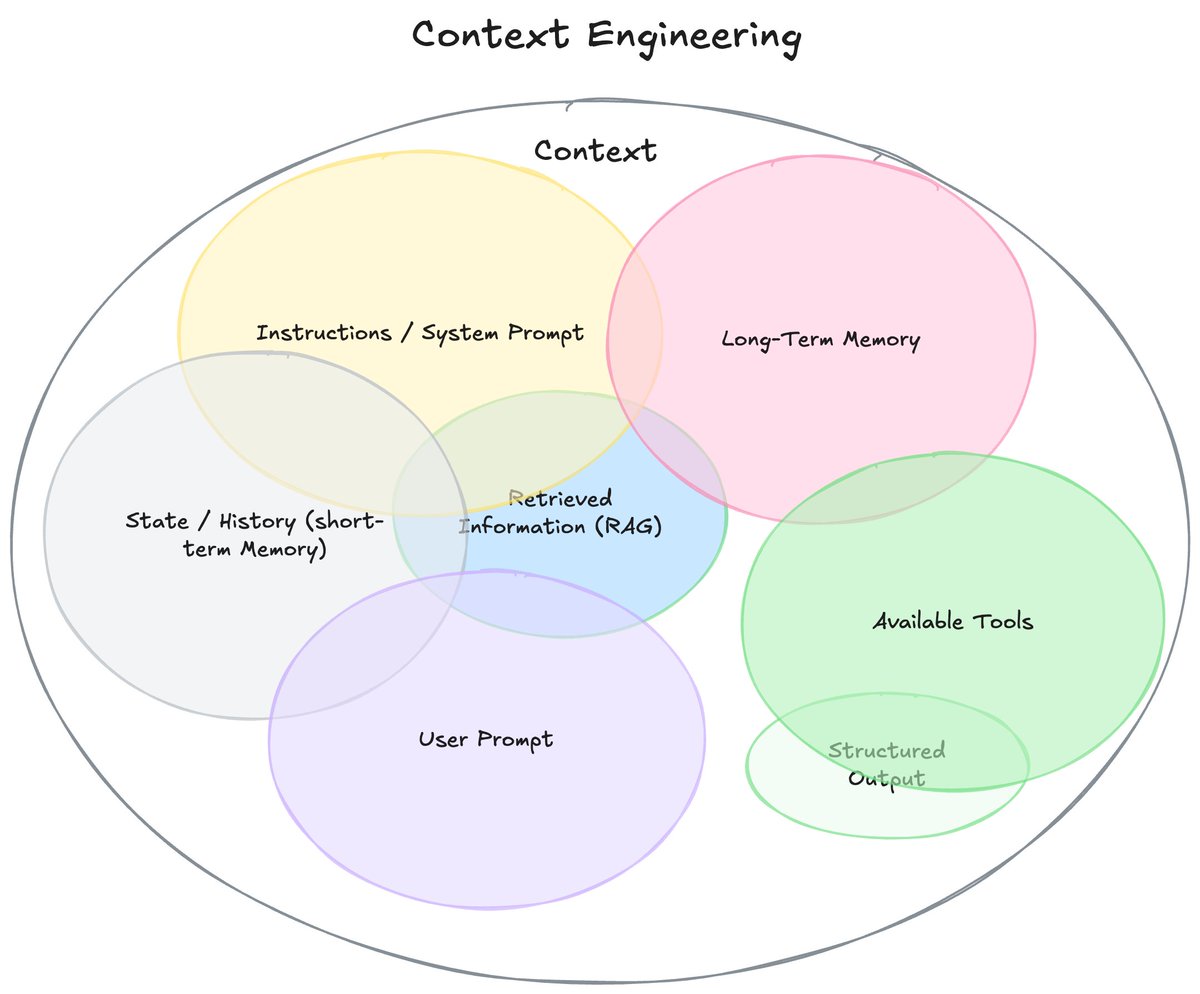
Feeding the agent the right information, at the right time, in the right format.
it’s like prompt engineering but bigger combining instructions, real-time data, memory, and rules.
Better context = better decisions.
Feeding the agent the right information, at the right time, in the right format.
it’s like prompt engineering but bigger combining instructions, real-time data, memory, and rules.
Better context = better decisions.
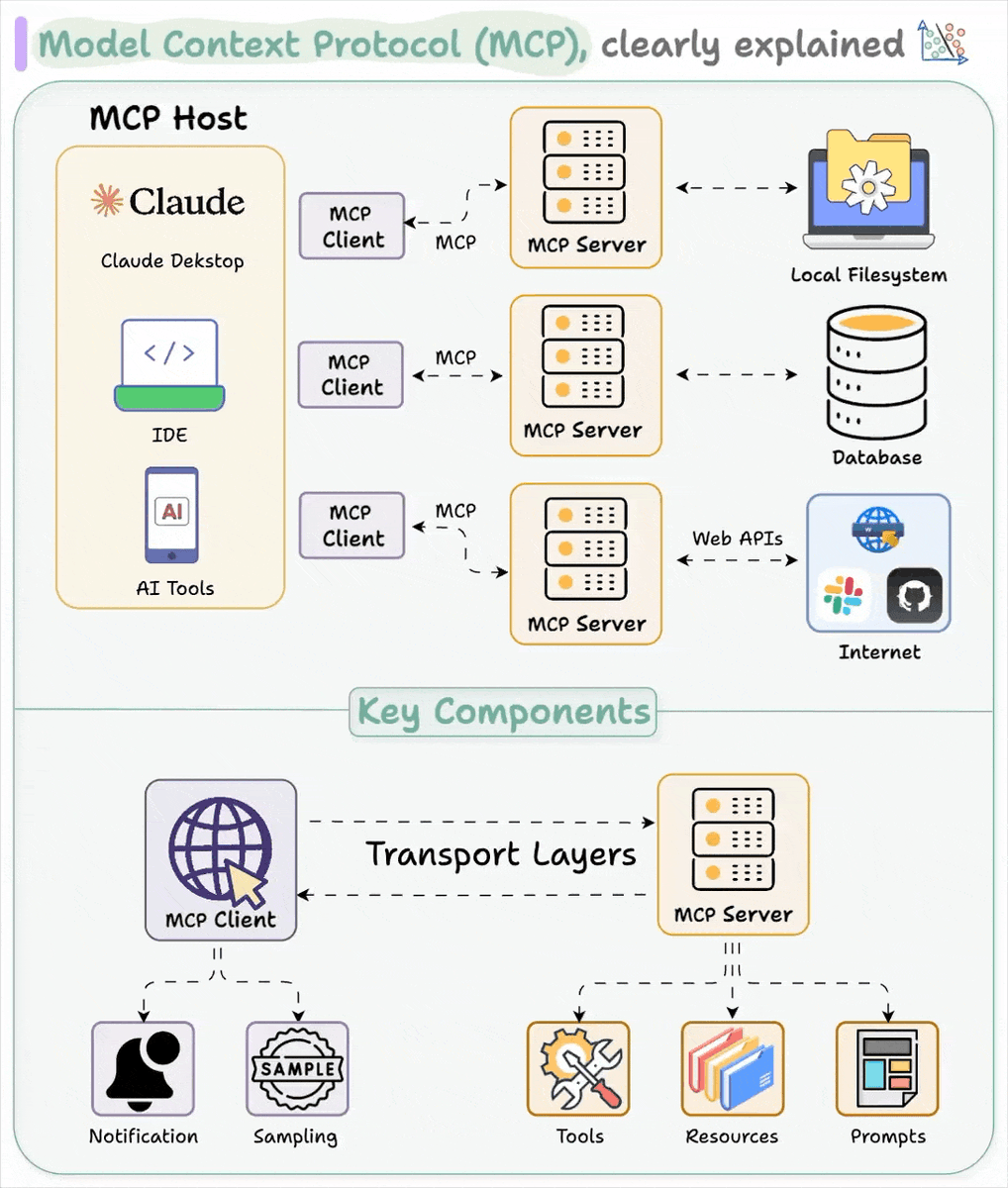
8/ Model Context Protocol (mcp)
A standard way for agents and other systems to talk to each other, even if they’re built differently.
Think of it like bluetooth but for ai systems sharing goals, data, and instructions.
A standard way for agents and other systems to talk to each other, even if they’re built differently.
Think of it like bluetooth but for ai systems sharing goals, data, and instructions.
9/ Langchain
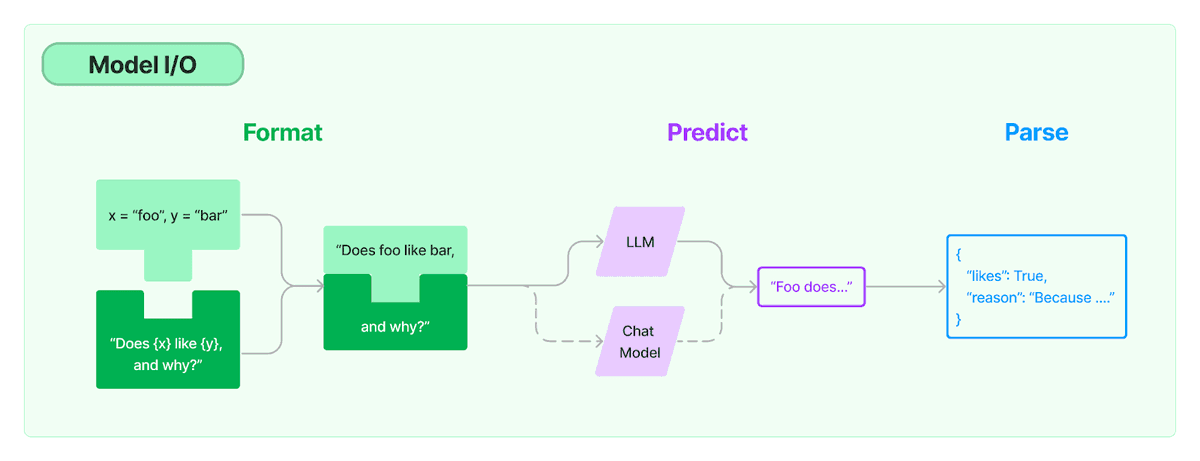
An open-source toolkit that makes building llm-powered agents way easier.
You can chain tasks together, give agents memory, and plug in tools all without reinventing the wheel.
An open-source toolkit that makes building llm-powered agents way easier.
You can chain tasks together, give agents memory, and plug in tools all without reinventing the wheel.
10/ Agentflow
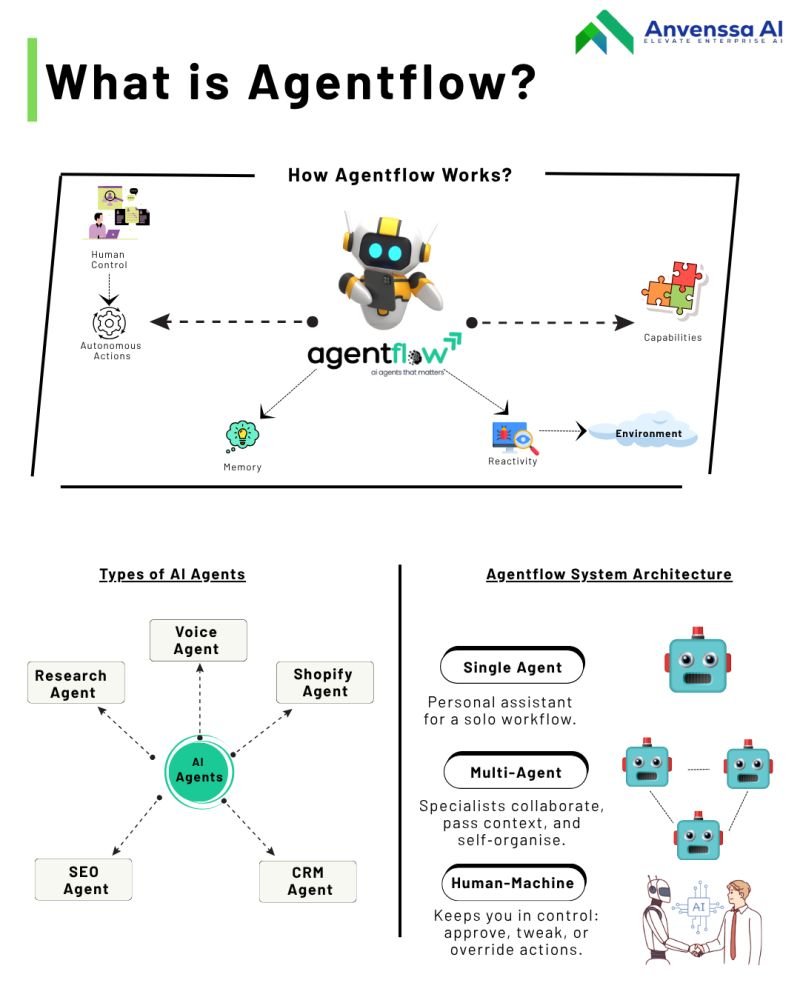
A no-code, visual way to design custom agents.
You drag-and-drop workflows, set rules, and the agent runs it all.
Great for teams that want ai power without writing a single line of code.
A no-code, visual way to design custom agents.
You drag-and-drop workflows, set rules, and the agent runs it all.
Great for teams that want ai power without writing a single line of code.
I hope you've found this thread helpful.
Follow me @Yesterday_work_ for more.
Like/Repost the quote below if you can:
Follow me @Yesterday_work_ for more.
Like/Repost the quote below if you can:
https://twitter.com/1909092495734235136/status/1958102944538304980
• • •
Missing some Tweet in this thread? You can try to
force a refresh