Jason Zhou Profile picture
Aug 28, 2025 6 tweets 3 min read Read on X
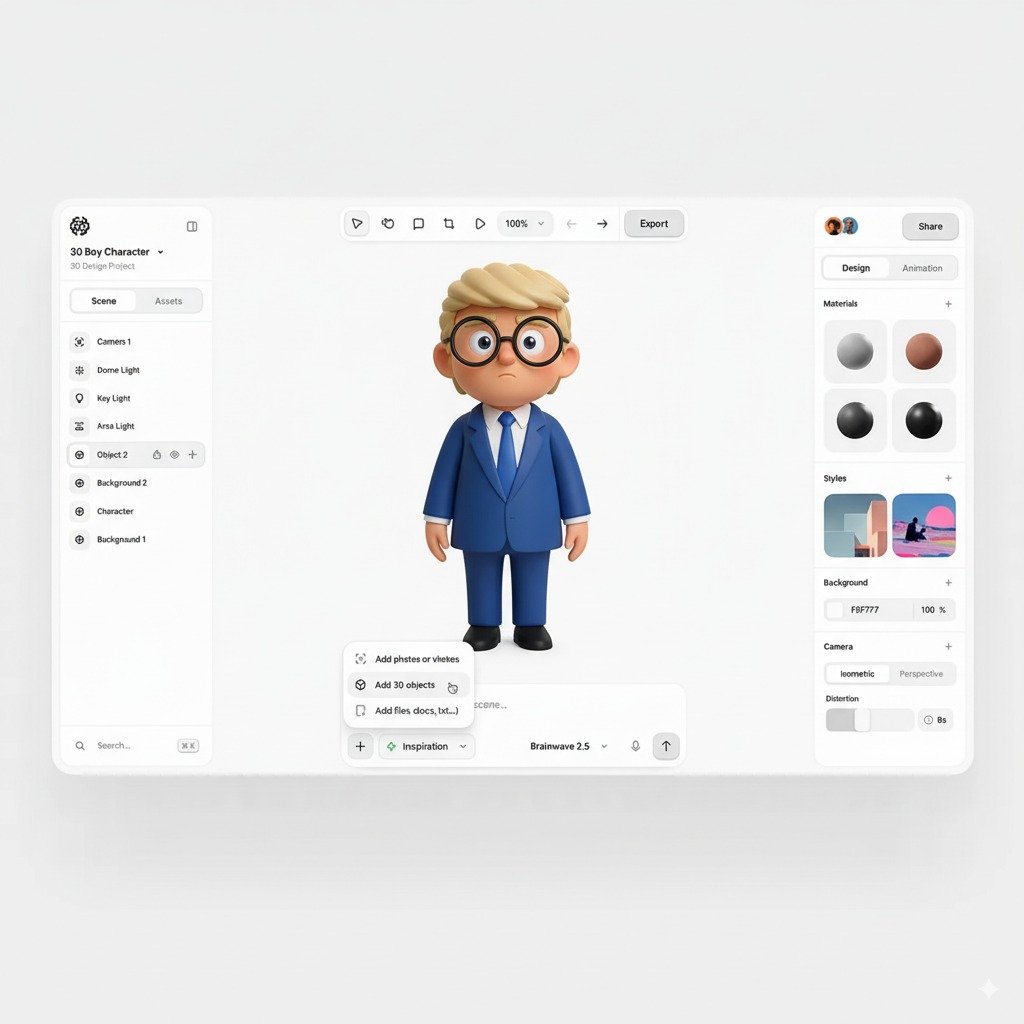
Nano Banana is insanely good

Here are a few ways I found that make the best out of Nano bananas:

1. World knowledge

Because Gemini has world's knowledge, it goes beyond just image editing

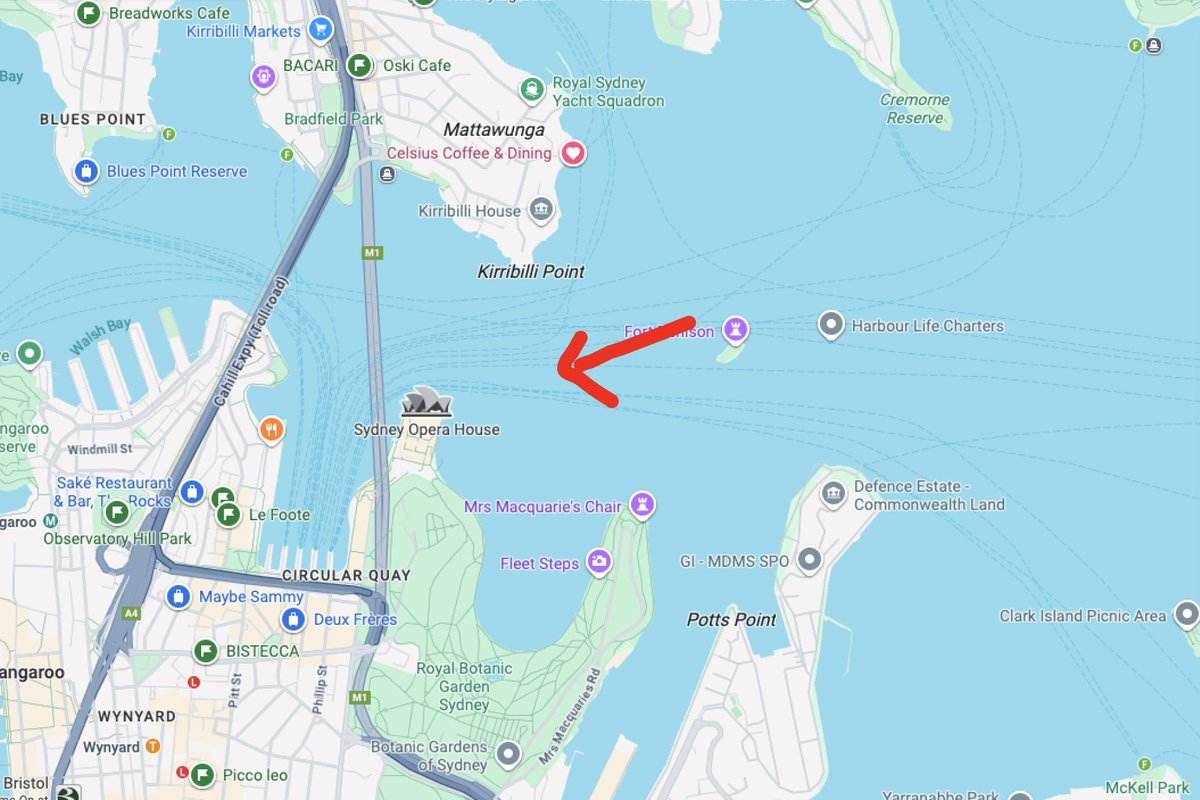
You can prompt a point on map, and ask it to picture what the view will look like

"What will I see standing at this point on the map" from @tokuminImage
Image
Similar to the world knowledge use case

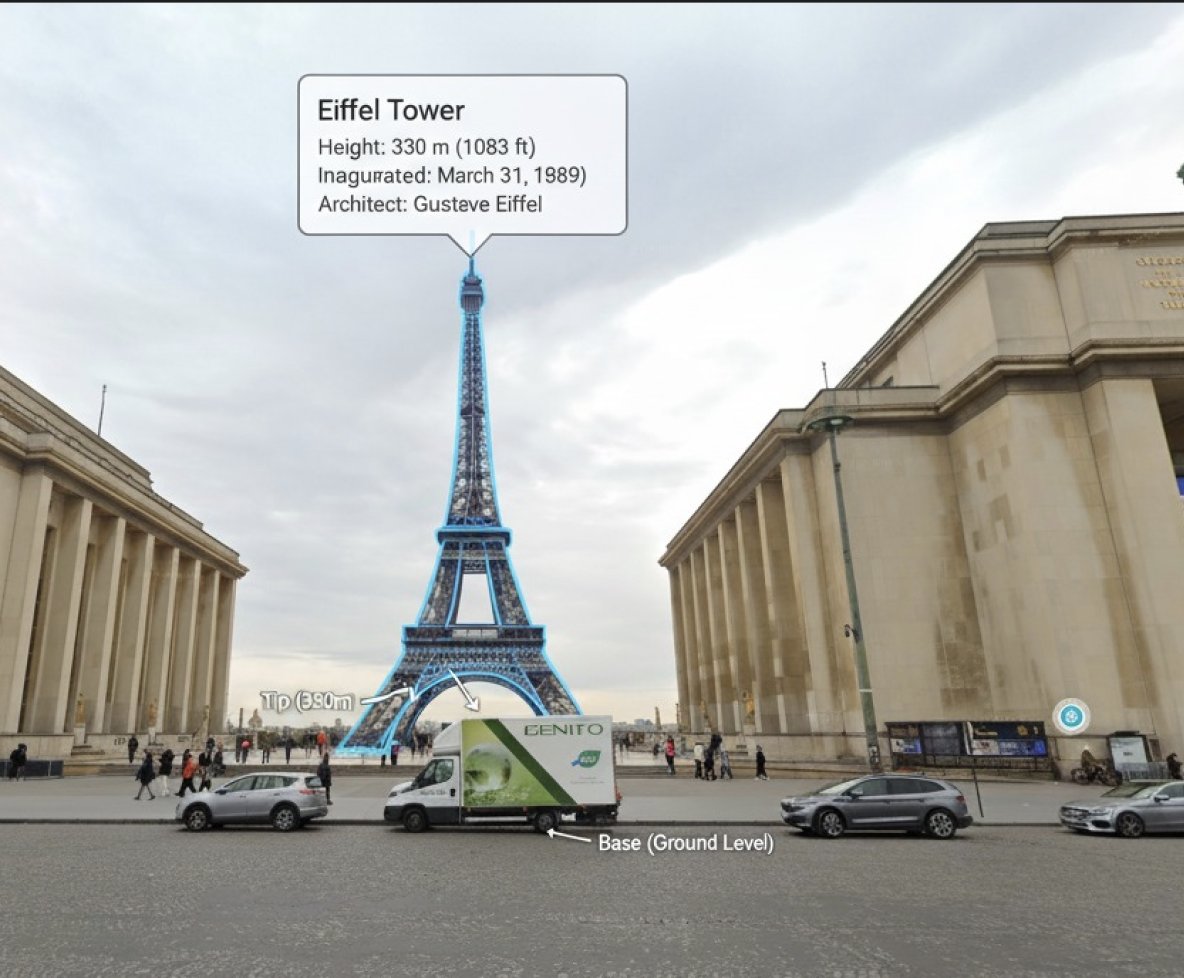
You can also ask it to edit image with additional info

"You are a location-based AR experience generator. highlight [xxxxx] in this image and annotate relevant information about it."

from @bilawalsidhuImage
Image
2. Extraordinary item consistency

Previous models almost never hit production bar, because it lose details of product items

But nano banana is really good at it

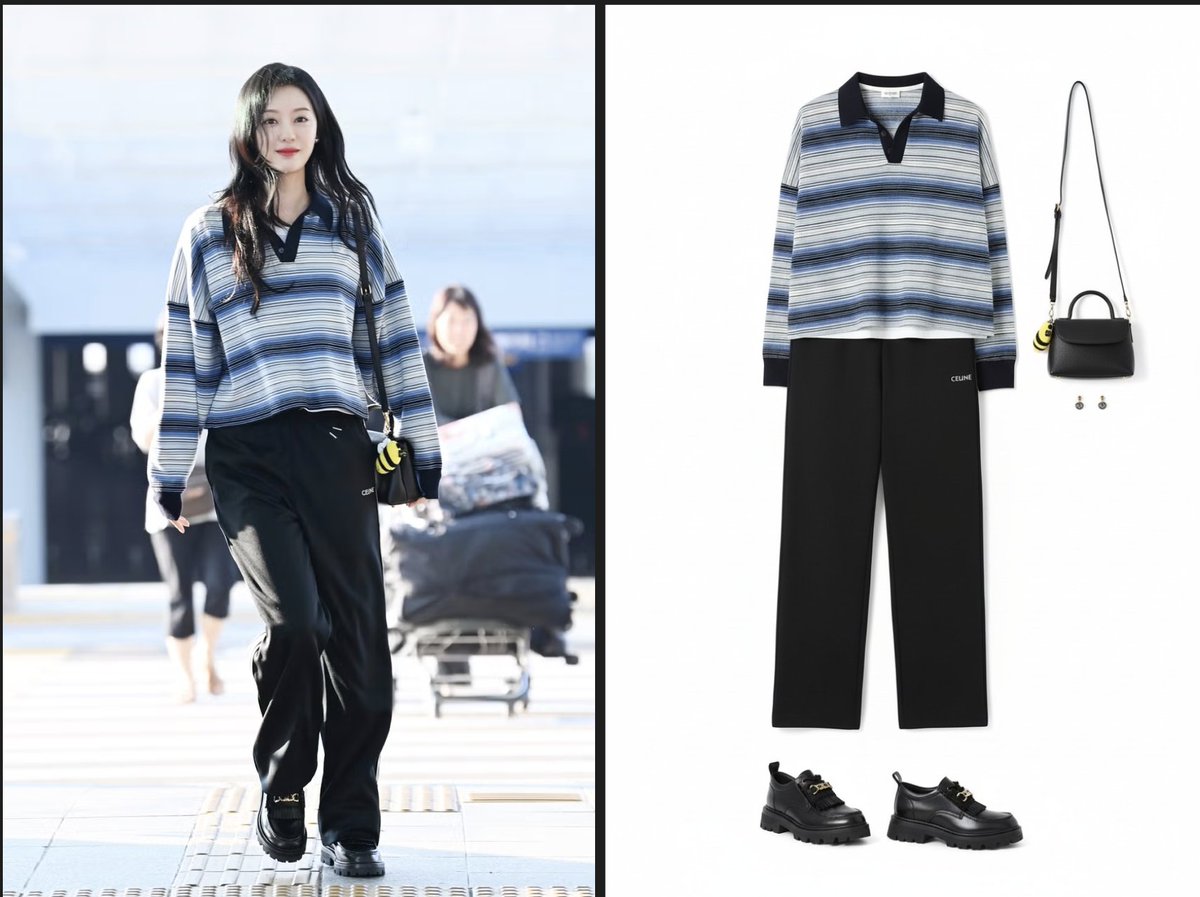
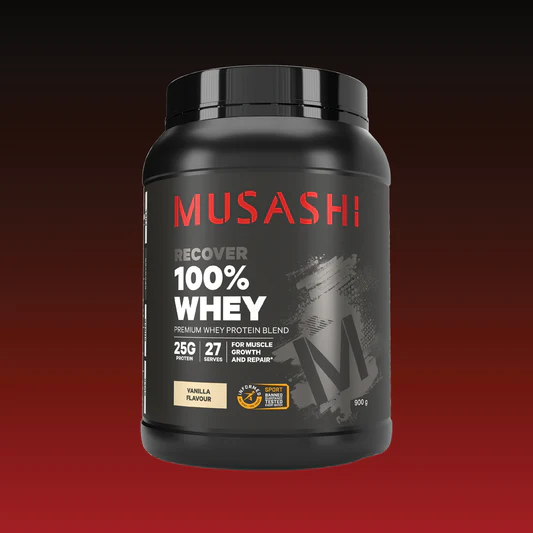
"Extract individual product shots from this image. Isolate each clothing item, accessory, and bag into clean, separate images with white backgrounds. Keep proportions accurate and remove the model and background (but each product should be separated from each other, and the product has to look 100% same with original pic in terms of details)"Image
With high consistency of item

Real life style product shot is so easy now

No reason why you can't generate 50 'user posts' every day Image
Image
3. Image reference

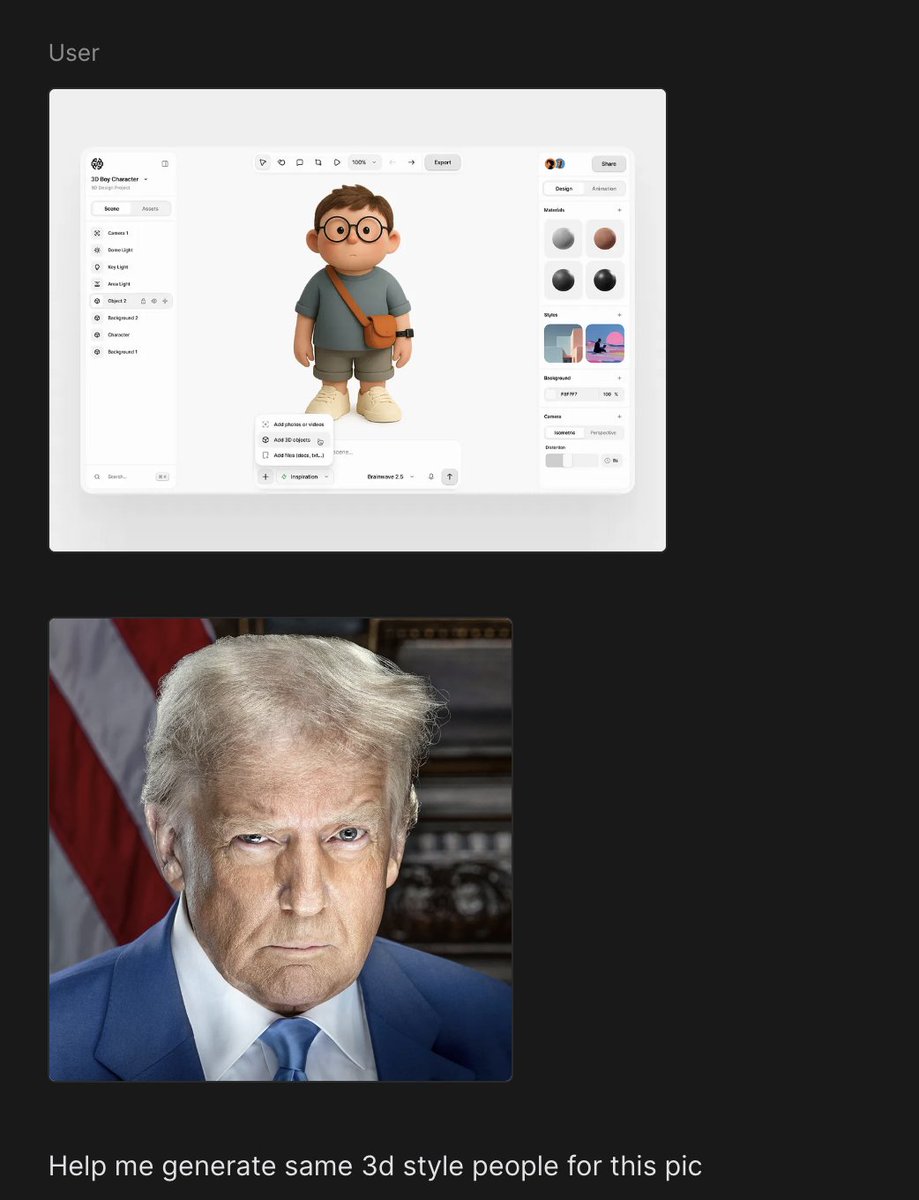
A picture is worth a thousand words.

Nano banana follow styles incredibly wellImage
Image
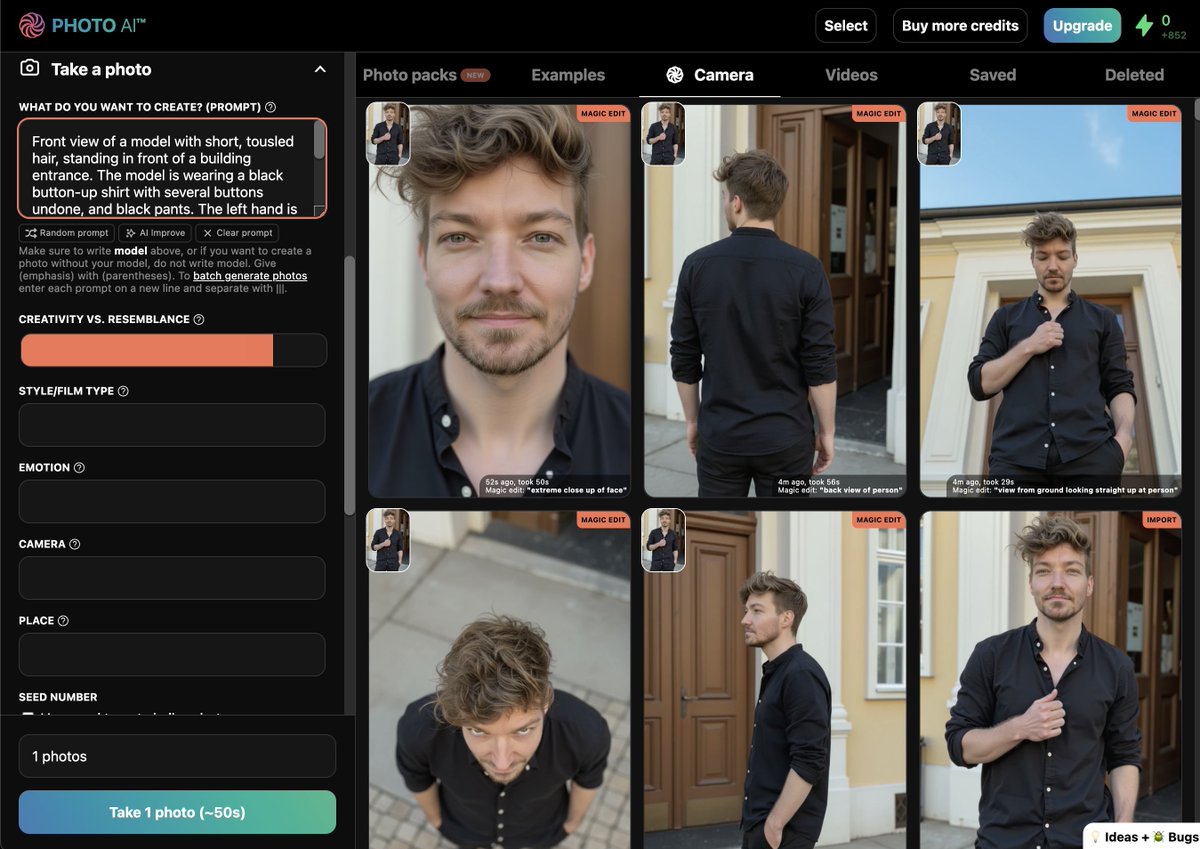
4. Character consistency

Transform the same pic to different angles with really high fidelity from @levelsioImage

• • •

Missing some Tweet in this thread? You can try to force a refresh

 

Keep Current with Jason Zhou

Jason Zhou Profile picture

Stay in touch and get notified when new unrolls are available from this author!

Read all threads

This Thread may be Removed Anytime!

PDF

Twitter may remove this content at anytime! Save it as PDF for later use!

Try unrolling a thread yourself!

how to unroll video
  1. Follow @ThreadReaderApp to mention us!

  2. From a Twitter thread mention us with a keyword "unroll"
@threadreaderapp unroll

Practice here first or read more on our help page!

More from @jasonzhou1993

Jan 13
Vercel's agent-browser is wild

- 70% less token consumption compared with Chrome dev tool MCP in my test 🤯

- {bash + CLI} is SOOO much better than MCP

(Chrome MCP tools took 4k tokens VS agent-browser CLI instruction in CLAUDE.md is only 95 token)

More people will start building CLI instead of MCP, MCP is a dead concept

Below is more detailed break down comparison if you interested 👇
1/ Using Chrome dev tool MCP

- Tools itself took 4k tokens (2% context window)

- Tested prompt "help me go check whats the prompt of the first prompt in prompt library of " -> 38k token consumedsuperdesign.dev
2/ Using agent-browser

- Use add simple instructions in CLAUDE.md, and agent can call agent-browser --help for more info

- instruction is only 95 token (~0.05% of context window)

- Same prompt consumed only 12k token (~70% less)

github.com/vercel-labs/ag…
Read 4 tweets
Dec 25, 2025
Gemini 3's hidden power = Awesome UI Animator

It actually contains good knowledge around popular animation libraries

You just need right prompt spec + process to unlock it

Here is my process 🧵👇
There are 2 popular libraries:

1/ GSAP: Great for complex & scroll based animation
2/ Motion.dev: Great for React & UI state animation

However if you just prompt Gemini 3 like "Give me an awesome animation",

it will give you super boring & generic slide deck type animation

You need to prompt it specifically, describing the animation clearly, then it will surprise you 🤯
However many people might not know how to prompt animations

This is where you can use other model to plan the animation specs

Here is how I got model to output animation prompts specs

We baked lots knowledge & examples on @SuperDesignDev plan mode, so you can get good results faster
Read 5 tweets
Dec 13, 2025
Nano Banana + Gemini 3 = S-Tier UI Designer

I've been using Nano Banana alongside Gemini 3 to maximise its creativity for UI design past 2 weeks

🧵👇 Here are my 4 step process
1/ Design spec

Plan ahead, Break down into smaller design tasks, and get model focusing one task at a time

This is a proven process we've been doing with coding tasks, same thing apply for UI design too

Here are a few sites I often go for reference...
2/ Nano banana UI gen

Image gen model can design much more creative UI than a coding model produce

Leverage that can 10x the creativity

But the challenge often is how to implement those design, thats where we do next...
Read 6 tweets
Nov 25, 2025
Okay at this point,

I can only say Gemini3 really beats me as a designer...

🧵👇 Below is how I get most out of Gemini3
1/ Prompt for Gemini3 is different

Gemini 3 is a reasoning model

It requires precise instructions + Really sensitive to the prompt

Some old prompt engineering techniques that works with old model might not work well with gemini 3

Sometimes more prompt you add, the worse the performance
2/ Anthropic's 3-step process

Anthropic's blog on how they designed claude code frontend design skill showcase great prompt engineering method:

1. Identify convergent defaults
2. Find root cause & provide concerte alternatives
3. Structure guidance at the right altitude
Read 5 tweets
Oct 18, 2025
Claude Skill is prob bigger than MCP

Here is what it is,

+ how to 10x your claude code w/ it

🧵👇Image
1/ A skill ≈ prompt + tools/assets

.claude/
└ skills/
└ [skill-name]/
SKILL.md
└ (other sub-prompts, tools, templates)

SKILL.md firstly contain a simple yaml contains metadata,

Provides just enough info about when to use this skill

+ Full markdown prompt explain detailed instructions, which will only be fed into context if agent decide to use this skill

-----

For complex skills, in the full markdown instruction,

You can refer to more md files for further instructions

+ Scripts/functions you predefined OR any other resources

So that it can call predefined functions on-demand
2/ Why Skill is more useful than MCP?

MCP was an attempt to extend agent capabilities by feeding it a bundle of tools

It was awesome and composable, however it consume loads of token and often don't work out of box (As often agent needs to use tools in certain order to make it work)

Skill is better because:

1/ Token efficiency
Many MCP contain loads of tools, and all those tools description will be fed into agent context regardless you need it or not

2/ Bundled workflow
Often you need to add additional instruction to CLAUDE.md to instruct when to use which tool

----

My gut feeling is that skill can replace MCP later:
- Skill should programmatically load MCP tools
- And MCP will be no longer needed
Read 7 tweets
Oct 6, 2025
.agent docs made my Claude Code 10x better…

Here is how to context engineer into Claude code

It even works w/ complex codebase

👇 Thread below Image
1/ Context engineering is the key

Claude code default takes in
- System prompt
- System tools
- MCP tools
-
- Messages

Run /context will give you an idea of the breakdown CLAUDE.md
2/ Sub agent is another tool for managing context

It is designed for READ-ONLY tasks like research

Subagent can condense large amount of tokens into small summary of key info
Read 7 tweets

Did Thread Reader help you today?

Support us! We are indie developers!


This site is made by just two indie developers on a laptop doing marketing, support and development! Read more about the story.

Become a Premium Member ($3/month or $30/year) and get exclusive features!

Become Premium

Don't want to be a Premium member but still want to support us?

Make a small donation by buying us coffee ($5) or help with server cost ($10)

Donate via Paypal

Or Donate anonymously using crypto!

Ethereum

0xfe58350B80634f60Fa6Dc149a72b4DFbc17D341E copy

Bitcoin

3ATGMxNzCUFzxpMCHL5sWSt4DVtS8UqXpi copy

Thank you for your support!

Follow Us!

:(