Rimsha Bhardwaj Profile picture
Aug 29, 2025 18 tweets 5 min read Read on X
🚨BREAKING: Google just dropped Nano Banana inside Gemini and it's WILD

People are already calling it the best AI photo editor in the world.

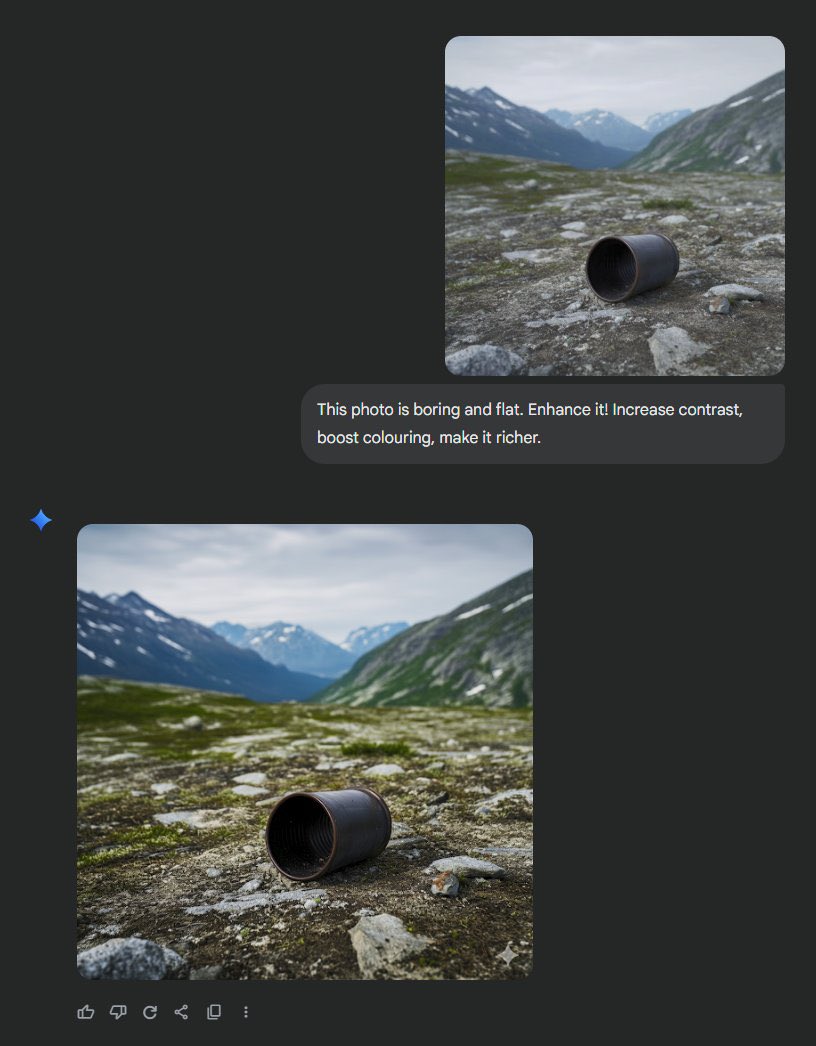
Here are 15 insane examples + how to use it: Image
1. Nano Banana allows you to combine photos into new scenes.

Imagine a picture of you and your dog playing basketball or hiking on a mountain.

Just one click and they're perfectly combined.
2. Start frames for Ads

3. Editing one step at a time is really cool.

- Imagine an empty room.
- First, paint the walls blue.
- Next, put in a bookshelf.
- Then, add a modern sofa and coffee table.

Gemini helps you edit while leaving everything else the same.
4. Designers and creators will really like this:

You can move styles from one image to another.

- Flower petal textures can go on sneakers
- Butterfly wings can become dress fabric
- Oil painting style can be used in your living room
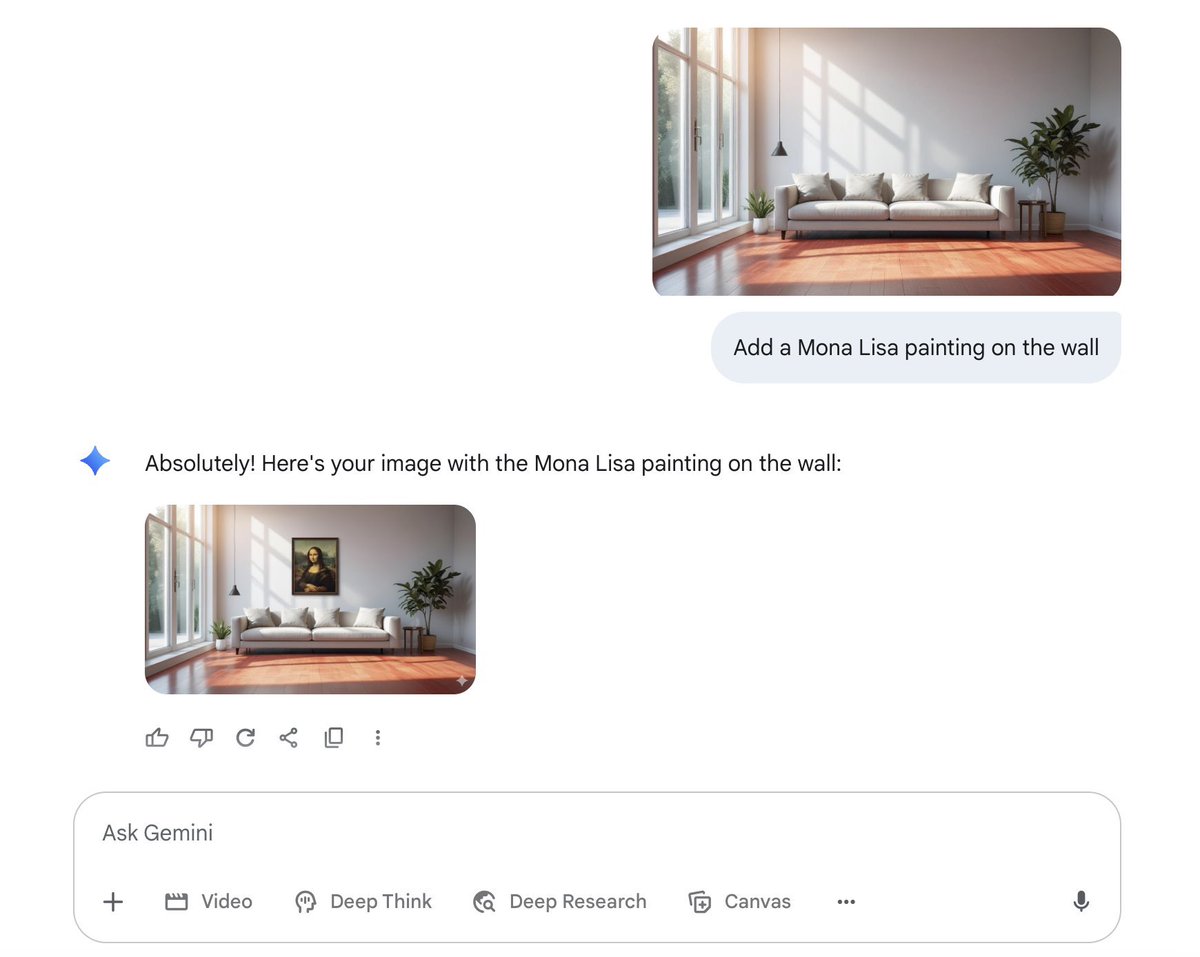
5. Redesign your interior Image
6. You don’t need photoshop anymore Image
8. Removing people from pictures

9. Replace outfits Image
12. Anime illustration should only be in the specified area of the image.

13. Multi-image fusion
14. Maintain character consistency
15. First let me tell you how to use it:

- Visit Gemini App →
- Pick the 2.5 Flash model
- Upload your image or create a new onegemini.google.com
Bonus:

Make sure to join The ProHuman, the biggest Artificial Intelligence community in the world.

Here is the free link:
x.com/i/communities/…
I hope you've found this thread helpful.

Don't forget to bookmark for later.

Follow me @heyrimsha for more.

If you enjoyed reading this post, please support it with like/repost of the post below 👇

• • •

Missing some Tweet in this thread? You can try to force a refresh

 

Keep Current with Rimsha Bhardwaj

Rimsha Bhardwaj Profile picture

Stay in touch and get notified when new unrolls are available from this author!

Read all threads

This Thread may be Removed Anytime!

PDF

Twitter may remove this content at anytime! Save it as PDF for later use!

Try unrolling a thread yourself!

how to unroll video
  1. Follow @ThreadReaderApp to mention us!

  2. From a Twitter thread mention us with a keyword "unroll"
@threadreaderapp unroll

Practice here first or read more on our help page!

More from @heyrimsha

Feb 12
After 2 years of using AI for research, I can say these tools have revolutionized my workflow.

So here are 15 prompts across Claude, Gemini, ChatGPT, and Perplexity that transformed my research (and could do the same for you):
1/ LITERATURE REVIEW → Claude Sonnet 4.5

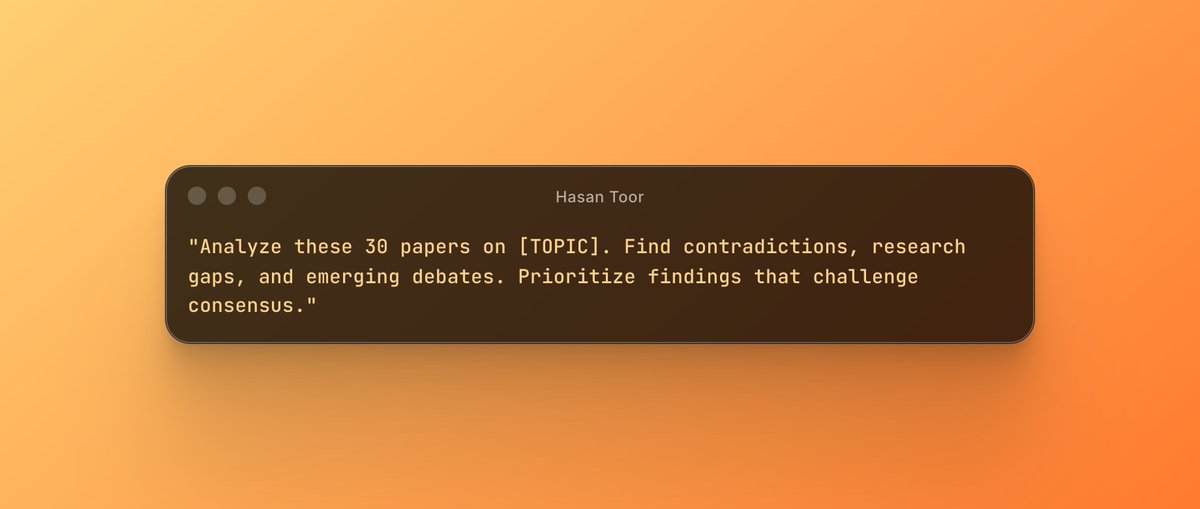
"Analyze these 30 papers on [TOPIC]. Find contradictions, research gaps, and emerging debates. Prioritize findings that challenge consensus."

Why Claude: 200K context window = reads entire papers, not just abstracts. Image
2/ RESEARCH QUESTION REFINEMENT → ChatGPT 4o

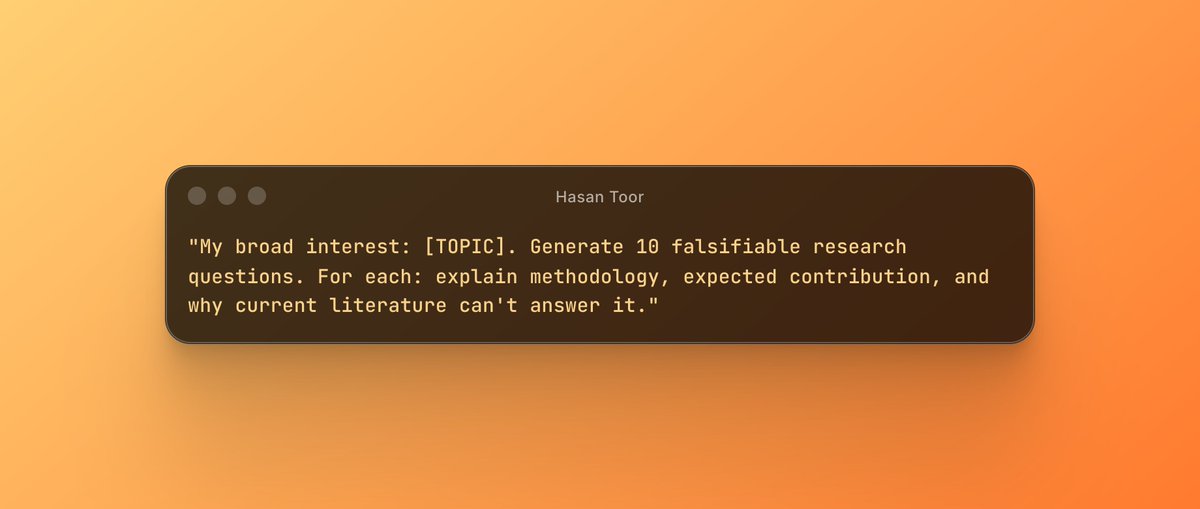
"My broad interest: [TOPIC]. Generate 10 falsifiable research questions. For each: explain methodology, expected contribution, and why current literature can't answer it."

Why 4o: Extended reasoning catches scope creep and logical gaps.Image
Read 18 tweets
Feb 10
R.I.P McKinsey.

You don’t need a $1,500/hr consultant anymore.

You can now run full competitive market analysis using Claude.

Here are the 10 prompts I use instead of hiring consultants: Image
1/ LITERATURE REVIEW SYNTHESIZER

Prompt:

"Analyze these 20 research papers on [topic]. Create a gap analysis table showing: what's been studied, what's missing, contradictions between studies, and 3 unexplored opportunities."

I fed Claude 47 papers on AI regulation.

It found gaps 3 human researchers missed.
2/ COMPETITIVE INTELLIGENCE SCANNER

Prompt:

"Visit [competitor websites]. Extract: pricing tiers, feature comparisons, positioning strategy, target audience, and gaps in their offering we could exploit."

Saved me 12 hours of manual competitive analysis.

Claude even caught pricing they buried in FAQ pages.
Read 14 tweets
Feb 8
After 3 years of using ChatGPT, I can say that it is the best technology that has revolutionized my life the most, along with the Internet.

So here are 12 prompts that have transformed my day-to-day life and that could do the same for you in 2026:
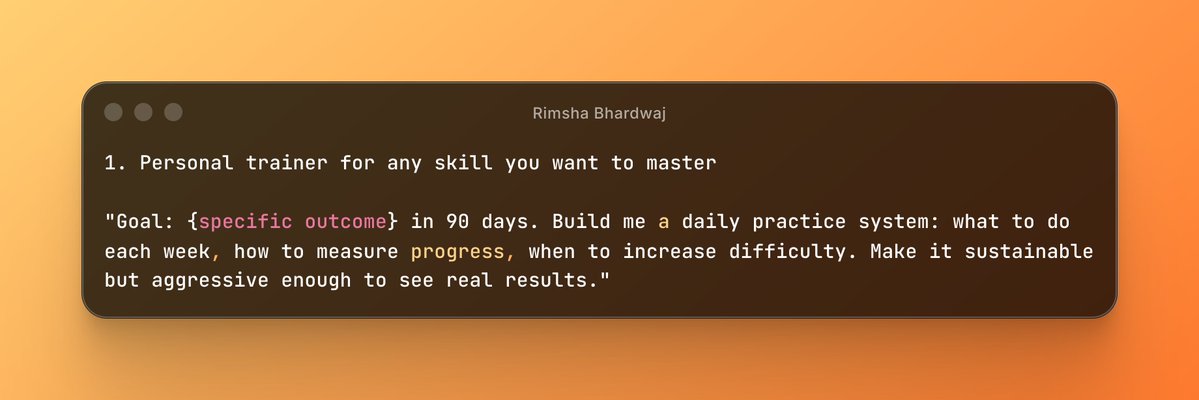
1. Personal trainer for any skill you want to master

"Goal: {specific outcome} in 90 days. Build me a daily practice system: what to do each week, how to measure progress, when to increase difficulty. Make it sustainable but aggressive enough to see real results." Image
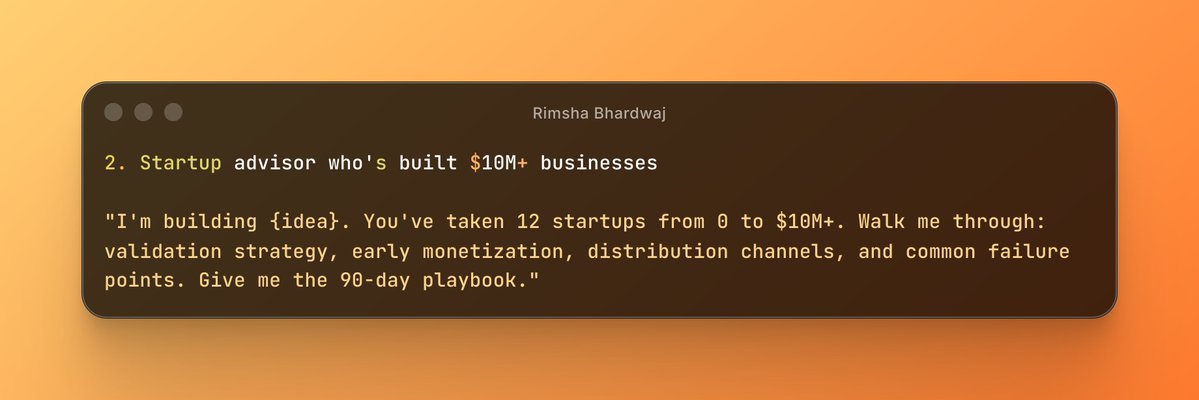
2. Startup advisor who's built $10M+ businesses

"I'm building {idea}. You've taken 12 startups from 0 to $10M+. Walk me through: validation strategy, early monetization, distribution channels, and common failure points. Give me the 90-day playbook." Image
Read 14 tweets
Feb 7
BREAKING🚨: Stanford University just launched a FREE AI tool for researchers!

It writes Wikipedia-quality reports with 99% accuracy & citations.

Here’s how to access it for free:
The tool is called Storm, and it's developed by researchers at Stanford University.

This tool writes expert-level reports in seconds.

storm.genie.stanford.edu
To use it, just go on this website, type in the topic you want to research.

- It'll search through hundreds of webpages and create a report.

The report includes a table of contents, article with citations, and references, available as a PDF download
Read 6 tweets
Feb 1
Anthropic engineers just leaked their internal AI workflow.

Turns out, 99% of people are using LLMs completely wrong.

Here are 5 techniques that separate amateurs from experts: Image
1/ THE "MEMORY INJECTION" TECHNIQUE

Most people start fresh every time. Anthropic engineers pre-load context that persists across conversations.

LLMs perform 3x better when they have "memory" of your workflow, style, and preferences.

Example prompt to test:

"You're my coding assistant. Remember these preferences: I use Python 3.11, prefer type hints, favor functional programming, and always include error handling. Acknowledge these preferences and use them in all future responses."Image
2/ REVERSE PROMPTING

Instead of telling the AI what to do, make it tell YOU what it needs.

Forces the model to think critically about requirements before executing. Reduces hallucinations by 40%.

Example prompt:

"I need to analyze customer churn data. Before you help, ask me 5 clarifying questions about my dataset, business context, and desired outcomes. Don't start until you have all the information."Image
Read 8 tweets
Jan 31
🚨BREAKING: You can now run Claude Code for FREE.

No API costs. No rate limits. 100% local on your machine.

Here's how to run Claude Code locally (100% free & fully private): Image
STEP 1: Select Your Local “Brain” (Ollama)

First you need a local engine that can run AI models and handle tool or function calls.

Here we will use Ollama so download

Once it’s installed, Ollama runs quietly in the background on both Mac and Windows. ollama.com
The installer will set up Ollama and add it to your system path.

After installation, verify Ollama is working:

Ollama runs as a background service automatically after installation.

You should see it running on http:// localhost: 1143
Read 8 tweets

Did Thread Reader help you today?

Support us! We are indie developers!


This site is made by just two indie developers on a laptop doing marketing, support and development! Read more about the story.

Become a Premium Member ($3/month or $30/year) and get exclusive features!

Become Premium

Don't want to be a Premium member but still want to support us?

Make a small donation by buying us coffee ($5) or help with server cost ($10)

Donate via Paypal

Or Donate anonymously using crypto!

Ethereum

0xfe58350B80634f60Fa6Dc149a72b4DFbc17D341E copy

Bitcoin

3ATGMxNzCUFzxpMCHL5sWSt4DVtS8UqXpi copy

Thank you for your support!

Follow Us!

:(