Cursor with CodeRabbit just changed Vibe coding forever
Now you can Code with AI, Review with AI, Fix with AI.
Here’s the full workflow:
Now you can Code with AI, Review with AI, Fix with AI.
Here’s the full workflow:

CodeRabbit CLI just dropped, and it offers AI code reviews in your terminal, allowing developers to self-review before commits and PRs.
🔗
As AI tools like Cursor and Claude Code transform terminal coding, CodeRabbit ensures AI-generated code is production-ready by quickly catching issues.bit.ly/4mZPszd
🔗
As AI tools like Cursor and Claude Code transform terminal coding, CodeRabbit ensures AI-generated code is production-ready by quickly catching issues.bit.ly/4mZPszd
Here's how it works:
Install CodeRabbit CLI using this command on your terminal
curl -fsSL | sh cli.coderabbit.ai/install.sh
Install CodeRabbit CLI using this command on your terminal
curl -fsSL | sh cli.coderabbit.ai/install.sh
After installation, run the following command in the CLI and follow the instructions to copy and paste the auth token:
1. `CodeRabbit auth login`
2. Authenticate using the URL in the browser with GitHub to get the code.
3. Paste the code in the prompt, and you're done.
1. `CodeRabbit auth login`
2. Authenticate using the URL in the browser with GitHub to get the code.
3. Paste the code in the prompt, and you're done.
Once installed and authenticated, you can now create code changes either manually or by using your favorite AI CLI tool.
I used Claude Code to write a JSON parser and initialized it as a Git repository.
I used Claude Code to write a JSON parser and initialized it as a Git repository.
After writing the code, it's time to review it with the CodeRabbit CLI, directly in the terminal.
Run the command below in the CLI after making the changes:
coderabbit review --plain
Run the command below in the CLI after making the changes:
coderabbit review --plain
Once the review is complete, you can view it and use AI with prompts to address each issue.
Why CodeRabbit is the Best?
✅ Line-by-line reviews: Senior developer attention on each line with inline review comments
✅ Review uncommitted changes: Immediate feedback on staged and unstaged commits
✅ One-click fix: Incorporate review comments with a single command
✅ Fix with Al: Hand off review context and recommendations to your Al agent via structured prompts
✅ Works with Claude Code, Cursor CLI, Gemini CLI, Codex CLI, OpenCode
✅ Context hand-off maintains your flow state
✅ Seamless orchestration between generation and validation
✅ Catches hallucinations and Al-generated errors
✅ Identifies code smells and anti-patterns
✅ Flags security vulnerabilities
✅ Supports all programming languages - JavaScript, TypeScript, Python, Java, C#, C++, Ruby, Rust, Go, PHP, and more.
✅ Line-by-line reviews: Senior developer attention on each line with inline review comments
✅ Review uncommitted changes: Immediate feedback on staged and unstaged commits
✅ One-click fix: Incorporate review comments with a single command
✅ Fix with Al: Hand off review context and recommendations to your Al agent via structured prompts
✅ Works with Claude Code, Cursor CLI, Gemini CLI, Codex CLI, OpenCode
✅ Context hand-off maintains your flow state
✅ Seamless orchestration between generation and validation
✅ Catches hallucinations and Al-generated errors
✅ Identifies code smells and anti-patterns
✅ Flags security vulnerabilities
✅ Supports all programming languages - JavaScript, TypeScript, Python, Java, C#, C++, Ruby, Rust, Go, PHP, and more.
✅ Detects missing unit tests
✅ Highlights refactoring opportunities
✅ Code Review at Terminal Velocity - Instant Al reviews without leaving your command line.
✅ Free Al code reviews in CLI - Senior-engineer level reviews at no cost.
✅ Catch Al slop before it ships - Backstop for hallucinations and logical errors from Al coding agents.
✅ Review uncommitted changes - Get feedback on staged and unstaged code before commit.
✅ Terminal-native experience: Code, review, commit - all without context switching. Stay in your flow state
✅ Al agent orchestration: First and only CLI tool that hands off review context to your Al coding agent for automated fixes
✅ Pre-commit reviews: Catch issues before they propagate through commits, PRs, and deployments
✅ Highlights refactoring opportunities
✅ Code Review at Terminal Velocity - Instant Al reviews without leaving your command line.
✅ Free Al code reviews in CLI - Senior-engineer level reviews at no cost.
✅ Catch Al slop before it ships - Backstop for hallucinations and logical errors from Al coding agents.
✅ Review uncommitted changes - Get feedback on staged and unstaged code before commit.
✅ Terminal-native experience: Code, review, commit - all without context switching. Stay in your flow state
✅ Al agent orchestration: First and only CLI tool that hands off review context to your Al coding agent for automated fixes
✅ Pre-commit reviews: Catch issues before they propagate through commits, PRs, and deployments
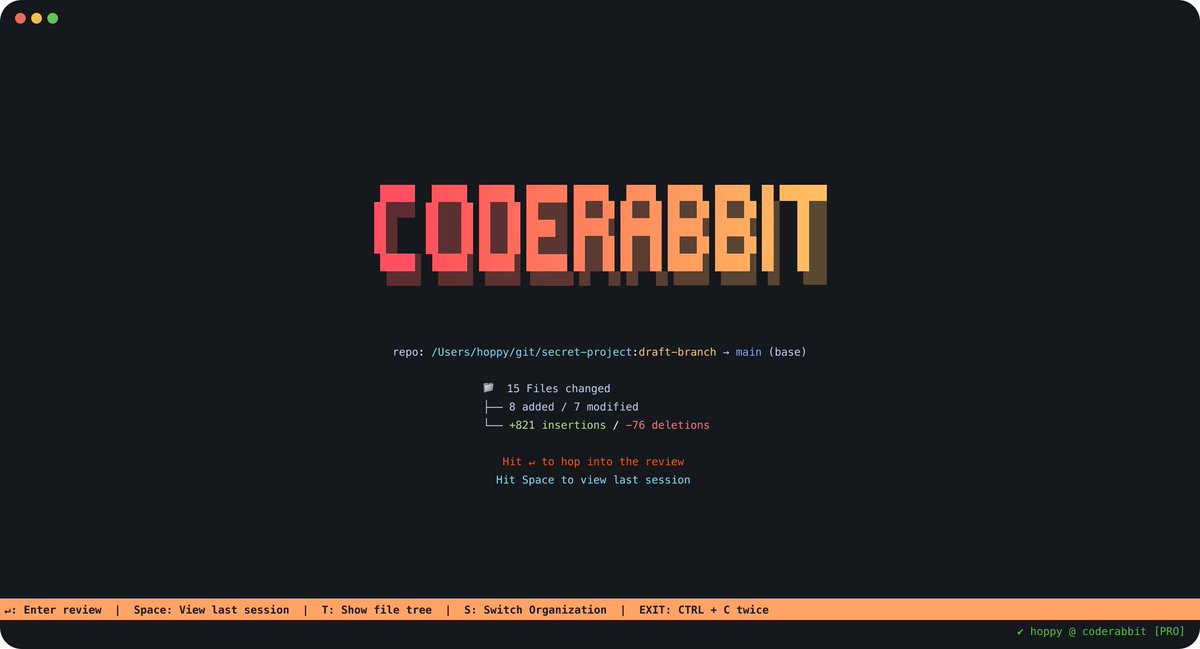
With over 10 million Pull Request reviews and 2 million repo installs, CodeRabbit is the leading AI app on GitHub Marketplace (85k installs). The CLI extends this tech to terminals, filling a gap in AI coding tools. As developers use CLI-based AI tools, CodeRabbit CLI ensures quality between code generation and deployment.
Try here: bit.ly/4mZPszd
Big thanks to @coderabbitai for building a great tool and sponsoring this post.
Try here: bit.ly/4mZPszd
Big thanks to @coderabbitai for building a great tool and sponsoring this post.
Don't forget to bookmark for later.
If you enjoyed reading this post, please support it with like/repost of the post below 👇
If you enjoyed reading this post, please support it with like/repost of the post below 👇
https://twitter.com/1437853146257133569/status/1968604522223386792
• • •
Missing some Tweet in this thread? You can try to
force a refresh