We made an animated short film with AI. It made people cry
"ROOTS", a story about family, fatherhood, and the things worth holding on to. It was built entirely inside Freepik, by a team, from script to final cut
Here's how we made it 🧵
"ROOTS", a story about family, fatherhood, and the things worth holding on to. It was built entirely inside Freepik, by a team, from script to final cut
Here's how we made it 🧵
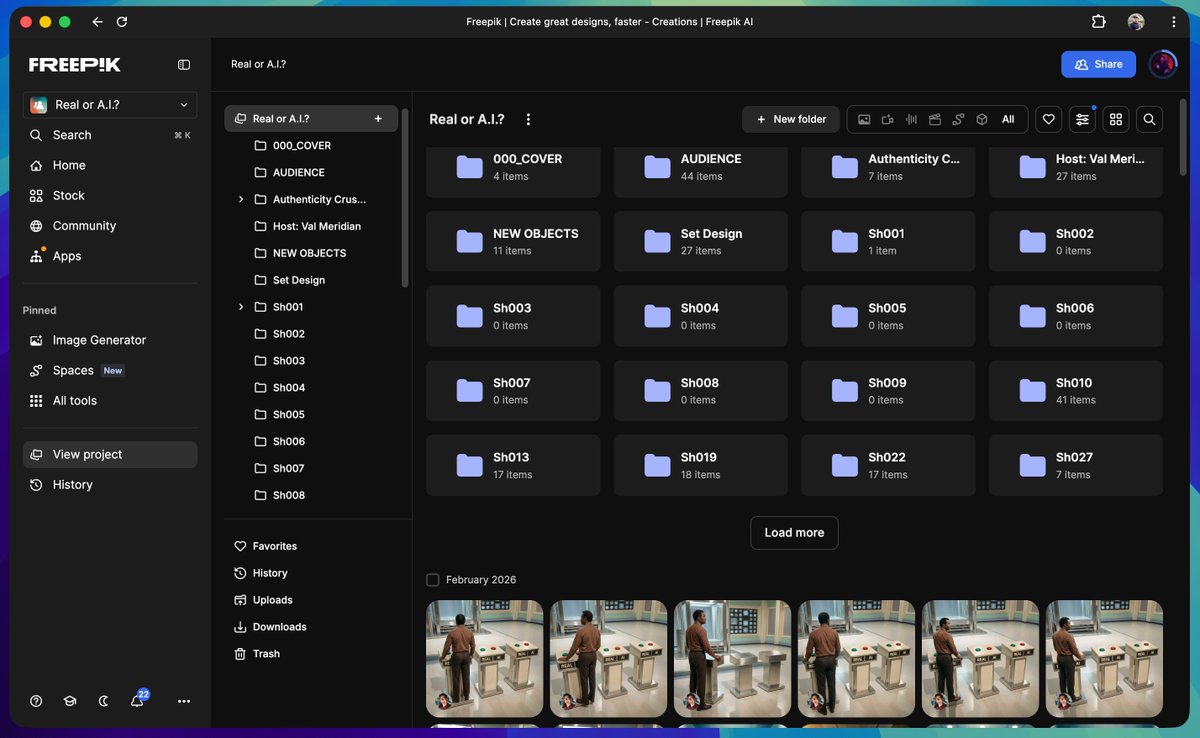
These are the nodes used inside Freepik Spaces:
- Freepik Assistant
- Magnific Image Upscaler
- Magnific Video Upscaler
- AI Video Generator (Kling 2.3, 2.5, O1, 3.0 and Seedance 1.5 Pro)
- AI Image Generator (Seedream 4, Google Nano Banana Pro)
- Audio and SFX (ElevenLabs, Google Lyria)
Let's see it all 👇
- Freepik Assistant
- Magnific Image Upscaler
- Magnific Video Upscaler
- AI Video Generator (Kling 2.3, 2.5, O1, 3.0 and Seedance 1.5 Pro)
- AI Image Generator (Seedream 4, Google Nano Banana Pro)
- Audio and SFX (ElevenLabs, Google Lyria)
Let's see it all 👇
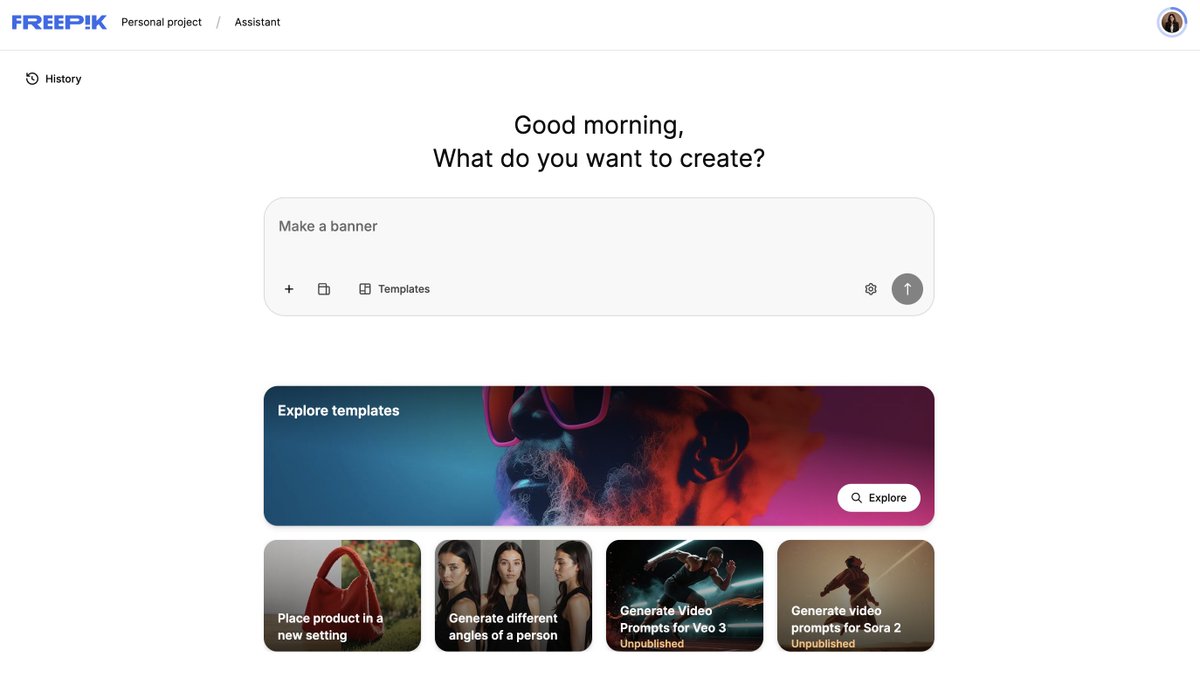
Script
Full story, narrative structure, and shot-by-shot breakdown written before generating. Define upfront shot type, lens, camera movement, and action per frame
The Assistant is the perfect tool to work with long text
Full story, narrative structure, and shot-by-shot breakdown written before generating. Define upfront shot type, lens, camera movement, and action per frame
The Assistant is the perfect tool to work with long text
Characters
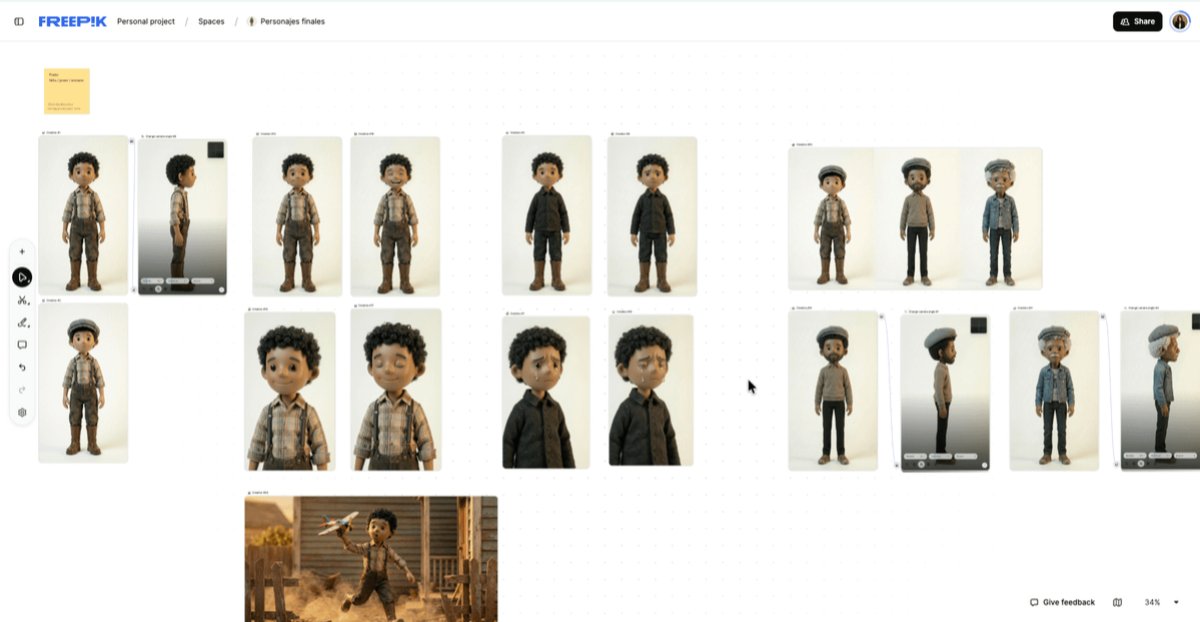
11 characters, each approved before touching wardrobe or any scene
Two separate Spaces: one for testing, one for finals only. Mixing them creates noise and kills consistency across a team
Take a look at the design 👇
11 characters, each approved before touching wardrobe or any scene
Two separate Spaces: one for testing, one for finals only. Mixing them creates noise and kills consistency across a team
Take a look at the design 👇
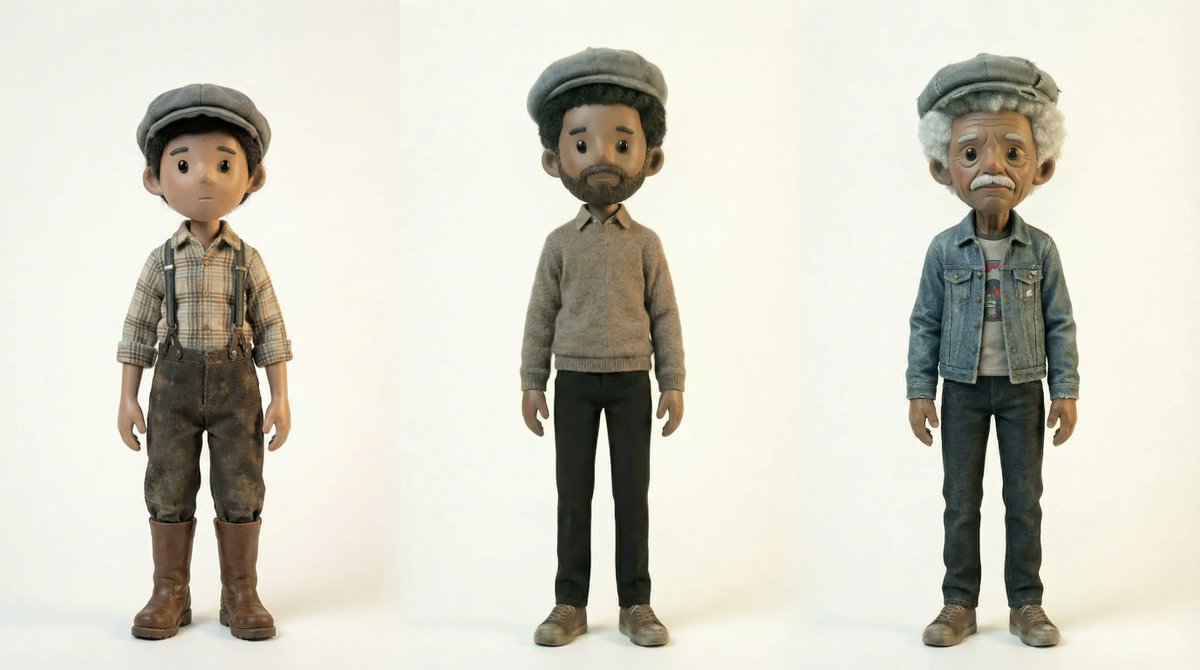
Here's one of the prompts the team used for character development:
"Three character-study versions of the same child at different ages: a slightly more slender adult and a rounder senior with a softer overweight belly and noticeably thinner legs, each with perfectly round black button-like eyes, posed against a seamless pure white studio background that removes all distractions and focuses entirely on the three characters, illuminated for all three with the same soft warm even studio lighting that creates delicate shadows.
Composed as an eye-level full-body lineup where the child appears visibly smaller, the adult is a bit taller and more slender in a stable poised pose, and the senior is slightly larger in body with thin legs and a more relaxed grounded posture, all facing the camera, all rendered in a handcrafted highly stylized stop-motion diorama aesthetic with exaggerated tactile fur textures."
"Three character-study versions of the same child at different ages: a slightly more slender adult and a rounder senior with a softer overweight belly and noticeably thinner legs, each with perfectly round black button-like eyes, posed against a seamless pure white studio background that removes all distractions and focuses entirely on the three characters, illuminated for all three with the same soft warm even studio lighting that creates delicate shadows.
Composed as an eye-level full-body lineup where the child appears visibly smaller, the adult is a bit taller and more slender in a stable poised pose, and the senior is slightly larger in body with thin legs and a more relaxed grounded posture, all facing the camera, all rendered in a handcrafted highly stylized stop-motion diorama aesthetic with exaggerated tactile fur textures."
Wardrobe
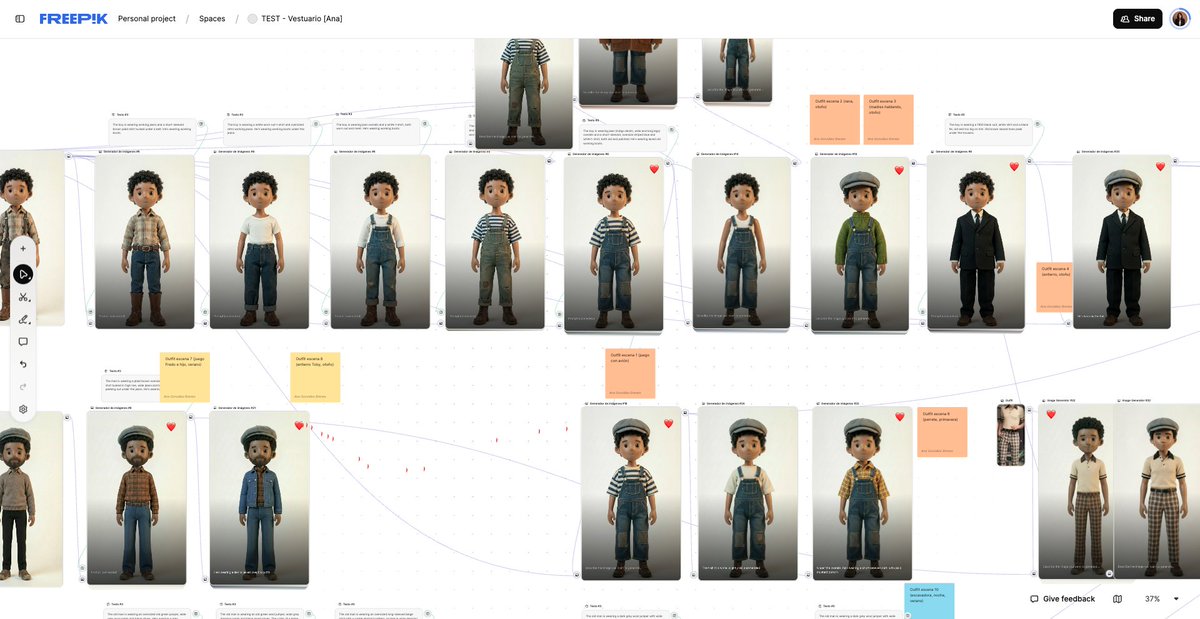
Every character was dressed per scene — not per character
The same person wears different things in different moments. Wardrobe was built inside each scene folder so context was never lost
Every character was dressed per scene — not per character
The same person wears different things in different moments. Wardrobe was built inside each scene folder so context was never lost
Locations
All locations developed in a dedicated Space, following the film's timeline
One location can appear in multiple scenes across different eras. Having it isolated means you reference it, not rebuild it
All locations developed in a dedicated Space, following the film's timeline
One location can appear in multiple scenes across different eras. Having it isolated means you reference it, not rebuild it
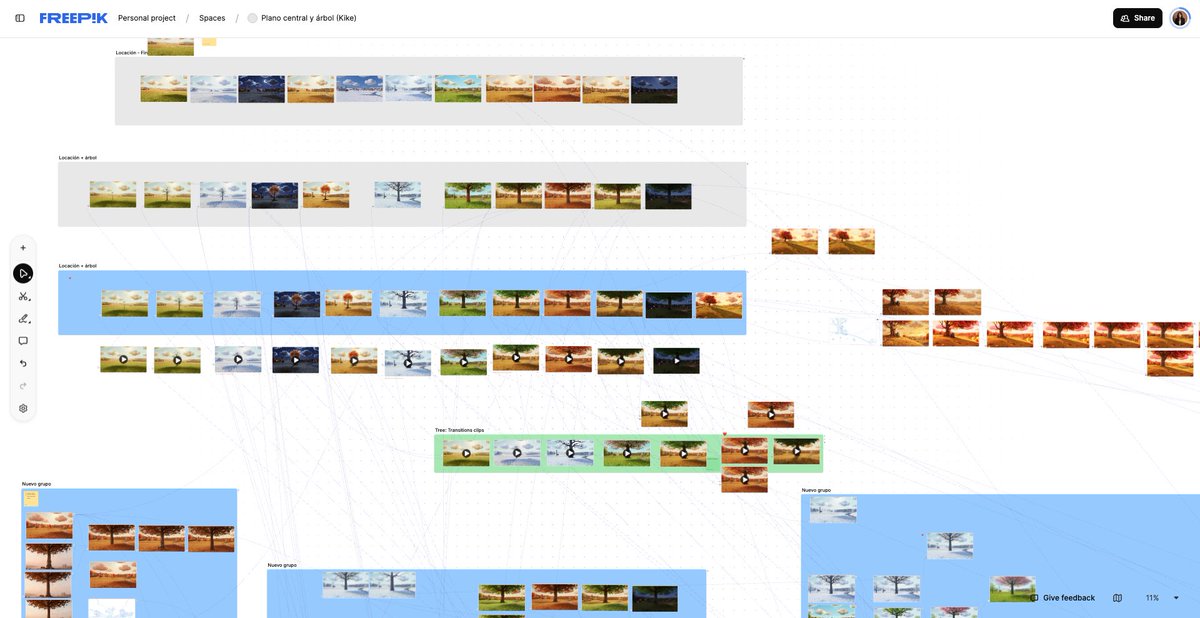
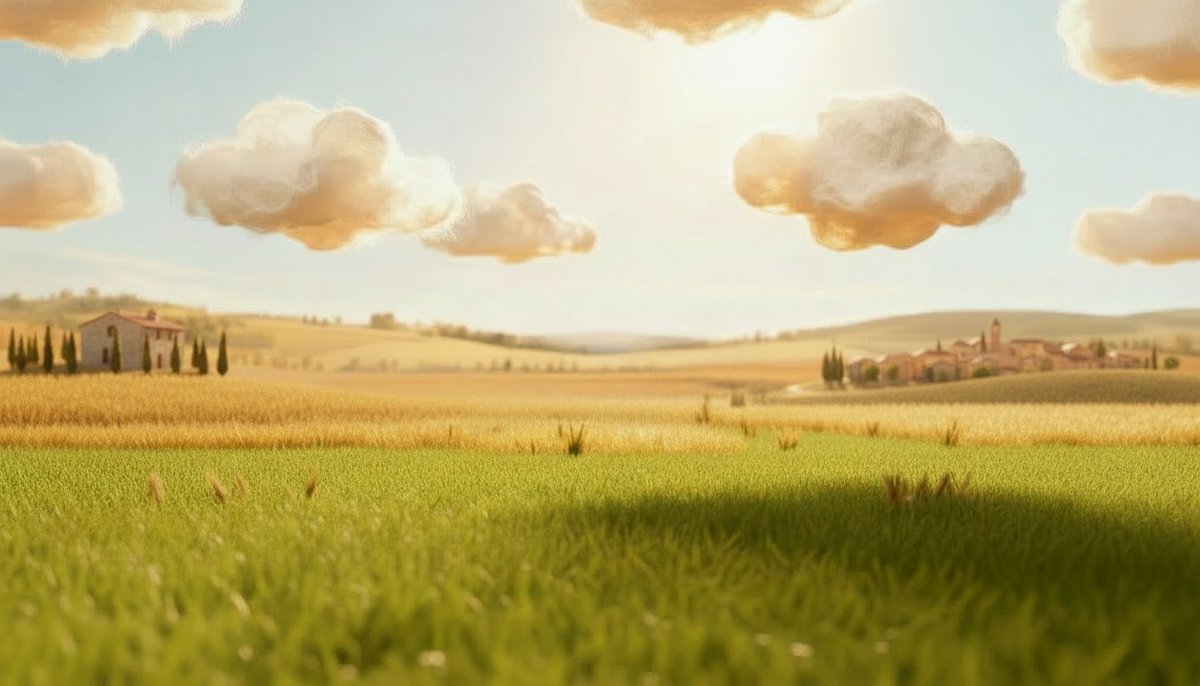
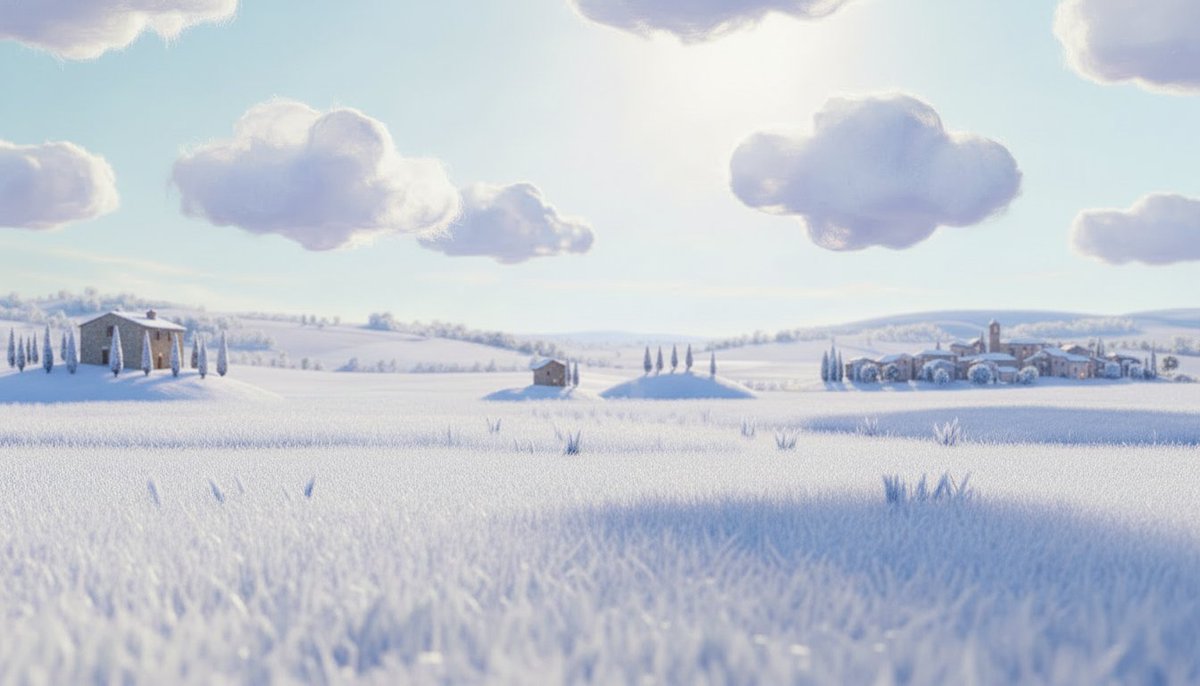
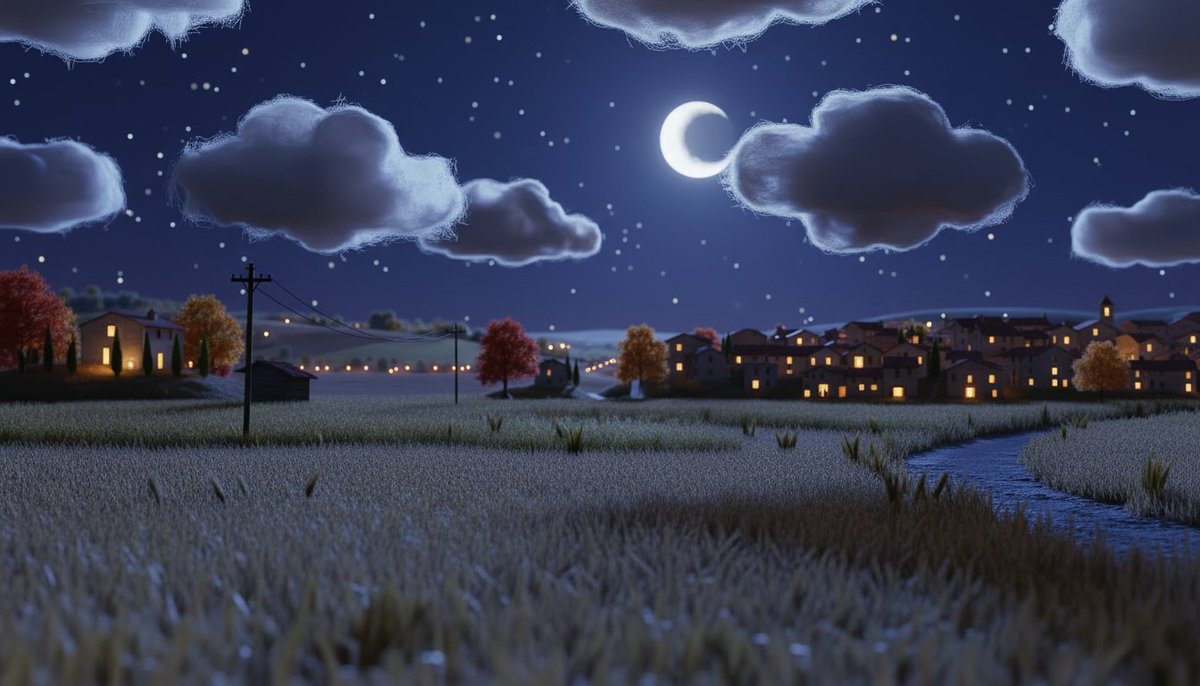
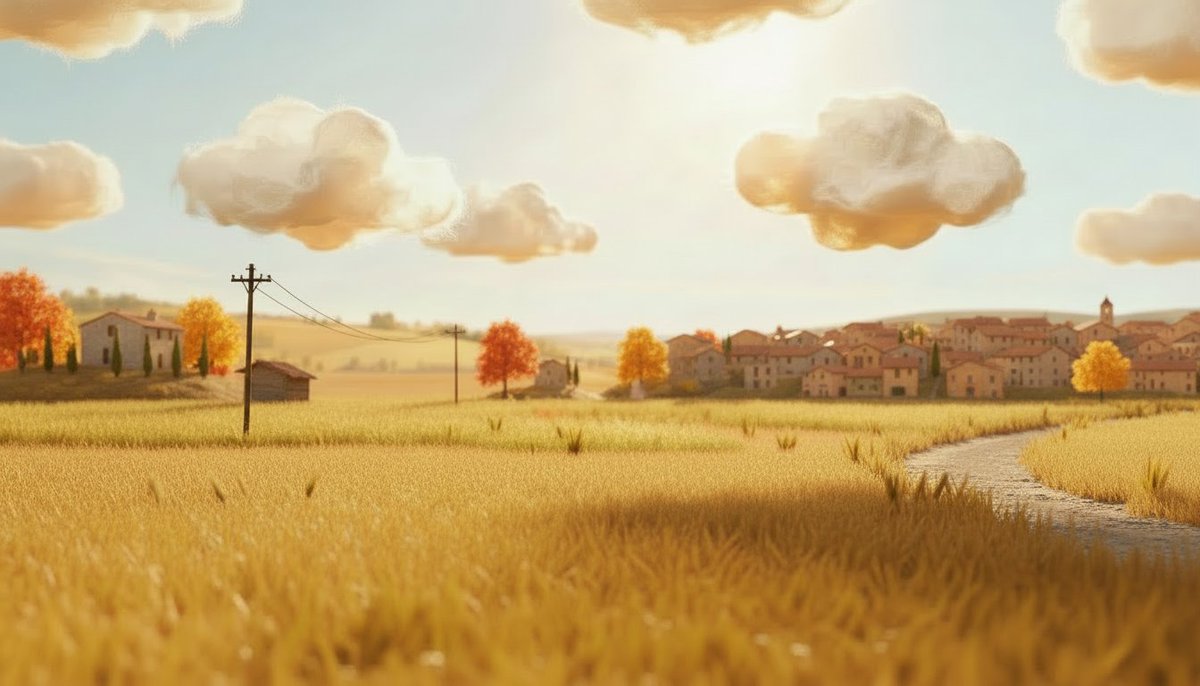
With Nano Banana Pro, we were able to keep the consistency of the locations through every season
The prompt is quite simple:
Same exact scene, same composition, same lighting angle. Change the season to [TARGET SEASON]. Maintain all structural elements, buildings, trees, and layout identical. Only modify seasonal details: [SEASON-SPECIFIC DETAILS].
Remember to go through Magnific Image Upscaler when you're done
The prompt is quite simple:
Same exact scene, same composition, same lighting angle. Change the season to [TARGET SEASON]. Maintain all structural elements, buildings, trees, and layout identical. Only modify seasonal details: [SEASON-SPECIFIC DETAILS].
Remember to go through Magnific Image Upscaler when you're done
The secret to consistent AI Video? Testing before producing
Before committing to any shot, motion was tested in a dedicated Space
Knowing what the model can and can't do with a specific character saves you from generating 40 unusable clips per scene
These were the best models for the project:
- Kling 2.3
- Kling 2.5
- Kling O1
- Kling 3.0
- Seedance 1.5 Pro
Before committing to any shot, motion was tested in a dedicated Space
Knowing what the model can and can't do with a specific character saves you from generating 40 unusable clips per scene
These were the best models for the project:
- Kling 2.3
- Kling 2.5
- Kling O1
- Kling 3.0
- Seedance 1.5 Pro
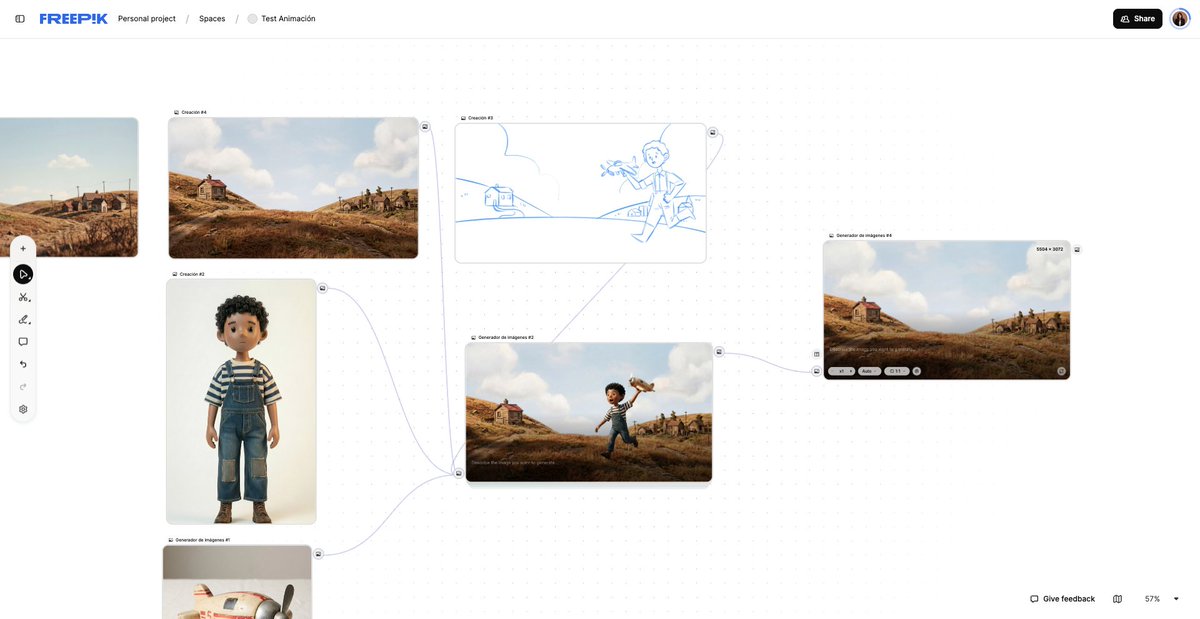
Copy and paste this prompt, and use Kling O1
"Five-year-old mixed-race boy running outside a modest 1950s countryside house in a dry summer, earth-toned yard with brownish dried grass. The boy holds a small vintage wooden toy airplane and swings it through the air as if it were flying, happily imitating the engine sound with his mouth. Handcrafted stop motion style, characters and props look like tactile models with hand-painted resin skin, real-fabric clothing, and a slightly worn wooden airplane.
Animation at low frame rate around 12 fps with subtle staccato movement, tiny imperfections in timing and spacing, slight jitter, and micro variations in lighting. No visible articulation joints on the boy, warm late-afternoon sunlight casting soft long shadows, overall earthy muted color palette, nostalgic and playful mood."
"Five-year-old mixed-race boy running outside a modest 1950s countryside house in a dry summer, earth-toned yard with brownish dried grass. The boy holds a small vintage wooden toy airplane and swings it through the air as if it were flying, happily imitating the engine sound with his mouth. Handcrafted stop motion style, characters and props look like tactile models with hand-painted resin skin, real-fabric clothing, and a slightly worn wooden airplane.
Animation at low frame rate around 12 fps with subtle staccato movement, tiny imperfections in timing and spacing, slight jitter, and micro variations in lighting. No visible articulation joints on the boy, warm late-afternoon sunlight casting soft long shadows, overall earthy muted color palette, nostalgic and playful mood."
Music & SFX
First drafts with ElevenLabs Music and Google Lyria, refined in editing
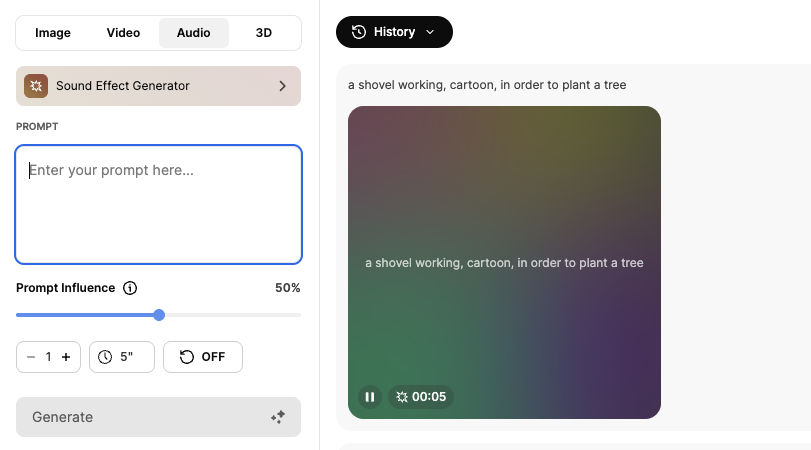
Every sound effect listed from the technical script was generated with the Sound Effect Generator before a single image or video was prompted
First drafts with ElevenLabs Music and Google Lyria, refined in editing
Every sound effect listed from the technical script was generated with the Sound Effect Generator before a single image or video was prompted
Generation. Motion. Editing
The last step is what separates good from cinematic
Magnific Video Upscaler, the final touch that makes everything before it worth it
Before → After
The last step is what separates good from cinematic
Magnific Video Upscaler, the final touch that makes everything before it worth it
Before → After
If you want to build something like this with your team, start using Spaces
freepik.com/spaces x.com/586453534/stat…
freepik.com/spaces x.com/586453534/stat…
• • •
Missing some Tweet in this thread? You can try to
force a refresh