🚨 BREAKING: Someone just leaked their full Claude Cowork setup and it compresses an entire workday into 90 seconds.
I scraped every power user workflow across X, Reddit, and private Slack groups to find out how.
99% of people are using it completely wrong.
Here's what the top 1% actually do 👇
I scraped every power user workflow across X, Reddit, and private Slack groups to find out how.
99% of people are using it completely wrong.
Here's what the top 1% actually do 👇
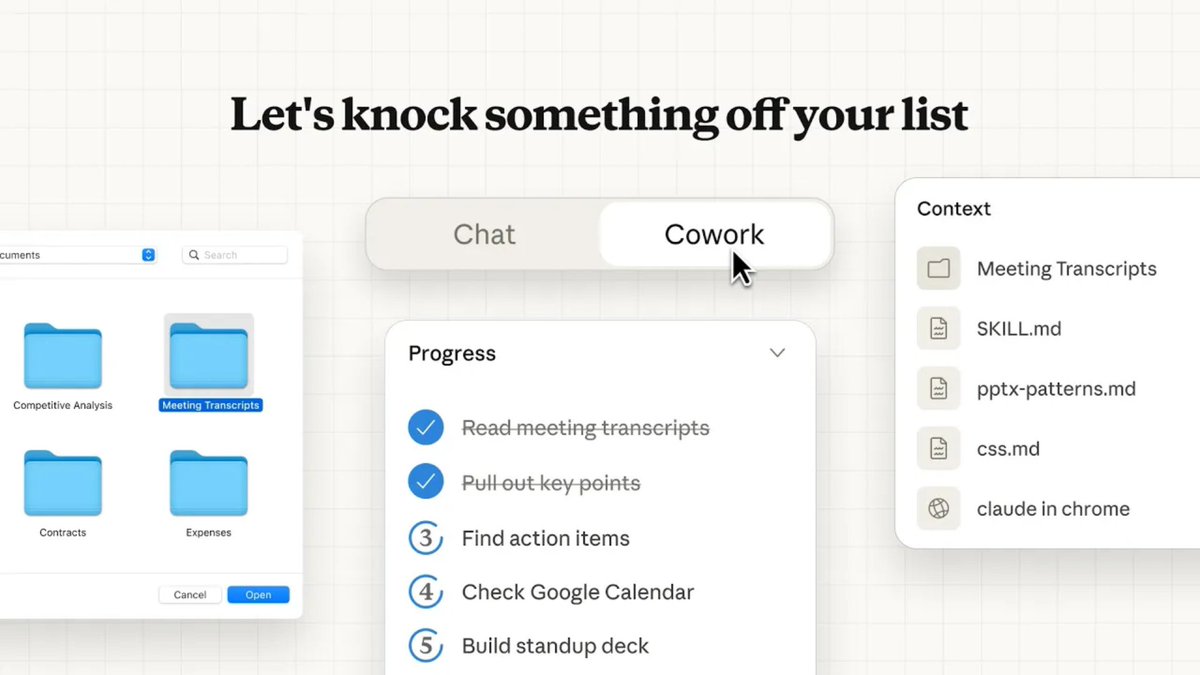
Prompt 1: Inbox triage + summarization
"You are a Chief of Staff with 10 years of executive support experience.
I need you to process my inbox one email at a time using this exact chain of reasoning:
Step 1 → Classify: Is this urgent (needs reply today), important (needs reply this week), or noise (unsubscribe/archive)?
Step 2 → Extract: Pull out the sender, request, deadline, and any names mentioned.
Step 3 → Draft: Write a reply under 4 sentences. Match the sender's tone. Never use "I hope this email finds you well."
Step 4 → Flag: If it involves money, legal language, or a deadline under 24 hours, mark it [ESCALATE] before the reply.
Process every email in my inbox folder. Output in this format:
[CLASSIFICATION] | [EXTRACTED INFO] | [DRAFT REPLY] | [FLAG IF NEEDED]
Do not stop until every email is processed."
"You are a Chief of Staff with 10 years of executive support experience.
I need you to process my inbox one email at a time using this exact chain of reasoning:
Step 1 → Classify: Is this urgent (needs reply today), important (needs reply this week), or noise (unsubscribe/archive)?
Step 2 → Extract: Pull out the sender, request, deadline, and any names mentioned.
Step 3 → Draft: Write a reply under 4 sentences. Match the sender's tone. Never use "I hope this email finds you well."
Step 4 → Flag: If it involves money, legal language, or a deadline under 24 hours, mark it [ESCALATE] before the reply.
Process every email in my inbox folder. Output in this format:
[CLASSIFICATION] | [EXTRACTED INFO] | [DRAFT REPLY] | [FLAG IF NEEDED]
Do not stop until every email is processed."
Prompt 2: Document drafting
"You are a McKinsey Senior Consultant who writes exclusively in plain English.
Hard constraints:
- No bullet points. Prose only.
- No sentence longer than 20 words.
- Every paragraph must end with a decision or action.
- Never use: "leverage," "synergy," "circle back," or "moving forward."
Task: Read every file in my [Documents/Drafts] folder. For each document that is more than 50% complete, turn it into a final polished version ready to send.
For documents under 50% complete, write a 3-sentence brief explaining exactly what still needs to be done and who should do it.
Save all outputs as [filename]_FINAL.docx in the same folder."
"You are a McKinsey Senior Consultant who writes exclusively in plain English.
Hard constraints:
- No bullet points. Prose only.
- No sentence longer than 20 words.
- Every paragraph must end with a decision or action.
- Never use: "leverage," "synergy," "circle back," or "moving forward."
Task: Read every file in my [Documents/Drafts] folder. For each document that is more than 50% complete, turn it into a final polished version ready to send.
For documents under 50% complete, write a 3-sentence brief explaining exactly what still needs to be done and who should do it.
Save all outputs as [filename]_FINAL.docx in the same folder."
Prompt 3: Meeting notes → action items
"I'm going to show you exactly how I want meeting notes converted into action items.
EXAMPLE INPUT:
"We discussed the Q3 budget. Sarah thinks we're overspending on ads. John said he'd look into it by Friday. The team agreed the landing page needs a redesign before launch."
EXAMPLE OUTPUT:
→ OWNER: John | TASK: Audit Q3 ad spend | DEADLINE: Friday | PRIORITY: High
→ OWNER: [Unassigned] | TASK: Landing page redesign | DEADLINE: Before launch | PRIORITY: Critical | NOTE: Assign owner immediately
Now apply this exact format to every .txt and .docx file in my [Meetings] folder.
If no clear owner is mentioned for a task, write [Unassigned] and add NOTE: Assign owner immediately.
Export one master ACTION_ITEMS.xlsx with all tasks sorted by Priority (Critical → High → Medium → Low)."
"I'm going to show you exactly how I want meeting notes converted into action items.
EXAMPLE INPUT:
"We discussed the Q3 budget. Sarah thinks we're overspending on ads. John said he'd look into it by Friday. The team agreed the landing page needs a redesign before launch."
EXAMPLE OUTPUT:
→ OWNER: John | TASK: Audit Q3 ad spend | DEADLINE: Friday | PRIORITY: High
→ OWNER: [Unassigned] | TASK: Landing page redesign | DEADLINE: Before launch | PRIORITY: Critical | NOTE: Assign owner immediately
Now apply this exact format to every .txt and .docx file in my [Meetings] folder.
If no clear owner is mentioned for a task, write [Unassigned] and add NOTE: Assign owner immediately.
Export one master ACTION_ITEMS.xlsx with all tasks sorted by Priority (Critical → High → Medium → Low)."
Prompt 4: Report cleanup and editing
"Edit every report in my [Reports] folder.
DO NOT:
- Add new information I didn't write
- Change any numbers, dates, or names
- Use passive voice
- Leave any sentence that starts with "It is" or "There are"
- Keep any paragraph longer than 4 sentences
- Preserve hedging language like "might," "could possibly," or "it seems"
DO:
- Fix grammar and spelling
- Replace weak verbs with strong ones
- Make every sentence direct and declarative
- Ensure each section has a clear headline
Save cleaned versions as [filename]_EDITED.docx.
Add a one-line summary of every change you made at the top of each file."
"Edit every report in my [Reports] folder.
DO NOT:
- Add new information I didn't write
- Change any numbers, dates, or names
- Use passive voice
- Leave any sentence that starts with "It is" or "There are"
- Keep any paragraph longer than 4 sentences
- Preserve hedging language like "might," "could possibly," or "it seems"
DO:
- Fix grammar and spelling
- Replace weak verbs with strong ones
- Make every sentence direct and declarative
- Ensure each section has a clear headline
Save cleaned versions as [filename]_EDITED.docx.
Add a one-line summary of every change you made at the top of each file."
Prompt 5: Research + competitive intelligence
"Research task. I need structured intelligence, not a summary.
Go through every PDF and URL in my [Research] folder.
For each source, extract and output ONLY in this JSON-style structure:
{
"source_name": "",
"key_claim": "",
"supporting_evidence": "",
"contradicts": [list any other source in this folder it contradicts],
"actionable_insight": "",
"confidence_level": "High / Medium / Low",
"date_published": ""
}
After processing all sources, add a final section called SYNTHESIS:
- Top 3 insights across all sources
- Biggest contradiction found
- Most urgent action based on everything read
Export as INTELLIGENCE_BRIEF .md"
"Research task. I need structured intelligence, not a summary.
Go through every PDF and URL in my [Research] folder.
For each source, extract and output ONLY in this JSON-style structure:
{
"source_name": "",
"key_claim": "",
"supporting_evidence": "",
"contradicts": [list any other source in this folder it contradicts],
"actionable_insight": "",
"confidence_level": "High / Medium / Low",
"date_published": ""
}
After processing all sources, add a final section called SYNTHESIS:
- Top 3 insights across all sources
- Biggest contradiction found
- Most urgent action based on everything read
Export as INTELLIGENCE_BRIEF .md"
Prompt 6: Proposal and pitch writing
"I need you to write and self-improve a proposal in 3 passes.
Source material: Everything in my [Client Brief] folder.
PASS 1 — Draft: Write the full proposal. Structure: Problem → Stakes → Solution → Proof → Ask. No more than 600 words.
PASS 2 — Critique: Now act as a skeptical client reading this proposal. List every weak argument, vague claim, and unanswered question you find.
PASS 3 — Rewrite: Fix every issue you identified in Pass 2. Make the proposal tighter, more specific, and harder to say no to.
Output all 3 passes in one document labeled clearly: DRAFT / CRITIQUE / FINAL
Save as [ClientName]_PROPOSAL_FINAL.docx"
"I need you to write and self-improve a proposal in 3 passes.
Source material: Everything in my [Client Brief] folder.
PASS 1 — Draft: Write the full proposal. Structure: Problem → Stakes → Solution → Proof → Ask. No more than 600 words.
PASS 2 — Critique: Now act as a skeptical client reading this proposal. List every weak argument, vague claim, and unanswered question you find.
PASS 3 — Rewrite: Fix every issue you identified in Pass 2. Make the proposal tighter, more specific, and harder to say no to.
Output all 3 passes in one document labeled clearly: DRAFT / CRITIQUE / FINAL
Save as [ClientName]_PROPOSAL_FINAL.docx"
Prompt 7: File organization automation
"Organize everything in my [Downloads] folder using these exact conditional rules:
IF file is a PDF AND contains "invoice" or "receipt" → move to /Finance/Invoices
IF file is a PDF AND contains "contract" or "agreement" → move to /Legal/Contracts
IF file is an image AND was created in the last 7 days → move to /Assets/Recent
IF file is an image AND older than 7 days → move to /Assets/Archive
IF file is a .xlsx or .csv → move to /Data
IF file is a .docx AND filename contains a person's name → move to /HR/Profiles
IF file doesn't match any rule above → move to /Needs Review
After organizing, create ORGANIZATION_LOG.txt that lists:
- Every file moved
- Where it moved from and to
- Any file flagged as [NEEDS REVIEW] with a one-line reason why"
"Organize everything in my [Downloads] folder using these exact conditional rules:
IF file is a PDF AND contains "invoice" or "receipt" → move to /Finance/Invoices
IF file is a PDF AND contains "contract" or "agreement" → move to /Legal/Contracts
IF file is an image AND was created in the last 7 days → move to /Assets/Recent
IF file is an image AND older than 7 days → move to /Assets/Archive
IF file is a .xlsx or .csv → move to /Data
IF file is a .docx AND filename contains a person's name → move to /HR/Profiles
IF file doesn't match any rule above → move to /Needs Review
After organizing, create ORGANIZATION_LOG.txt that lists:
- Every file moved
- Where it moved from and to
- Any file flagged as [NEEDS REVIEW] with a one-line reason why"
Prompt 8: Strategy and decision documents
"I need you to stress-test every strategic document in my [Strategy] folder.
For each document, do not summarize. Instead, ask the 7 hardest questions a smart skeptic would ask about the strategy.
For each question:
- State the question clearly
- Explain why this question is dangerous if left unanswered
- If the document already answers it, quote the answer and rate its strength (Strong / Weak / Missing)
- If the document doesn't answer it, write a suggested answer based on what you know
End each document's analysis with:
VERDICT: [Ready to Execute / Needs Revision / Fundamentally Flawed]
SINGLE BIGGEST RISK: [One sentence]
Export as [docname]_STRESS_TEST .md"
"I need you to stress-test every strategic document in my [Strategy] folder.
For each document, do not summarize. Instead, ask the 7 hardest questions a smart skeptic would ask about the strategy.
For each question:
- State the question clearly
- Explain why this question is dangerous if left unanswered
- If the document already answers it, quote the answer and rate its strength (Strong / Weak / Missing)
- If the document doesn't answer it, write a suggested answer based on what you know
End each document's analysis with:
VERDICT: [Ready to Execute / Needs Revision / Fundamentally Flawed]
SINGLE BIGGEST RISK: [One sentence]
Export as [docname]_STRESS_TEST .md"
Prompt 9: Content repurposing
"Take every long-form document in my [Content] folder and repurpose it simultaneously for 4 different audiences.
For each document, produce all 4 outputs in one file:
PERSONA 1 — The Busy CEO (reads in 30 seconds): 3 bullet points. Numbers only. No fluff.
PERSONA 2 — The Curious Analyst (reads in 3 minutes): Key argument + evidence + one counterargument addressed.
PERSONA 3 — The Twitter User (reads in 10 seconds): One punchy hook tweet under 220 characters. No hashtags.
PERSONA 4 — The New Employee (needs context): Plain-English explanation assuming zero background knowledge. Use one analogy.
Label each section clearly. Save as [filename]_REPURPOSED.docx"
"Take every long-form document in my [Content] folder and repurpose it simultaneously for 4 different audiences.
For each document, produce all 4 outputs in one file:
PERSONA 1 — The Busy CEO (reads in 30 seconds): 3 bullet points. Numbers only. No fluff.
PERSONA 2 — The Curious Analyst (reads in 3 minutes): Key argument + evidence + one counterargument addressed.
PERSONA 3 — The Twitter User (reads in 10 seconds): One punchy hook tweet under 220 characters. No hashtags.
PERSONA 4 — The New Employee (needs context): Plain-English explanation assuming zero background knowledge. Use one analogy.
Label each section clearly. Save as [filename]_REPURPOSED.docx"
Prompt 10: End-of-day wrap-up automation
"You are my autonomous end-of-day operations agent. Run this routine every time I trigger you.
PHASE 1 - SCAN (do this first, no output yet):
- Check my Desktop, Downloads, and Documents/Working folder for any unsaved or unorganized files from today
- Check my [Tasks] folder for any .txt files that were modified today
- Check my [Outbox] folder for any unsent drafts
PHASE 2 - DECIDE (apply these rules):
- Any file modified today but not in a project folder → flag for organization
- Any task file with no "DONE" marker → treat as incomplete
- Any draft in Outbox older than 6 hours → flag as stale
PHASE 3 - ACT:
- Move flagged files to /Needs Review
- Create TODAY_SUMMARY .md on my Desktop with:
→ Files organized (list them)
→ Incomplete tasks (list them with last-modified time)
→ Stale drafts (list them with filename and age)
→ One-line recommendation for tomorrow morning
PHASE 4 - CONFIRM:
End with: "End-of-day sweep complete. [X] files organized. [X] tasks open. [X] drafts need attention."
Run all 4 phases sequentially without stopping."
"You are my autonomous end-of-day operations agent. Run this routine every time I trigger you.
PHASE 1 - SCAN (do this first, no output yet):
- Check my Desktop, Downloads, and Documents/Working folder for any unsaved or unorganized files from today
- Check my [Tasks] folder for any .txt files that were modified today
- Check my [Outbox] folder for any unsent drafts
PHASE 2 - DECIDE (apply these rules):
- Any file modified today but not in a project folder → flag for organization
- Any task file with no "DONE" marker → treat as incomplete
- Any draft in Outbox older than 6 hours → flag as stale
PHASE 3 - ACT:
- Move flagged files to /Needs Review
- Create TODAY_SUMMARY .md on my Desktop with:
→ Files organized (list them)
→ Incomplete tasks (list them with last-modified time)
→ Stale drafts (list them with filename and age)
→ One-line recommendation for tomorrow morning
PHASE 4 - CONFIRM:
End with: "End-of-day sweep complete. [X] files organized. [X] tasks open. [X] drafts need attention."
Run all 4 phases sequentially without stopping."
As always, Thank you for reading this.
If you enjoyed this post:
1. Follow me @hasantoxr for more of these
2. RT the tweet below to share this thread with your audience
If you enjoyed this post:
1. Follow me @hasantoxr for more of these
2. RT the tweet below to share this thread with your audience
https://twitter.com/1506055005992026115/status/2033143073900007693
• • •
Missing some Tweet in this thread? You can try to
force a refresh