Two huge @webflow breakthroughs I had over the weekend 🤯
1. Allowing users to favorite and save CMS items
2. Picking which content to make free vs paid
🧵👇
1. Allowing users to favorite and save CMS items
2. Picking which content to make free vs paid
🧵👇
Let's start with favoriting.
Ever wanted to give your users the ability to favorite or store CMS items on a page?
Thanks to @c_spags's magical work with @Jetboostio, you can plop in a little link block like this....
Ever wanted to give your users the ability to favorite or store CMS items on a page?
Thanks to @c_spags's magical work with @Jetboostio, you can plop in a little link block like this....
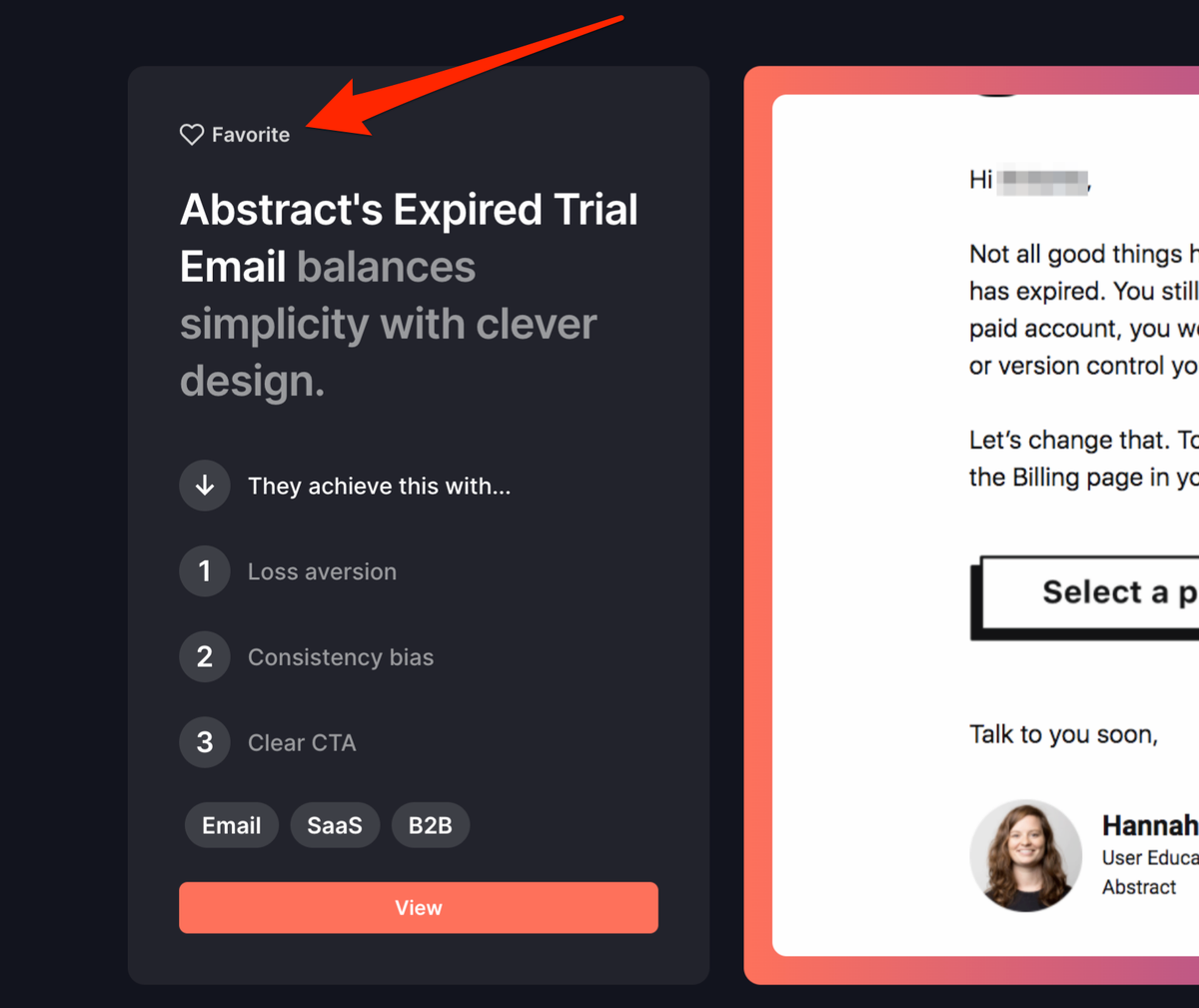
Click, and it's been favorited!
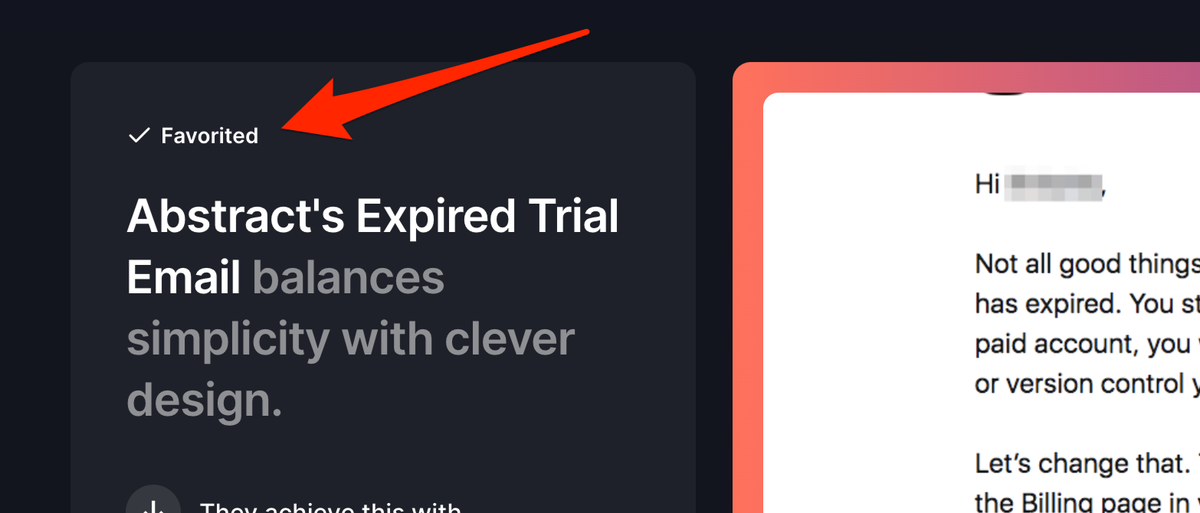
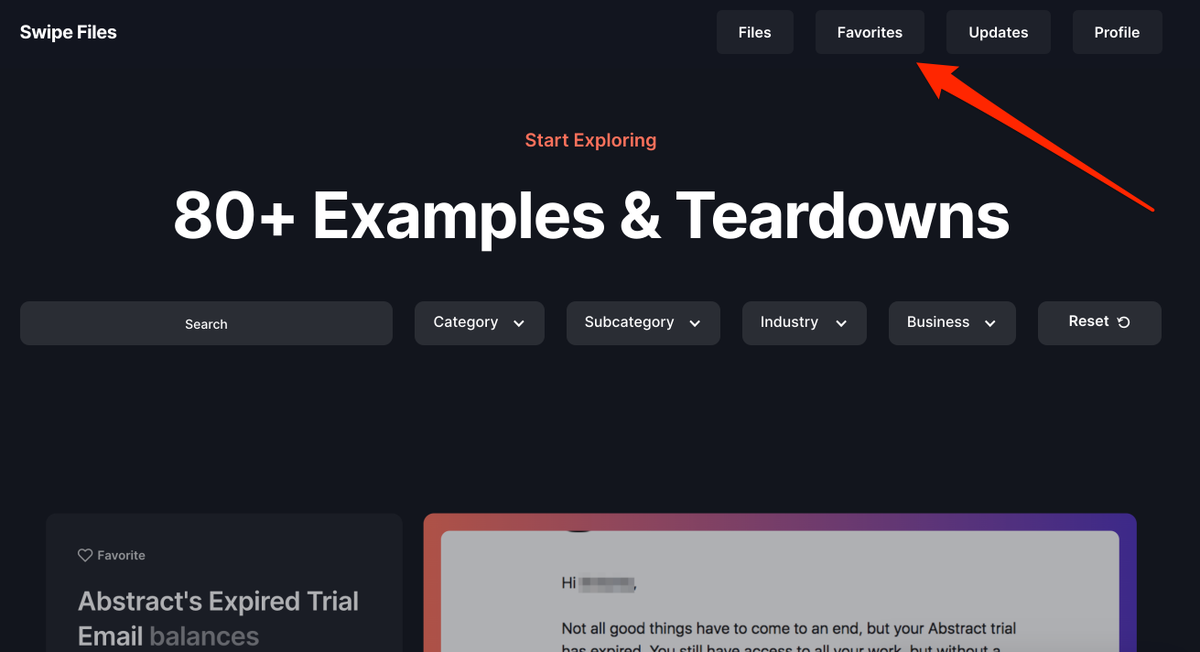
Then head over to the Favorites page to view.
Now for displaying free vs paid content and choosing which content to gate or not.
Originally, I was maintaining two CMS collections that were essentially exact copies of each other.
One would have all the members-only content which was gated by @MemberstackApp...
Originally, I was maintaining two CMS collections that were essentially exact copies of each other.
One would have all the members-only content which was gated by @MemberstackApp...
And the other had all the "free" content, which I'd just always update to have the latest one be swipefiles*.co/latest/file
This was a hassle because I'd have to copy everything over from one CMS and then change the URL when I wanted to show a different free piece of content.
This was a hassle because I'd have to copy everything over from one CMS and then change the URL when I wanted to show a different free piece of content.
Here's the breakthrough: Duplicate the CMS content items on the template page and then use a switch to show/hide based on whether you've chosen it as free or paid!
Step 1: Create a switch.
Step 1: Create a switch.
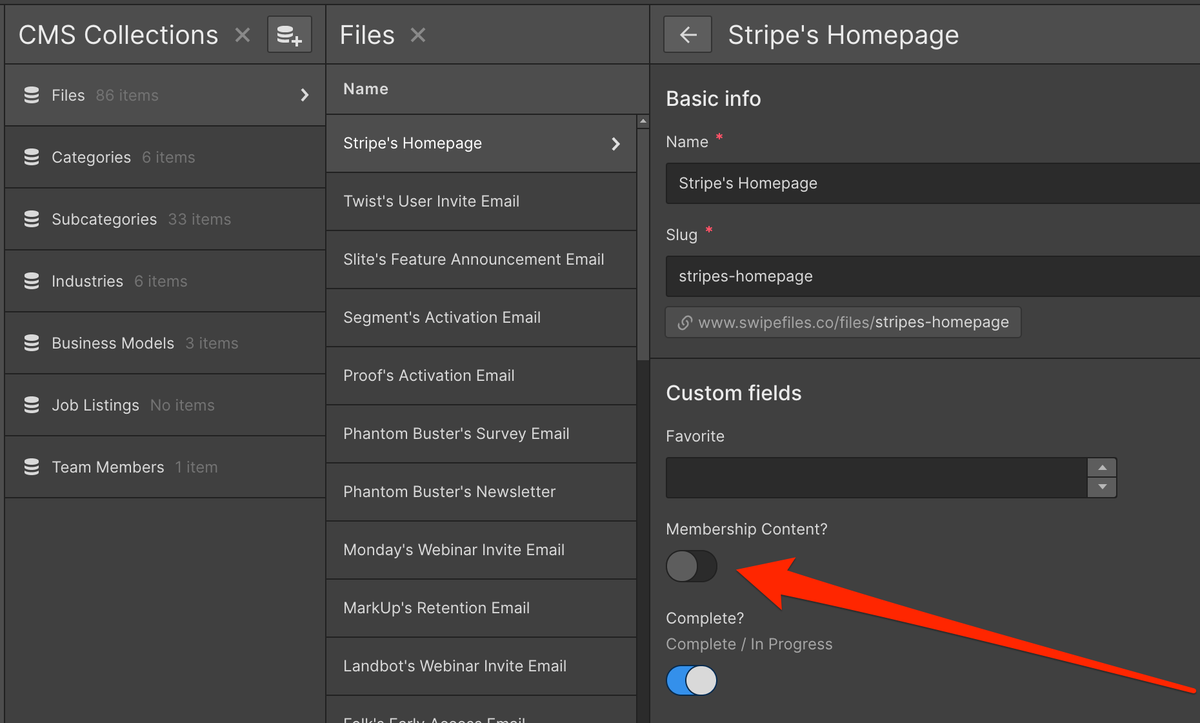
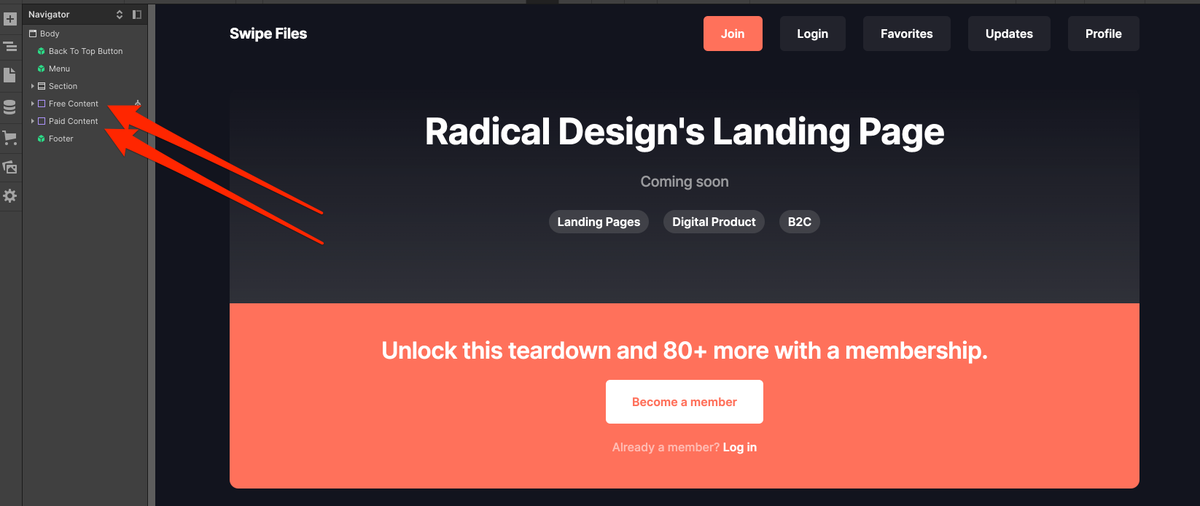
Step 2: Put all CMS items on the template page in a div and then duplicate it.
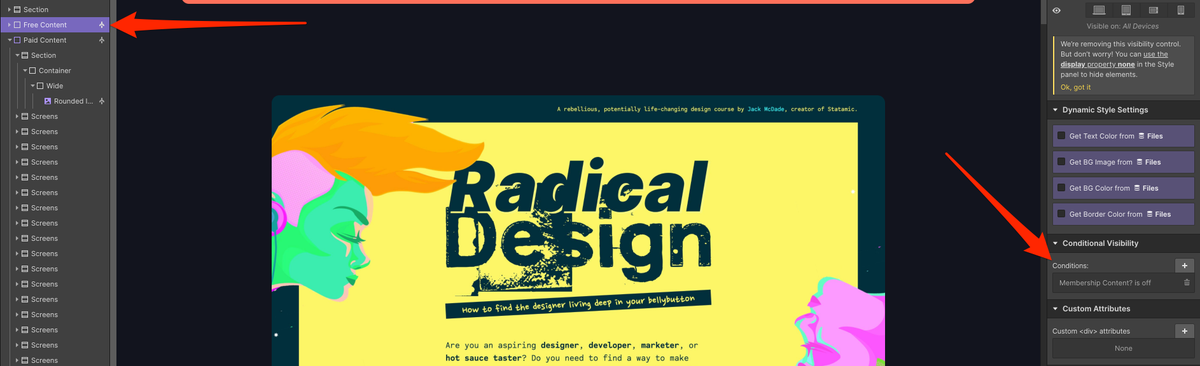
Step 3: Make one visible for when the Switch is off.
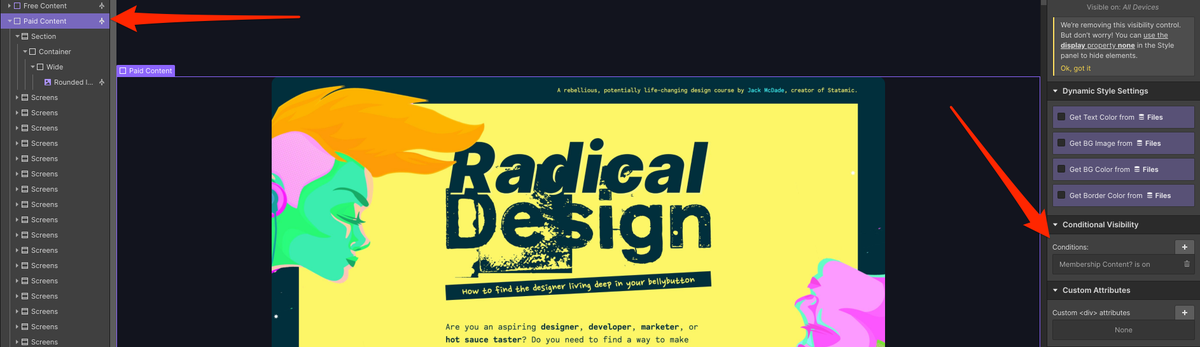
Step 4: Make the other visible for when the Switch is on.
Step 5: Use @MemberstackApp to show the upgrade banner for anyone who is not a member.
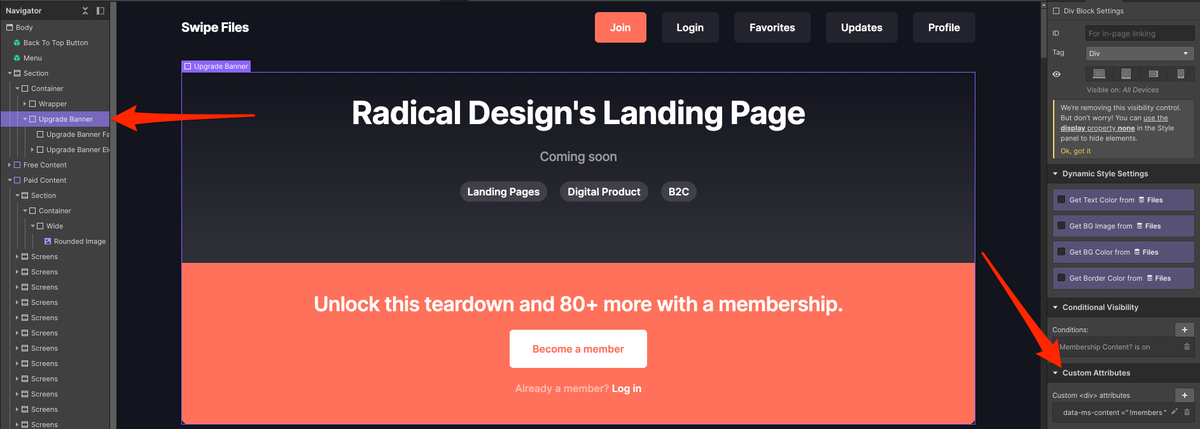
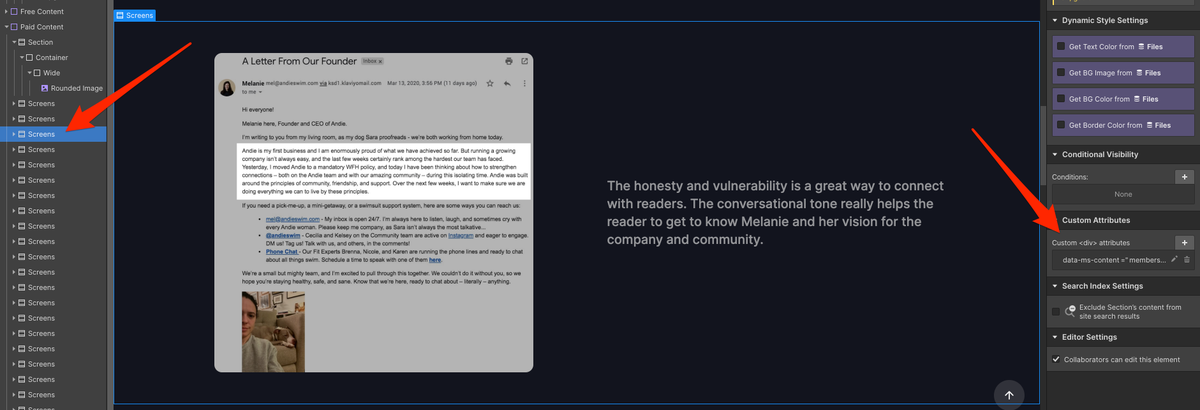
Step 6: Use @MemberstackApp to hide paid content on the page.
Now when you go to a free piece of content, e.g. swipefiles.co/files/stripes-… (which is the latest and what swipefiles.co/latest/file now redirects to)
Anyone can read without any barriers.
For me: no more duplicating, copying, redirecting, or editing.
All with the flip of a switch!
Anyone can read without any barriers.
For me: no more duplicating, copying, redirecting, or editing.
All with the flip of a switch!
And then if someone lands on a paid piece of content, e.g. swipefiles.co/files/abstract…
They'll still be able to get to the page and see a preview, but it'll prompt them with an upgrade screen to nab a membership in order to see the full teardown.
They'll still be able to get to the page and see a preview, but it'll prompt them with an upgrade screen to nab a membership in order to see the full teardown.
Here's a quick video that walks through it if you need more detail: loom.com/share/59cb599b…
Basically, build your own Substack!
Basically, build your own Substack!