Flutter is one of the fastest-growing Open Source frameworks to design apps.
But why is Flutter is so Popular with 134k ⭐️ on Github
🧵
But why is Flutter is so Popular with 134k ⭐️ on Github
🧵
🔹Best Documentation:- Documentation is one of the crucial parts of our learning journey of learning any new technology or Framework
When you are learning flutter you'll get one of the best and well-explained documentation ever written for a framework
flutter.dev/docs
When you are learning flutter you'll get one of the best and well-explained documentation ever written for a framework
flutter.dev/docs
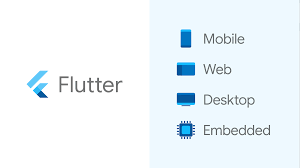
🔹Multi-platform Support: With Flutter, you can make apps for 7 different platforms with a single codebase.
This means just write code once and it will be running on 7 platforms i.e. android, iOS, web, Windows, macOS, Linux, and embedded devices.
This means just write code once and it will be running on 7 platforms i.e. android, iOS, web, Windows, macOS, Linux, and embedded devices.
🔹Easy to learn: Flutter is easier to learn and use.
Flutter uses widgets, which makes the UI easy to use. All features that you need to build an app are provided as widgets mainly
This gives developers complete control over apps while making the process of development easy.
Flutter uses widgets, which makes the UI easy to use. All features that you need to build an app are provided as widgets mainly
This gives developers complete control over apps while making the process of development easy.
🔹Faster Development: Flutter with its hot reloading feature helps to develop apps faster
With each new version, Flutter comes out with new widgets that already have a built-in design that can be configured according to your wishes, so non Designer can make really cool apps too
With each new version, Flutter comes out with new widgets that already have a built-in design that can be configured according to your wishes, so non Designer can make really cool apps too
🔹Community Support: Flutter is backed by tech giant Google which constantly organizes many Events to help Flutter Developers in their Development Journey and tries their best to create a positive atmosphere for developers to learn flutter with Ease.
Are you are switching into the field of Programming, Designing or Startups in 2022?
Then, I have curated some really crucial tools for you which you didn’t know exists
Go Grab this Ebook for free
vinaystwt.gumroad.com/l/developertoo…
Then, I have curated some really crucial tools for you which you didn’t know exists
Go Grab this Ebook for free
vinaystwt.gumroad.com/l/developertoo…
Thank you for Reading
I am Vinay, a developer from India, sharing some of the knowledge I gain in my daily life as a programmer and as a Human being
If you like this post, Make sure to
✅Like this post
✅Retweet it
✅ Follow @Vinaystwt for more such content
I am Vinay, a developer from India, sharing some of the knowledge I gain in my daily life as a programmer and as a Human being
If you like this post, Make sure to
✅Like this post
✅Retweet it
✅ Follow @Vinaystwt for more such content
If you don’t want to miss your weekly parcel of learning, then don’t forget to subscribe to the "Insane Learner" newsletter
getrevue.co/profile/vinays…
getrevue.co/profile/vinays…
• • •
Missing some Tweet in this thread? You can try to
force a refresh