Mushtaq Bilal, PhD Profile picture
Aug 30, 2022 β€’ 19 tweets β€’ 6 min read β€’ Read on X
Every academic knows that the BEST software for citation and reference management is Zotero.

BUT many folks don't know how to take notes and annotate PDFs in Zotero.

Here's how to get started πŸ‘‡

Zotero Annotations 101: A step-by-step guide with visuals 🧡
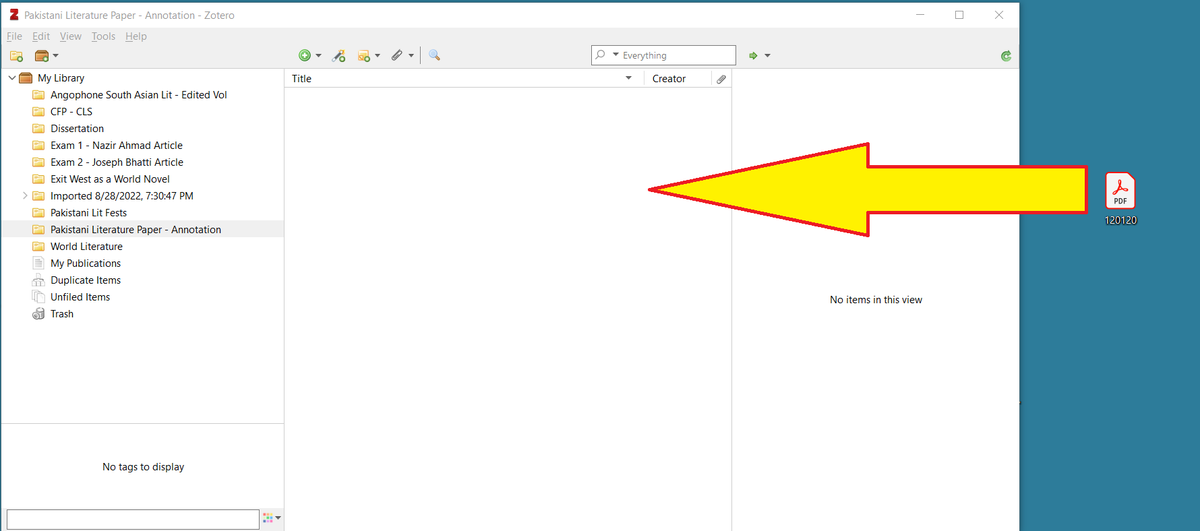
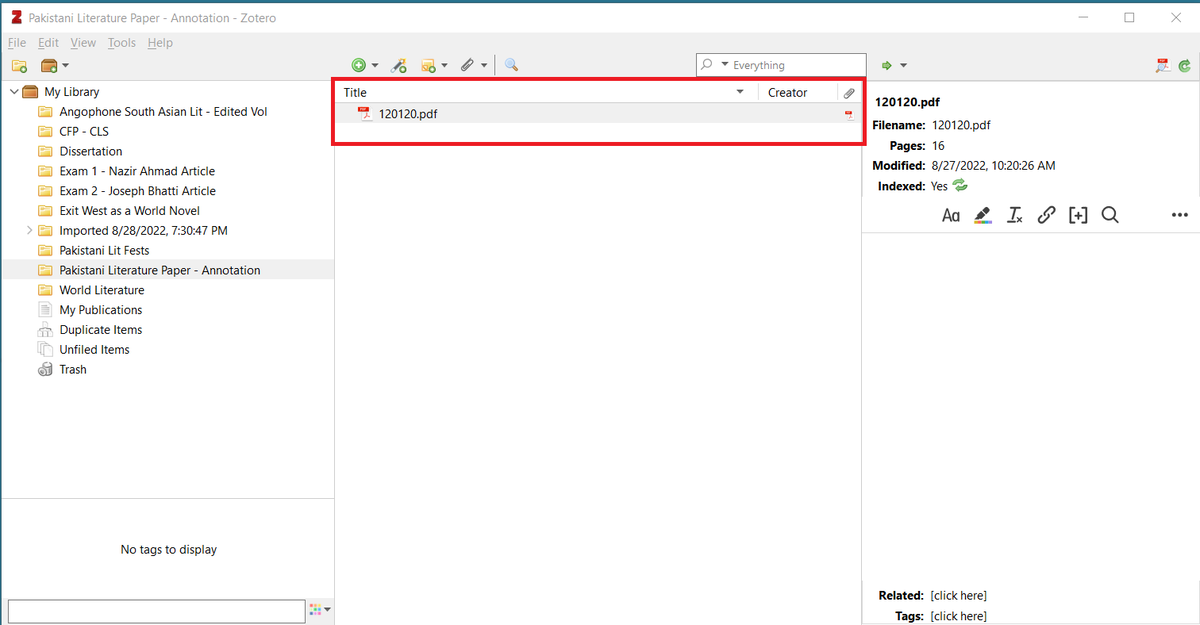
Download a PDF and drag it to Zotero's main panel. Zotero's main interface with a PDF document.
This is how your PDF will look initially in the main panel. A PDF document shown in Zotero's main panel.
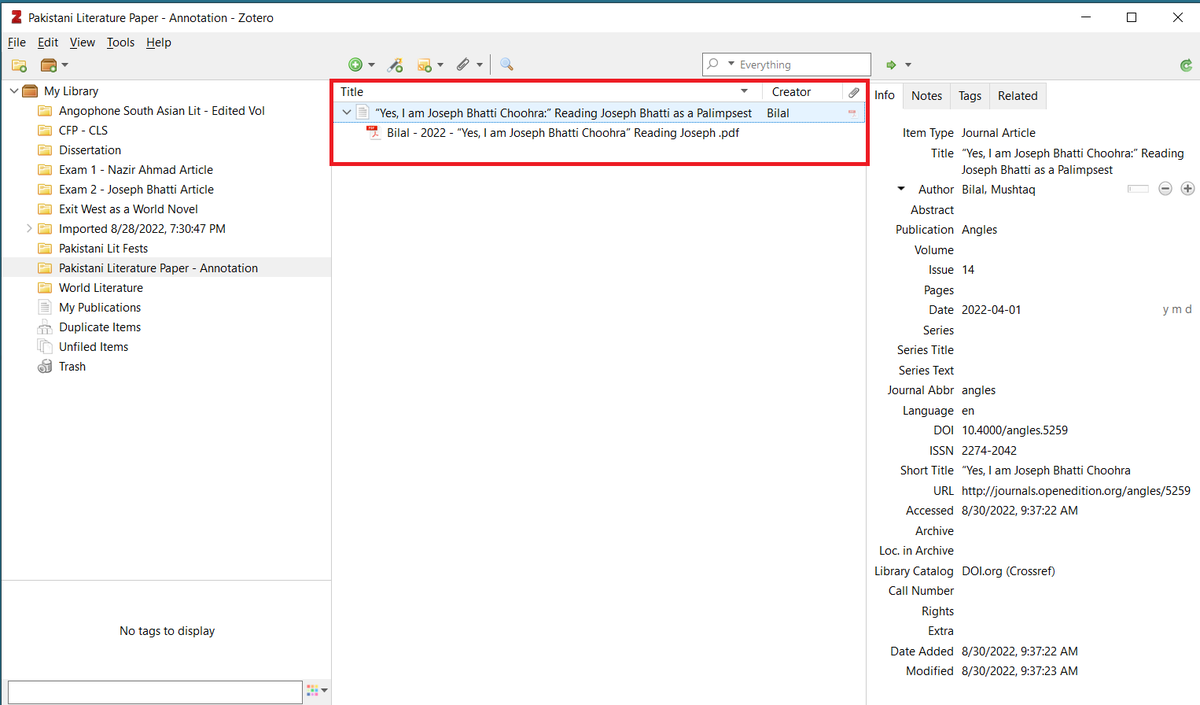
Zotero will automatically collect metadata relevant to your PDF and rename your it.

PS: I used to think the add-on Zotfile renamed PDFs. Looks like you don't need Zotfile to rename your PDFs. Here I'm using Zotero without Zotfile. Zotero automatically retrieved metadata relevant to the PDF
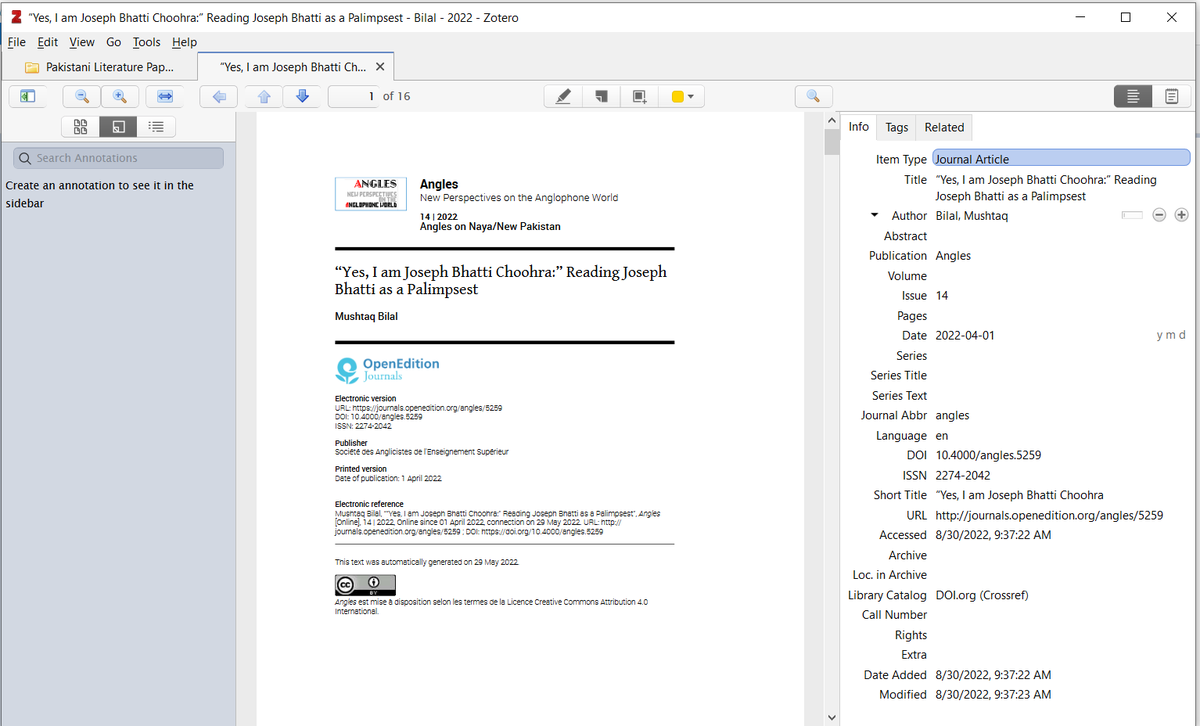
To start annotating, simply double-click the PDF. Zotero will open it in a new window. Zotero opens the uploaded and renamed PDF in a new window.
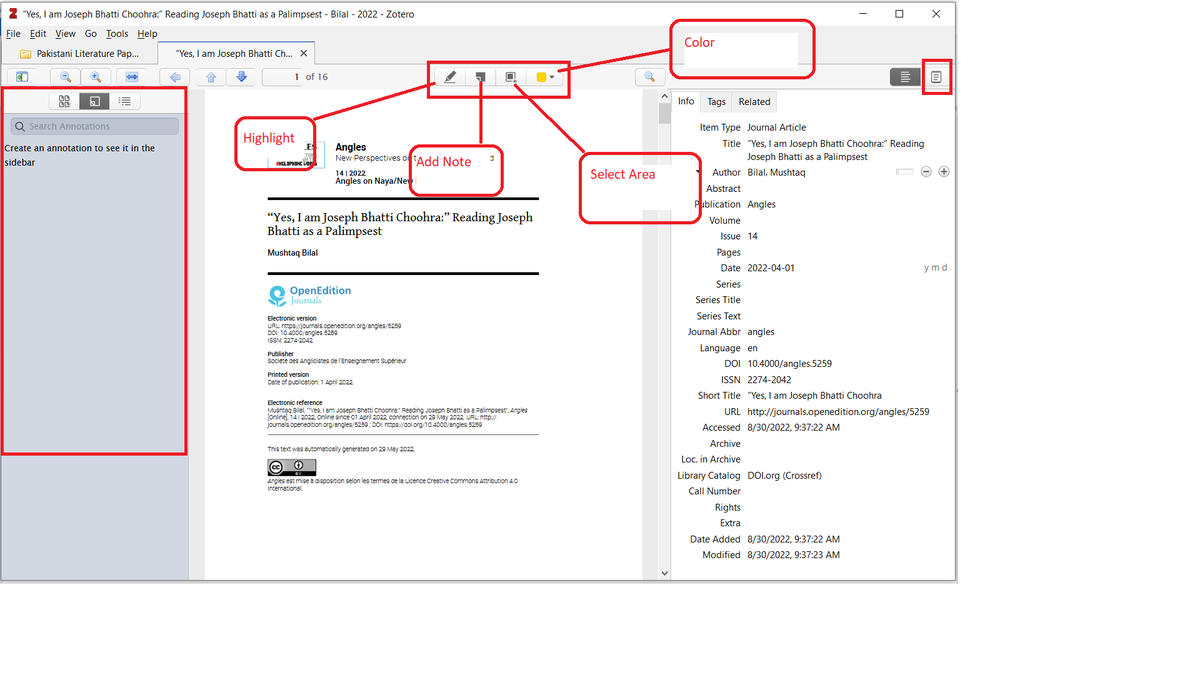
On the left is the annotation panel.

In the middle are four options for annotating: Highlight, Add Note, Select Area, and Color

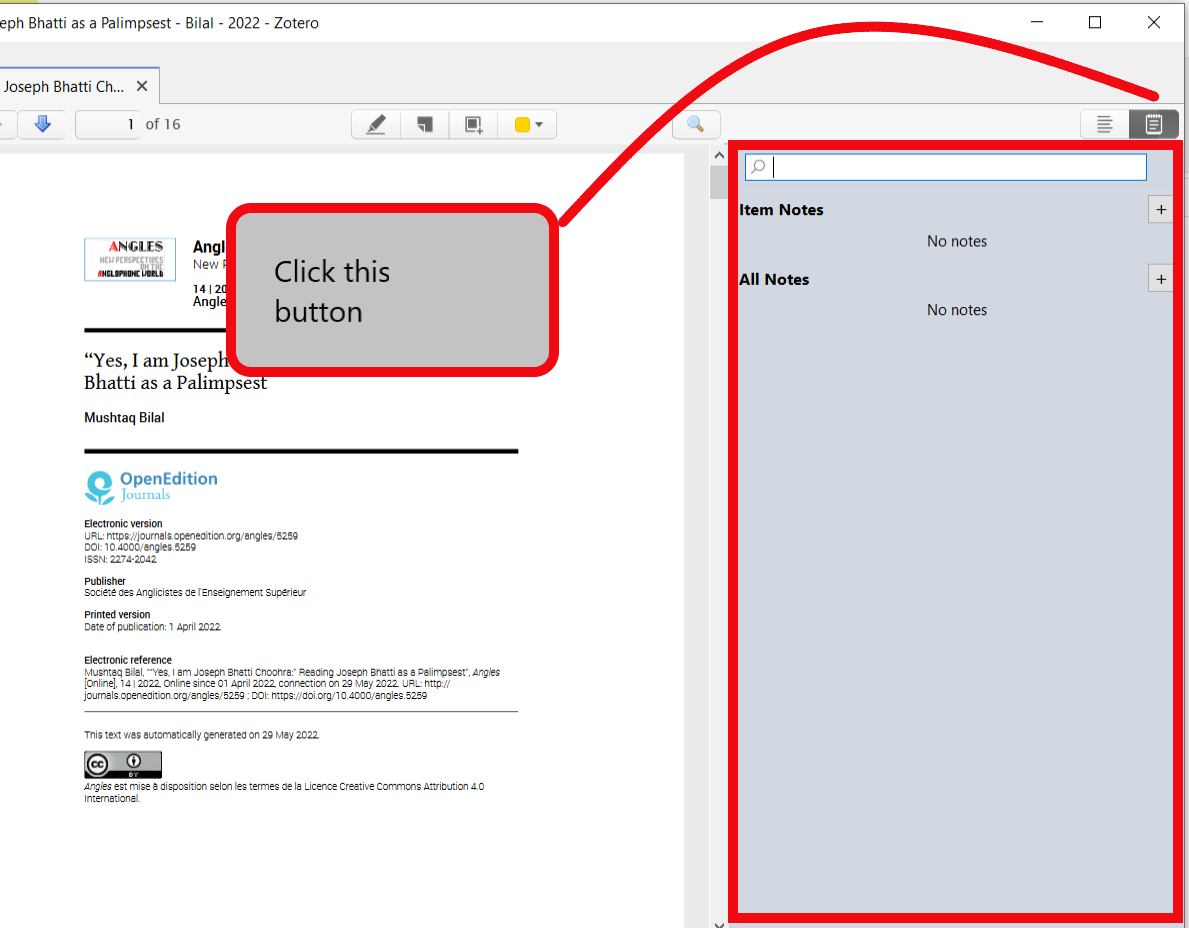
On the right is a button for Notes. Annotating and note taking options in Zotero. On the left is
Clicking on the Notes button in the top right corner will give your two options for note taking: Item Notes and All Notes.

I will discuss it further in a bit. Clicking on the Notes button in the top right corner will gi
When you highlight a certain passage in a PDF, Zotero will show it in the annotation panel on the left. A highlighted passage in the PDF. The same passage is shown
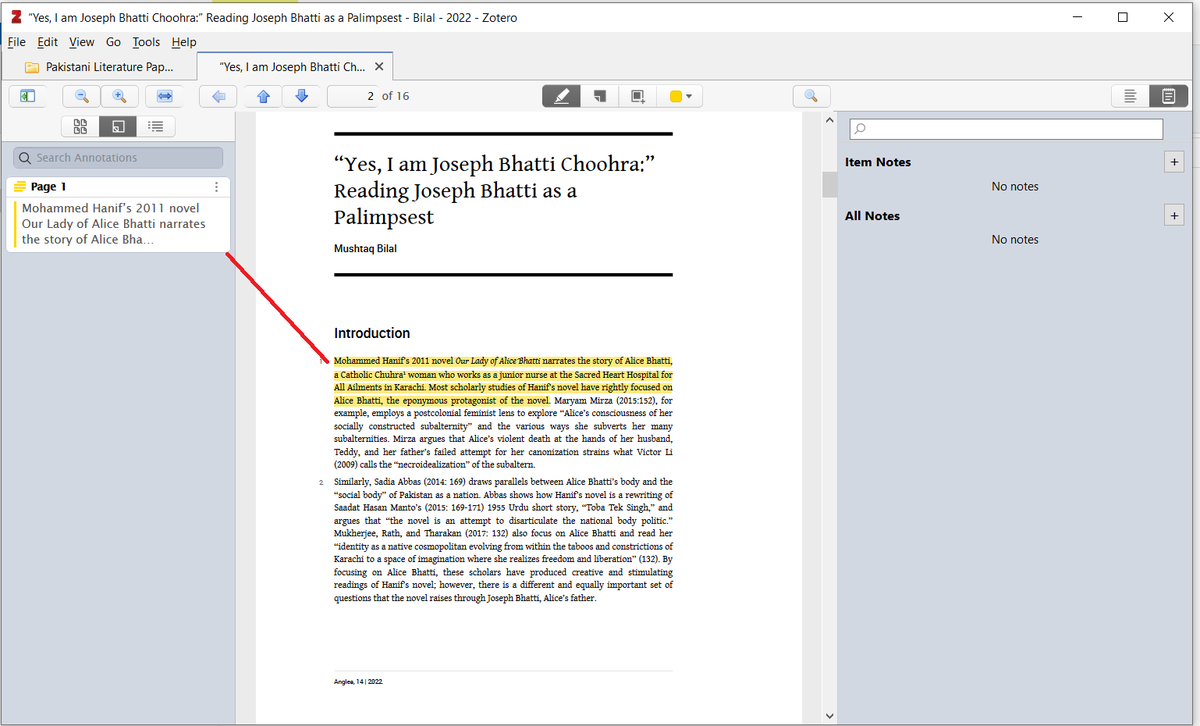
You can easily add your comments on individual annotations.

You can color-code your annotations. I'm using blue for secondary sources I should read.

PS: I wish I were this organized while writing my dissertation πŸ€¦β€β™‚οΈπŸ˜‚ A highlighted passage in the PDF shown in Zotero's annotatio
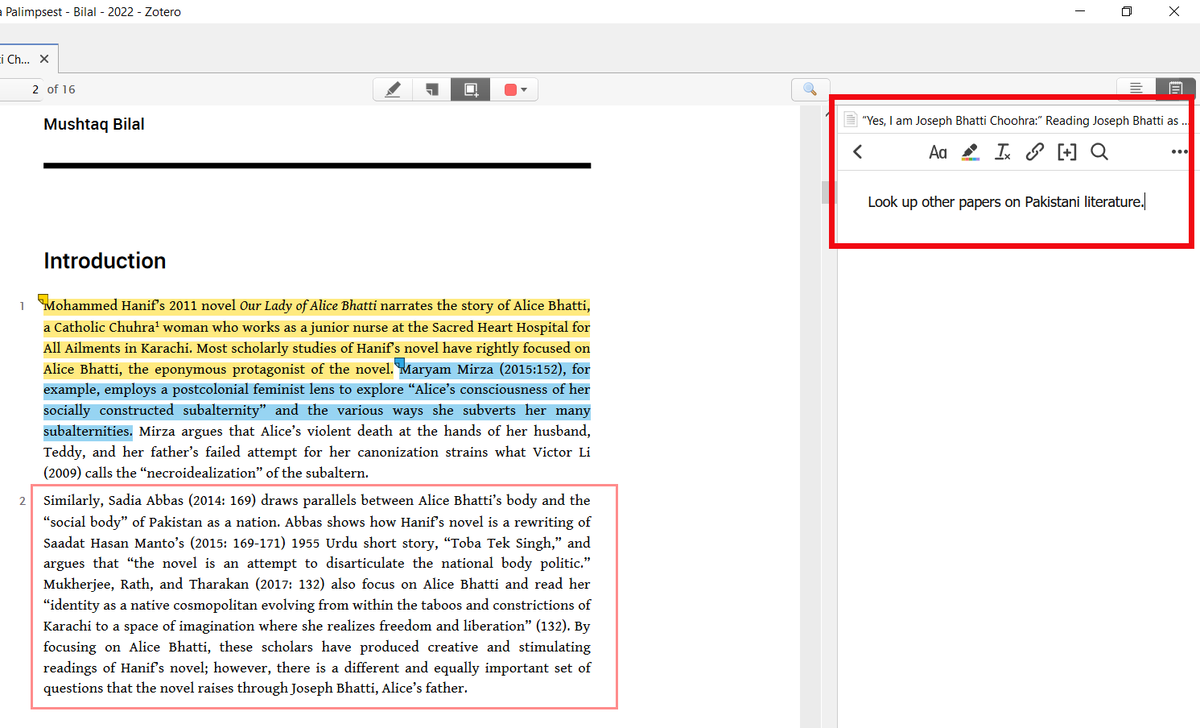
You can also add a note using the "Add Note" option without having to highlight any text. A note added to a PDF using Zotero's "Add Note" op
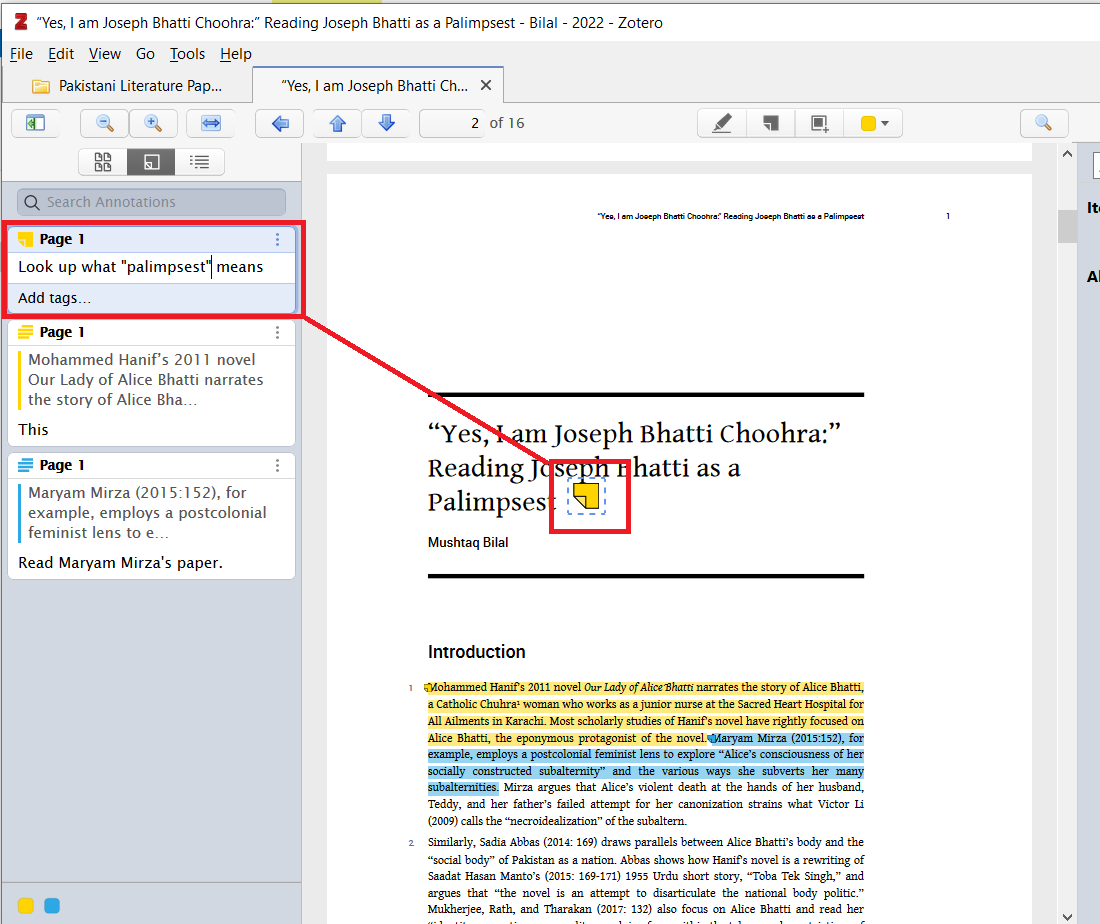
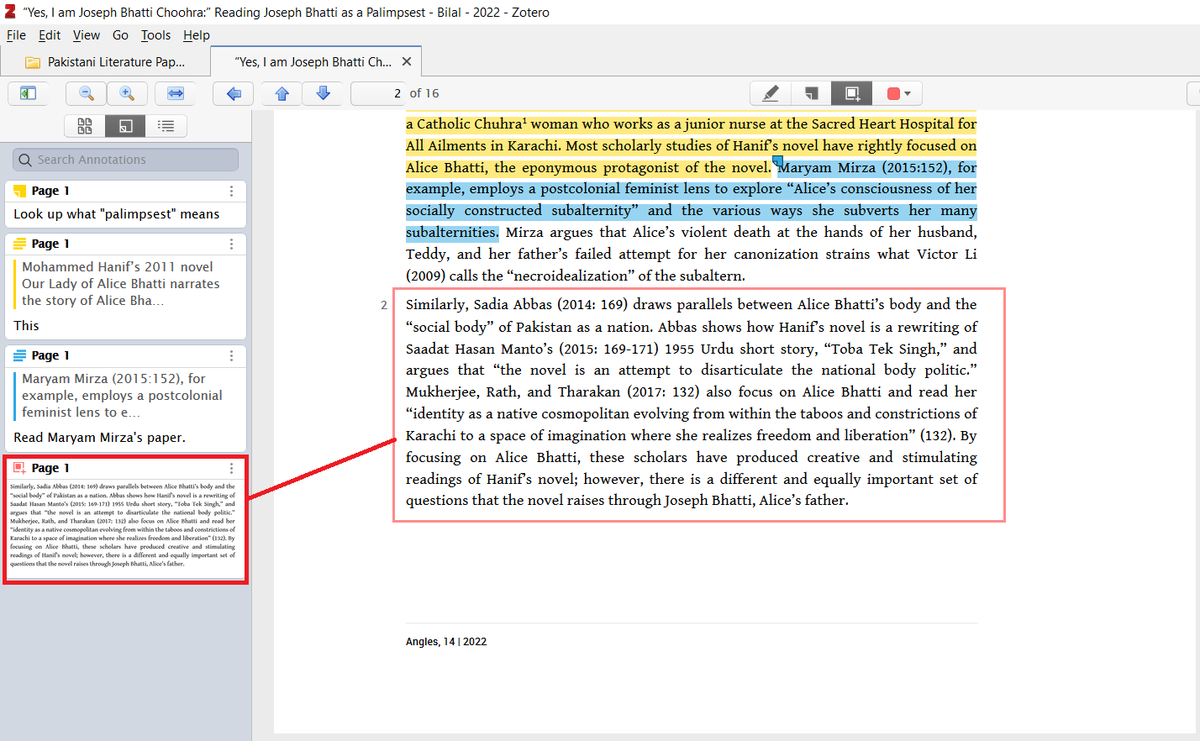
You can also select a certain area in a PDF using the "Select Area" option.

The Mendeley equivalent for this is "Highlight Rectangle."

But unlike Mendeley, Zotero will paste the selected area in your annotation panel, which is pretty cool. A paragraph selected using Zotero's "Select Area"
Now to the Notes panel on the right side.

You can take TWO types of notes in Zotero: Item Notes and All Notes. (Mendeley equivalent for "All Notes" is "Notebook")

You can add an independent Item Note and you can also convert an annotation into an Item Note. The Notes panel in Zotero. You can take two types of notes i
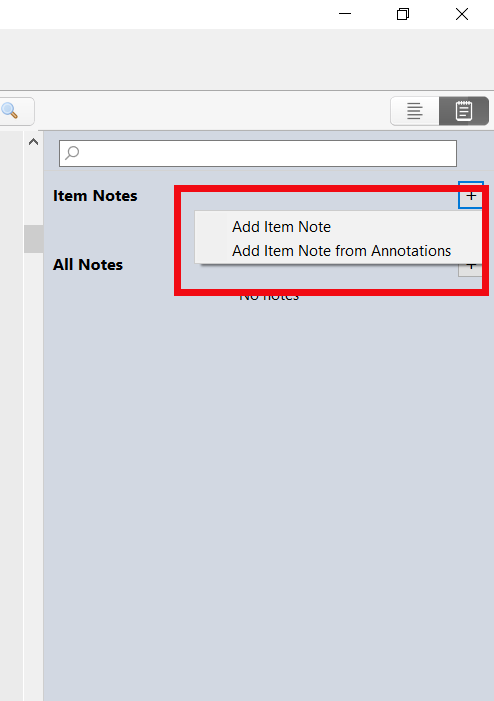
Here I am adding an "Item Note." An Item Note added to a PDF using Zotero's "Add Item No
And this is an example of converting an annotation into an Item Note. You can add further comments too. An annotation converted into an Item Note using Zotero's &qu
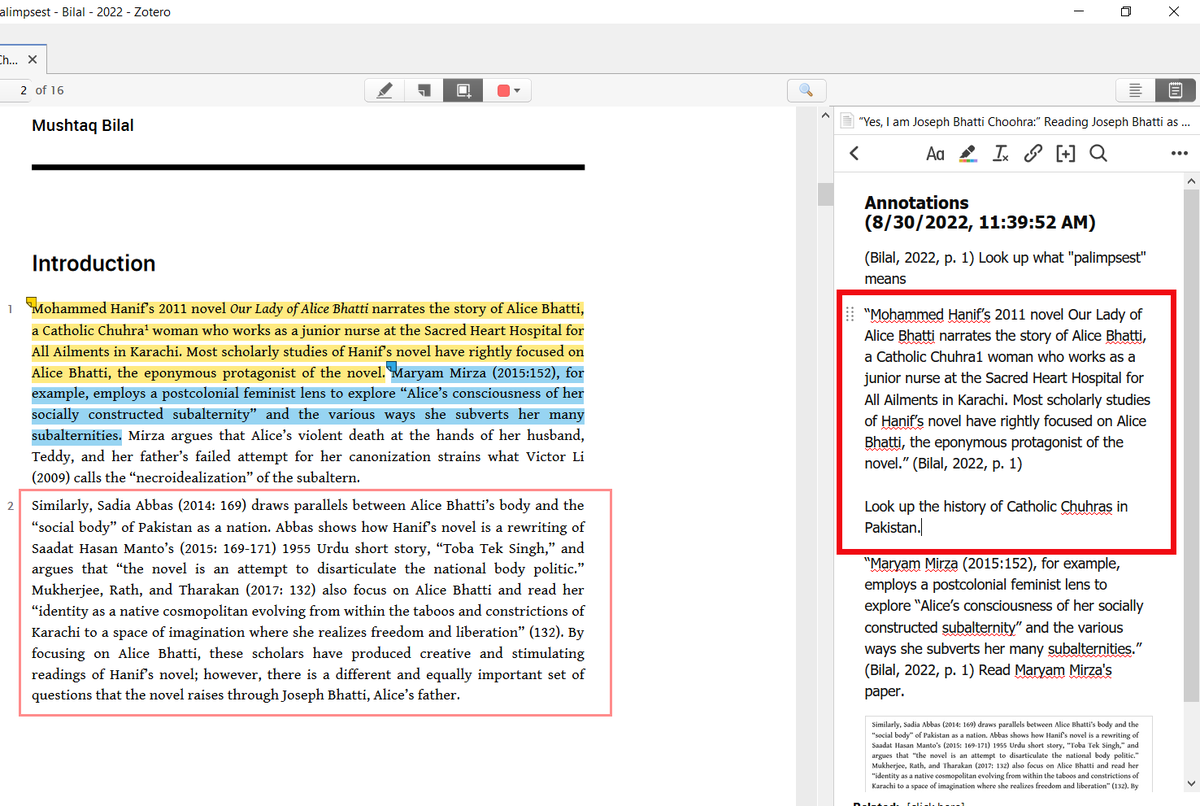
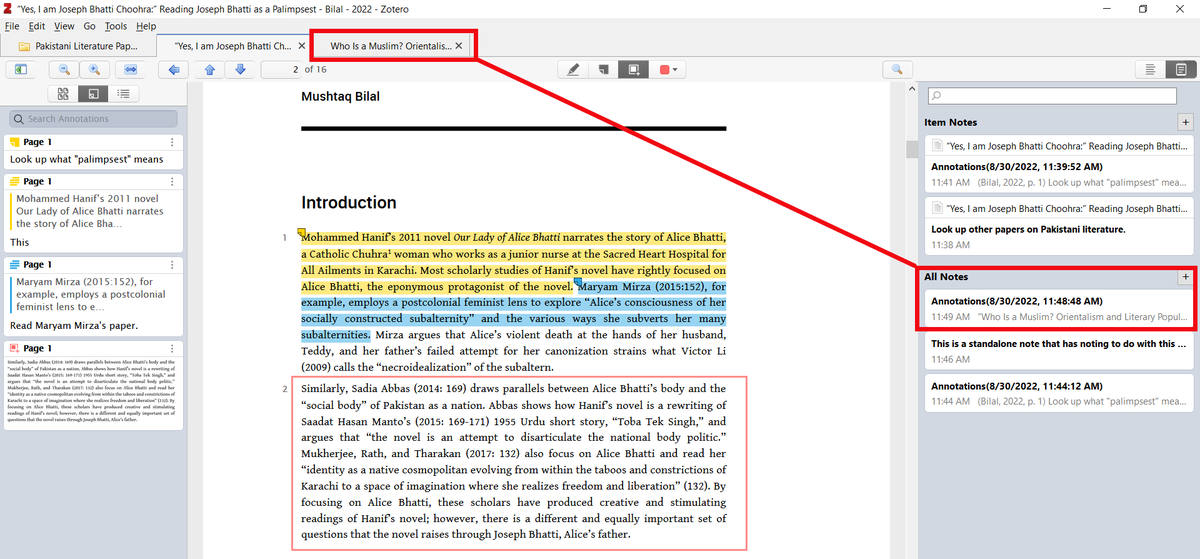
All Notes also gives you two options: "Add Standalone Note" and "Add Standalone Note from Annotations." The two options in "All Notes" are: Add Standalone
"All Notes" shows ALL of your notes that you've taken on ALL of your PDFs.

Here you can see a note on a different PDF that is being shown in "All Notes." Zotero's "All Notes" option displaying a note from
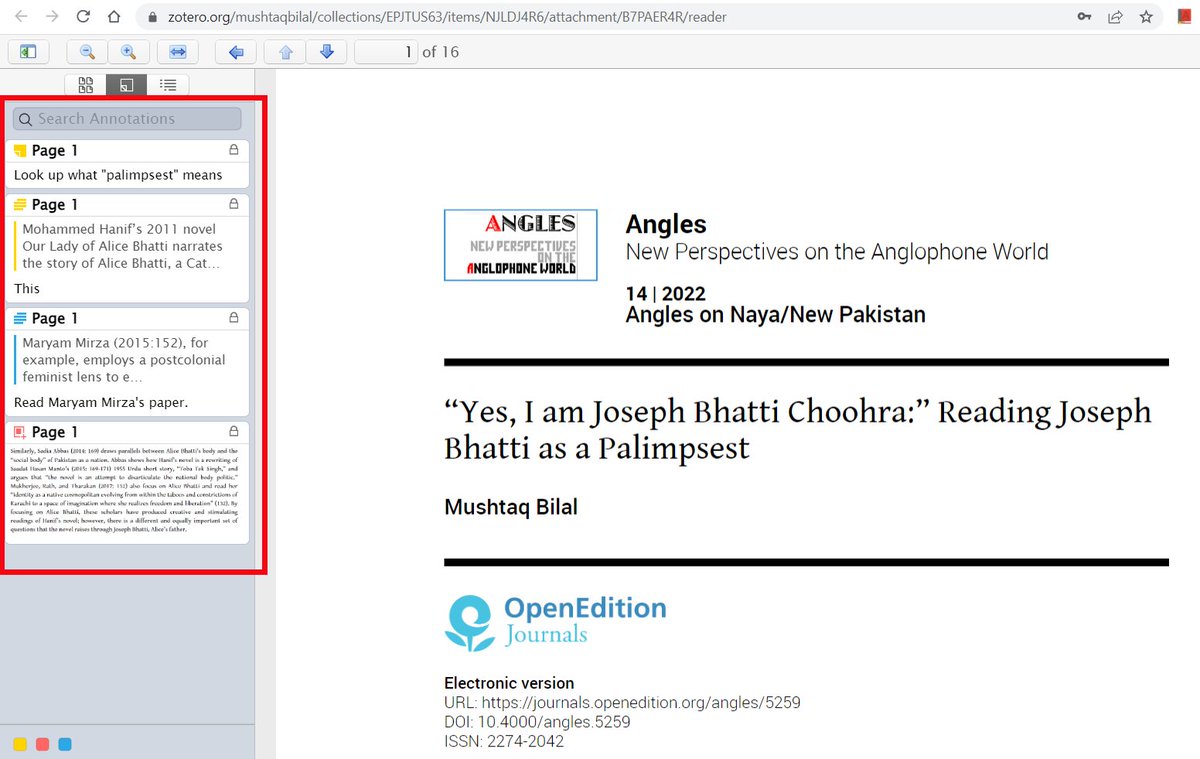
You can also access you annotations on the web (in an internet browser) but you can't edit them online. A read-only copy of a PDF annotated in Zotero shown online i
And that's about it.

If you've never used Zotero, or are new to it, here's a helpful guide to get you started πŸ‘‡

This guide has been read by 2 million people.

If you found this thread useful:

1. Scroll to the top and RT the first tweet to share it with your friends and colleagues.

2. Follow me @MushtaqBilalPhD for more threads like this.

Happy annotating!

β€’ β€’ β€’

Missing some Tweet in this thread? You can try to force a refresh

γ€€

Keep Current with Mushtaq Bilal, PhD

Mushtaq Bilal, PhD Profile picture

Stay in touch and get notified when new unrolls are available from this author!

Read all threads

This Thread may be Removed Anytime!

PDF

Twitter may remove this content at anytime! Save it as PDF for later use!

Try unrolling a thread yourself!

how to unroll video
  1. Follow @ThreadReaderApp to mention us!

  2. From a Twitter thread mention us with a keyword "unroll"
@threadreaderapp unroll

Practice here first or read more on our help page!

More from @MushtaqBilalPhD

Jan 5
How to build an academic writing habit (to write a lot and publish a lot):
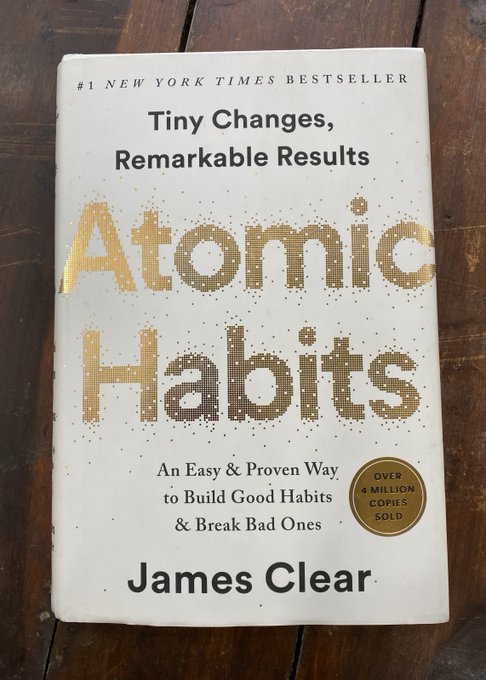
In his book "Atomic Habits," James Clear writes about habits that are so small we don’t even notice them, but the power they have over us is immense.

He calls them atomic habits.

Although they are small, building atomic habits is VERY DIFFICULT.

Why? A photo of James Clear's book "Atomic Habits."
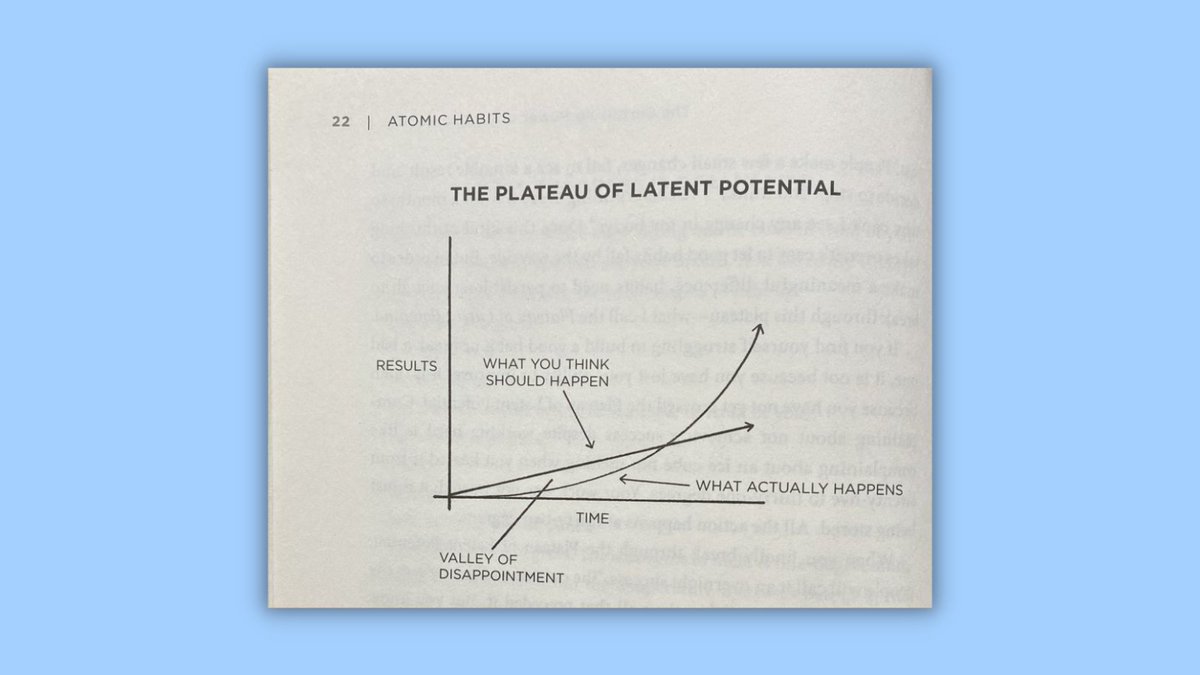
Clear calls the time between the point we start a habit to the point we start seeing its first results "the plateau of latent potential."

Most people remain stuck within this plateau.

To see the results of any habit, we must cross the plateau of latent potential. A photo of "The Plateau of Latent Potential" from James Clear's book "Atomic Habits."
Read 21 tweets
Dec 25, 2025
Don't use Sci-Hub β€” it's a "controversial" website with 84M+ research papers freely available.

We should all try to make billion-dollar academic publishers richer.

Anyway, here's a thread on how to integrate Sci-Hub with Zotero to get free papers.

🚨DO NOT DO IT!
1. Don't go to this link:
github(dot)com/syt2/zotero-scipdf

But if you do, replace the word "dot" with an actual [.]

Don't scroll down and click on "latest release xpi file."

This will download an "xpi" file to your computer.
2. Don't open your Zotero. But if you do, click on "Tools."

In "Tools," click on "Plugins." This will open Zotero's Plugin Manager.

In the Plugin Manager, click on the gear-like icon and select "Install Plugin From File."

Navigate to the XPI file you downloaded and add it.
Read 6 tweets
Dec 24, 2025
10 books to help you become a better academic writer so you can write a lot and publish a lot:

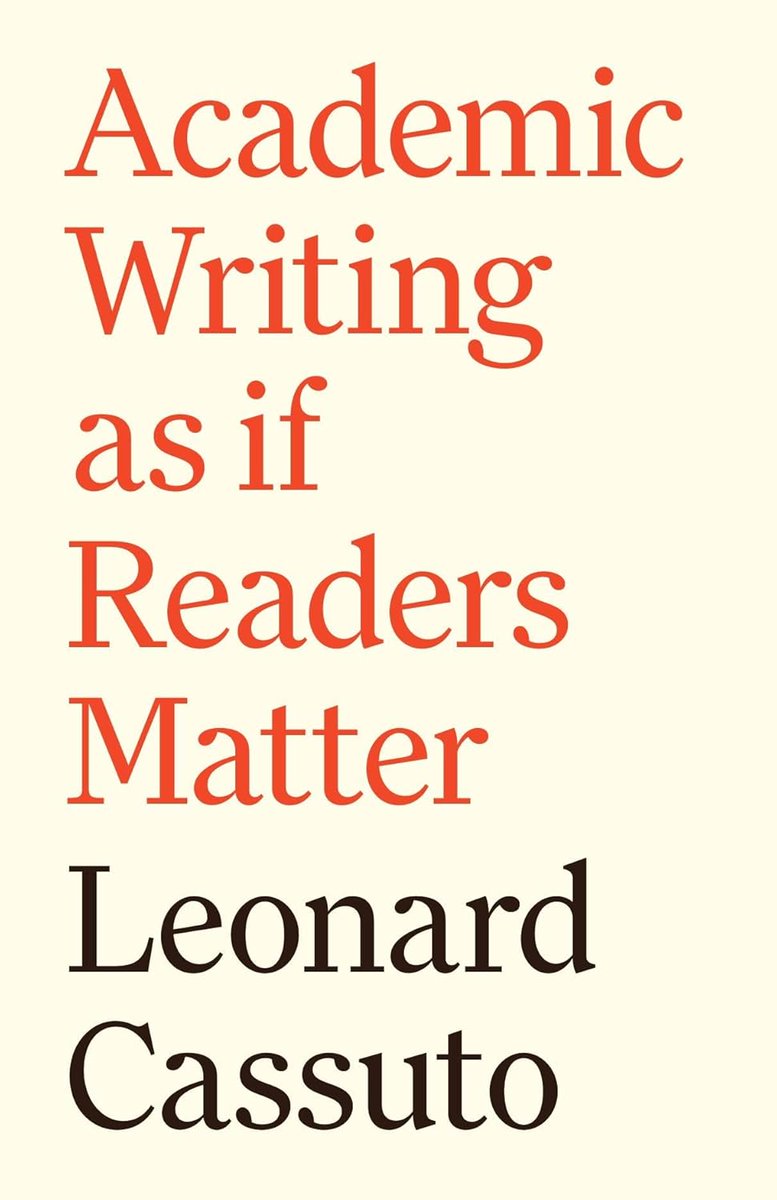
1. Academic Writing as if the Reader Matters by Leonard Cassuto

Practical tips on how to make your academic writing more engaging and readable. Examples from the arts and sciences. Academic Writing as if the Reader Matters by Leonard Cassuto
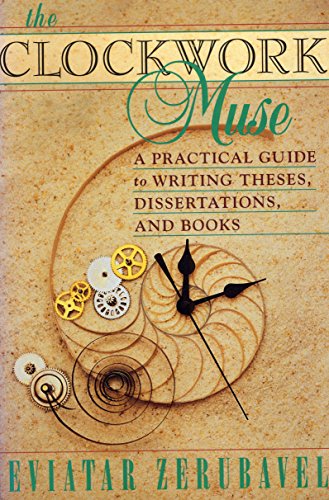
2. The Clockwork Muse by Eviatar Zerubavel

Helpful advice on how to organize your writing process in terms of time.

A-Time: for writing new material (deep work)
B-Time: for shallow work like compiling bibliography, etc.
C-Time: for house chores The Clockwork Muse by Eviatar Zerubavel
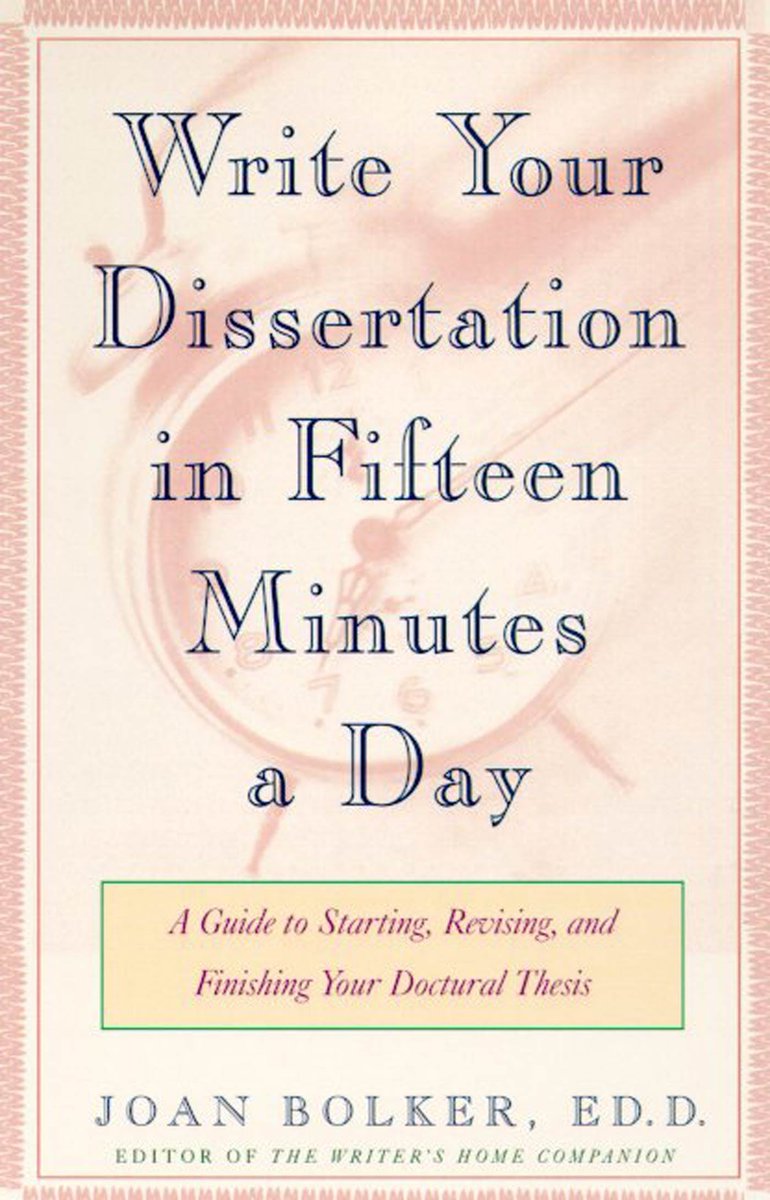
3. Write Your Dissertation in Fifteen Minutes a Day by Joan Bolker

Excellent tips on how and why you should write zero drafts.

Teaches you how to understand different stages of the writing process from ideation to drafting to revision. Write Your Dissertation in Fifteen Minutes a Day by Joan Bolker
Read 11 tweets
Dec 15, 2025
Dr Ally Louks's viral PhD thesis (130M views) on the politics of smell redefined the way people talk about smell.

Everyone wants to read her thesis, but it's unavailable until 2028

Here are 10 books on the politics of smell that you can read right now:

1. The Smell of Slavery A photo of Dr Ally Louks with her PhD thesis titled, "Olfactory Ethics: The Politics of Smell in Modern and Contemporary Literature."
The Smell of Slavery: Olfactory Racism and the Atlantic World by Andrew Kettler
1. The Smell of Slavery by Andrew Kettler

Shows how white slave owners defined Black, African bodies as noxious and deserving of enslavement.

Smell was used to dehumanize Black folks who were equated with animals by white slave owners. The Smell of Slavery: Olfactory Racism and the Atlantic World by Andew Kettler
2. The Foul and the Fragrant by Alain Corbin

Considered a foundational text in smell studies.

Shows how the bourgeois nose associated bad smells with the poor and how deodorization became a tool for state control in 18th and 19th century France. The Foul and the Fragrant by Alain Corbin
Read 11 tweets
Dec 2, 2025
Getting past peer review is a challenge every researcher faces.

Stanford researchers recently launched a free AI-powered Agentic Review that can help you with it.

It gives you a human-level mock peer review so you can polish your paper before submitting it.

Check it out πŸ‘‡
1. Go to paperreview[.]ai and upload your manuscript.

Enter your email and specify your target venue (conference or journal).

You may also want to copy the "Review Token" in case you don't receive an email.
2. A few minutes later you will receive an email with a link to the review report.

Go through the review report and revise your paper according to the suggestions you think are most relevant.
Read 4 tweets
Oct 6, 2025
Libgen, Sci-Hub, and Z-library had millions of pirated academic books and papers.

So, they were shut down. We shouldn't use them anyway.

We should help billion-dollar academic publishers get richer.

Anyway, here's how to access these libraries:

Don't do this!
1. Don't go to open-slum[.]org.

Because there you will see links to LibGen, Anna's Archive, Z-Library, and Sci-Hub.
2. Don't click any link because that will open your desired library.

Don't type the title of a book you want to read because it might show up.

Look at this, someone has pirated my own book. I'm livid!
Read 5 tweets

Did Thread Reader help you today?

Support us! We are indie developers!


This site is made by just two indie developers on a laptop doing marketing, support and development! Read more about the story.

Become a Premium Member ($3/month or $30/year) and get exclusive features!

Become Premium

Don't want to be a Premium member but still want to support us?

Make a small donation by buying us coffee ($5) or help with server cost ($10)

Donate via Paypal

Or Donate anonymously using crypto!

Ethereum

0xfe58350B80634f60Fa6Dc149a72b4DFbc17D341E copy

Bitcoin

3ATGMxNzCUFzxpMCHL5sWSt4DVtS8UqXpi copy

Thank you for your support!

Follow Us!

:(