Research Rabbit is an incredible tool that FAST-TRACKS your research. Best part: it's FREE.
But most academics don't know about it.
Here's how to get started 👇
Research Rabbit 101: A step-by-step guide with visuals 🧵
But most academics don't know about it.
Here's how to get started 👇
Research Rabbit 101: A step-by-step guide with visuals 🧵
Go to researchrabbit.ai and sign up with your email. 
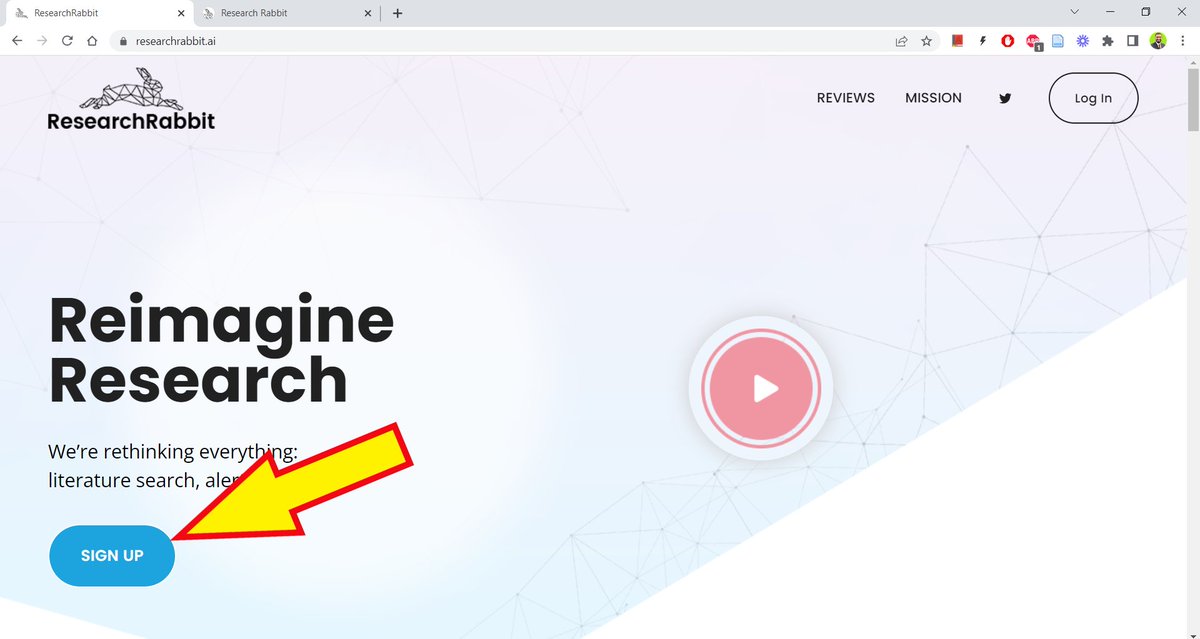
Once you've signed up, this is how Research Rabbit's interface will look like.

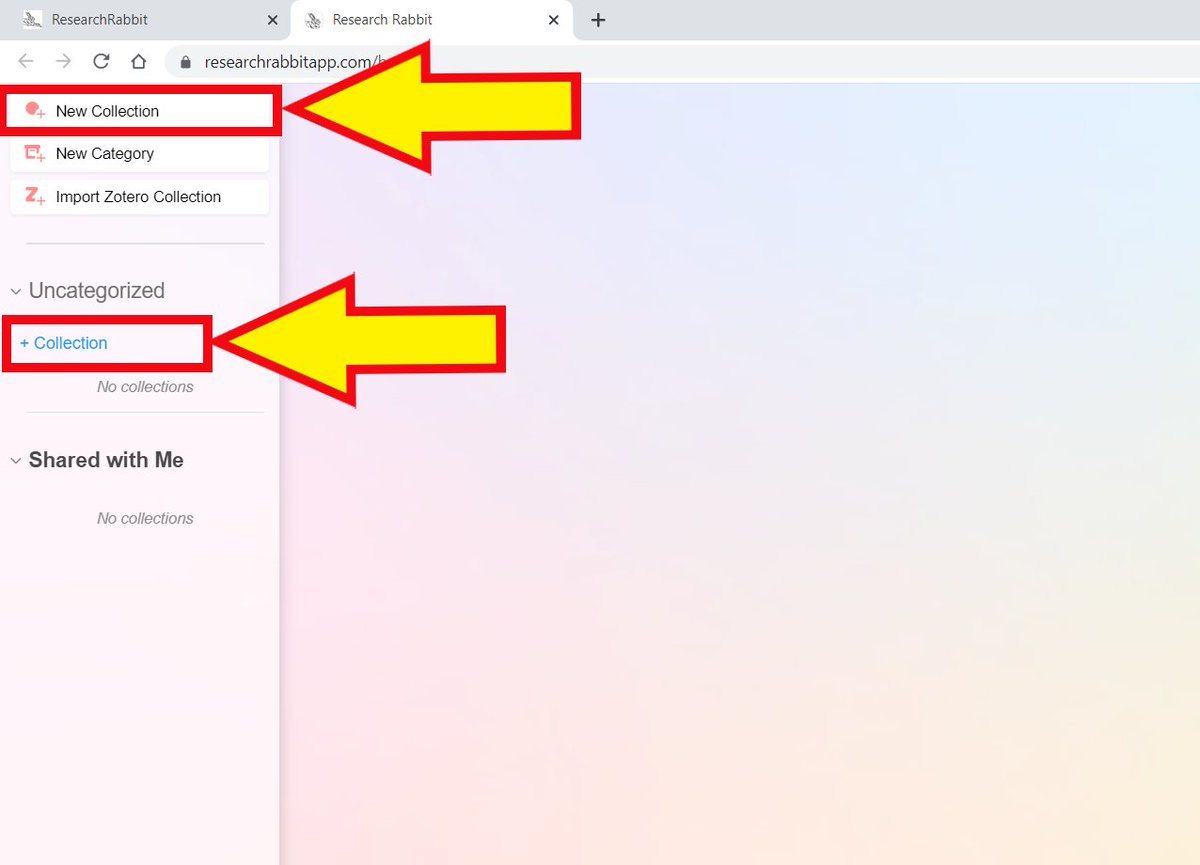
Click on "New Collection" in the top left corner.
Or click on "+Collection."
Or click on "+Collection."
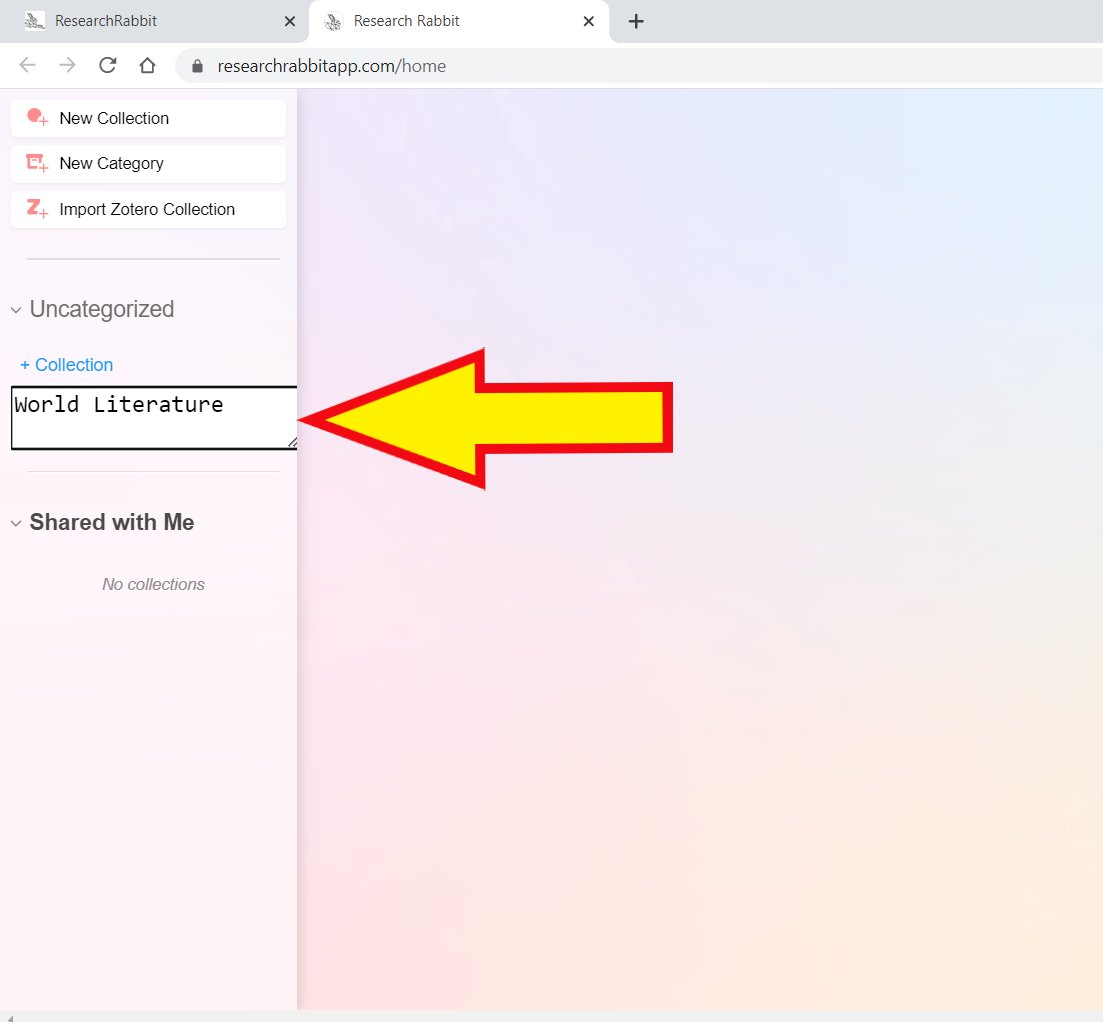
Choose a name for your collection.
I'm using "World Literature" for illustrative purposes.
I'm using "World Literature" for illustrative purposes.
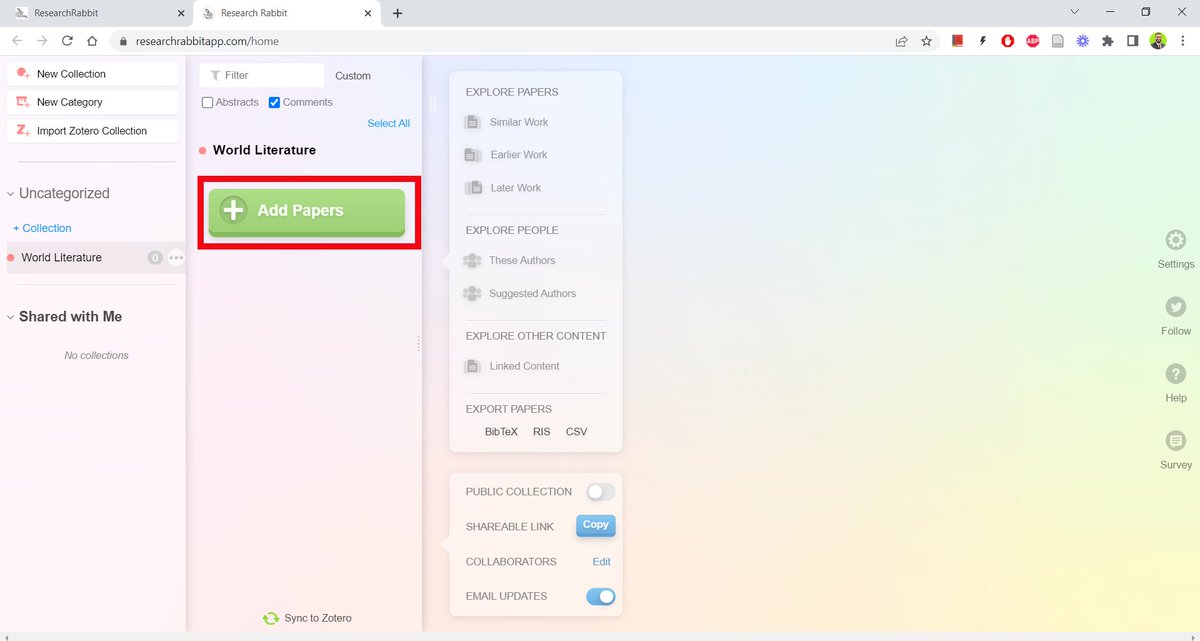
As soon as you create a new collection, Research Rabbit will open it up and give you the option to add papers.
Click on "Add Papers."
Click on "Add Papers."
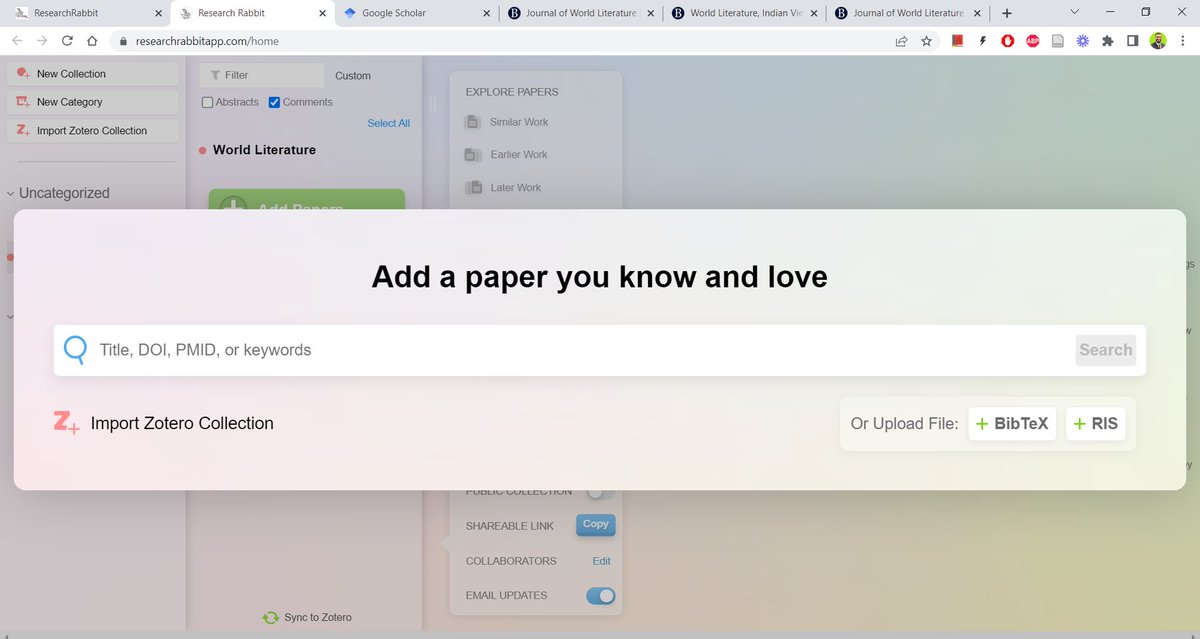
Research Rabbit will open a screen-wide search bar for you.
Enter the title (or keywords) of a paper/book related to your project.
You can also use identifiers like DOI and PMID to look up sources.
Enter the title (or keywords) of a paper/book related to your project.
You can also use identifiers like DOI and PMID to look up sources.
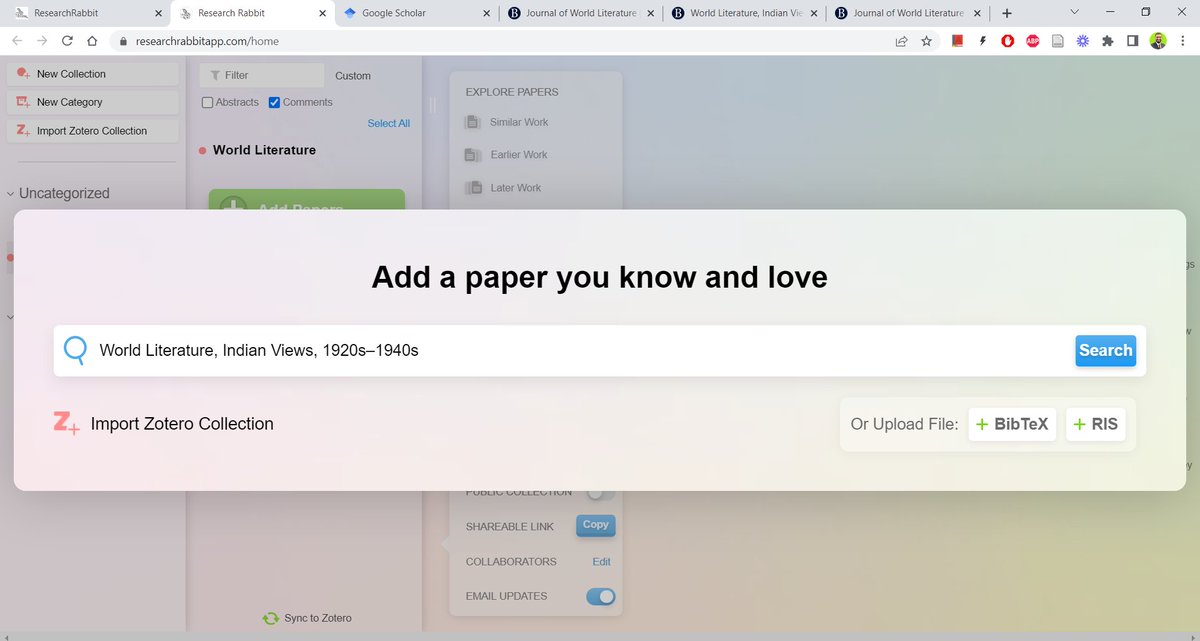
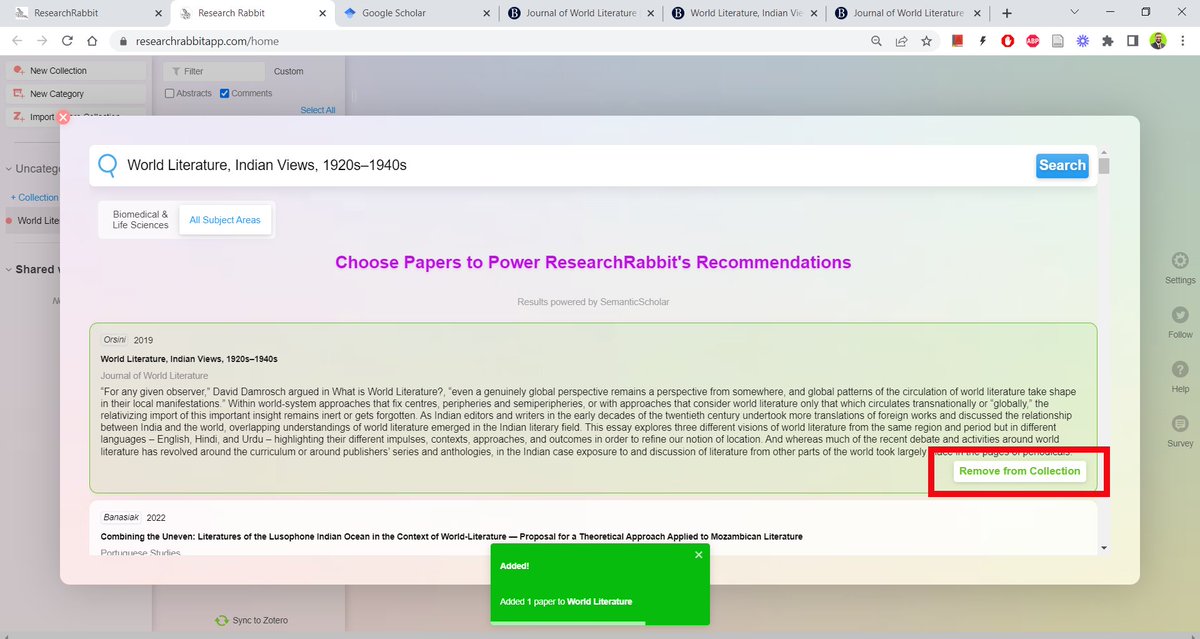
For the purposes of this tutorial, I'm using the title of a paper, "World Literature, Indian Views: 1920s-1940s."
After you click "Search," it will open up a list of relevant sources.
You can start adding papers to your collection one by one.
You can start adding papers to your collection one by one.
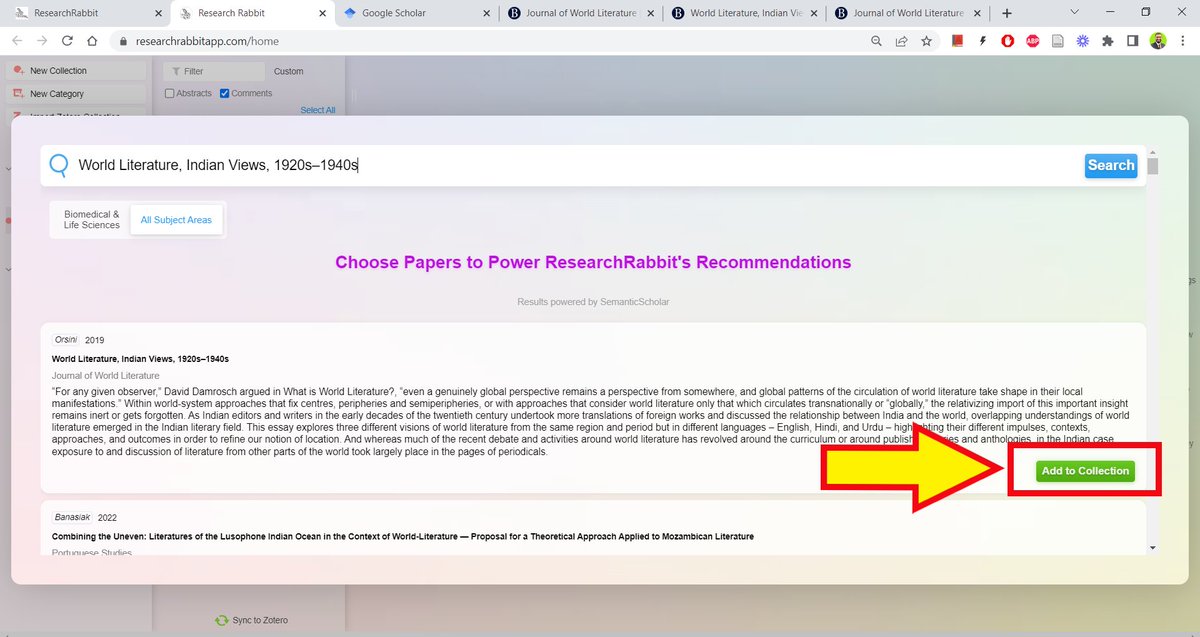
Research Rabbit will show you a green box towards the bottom of your screen to tell you it has added the paper to the collection.
Close the window once you are done adding paper(s).
Close the window once you are done adding paper(s).
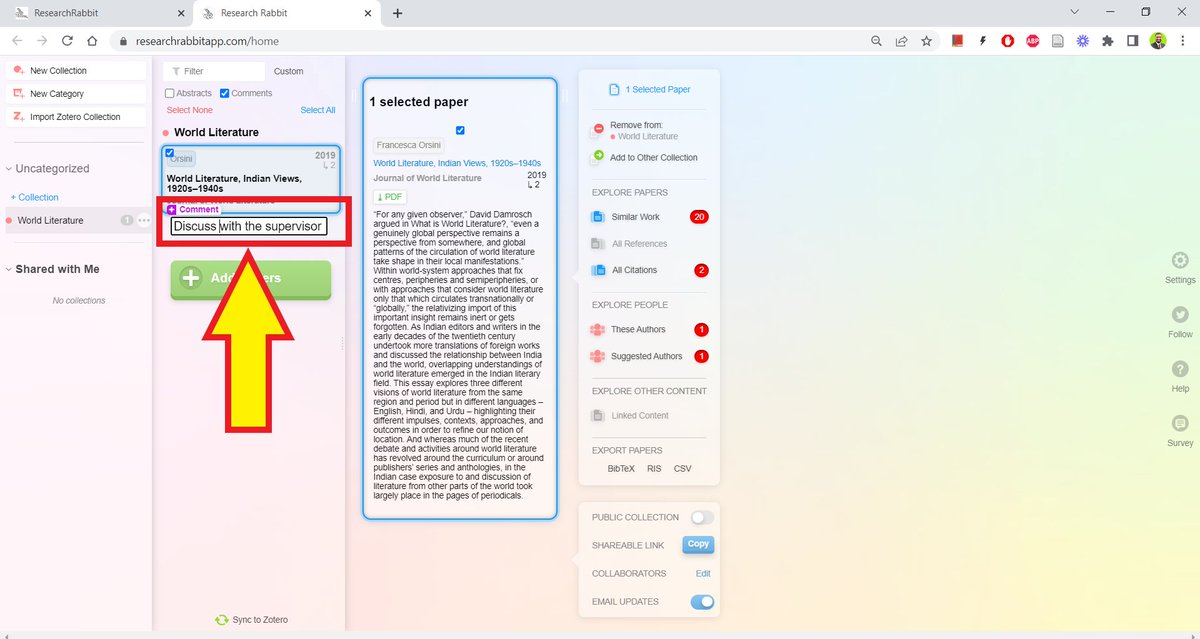
Research Rabbit will show you the paper you just added. It will give you an option to write a comment about the paper.
Up to this point you may find Research Rabbit not too different from a usual search engine.
But the REAL MAGIC starts from here on.
Up to this point you may find Research Rabbit not too different from a usual search engine.
But the REAL MAGIC starts from here on.
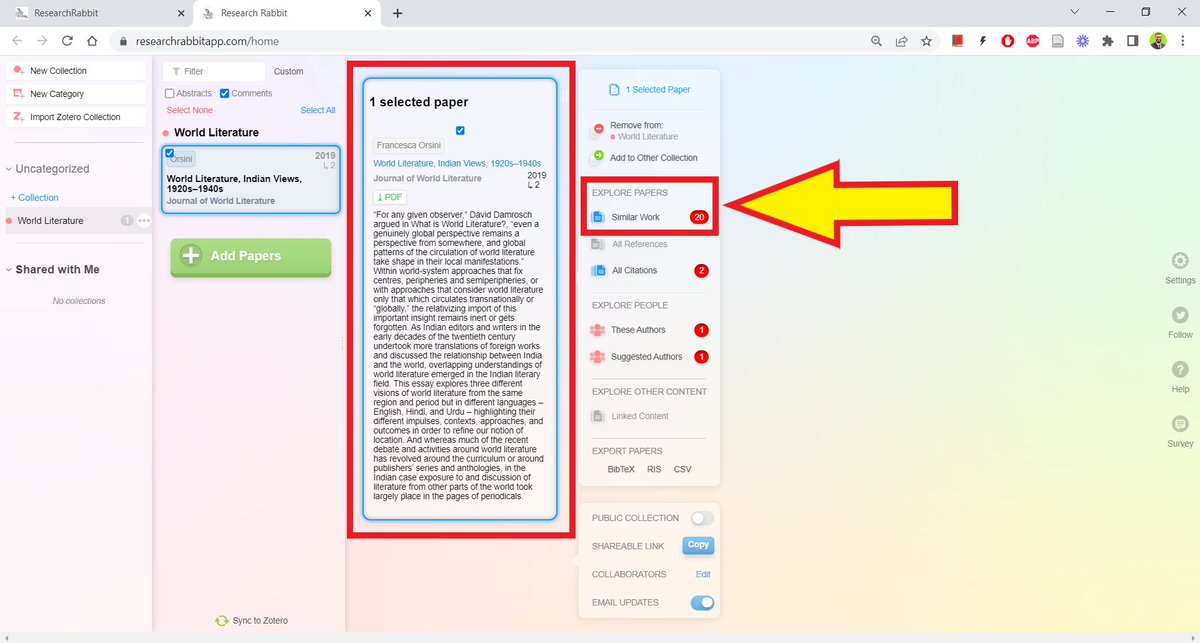
As soon as you add a paper, Research Rabbit will retrieve its abstract.
It will also show you if a PDF of the paper is freely available. It can't retrieve a PDF if it's behind a paywall.
It will also give you an option to see "Similar Works." Click on that.
It will also show you if a PDF of the paper is freely available. It can't retrieve a PDF if it's behind a paywall.
It will also give you an option to see "Similar Works." Click on that.
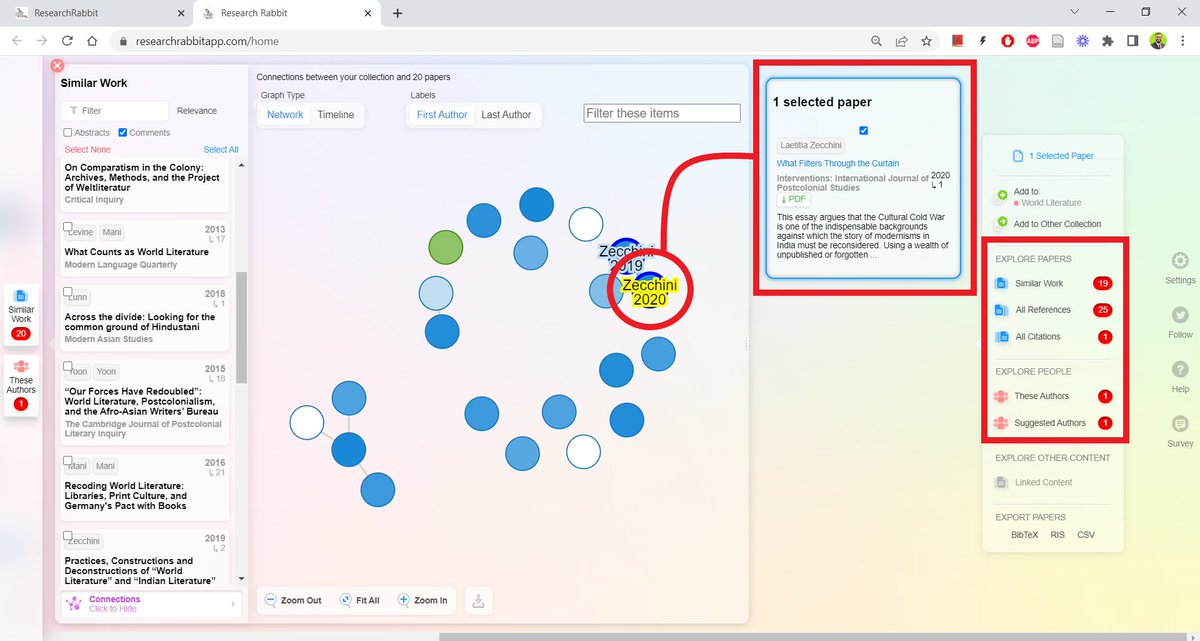
Research Rabbit will give you a list of similar works.
It will also an INTERACTIVE VISUALIZATION OF the SCHOLARLY NETWROK this particular paper/author is a part of.
It will also an INTERACTIVE VISUALIZATION OF the SCHOLARLY NETWROK this particular paper/author is a part of.

Click on a blue circle and it will open that source and retrieve its PDF.
You can keep doing this and Research Rabbit will keep on finding newer and newer scholarly networks for you.
You can also look up these networks using references an author used or a paper's citations.
You can keep doing this and Research Rabbit will keep on finding newer and newer scholarly networks for you.
You can also look up these networks using references an author used or a paper's citations.
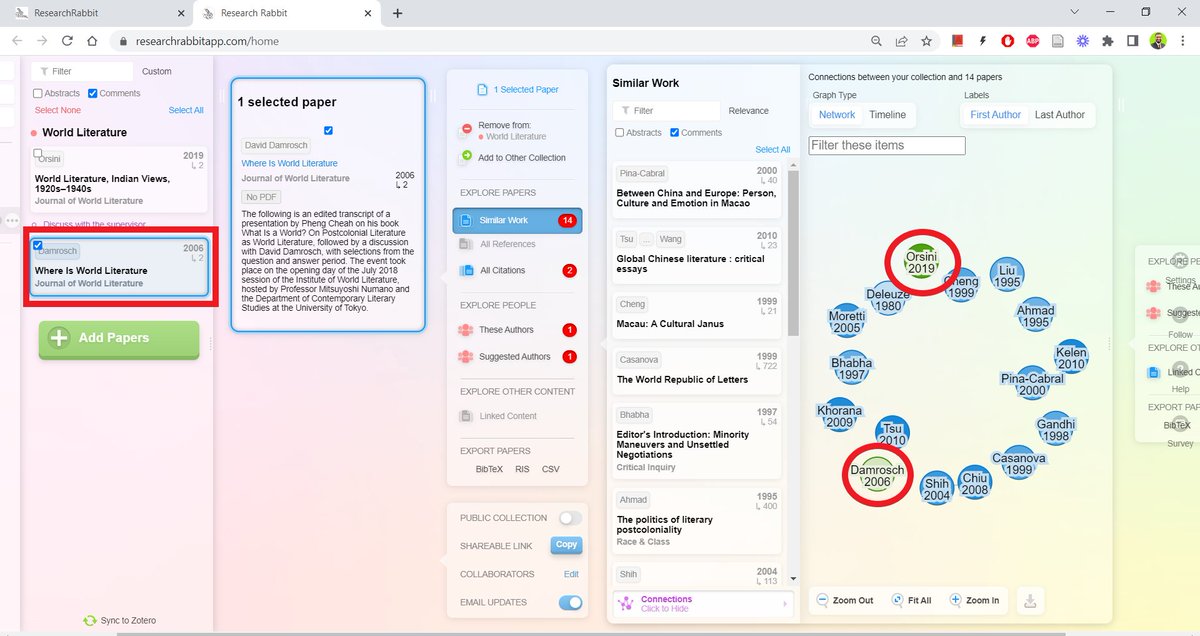
You can also use this feature to see if two or more authors are part of the same network.
For example, here it shows Orsini and Damrosch are in the same network along with a bunch of other scholars whose works could be relevant to my project.
For example, here it shows Orsini and Damrosch are in the same network along with a bunch of other scholars whose works could be relevant to my project.
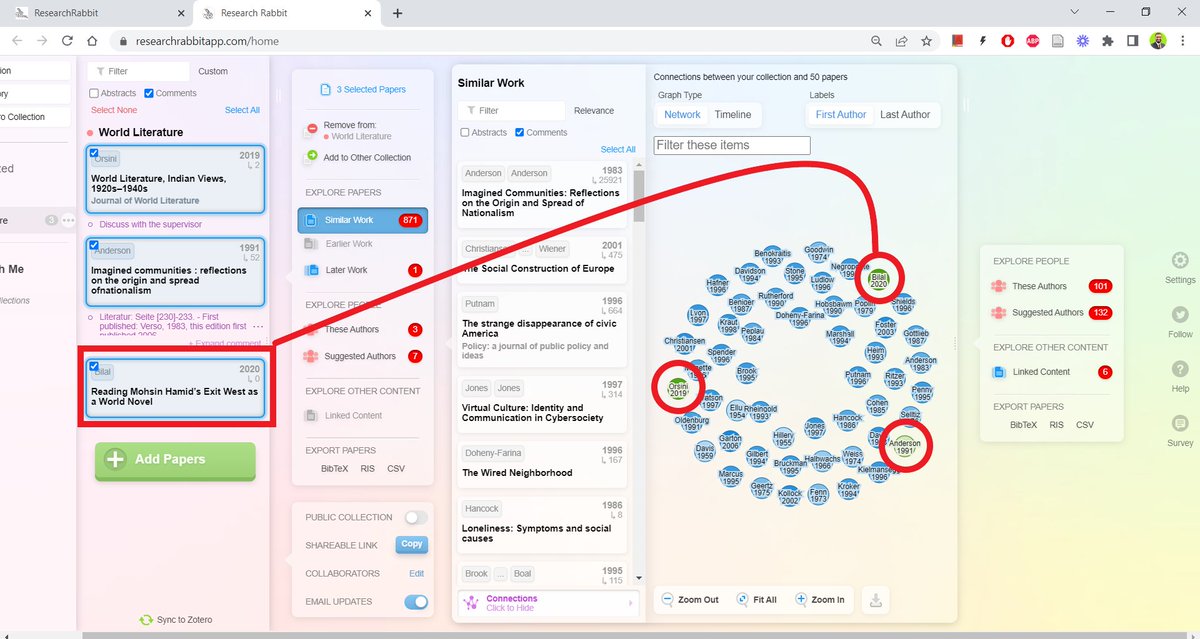
You can also use this feature to see what network YOU are a part of.
For example, by adding one of my own papers, I can see I am in the same network as Orsini and Damrosch.
This is useful because I want to be a part of this network.
For example, by adding one of my own papers, I can see I am in the same network as Orsini and Damrosch.
This is useful because I want to be a part of this network.
Research Rabbit has many cool features like importing/exporting collections from/to Zotero.
That I will write about in another thread.
That I will write about in another thread.
Found this thread useful?
1. Scroll to the top and RT the first tweet to share it with your friends and colleagues.
2. Follow me @MushtaqBilalPhD for regular tips on Zotero and academic writing in general.
1. Scroll to the top and RT the first tweet to share it with your friends and colleagues.
2. Follow me @MushtaqBilalPhD for regular tips on Zotero and academic writing in general.
• • •
Missing some Tweet in this thread? You can try to
force a refresh