
Every academic takes notes on literature.
But many struggle with new ideas or writer's block.
It won't happen to you, if you prepare your notes *right*.
Use this strategy: 👇🧵
But many struggle with new ideas or writer's block.
It won't happen to you, if you prepare your notes *right*.
Use this strategy: 👇🧵
The ingredients of a lit note:
- Summary of the relation to your research
- Authors' intentions
- Quotable sentence
- Tags & links to concepts
- Title with linked PDF
- Metadata
We'll use them to create the mentioned benefits.
I use @obsdmd, but other tools will work too.
- Summary of the relation to your research
- Authors' intentions
- Quotable sentence
- Tags & links to concepts
- Title with linked PDF
- Metadata
We'll use them to create the mentioned benefits.
I use @obsdmd, but other tools will work too.

@obsdmd 1. Summary
Most people summarize the content.
But why? It's in the abstract already!
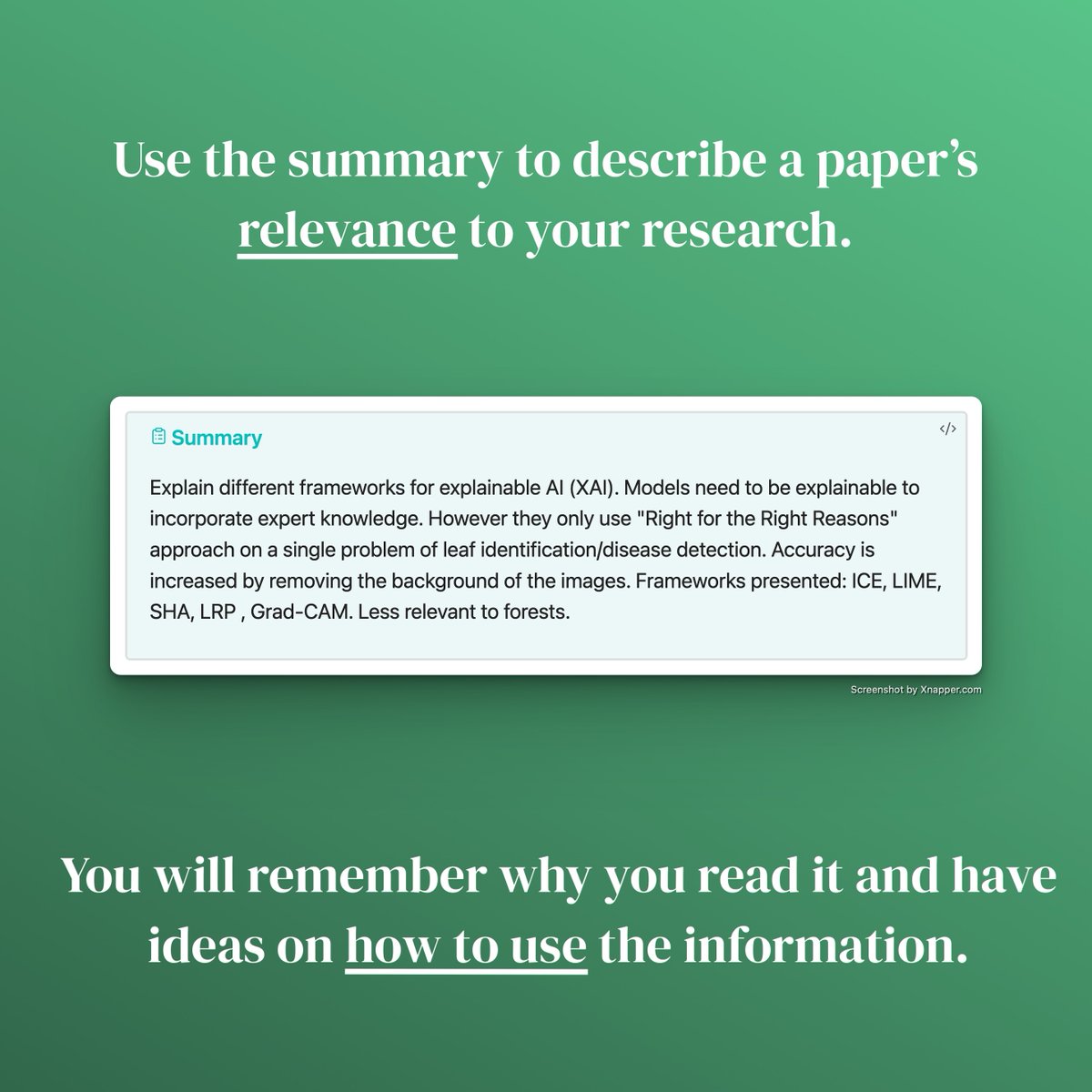
Better: Critically describe the RELATION to YOUR reserach.
Point out what you find USEFUL and what needs improvement etc.
✅ Understand the paper's RELEVANCE to your research.
Most people summarize the content.
But why? It's in the abstract already!
Better: Critically describe the RELATION to YOUR reserach.
Point out what you find USEFUL and what needs improvement etc.
✅ Understand the paper's RELEVANCE to your research.
@obsdmd 2. The authors' intentions
Why was something published?
What problem solved?
Links the paper to a bigger problem/question/challenge.
✅ Understand the paper's CONTRIBUTION to the FIELD.
Why was something published?
What problem solved?
Links the paper to a bigger problem/question/challenge.
✅ Understand the paper's CONTRIBUTION to the FIELD.

@obsdmd 3. Quotable
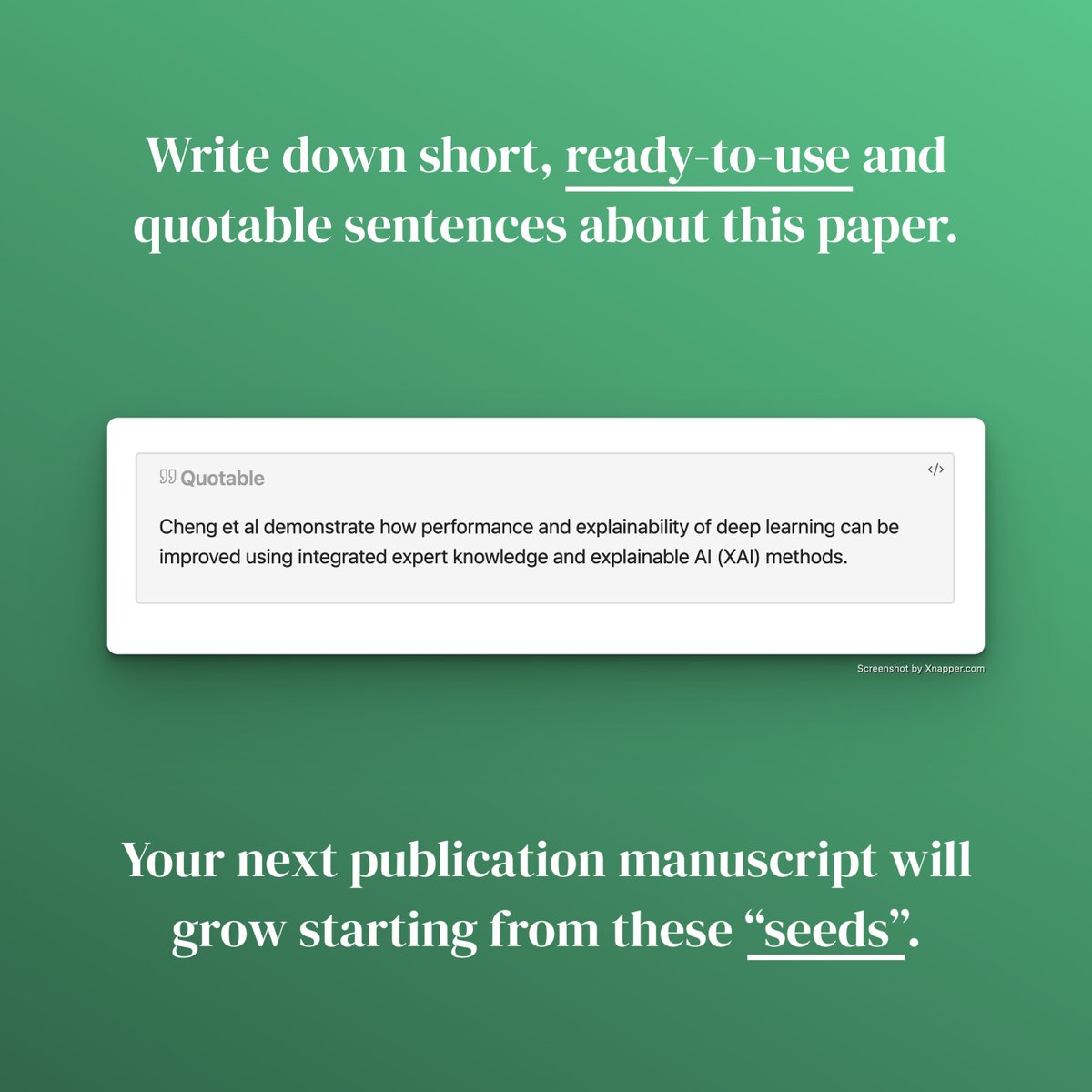
Imagine your FUTURE publication, where you briefly cited the one you are reading.
Write this sentence down as a "quotable".
Add 20 quotables together and your introduction chapter is half way done.
✅ Create READY-TO-USE sentences for your next publication.
Imagine your FUTURE publication, where you briefly cited the one you are reading.
Write this sentence down as a "quotable".
Add 20 quotables together and your introduction chapter is half way done.
✅ Create READY-TO-USE sentences for your next publication.
@obsdmd 4. Connect with tags and links
Tags are "concepts".
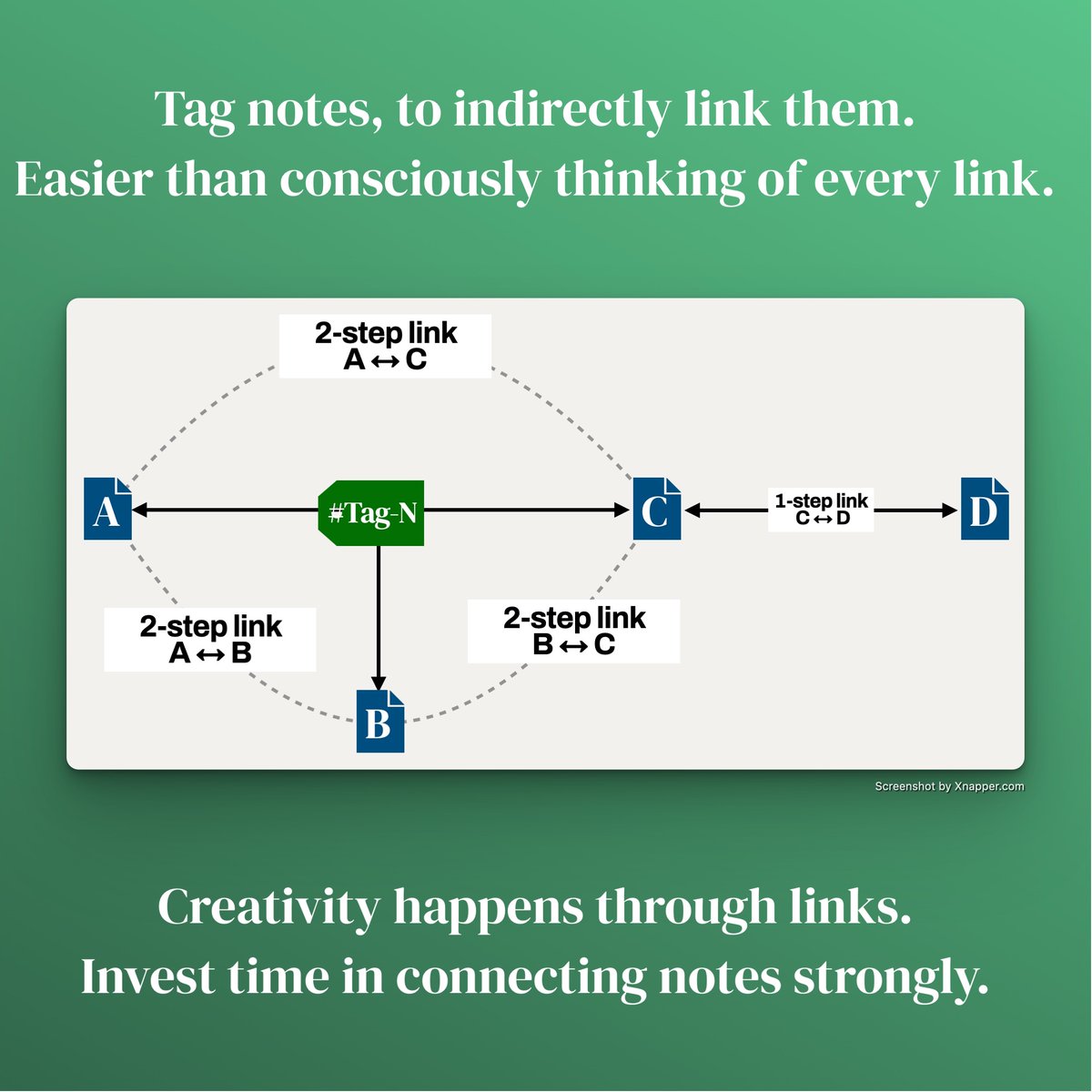
A shared tag LINKS notes together in 2 steps.
Research is nothing but "connecting a problem to a solution".
To connect use links and tags.
✅ Uncovers NOVEL connections and generates new IDEAS.
Tags are "concepts".
A shared tag LINKS notes together in 2 steps.
Research is nothing but "connecting a problem to a solution".
To connect use links and tags.
✅ Uncovers NOVEL connections and generates new IDEAS.
@obsdmd ⚡️ Tags are a secret weapon in the creativity arsenal
You can use them to create new ideas on autopilot:
You can use them to create new ideas on autopilot:
https://twitter.com/Artifexx/status/1627623856759312385
@obsdmd 5. Link the PDF to the title
Why? Hold CMD/CTRL and hover the link to see PDF.
DRILL from any link to its source only by moving the mouse.
Sparingly highlight definitions/insights in the PDF to see them right away.
✅ FASTEST way to find e.g. figures in primary sources.
Why? Hold CMD/CTRL and hover the link to see PDF.
DRILL from any link to its source only by moving the mouse.
Sparingly highlight definitions/insights in the PDF to see them right away.
✅ FASTEST way to find e.g. figures in primary sources.
@obsdmd ⚡️ If you arrange your notes in a visual fashion, this feature is invaluable.
Try this usecase for example:
Try this usecase for example:
https://twitter.com/Artifexx/status/1607728321663475713
@obsdmd 6. Metadata
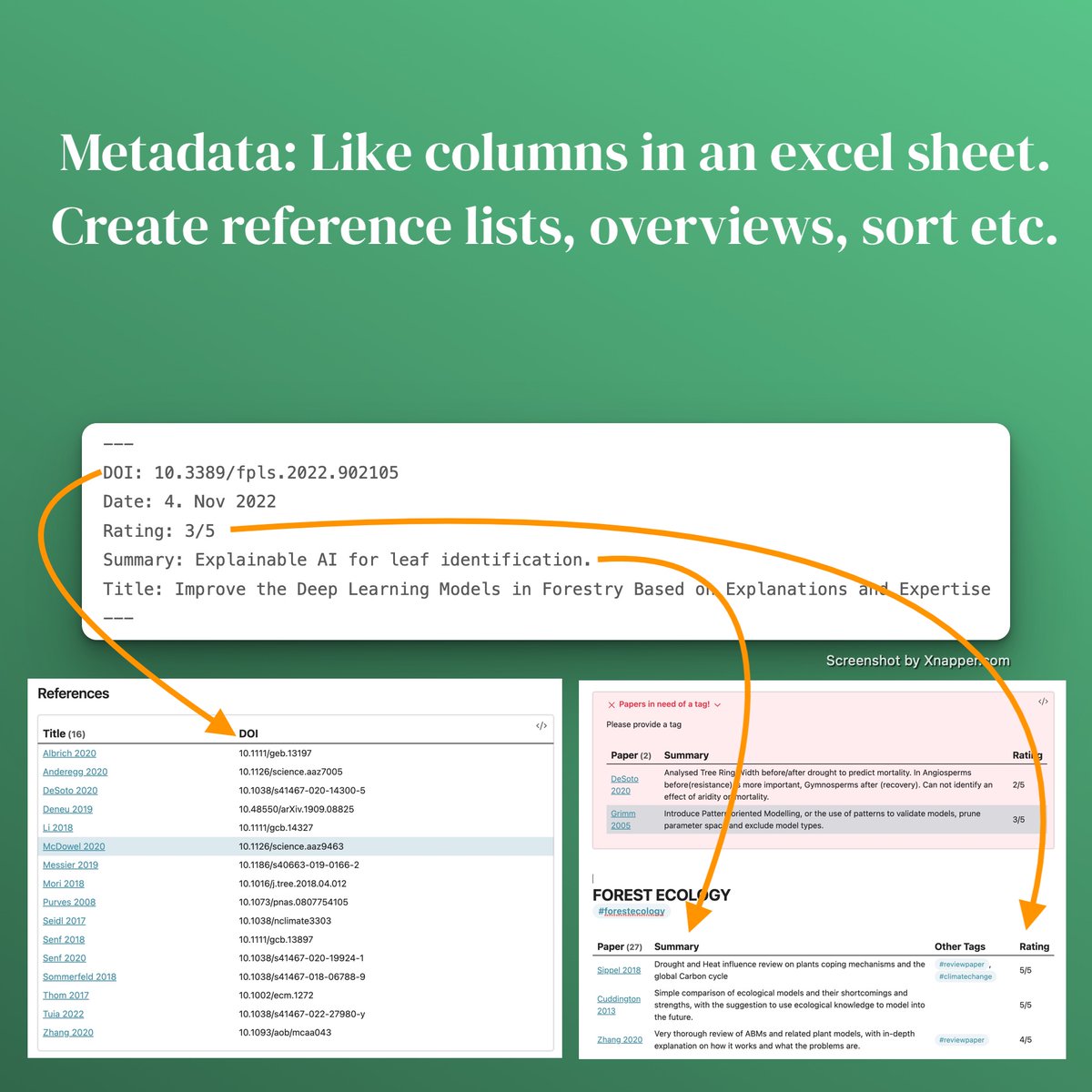
Think of it as columns in an excel table of your papers.
This has countless usecases.
→ Pull references as DOIs or citations from a note
→ Sorting: e.g. by year or your personal relevance rating.
✅ Stay organized, create citations, statistics or overviews.
Think of it as columns in an excel table of your papers.
This has countless usecases.
→ Pull references as DOIs or citations from a note
→ Sorting: e.g. by year or your personal relevance rating.
✅ Stay organized, create citations, statistics or overviews.
@obsdmd 7. The note itself
Your notes are the soil to plant links in.
Write them to create connections.
Store key findings SEPARATELY to reuse them in your writing.
Just highlighting PDFs does neither - skip it.
Use a system for your notes. Here is mine:
Your notes are the soil to plant links in.
Write them to create connections.
Store key findings SEPARATELY to reuse them in your writing.
Just highlighting PDFs does neither - skip it.
Use a system for your notes. Here is mine:
https://twitter.com/Artifexx/status/1613858819158806530
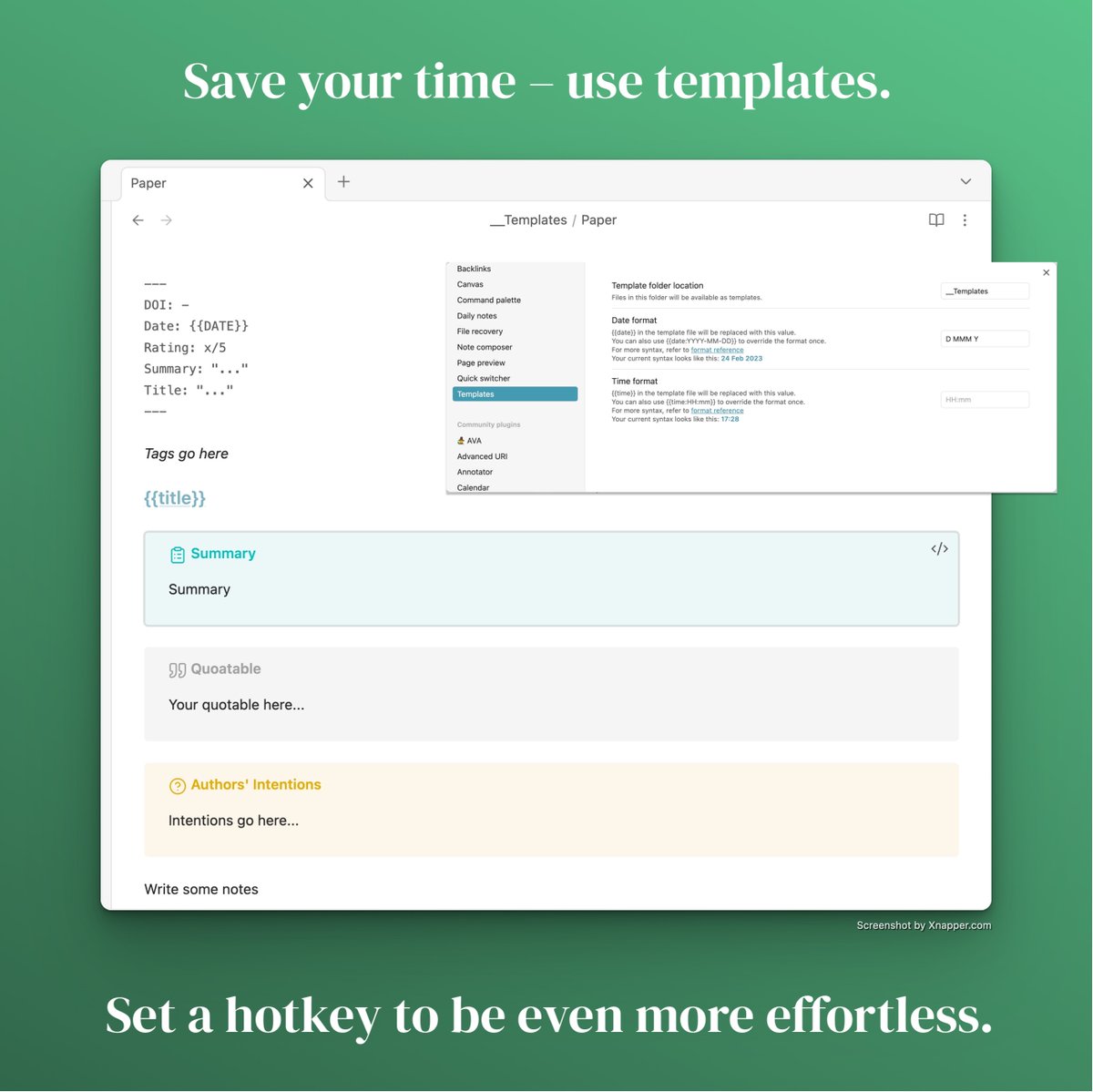
@obsdmd ⚡️ TEMPLATES will save you time doing all of the above.
- A template is a note with placeholders e.g. {{DATE}} for today's date.
- Placeholders get filled with data upon using the template.
- Built-in to most note taking apps.
- A template is a note with placeholders e.g. {{DATE}} for today's date.
- Placeholders get filled with data upon using the template.
- Built-in to most note taking apps.
@obsdmd Summary
► Summarize relevance not content
► Note authors intentions, understand the field
► Prep a ready to use sentence, publish fast
► Break notes down to concepts, make sense
► Smartly link and tag your notes, improve creativity
► Use a consistent template, save time
► Summarize relevance not content
► Note authors intentions, understand the field
► Prep a ready to use sentence, publish fast
► Break notes down to concepts, make sense
► Smartly link and tag your notes, improve creativity
► Use a consistent template, save time
@obsdmd I can only show tiny bits of the whole system here on Twitter.
There is just too much to share.
But in March a massive online course for academics is coming.
Are you interested?
If so, join the newsletter for an exclusive offer to follow soon:
ilyashabanov.substack.com
There is just too much to share.
But in March a massive online course for academics is coming.
Are you interested?
If so, join the newsletter for an exclusive offer to follow soon:
ilyashabanov.substack.com
• • •
Missing some Tweet in this thread? You can try to
force a refresh






