Read on Twitter
Five ChatGPT prompts to help you polish your academic writing:
1. Topic Sentences
Many of us struggle with writing precise topic sentences for paragraphs.
A topic sentence tells the reader what a particular paragraph is about.
Many of us struggle with writing precise topic sentences for paragraphs.
A topic sentence tells the reader what a particular paragraph is about.
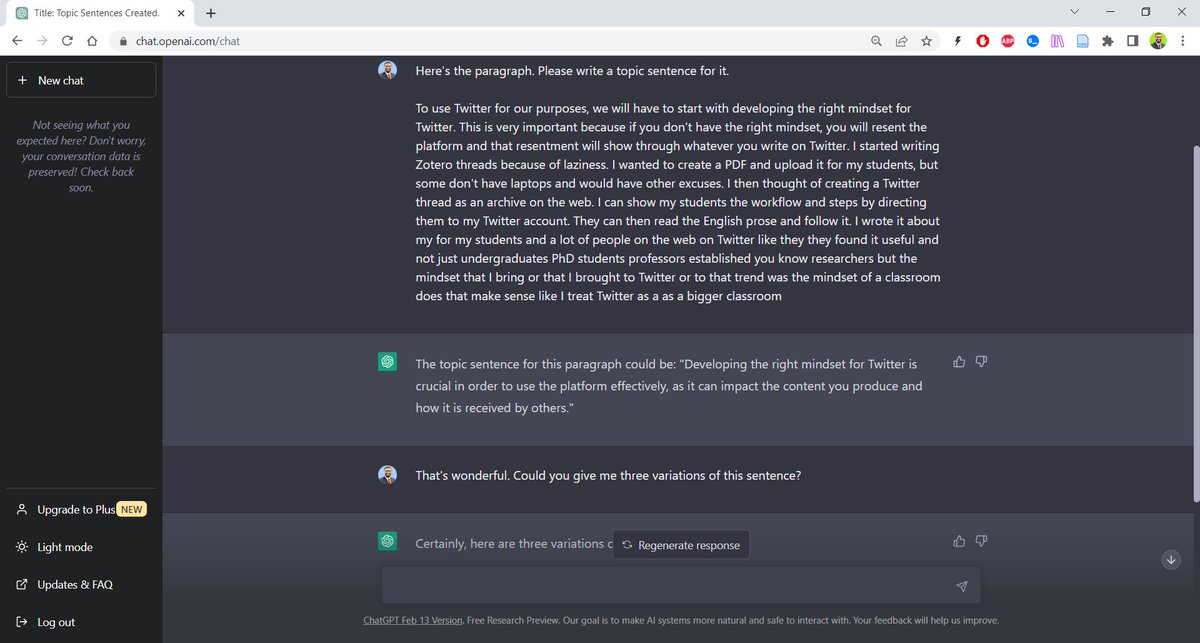
Take a paragraph and run it through ChatGPT with the prompt: “Please write a topic sentence for this paragraph.“
Ask ChatGPT to give you three variations of the topic sentence.
Select the one you like. Rewrite it to suit your personal style.
Ask ChatGPT to give you three variations of the topic sentence.
Select the one you like. Rewrite it to suit your personal style.
2. Transition Sentences
Transition sentences make your writing coherent and cohesive.
When a paragraph transitions smoothly to the next, it gives your writing a personality and keeps the reader glued.
But writing good transition sentences is quite challenging.
Transition sentences make your writing coherent and cohesive.
When a paragraph transitions smoothly to the next, it gives your writing a personality and keeps the reader glued.
But writing good transition sentences is quite challenging.
You can use ChatGPT to help you with it.
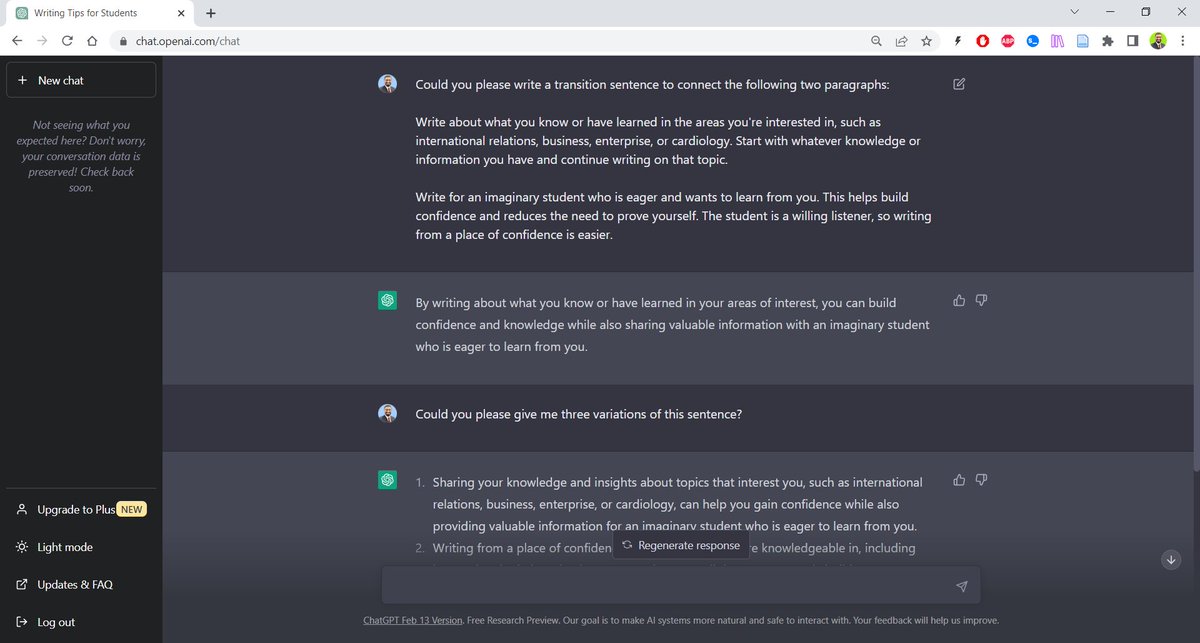
Take two paragraphs you want to connect with a transition sentence.
Run them through ChatGPT with the following prompt: “Please write a transition sentence to connect the two paragraphs.“
Take two paragraphs you want to connect with a transition sentence.
Run them through ChatGPT with the following prompt: “Please write a transition sentence to connect the two paragraphs.“
3. Introduction
Writing a good introduction to a journal article or a dissertation is challenging for both experienced and novice academic writers.
You can ask ChatGPT to help you craft a great introduction.
Writing a good introduction to a journal article or a dissertation is challenging for both experienced and novice academic writers.
You can ask ChatGPT to help you craft a great introduction.
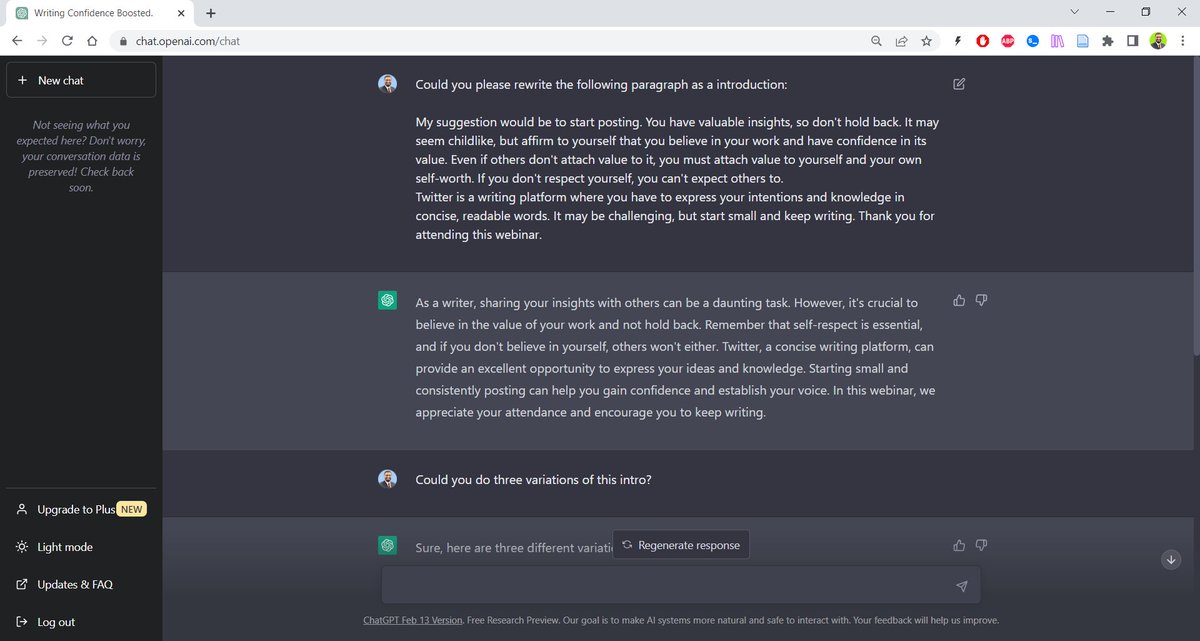
Write a draft of your introduction and run it through ChatGPT with the following prompt. “Please rewrite the following paragraph as an introduction."
Rewrite the paragraph to suit your personal style.
Rewrite the paragraph to suit your personal style.
Want to learn more about how you can supercharge your academic writing with AI-powered apps?
I am doing a webinar on 8 April, 5pm GMT.
Registered participants will have access to a video recording afterwards.
Register below:
eventbrite.com/e/become-an-ef…
I am doing a webinar on 8 April, 5pm GMT.
Registered participants will have access to a video recording afterwards.
Register below:
eventbrite.com/e/become-an-ef…
4. Conclusion
Like an introduction, writing a conclusion that binds your whole article/chapter is also quite tricky.
ChatGPT can help you with it.
Like an introduction, writing a conclusion that binds your whole article/chapter is also quite tricky.
ChatGPT can help you with it.
Write a paragraph and run it through ChatGPT with the following prompt: “Please rewrite this paragraph as a conclusion."
Ask for three variations.
Select the one you like best and rewrite it to suit your personal style.
Ask for three variations.
Select the one you like best and rewrite it to suit your personal style.

5. Counterargument
Good writing is always nuanced. It incorporates opposing viewpoints and lets the reader be the judge.
But when we work on developing an argument, we get so invested it becomes difficult for us to entertain any counterarguments.
Good writing is always nuanced. It incorporates opposing viewpoints and lets the reader be the judge.
But when we work on developing an argument, we get so invested it becomes difficult for us to entertain any counterarguments.
You can ask ChatGPT to give you counterarguments, which you can then add to your work.
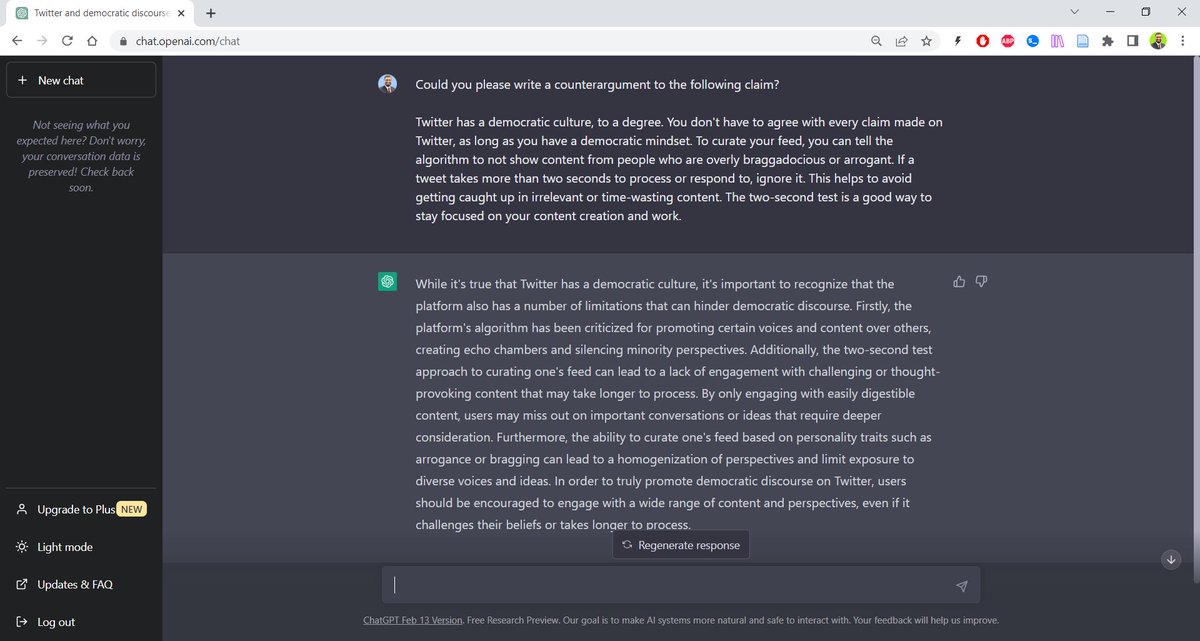
Take you argument and run it through ChatGPT with the following prompt, “Please give me a counterargument for this claim.”
Take you argument and run it through ChatGPT with the following prompt, “Please give me a counterargument for this claim.”
Found this thread helpful?
1. Scroll to the top and hit the "Like" button on the first tweet.
2. Bookmark it so you can come back to it later.
3. Follow me @MushtaqBilalPhD for regular threads on how to supercharge your academic writing with AI-powered apps.
1. Scroll to the top and hit the "Like" button on the first tweet.
2. Bookmark it so you can come back to it later.
3. Follow me @MushtaqBilalPhD for regular threads on how to supercharge your academic writing with AI-powered apps.
Want me to email you tips on academic writing?
Sign up for my newsletter. It's FREE!
keepwriting.beehiiv.com/subscribe
Sign up for my newsletter. It's FREE!
keepwriting.beehiiv.com/subscribe
• • •
Missing some Tweet in this thread? You can try to
force a refresh