Mushtaq Bilal, PhD Profile picture
Apr 19, 2023 11 tweets 3 min read Read on X
One of the most boring and time-consuming tasks for academics: replying to emails everyday.

You can get ChatGPT to write your emails and save countless hours.

Here's how to do it:
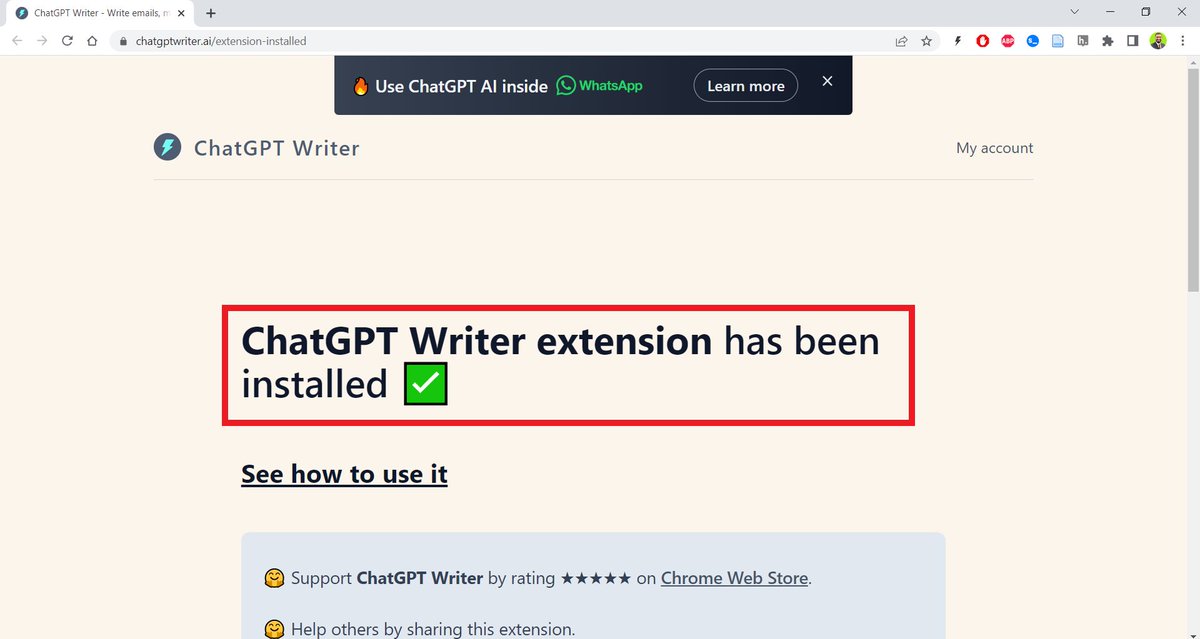
Go to chatgptwriter(dot)ai and download a free Chrome extension called ChatGPT Writer.
Once you download, it will automatically get installed in your Gmail account. ChatGPT Writer telling that...
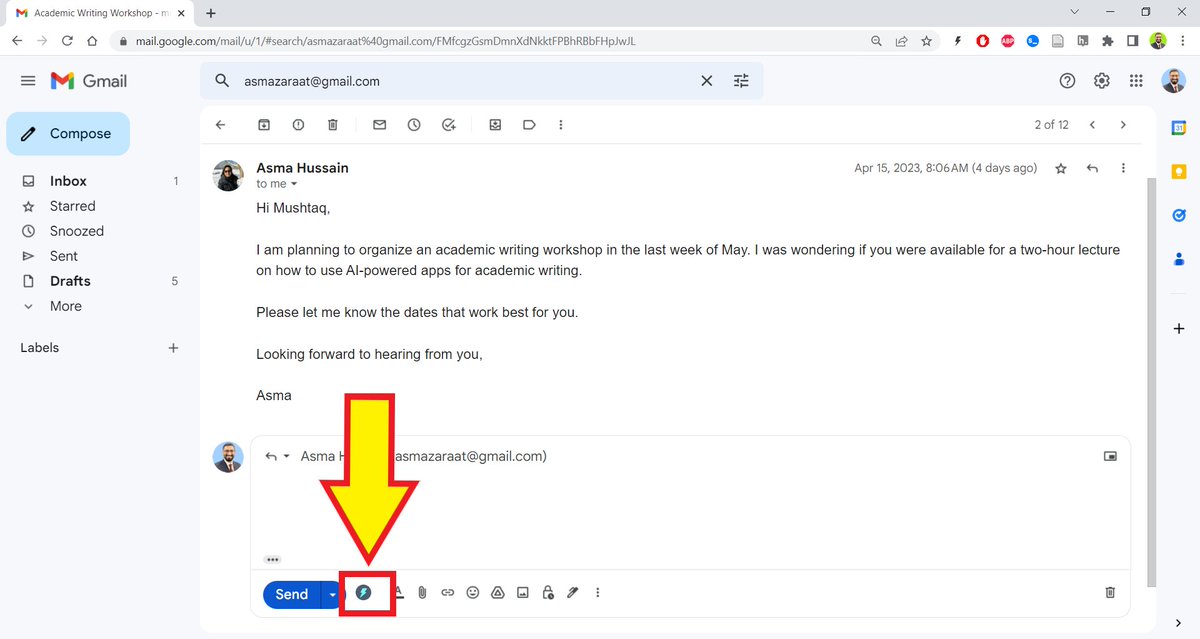
Open your Gmail account and select an email you want to reply.

You will see a small ChatGPT icon in the task bar of your email. A yellow arrow points to th...
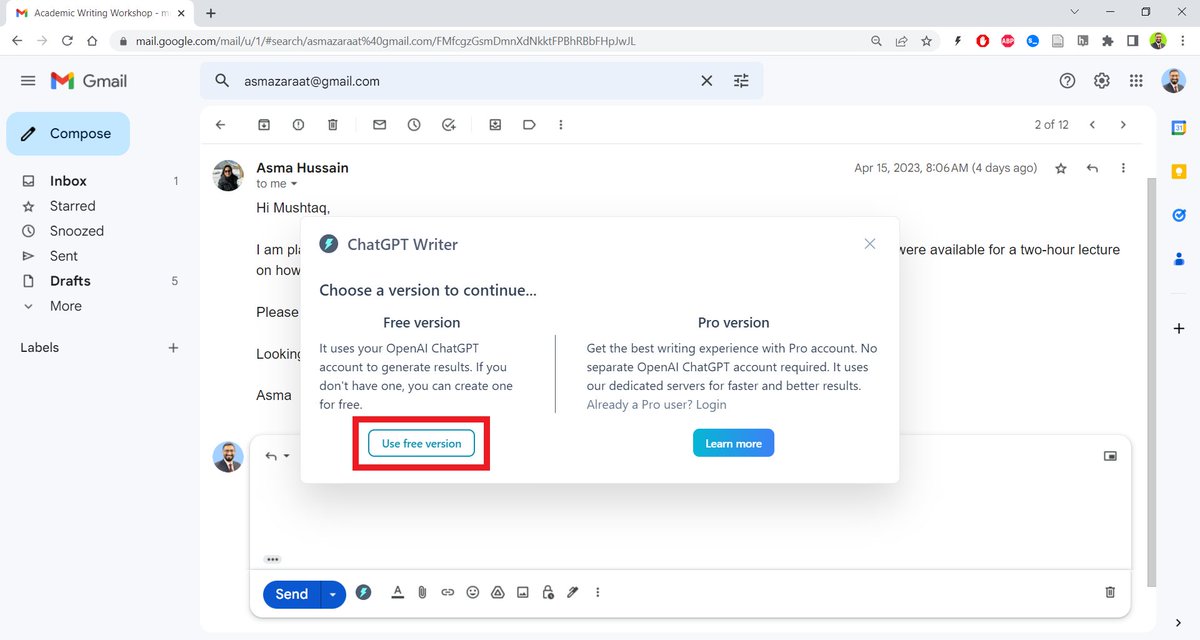
ChatGPT Writer will ask you if you want to choose the free version or the paid one.

Choose the free version. A red rectangle highlights ...
Want to learn how you can supercharge your academic writing with AI apps?

I have a complete tutorial of 170+ slides for you.

More than 1,100 academics across the world are using it.

You can get it here: efficientacademicwriter.carrd.co
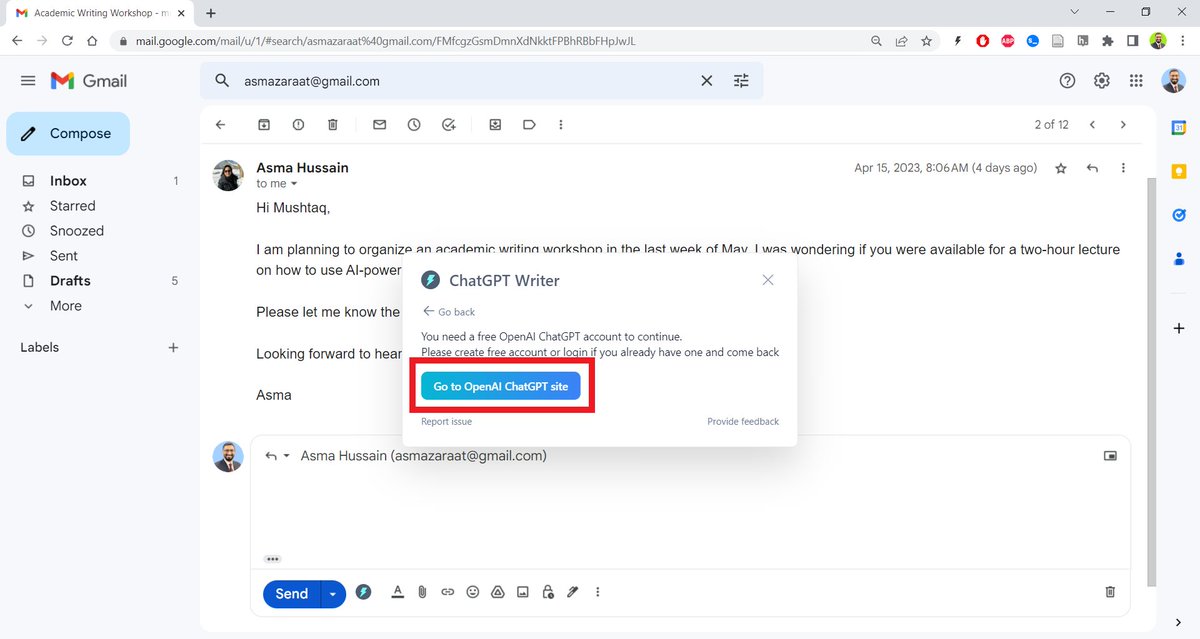
For the free version, ChatGPT Writer will ask you to log in to your ChatGPT account. A red rectangle highlights ...
Click on the ChatGPT Writer's icon and then on "Generate Reply."

ChatGPT Writer will draft a reply for you. Click on "Insert Generated Response."

It will give you a draft email.
Add relevant details and rewrite/edit to suit your personal style.
Found this thread helpful?

1. Scroll to the top and retweet the first tweet to share it with your friends.

2. Bookmark it so you can come back to it later.

3. Follow me @MushtaqBilalPhD for regular threads on how to use AI-powered apps to supercharge your academic writing.
Want me to email you tips on academic writing?

Sign up for my newsletter. It's FREE!

keepwriting.beehiiv.com/subscribe

• • •

Missing some Tweet in this thread? You can try to force a refresh

 

Keep Current with Mushtaq Bilal, PhD

Mushtaq Bilal, PhD Profile picture

Stay in touch and get notified when new unrolls are available from this author!

Read all threads

This Thread may be Removed Anytime!

PDF

Twitter may remove this content at anytime! Save it as PDF for later use!

Try unrolling a thread yourself!

how to unroll video
  1. Follow @ThreadReaderApp to mention us!

  2. From a Twitter thread mention us with a keyword "unroll"
@threadreaderapp unroll

Practice here first or read more on our help page!

More from @MushtaqBilalPhD

May 2
How to set up your personal, AI-powered, research management system using Claude Code

A steo-by-step tutorial:
1. Go to obsidian[.]md

Download and install the app on your computer.
2. Once installed, Obsidian will ask you to create a "Vault" (folder on your computer).

Create a vault called "MyWiki" and save it in your Documents.

Once your vault is created, Obsidian will open it for you.

Don't be intimidated by what you see. It's very easy to use.
Read 16 tweets
Apr 27
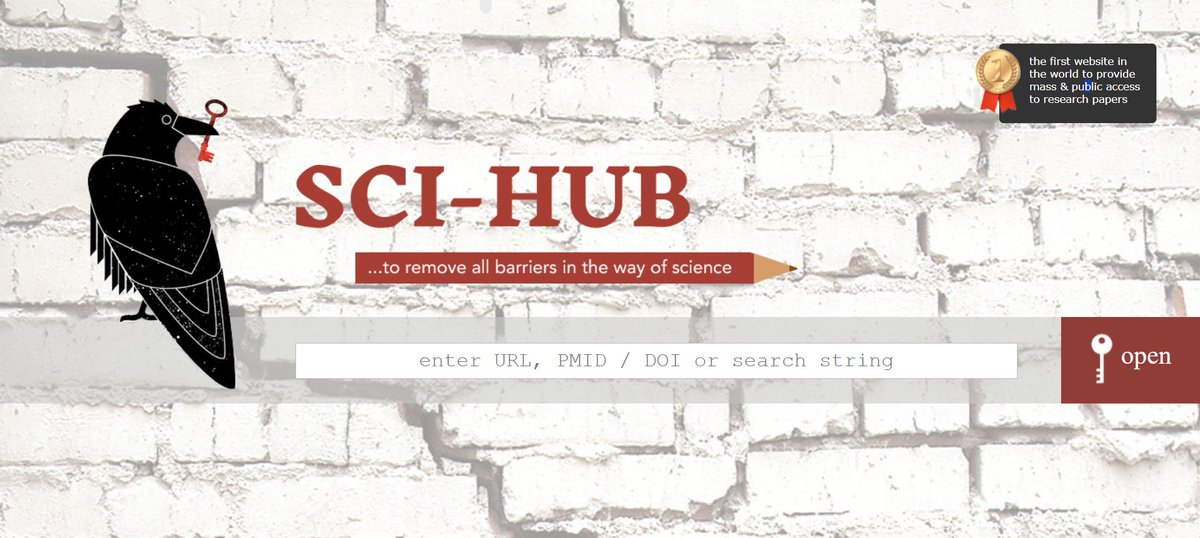
Sci-Hub is an evil website that pirated 85M+ research papers and made them freely available

And now they've added AI to their database to make Sci-Bot.

It answers your questions using latest, full-text articles.

But DO NOT use it. We should all try to make billion-dollar academic publishers richer.

I'm putting the link below so you know how to avoid it.
Some colleagues are reporting very long wait times (90-120 min).

Not sure what's going on, because I just ran a search and it gave me a decent response in less than 8 minutes.

Keep in mind that it's probably using full-text papers and not abstracts like most AI apps.
Read 7 tweets
Apr 26
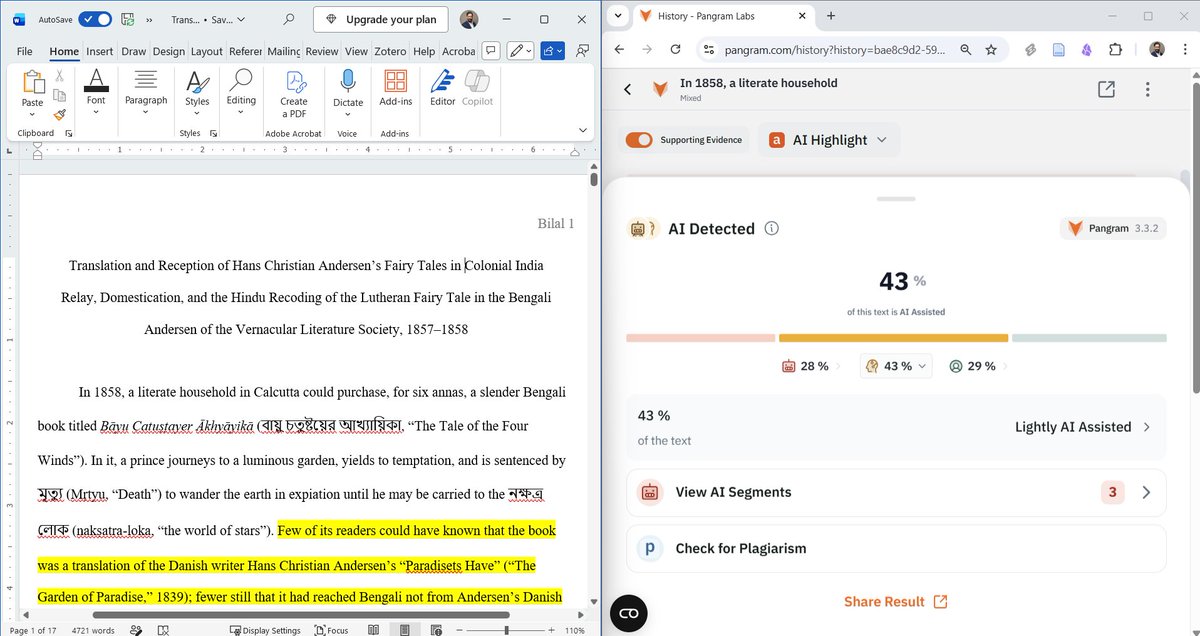
How to make AI-generated text 100% human with Claude Code:

PS: we're cooked A screenshot of Claude Code and Pangram windows placed side by side.
1. To humanize AI-generated text, you'll need a Claude Skill called "humanizer"

github[.]com/blader/humanizer

It detects 29 patterns of AI writing and removes them.
2. Press the Windows key on your computer and type "PowerShell."

This will open a black screen. This is your PowerShell.

Go the Claude Skills directory by using the following command:

cd C:\Users\YOUR USERNAME\.claude\skills

Type your user name in the above command.
Read 6 tweets
Apr 20
Screening titles and abstracts for your systematic literature review is a very time-consuming process.

Researchers have to screen thousands of papers.

You can use Claude Code to automate the screening process with accuracy:

Here's how to do it:
1. Create a folder on your computer, "systematic review"
2. Run a search in PubMed or any other database.

Download a PubMed or RIS file of the search results.

Be sure to include abstracts when you download.

Name it "abstractsforscreening"
Read 9 tweets
Apr 18
Codex is one of the most powerful AI agents for research work.

But most academics don't know how to get started on it. They're still stuck with ChatGPT.

Here's a step-by-step tutorial to help you get started on Codex.

Codex 101 for academics: A screenshot of the Codex landing page.
1. Go to openai[.]com/codex

Download and instal the Codex app on you computer.

Unlike ChatGPT that you use in your browser, Codex is a desktop app.

Don't be intimidated by its name. You don't need any coding experience to use it.
2. When you open it for the first time, it will create a folder "Playground" on your computer.

Everything you do here will be saved in Playground. You can, of course, change the folder.

For serious academic work, choose the lastes model (GPT-5.4) with "Extra High" Reasoning
Read 12 tweets
Apr 8
Karpathy's idea of LLM Knowledge Bases went viral: 18M+ views.

Now everyone wants to build one but many are facing problems, especially non-technical folks.

Here is a step-by-step tutorial on setting up an LLM Knowledge Base for non-technical folks: A tweet by Andrej Karpathy discusses using LLMs for personal knowledge bases, achieving 18.3M views and highlighting user challenges.
1. Go to obsidian[.]md

Download and install the app on your computer.
2. Once installed, Obsidian will ask you to create a "Vault" (folder on your computer).

Create a vault called "MyWiki" and save it in your Documents.

Once your vault is created, Obsidian will open it for you.

Don't be intimidated by what you see. It's very easy to use.
Read 16 tweets

Did Thread Reader help you today?

Support us! We are indie developers!


This site is made by just two indie developers on a laptop doing marketing, support and development! Read more about the story.

Become a Premium Member ($3/month or $30/year) and get exclusive features!

Become Premium

Don't want to be a Premium member but still want to support us?

Make a small donation by buying us coffee ($5) or help with server cost ($10)

Donate via Paypal

Or Donate anonymously using crypto!

Ethereum

0xfe58350B80634f60Fa6Dc149a72b4DFbc17D341E copy

Bitcoin

3ATGMxNzCUFzxpMCHL5sWSt4DVtS8UqXpi copy

Thank you for your support!

Follow Us!

:(