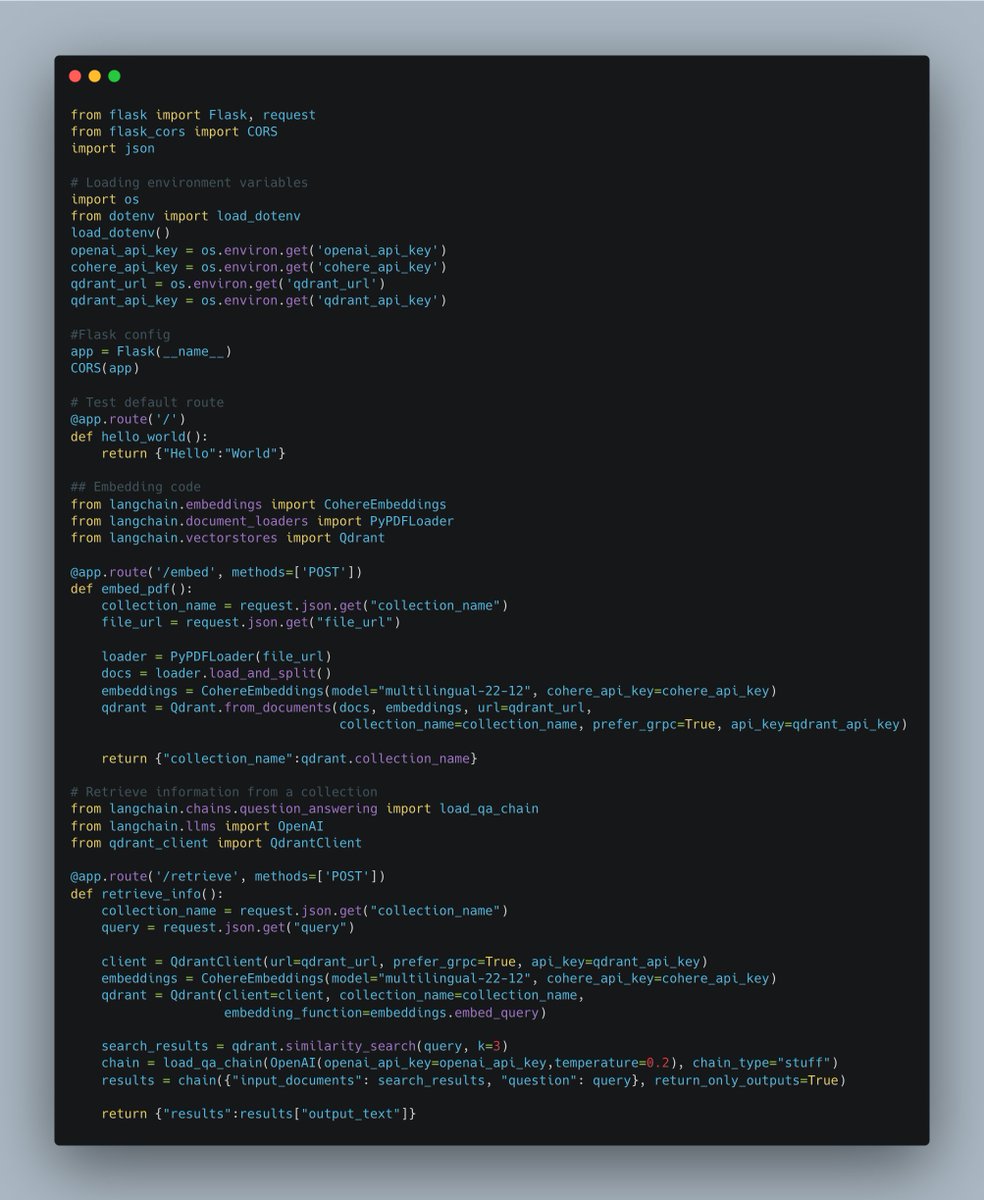
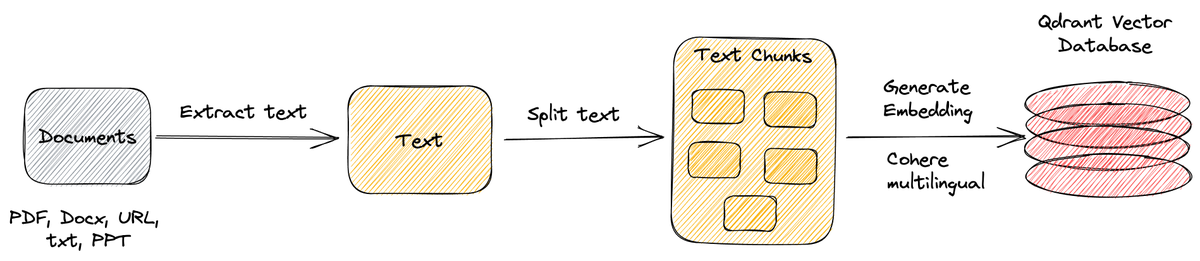
Read on Twitter
Let's build a @LangChainAI agent in under 30 minutes that can access the internet, chat with a PDF, and help us understand code. All without a single line of code using @FlowiseAI and @bubble.
This agent will have access to 3 tools and a memory as shown. Tools explained in 🧵👇
This agent will have access to 3 tools and a memory as shown. Tools explained in 🧵👇

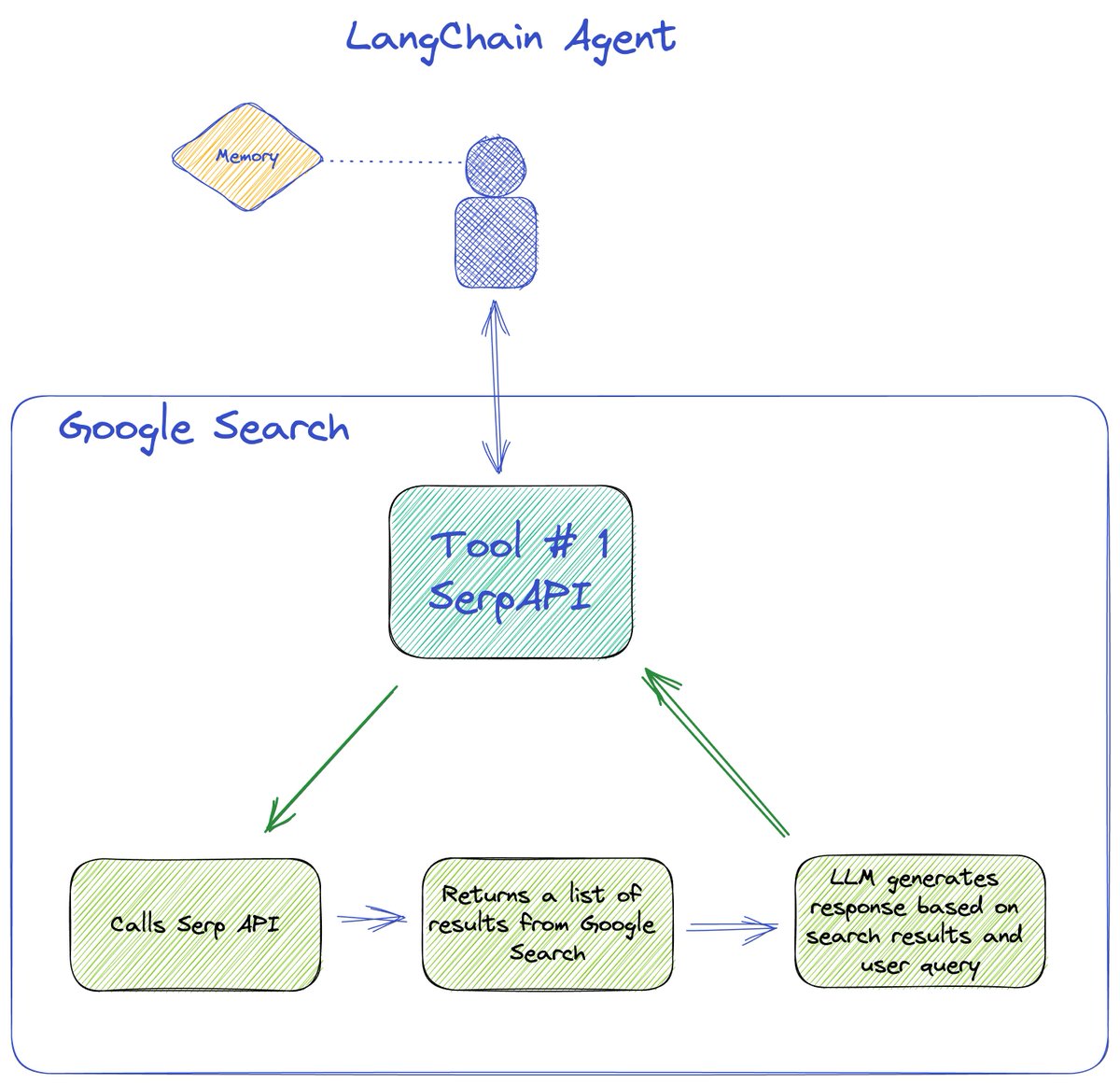
We start with a conversational agent and connect it to the serpAPI tool available in LangChain to perform a Google search. This returns a list of search results, that is then passed to the LLM to generate an answer based on the results and the user query.
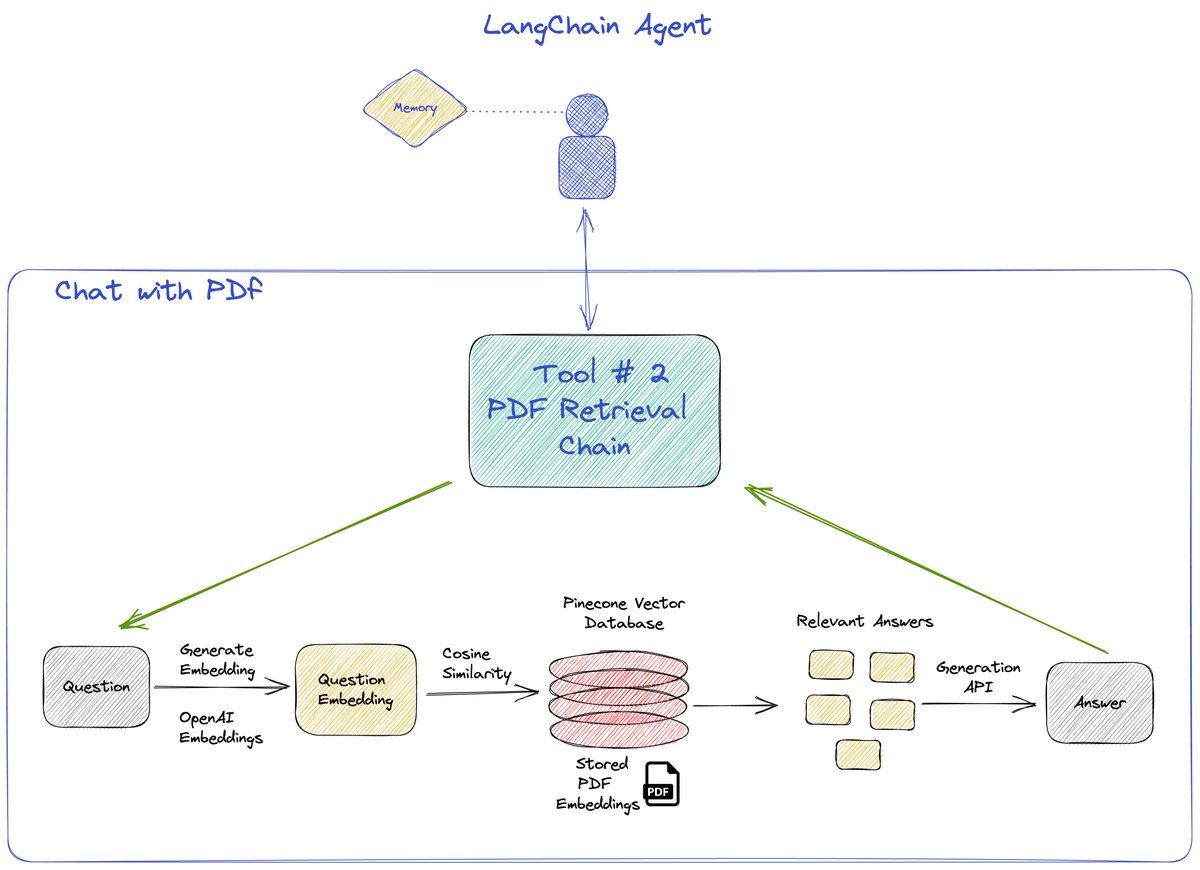
Second tool used is the retrieval QA chain. We first embed a pdf using a PDFloader and save it in @pinecone. Our tool then finds the most relevant answer using the OP stack (@OpenAI x @pinecone )
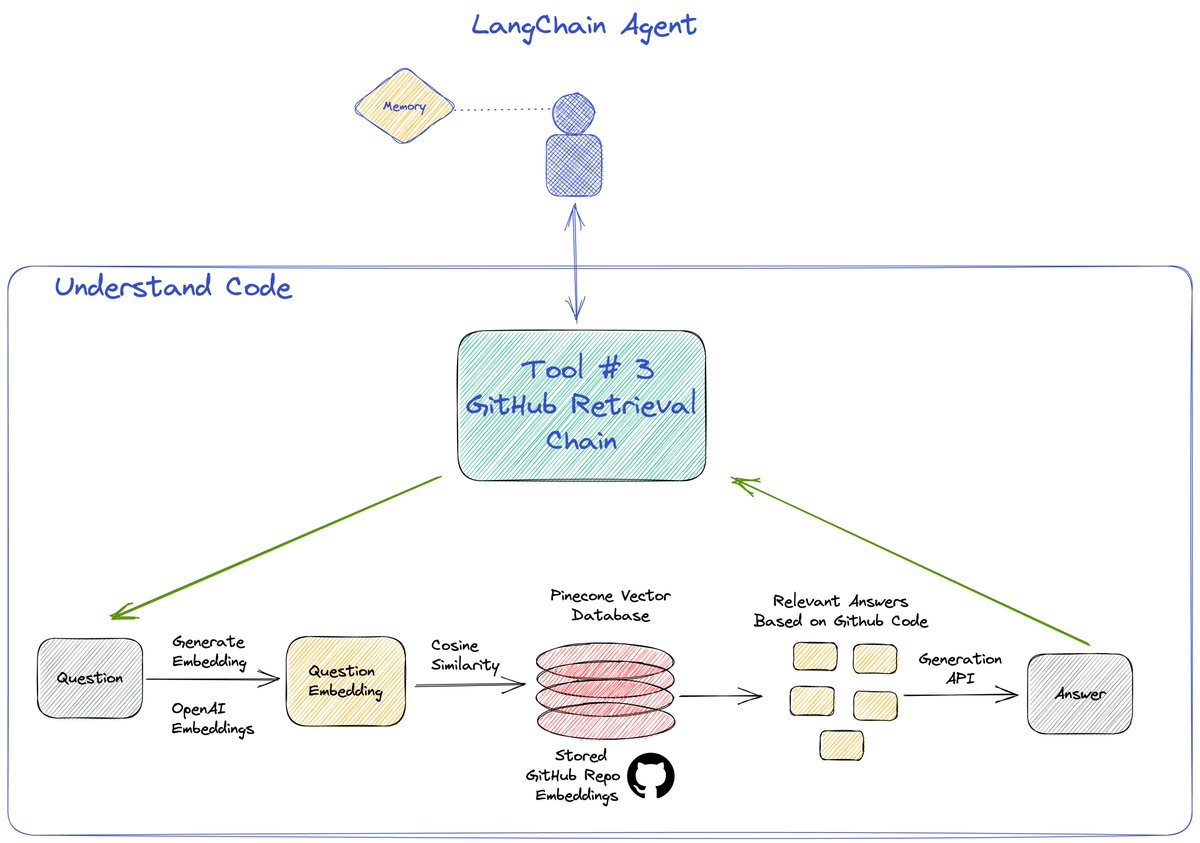
Third tool used is the again the retrieval QA chain but using the GitHub loader for embedding a GitHub repo and then querying it using the OP stack.
Detailed walkthrough with step-by-step instructions at
DM for any questions. RT if you like the work. 😉
DM for any questions. RT if you like the work. 😉
• • •
Missing some Tweet in this thread? You can try to
force a refresh