
 First of all, what are skills? As answered by claude:
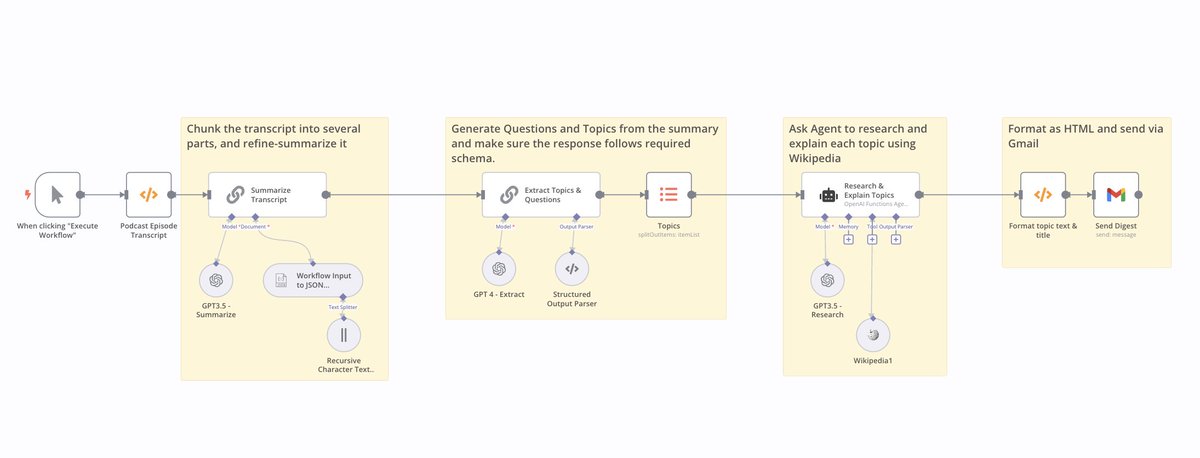 2/ Our famous Chat-with-document app: Read files from Google Drive, embed using @cohere's embedding model, save them to @pinecone, and then use a Retrieval QA chain to retrieve and answer questions using LLM from @cohere .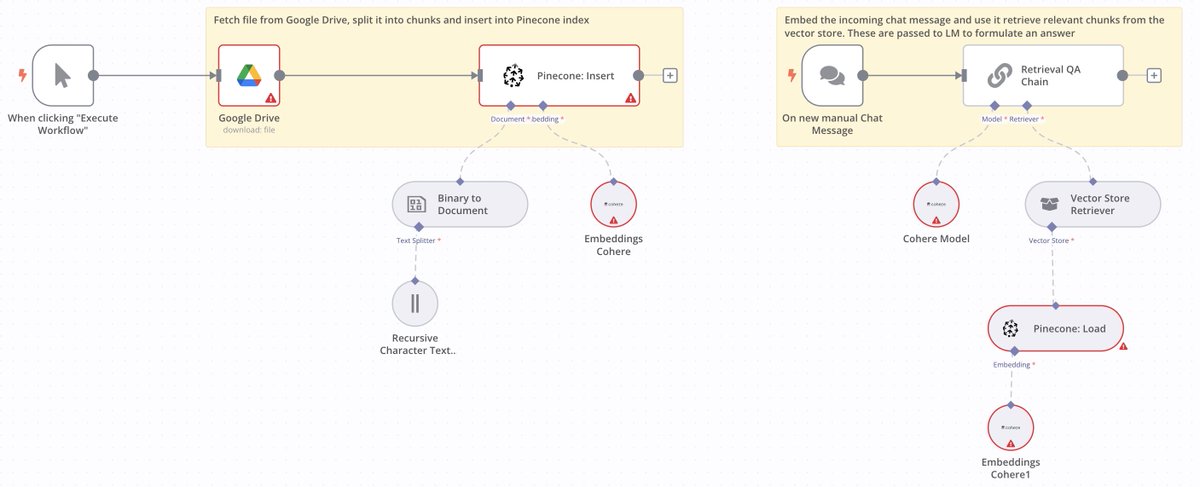
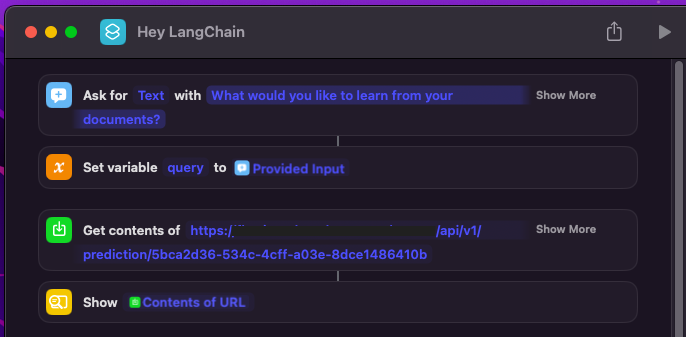 We start with building a Chat with PDF app in @FlowiseAI, by using @CohereAI embeddings, to embed in 100+ languages. The upsert flow is as below: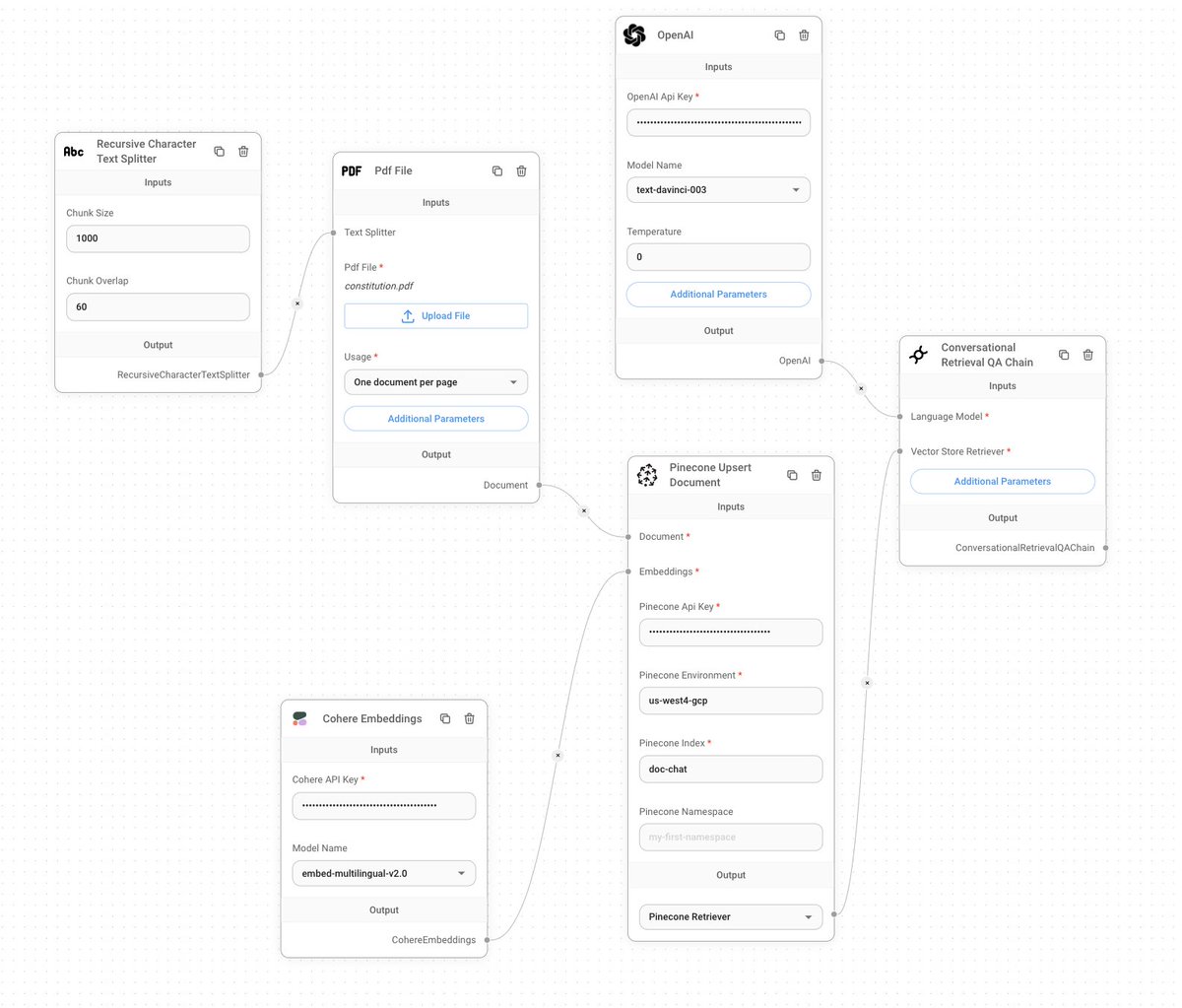
 Chat UI is built using @chainlit_io, which makes it easy to run LangChain apps. Thanks, @derekcheungsa for the inspiration.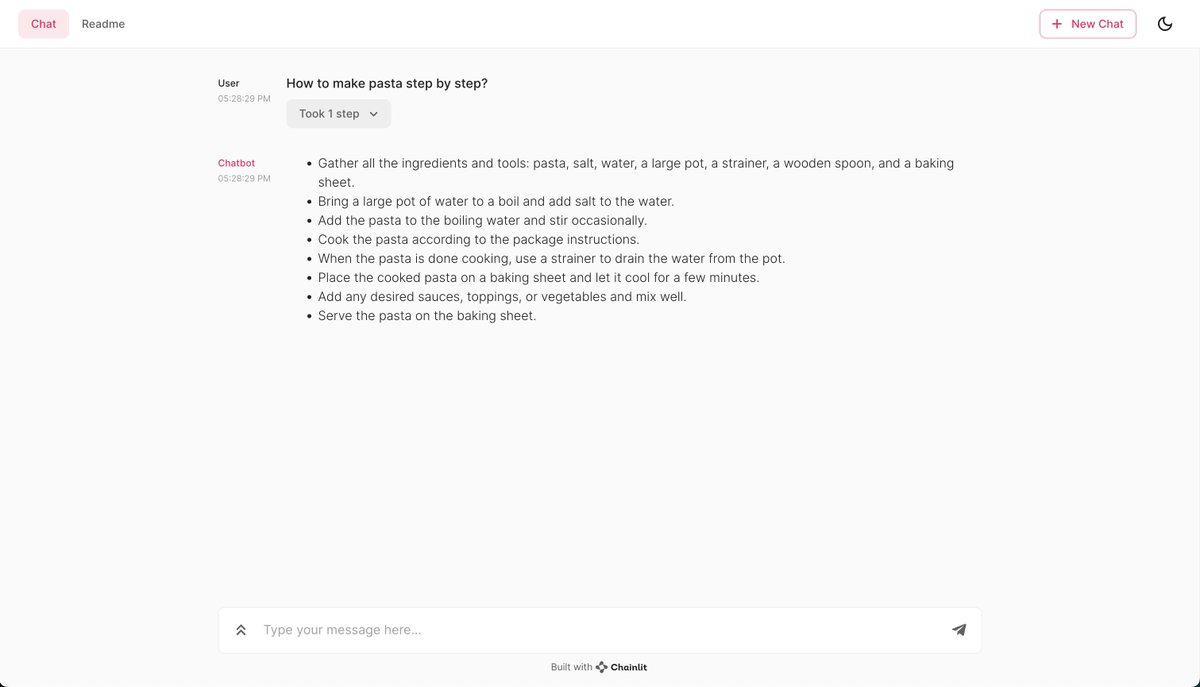
 The goal is to help you create ready-to-launch consumer apps, with step-by-step instructions, using @bubble and LangChain. With the power of @FlowiseAI and @logspace_ai's LangFlow, you'll build ChatData apps, Agent apps, and so much more in a no-code manner.
 I wanted to test with the @MosaicML MPT-7B-Storywriter model, with a token limit of ~65k. This is already deployed on @replicatehq so it was easy to call using @LangChainAI with the following code: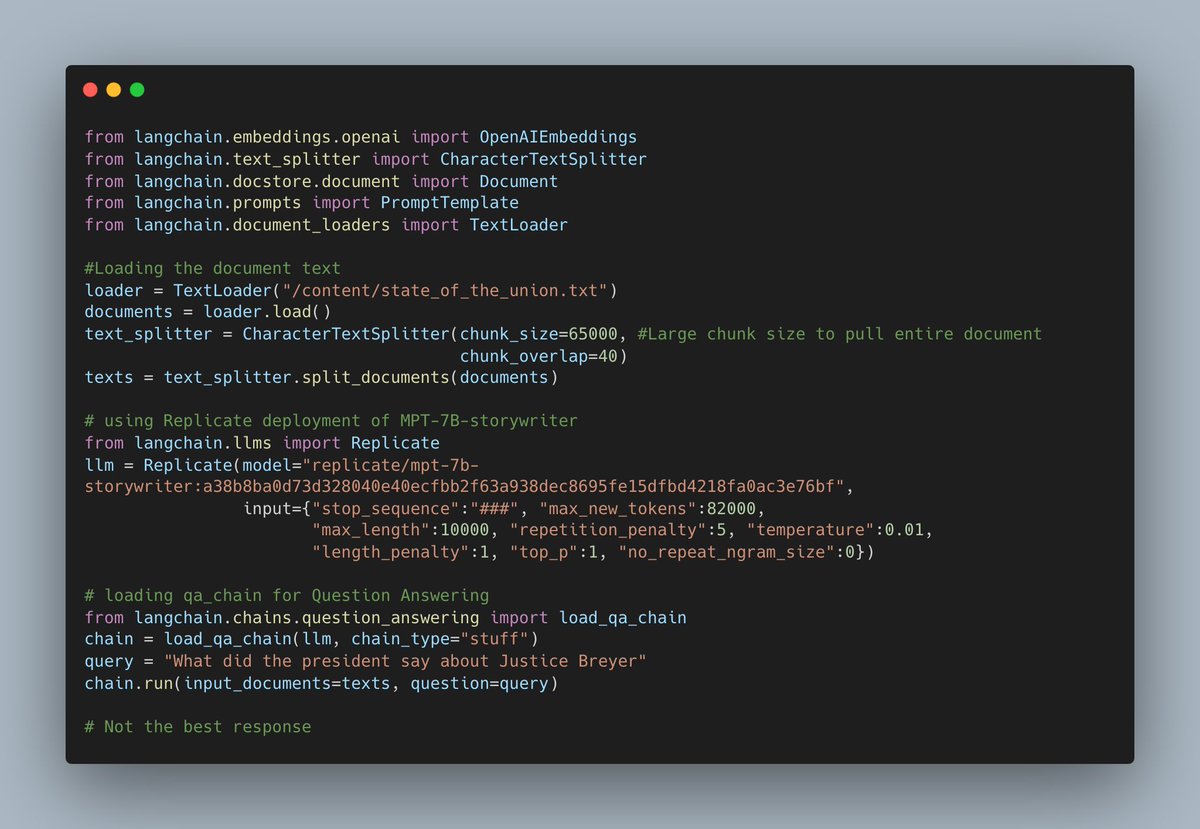
 We will build around 3 scenarios - Scenario 1: building a chat widget to embed on any website.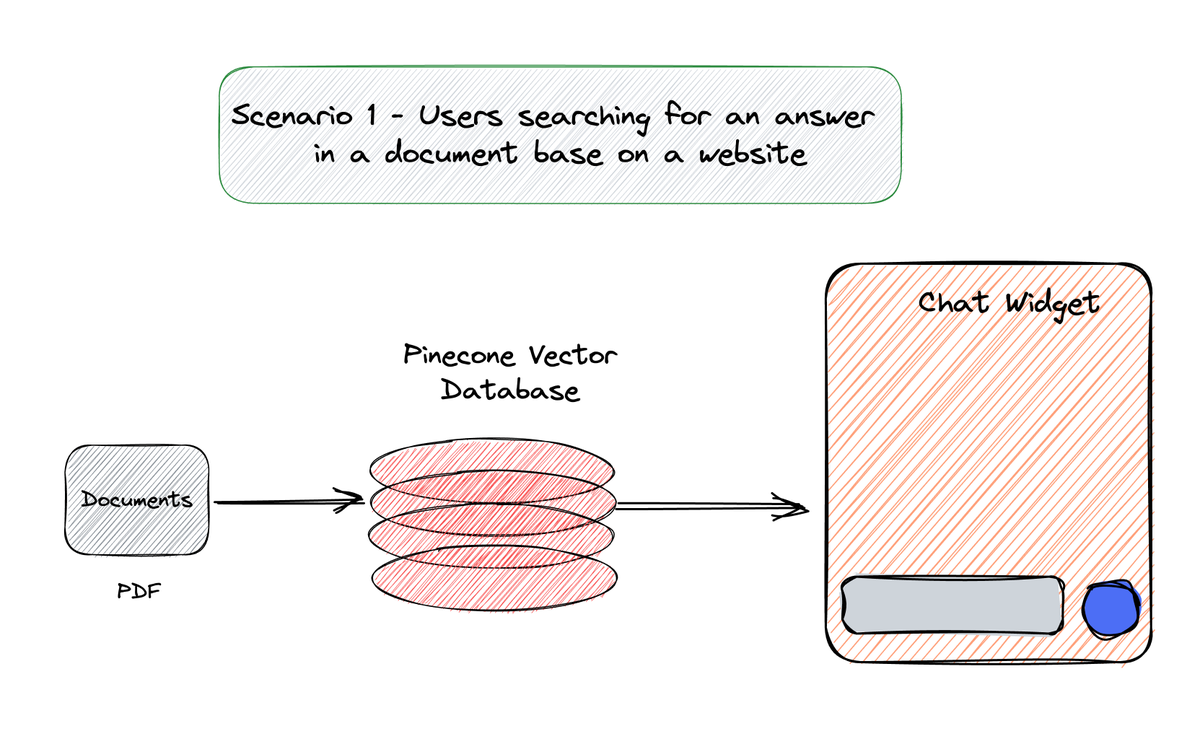
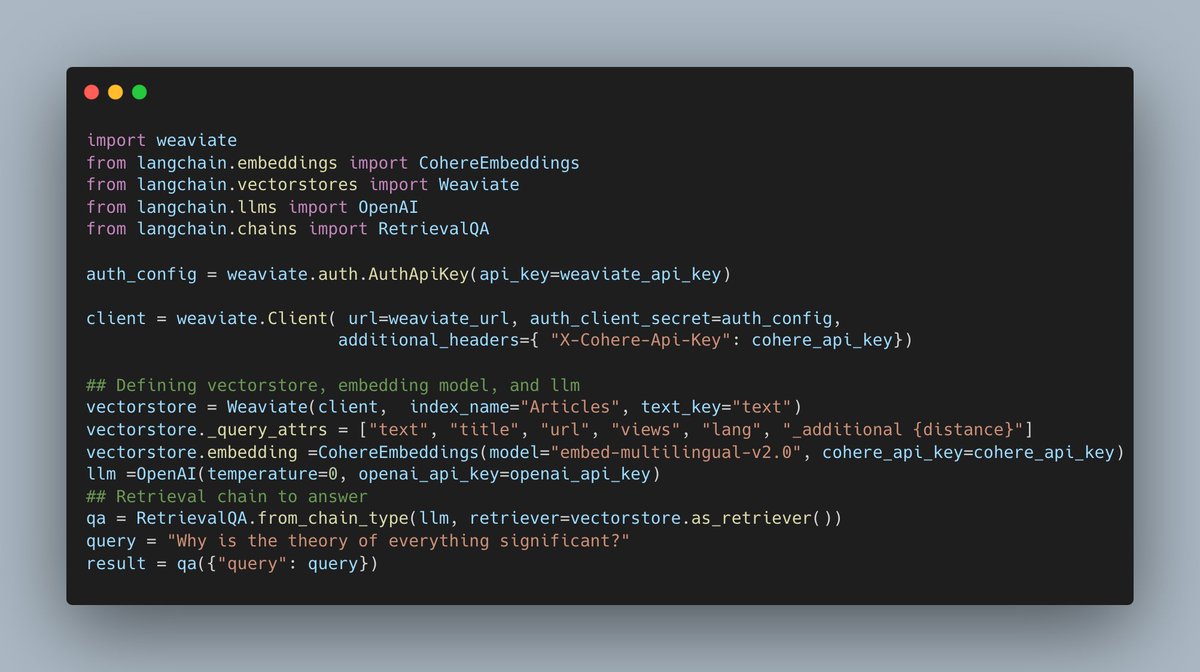 Building a typical document search system begins with first extracting the text (Wikipedia in our case), splitting it into chunks, embedding them, and then saving it to a vector database.
 We start with a conversational agent and connect it to the serpAPI tool available in LangChain to perform a Google search. This returns a list of search results, that is then passed to the LLM to generate an answer based on the results and the user query.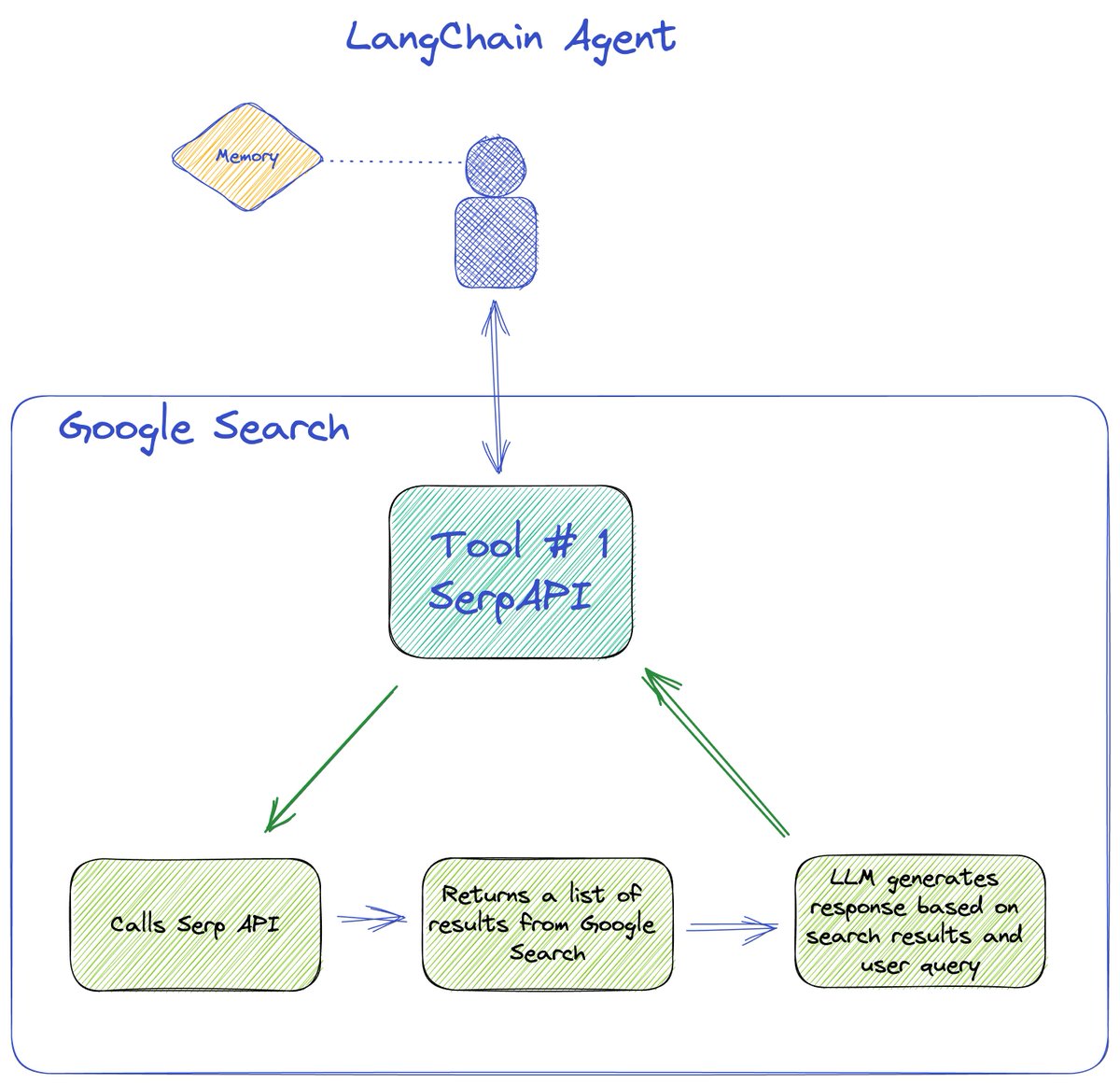
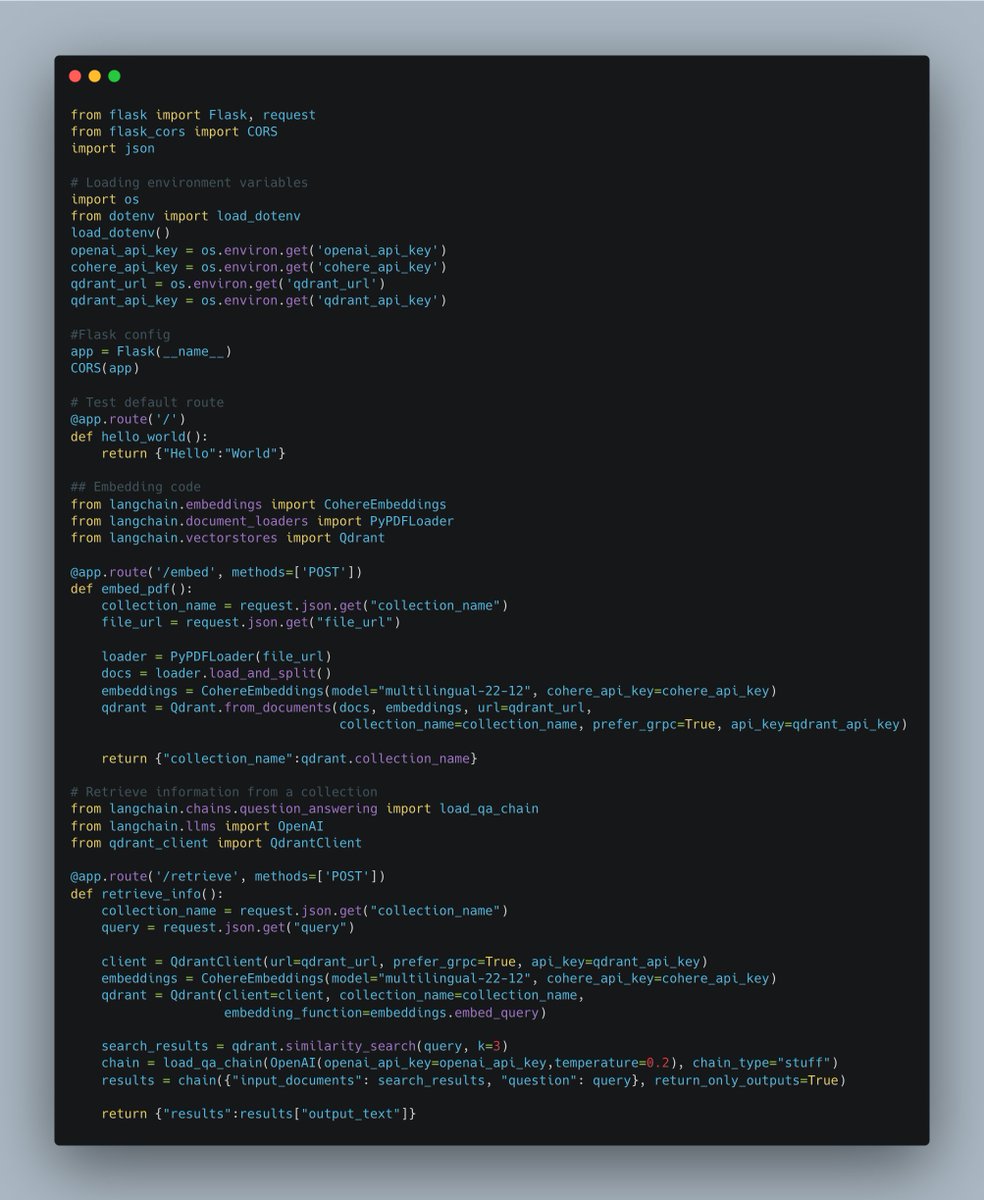 It basically divides a document retrieval system into two API functions corresponding to document ingestion and retrieval/search query.