peter! 🥷 Profile picture
May 11 10 tweets 3 min read Twitter logo Read on Twitter
Memory in @LangChainAI is a big deal.

It was a lot to go through, but I broke it into bite-size chunks.

• 4 Memory Types Explained
• How to use Memory in a Chain
• How to add Memory to an Agent

Save this ↓ Image
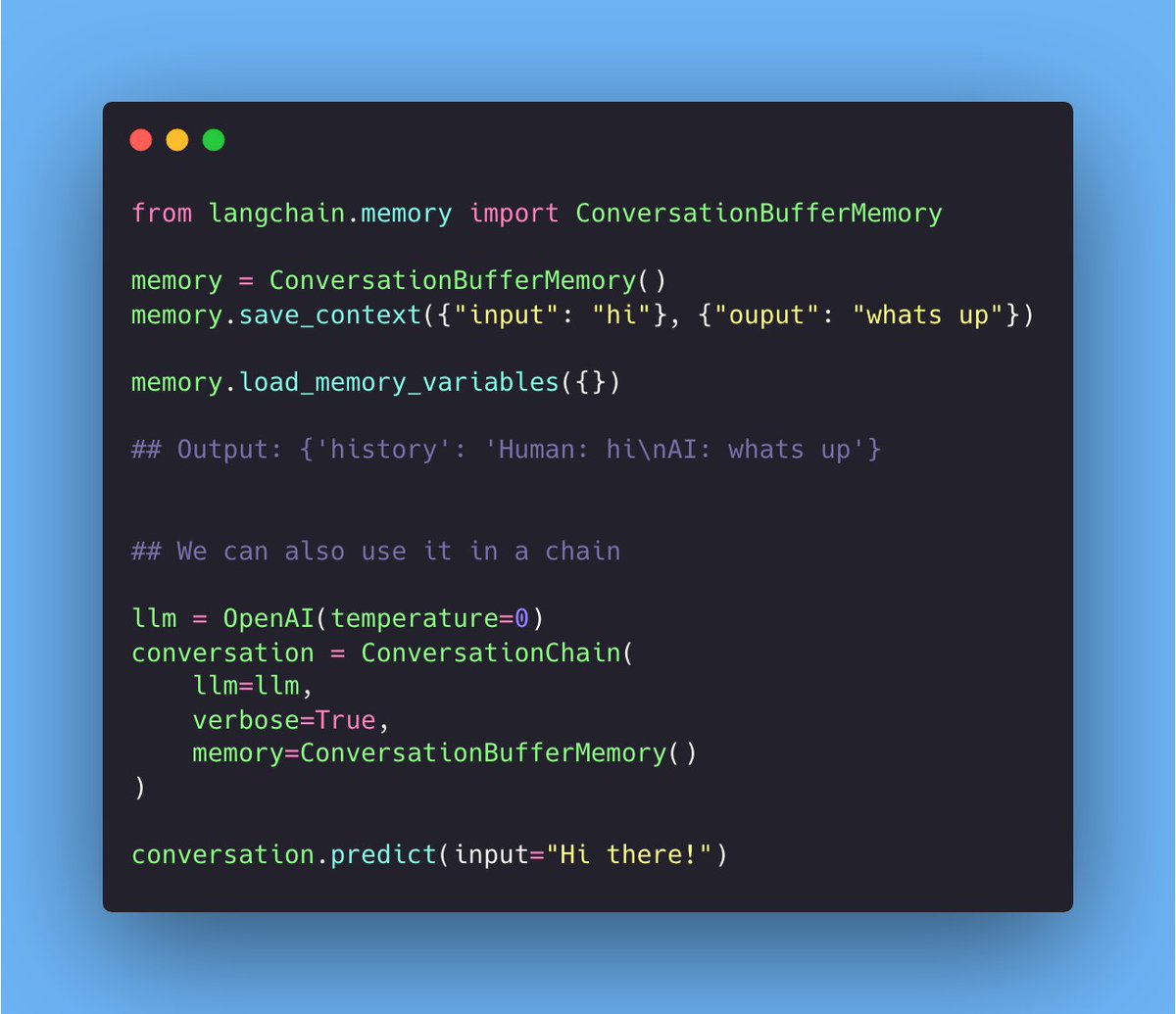
ConversationBufferMemory:

• Memory allows for storing of messages
• Extracts the messages in a variable.

Pro: Basic to understand/pickup Image
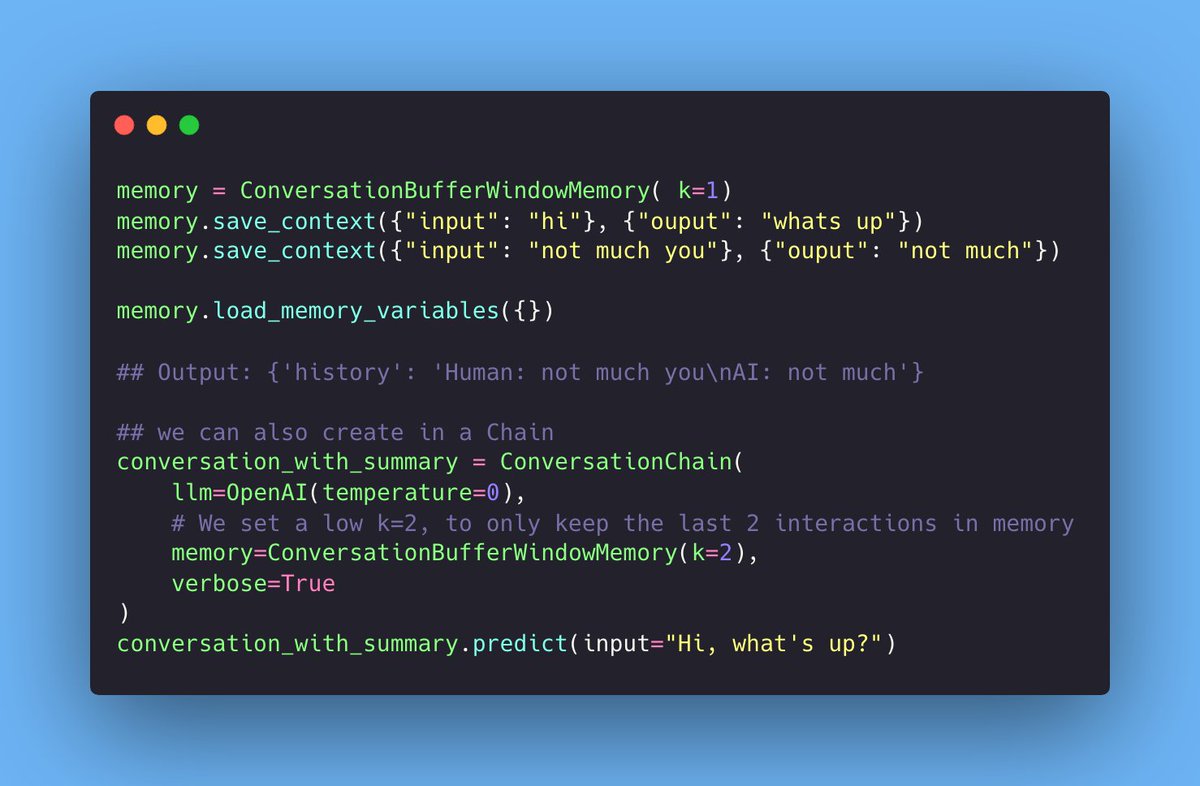
ConversationBufferWindowMemory:

• Only uses the last K messages.

Pro: Useful to keep the memory history small Image
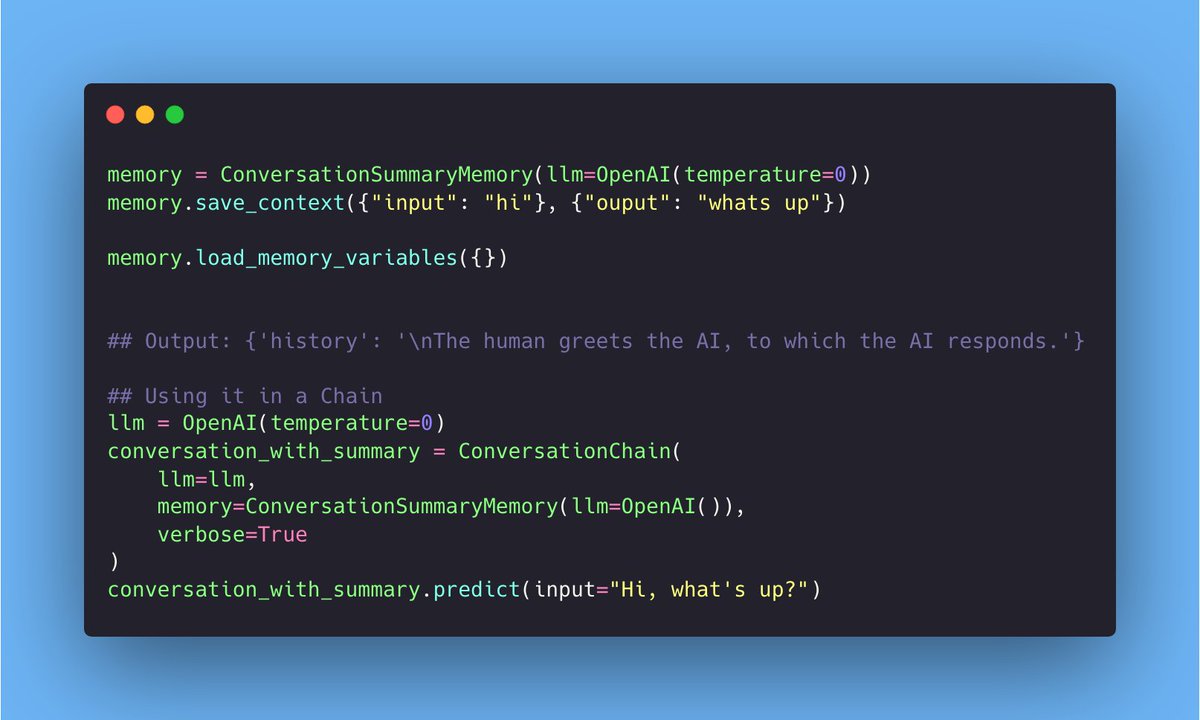
ConversationSummaryMemory

• Creates a summary of the conversation over time.

Pro: Useful for condensing information from the conversation over time. Image
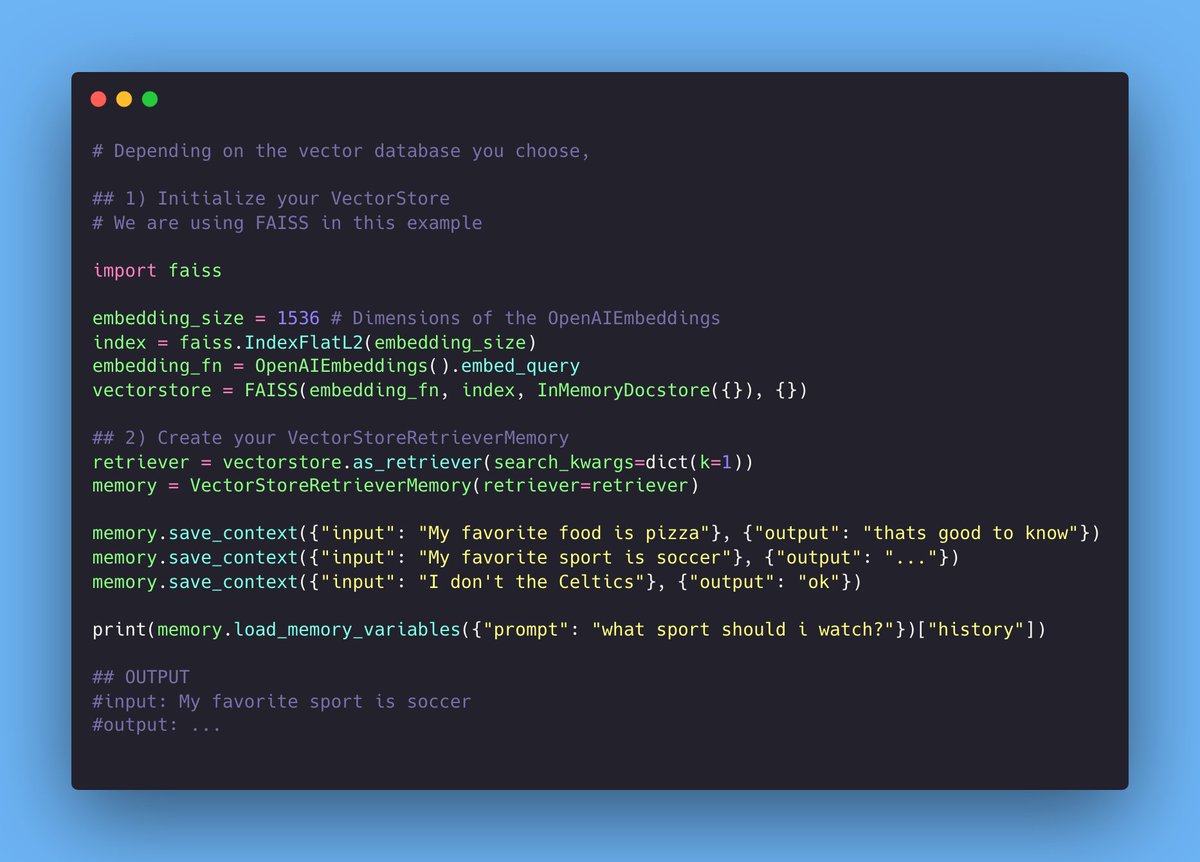
VectorStore-Backed Memory

• Stores memories in a VectorDB
• Queries the top-K most relevant docs

Pro:
- Doesn’t explicitly track the order of messages
- AI can remember relevant pieces of information that it was told earlier Image
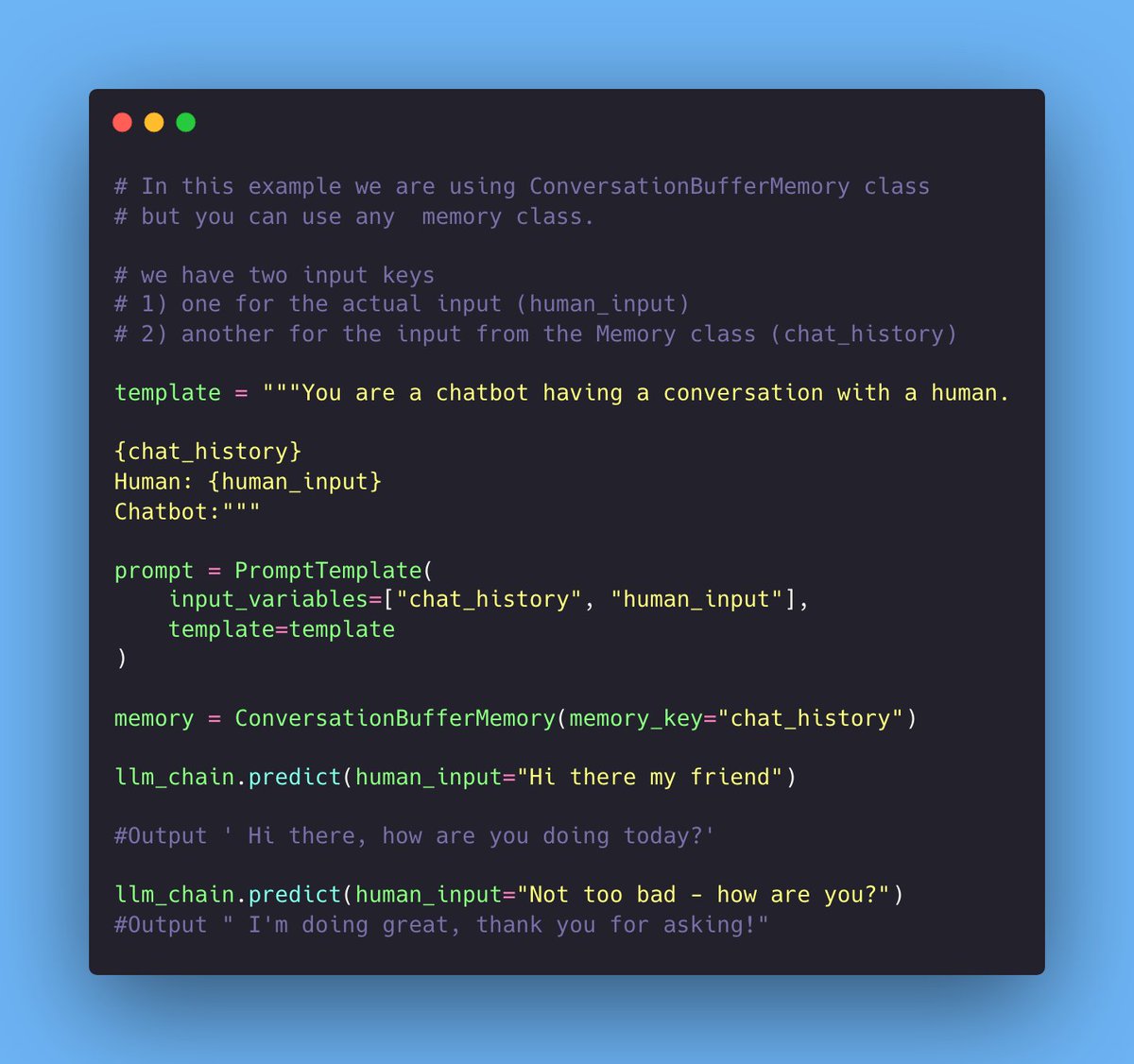
How to Add Memory to a Chain

1) Setup Prompt and Memory
2) Initialize LLMChain
3) Call the LLMChain Image
How to Add Memory to an Agent

1) Create an LLMChain with memory.
2) Use the LLMChain to create a custom Agent. Image
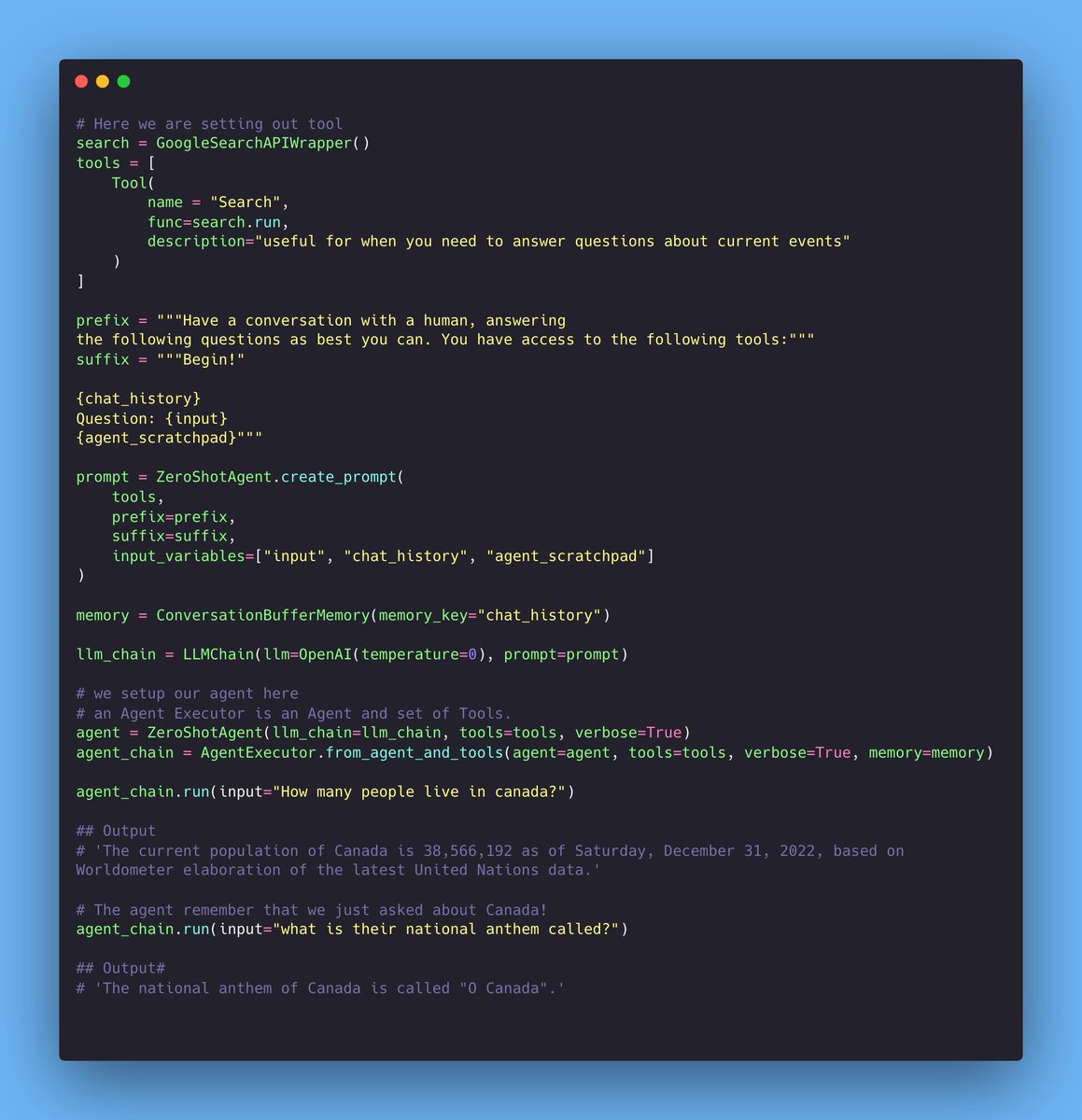
How to Add Memory to Multi-Input Chain: Image
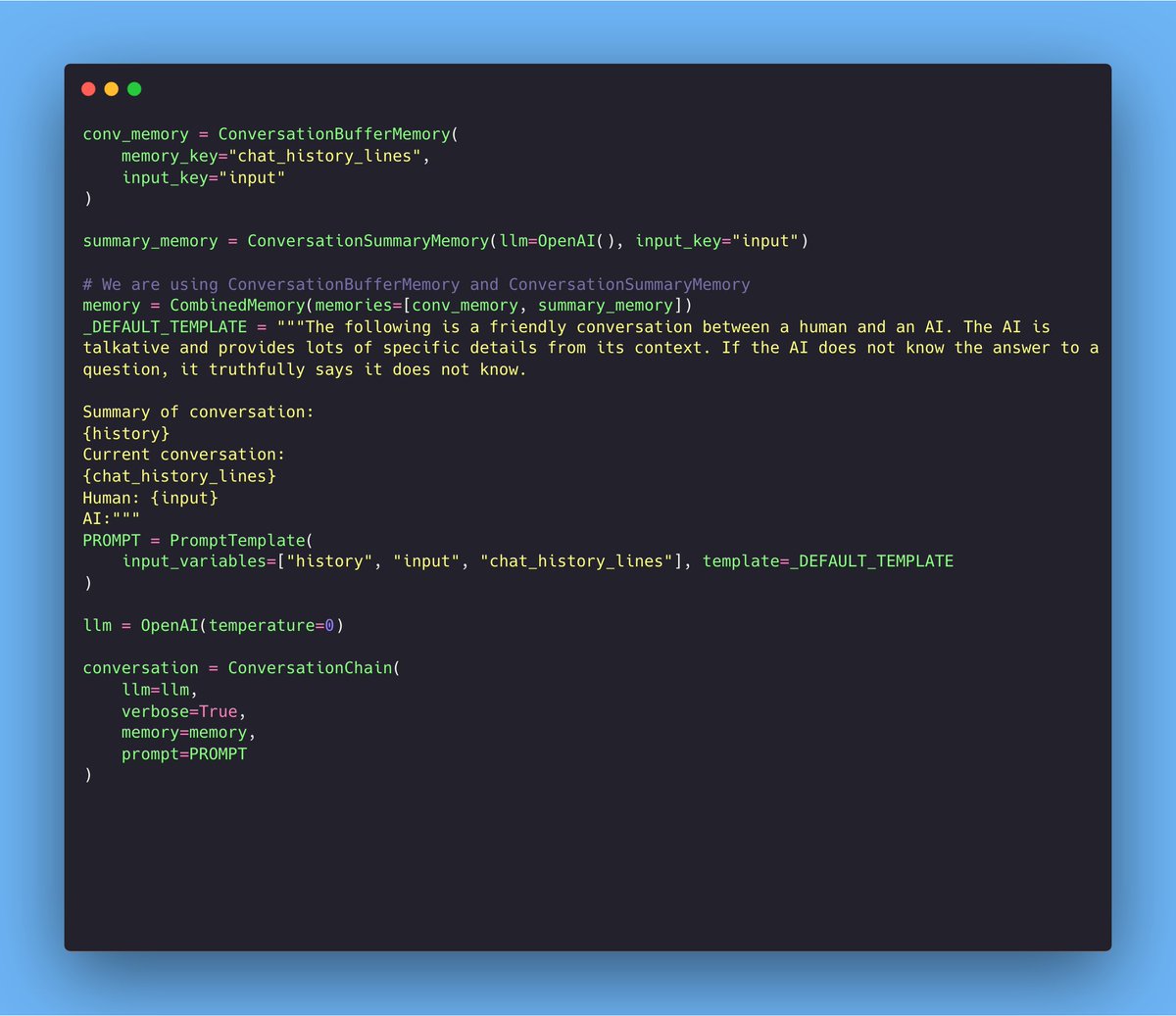
Last but not least:

It's also possible to combine memory classes in the same chain: Image
That's it!

Will be making a lot more demo projects with memory in the upcoming weeks! 🫡

• • •

Missing some Tweet in this thread? You can try to force a refresh

 

Keep Current with peter! 🥷

peter! 🥷 Profile picture

Stay in touch and get notified when new unrolls are available from this author!

Read all threads

This Thread may be Removed Anytime!

PDF

Twitter may remove this content at anytime! Save it as PDF for later use!

Try unrolling a thread yourself!

how to unroll video
  1. Follow @ThreadReaderApp to mention us!

  2. From a Twitter thread mention us with a keyword "unroll"
@threadreaderapp unroll

Practice here first or read more on our help page!

More from @pwang_szn

May 10
INTRODUCING: JarvisBase, a Jarvis for your Knowledge Base.

1) 🤖Scrape & store data (Scraped @huggingface docs, stored in @activeloopai)
2) Ask question about the data w/ @LangChainAI & @streamlit
3) Gives an answer w/ audio voice-over. 🔊

Demo, Code explained and GitHub Link↓ Image
Live Demo:
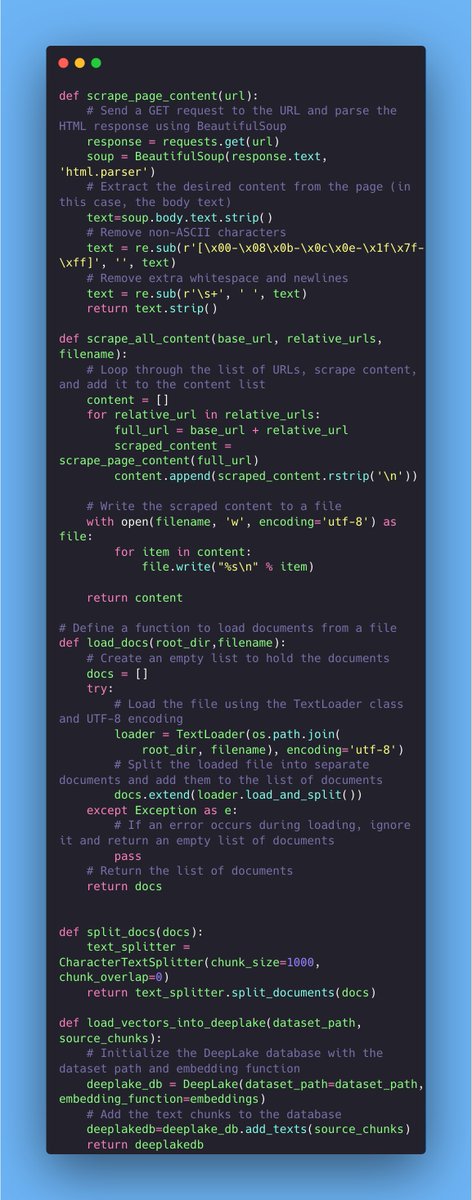
Let's breakdown the scraping code first. Image
Read 11 tweets
May 7
Indexes in @LangChainAI are confusing.

But I've broken it down into bite-size chunks.

• Basic Information
• Document Loaders
• Retrievers
• Vector Stores
• Text Splitters

Save this ↓ Image
The basic information about Indexes 🧙 Image
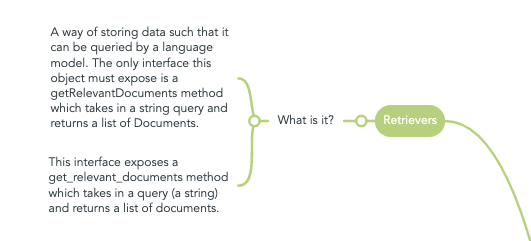
Retrievers explained: Image
Read 9 tweets
May 5
INTRODUCING: Story Storm, an A.I Storyteller 📚🌩️

1) 💡Type in prompt
2) Generates story w/ AI @OpenAI & @LangChainAI
3) Create audio voice-over w/ @elevenlabsio. 🔊
3) 🎨 Create story-cover w/ Stable Diffusion @replicatehq.

(<69 lines)

Demo, Code explained and GitHub Link ↓ Image
1/ Live demo: 🎤

(Peep the 30+ Langchain tabs open 💀 )
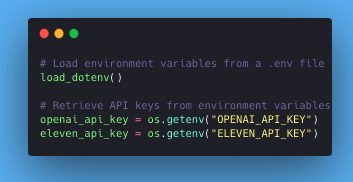
2/ First, we load API keys from the environment 🤖 Image
Read 10 tweets
May 2
🥁 INTRODUCING: Drake Bling Bakery, an AI meme generator

1) 💬 Type in any topic
2) Generate custom Drake meme w/ AI with the help of: @imgflip, @OpenAI @streamlit 🎨

(The memes in the demo about @levelsio and @vercel are 🤣)

Demo, Code explained & Github Link↓
The entire code:

(It's not too bad, <72 lines of code) Image
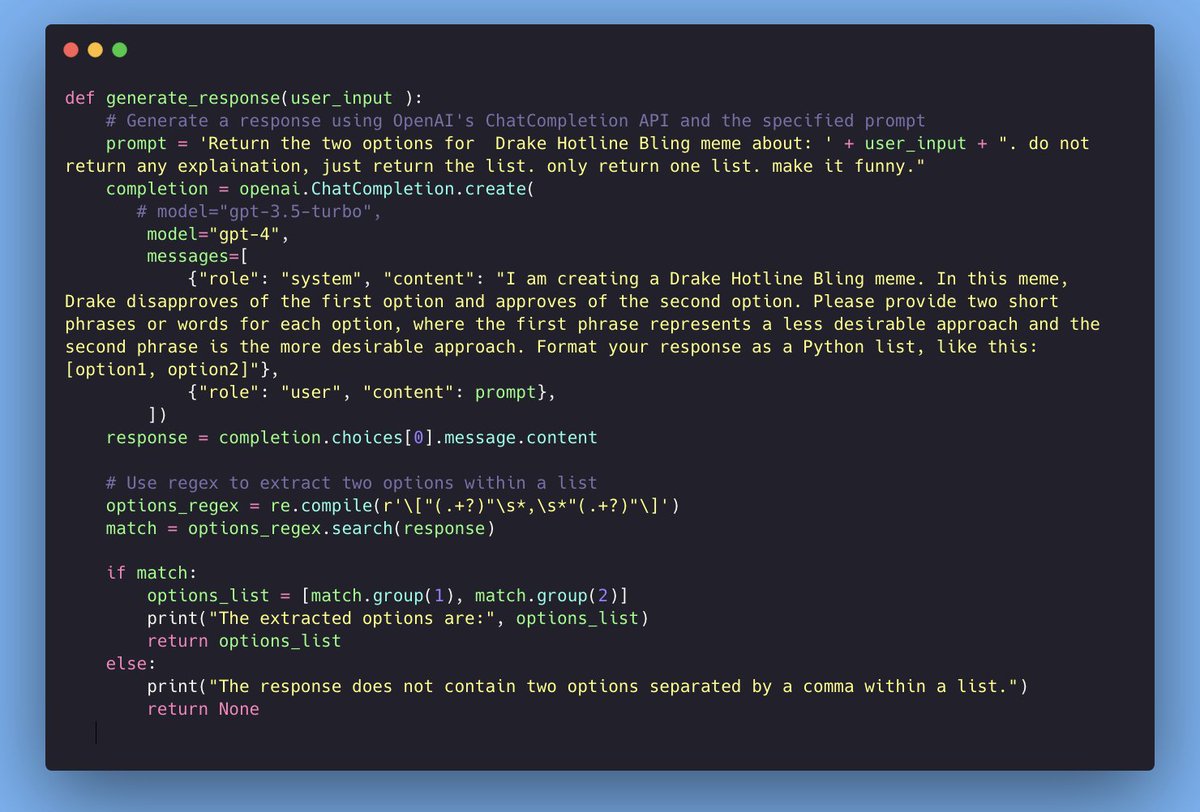
Here's what's going on:

1) We use GPT-4 to generate the words in the memes 🖼️
2) 🔍 We use regex (regular expression) to parse the output. If it finds two options, it creates a list and returns it. Image
Read 8 tweets
Apr 29
🪄 INTRODUCING: Figma Chat Wizard

1) 🤖 Import design from @figma (with the help of @LangChainAI Loader)
2) Chat with the design in @streamlit 💬 and @OpenAI.
3) 🎨 Design and code is returned

Demo, Code explained & Github Link↓ Image
1/ Live Demo:
2/ There are two main files, chatbot[.]py and generateCode[.]py

Let's go over the generateCode[.]py first.

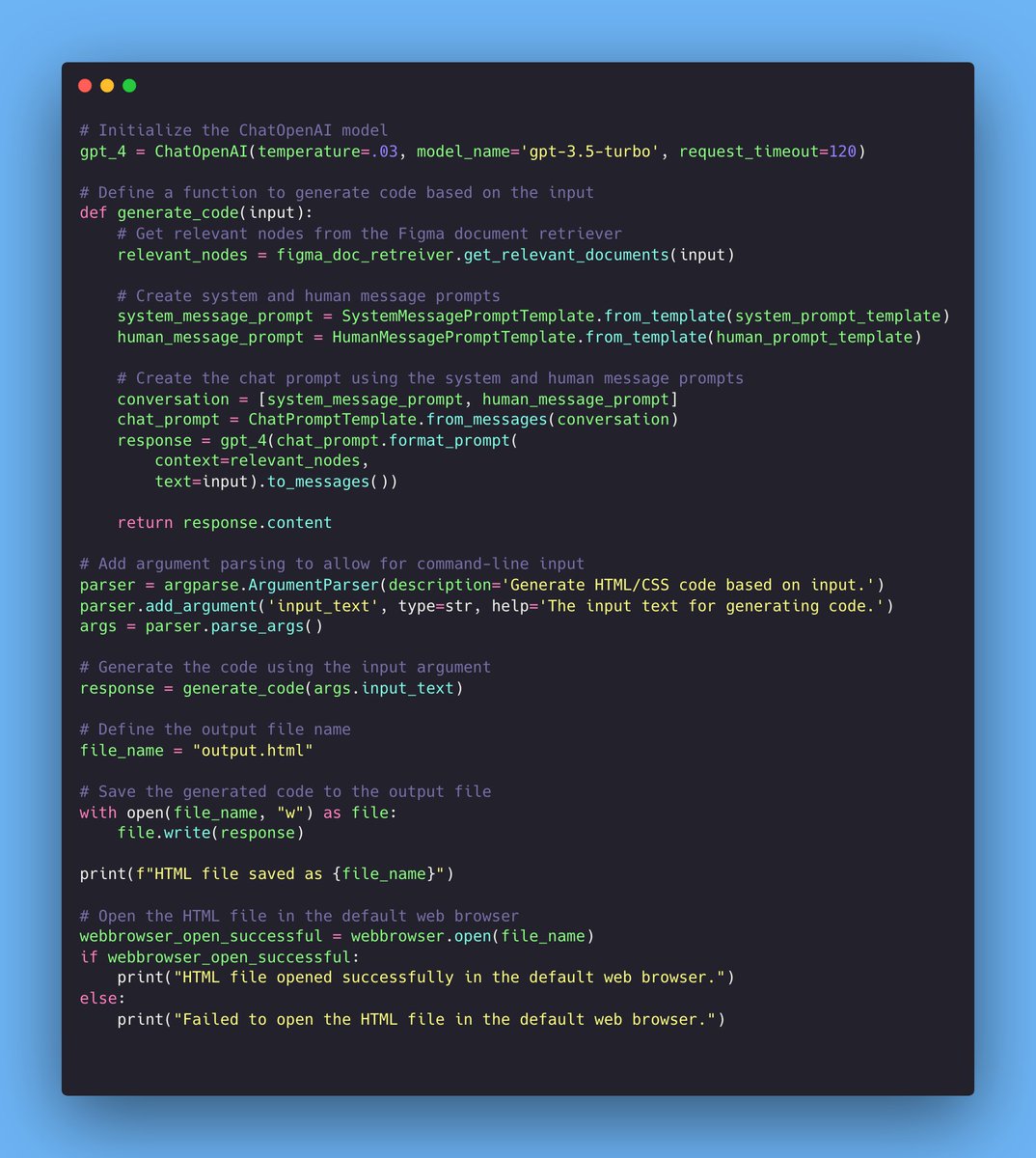
This is the script that generates HTML/CSS code based on the provided Figma designs. Image
Read 15 tweets
Apr 27
This is nutty. 🤯

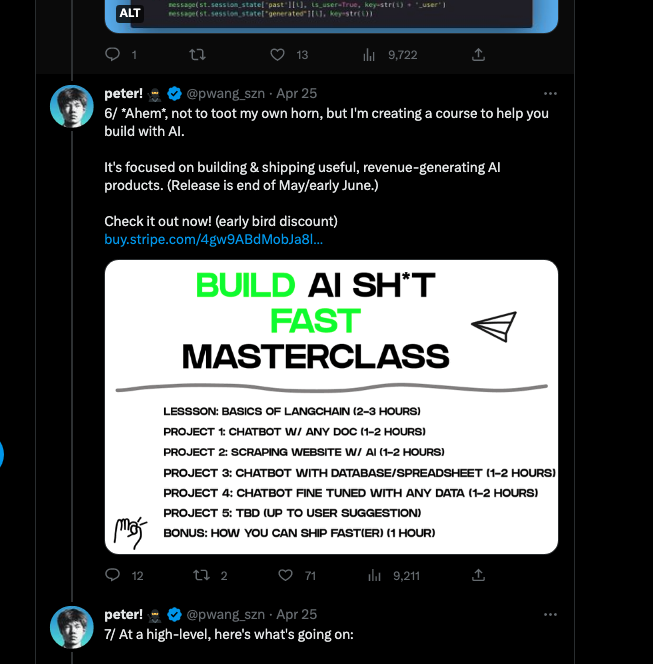
1) I secretly pre-launched my first course 2 days ago. (buildfastcourse.com)
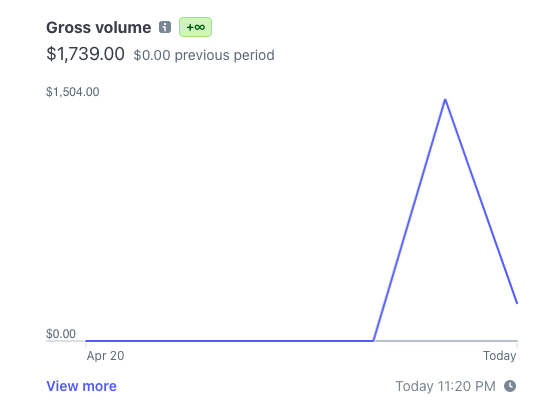
2) The pre-launch already made $1700+

(More details below ↓) Image
1/ So I had the pre-pre-launch tucked away in one of my threads from a few days ago.

I managed to get 1243 link clicks. 35 sales, which is around 2.8% conversion.. which is *quite* good. Image
2/ What's the deal w/ buildfastcourse.com? 🤔

→ 6+ hours worth of content where you build 5 AI projects.

✅ Briefly go over some basics
✅ 5+ hours of you building (no BS theory)

The end goal is you get a taste of building AI products.
Read 7 tweets

Did Thread Reader help you today?

Support us! We are indie developers!


This site is made by just two indie developers on a laptop doing marketing, support and development! Read more about the story.

Become a Premium Member ($3/month or $30/year) and get exclusive features!

Become Premium

Don't want to be a Premium member but still want to support us?

Make a small donation by buying us coffee ($5) or help with server cost ($10)

Donate via Paypal

Or Donate anonymously using crypto!

Ethereum

0xfe58350B80634f60Fa6Dc149a72b4DFbc17D341E copy

Bitcoin

3ATGMxNzCUFzxpMCHL5sWSt4DVtS8UqXpi copy

Thank you for your support!

Follow Us on Twitter!

:(