Mushtaq Bilal, PhD Profile picture
May 14, 2023 10 tweets 3 min read Read on X
Paraphrasing academic prose is a challenging task, especially if English is not your first language.

Here's a free AI-powered app that will help you paraphrase:
Go to typset(dot)io and sign up if you don't have an account already.
Select "Paraphraser" in the taskbar to your left.
Simply paste the text you want to paraphrase.

Choose maximum variation for better results, and click on the "Paraphrase" button.

Here I am using a paragraph from one of my own papers.
This is a great paraphrase of the paragraph. It is both precise and concise.
Want to learn how to supercharge your academic writing with AI-powered apps?

I have a complete tutorial for you. It has 14 modules and 250+ slides.

It's being used by academics at Harvard, Princeton, and Stanford.

You can get it here:
efficientacademicwriter.carrd.co
You can use this tool to paraphrase in more 70 languages.

Click on the globe icon in the top-right corner and select your desired language.

Here I am paraphrasing it into Urdu.
This is an impressive paraphrase in Urdu given the fact the passage deals with literary theory.

It requires a bit of tweaking in terms of the script, but otherwise it's very useful.
Found this thread helpful?

1. Scroll to the top and hit the "Like" button on the first tweet.

2. Bookmark it so you can come back to it later.

3. Follow me @MushtaqBilalPhD for regular threads on how to supercharge your academic writing with AI-powered apps.
Want me to email you tips on academic writing?

Sign up for my newsletter. It's FREE!

keepwriting.beehiiv.com/subscribe

• • •

Missing some Tweet in this thread? You can try to force a refresh

 

Keep Current with Mushtaq Bilal, PhD

Mushtaq Bilal, PhD Profile picture

Stay in touch and get notified when new unrolls are available from this author!

Read all threads

This Thread may be Removed Anytime!

PDF

Twitter may remove this content at anytime! Save it as PDF for later use!

Try unrolling a thread yourself!

how to unroll video
  1. Follow @ThreadReaderApp to mention us!

  2. From a Twitter thread mention us with a keyword "unroll"
@threadreaderapp unroll

Practice here first or read more on our help page!

More from @MushtaqBilalPhD

Mar 5
A lot of academics still think AI apps generate fake references to papers that don't exist.

They are living in 2023.

You can easily integrate a database of 280M research papers with Claude and ChatGPT to get answers with references to published papers.

Here's how to do it:
1. Go to scite[.]ai/mcp and select Claude ai

Copy the URL given in the second line. Then click on the blue "Add Scite" button.

This will open Claude Connectors. Type in the name Scite and paste the URL in the "Remote MCP" field.

Then click on "Add."
2. This will add a Scite Connector to your Claude.

Scroll down a little and you will see a Scite Connector. Click on "Connect" and log in to your Scite account.

Give Claude permission to access Scite. And that's it.

You will need a paid subscription for Scite to do this.
Read 7 tweets
Mar 4
Claude Code will fundamentally change the nature of academic research.

But most academics don't know how to use it.

Here's how to get started on Claude Code (even if you've never coded).

Claude Code for Academics 101:
Before getting started, we need to understand what Claude Code (CC) is.

It's not a simple chatbot.

Think of it as a general-purpose work enviroment that lets you create customized features for your own specific purposes.

It'll become clear by the end of this thread.
1. To get started, go to claude[.]com/download and download the Claude desktop app.

You will need a paid plan.

Select the $20/m one. That'll be enough to get you started.
Read 17 tweets
Mar 3
Academics are abandoning ChatGPT for Claude, and for good reason.

Claude is way better than ChatGPT for intellectual work.

But moving to Claude risks losing your work history and memory in ChatGPT.

Here's how to move all your work history and memory from ChatGPT to Claude:
1. Open Claude and click on your profile in the bottom-left corner.

Then click on "Settings" and select "Capabilities."

In Capabilities, look for the "Start Import" button.

Click it and then copy the prompt given on the top.
2. Open ChatGPT and put it on "Thinking."

Then run the prompt you just copied from Claude.

ChatGPT will give you an answer. Copy that.
Read 6 tweets
Mar 2
Claude Cowork is set to revolutionize intellectual and academic work.

But most academics don't know how to use it.

Here's how to set up Claude Cowork as your research assistant:

(This workflow will take you only 15 min.) Guide on setting up Claude Cowork for academic research.
1. To use Claude Cowork, you'll need to download Claude desktop app.

Go to claude[.]com/download

and download the Claude desktop app.

You'll also need a paid plan for $20/m or $100/m.

Start with $20/m plan.
2. Once you've installed it, open Claude desktop app.

On the top, you will see three options: Chat, Cowork, Code.

Click on "Cowork." Claude user interface displays options for chat, coding, and co-working, with prompts for user interaction prominently featured.
Read 13 tweets
Jan 5
How to build an academic writing habit (to write a lot and publish a lot):
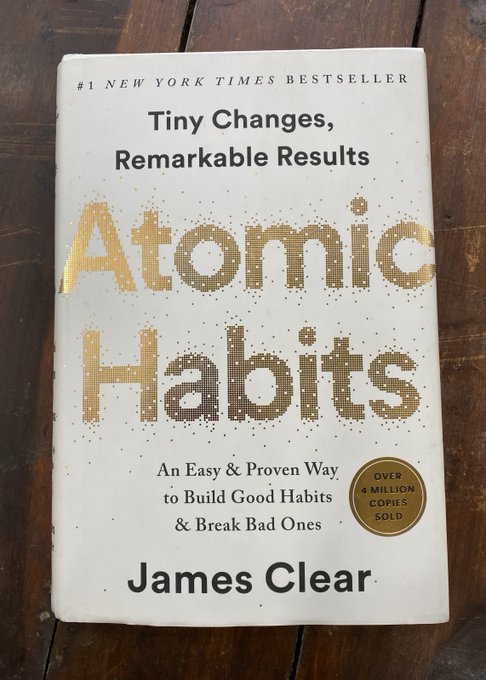
In his book "Atomic Habits," James Clear writes about habits that are so small we don’t even notice them, but the power they have over us is immense.

He calls them atomic habits.

Although they are small, building atomic habits is VERY DIFFICULT.

Why? A photo of James Clear's book "Atomic Habits."
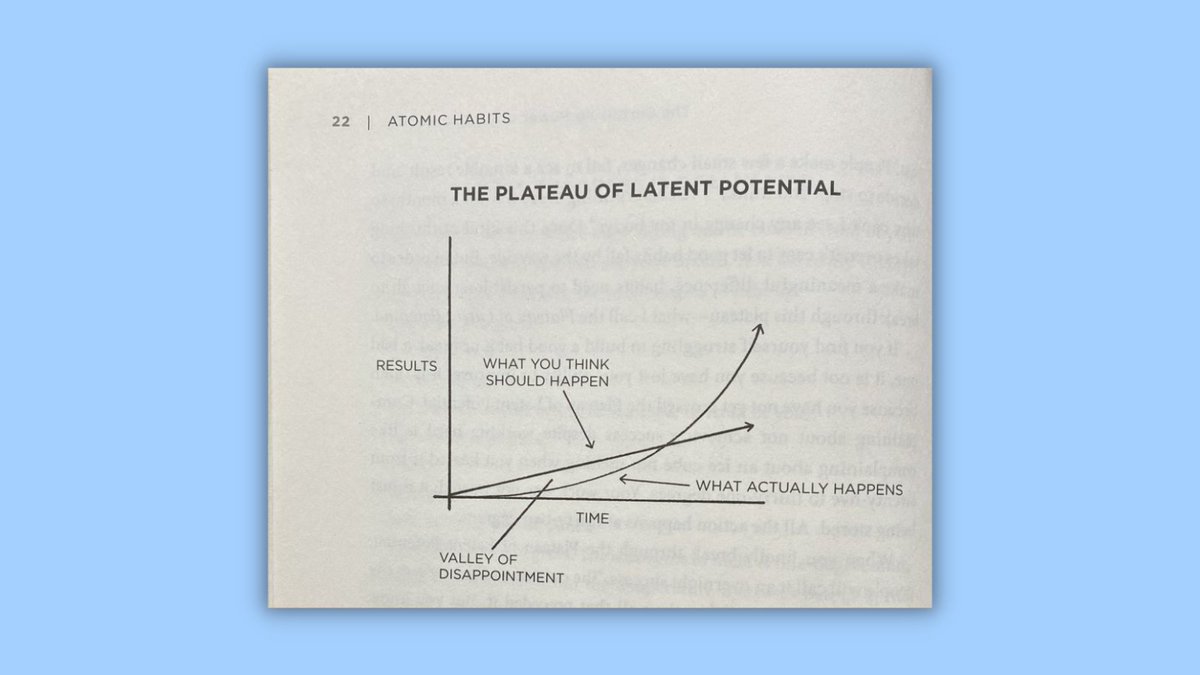
Clear calls the time between the point we start a habit to the point we start seeing its first results "the plateau of latent potential."

Most people remain stuck within this plateau.

To see the results of any habit, we must cross the plateau of latent potential. A photo of "The Plateau of Latent Potential" from James Clear's book "Atomic Habits."
Read 21 tweets
Dec 25, 2025
Don't use Sci-Hub — it's a "controversial" website with 84M+ research papers freely available.

We should all try to make billion-dollar academic publishers richer.

Anyway, here's a thread on how to integrate Sci-Hub with Zotero to get free papers.

🚨DO NOT DO IT!
1. Don't go to this link:
github(dot)com/syt2/zotero-scipdf

But if you do, replace the word "dot" with an actual [.]

Don't scroll down and click on "latest release xpi file."

This will download an "xpi" file to your computer.
2. Don't open your Zotero. But if you do, click on "Tools."

In "Tools," click on "Plugins." This will open Zotero's Plugin Manager.

In the Plugin Manager, click on the gear-like icon and select "Install Plugin From File."

Navigate to the XPI file you downloaded and add it.
Read 6 tweets

Did Thread Reader help you today?

Support us! We are indie developers!


This site is made by just two indie developers on a laptop doing marketing, support and development! Read more about the story.

Become a Premium Member ($3/month or $30/year) and get exclusive features!

Become Premium

Don't want to be a Premium member but still want to support us?

Make a small donation by buying us coffee ($5) or help with server cost ($10)

Donate via Paypal

Or Donate anonymously using crypto!

Ethereum

0xfe58350B80634f60Fa6Dc149a72b4DFbc17D341E copy

Bitcoin

3ATGMxNzCUFzxpMCHL5sWSt4DVtS8UqXpi copy

Thank you for your support!

Follow Us!

:(