Mushtaq Bilal, PhD Profile picture
May 14 10 tweets 3 min read Twitter logo Read on Twitter
Paraphrasing academic prose is a challenging task, especially if English is not your first language.

Here's a free AI-powered app that will help you paraphrase:
Go to typset(dot)io and sign up if you don't have an account already.
Select "Paraphraser" in the taskbar to your left.
Simply paste the text you want to paraphrase.

Choose maximum variation for better results, and click on the "Paraphrase" button.

Here I am using a paragraph from one of my own papers.
This is a great paraphrase of the paragraph. It is both precise and concise.
Want to learn how to supercharge your academic writing with AI-powered apps?

I have a complete tutorial for you. It has 14 modules and 250+ slides.

It's being used by academics at Harvard, Princeton, and Stanford.

You can get it here:
efficientacademicwriter.carrd.co
You can use this tool to paraphrase in more 70 languages.

Click on the globe icon in the top-right corner and select your desired language.

Here I am paraphrasing it into Urdu.
This is an impressive paraphrase in Urdu given the fact the passage deals with literary theory.

It requires a bit of tweaking in terms of the script, but otherwise it's very useful.
Found this thread helpful?

1. Scroll to the top and hit the "Like" button on the first tweet.

2. Bookmark it so you can come back to it later.

3. Follow me @MushtaqBilalPhD for regular threads on how to supercharge your academic writing with AI-powered apps.
Want me to email you tips on academic writing?

Sign up for my newsletter. It's FREE!

keepwriting.beehiiv.com/subscribe

• • •

Missing some Tweet in this thread? You can try to force a refresh

 

Keep Current with Mushtaq Bilal, PhD

Mushtaq Bilal, PhD Profile picture

Stay in touch and get notified when new unrolls are available from this author!

Read all threads

This Thread may be Removed Anytime!

PDF

Twitter may remove this content at anytime! Save it as PDF for later use!

Try unrolling a thread yourself!

how to unroll video
  1. Follow @ThreadReaderApp to mention us!

  2. From a Twitter thread mention us with a keyword "unroll"
@threadreaderapp unroll

Practice here first or read more on our help page!

More from @MushtaqBilalPhD

May 13
Every researcher needs an assistant, but not everybody gets one.

The good folks over at Researcher Life have put together a set of (free and paid) tools that serves as your personal research assistant.
Go to researcher.life and create a free account.

No credit card required.
This is how your dashboard would look like once you've signed up.

Researcher Life provides you four types of tools for:

1. Writing and publishing
2. Reading and citations
3. Learning and networking
4. Illustrations
Read 17 tweets
May 13
Free ChatGPT for research papers!

PDFgear is an AI-powered app that lets you:

• Chat with a PDF like ChatGPT
• Convert a PDF to Word, Excel, etc.
• Edit a PDF
...and much more.

And it's totally FREE!

Here's how to use it:
Go to pdfgear(dot)com and download the app.
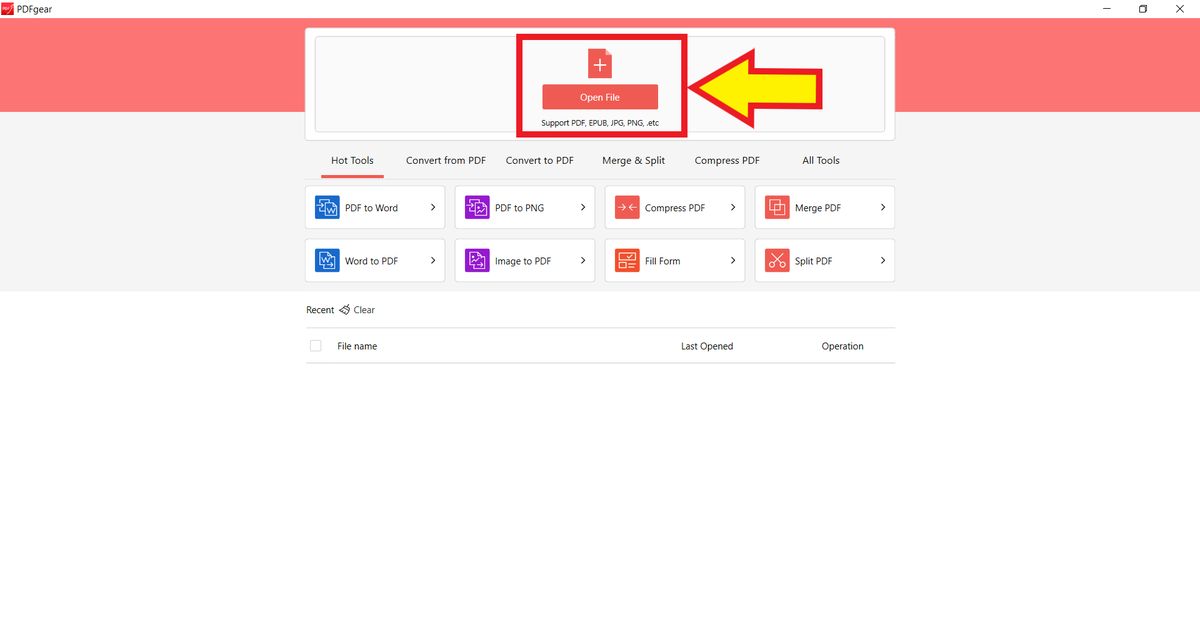
This is how PDFgear's home screen looks like after you have installed it.

Click on "Open File" at the top to open a research paper. A yellow arrow points to th...
Read 13 tweets
May 12
A social media influencer used ChatGPT-4 to create an AI-powered "girlfriend."

Here's what we can learn from it as academics:
Caryn Marjorie (@cutiecaryn) is a content creator with 1.8 million subscribers on Snapchat.

She is 23 years old and has been creating content for more than 8 years now.

She's a prolific content creator and post 250 pieces of content daily on Snapchat. Caryn Marjorie's homepage o...
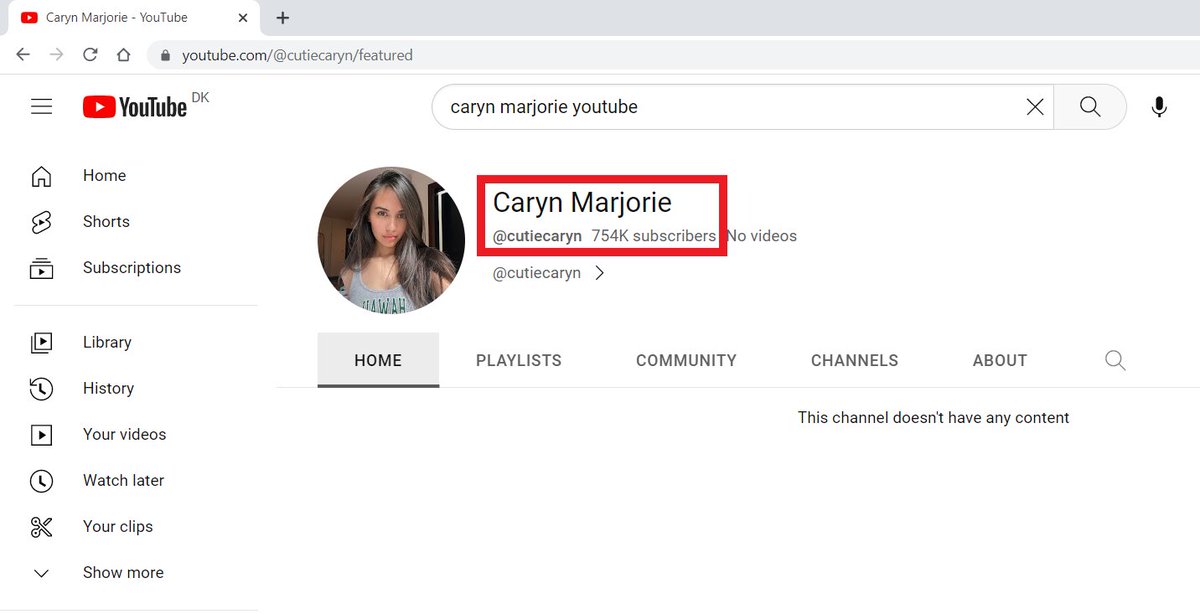
She also has a YouTube channel with 754K subscribers.

Her videos on YouTube had a total time of 2,000 hours.

(She has deleted all her videos — a very smart move.) Caryn Marjorie's YouTube page.
Read 13 tweets
May 11
Don't use ChatGPT for academic writing.

Instead, use Trinka — an AI-powered personal assistant designed for academic writing.
Go to trinka(dot)ai.

Click on "Register for Free" in the top-right corner to get started.
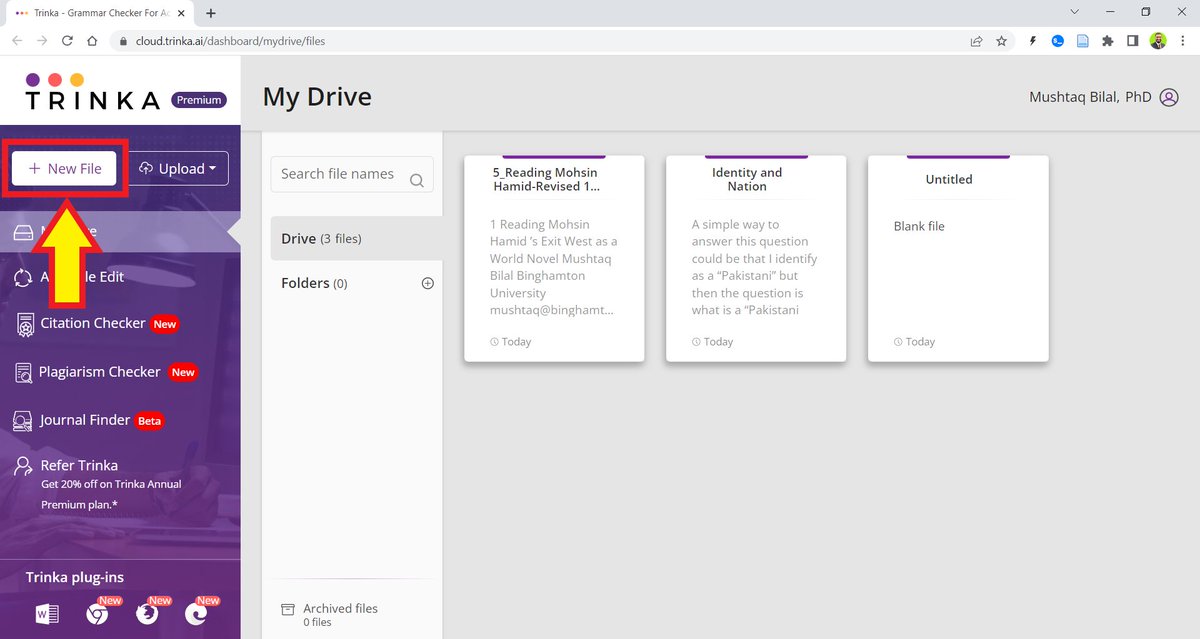
Click on "New File" in the top-left corner. A yellow arrow points to th...
Read 15 tweets
May 10
You can read research papers on the internet, but you CANNOT highlight/annotate without downloading them.

Hypothesis is an app that helps you highlight/annotate without the download hassle.

Go to hypothesis(dot)is. Click on "Get Started" and create a free account.
After you've created an account, download the Hypothesis Chrome Extension.
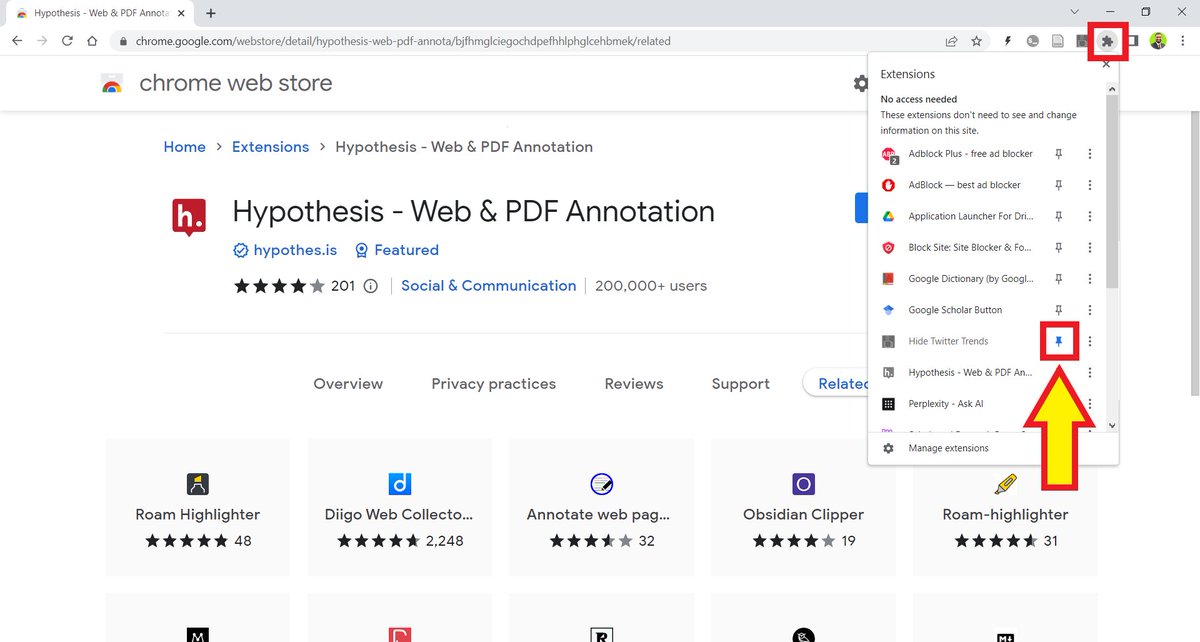
Click on the puzzle-like icon in the top-right corner of your Chrome.

It will open your Chrome extensions. Click on the pin in front of Hypothesis to pin it to your browser. A yellow arrow points to a ...
Read 12 tweets
May 9
Don't use ChatGPT for scientific research. It generates fake citations to papers that don't even exist.

Instead, use System Pro — a AI-powered search engine designed for research.

Ask it a question and it'll give you a summary of relevant (published) papers with citations.
Go to pro(dot)system(dot)com and simply type in your question.

System Pro will retrieve relevant papers and generate a summary for you along with citations.
This summary contains 56 citations. I don't think any other tool provides this kind of detail.

To look at a cited source, click on the footnote and System Pro will take you to the relevant paper.

It will also give you details about the study's findings, population, etc.
Read 4 tweets

Did Thread Reader help you today?

Support us! We are indie developers!


This site is made by just two indie developers on a laptop doing marketing, support and development! Read more about the story.

Become a Premium Member ($3/month or $30/year) and get exclusive features!

Become Premium

Don't want to be a Premium member but still want to support us?

Make a small donation by buying us coffee ($5) or help with server cost ($10)

Donate via Paypal

Or Donate anonymously using crypto!

Ethereum

0xfe58350B80634f60Fa6Dc149a72b4DFbc17D341E copy

Bitcoin

3ATGMxNzCUFzxpMCHL5sWSt4DVtS8UqXpi copy

Thank you for your support!

Follow Us on Twitter!

:(