
Struggling to create consistent models in #midjourney?
I have discovered the ultimate hack.
Let's unlock the secrets of Consistent model-making together!
#AIart #AIArtwork #AIArtCommuity twitter.com/i/web/status/1…
I have discovered the ultimate hack.
Let's unlock the secrets of Consistent model-making together!
#AIart #AIArtwork #AIArtCommuity twitter.com/i/web/status/1…

Step 1: Create your favourite model
What’s the trick?
- Clear model face
- Non-stylish dressing
- Clean background
- Use keyword [Minimalism]
Reroll the same prompt until you get your favourite model
Sample Prompt: portrait shoot of a lady, in the style of minimalism --s 1000
What’s the trick?
- Clear model face
- Non-stylish dressing
- Clean background
- Use keyword [Minimalism]
Reroll the same prompt until you get your favourite model
Sample Prompt: portrait shoot of a lady, in the style of minimalism --s 1000

Step 2: Find the Seed of your model
How to find?
- Add Reaction
- Type [Envelope]
- You’ll get a notification
- Copy your seed
- Use the seed suffix --seed [Value]
How to find?
- Add Reaction
- Type [Envelope]
- You’ll get a notification
- Copy your seed
- Use the seed suffix --seed [Value]


Step 3: Use your model image link
Where to get the link and how to use?
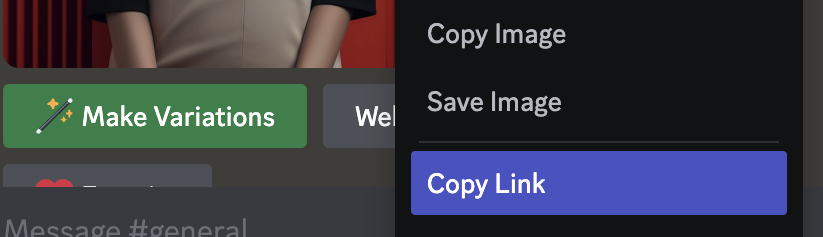
- Upscale your model image, right click and copy the link
- Paste the link at the very beginning of your Prompt
Where to get the link and how to use?
- Upscale your model image, right click and copy the link
- Paste the link at the very beginning of your Prompt

Step 4: Set your style to 50 and use image weight
Prompt suffix: —s 50 —iw 1.5
Why?
- Set style to 50 so Midjourney won’t be so opinionated, you get what you asked
- Image weight is to set your image to higher level
Prompt suffix: —s 50 —iw 1.5
Why?
- Set style to 50 so Midjourney won’t be so opinionated, you get what you asked
- Image weight is to set your image to higher level
Step 4: Let’s stylise your model
What’s the tricks?
- model image link
- Use same prompt from step 1 but add style keyword
- Use your model seed
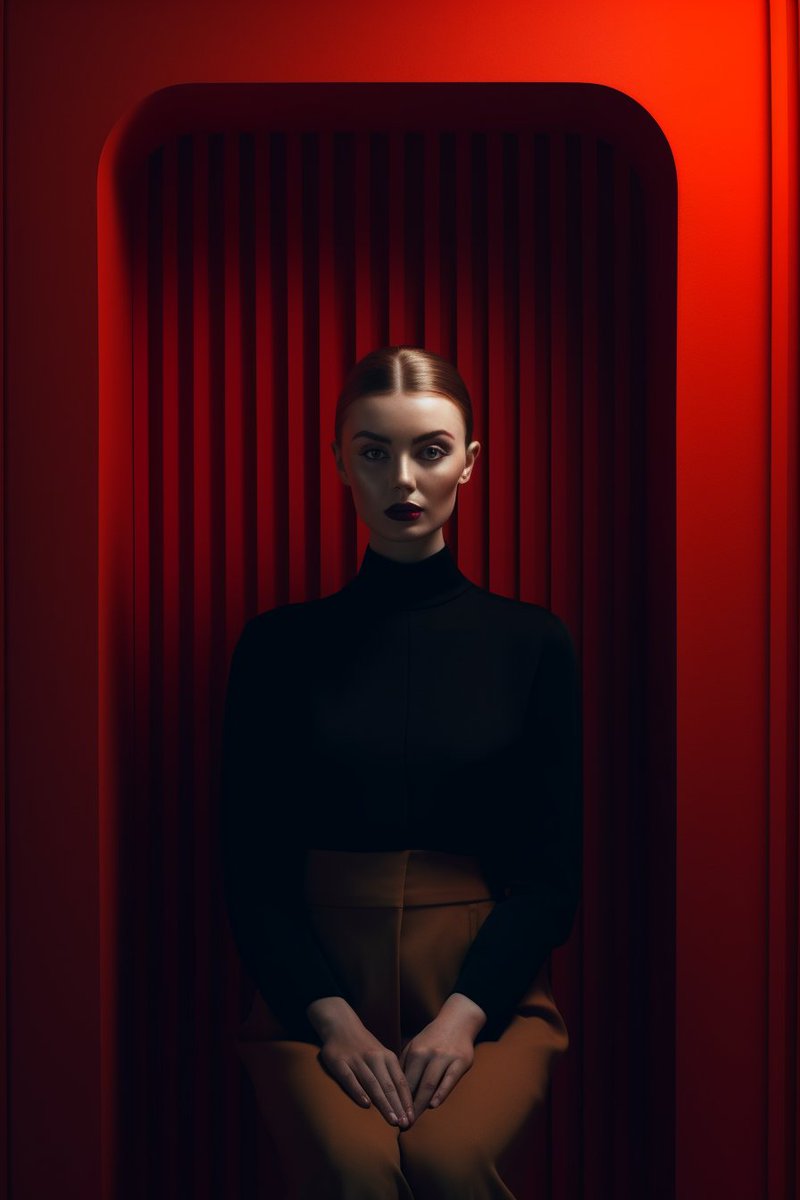
Prompt: [Link] inspired by [Artist name], portrait shoot of a lady, sitting on a couch, in the style of minimalism —s 50
What’s the tricks?
- model image link
- Use same prompt from step 1 but add style keyword
- Use your model seed
Prompt: [Link] inspired by [Artist name], portrait shoot of a lady, sitting on a couch, in the style of minimalism —s 50




If you are not sure what keywords to use, click here
https://twitter.com/ehuanglu/status/1658800766033993728?s=46&t=6baTmHNr3371LXRR687Lig
https://twitter.com/ehuanglu/status/1658444864105910274?s=46&t=6baTmHNr3371LXRR687Lig
• • •
Missing some Tweet in this thread? You can try to
force a refresh





